Community listing page, reviews may not be monitored by the author.
RenderTweaks

No reviews yet
Simple mod that allows configuration of certain aspects of Minecraft's rendering.

Community voices
Reviews
No reviews yet. Be the first to review this project!
Get it on
Available Platforms
About
Project Details
For authors
Embed Badge
If you're the author of this project, you can embed a live badge anywhere that supports HTML or Markdown. It updates automatically whenever ratings change.
Use HTML for any page that supports it, or Markdown for README files and Markdown-based descriptions.
Identifiers
Platform IDs
Resources
External Links
About
Description
Hey people!
I've got a very simple mod here for you, but also quite useful.
All this mod does is opens up a few of Minecraft's hard-coded rendering values, and lets you configure them.
Currently, you can change the rendering distance of mobs/players, as well as the distance of the nameplate above the players head. This could be very useful for PvP modpacks!
This is just a quick 1.7 port. I plan to add config file reinforcement from the server which forces values to take effect in the next update. This means that no matter what the client user wants, the server will set that value.
Config
The config is incredibly simple to use. You can toggle nameplate and entity altering with the two booleans, and set the values with the integers and double.
Value-wise, the nameplate ones are the distance in blocks that the nameplate will render from. Anything below 2 will completely disable nameplates. As for the entity range, lower values means a LARGER range. 0.5 will double Minecraft's setting, 0.25 will quadruple it and so on. Lower numbers also mean more resource usage, so try and find that "sweet spot". Default is around 80 blocks.
That's all there is to it! Enjoy, and please comment with any ideas and suggestions of what else you'd like to be able to tweak!
Screenshots
Gallery
-
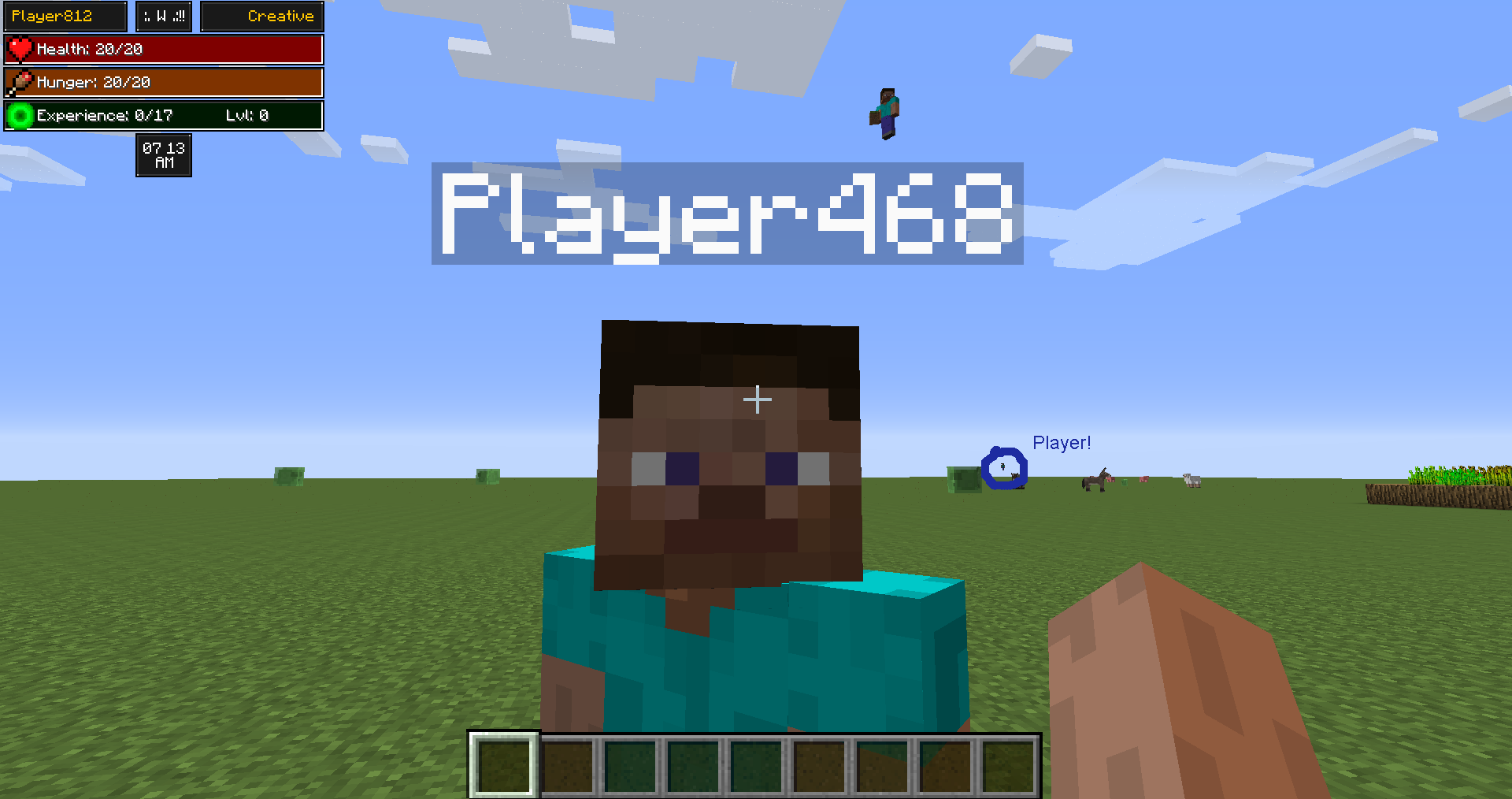 Example It's hard to really show a screenshot of what this mod does, but here's an attempt. There are 3 players in the shot. I had to circle the third; he's so far away he's just a dot! (GUI is HUDWidgets mod)
Versions
Files
Relations
Project Relations
More like this
Similar Mods
Suggestions use data such as tags, dependencies, dependents, descriptions, titles, and more to rank how much they overlap with this mod.
On ModDex
Community snapshot
By the numbers
Statistics

Get it on
Available Platforms
On ModDex
Community snapshot
By the numbers
Statistics
Resources