
Community listing page, reviews may not be monitored by the author.
Carpet PvP Practice

No reviews yet
Carpet PvP is a mod with unique features for players to practice PvP efficiently.

Community voices
Reviews
No reviews yet. Be the first to review this project!
Get it on
Available Platforms
Compatibility
Supported Environments
Runs entirely on the server. Also works in singleplayer.
Must be installed on both the client and the server.
Varies by version.
About
Project Details
For authors
Embed Badge
If you're the author of this project, you can embed a live badge anywhere that supports HTML or Markdown. It updates automatically whenever ratings change.
Use HTML for any page that supports it, or Markdown for README files and Markdown-based descriptions.
Identifiers
Platform IDs
About
Description
Carpet PvP
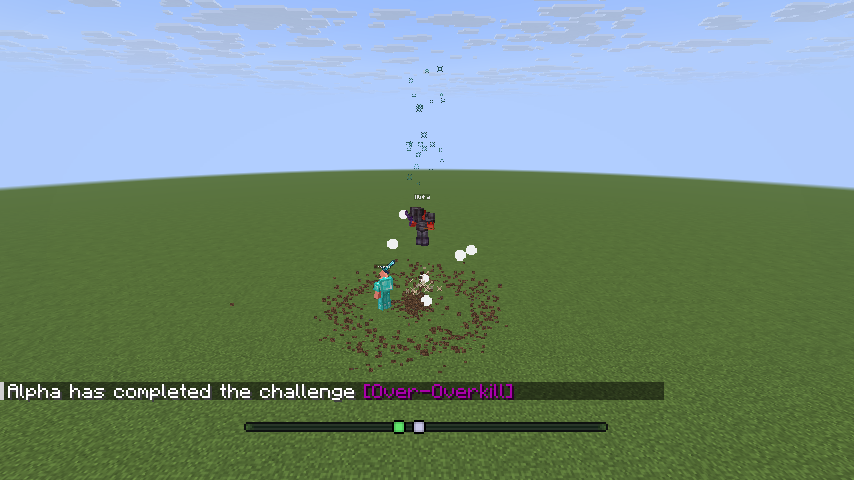
Carpet with PvP practice built in. It adds server-side bots that fight back, so you can practise on your own server at any hour without a sparring partner. Everything runs on the server: a vanilla client can join and fight.
What you get
- Bots that fight in five modes:
sword,smp,mace,crystalandranged, each with its own kit. - Five difficulty levels, from
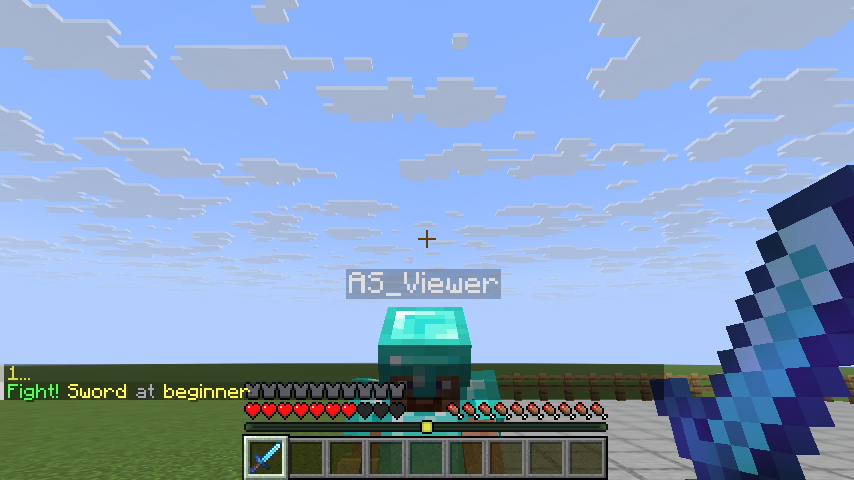
beginnertoexpert. They differ in reaction time, aim, click rate and which techniques the bot uses, and every setting can be changed per bot. - One command to start:
/auto-setup sword averagebuilds a fenced arena next to you, gives you and a bot the same kit, counts down and starts the fight./auto-setup stopputs every block and your inventory back. - Practice tools: drills that score you, team and free-for-all matches, spectating a bot, fight traces, built-in kits and a kit editor.
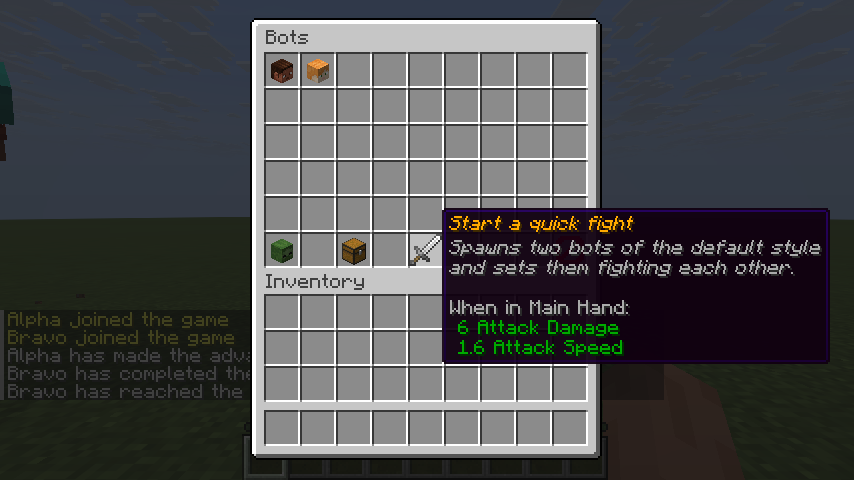
- Chest menus (
/bot gui) that work with a vanilla client. - CarpetLogic: program a bot in your browser with a graph of nodes instead of a script. See below.
- Carpet itself: fake players, Scarpet and the rules you already know.
What you need
| Minecraft | Java | Fabric Loader | Fabric API |
|---|---|---|---|
| 1.21.11 | 21 or newer | 0.19.2 or newer | any for 1.21.11; built and tested with 0.141.6+1.21.11 |
| 26.2 | 25 or newer | 0.19.2 or newer | any for 26.2; built and tested with 0.161.0+26.2 |
| 26.3 | 25 or newer | 0.19.2 or newer | any for 26.3; built and tested with 0.161.0+26.3 |
Fabric API is required: without it the game stops at start-up and says so. The Minecraft launcher brings the right Java by itself; on a server you install it yourself.
Install
Singleplayer
- Install Fabric Loader for your Minecraft version.
- Download Fabric API and Carpet PvP, both for the same Minecraft
version, and put the two jars in your
modsfolder (.minecraft/mods). - Start the game with the Fabric profile and open a world.
Server
- Set up a Fabric server for your Minecraft version.
- Put the Fabric API jar and the Carpet PvP jar in the server's
modsfolder and start it. - Players join with a normal client. They do not need the mod.
How to use it
Use release 19 or newer.
- Get a bot. Be in survival mode and type
/bot spawn. A bot in diamond armour with a sword appears three blocks in front of you and attacks you. A bot leaves a player in creative mode alone. - Get more. Type
/bot spawnagain: they are namedBot1,Bot2and so on. - Make one stop.
/bot stop Bot1makes it stand still./player Bot1 killremoves it. - Pick the weapon and the level.
/bot spawn Tom mace expertspawns a bot named Tom that fights with a mace at the hardest level. The weapons aresword,smp,mace,crystal,anchorandranged; the levels arebeginner,casual,average,skilledandexpert. - Get the same gear as the bot.
/bot kit give @s swordgives you its kit, and/bot kit restoregives you back what you had. - Use buttons instead.
/botopens a menu with the bots, their settings and the kits. - Have a proper match.
/auto-setup sword averagebuilds a fenced arena next to you, gives you and a bot the same kit, counts down, keeps the score and offers a rematch./auto-setup stopputs every block and your inventory back. - Watch two bots fight.
/bot spawn A sword,/bot spawn B sword, then/bot duel A B.
Every player may use /bot by default. A server admin restricts it to operators with
/carpet commandBot ops.
Program a bot in your browser
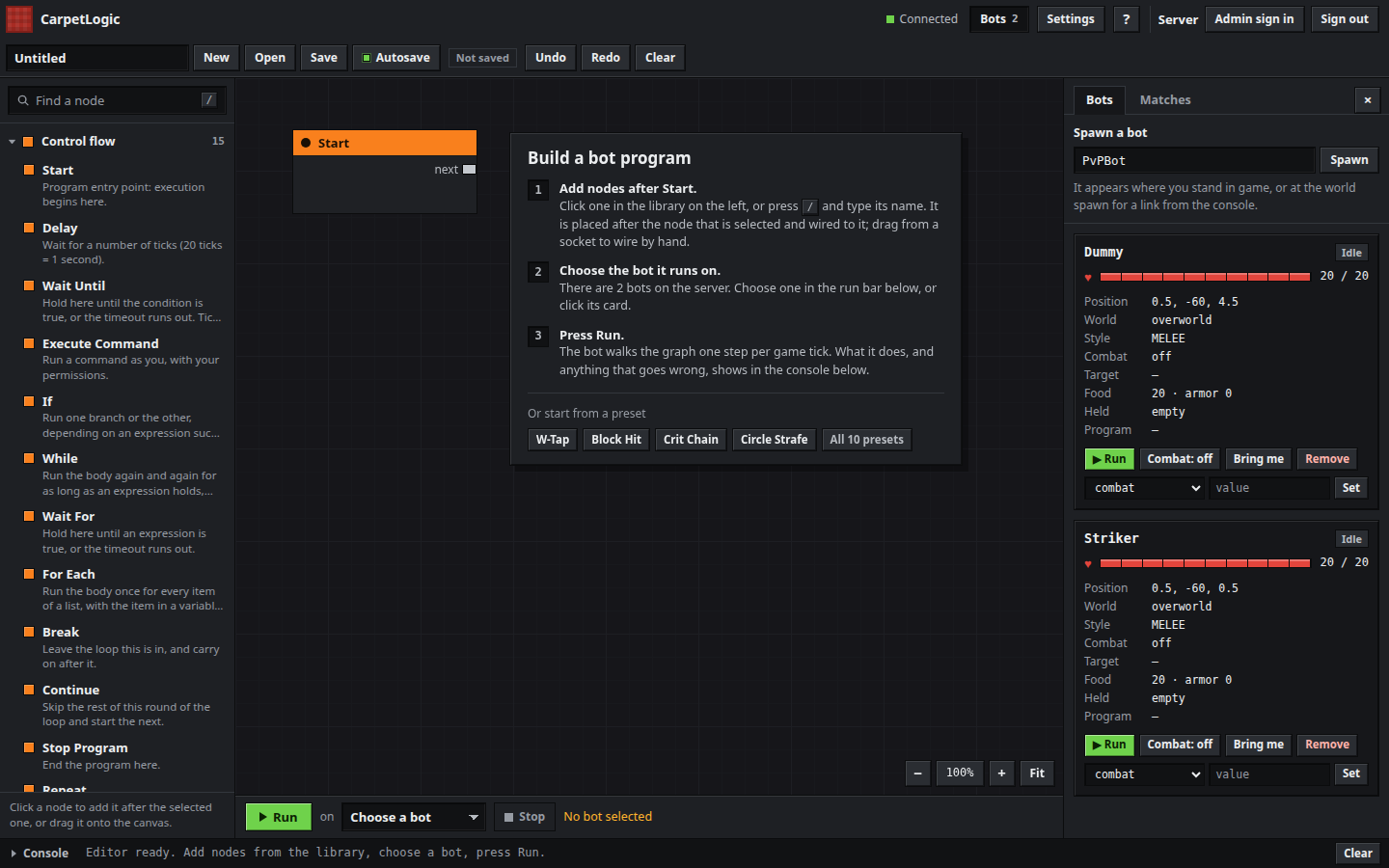
CarpetLogic is a visual editor: you chain nodes (move, look, fight, wait, branch, loop) and the bot does what the graph says.
- In game, run
/carpetlogic openand click open in browser in chat. It is for operators by default;/carpet commandCarpetLogic trueopens it to everyone. - In the editor, press Spawn in the Bots panel. The bot appears where you are standing.
- Press a preset such as W-Tap or Crit Chain on the empty canvas, or click nodes in the library on
the left to chain them after
Start. - Choose the bot under the canvas and press Run.
Programs save themselves to the world folder. On a server that is not your own computer the admin has to open the editor up first: see the CarpetLogic page.
Versions
| Platform | Minecraft |
|---|---|
| Fabric | 1.21.11, 26.2, 26.3 |
| Paper | 1.21.11, 26.2, 26.3: a plugin with the bots, attached to each release on GitHub |
Java and Fabric API versions are in What you need. Minecraft 26.1.2 stays on release 17.
What is not there yet
- The crystal bot fights with crystals but does not yet use respawn anchors, take the low ground or combine a knockback hit with a crystal in a live fight.
- The SMP bot is about even with a sword bot of the same level; it should be ahead.
- The ranged bot lays its TNT minecart trap but does not light it reliably.
Links
Screenshots
Gallery
-
 Mace bot against a sword bot
-
 Sword duel
-
 Crystal duel
-
 SMP duel: a splash potion mid-fight
-
 /auto-setup: pick a mode and a difficulty
-
 /auto-setup: the fight
-
 The bot menu
-
 CarpetLogic: a bot program
-
 CarpetLogic: the editor
-
 CarpetLogic: changing rules as an admin
-
 Sword blocking
Versions
Files
Relations
Project Relations
More like this
Similar Mods
Suggestions use data such as tags, dependencies, dependents, descriptions, titles, and more to rank how much they overlap with this mod.
On ModDex
Community snapshot
By the numbers
Statistics


Get it on
Available Platforms
On ModDex
Community snapshot
By the numbers