Community listing page, reviews here may not be monitored by the author.
Repurposed Structures


Adds more variations of vanilla structures and features such as a Jungle Fortress!

Community voices
Reviews
No reviews yet. Be the first to review this project!
Get it on
Available Platforms
Compatibility
Supported Environments
Runs entirely on the server. Also works in singleplayer.
About
Project Details
For authors
Embed Badge
If you're the author of this project, you can embed a live badge anywhere that supports HTML or Markdown. It updates automatically whenever ratings change.
Use HTML for any page that supports it, or Markdown for README files and Markdown-based descriptions.
Identifiers
Platform IDs


About
Description

Works serverside too so vanilla clients can connect!
CLICK HERE FOR FABRIC VERSION:
https://www.curseforge.com/minecraft/mc-mods/repurposed-structures-fabric
____________________________________________________________________________
WHAT IS REPURPOSED STRUCTURES?
Repurposed Structures is a mod about taking existing vanilla features and structures and creating new variants or modifications to them! Originally, most of the structures and features in this mod was actually made for my Ultra Amplified Dimension mod. But then I realized these features and structures would look great in the Overworld as well so I decided to take those structures and features and split them into their own mod and continue to add MORE biome variants of vanilla structures! And over time, some other people even help contribute more vanilla styled structures!
Check out the wiki below for all the info! This wiki is kept up to date with latest Repurposed Structures release
https://github.com/TelepathicGrunt/RepurposedStructures/wiki
Frequently Asked Questions:
- Q: Can this mod work serverside and let vanilla clients connect?
- A: Yep! This mod does not add any new blocks or mobs so it can be ran entirely serverside and is safe for vanilla clients.
- Q: How do I turn off RS structures in 1.18.2 or newer MC?
- A: 1.18.2 did a lot of changes and as a result, all of RS's structures are now in datapack form. Click here for more info and leads you to the config datapack that lets you turn off structures or changing spawnrates. Don't be afraid to ask me questions if you get stuck!
- Q: Does this mod work with YUNG's Better Strongholds, YUNG's Better Mineshafts, and other Yungs mods mod?**
- A: Yes all of Yung's mods will work with Repurposed Structures. Both mod's structures will continue to spawn. Note: RS's structures will remain the same and will not be in the same style as yung's structures unless you put on special datapacks. See the Pre-Datapack section for changing RS's strongholds, dungeons, and other structures to be in the style of Yung's structures! (Mineshafts does not have a datapack because Yung's Better Mineshafts already have biome variants)
- Q: Does this mod conflict with ___ mod?**
- A: Highly unlikely. My mod adds structures to biomes directly so any conflict would be extremely rare. Best way to know is to just try my mod with the other mod. If you find they do conflict somehow, PLEASE let me know so I can investigate and release a fix! :) In fact, some mods like Signpost may have direct compatibility with Repurposed Structures's structures!
- Q: I heard this mod has banners in chests but none show up for me. Why?
- A: You'll have to use the latest version of Repurposed Structures and have the Luck status effect or attribute. Luck is not able to be obtained in vanilla so you'll have to use another mod or datapack. The banners are more like a cool Easter Egg collectable so check out what mods or datapacks can give you some Luck! Good luck and have fun collecting banners!
- Q: The advancements are annoying! I want to turn them off!
- A: There are datapacks to turn off the advancements. Click here for the datapack to use to make all RS advancements disabled. You can delete the files of the structures you do want advancements for from that datapack.
- Q: How can I change the language that this mod uses?
- A: You can use a Resourcepack to add new languages and help contribute! You can grab this datapack, delete the data folder from it, and use it as a resourcepack and add new languages you want!
- Q: Can I use this mod in a modpack?
- A: Yep! You can use this mod in a modpack :)
- Q: Can I modify the source code of this mod to make changes?
- A: You can but just make sure you respect my license which is LGPL. That means, if you plan on distributing a modified Repurposed Structures jar, you should open source it by making the modified source code visible and licensed under an open source license. But truthfully, if you want to make a change, ask me first or make a PR into my mod as I might actually add it to the base mod itself!
______________________________________________________________________________
HOW CAN I CONFIGURE THIS MOD?
As of 1.18.2 and newer, most of Repurposed Structures can be changed by datapack now. Including turning off or on structures or changing spawnrates. Click the below link to get an example datapack to edit and some pointers for what to edit to turn off structures. There's a huge amount of stuff you can change by datapack though such as changing what height RS Mineshafts spawn at or how large RS villages are and much more that was not configurable in 1.18.1 and below. Enjoy!
Click here to go to config datapack download page
More info and links about configuring can be found here along with some 1.18.2 and older info on cofniguring Repurposed Structures:
https://github.com/TelepathicGrunt/RepurposedStructures/wiki#-how-can-i-configure-this-mod-
______________________________________________________________________________
PRE-MADE DATAPACKS
Since the overwhelming majority of my structures uses nbt files, template pools, and/or processors, you can override all of this with datapacks! That means you can customize the blocks in those structures with other mod's blocks or add pieces of other mod's villages into RS's villages! If you decide to use the datapacks below, download it, go into your world's save folder, and put the zipped folder into the datapack folder. Now when you load the game, the datapack should take effect! (Also, you can share mod-compat datapacks you made to me and I'll add it below after I check it out and like it!)
Check out the wiki below for some links to premade datapacks!
https://github.com/TelepathicGrunt/RepurposedStructures/wiki#-pre-made-datapacks-
______________________________________________________________________________
Special thanks to:
/r/l-ll-ll-l_IsDisLoss from Reddit for allowing me to use his Nether Pyramid and Nether Crimson Outpost design!
cannon_foddr for allowing me to use his Nether Brick Outpost and End/Nether Bricks Shipwreck design!
miguelforge for allowing me to use his Crimson and Warped Shipwreck, End Ruined Portal, Nether Ruins, and other designs!
*If you find an issue, glitch, or have a suggestion about my mod, let me know! But if you don't have a GitHub account to report in the Issue tab above, just comment what the problem is below and I'll try and get back to you ASAP! Or you can contact me on Discord at the link below :)
Discord Link to #telepathicgrunt-mods channel for my mods! :

My Ko-fi page if you wish to help donate to support me! :
https://ko-fi.com/telepathicgrunt


Serversided where vanilla clients can connect!
CLICK HERE FOR Forge / Neoforge VERSION:
https://www.curseforge.com/minecraft/mc-mods/repurposed-structures
____________________________________________________________________________
WHAT IS REPURPOSED STRUCTURES?
Repurposed Structures is a mod about taking existing vanilla features and structures and creating new variants or modifications to them! Originally, most of the structures and features in this mod was actually made for my Ultra Amplified Dimension mod. But then I realized these features and structures would look great in the Overworld as well so I decided to take those structures and features and split them into their own mod and continue to add MORE biome variants of vanilla structures! And over time, some other people even help contribute more vanilla styled structures!
Check out the wiki below for all the info! This wiki is kept up to date with latest Repurposed Structures release
https://github.com/TelepathicGrunt/RepurposedStructures/wiki
Frequently Asked Questions:
- Q: Can this mod work serverside and let vanilla clients connect?
- A: Yep! This mod does not add any new blocks or mobs so it can be ran entirely serverside and is safe for vanilla clients.
- Q: How do I turn off RS structures in 1.18.2 or newer MC?
- A: 1.18.2 did a lot of changes and as a result, all of RS's structures are now in datapack form. Click here for more info and leads you to the config datapack that lets you turn off structures or changing spawnrates. Don't be afraid to ask me questions if you get stuck!
- Q: Does this mod work with YUNG's Better Strongholds, YUNG's Better Mineshafts, and other Yungs mods mod?**
- A: Yes all of Yung's mods will work with Repurposed Structures. Both mod's structures will continue to spawn. Note: RS's structures will remain the same and will not be in the same style as yung's structures unless you put on special datapacks. See the Pre-Datapack section for changing RS's strongholds, dungeons, and other structures to be in the style of Yung's structures! (Mineshafts does not have a datapack because Yung's Better Mineshafts already have biome variants)
- Q: Does this mod conflict with ___ mod?**
- A: Highly unlikely. My mod adds structures to biomes directly so any conflict would be extremely rare. Best way to know is to just try my mod with the other mod. If you find they do conflict somehow, PLEASE let me know so I can investigate and release a fix! :) In fact, some mods like Signpost may have direct compatibility with Repurposed Structures's structures!
- Q: I heard this mod has banners in chests but none show up for me. Why?
- A: You'll have to use the latest version of Repurposed Structures and have the Luck status effect or attribute. Luck is not able to be obtained in vanilla so you'll have to use another mod or datapack. The banners are more like a cool Easter Egg collectable so check out what mods or datapacks can give you some Luck! Good luck and have fun collecting banners!
- Q: The advancements are annoying! I want to turn them off!
- A: There are datapacks to turn off the advancements. Click here for the datapack to use to make all RS advancements disabled. You can delete the files of the structures you do want advancements for from that datapack.
- Q: How can I change the language that this mod uses?
- A: You can use a Resourcepack to add new languages and help contribute! You can grab this datapack, delete the data folder from it, and use it as a resourcepack and add new languages you want!
- Q: Can I use this mod in a modpack?
- A: Yep! You can use this mod in a modpack :)
- Q: Can I modify the source code of this mod to make changes?
- A: You can but just make sure you respect my license which is LGPL. That means, if you plan on distributing a modified Repurposed Structures jar, you should open source it by making the modified source code visible and licensed under an open source license. But truthfully, if you want to make a change, ask me first or make a PR into my mod as I might actually add it to the base mod itself!
______________________________________________________________________________
HOW CAN I CONFIGURE THIS MOD?
As of 1.18.2 and newer, most of Repurposed Structures can be changed by datapack now. Including turning off or on structures or changing spawnrates. Click the below link to get an example datapack to edit and some pointers for what to edit to turn off structures. There's a huge amount of stuff you can change by datapack though such as changing what height RS Mineshafts spawn at or how large RS villages are and much more that was not configurable in 1.18.1 and below. Enjoy!
Click here to go to config datapack download page
More info and links about configuring can be found here along with some 1.18.2 and older info on cofniguring Repurposed Structures:
https://github.com/TelepathicGrunt/RepurposedStructures/wiki#-how-can-i-configure-this-mod-
______________________________________________________________________________
PRE-MADE DATAPACKS
Since the overwhelming majority of my structures uses nbt files, template pools, and/or processors, you can override all of this with datapacks! That means you can customize the blocks in those structures with other mod's blocks or add pieces of other mod's villages into RS's villages! If you decide to use the datapacks below, download it, go into your world's save folder, and put the zipped folder into the datapack folder. Now when you load the game, the datapack should take effect! (Also, you can share mod-compat datapacks you made to me and I'll add it below after I check it out and like it!)
Check out the wiki below for some links to premade datapacks!
https://github.com/TelepathicGrunt/RepurposedStructures/wiki#-pre-made-datapacks-
______________________________________________________________________________
Special thanks to:
/r/l-ll-ll-l_IsDisLoss from Reddit for allowing me to use his Nether Pyramid and Nether Crimson Outpost design!
cannon_foddr for allowing me to use his Nether Brick Outpost and End/Nether Bricks Shipwreck design!
miguelforge for allowing me to use his Crimson and Warped Shipwreck, End Ruined Portal, Nether Ruins, and other designs!
*If you find an issue, glitch, or have a suggestion about my mod, let me know! But if you don't have a GitHub account to report in the Issue tab above, just comment what the problem is below and I'll try and get back to you ASAP! Or you can contact me on Discord at the link below :)
Discord Link to #telepathicgrunt-mods channel for my mods! :
My Ko-fi page if you wish to help donate to support me! :
https://ko-fi.com/telepathicgrunt
Works serverside too so vanilla clients can connect!
CLICK HERE FOR QUILT/FABRIC MC PORT: https://modrinth.com/mod/repurposed-structures-fabric
WHAT IS REPURPOSED STRUCTURES?
Repurposed Structures is a mod about taking existing vanilla features and structures and creating new variants or modifications to them! Originally, most of the structures and features in this mod was actually made for my Ultra Amplified Dimension mod. but then I realized these features and structures would look great in the Overworld as well so I decided to take those structures and features and split them into their own mod and continue to add MORE biome variants of vanilla structures! And over time, some other people even help contribute more vanilla styled structures!
Check out the wiki below for all the info! It is kept up to date on latest Repurposed Structures releases.
https://github.com/TelepathicGrunt/RepurposedStructures/wiki
Frequently Asked Questions:
-
Q: Can this mod work serverside and let vanilla clients connect?
- A: Yep! This mod does not add any new blocks or mobs so it can be ran entirely serverside and is safe for vanilla clients.
-
Q: How do I turn off RS structures in 1.18.2 or newer MC?
- A: 1.18.2 did a lot of changes and as a result, all of RS's structures are now in datapack form. Click here for more info and leads you to the config datapack that lets you turn off structures or changing spawnrates. Don't be afraid to ask me questions if you get stuck!
-
Q: Does this mod work with YUNG's Better Strongholds, YUNG's Better Mineshafts, and other Yungs mods mod?
- A: Yes all of Yung's mods will work with Repurposed Structures. Both mod's structures will continue to spawn. Note: RS’s structures will remain the same and will not be in the same style as yung’s structures unless you put on special datapacks. See the Pre-Datapack section for changing RS's strongholds, dungeons, and other structures to be in the style of Yung's structures! (Mineshafts does not have a datapack because Yung's Better Mineshafts already have biome variants)
-
Q: Does this mod conflict with ___ mod?
- A: Highly unlikely. My mod adds structures to biomes directly so any conflict would be extremely rare. Best way to know is to just try my mod with the other mod. If you find they do conflict somehow, PLEASE let me know so I can investigate and release a fix! :) In fact, some mods like Signpost may have direct compatibility with Repurposed Structures's structures!
-
Q: I heard this mod has banners in chests but none show up for me. Why?
- A: You'll have to use the latest version of Repurposed Structures and have the Luck status effect or attribute. Luck is not able to be obtained in vanilla so you'll have to use another mod or datapack. The banners are more like a cool Easter Egg collectable so check out what mods or datapacks can give you some Luck! Good luck and have fun collecting banners!
-
Q: The advancements are annoying! I want to turn them off!
- A: There are datapacks to turn off the advancements. Click here for the datapack to use to make all RS advancements disabled. You can delete the files of the structures you do want advancements for from that datapack.
-
Q: How can I change the language that this mod uses?
- A: You can use a Resourcepack to add new languages and help contribute! You can grab this datapack, delete the data folder from it, and use it as a resourcepack and add new languages you want!
-
Q: Can I use this mod in a modpack?
- A: Yep! You can use this mod in a modpack :)
-
Q: Can I modify the source code of this mod to make changes?
- A: You can but just make sure you respect my license which is LGPL. That means, if you plan on distributing a modified Repurposed Structures jar, you should open source it by making the modified source code visible and licensed under an open source license. But truthfully, if you want to make a change, ask me first or make a PR into my mod as I might actually add it to the base mod itself!
🏠 HOW CAN I CONFIGURE THIS MOD? 🏠
1.18.2 and newer info:
As of 1.18.2 and newer, most of Repurposed Structures can be changed by datapack now. Including turning off or on structures or changing spawnrates. Click the below link to get an example datapack to edit and some pointers for what to edit to turn off structures. There's a huge amount of stuff you can change by datapack though such as changing what height RS Mineshafts spawn at or how large RS villages are and much more that was not configurable in 1.18.1 and below. Enjoy!
Click here to go to config datapack download page
Note: Be sure to read the instructions in the above link's page to make it easier to know what to edit
By default, RS will do its best to import modded loot into its structures's loot. If this is not desired behavior, you can disable this in the normal RS config file in config folder above mods folder.
Furthermore, you can make datapacks to modify or change how RS structures look! Here's a flat world of all the pieces of my structures. Use this to make editing and overriding structure pieces easier with datapacks: Repurposed Structures - pieces world (click here)**
For the expert datapackers, there's actually a hidden neat way to add new pieces to any Jigsaw Structure without overriding their pool file! (Villages, outposts, all of RS's structures minus mansions, etc) For example, instead of overriding data\repurposed_structures\worldgen\template_pool\village\birch\houses.json to add new houses to my Birch Village, replace worldgen\template in the datapack with pool_additions and have the template pool file only have the entries you want merged into the main pool file. Repurposed Structures will detect these files from ALL datapacks and merge the pool_additions pool entries into the actual template pool file that the path points to. Yes, Repurposed Structures will read all pool_additions files from all datapacks that even have the same path so that the datapacks do not override each other's pool_additions! Neat stuff! And it works with other pools too! Just make sure the piece you are adding has a Jigsaw Block with the right name so the actual structure can connect and spawn the piece.
To help you with this cool pool_additions feature, this 18 minute tutorial should help walk you through creating a building, saving it, and adding it to RS's structures with a datapack! https://youtu.be/kzRQrQqlYjw
1.18.1 and older info:
To reach this mod's config file, go into the config folder that is above the mods folder and go into the repurposed_structures-forge folder to change the configs. The config is split up into many files for better organization and ease of editing. Then exit/restart Minecraft for all changes to take effect. Do note that the config will affect all worlds so keep that in mind
Right now, there are lots of config options. The big one that you may be interested in is the spawnrate config for every structure and yes, you can even fully turn off the structures too. The config comments will help walk you through on how to adjust the rates. Furthermore, you can even blacklist dimensions or biomes as well! For some structures, you can change the maximum and minimum y value that they can start their generation at and far more! Check out the config for everything you can do!
Furthermore, you can make datapacks to modify or change a huge amount of stuff in my mod including modifying how structures look! Here's a flat world of all the pieces of my nbt-based structures. Use this to make editing and overriding structure pieces easier with datapacks: Repurposed Structures - pieces world (click here)
If you want to change the loot tables that the structures in this mod uses, you can override my loot tables with a data pack! Here's a datapack with the default loot tables: Repurposed_Structures-Loottables (click here)
The mob spawner for all none-nbt based structures can be changed with datapacks as well! You can download the spawner datapack here and change the entries inside the json files to add, remove, or change mob chances in spawners!: Repurposed_Structures-Mob_Spawners (click here)
And all structure pieces such as Wells, Villages, Outposts, Shipwrecks, Pyramids, and Igloos can also be overridden with datapacks. Furthermore, the template pools that holds structure pieces for Villages and other structures can also be overridden with datapacks to add your own pieces to the villages or other structures! You can find what pieces or pools can be replaced and their filenames here but be sure to switch the branch to the MC version you are on: Overridable structure nbt files (click here)Overridable structure pool files (click here)
For the expert datapackers, there's actually a hidden neat way to add new pieces to any Jigsaw Structure without overriding their pool file! (Villages, outposts, all of RS's structures minus mansions, etc) For example, instead of overriding data\repurposed_structures\worldgen\template_pool\village\birch\houses.json to add new houses to my Birch Village, replace worldgen\template in the datapack with pool_additions and have the template pool file only have the entries you want merged into the main pool file. Repurposed Structures will detect these files from ALL datapacks and merge the pool_additions pool entries into the actual template pool file that the path points to. Yes, Repurposed Structures will read all pool_additions files from all datapacks that even have the same path so that the datapacks do not override each other's pool_additions! Neat stuff! And it works with other pools too! Just make sure the piece you are adding has a Jigsaw Block with the right name so the actual structure can connect and spawn the piece.
To help you with this cool pool_additions feature, this 18 minute tutorial should help walk you through creating a building, saving it, and adding it to RS's structures with a datapack! https://youtu.be/kzRQrQqlYjw
If you get stuck or confused on how to configure something, just ask and I'll try and help out!
🏠 PRE-MADE DATAPACKS 🏠
Since the overwhelming majority of my structures uses nbt files, template pools, and/or processors, you can override all of this with datapacks! That means you can customize the blocks in those structures with other mod's blocks or add pieces of other mod's villages into RS's villages! If you decide to use the datapacks below, download it, go into your world's save folder, and put the zipped folder into the datapack folder. Now when you load the game, the datapack should take effect! (Also, you can share mod-compat datapacks you made to me and I'll add it below after I check it out and like it!)
Check out the wiki below for some links to premade datapacks!
https://github.com/TelepathicGrunt/RepurposedStructures/wiki#-pre-made-datapacks-
Special thanks to:
/r/l-ll-ll-l_IsDisLoss from Reddit for allowing me to use his Nether Pyramid and Nether Crimson Outpost design!
cannon_foddr for allowing me to use his Nether Brick Outpost and End/Nether Bricks Shipwreck design!
miguelforge for allowing me to use his Crimson and Warped Shipwreck, End Ruined Portal, Nether Ruins, and other designs!
*If you find an issue, glitch, or have a suggestion about my mod, let me know! But if you don't have a GitHub account to report in the Issue tab above, just comment what the problem is below and I'll try and get back to you ASAP! Or you can contact me on Discord :)
Works serverside too so vanilla clients can connect!
CLICK HERE FOR NEOFORGE/FORGE MC PORT: https://modrinth.com/mod/repurposed-structures-forge
____________________________________________________________________________
WHAT IS REPURPOSED STRUCTURES?
Repurposed Structures is a mod about taking existing vanilla features and structures and creating new variants or modifications to them! Originally, most of the structures and features in this mod was actually made for my Ultra Amplified Dimension mod. but then I realized these features and structures would look great in the Overworld as well so I decided to take those structures and features and split them into their own mod and continue to add MORE biome variants of vanilla structures! And over time, some other people even help contribute more vanilla styled structures!
Check out the wiki below for all the info! It is kept up to date on latest Repurposed Structures releases.
https://github.com/TelepathicGrunt/RepurposedStructures/wiki
Frequently Asked Questions:
-
Q: Can this mod work serverside and let vanilla clients connect?
- A: Yep! This mod does not add any new blocks or mobs so it can be ran entirely serverside and is safe for vanilla clients.
-
Q: How do I turn off RS structures in 1.18.2 or newer MC?
- A: 1.18.2 did a lot of changes and as a result, all of RS's structures are now in datapack form. Click here for more info and leads you to the config datapack that lets you turn off structures or changing spawnrates. Don't be afraid to ask me questions if you get stuck!
-
Q: Does this mod work with YUNG's Better Strongholds, YUNG's Better Mineshafts, and other Yungs mods mod?
- A: Yes all of Yung's mods will work with Repurposed Structures. Both mod's structures will continue to spawn. Note: RS’s structures will remain the same and will not be in the same style as yung’s structures unless you put on special datapacks. See the Pre-Datapack section for changing RS's strongholds, dungeons, and other structures to be in the style of Yung's structures! (Mineshafts does not have a datapack because Yung's Better Mineshafts already have biome variants)
-
Q: Does this mod conflict with ___ mod?
- A: Highly unlikely. My mod adds structures to biomes directly so any conflict would be extremely rare. Best way to know is to just try my mod with the other mod. If you find they do conflict somehow, PLEASE let me know so I can investigate and release a fix! :) In fact, some mods like Signpost may have direct compatibility with Repurposed Structures's structures!
-
Q: I heard this mod has banners in chests but none show up for me. Why?
- A: You'll have to use the latest version of Repurposed Structures and have the Luck status effect or attribute. Luck is not able to be obtained in vanilla so you'll have to use another mod or datapack. The banners are more like a cool Easter Egg collectable so check out what mods or datapacks can give you some Luck! Good luck and have fun collecting banners!
-
Q: The advancements are annoying! I want to turn them off!
- A: There are datapacks to turn off the advancements. Click here for the datapack to use to make all RS advancements disabled. You can delete the files of the structures you do want advancements for from that datapack.
-
Q: How can I change the language that this mod uses?
- A: You can use a Resourcepack to add new languages and help contribute! You can grab this datapack, delete the data folder from it, and use it as a resourcepack and add new languages you want!
-
Q: Can I use this mod in a modpack?
- A: Yep! You can use this mod in a modpack :)
-
Q: Can I modify the source code of this mod to make changes?
- A: You can but just make sure you respect my license which is LGPL. That means, if you plan on distributing a modified Repurposed Structures jar, you should open source it by making the modified source code visible and licensed under an open source license. But truthfully, if you want to make a change, ask me first or make a PR into my mod as I might actually add it to the base mod itself!
🏠 HOW CAN I CONFIGURE THIS MOD? 🏠
1.18.2 and newer info:
As of 1.18.2 and newer, most of Repurposed Structures can be changed by datapack now. Including turning off or on structures or changing spawnrates. Click the below link to get an example datapack to edit and some pointers for what to edit to turn off structures. There's a huge amount of stuff you can change by datapack though such as changing what height RS Mineshafts spawn at or how large RS villages are and much more that was not configurable in 1.18.1 and below. Enjoy!
Click here to go to config datapack download page
Note: Be sure to read the instructions in the above link's page to make it easier to know what to edit
By default, RS will do its best to import modded loot into its structures's loot. If this is not desired behavior, you can disable this in the normal RS config file in config folder above mods folder.
Furthermore, you can make datapacks to modify or change how RS structures look! Here's a flat world of all the pieces of my structures. Use this to make editing and overriding structure pieces easier with datapacks: Repurposed Structures - pieces world (click here)**
For the expert datapackers, there's actually a hidden neat way to add new pieces to any Jigsaw Structure without overriding their pool file! (Villages, outposts, all of RS's structures minus mansions, etc) For example, instead of overriding data\repurposed_structures\worldgen\template_pool\village\birch\houses.json to add new houses to my Birch Village, replace worldgen\template in the datapack with pool_additions and have the template pool file only have the entries you want merged into the main pool file. Repurposed Structures will detect these files from ALL datapacks and merge the pool_additions pool entries into the actual template pool file that the path points to. Yes, Repurposed Structures will read all pool_additions files from all datapacks that even have the same path so that the datapacks do not override each other's pool_additions! Neat stuff! And it works with other pools too! Just make sure the piece you are adding has a Jigsaw Block with the right name so the actual structure can connect and spawn the piece.
To help you with this cool pool_additions feature, this 18 minute tutorial should help walk you through creating a building, saving it, and adding it to RS's structures with a datapack! https://youtu.be/kzRQrQqlYjw
1.18.1 and older info:
To reach this mod's config file, go into the config folder that is above the mods folder and go into the repurposed_structures-forge folder to change the configs. The config is split up into many files for better organization and ease of editing. Then exit/restart Minecraft for all changes to take effect. Do note that the config will affect all worlds so keep that in mind
Right now, there are lots of config options. The big one that you may be interested in is the spawnrate config for every structure and yes, you can even fully turn off the structures too. The config comments will help walk you through on how to adjust the rates. Furthermore, you can even blacklist dimensions or biomes as well! For some structures, you can change the maximum and minimum y value that they can start their generation at and far more! Check out the config for everything you can do!
Furthermore, you can make datapacks to modify or change a huge amount of stuff in my mod including modifying how structures look! Here's a flat world of all the pieces of my nbt-based structures. Use this to make editing and overriding structure pieces easier with datapacks: Repurposed Structures - pieces world (click here)
If you want to change the loot tables that the structures in this mod uses, you can override my loot tables with a data pack! Here's a datapack with the default loot tables: Repurposed_Structures-Loottables (click here)
The mob spawner for all none-nbt based structures can be changed with datapacks as well! You can download the spawner datapack here and change the entries inside the json files to add, remove, or change mob chances in spawners!: Repurposed_Structures-Mob_Spawners (click here)
And all structure pieces such as Wells, Villages, Outposts, Shipwrecks, Pyramids, and Igloos can also be overridden with datapacks. Furthermore, the template pools that holds structure pieces for Villages and other structures can also be overridden with datapacks to add your own pieces to the villages or other structures! You can find what pieces or pools can be replaced and their filenames here but be sure to switch the branch to the MC version you are on: Overridable structure nbt files (click here)Overridable structure pool files (click here)
For the expert datapackers, there's actually a hidden neat way to add new pieces to any Jigsaw Structure without overriding their pool file! (Villages, outposts, all of RS's structures minus mansions, etc) For example, instead of overriding data\repurposed_structures\worldgen\template_pool\village\birch\houses.json to add new houses to my Birch Village, replace worldgen\template in the datapack with pool_additions and have the template pool file only have the entries you want merged into the main pool file. Repurposed Structures will detect these files from ALL datapacks and merge the pool_additions pool entries into the actual template pool file that the path points to. Yes, Repurposed Structures will read all pool_additions files from all datapacks that even have the same path so that the datapacks do not override each other's pool_additions! Neat stuff! And it works with other pools too! Just make sure the piece you are adding has a Jigsaw Block with the right name so the actual structure can connect and spawn the piece.
To help you with this cool pool_additions feature, this 18 minute tutorial should help walk you through creating a building, saving it, and adding it to RS's structures with a datapack! https://youtu.be/kzRQrQqlYjw
If you get stuck or confused on how to configure something, just ask and I'll try and help out!
🏠 PRE-MADE DATAPACKS 🏠
Since the overwhelming majority of my structures uses nbt files, template pools, and/or processors, you can override all of this with datapacks! That means you can customize the blocks in those structures with other mod's blocks or add pieces of other mod's villages into RS's villages! If you decide to use the datapacks below, download it, go into your world's save folder, and put the zipped folder into the datapack folder. Now when you load the game, the datapack should take effect! (Also, you can share mod-compat datapacks you made to me and I'll add it below after I check it out and like it!)
Check out the wiki below for some links to premade datapacks!
https://github.com/TelepathicGrunt/RepurposedStructures/wiki#-pre-made-datapacks-
Special thanks to:
/r/l-ll-ll-l_IsDisLoss from Reddit for allowing me to use his Nether Pyramid and Nether Crimson Outpost design!
cannon_foddr for allowing me to use his Nether Brick Outpost and End/Nether Bricks Shipwreck design!
miguelforge for allowing me to use his Crimson and Warped Shipwreck, End Ruined Portal, Nether Ruins, and other designs!
*If you find an issue, glitch, or have a suggestion about my mod, let me know! But if you don't have a GitHub account to report in the Issue tab above, just comment what the problem is below and I'll try and get back to you ASAP! Or you can contact me on Discord :)
Screenshots
Gallery
-
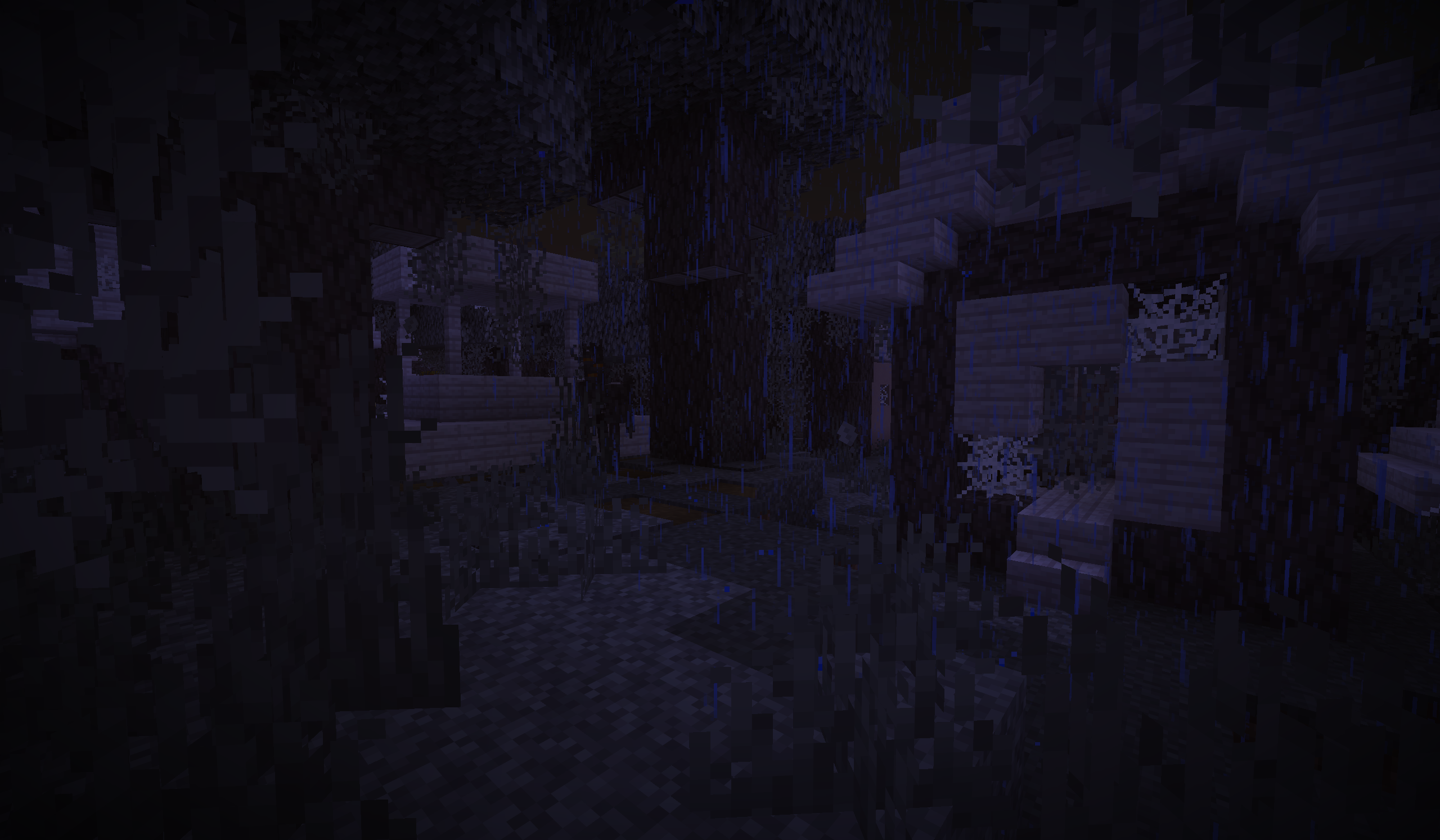 Pale Garden Village Explore it during the night!... if you dare...
 -
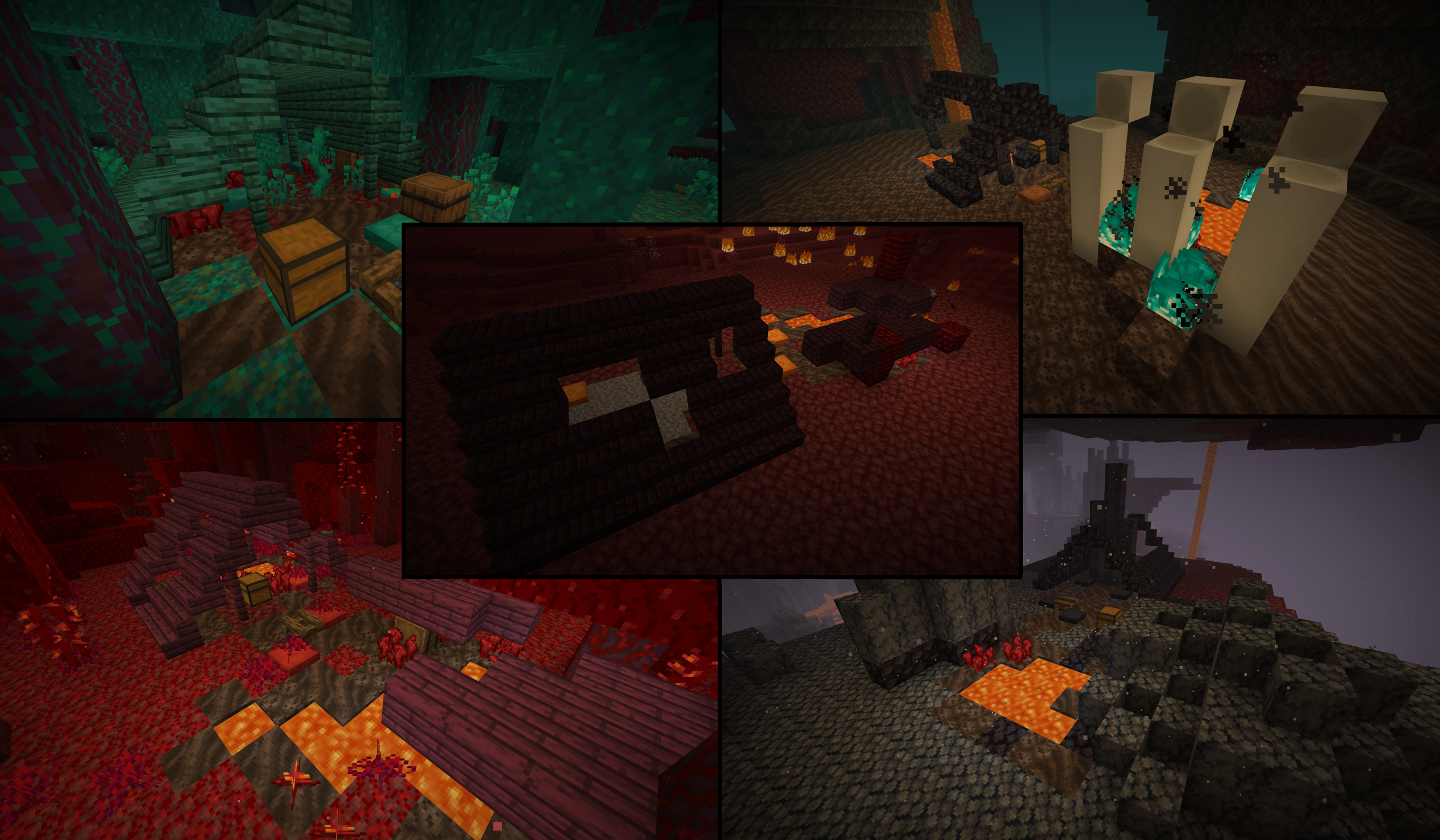 Abandoned Camps in Nether! New ways of finding Nether biomes now!
 -
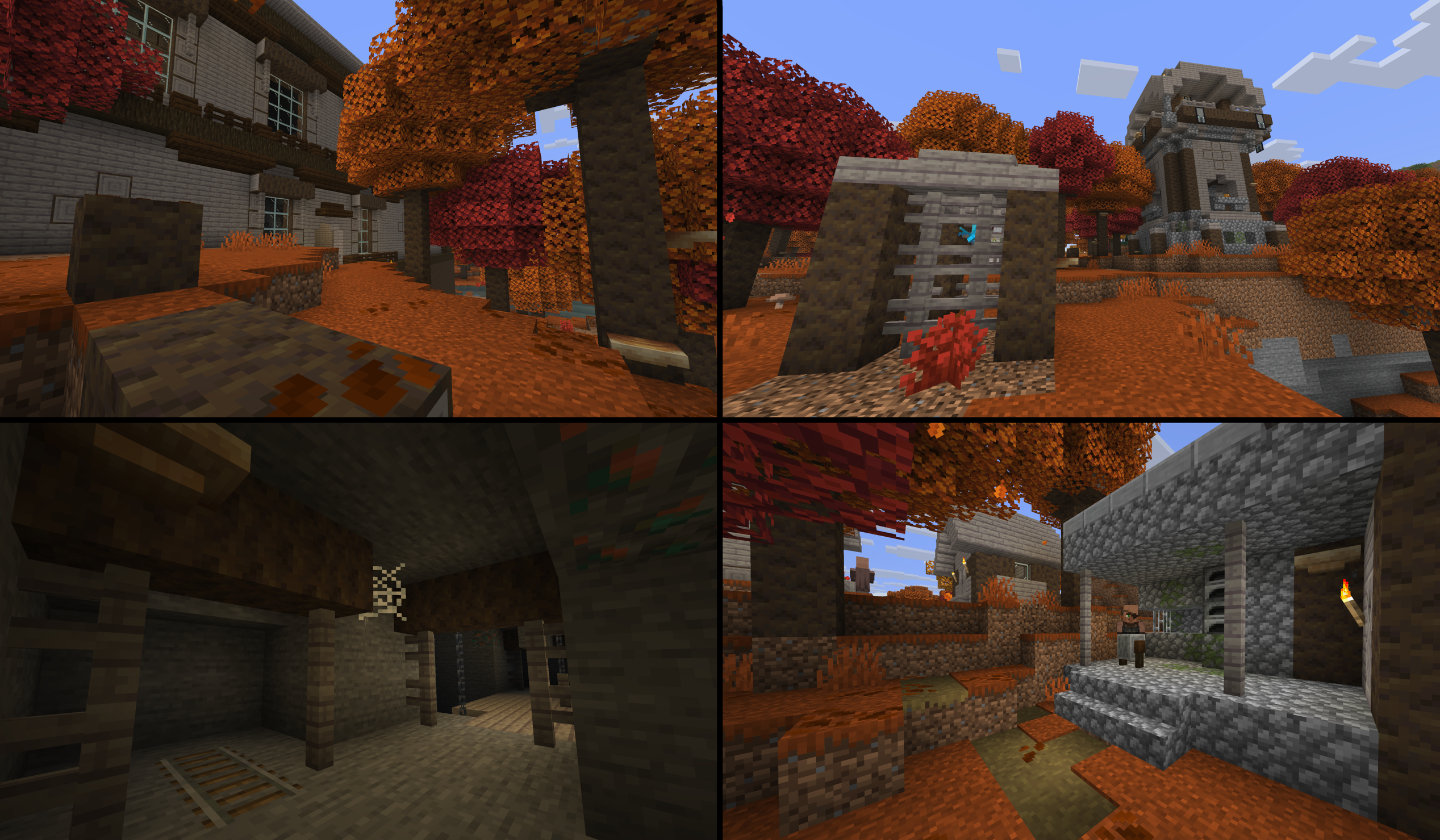 Dappled Forest Structures New structures for this Autumn themed biome!
 -
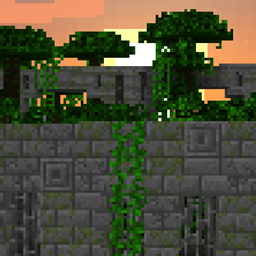
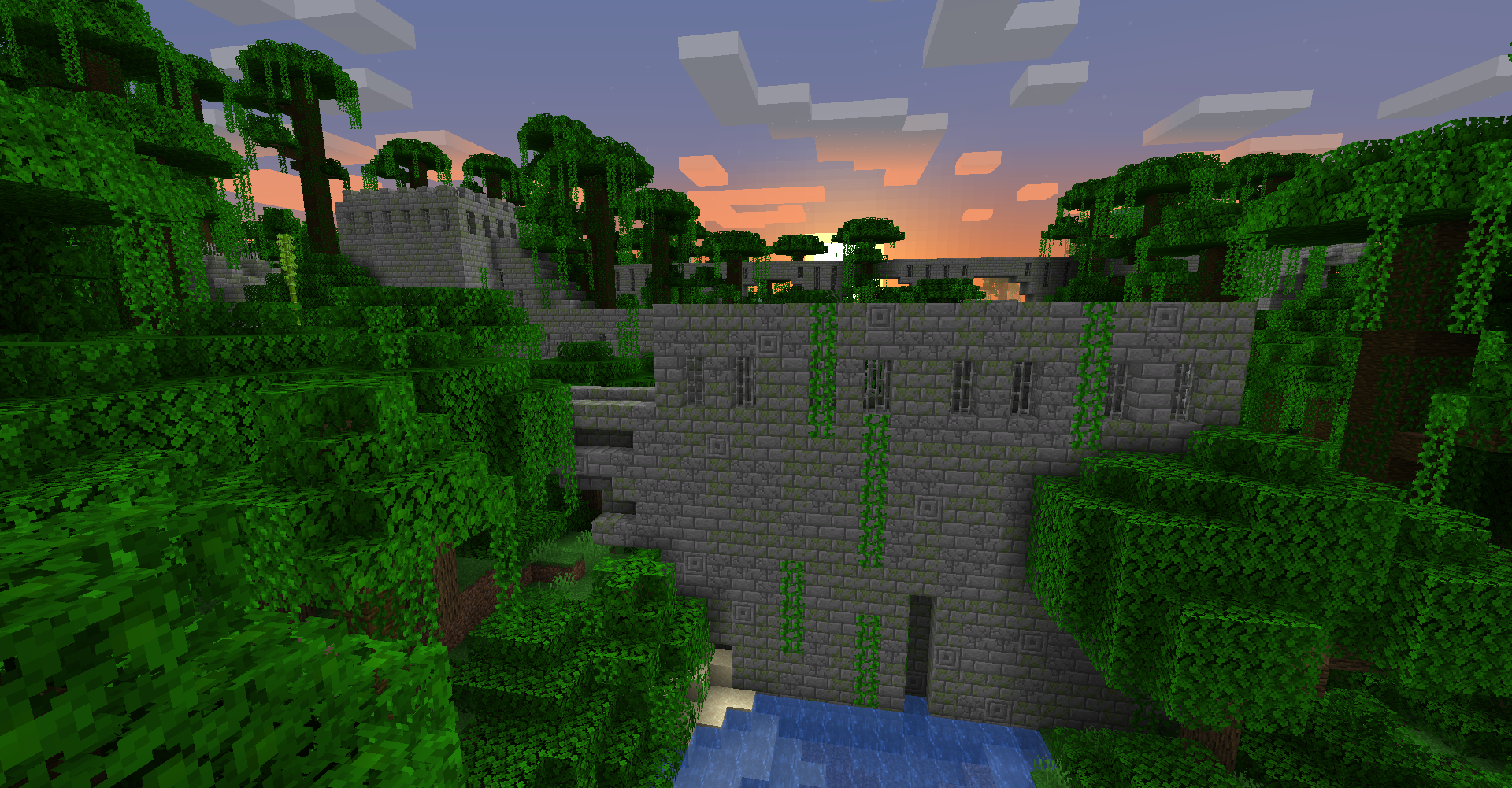 Jungle Fortress at sunset A Stonebrick variant of Nether Fortresses now spawns rarely in Jungle biomes! These vine covered Jungle Fortresses are quite a sight to see. But beware, a very tiny fraction of the Stonebricks are infested with Silverfish!
 -
 Jungle Fortress seen from ground level The fortresses can be tall enough to run along the tree tops but it can also go a bit below ground. The roof of this fortress also makes a nice staircase as well!
 -
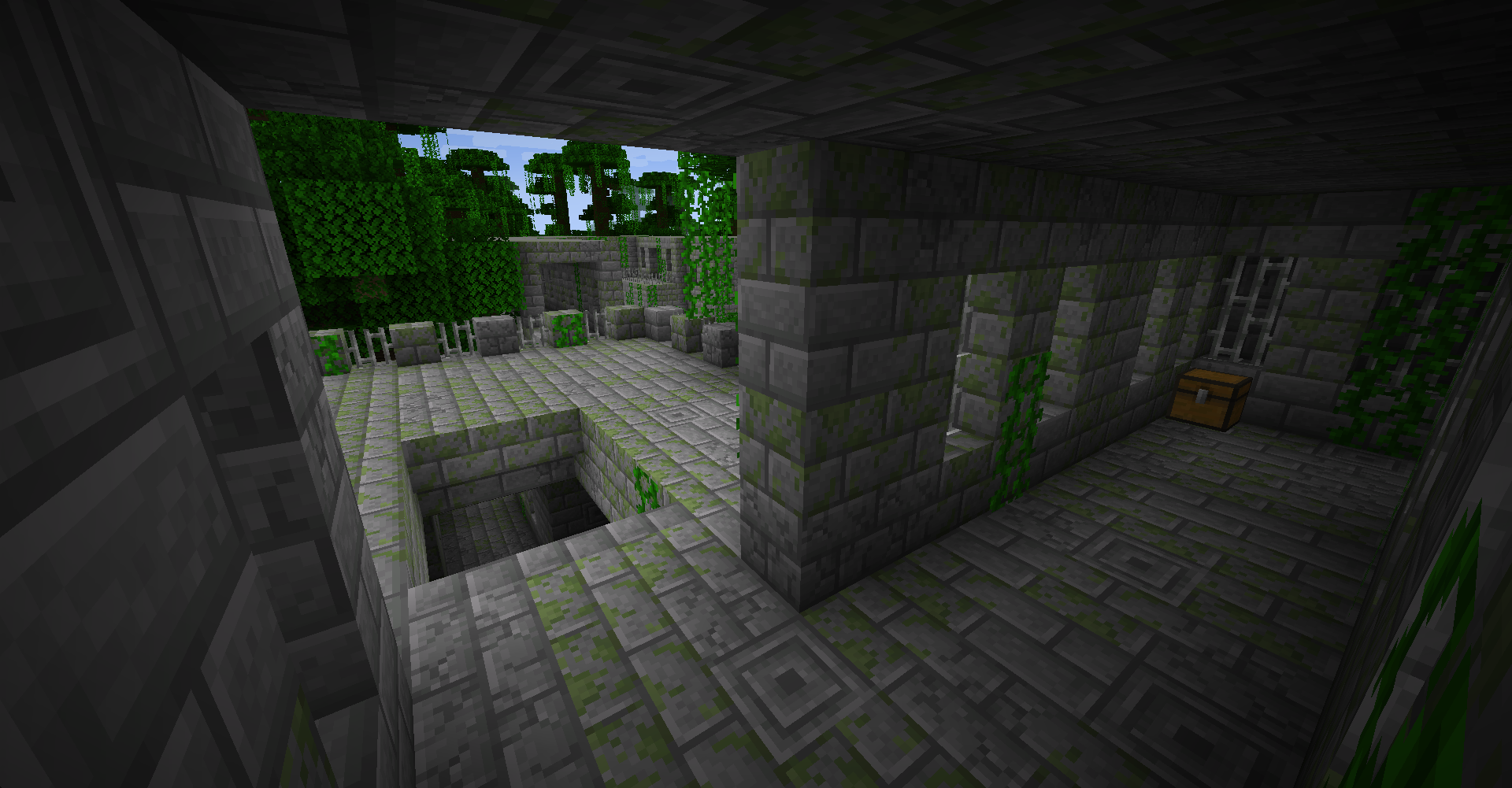 Jungle Fortress chest The fortress is filled with many chests that holds a variety of items! Exploring every corner will take time but the fortress makes an awesome base as well.
 -
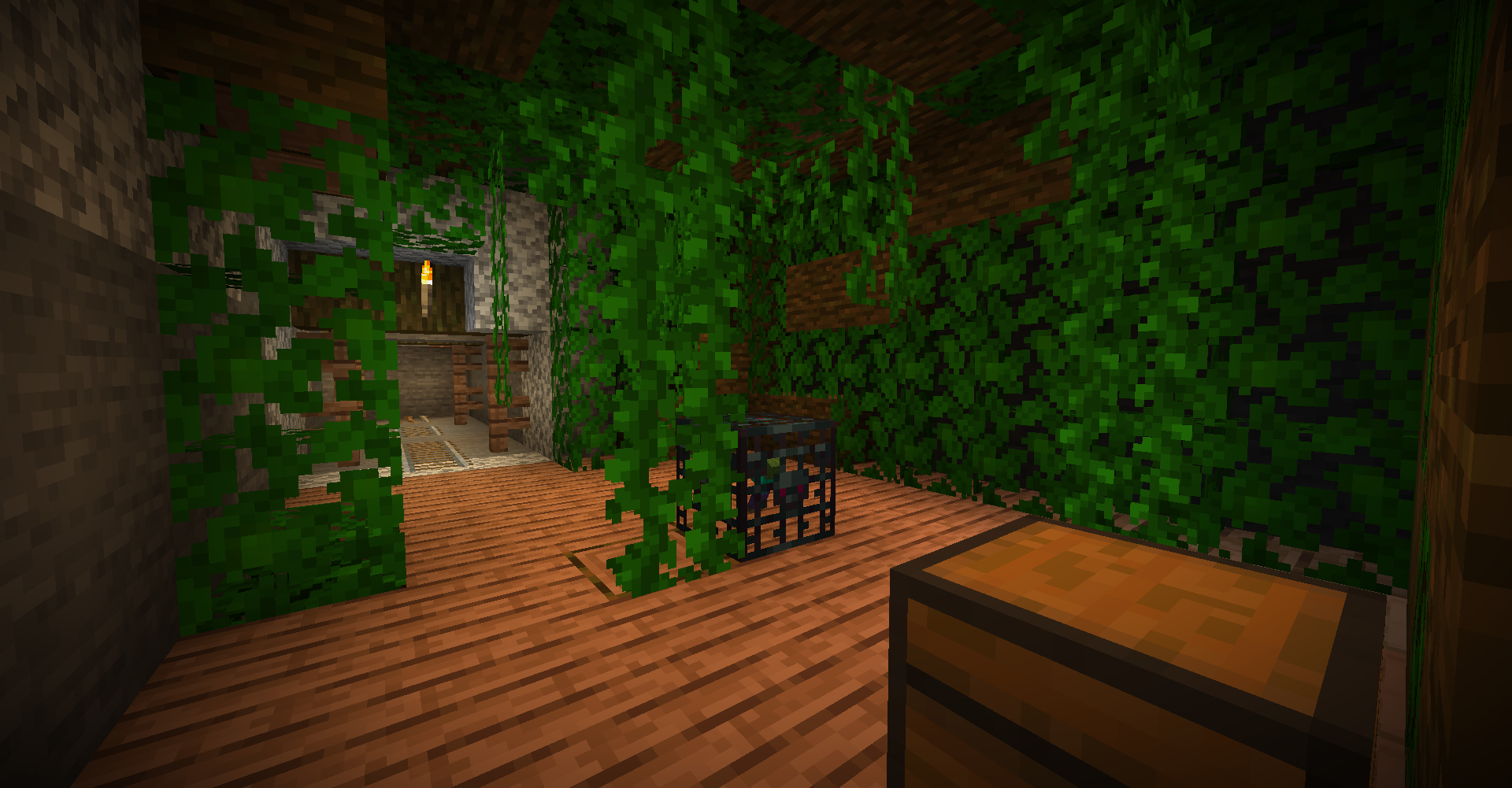 Jungle Dungeon in a Jungle Mineshaft A jungle variant of a Dungeon and Mineshaft is shown that spawns in Jungle biomes. The vine covered Jungle Dungeons may have Parrot spawners as well!
 -
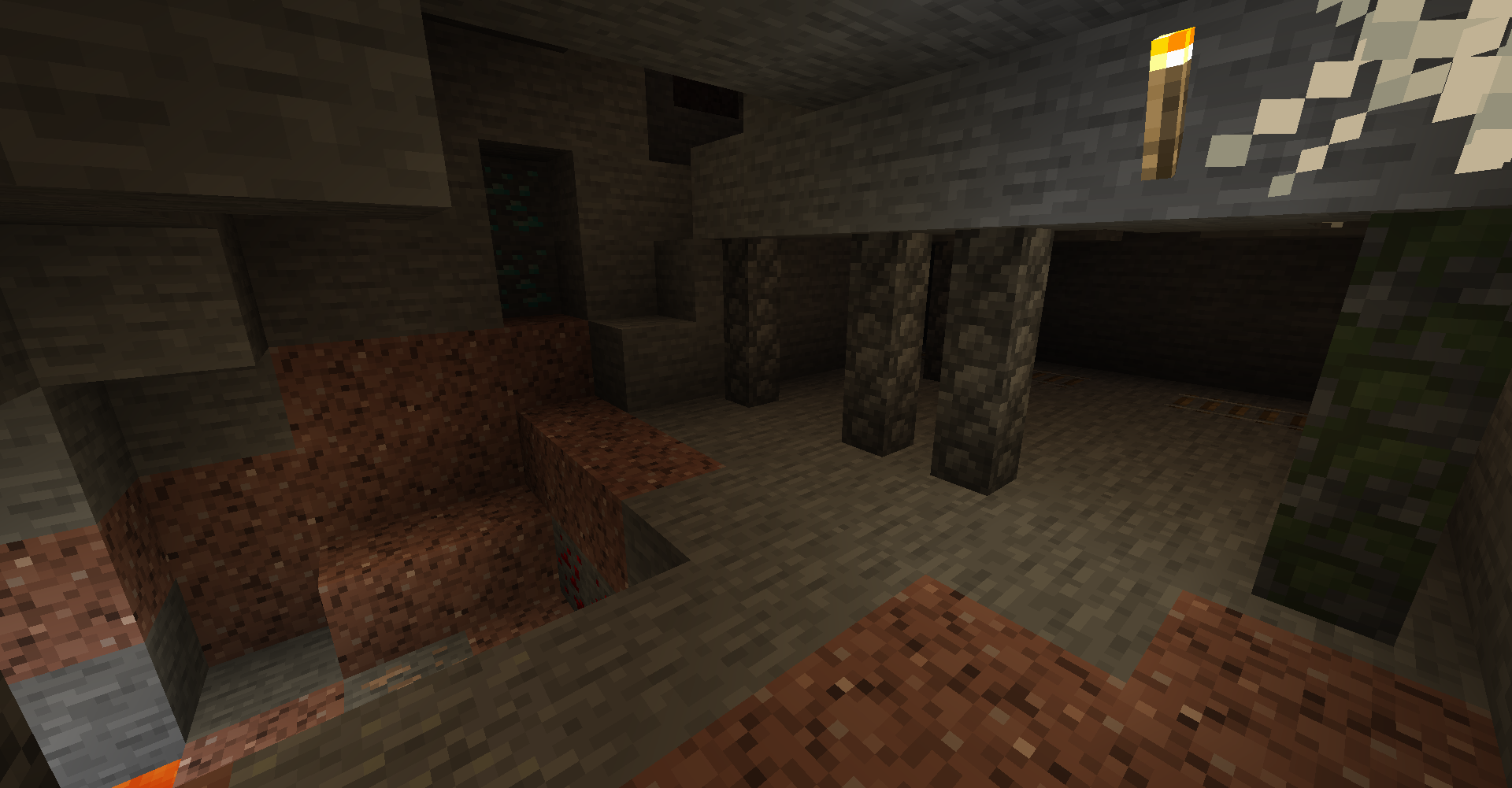 Stone Mineshaft In Mountains biomes (Extreme Hills), you can find Stone Mineshafts underground! They blend in really well to the surrounding rock.
 -
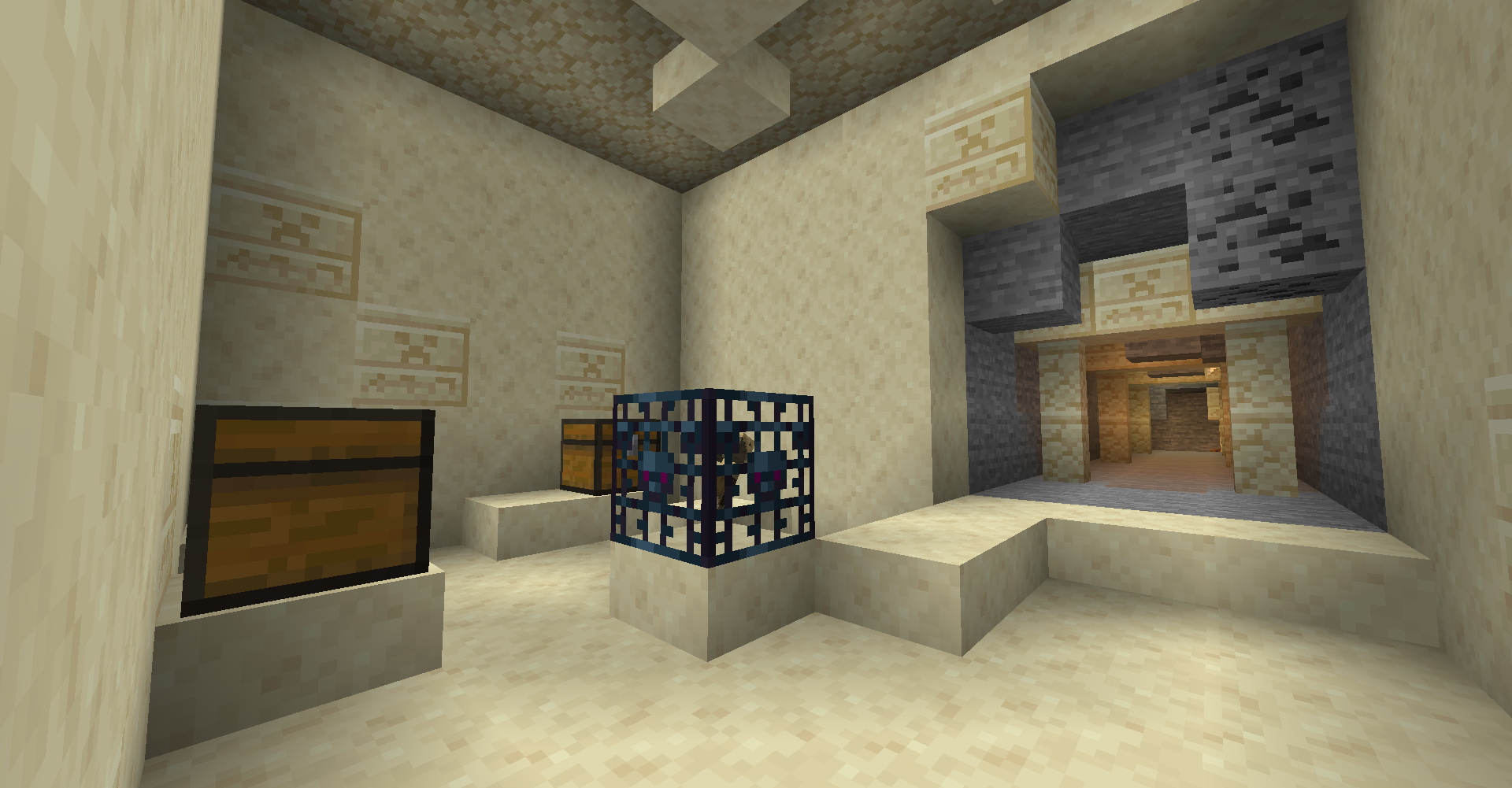 Desert Dungeon in a Desert Mineshaft When in Deserts, the desert variants of Dungeons and Mineshafts will spawn. The dungeon will use Husks spawners instead of Zombies spawners.
 -
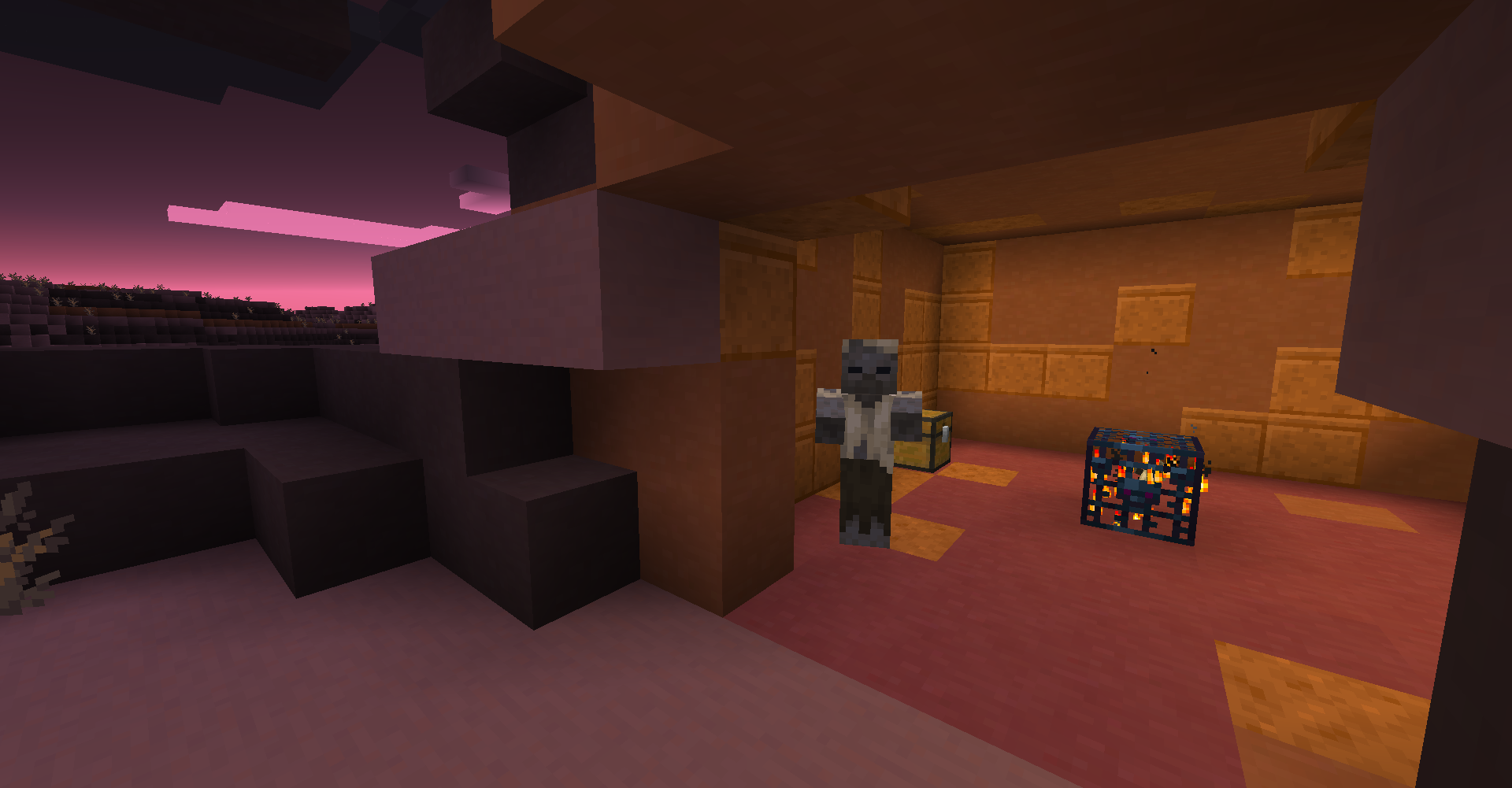 Badlands Dungeon In Badlands, you can find a Badlands themed Dungeon! Like Desert Dungeons, this dungeon will use Husks spawners too instead of Zombie spawners.
 -
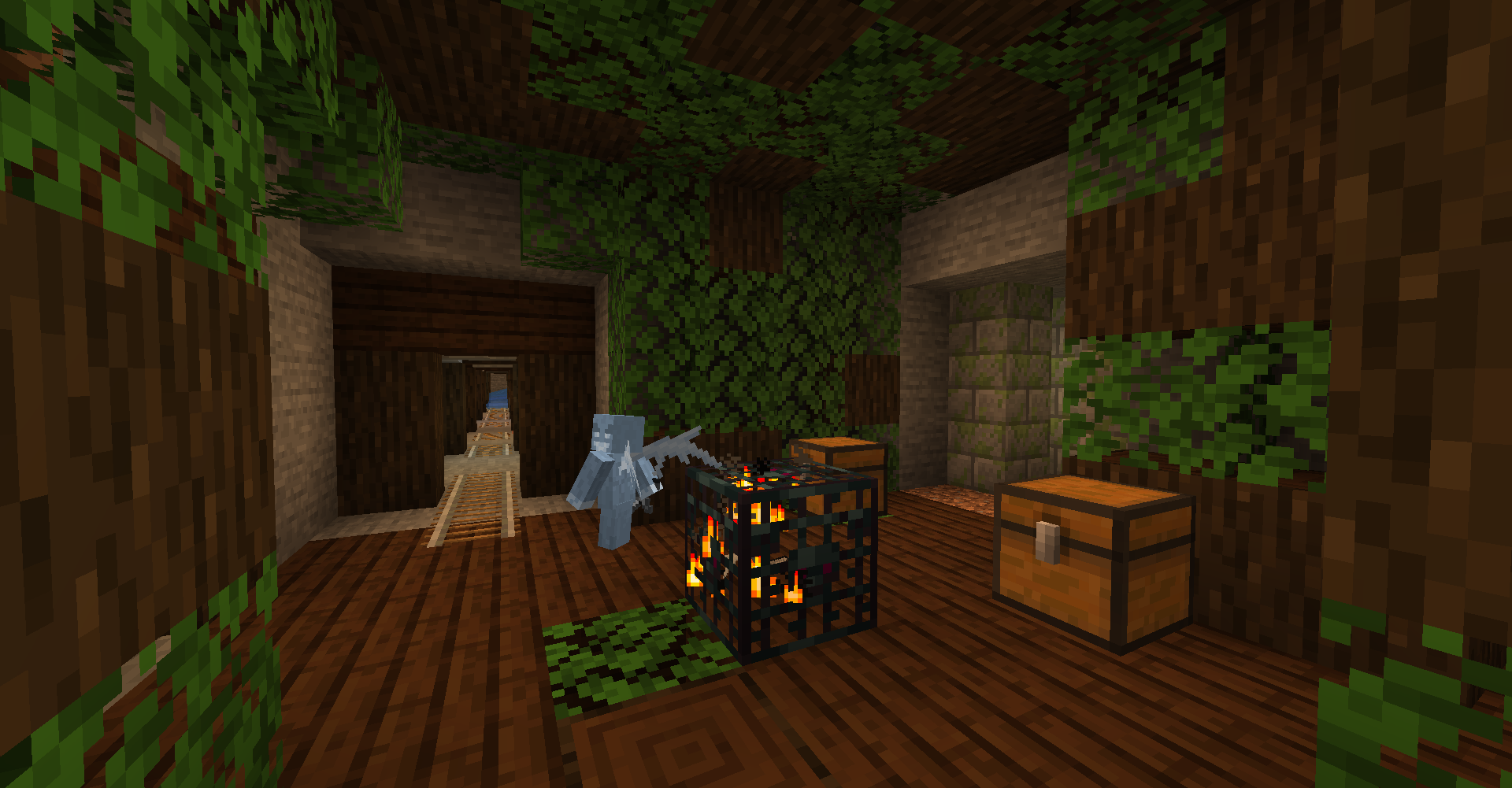 Dark Oak Dungeon in a Dark Oak/Swamp Mineshaft Dungeons in Dark Oak Forests will use Dark Oak blocks and can have Vex spawners. The Mineshafts in Dark Oak Forests and Swamps will take on a mossy/grassy Dark Oak theme.
 -
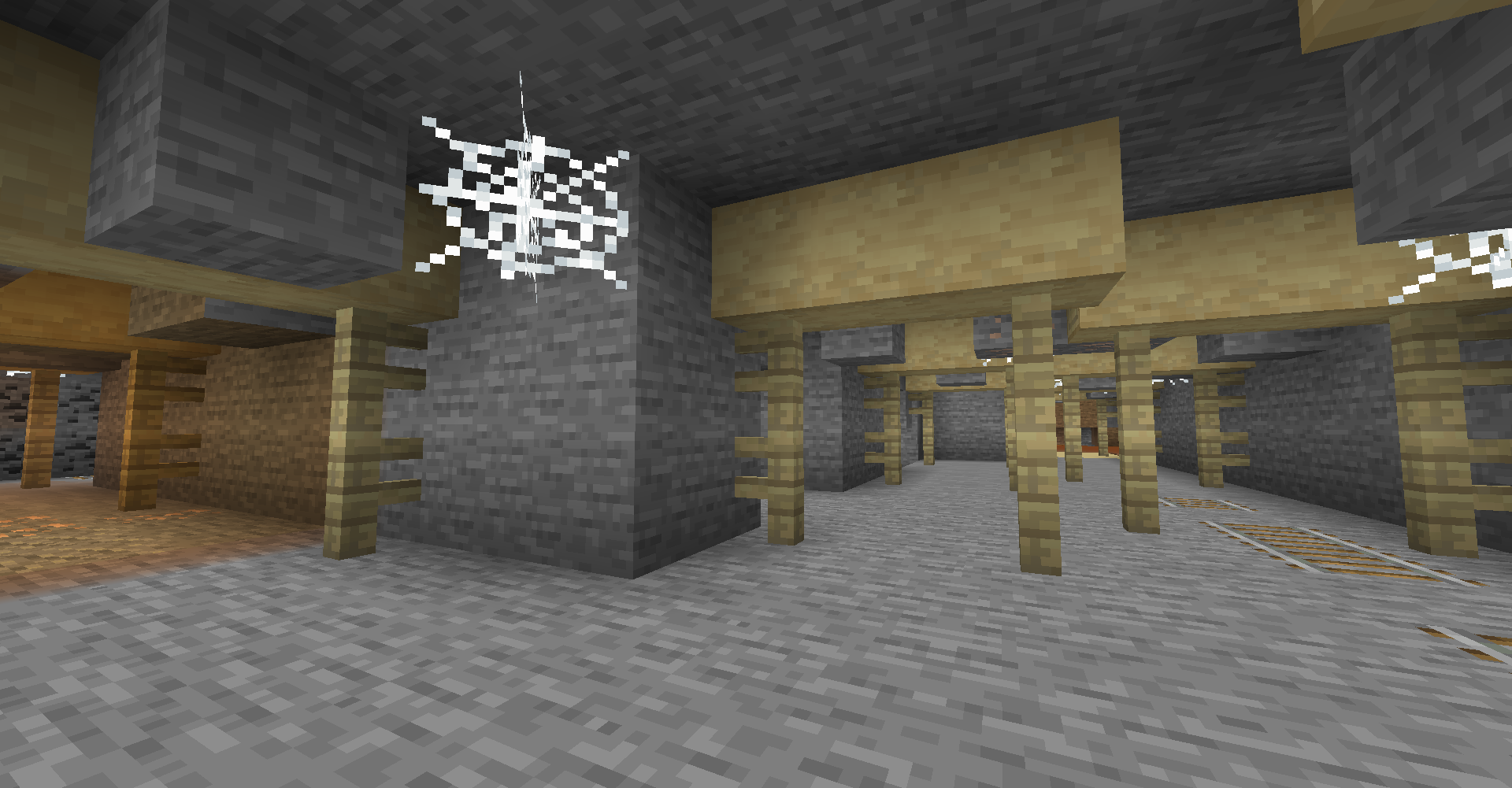 Birch Mineshaft When you are in a Birch Forest biome, you might find a Birch themed Mineshaft below.
 -
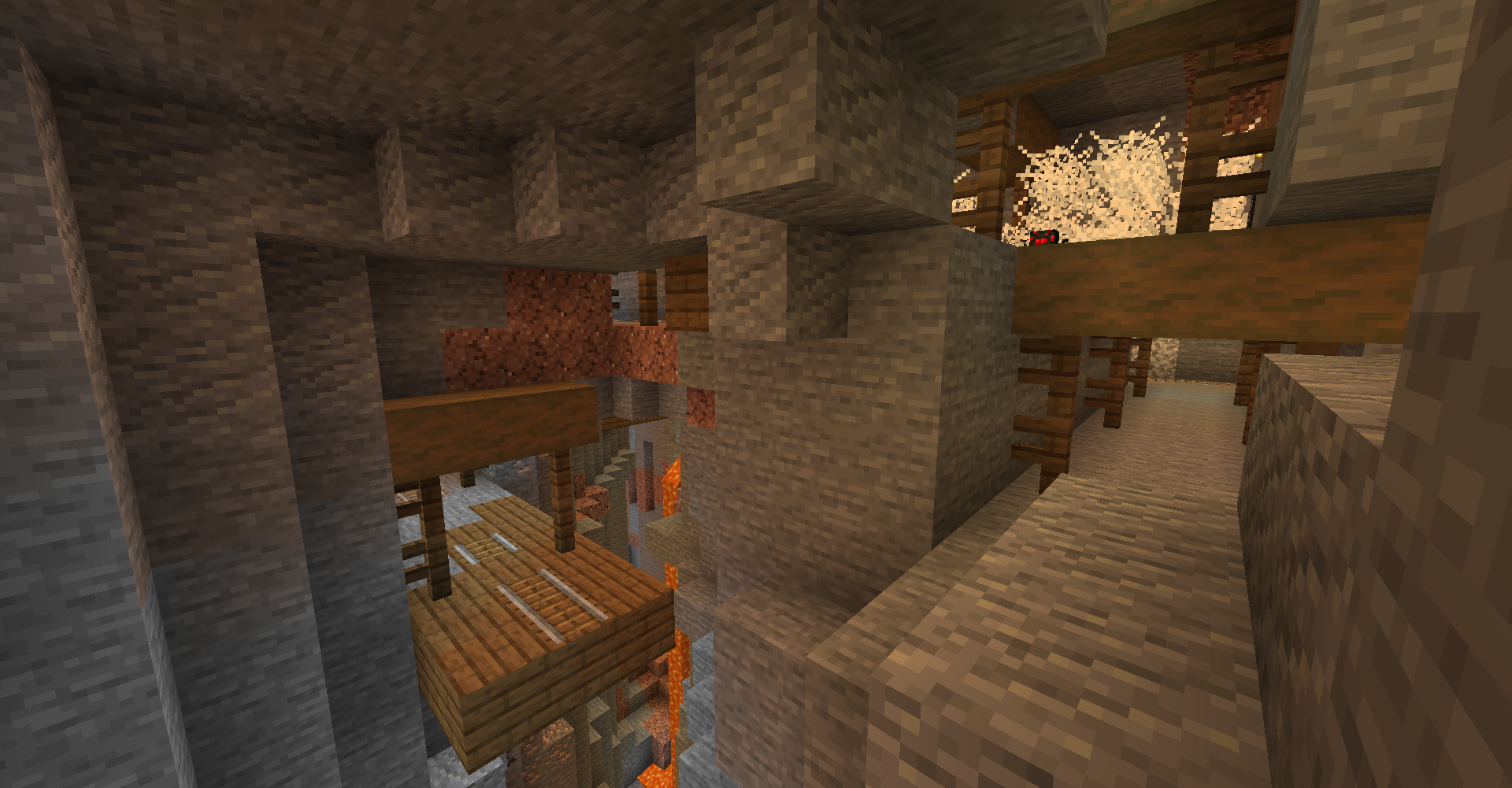 Taiga Mineshaft Just a regular Mineshaft using Spruce wood when in any Taiga biomes including Snowy Taiga biomes.
 -
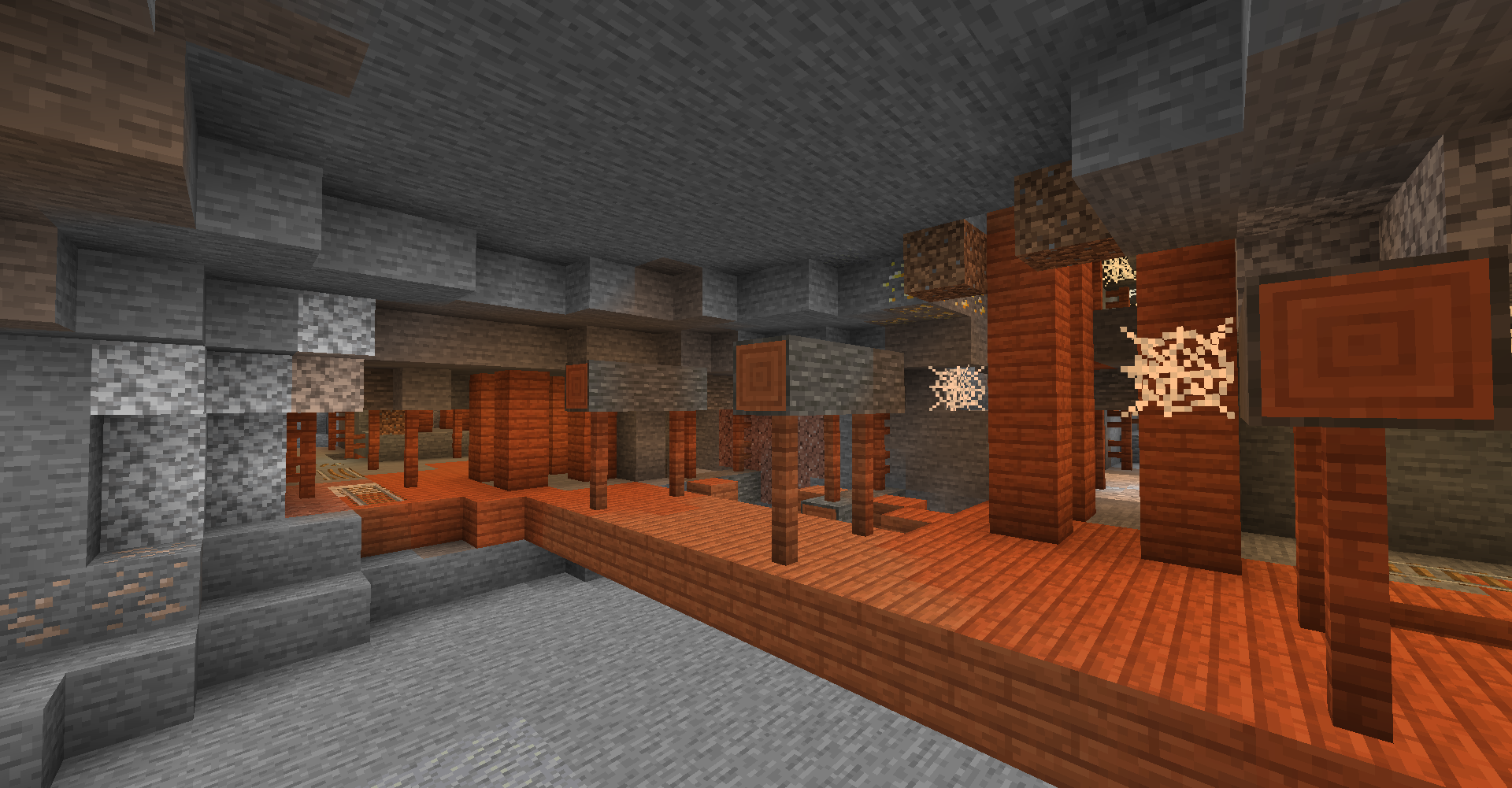 Savanna Mineshaft The orange look of this Savanna themed Mineshaft makes it stand out quite a bit!
 -
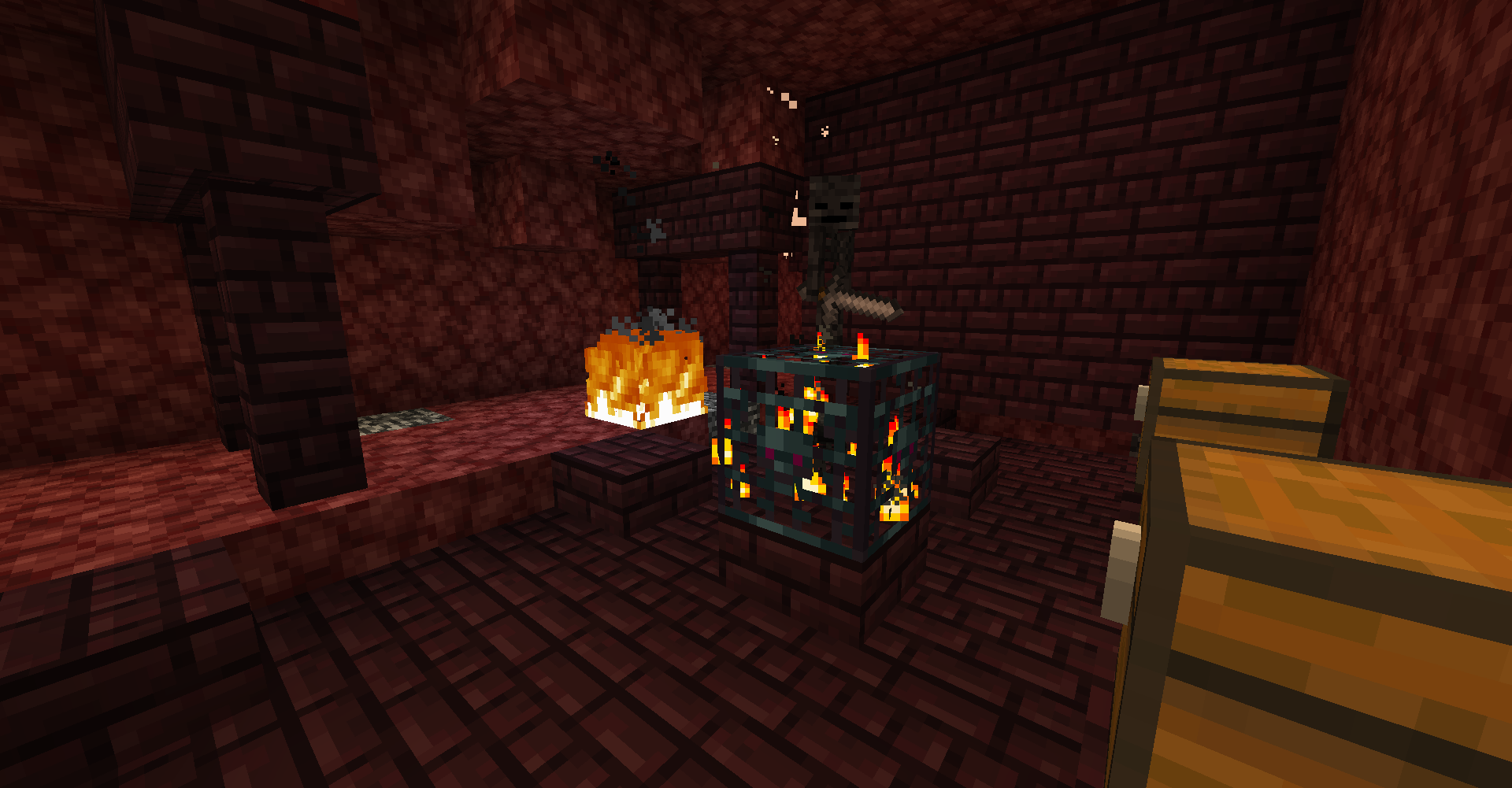 Nether Dungeon in Nether Mineshaft When you are in the Nether, you can find these Nether Brick infused Dungeons and Mineshafts too! There is a 1% chance of Dungeons having a Wither Skeleton spawner which makes this picture very rare!
 -
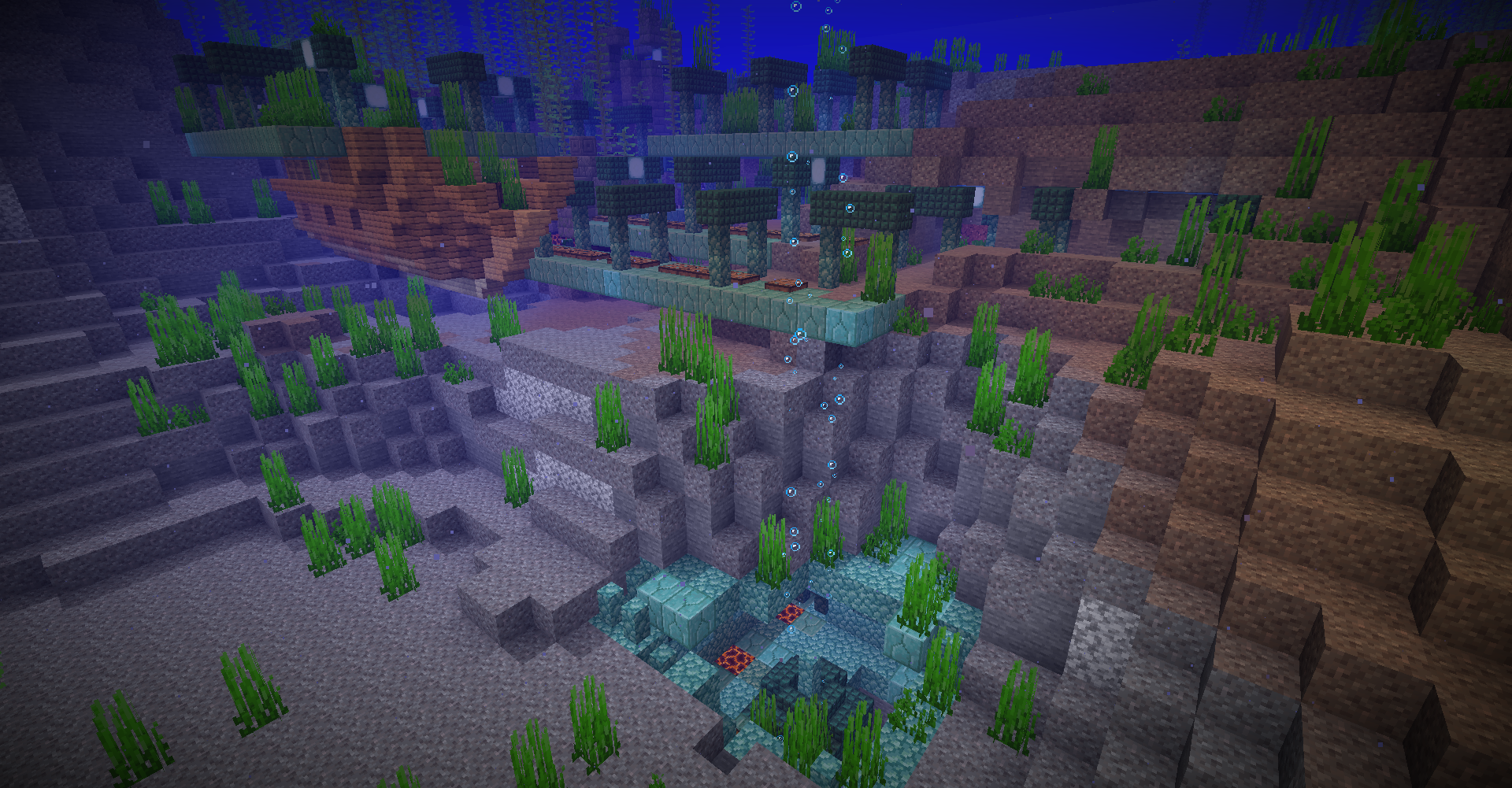 Ocean Mineshaft and Ocean Dungeon! Under the depth of the Ocean, you can find Prismarine infused Mineshafts and Dungeons that looks really neat! Beware of the Drowned tho!
 -
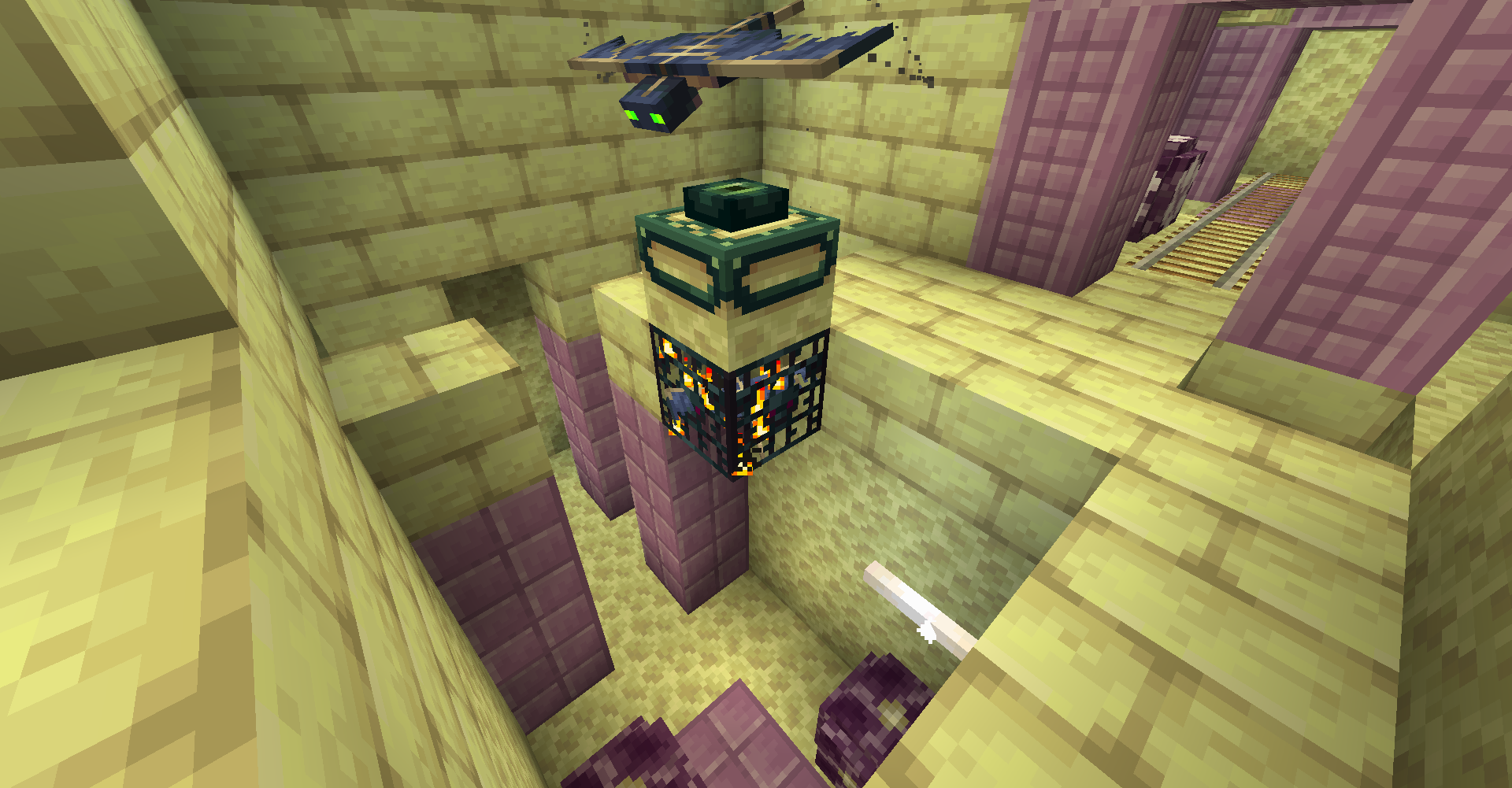 End Dungeon in End Mineshaft After you beat the dragon and travel to the islands away from the spawn island, you can find End themed Dungeons and Mineshafts! The Dungeons will sometimes have Shulker boxes with dungeon loot and they will have End themed monsters spawners.
 -
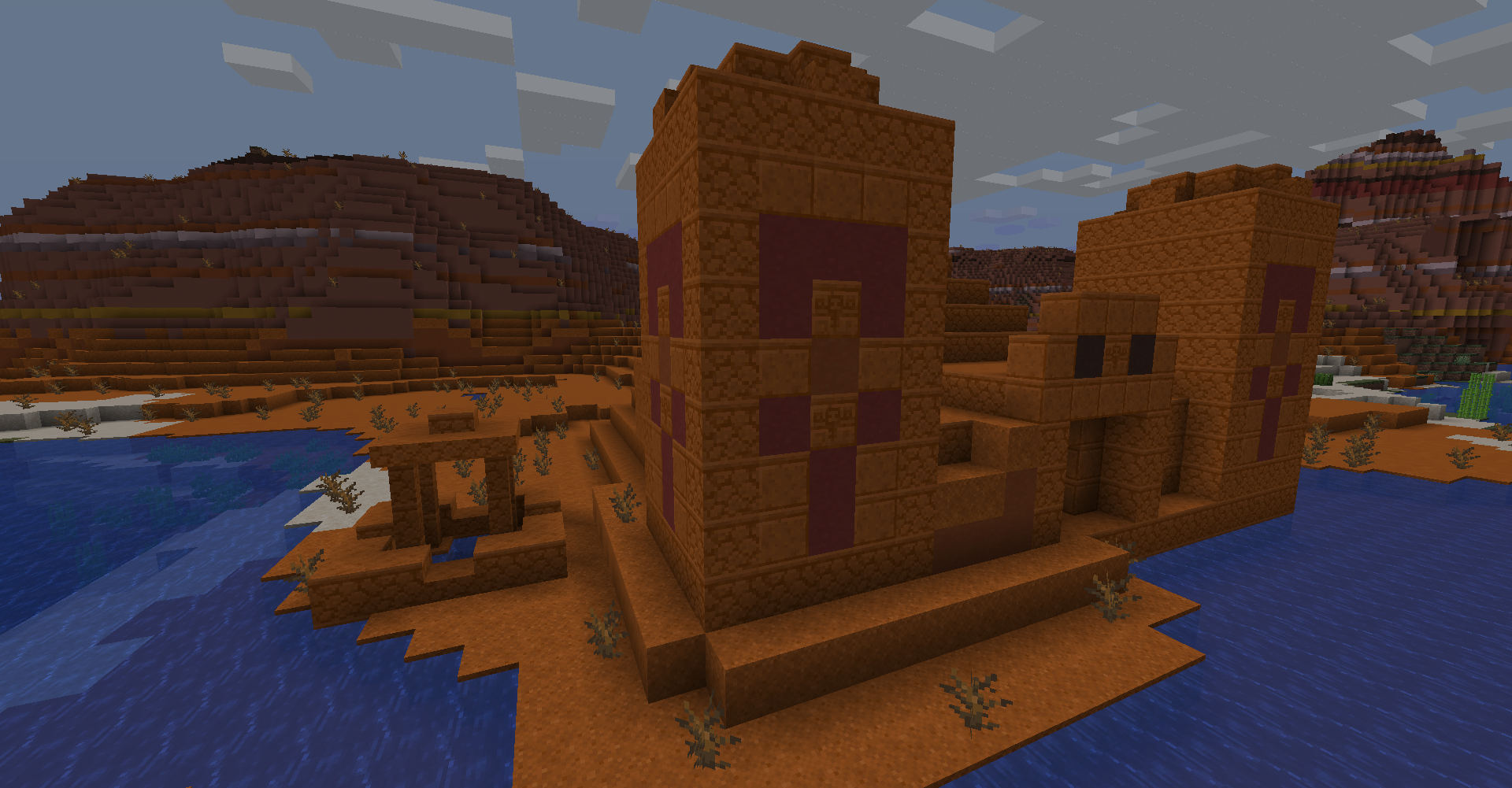 Badlands Temple next to Badlands Well! The Badlands now have their own versions of the Desert Temple and Well! But be careful exploring this temple for there may be some hidden twists!
 -
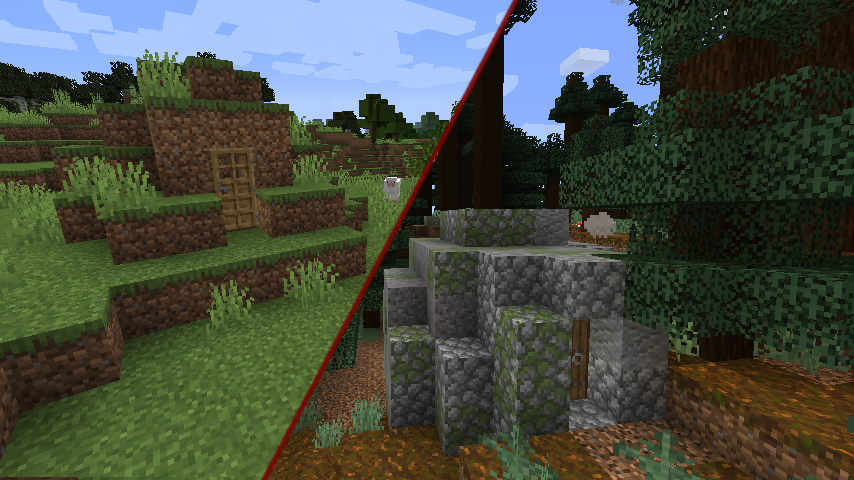 Grassy and Stone Igloo! Grassy Igloos can be found in Plains, Sunflower Plains, Flower Forest, Forest, Birch Forest, and Dark Oak Forest! Stone Igloos are found in Giant Tree Taiga Biome variants!
 -
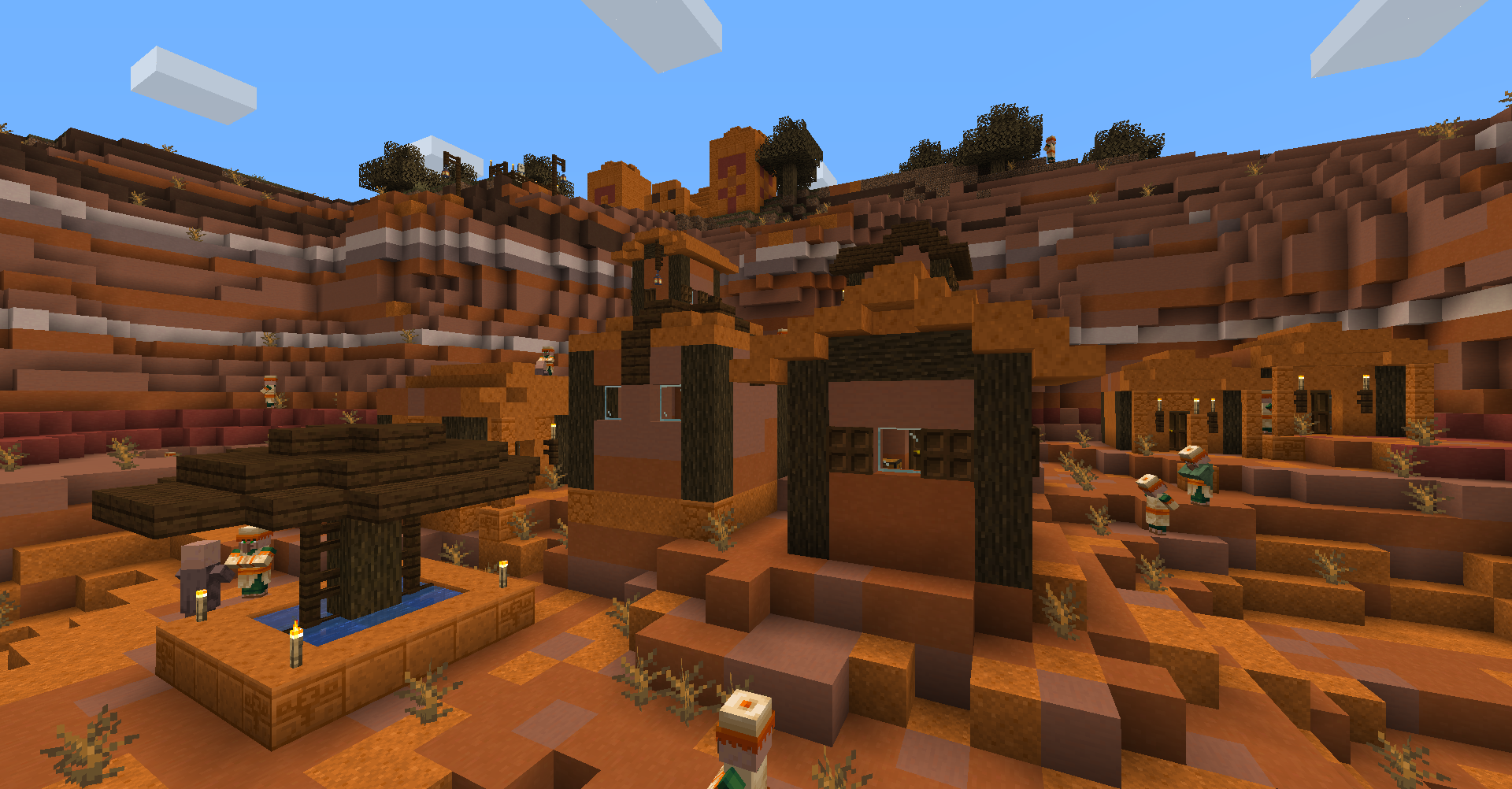 Badlands Village and Badlands Temple! Villages now has a Badlands variant that will spawn in any non-plateau Badlands biome! Keep your eye out for the rare Saloon building for nausea potions!
-
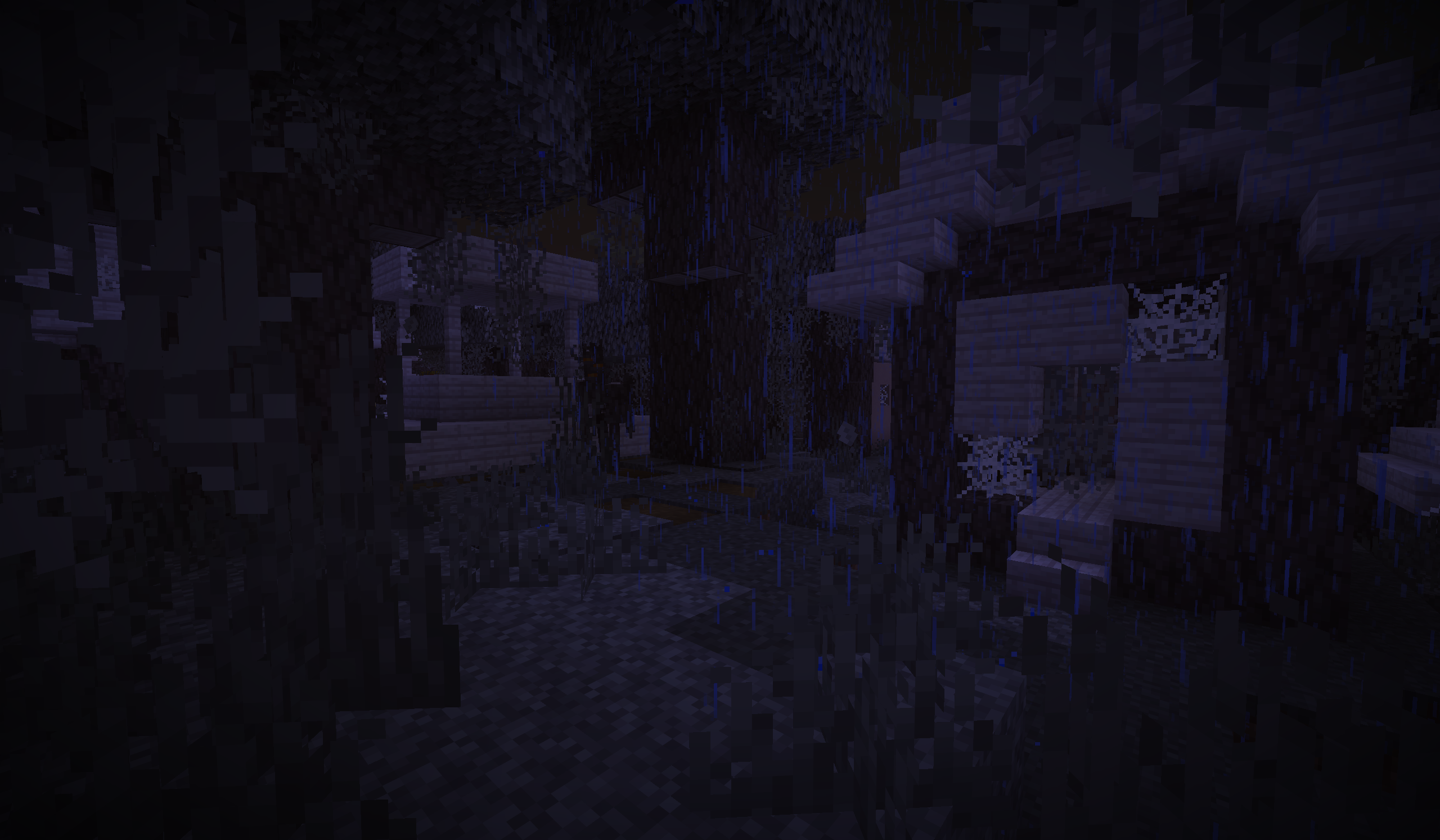 Pale Garden Village Explore it during the night!... if you dare...
 -
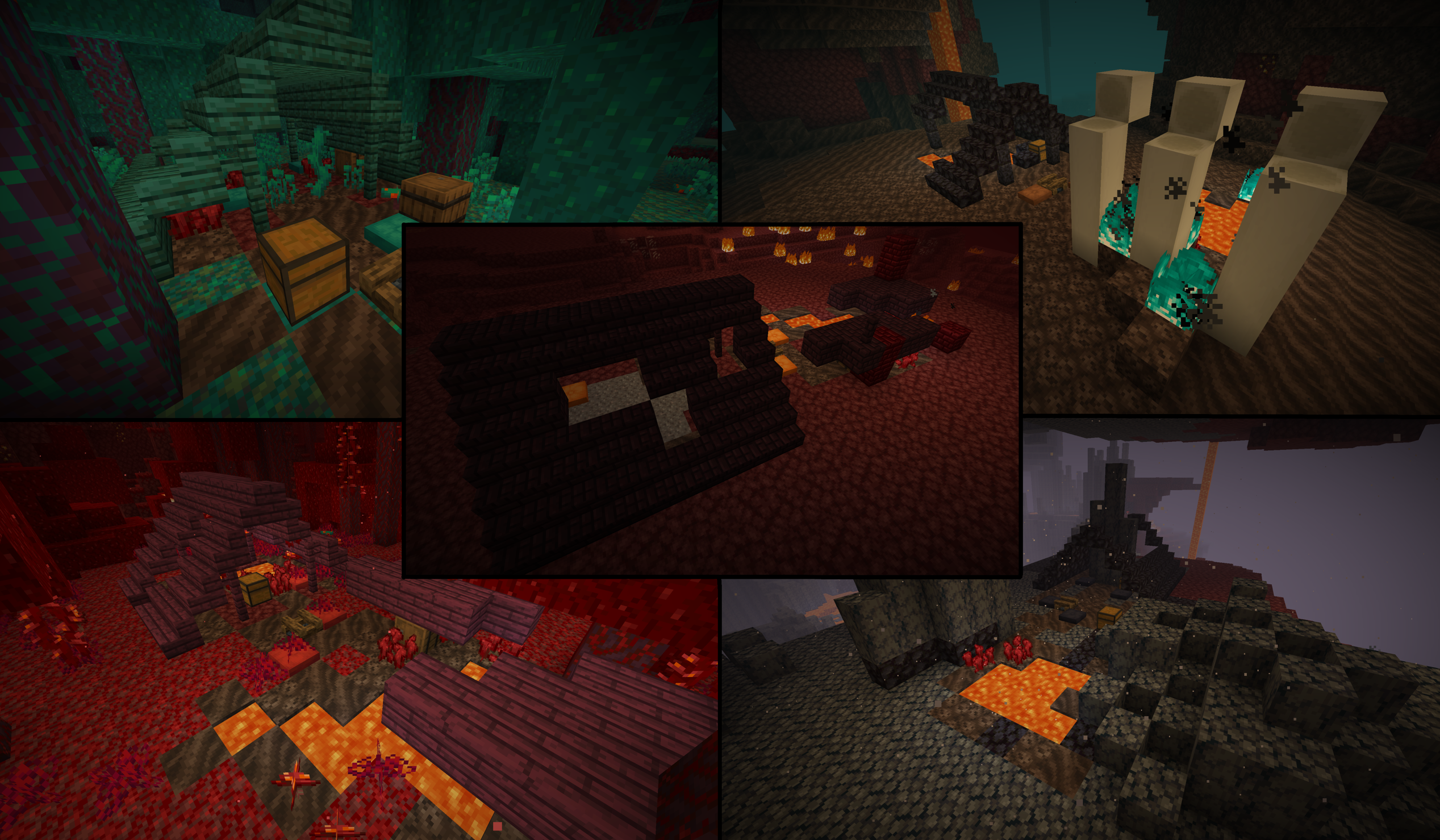 Abandoned Camps in Nether! New ways of finding Nether biomes now!
 -
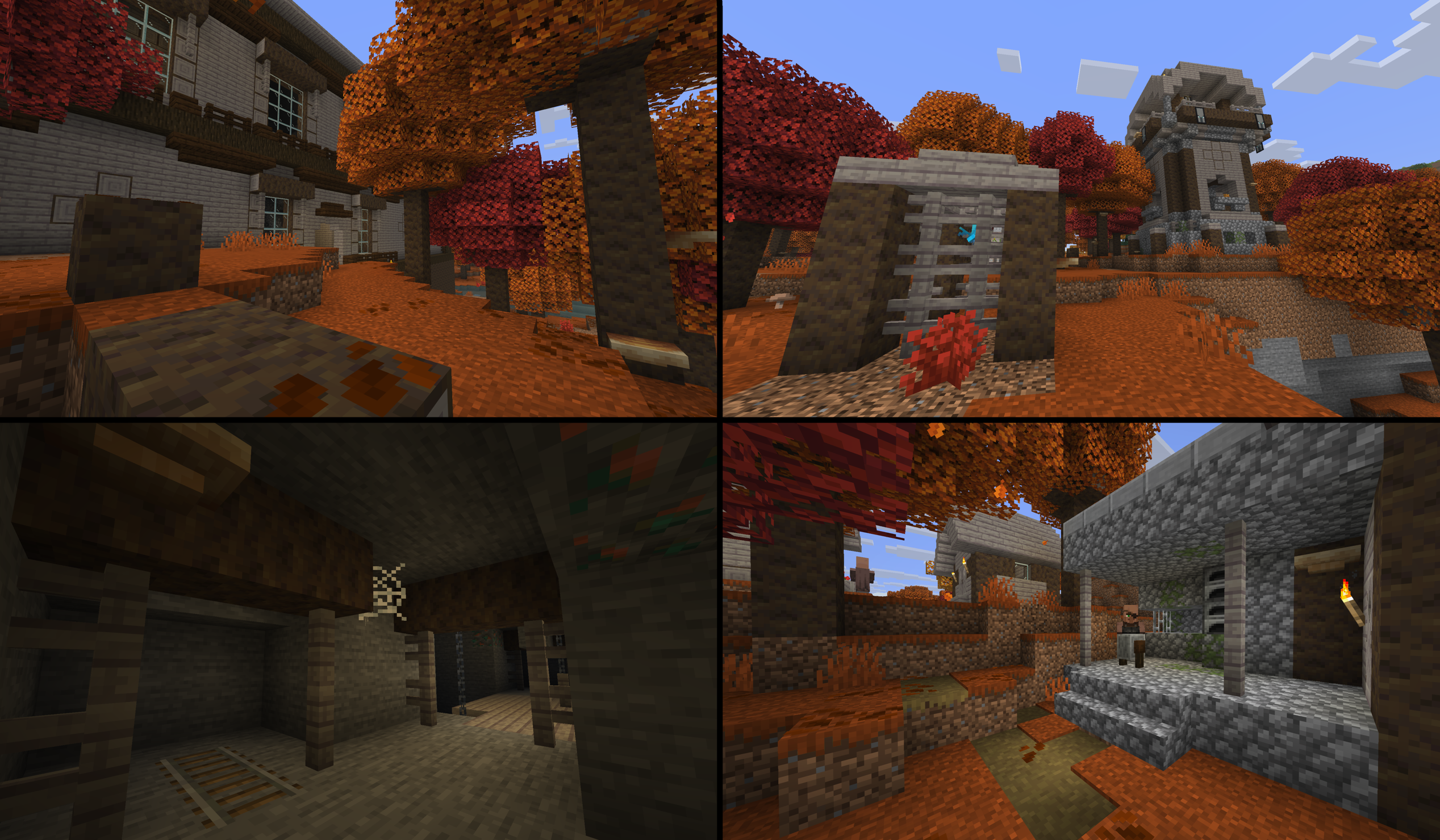 Dappled Forest Structures New structures for this Autumn themed biome!
 -
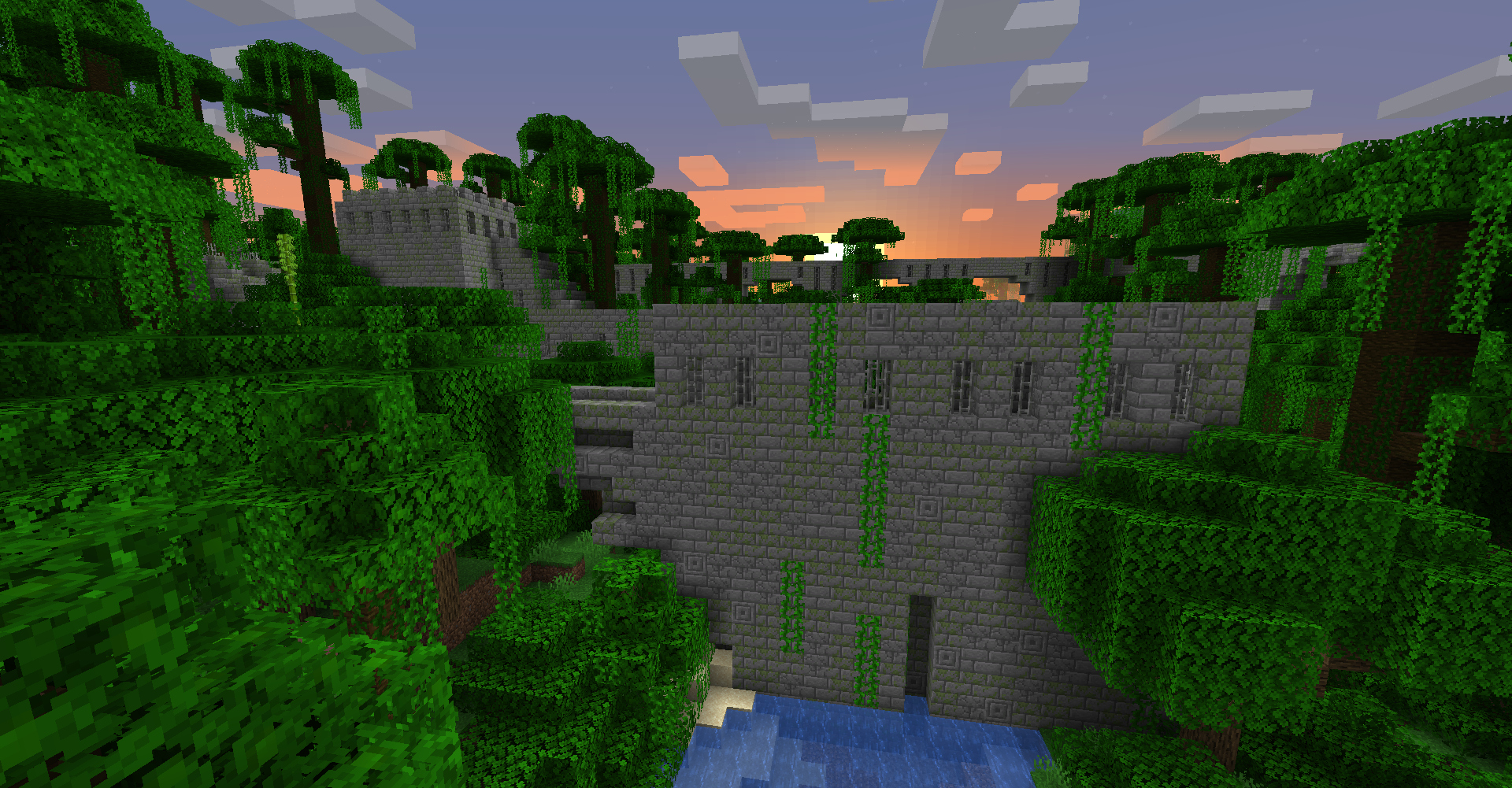 Jungle Fortress at sunset A Stonebrick variant of Nether Fortresses now spawns rarely in Jungle biomes! These vine covered Jungle Fortresses are quite a sight to see. But beware, a very tiny fraction of the Stonebricks are infested with Silverfish!
 -
 Jungle Fortress seen from ground level The fortresses can be tall enough to run along the tree tops but it can also go a bit below ground. The roof of this fortress also makes a nice staircase as well!
 -
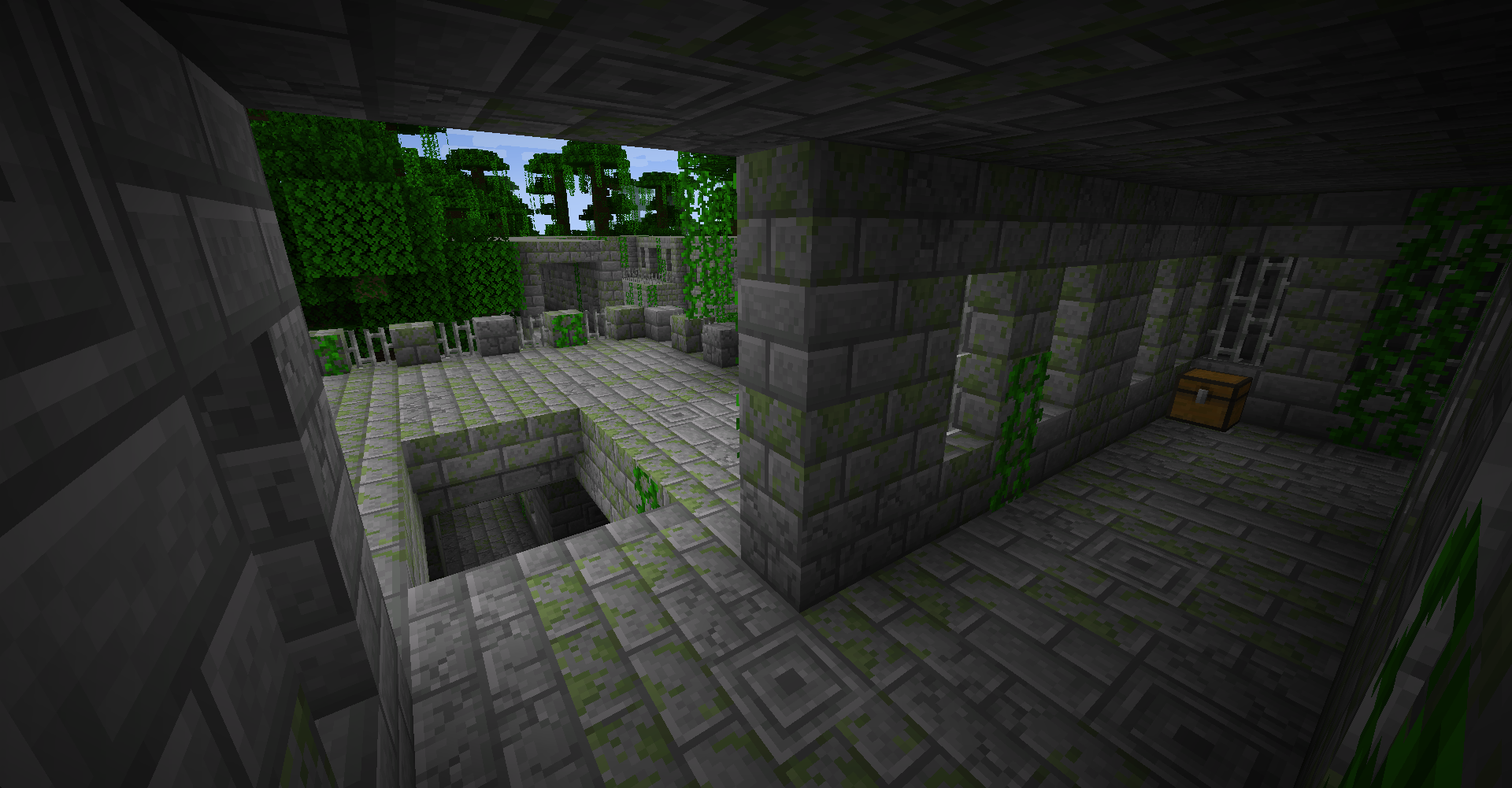 Jungle Fortress chest The fortress is filled with many chests that holds a variety of items! Exploring every corner will take time but the fortress makes an awesome base as well.
 -
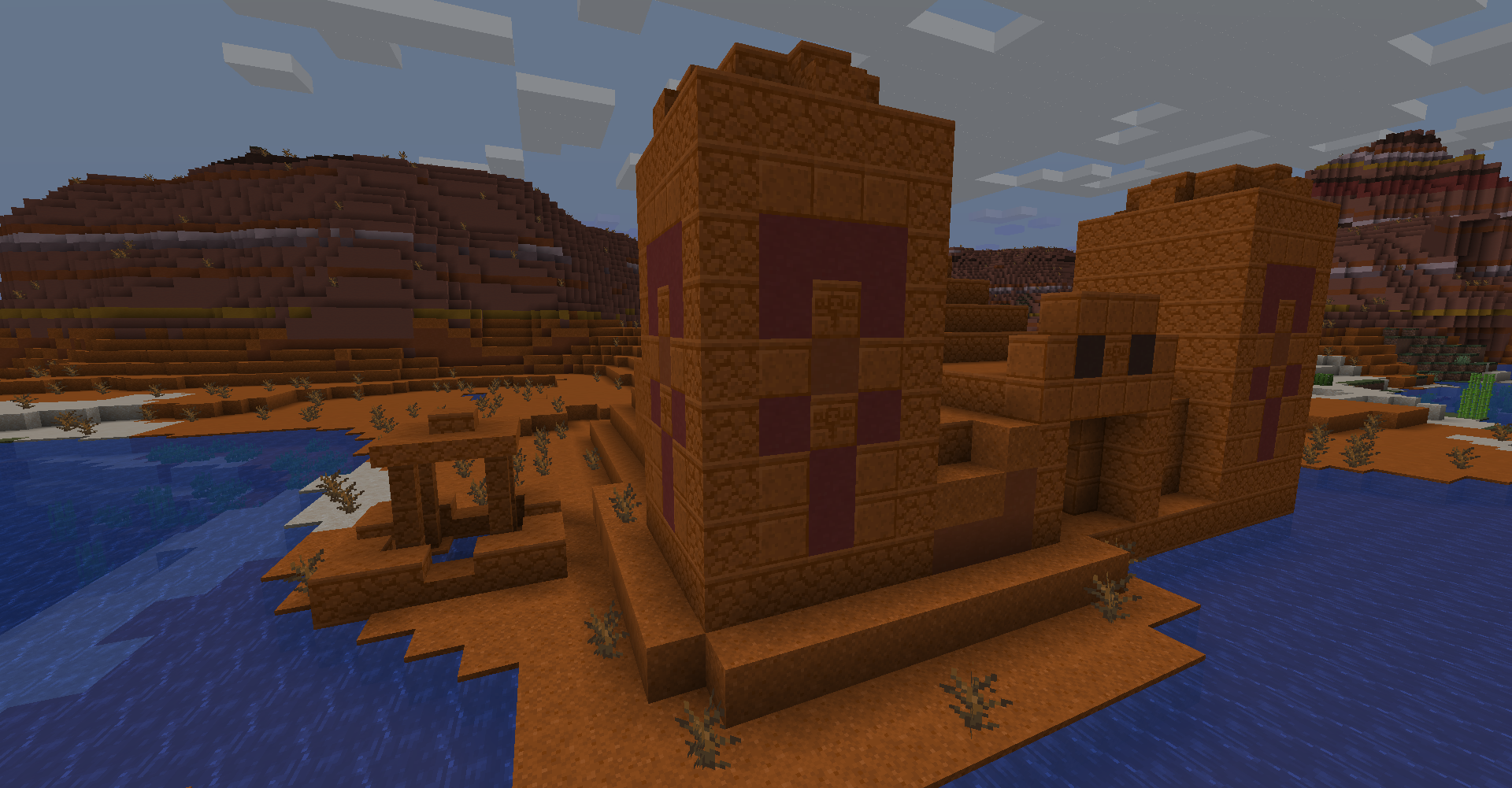 Badlands Temple next to Badlands Well! The Badlands now have their own versions of the Desert Temple and Well! But be careful exploring this temple for there may be some hidden twists!
 -
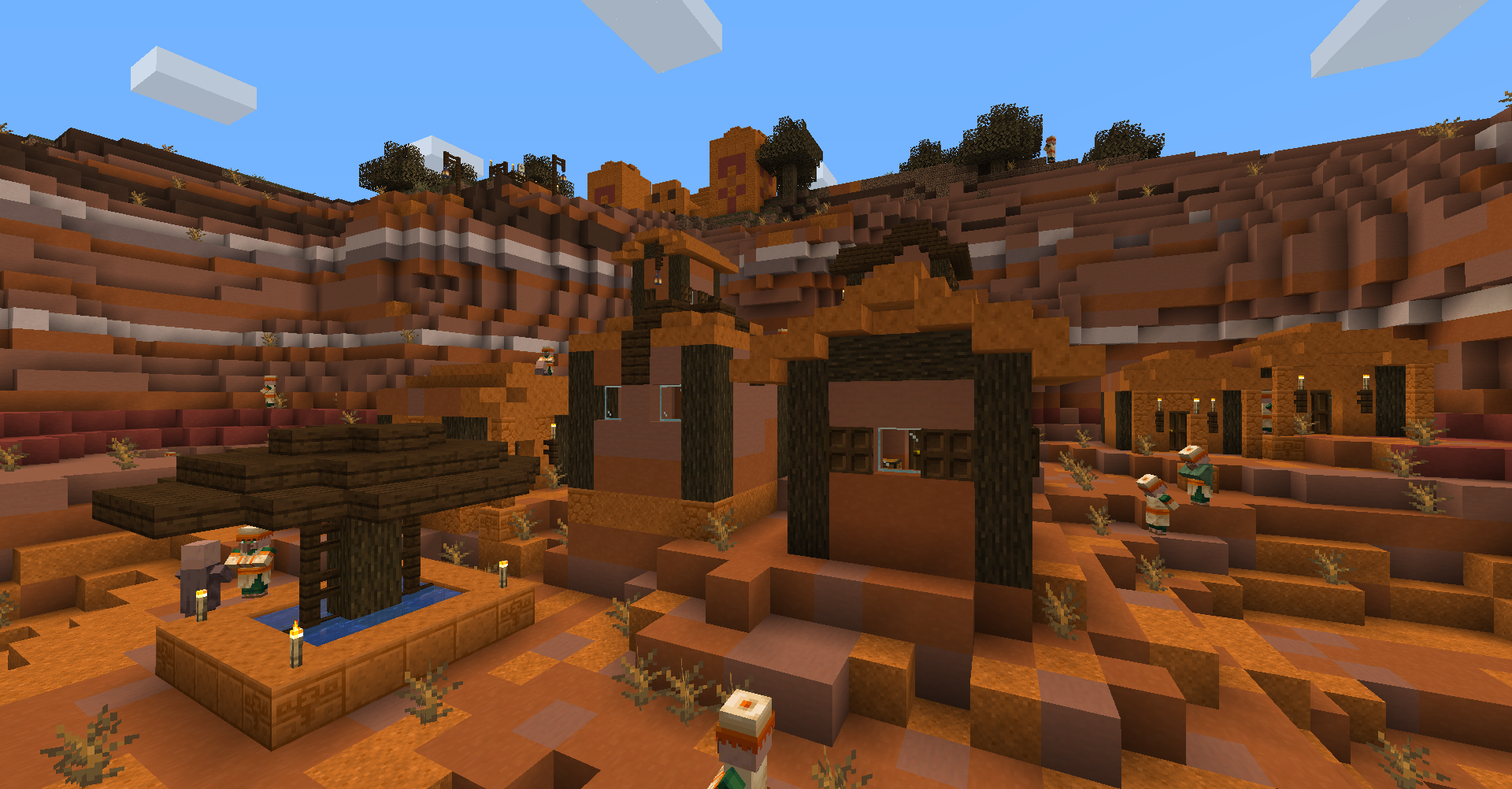 Badlands Village and Badlands Temple! Villages now has a Badlands variant that will spawn in any non-plateau Badlands biome! Keep your eye out for the rare Saloon building for nausea potions!
 -
 Birch Village A Plains Village changed to use Birch Wood instead. Looks very pretty!
 -
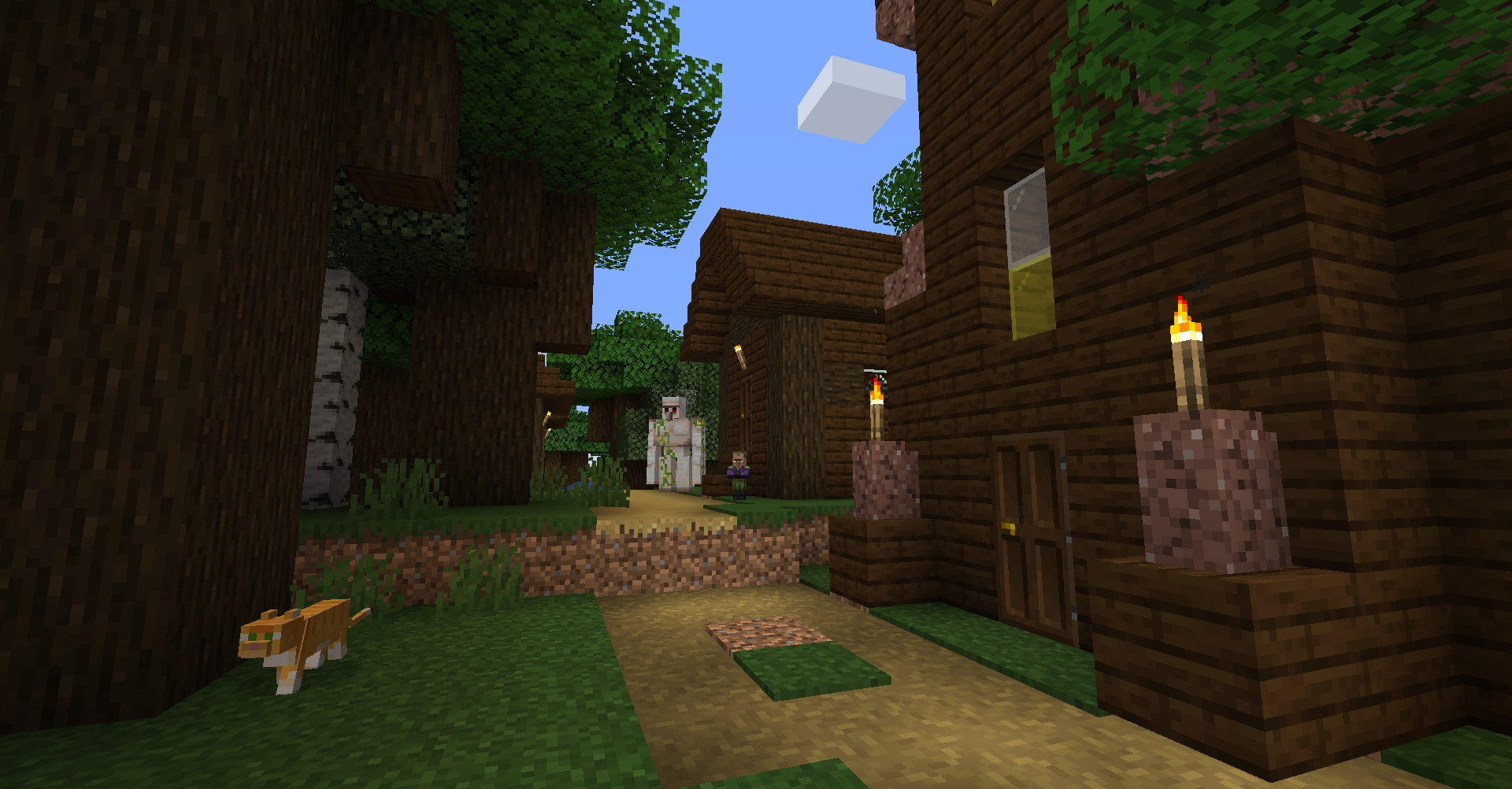 Dark Forest Village Deep within the Dark Forests, you might find a Dark Oak themed village with Swamp skin Villagers!
 -
 Jungle Village Keep your eyes peeled traveler! You might catch a glimpse of a lost village deep within a Jungle! These Jungle Villagers somehow know their way around!
 -
 Mountains Village Look up! These Mountain Villages are very neat to find and are a great source of easy Stone Bricks blocks!
 -
 Giant Taiga Village These Villagers made their houses from the boulders that litter the Giant Tree Taiga biomes! You'll find lots of iron and Coal Ores in the walls of these houses!
 -
 Nether Pyramid in a Basalt Deltas biome! A Desert Temple but now Nether-themed! Check inside but be careful as we are in the Nether after all... Special thanks to l-ll-ll-l_IsDisLoss for the Nether design of the temple!
 -
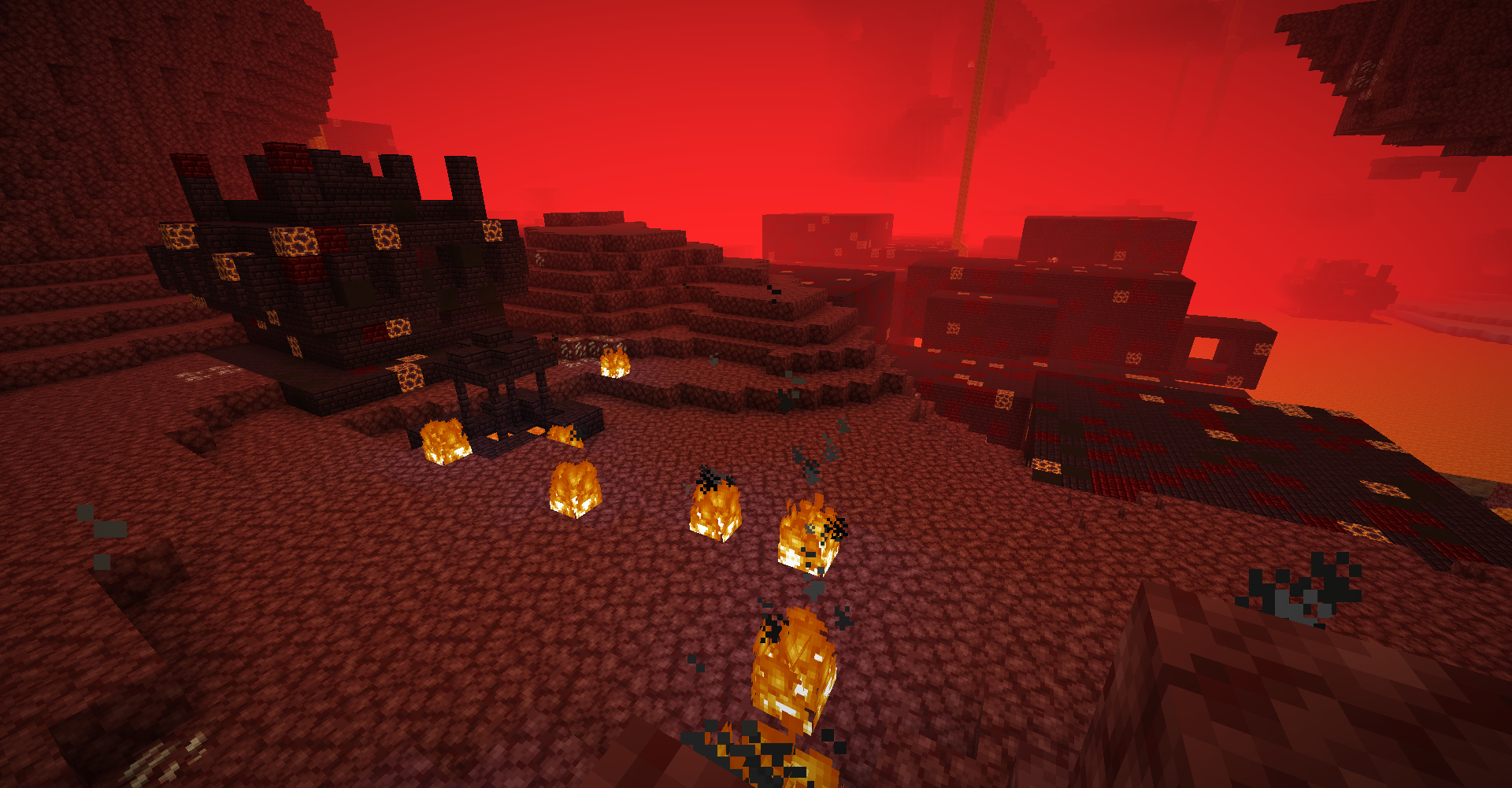 Nether themed Well, Temple, and Stronghold! The Stronghold is now themed to the Nether when in Nether biomes! In addition, the Desert Well and Jungle Temple also has a Nether variant to help make the Nether more interesting!
 -
 Grassy and Stone Igloo! Grassy Igloos can be found in Plains, Sunflower Plains, Flower Forest, Forest, Birch Forest, and Dark Oak Forest! Stone Igloos are found in Giant Tree Taiga Biome variants!
 -
 Ocean Mineshaft and Ocean Dungeon! Under the depth of the Ocean, you can find Prismarine infused Mineshafts and Dungeons that looks really neat! Beware of the Drowned tho!
 -
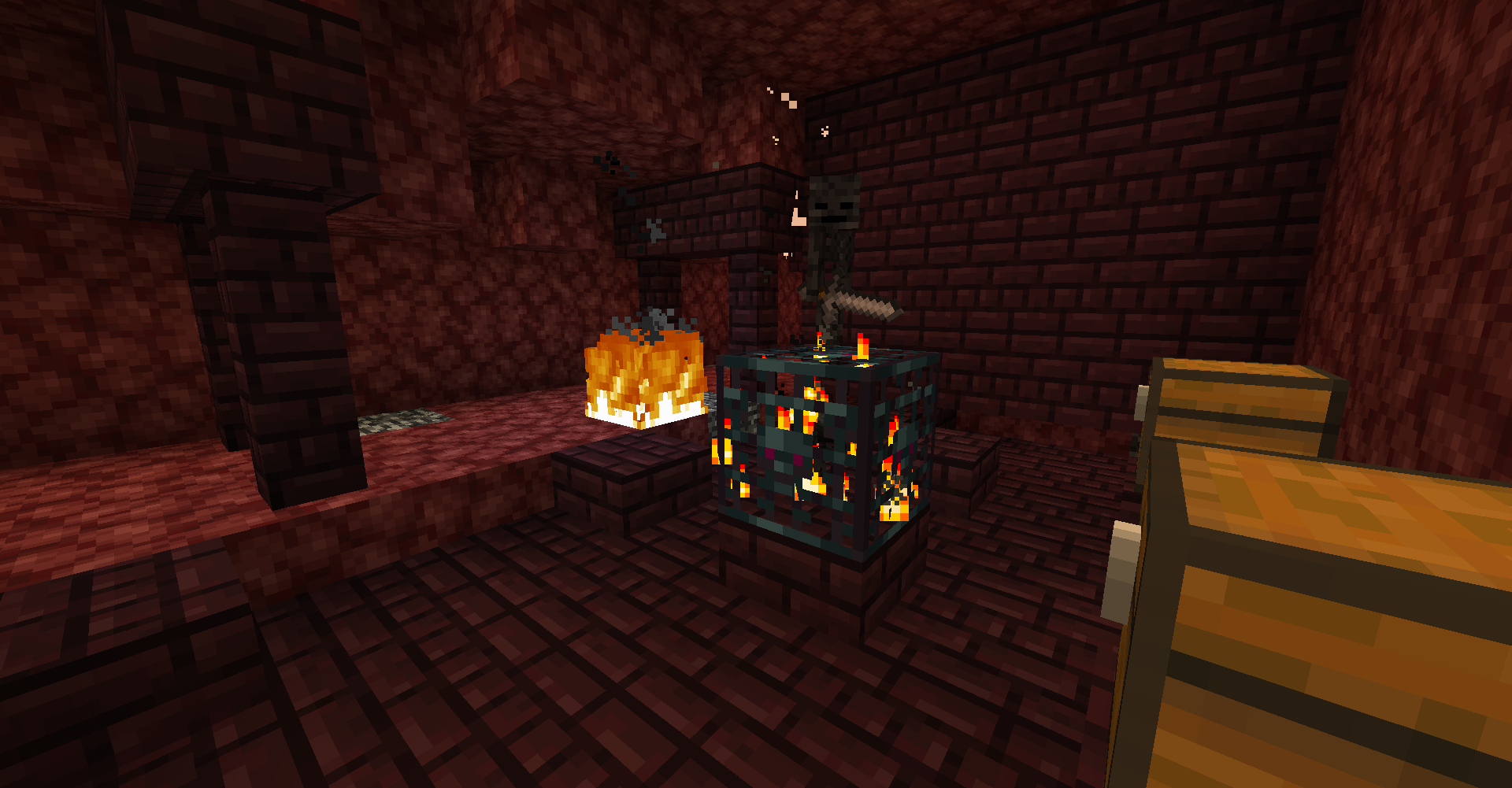 Nether Dungeon in Nether Mineshaft When you are in the Nether, you can find these Nether Brick infused Dungeons and Mineshafts too! There is a 1% chance of having a Wither Skeleton spawner which makes this picture very rare!
 -
 End Dungeon in End Mineshaft After you beat the dragon and travel to the islands away from the spawn island, you can find End themed Dungeons and Mineshafts! The Dungeons will sometimes have Shulker boxes with dungeon loot and they will have End themed monsters spawners.
 -
 Jungle Dungeon in a Jungle Mineshaft A jungle variant of a Dungeon and Mineshaft is shown that spawns in Jungle biomes. The vine covered Jungle Dungeons may have Parrot spawners as well!
-
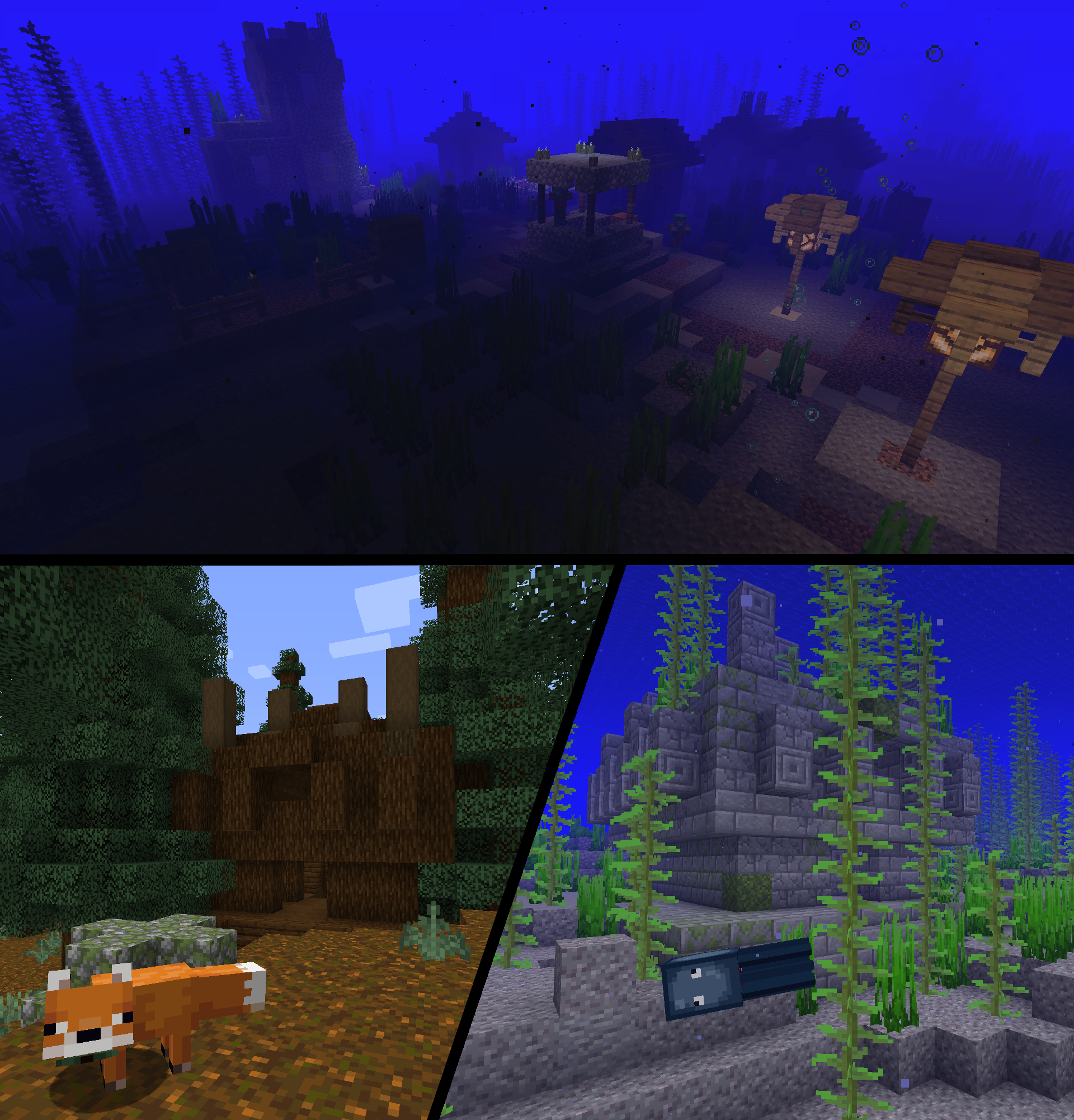 Some newer structures added
 -
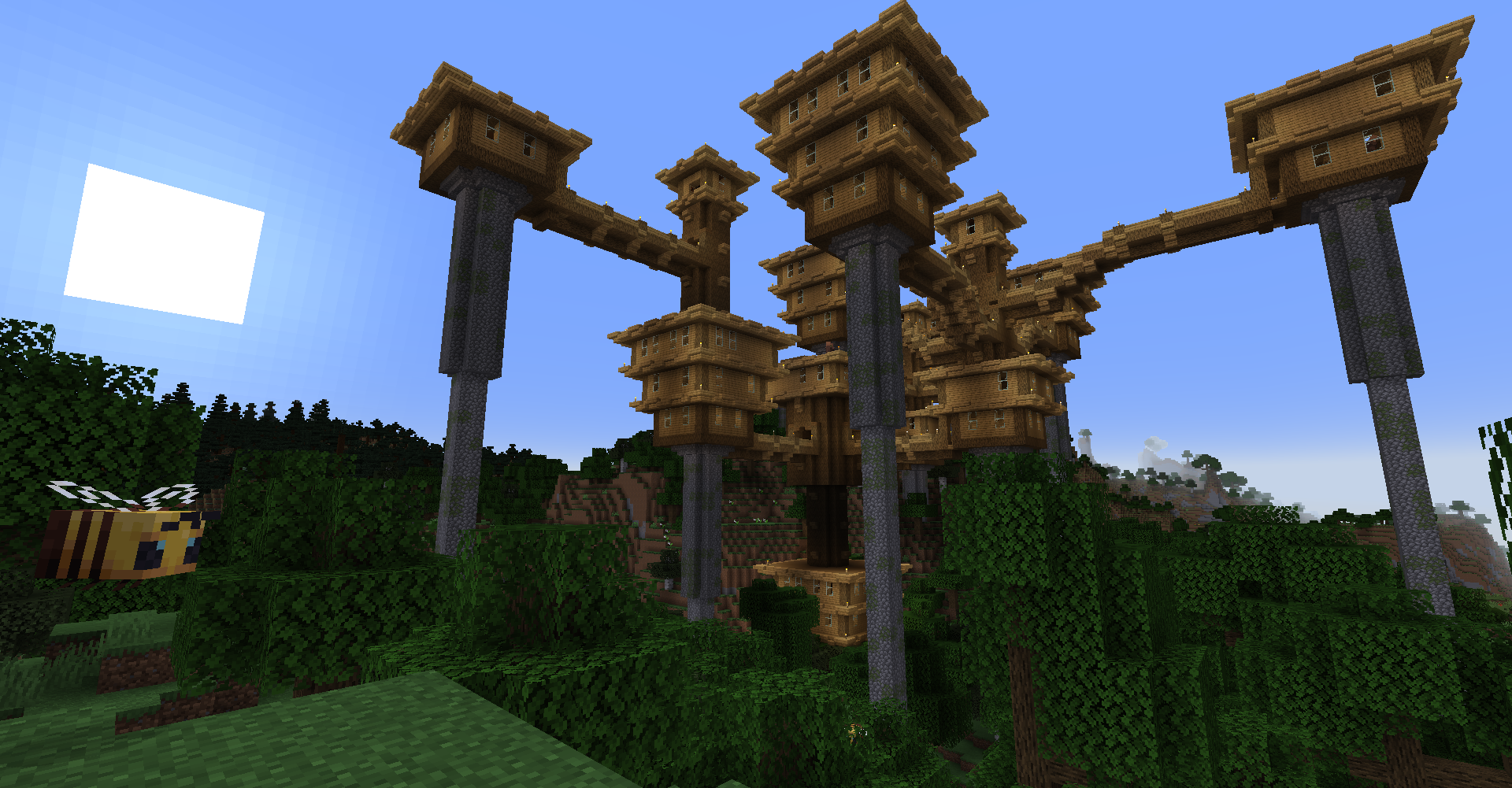 Overworld City
 -
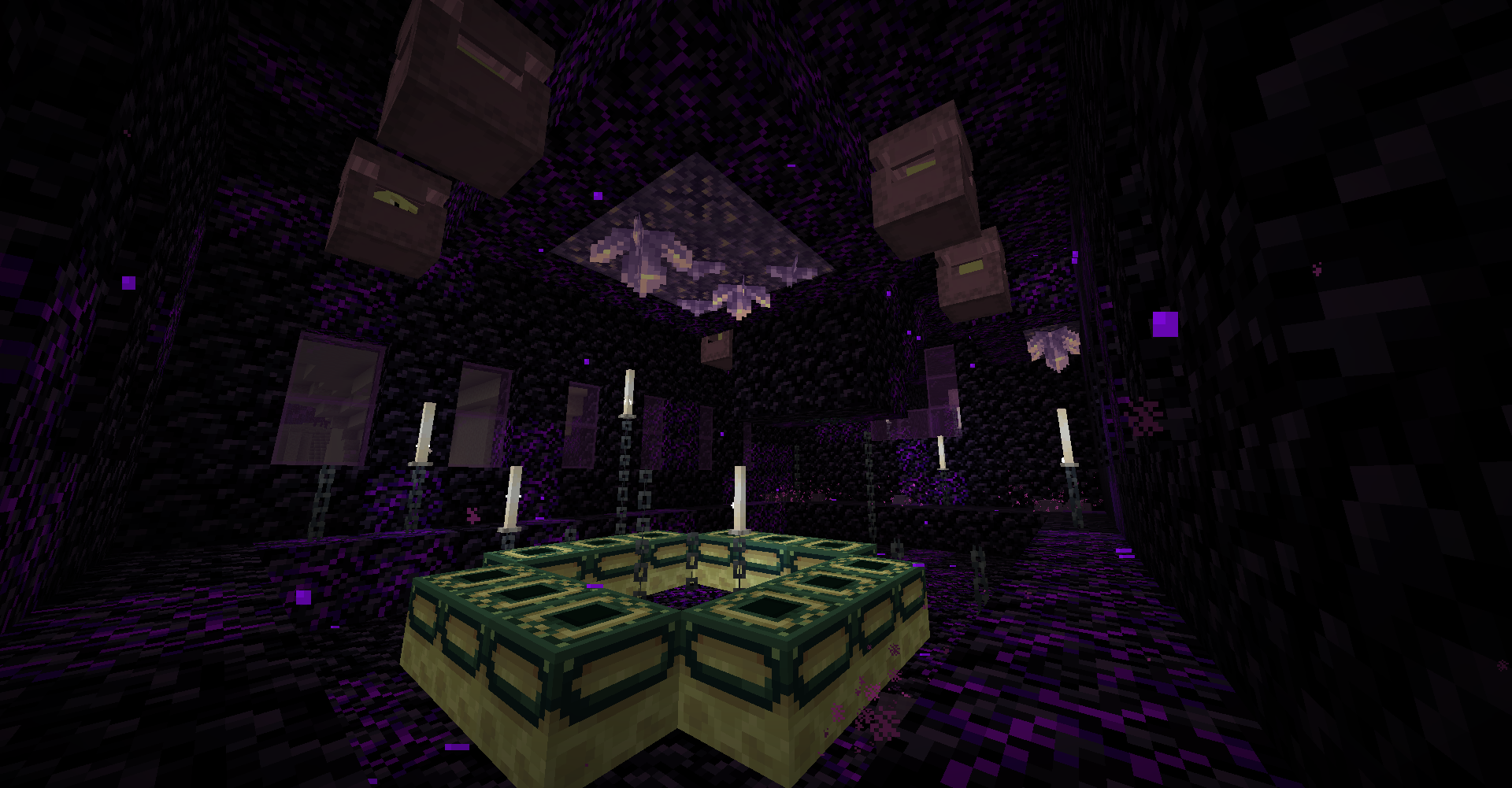 End Portal in End Stronghold in End
 -
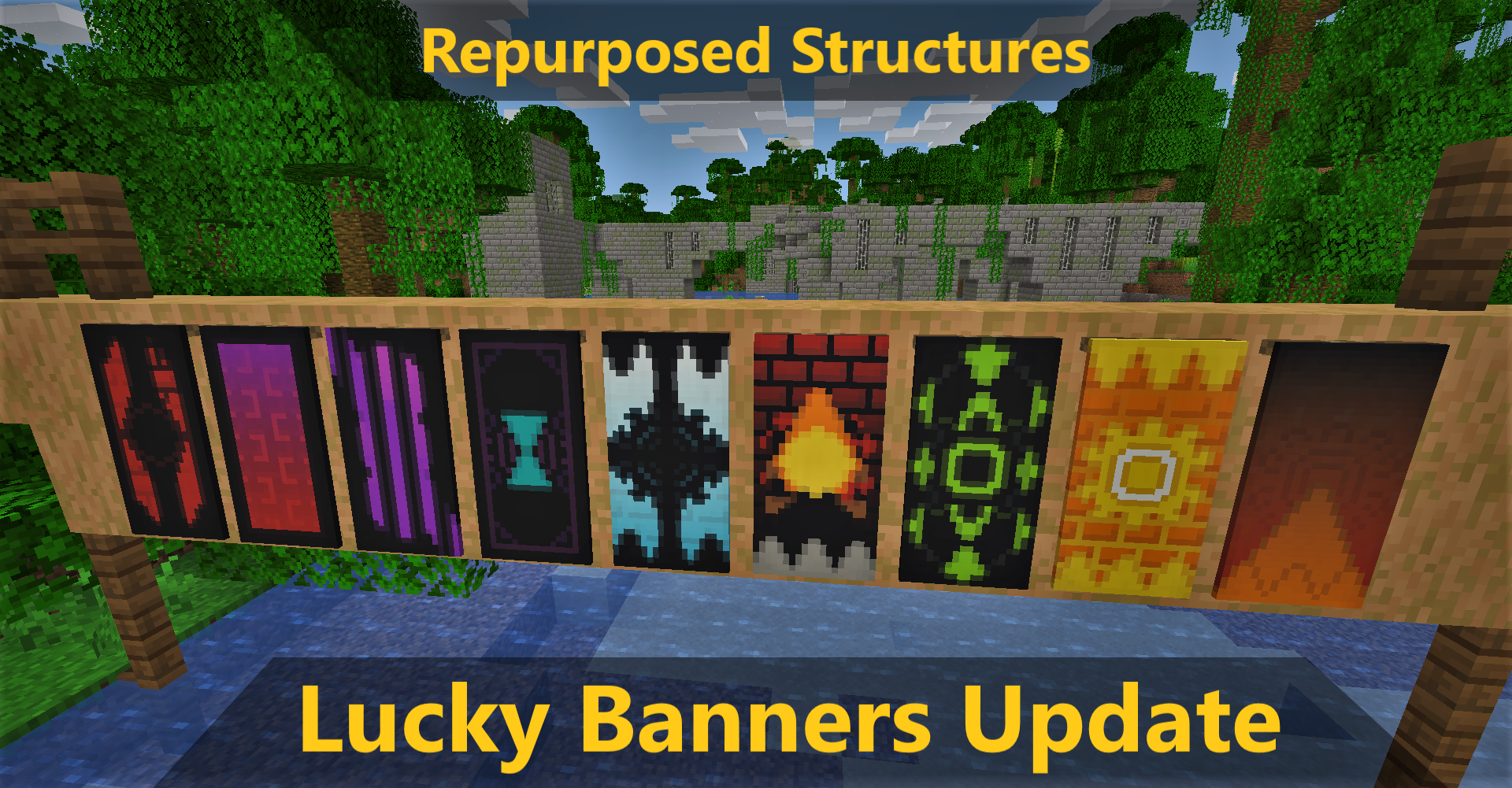 Banners added when you open chests with Luck status on!
 -
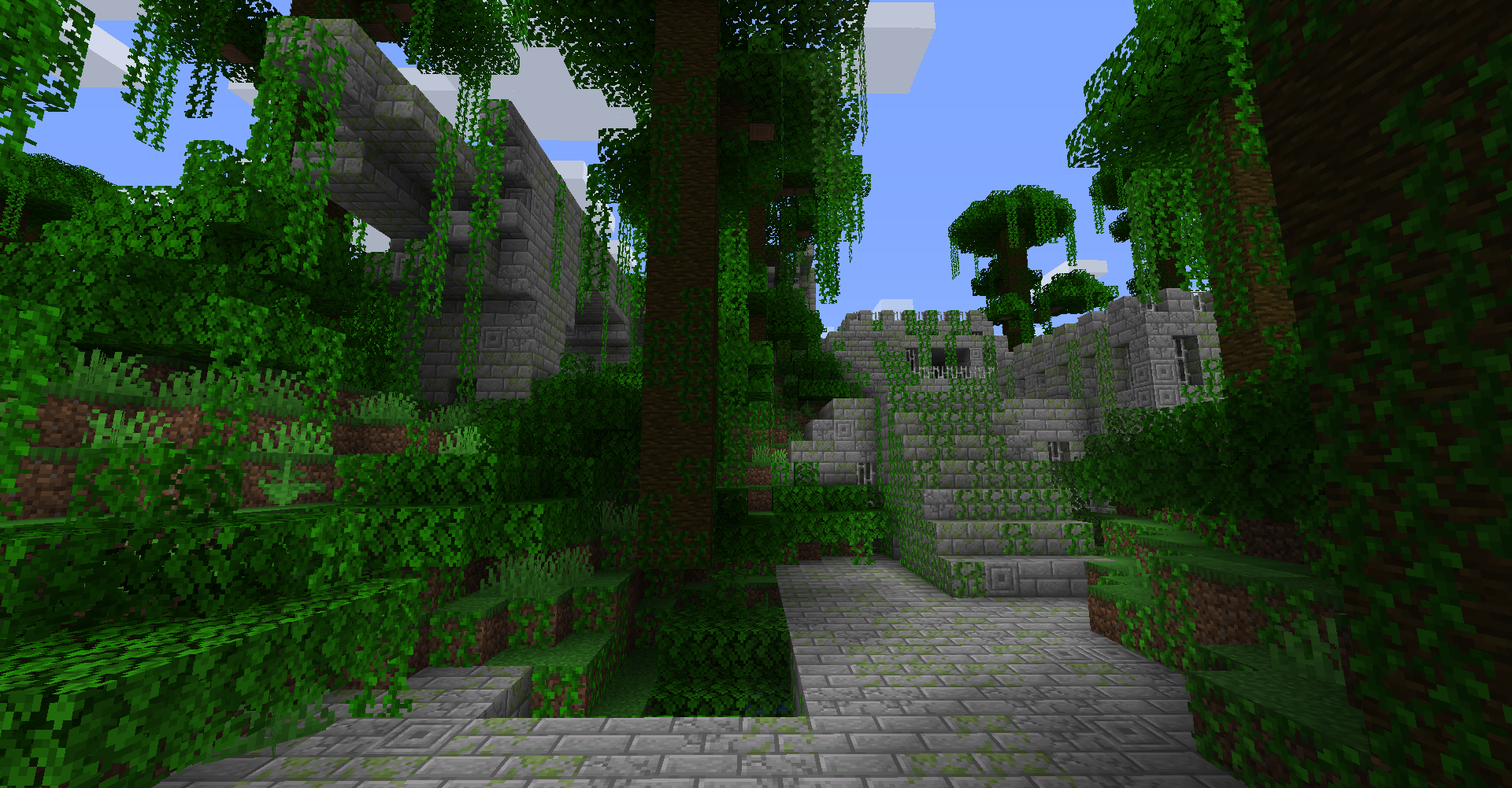 Jungle Fortress
 -
 Pale Garden Village Explore it during the night!... if you dare...
 -
 Abandoned Camps in Nether! New ways of finding Nether biomes now!
 -
 Dappled Forest Structures New structures for this Autumn themed biome!
 -
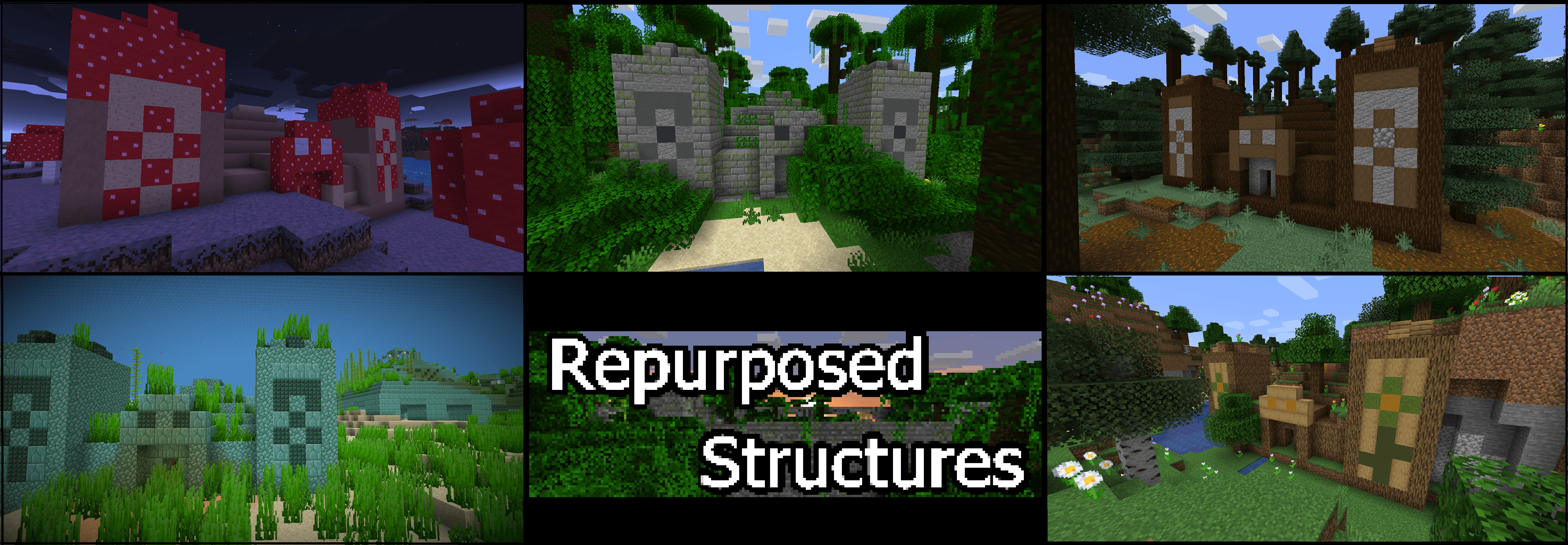 Some Pyramids added!
 -
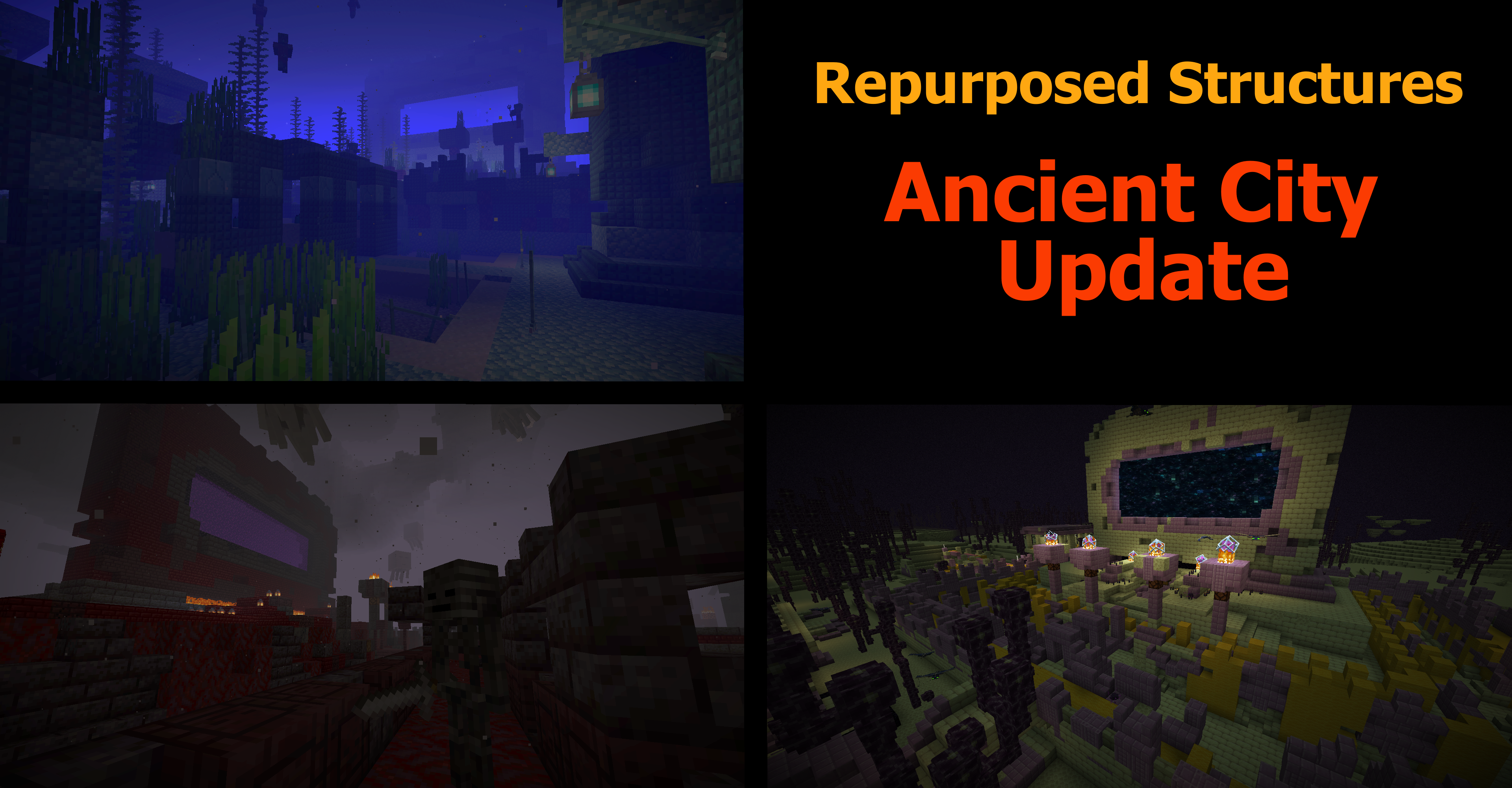 Ancient Cities variants added
 -
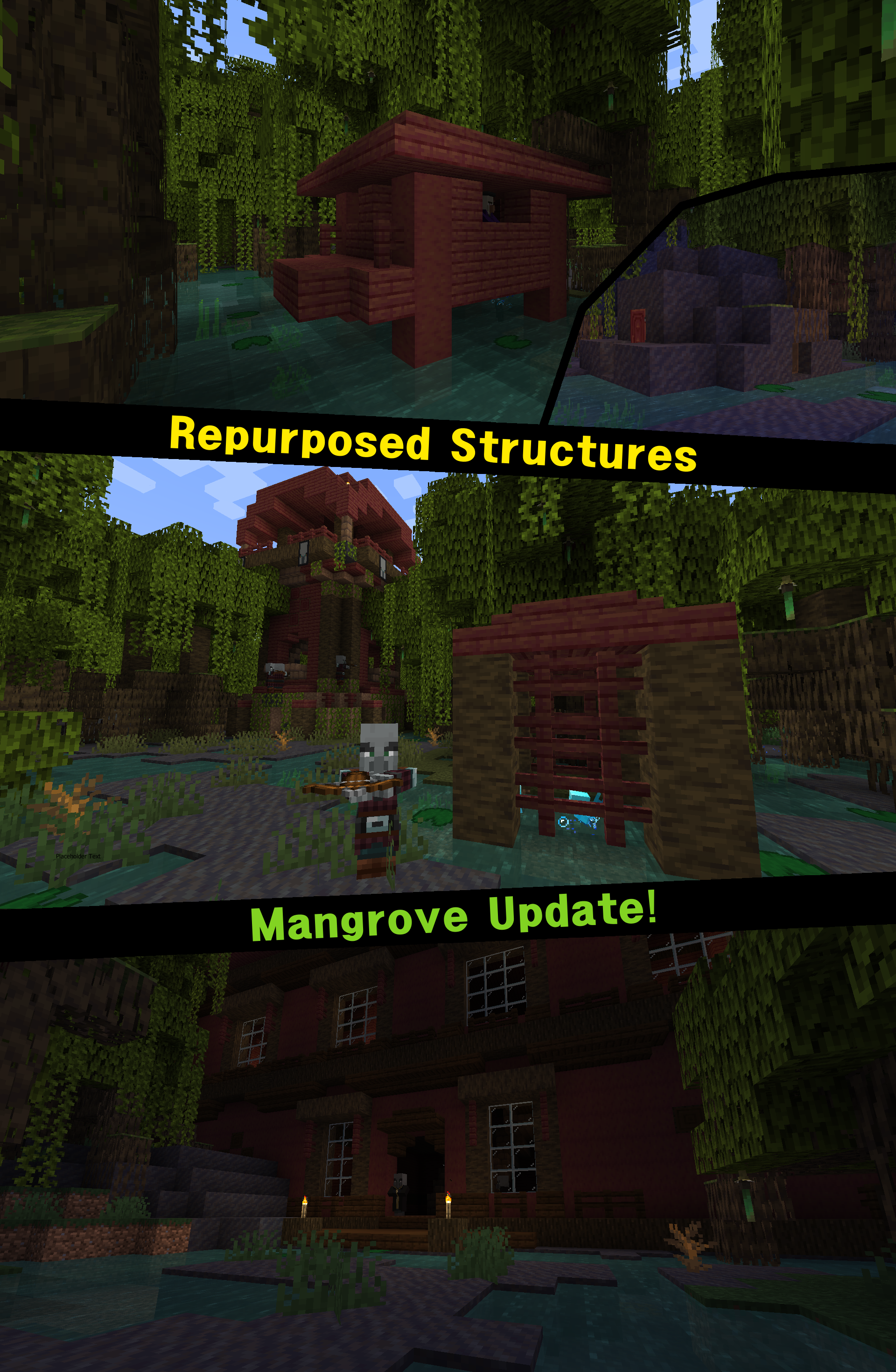 Mangrove structures
 -
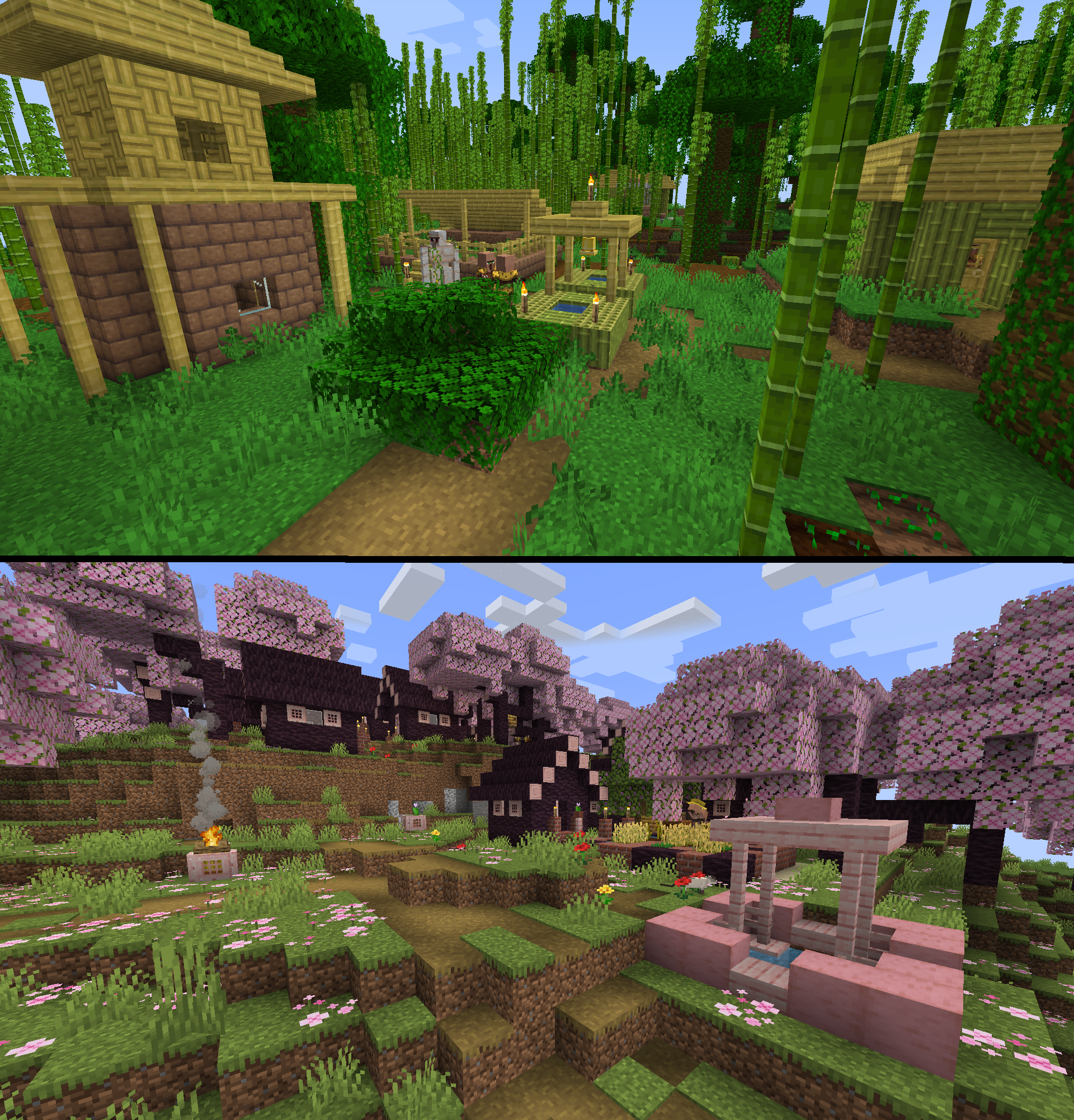 Bamboo and Cherry Villages! Cherry Villages and Cherry Wells can be found in dense flower biomes!
 -
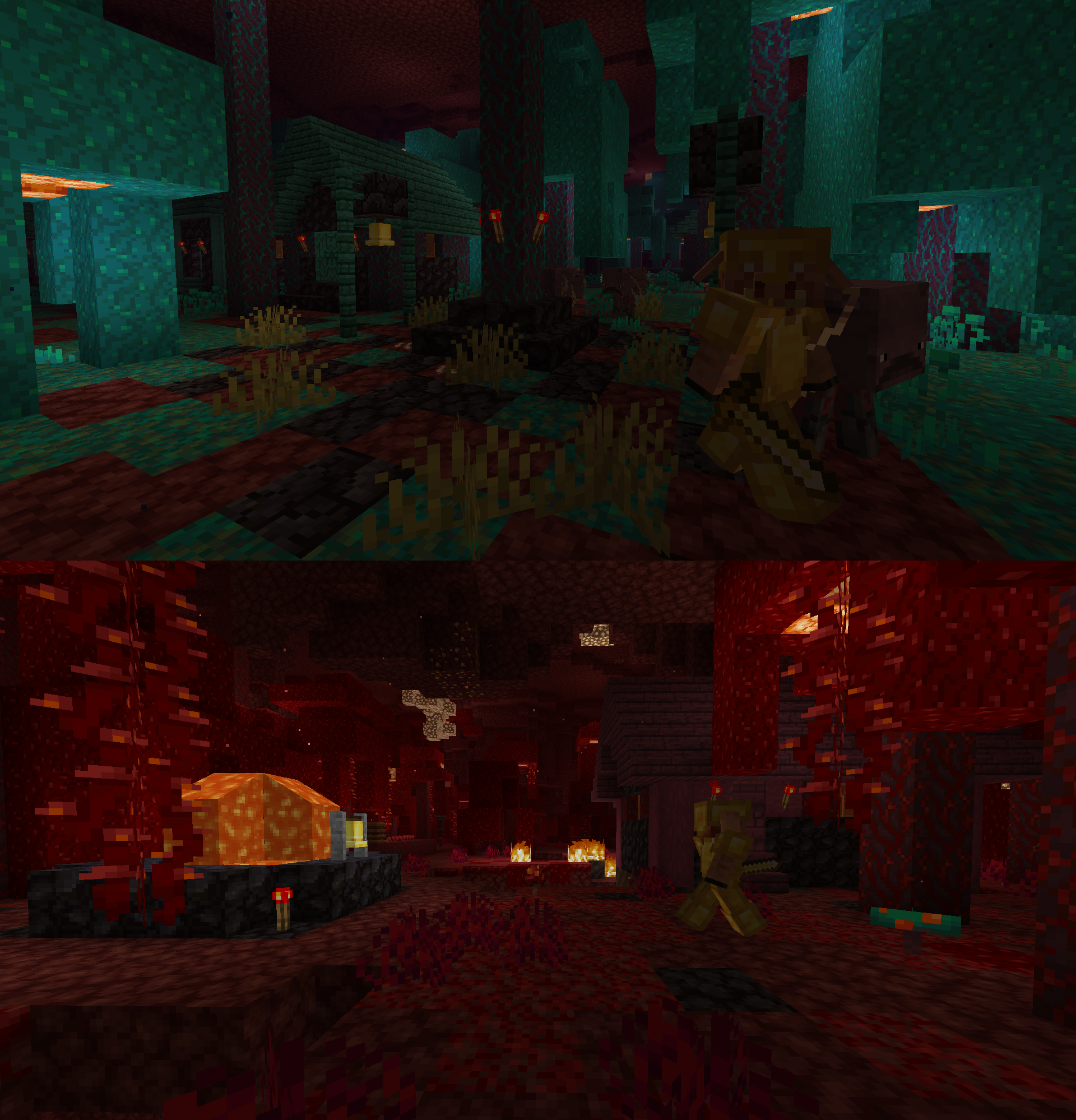 Nether villages
-
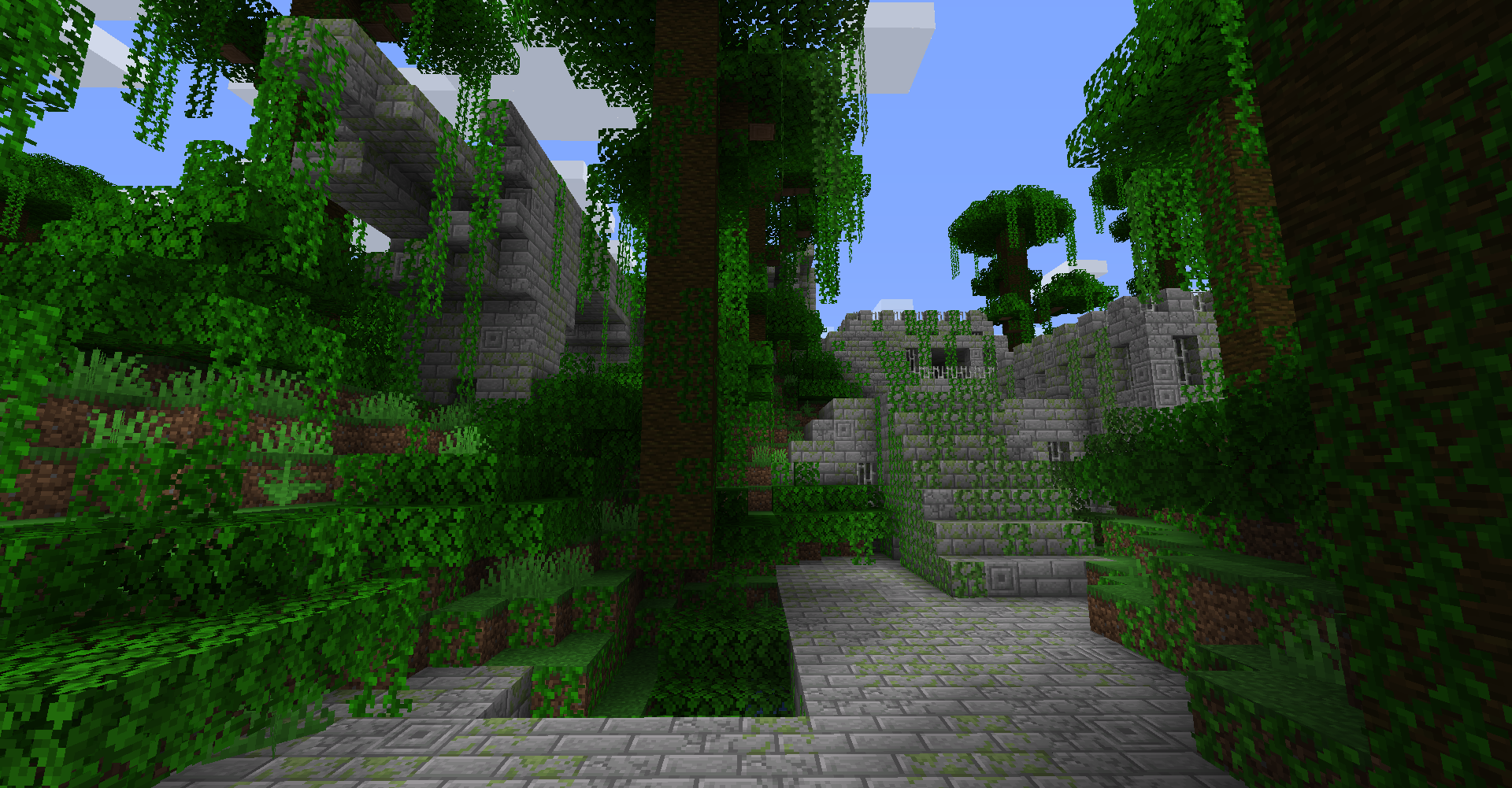 Jungle Fortress
 -
 Pale Garden Village Explore it during the night!... if you dare...
 -
 Abandoned Camps in Nether! New ways of finding Nether biomes now!
 -
 Dappled Forest Structures New structures for this Autumn themed biome!
 -
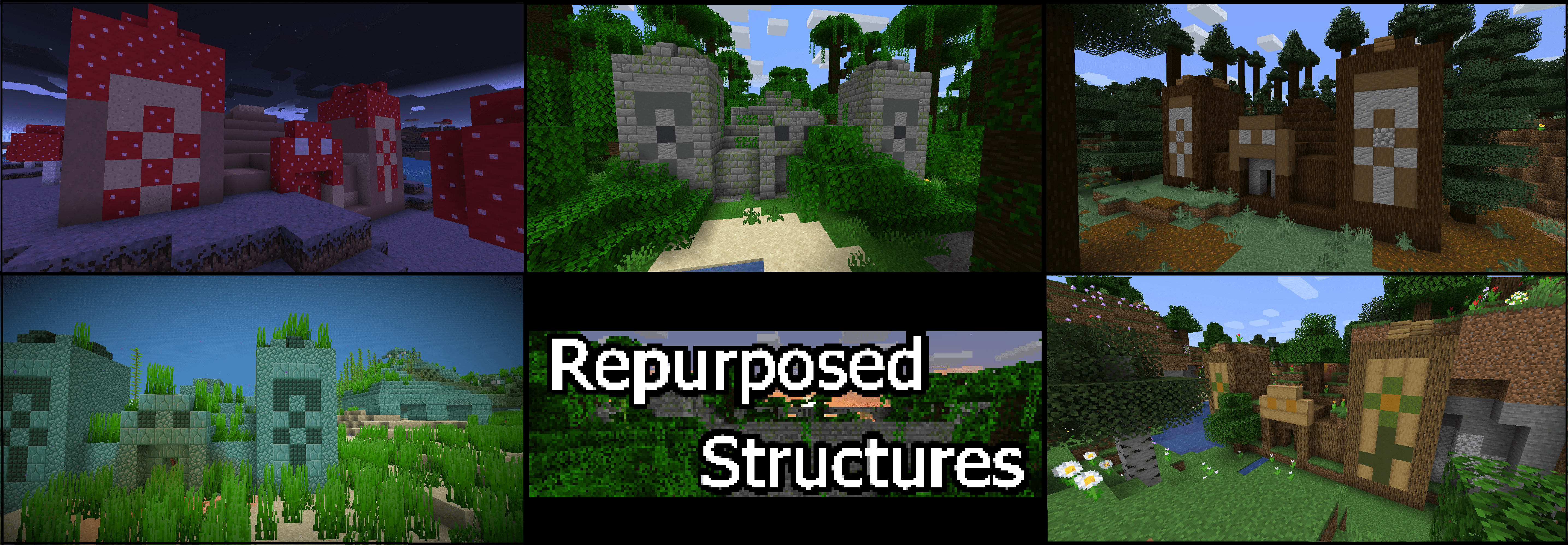 Some Pyramids added!
 -
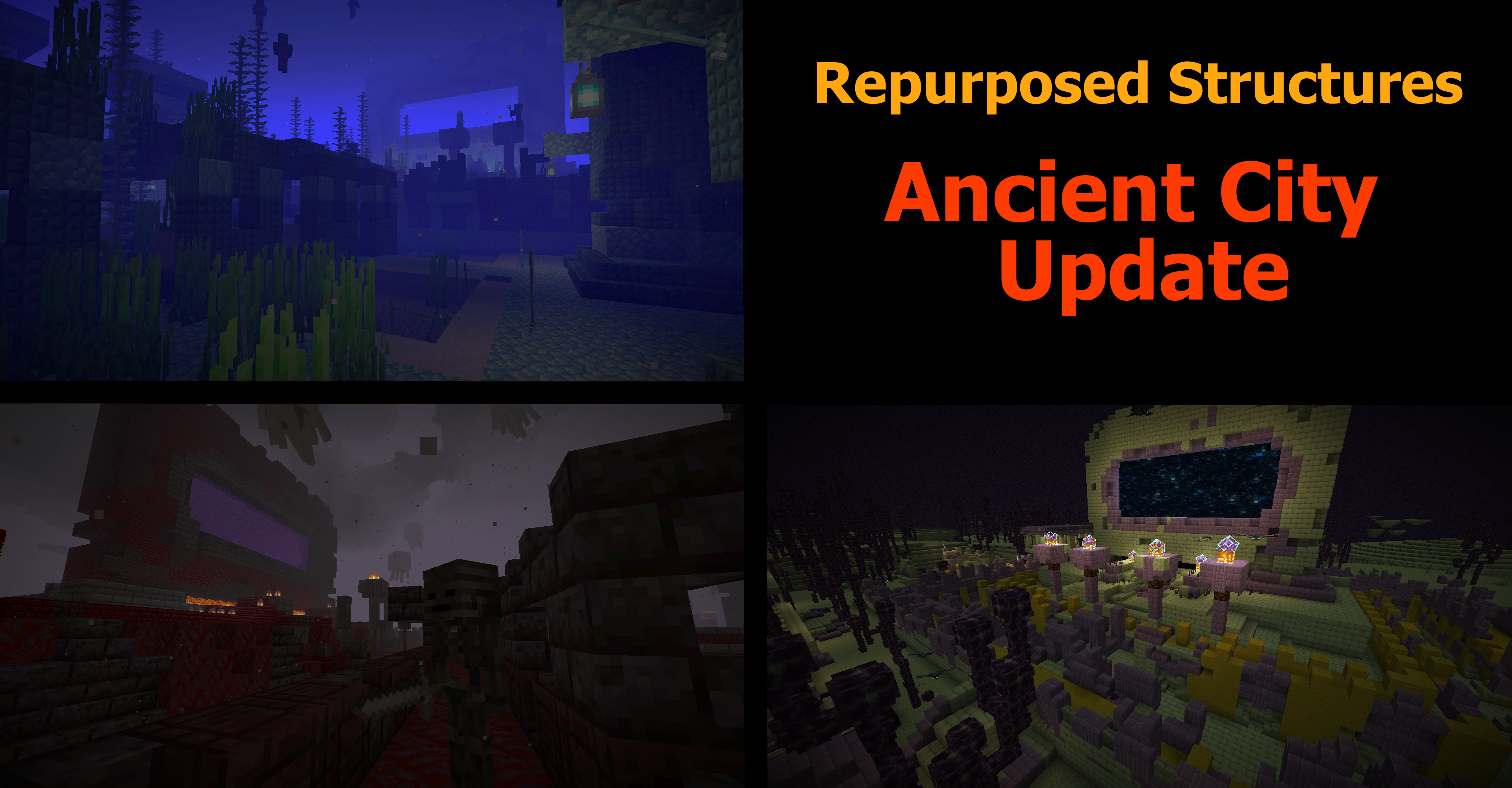 Ancient Cities variants added
 -
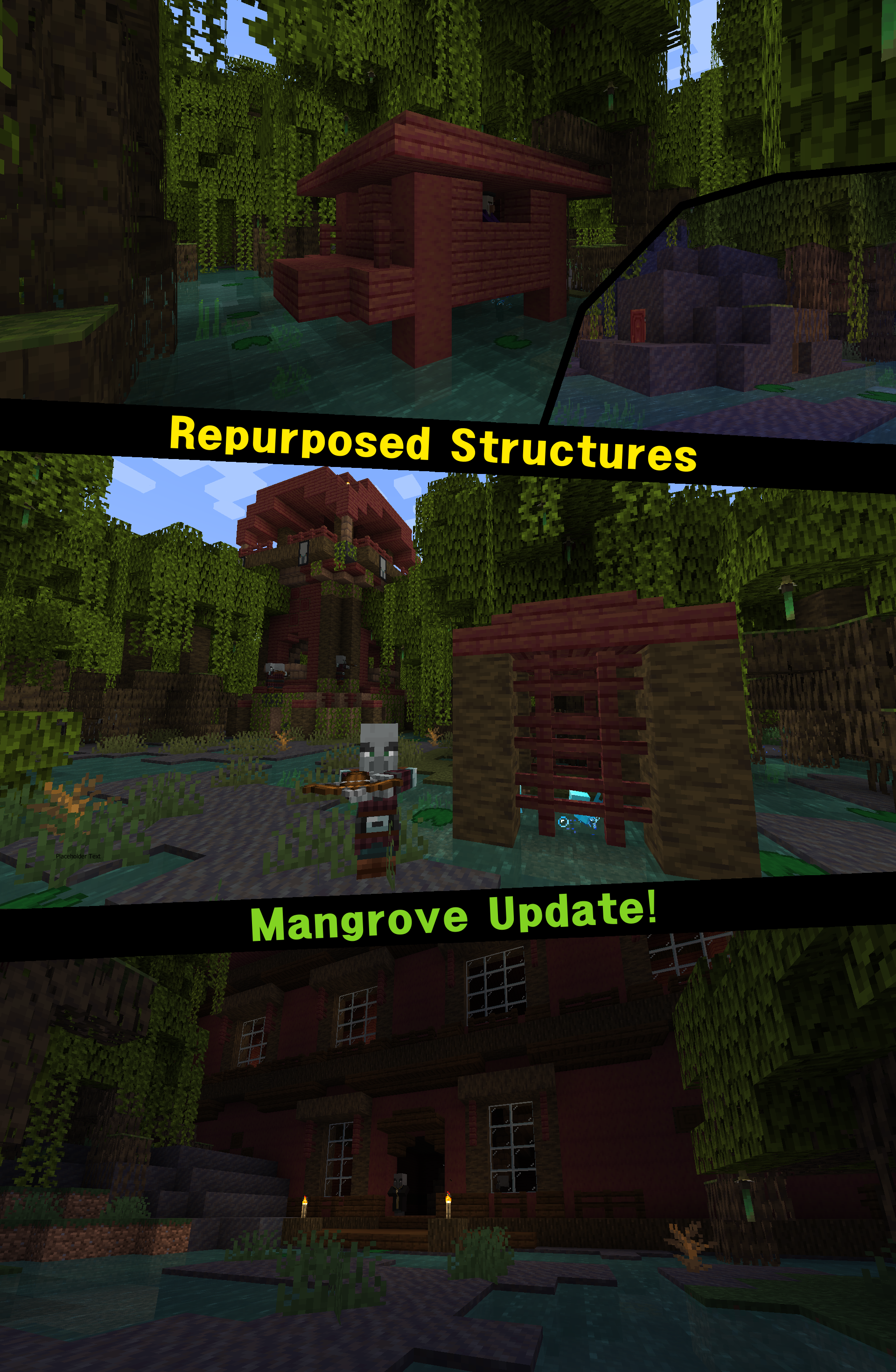 Mangrove structures
 -
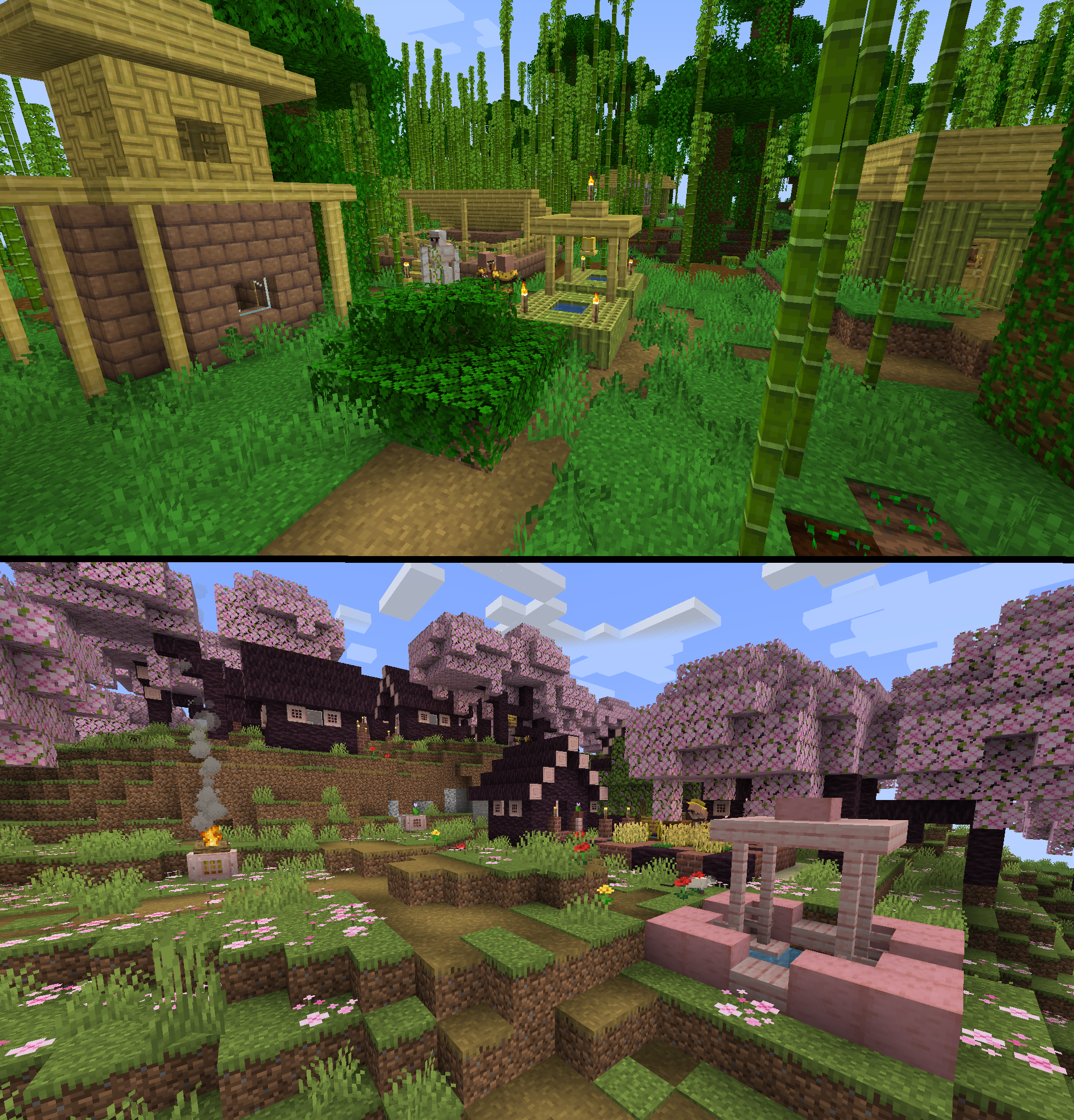 Bamboo and Cherry Villages! Cherry Villages and Cherry Wells can be found in dense flower biomes!
 -
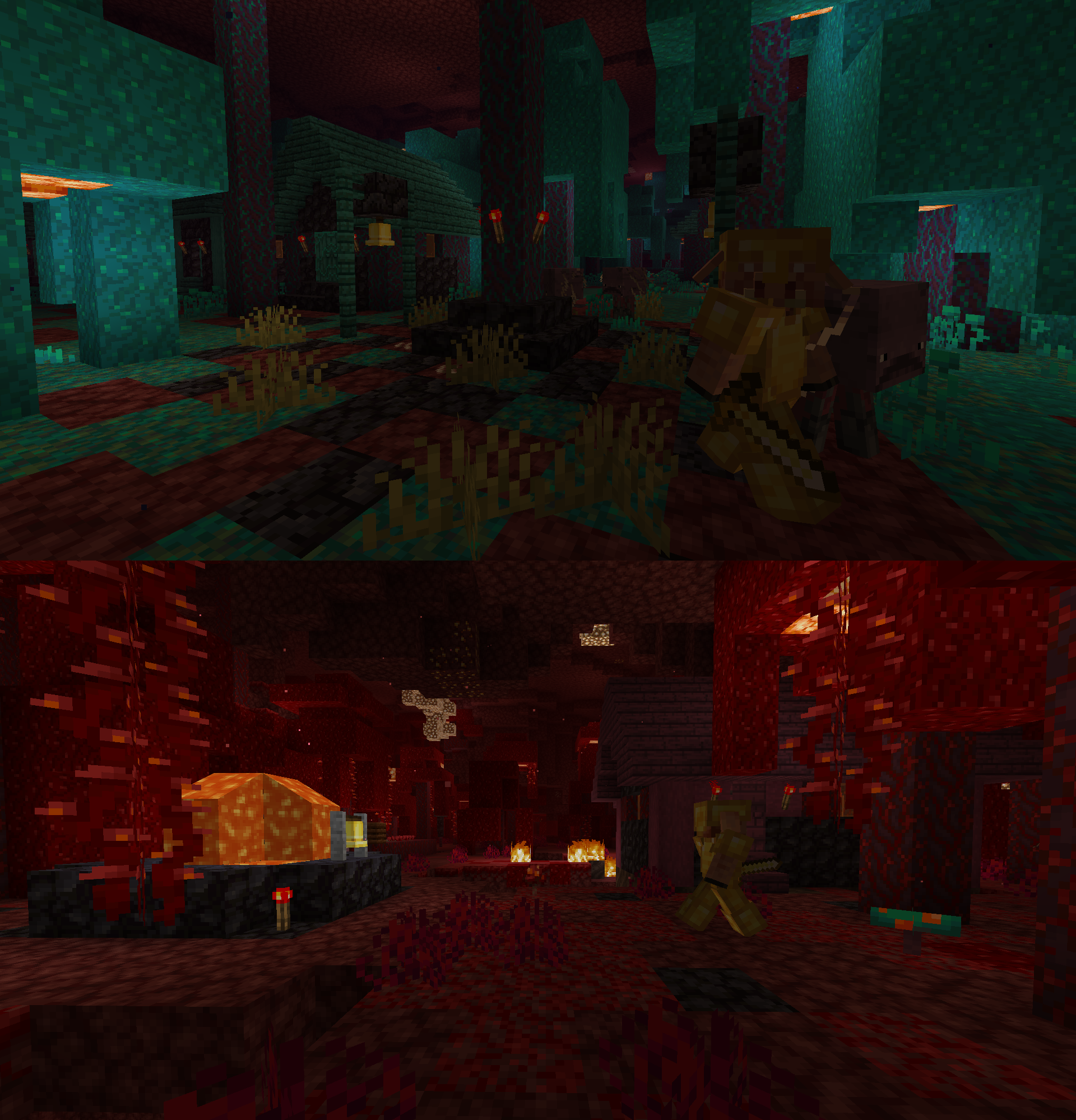 Nether villages
 -
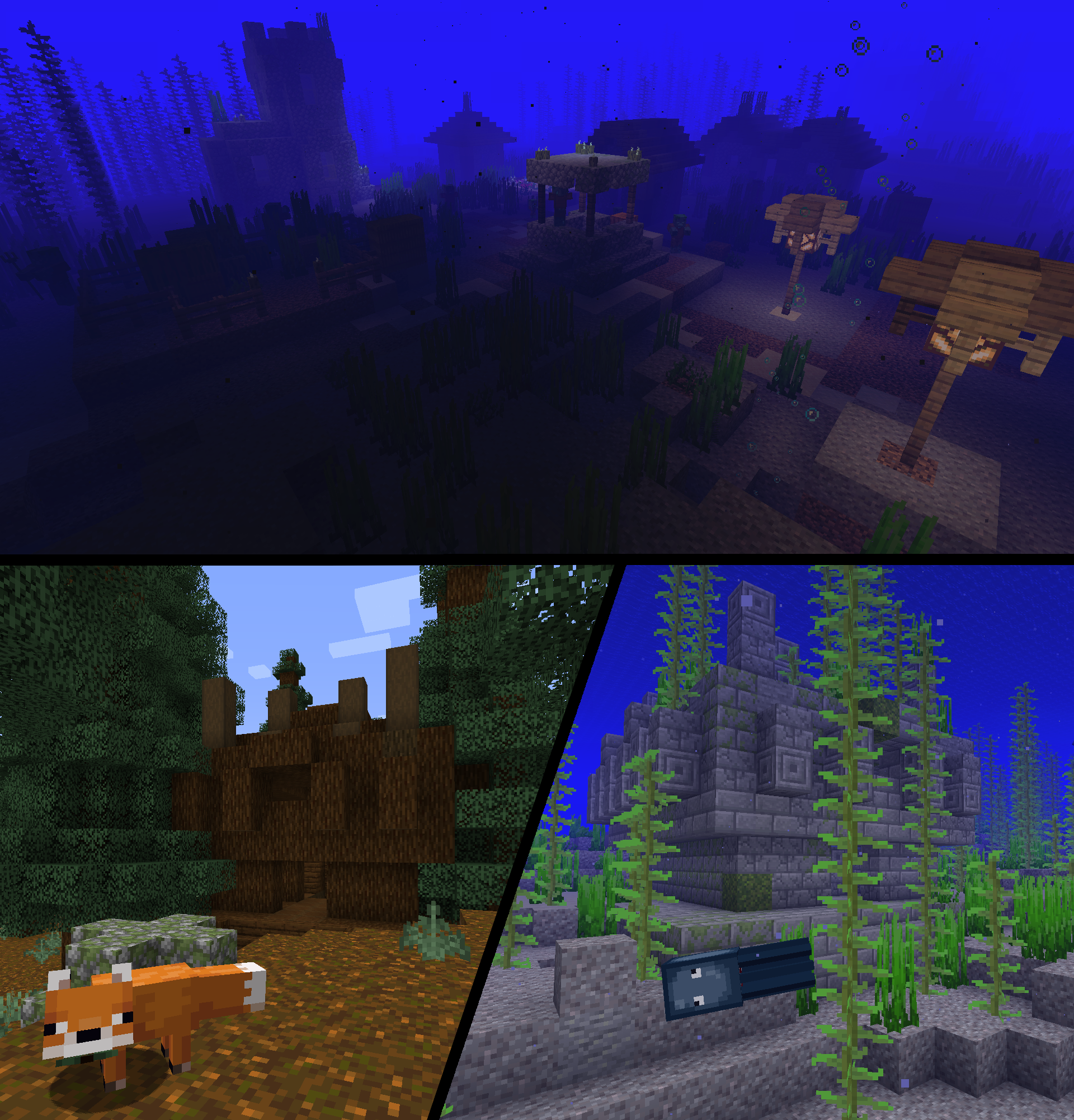 Some newer structures added
 -
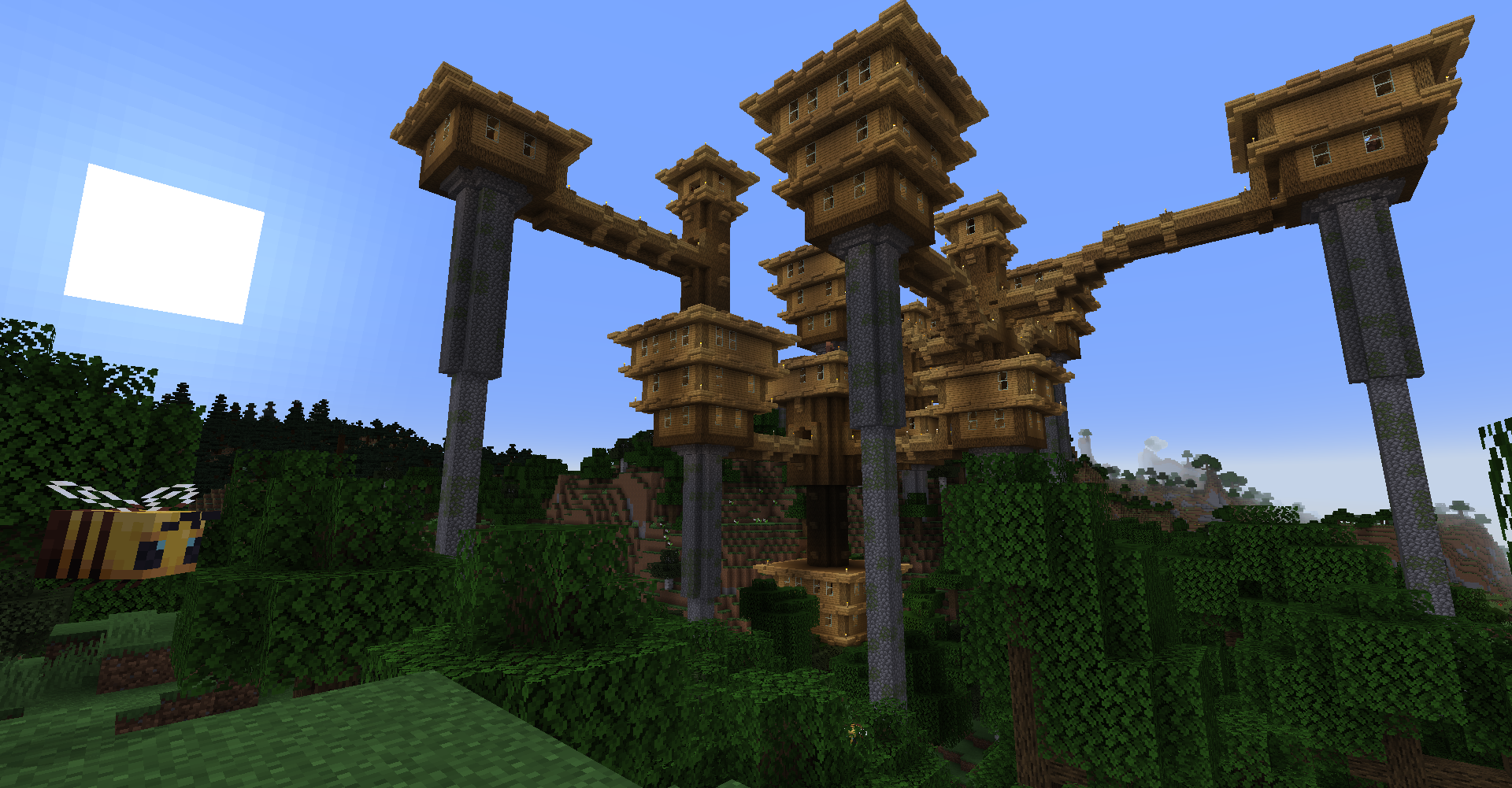 Overworld City
 -
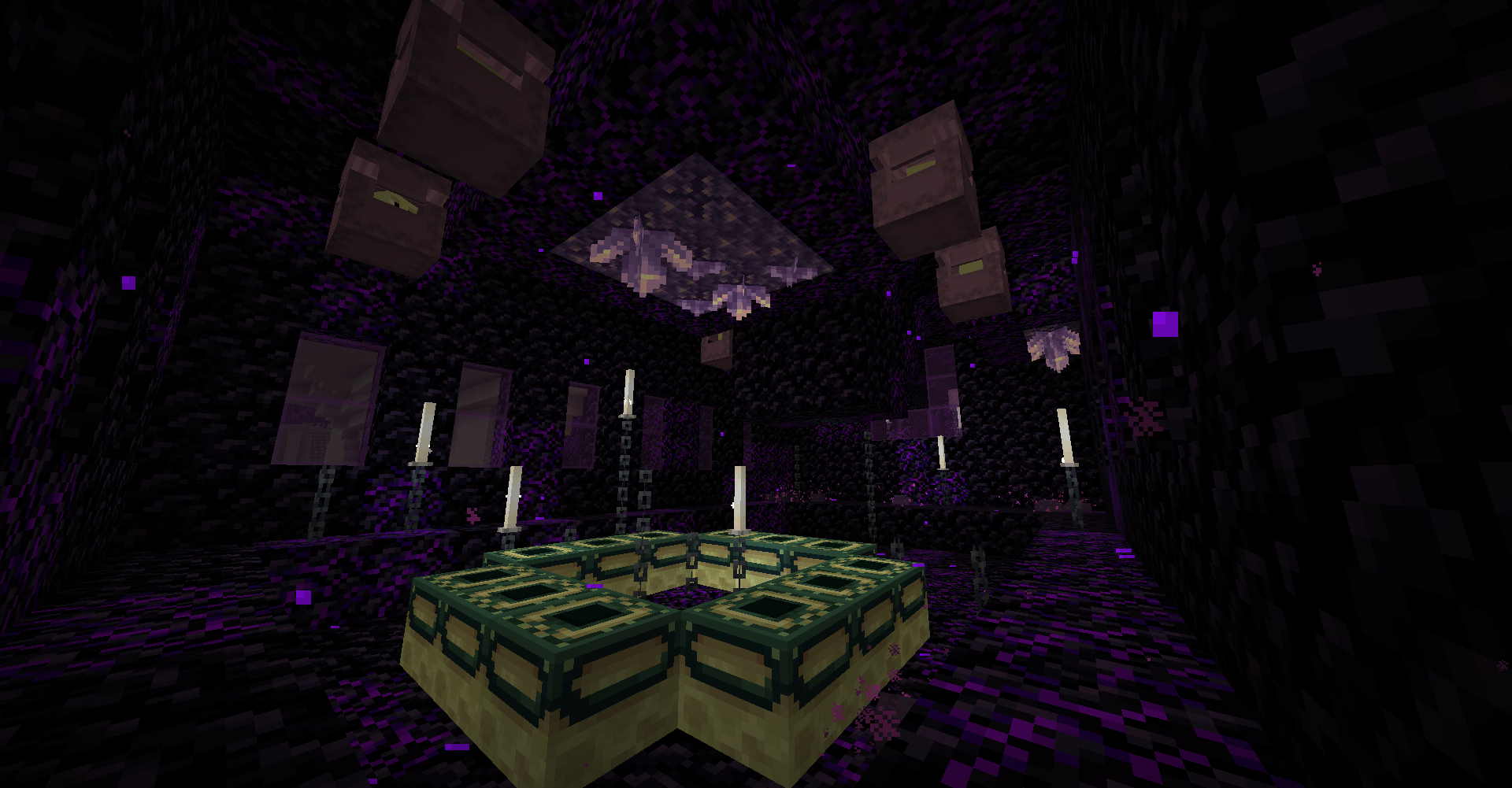 End Portal in End Stronghold in End
 -
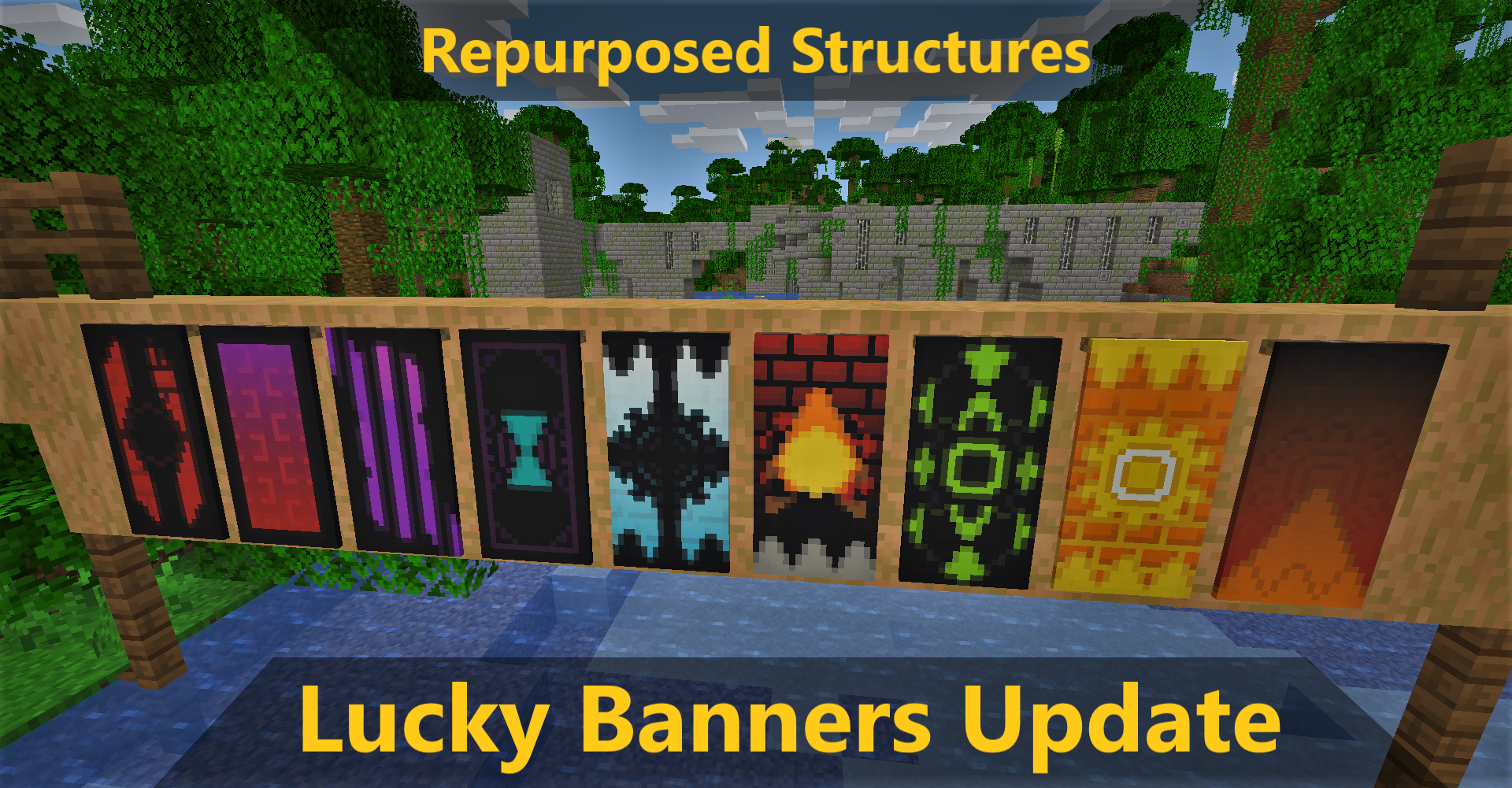 Banners added when you open chests with Luck status on!
Versions
Files
Relations
Project Relations
More like this
Similar Mods
Suggestions use data such as tags, dependencies, dependents, descriptions, titles, and more to rank how much they overlap with this mod.
On ModDex
Community snapshot
By the numbers
Statistics
 (opens in a new tab)
Get it on
Available Platforms
On ModDex
Community snapshot
By the numbers