Community listing page, reviews here may not be monitored by the author.
Rosetta


No reviews yet
A library mod for onboarding players to your mod.
Community voices
Reviews
No reviews yet. Be the first to review this project!
Get it on
Available Platforms
Compatibility
Supported Environments
Runs entirely on the client. Works on vanilla servers.
Must be installed on both the client and the server.
Varies by version.
About
Project Details
For authors
Embed Badge
If you're the author of this project, you can embed a live badge anywhere that supports HTML or Markdown. It updates automatically whenever ratings change.
Use HTML for any page that supports it, or Markdown for README files and Markdown-based descriptions.
Identifiers
Platform IDs
Resources
External Links
About
Description
Rosetta
Rosetta is a client-side library mod used to deliver onboarding tutorials, tips, and changelogs in a consistent, polished way.
If you're reading this because you're surprised to find it installed, it's probably because some other mod (build-better, drop-highlighter, etc.) depends on it for onboarding features.
What Rosetta does for you
When a Rosetta-powered mod is installed, you get a unified onboarding system (one-time popups) that help you navigate that mods features, get hints, alerts, and other information that the mod author wants you to see. For authors, the biggest advantage is that the onboarding cards don't step on each other. If every mod implemented its own system, they'd all render at the same time. Rosetta enqueues and manages the order, version tracking, and whether a user has seen any card or indicator.
- First-launch cards. Mods can show a full-screen welcome card the first time you load a world after installing them, explaining what the mod does and how to use its main features. One "Acknowledge" button per card. Dismissed cards don't come back unless the mod author has new content for you.
- HUD pop-up hints. Vanilla-styled hint toasts that appear above your hotbar when you do something a mod wants to teach you about ; picking up a new item type, opening a new GUI, triggering a feature for the first time. Optional sound cue.
- Multi-slide tutorials. Step-by-step walkthroughs that dim the background and highlight specific UI regions per slide. Used by mods to teach a feature in depth without dumping a wall of text.
- Replay any card you've seen. Open the Rosetta replay screen at any time to re-read a tutorial you dismissed, browse changelog notes a mod left behind, or refresh yourself on a feature you forgot.
- A unified notification inbox. When a mod tries to teach you something while you're busy (fighting a mob, gliding, sleeping) Rosetta queues the hint instead of interrupting. A small indicator on the HUD lets you open the inbox when you're ready.
How it changes your experience
- Tutorials never interrupt combat. Rosetta automatically suppresses cards while you're taking damage, sleeping, gliding, dead, or in spectator mode. You won't get a "welcome to this mod!" screen mid-fight.
- One UI for every mod. Instead of each mod inventing its own welcome screen with different keybinds, layouts, and dismiss behavior, Rosetta-powered mods share the same look and feel and let's the mods not have to fight for rendering on top.
- Your dismissals stick. Cards you've acknowledged stay acknowledged across game sessions. State lives with your Minecraft install. No cloud, no per-server tracking.
- Cards are categorized for filtering. Tutorials, tips, warnings, what's-new notes, and credits are tagged as such, so the replay screen groups them sensibly.
What Rosetta does NOT do
- Rosetta does not add any in-world content (no blocks, items, mobs, dimensions, recipes).
- Rosetta is client-only. Servers don't need it installed, and servers cannot push messages through it.
- Installing Rosetta on its own will do nothing visible. It requires a mod that uses Rosetta to deliver content.
For mod authors
Rosetta provides a JSON5-based card registration format for common cases (rosetta-onboard.json5 in your mod's resources) plus a Java builder API for advanced cases (custom triggers, in-world pointers, multi-slide tutorials, custom widgets). If you change a card, you can reshow it by modifying the card's version number to re-show it after content changes, or register a new ID per major release for "what's new" notes. Categories (tutorial, tip, warning, news, credits) drive the replay UI grouping.
Supported loaders: Fabric, NeoForge Supported Minecraft versions: 1.21.1 through 26.1.2 Java level: 21 (1.21.x) / 25 (26.x) Doc: https://github.com/Malteas-Games/malt-mods/tree/main/docs/rosetta
Rosetta
Rosetta is a client-side library mod used to deliver onboarding tutorials, tips, and changelogs in a consistent, polished way.
If you're reading this because you're surprised to find it installed, it's probably because some other mod (build-better, drop-highlighter, etc.) depends on it for onboarding features.
What Rosetta does for you
When a Rosetta-powered mod is installed, you get a unified onboarding system (one-time popups) that help you navigate that mods features, get hints, alerts, and other information that the mod author wants you to see. For authors, the biggest advantage is that the onboarding cards don't step on each other. If every mod implemented its own system, they'd all render at the same time. Rosetta enqueues and manages the order, version tracking, and whether a user has seen any card or indicator.
- First-launch cards. Mods can show a full-screen welcome card the first time you load a world after installing them, explaining what the mod does and how to use its main features. One "Acknowledge" button per card. Dismissed cards don't come back unless the mod author has new content for you.
- HUD pop-up hints. Vanilla-styled hint toasts that appear above your hotbar when you do something a mod wants to teach you about ; picking up a new item type, opening a new GUI, triggering a feature for the first time. Optional sound cue.
- Multi-slide tutorials. Step-by-step walkthroughs that dim the background and highlight specific UI regions per slide. Used by mods to teach a feature in depth without dumping a wall of text.
- Replay any card you've seen. Open the Rosetta replay screen at any time to re-read a tutorial you dismissed, browse changelog notes a mod left behind, or refresh yourself on a feature you forgot.
- A unified notification inbox. When a mod tries to teach you something while you're busy (fighting a mob, gliding, sleeping) Rosetta queues the hint instead of interrupting. A small indicator on the HUD lets you open the inbox when you're ready.
How it changes your experience
- Tutorials never interrupt combat. Rosetta automatically suppresses cards while you're taking damage, sleeping, gliding, dead, or in spectator mode. You won't get a "welcome to this mod!" screen mid-fight.
- One UI for every mod. Instead of each mod inventing its own welcome screen with different keybinds, layouts, and dismiss behavior, Rosetta-powered mods share the same look and feel and let's the mods not have to fight for rendering on top.
- Your dismissals stick. Cards you've acknowledged stay acknowledged across game sessions. State lives with your Minecraft install. No cloud, no per-server tracking.
- Cards are categorized for filtering. Tutorials, tips, warnings, what's-new notes, and credits are tagged as such, so the replay screen groups them sensibly.
What Rosetta does NOT do
- Rosetta does not add any in-world content (no blocks, items, mobs, dimensions, recipes).
- Rosetta is client-only. Servers don't need it installed, and servers cannot push messages through it.
- Installing Rosetta on its own will do nothing visible. It requires a mod that uses Rosetta to deliver content.
For mod authors
Rosetta provides a JSON5-based card registration format for common cases (rosetta-onboard.json5 in your mod's resources) plus a Java builder API for advanced cases (custom triggers, in-world pointers, multi-slide tutorials, custom widgets). If you change a card, you can reshow it by modifying the card's version number to re-show it after content changes, or register a new ID per major release for "what's new" notes. Categories (tutorial, tip, warning, news, credits) drive the replay UI grouping.
AI Statement
All in-game assets: image, text, and sounds are made by hand. AI Coding Assistants are used to generate java code. All code is verified by human eyes.
Supported loaders: Fabric, NeoForge Supported Minecraft versions: 1.21.1 through 26.1.2 Java level: 21 (1.21.x) / 25 (26.x) Doc: https://github.com/Malteas-Games/malt-mods/tree/main/docs/rosetta
Screenshots
Gallery
-
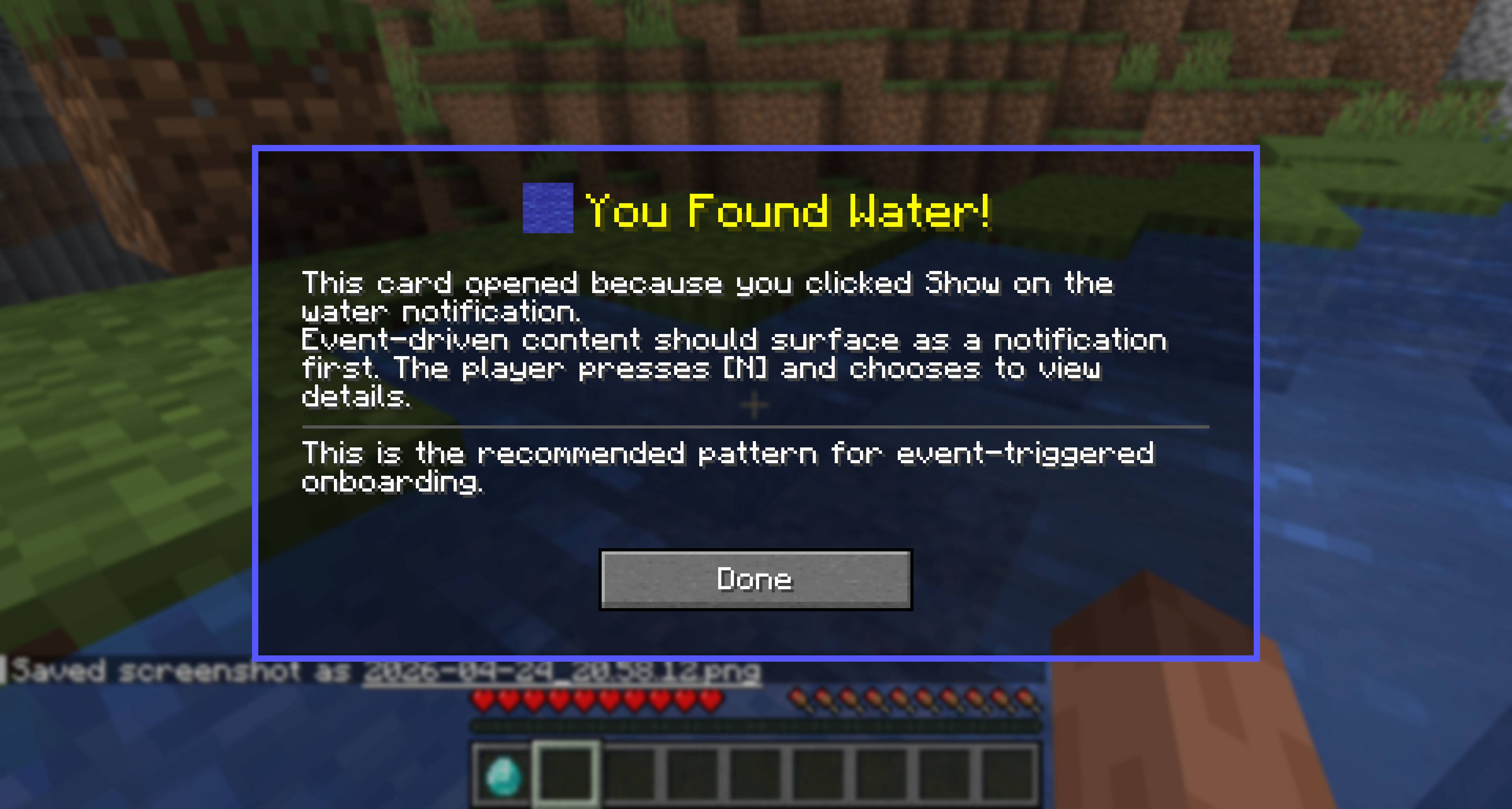 Event Triggered Card
 -
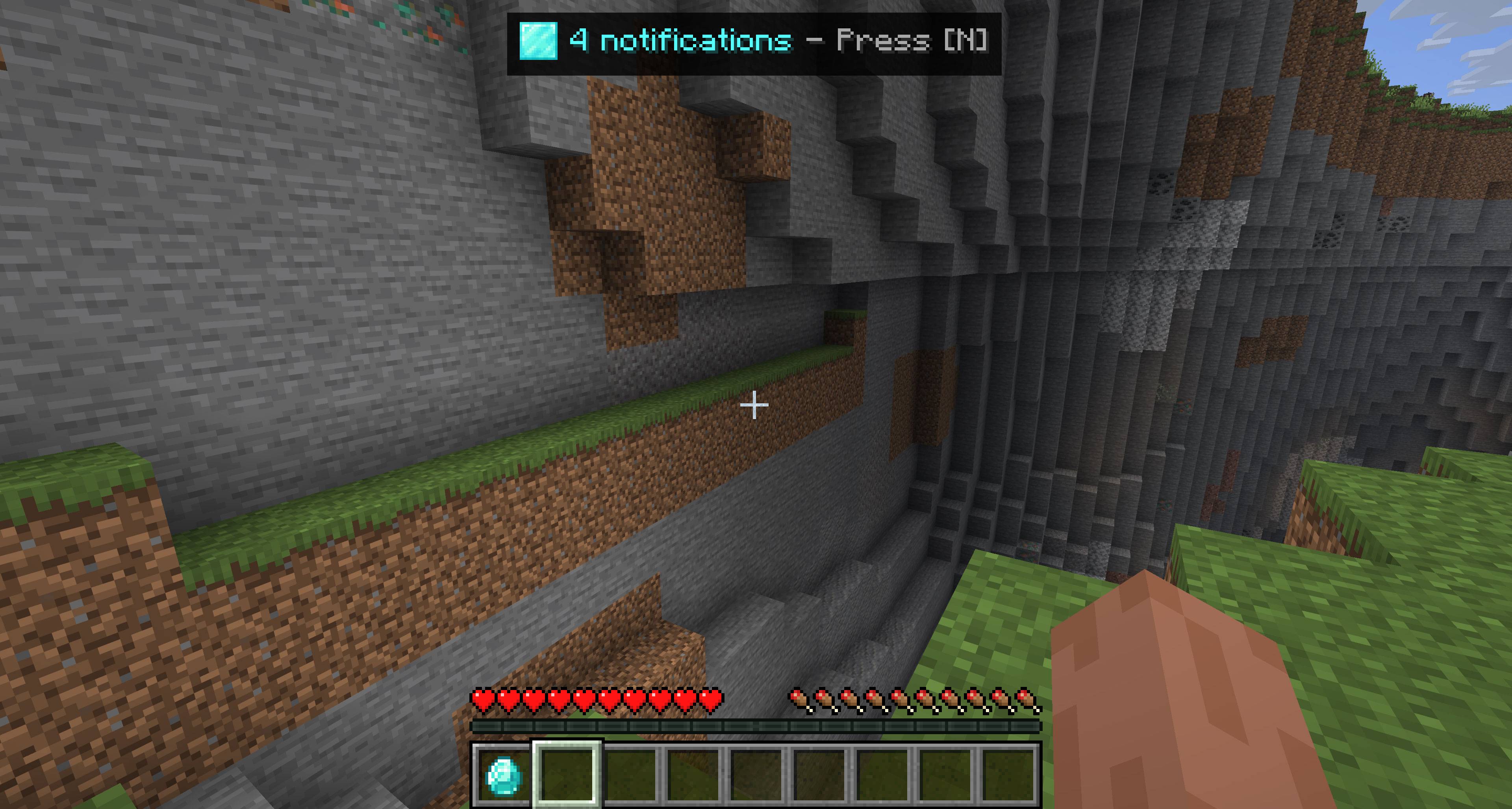 Notifications Example
 -
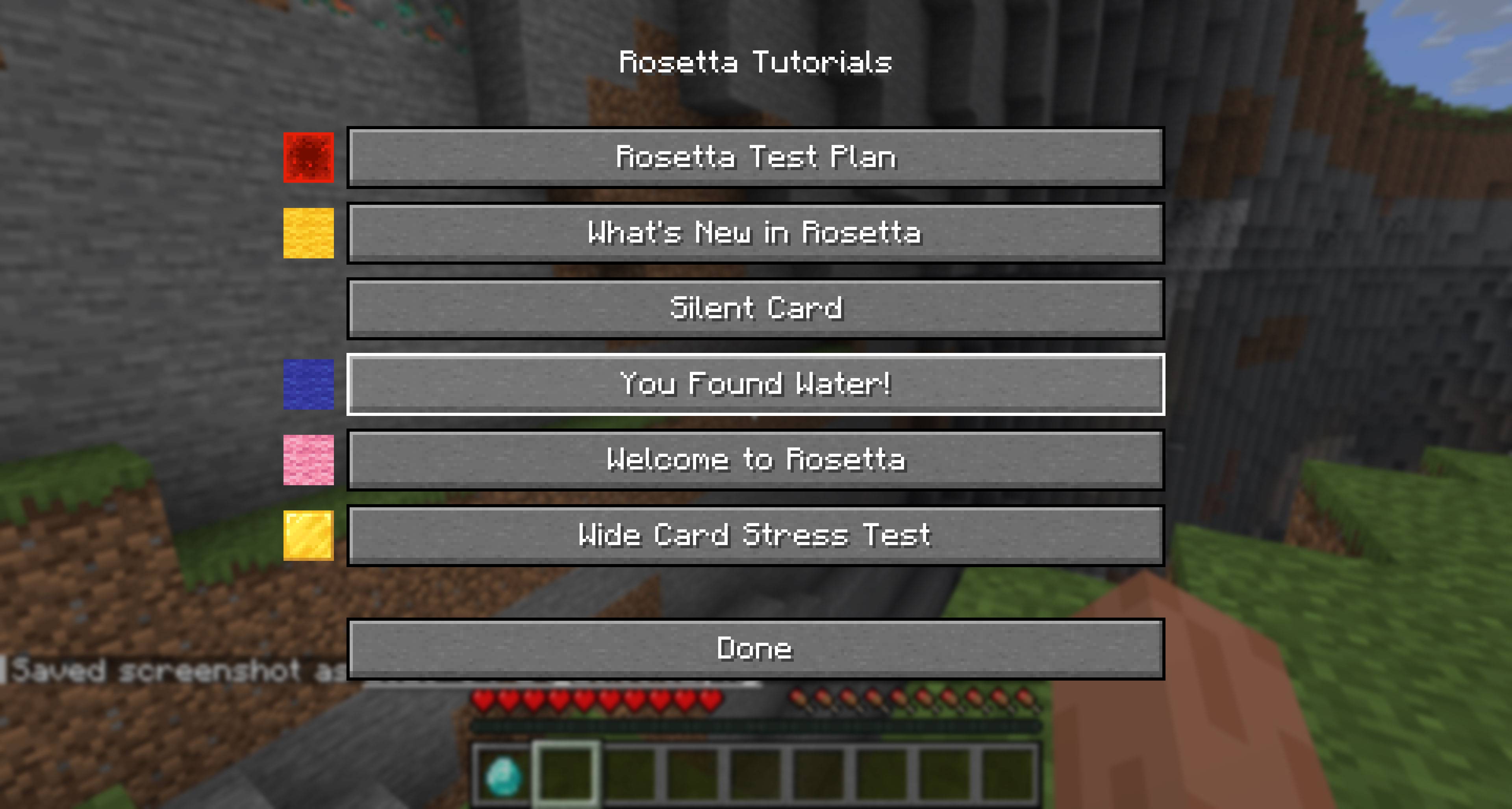 Replay Menu to see all the notifications registerd
 -
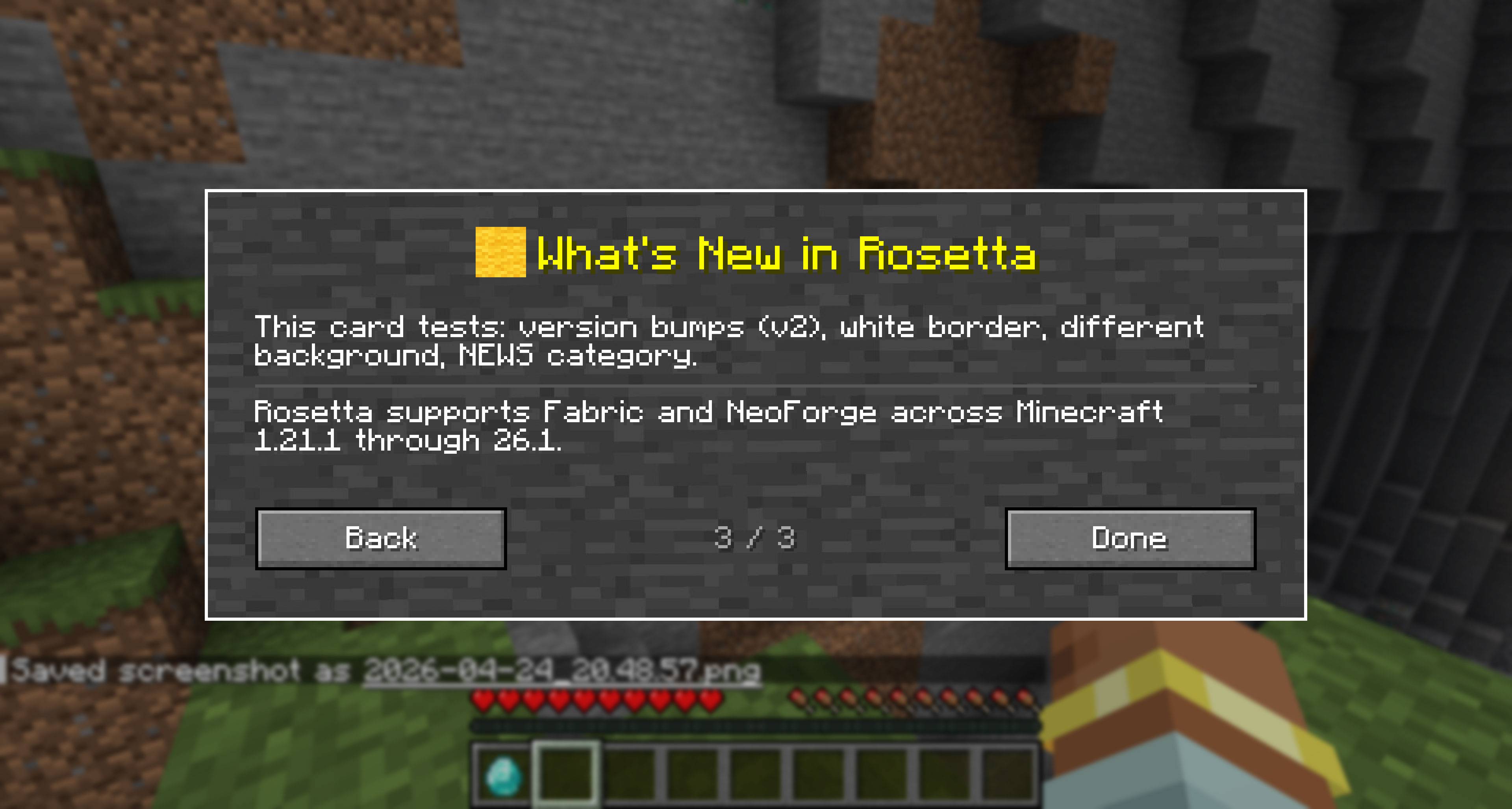 Example Card 2
 -
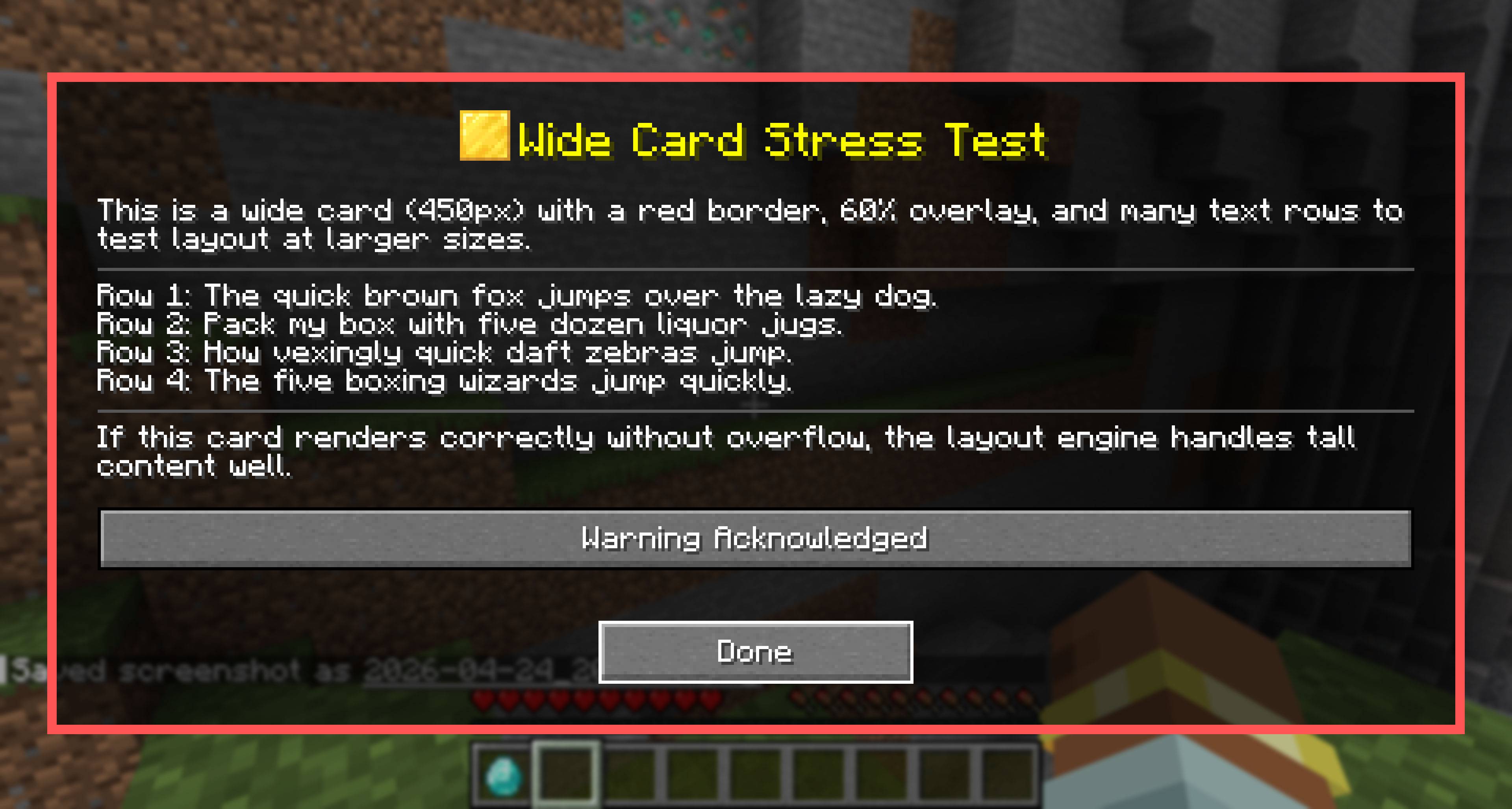 Another Example with a Wider Card 2026-04-24_20.51.jpg
 -
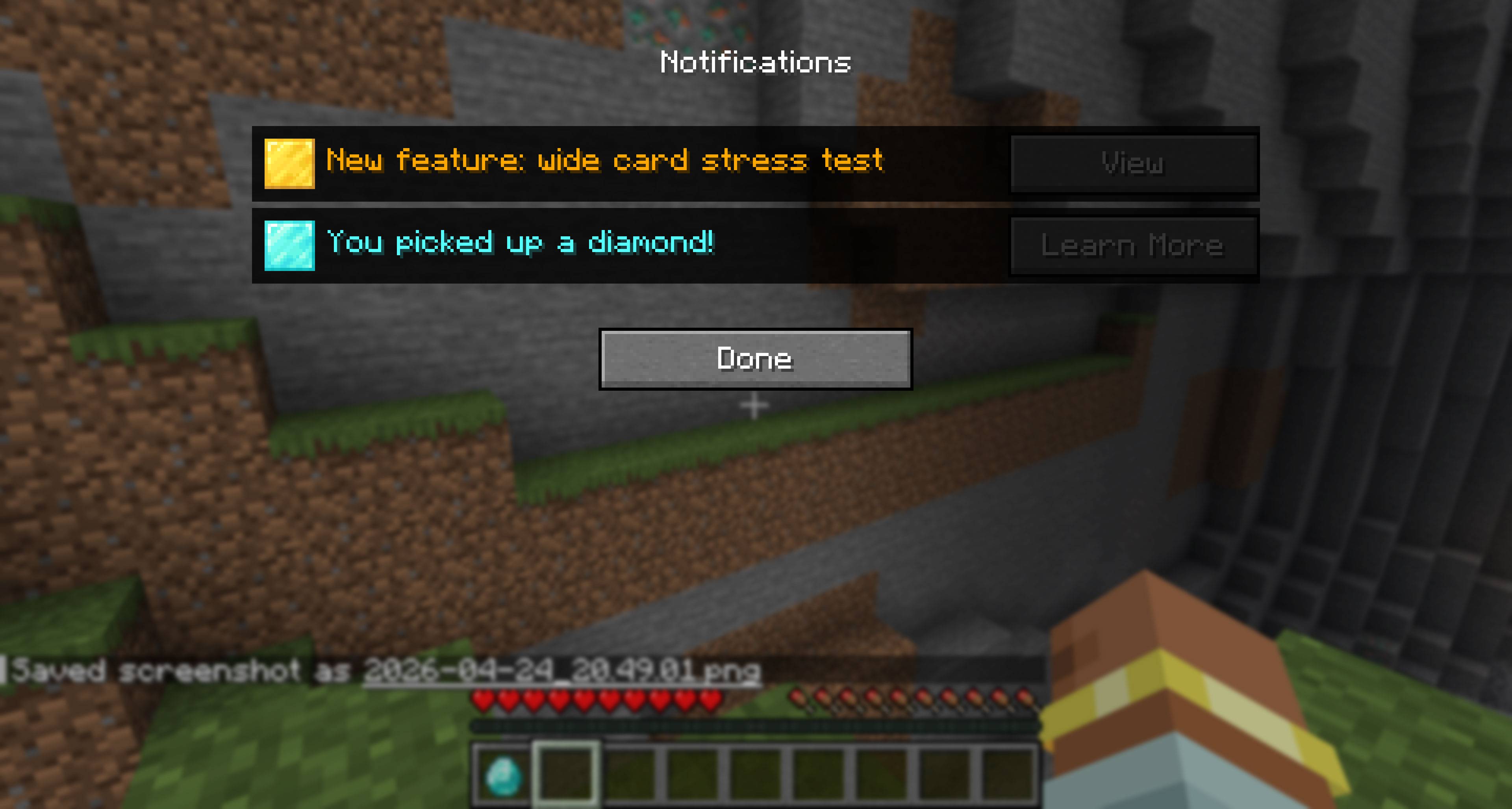 Notifications Example
 -
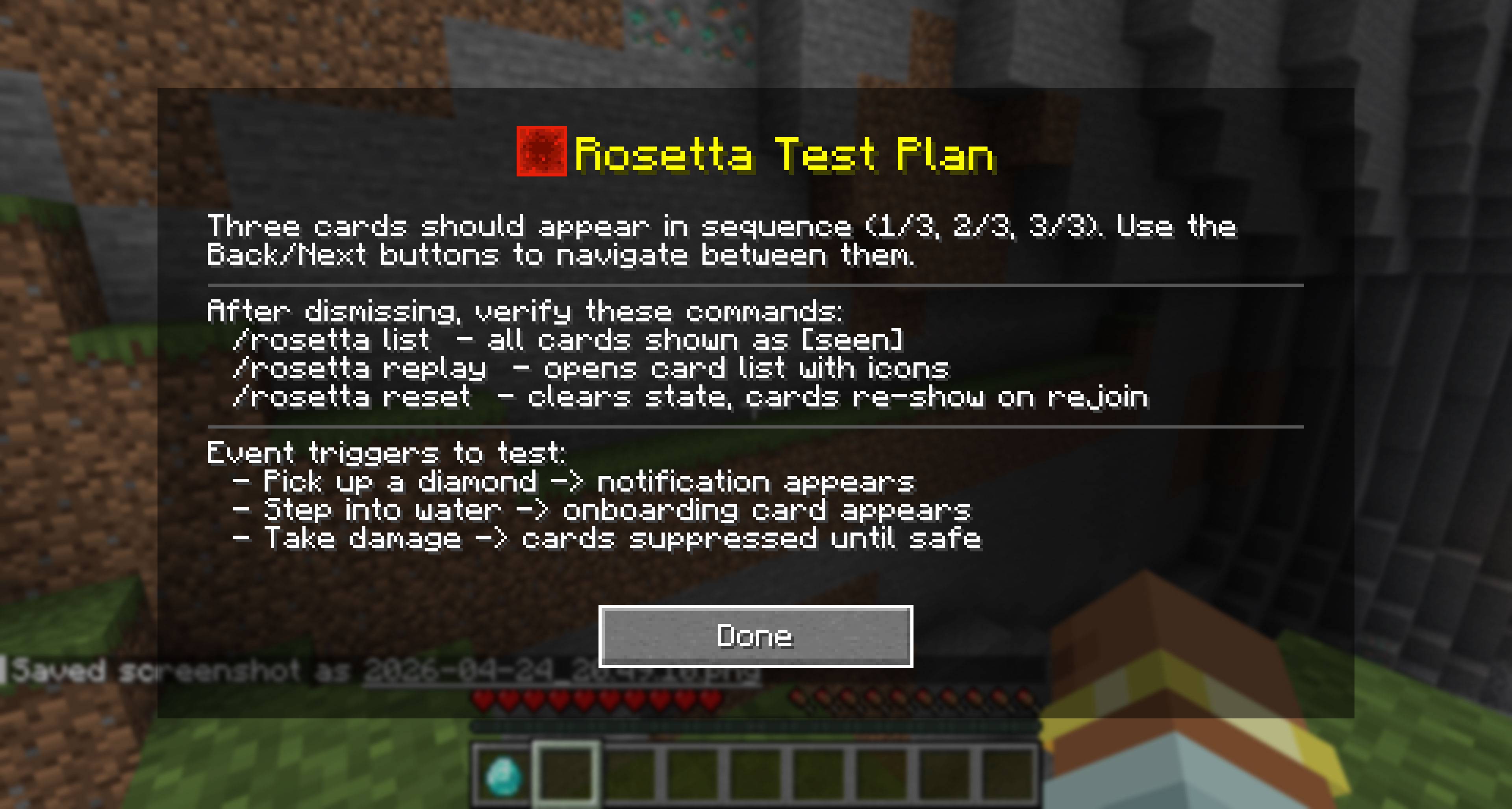 Example With Block Icon and Transparency
 -
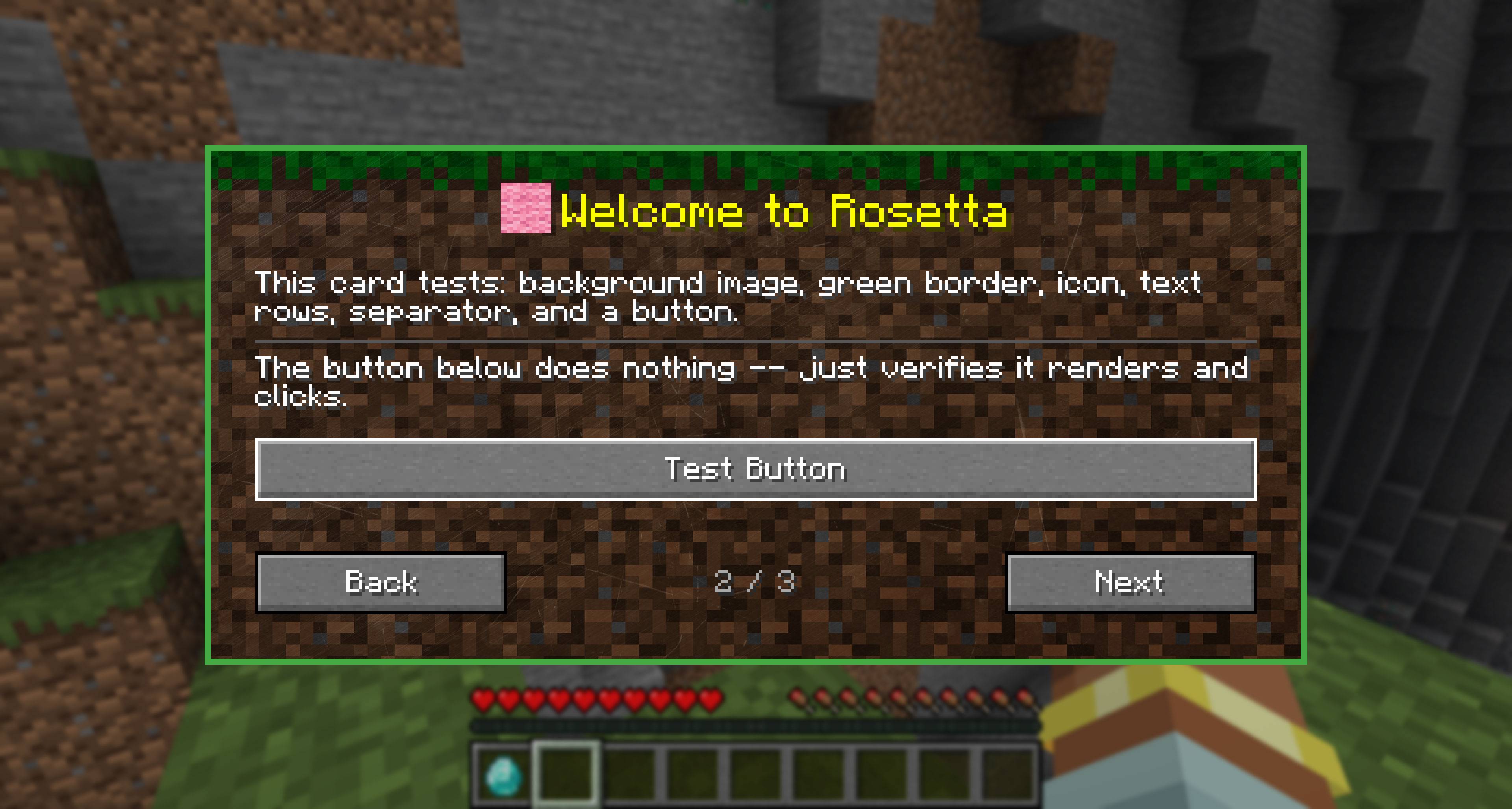 Example Card
-
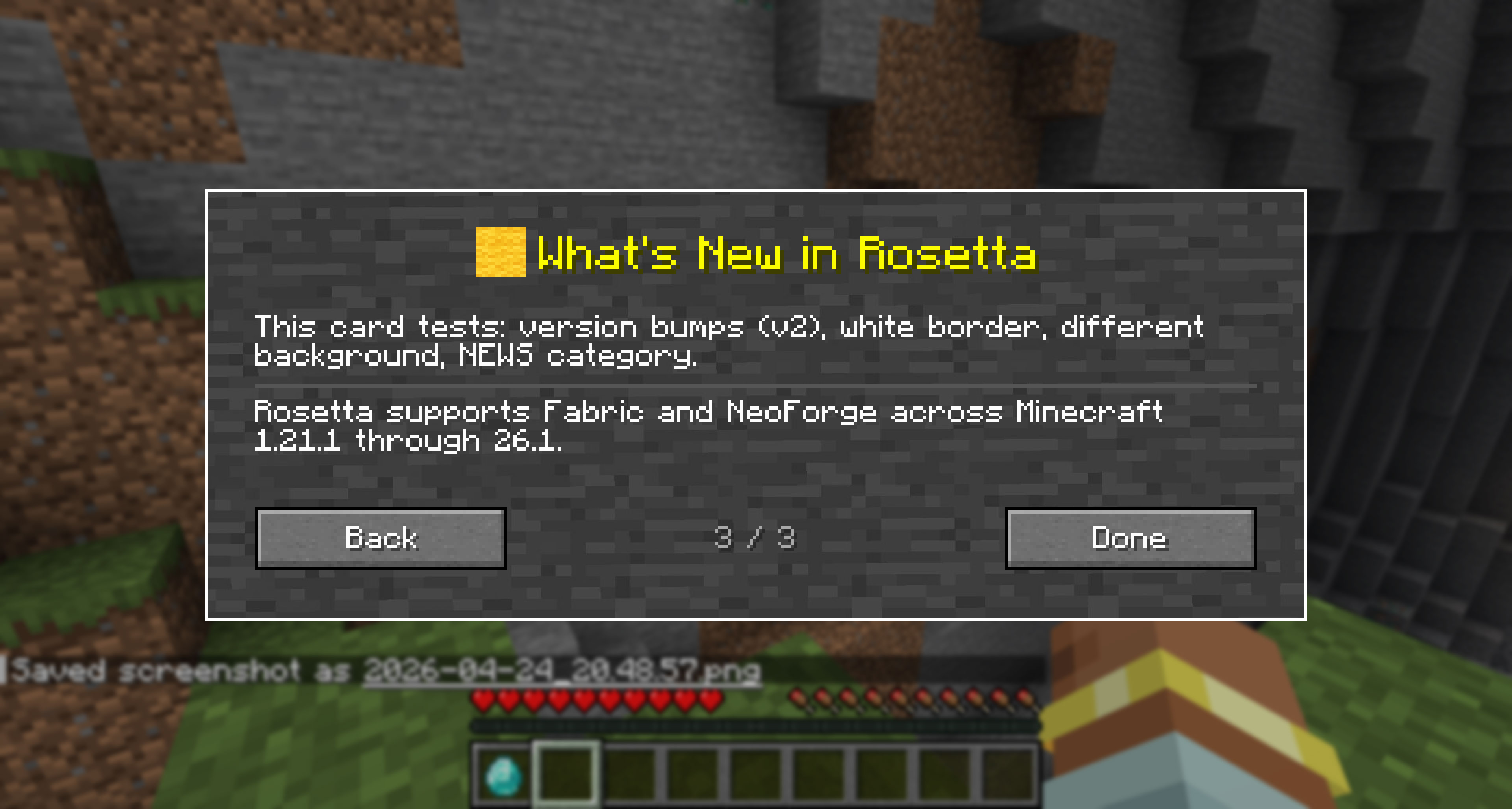 Example Card 2
 -
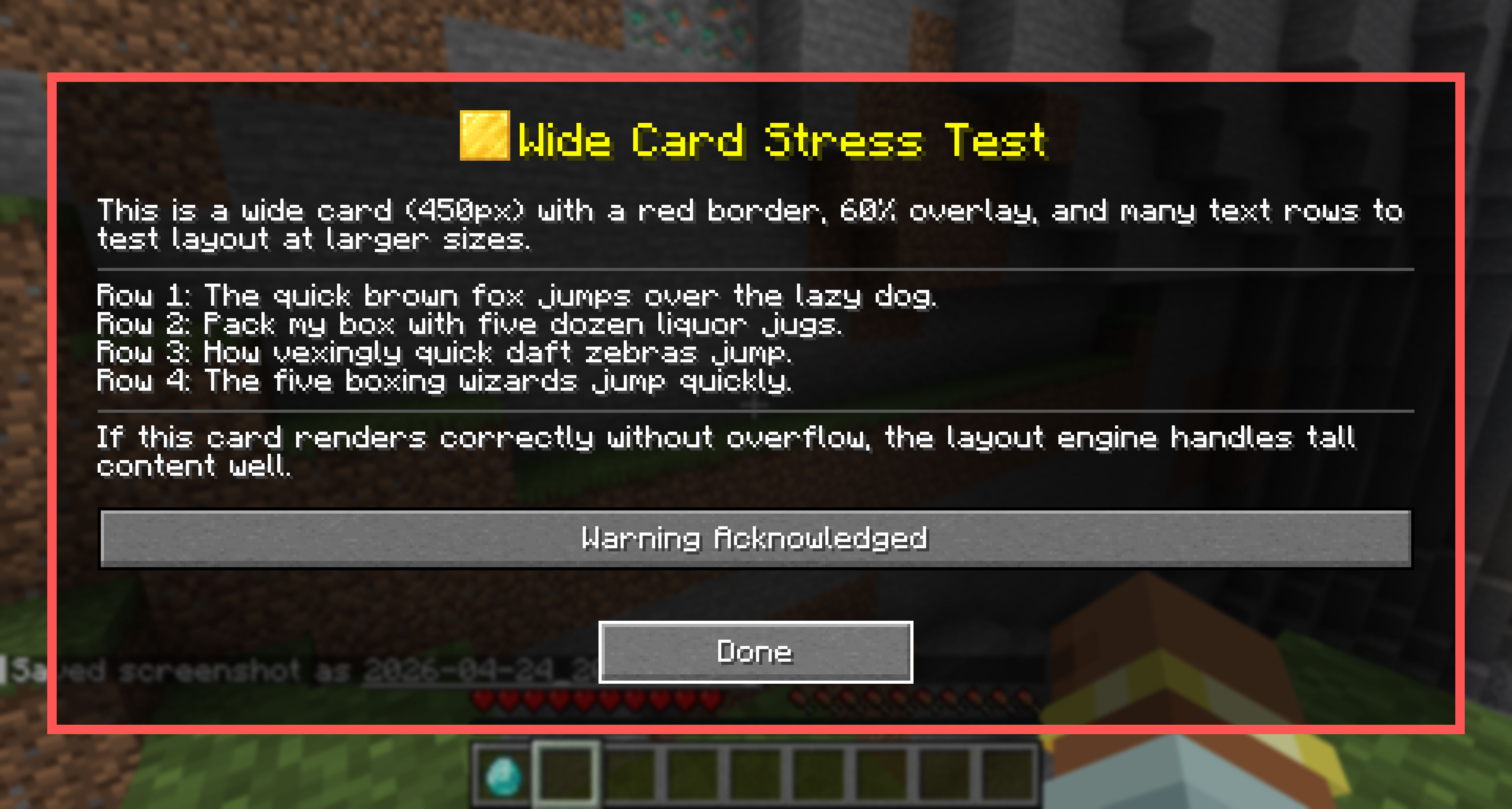 Another Example with a Wider Card
 -
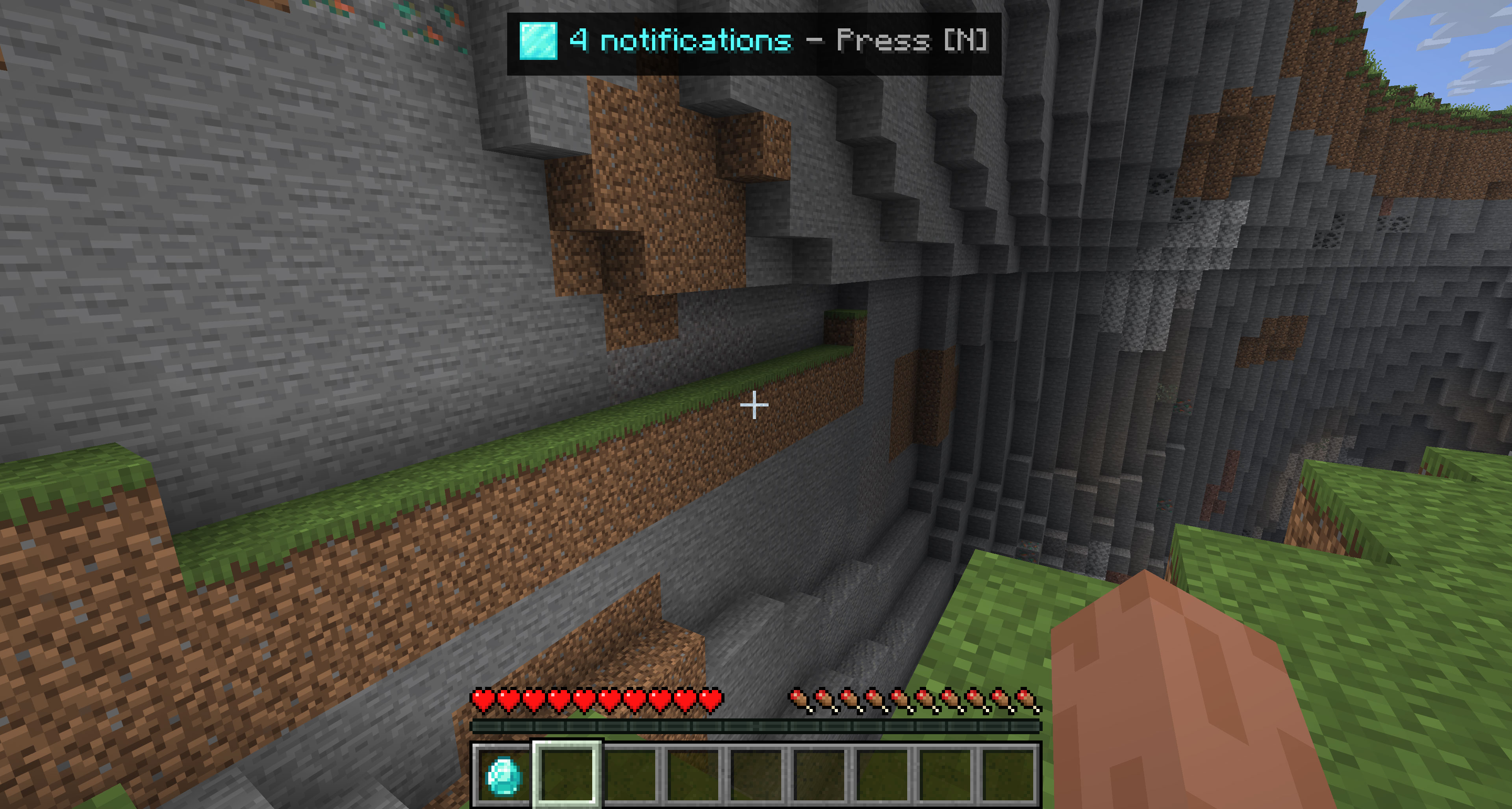 Top Bar Notifications
 -
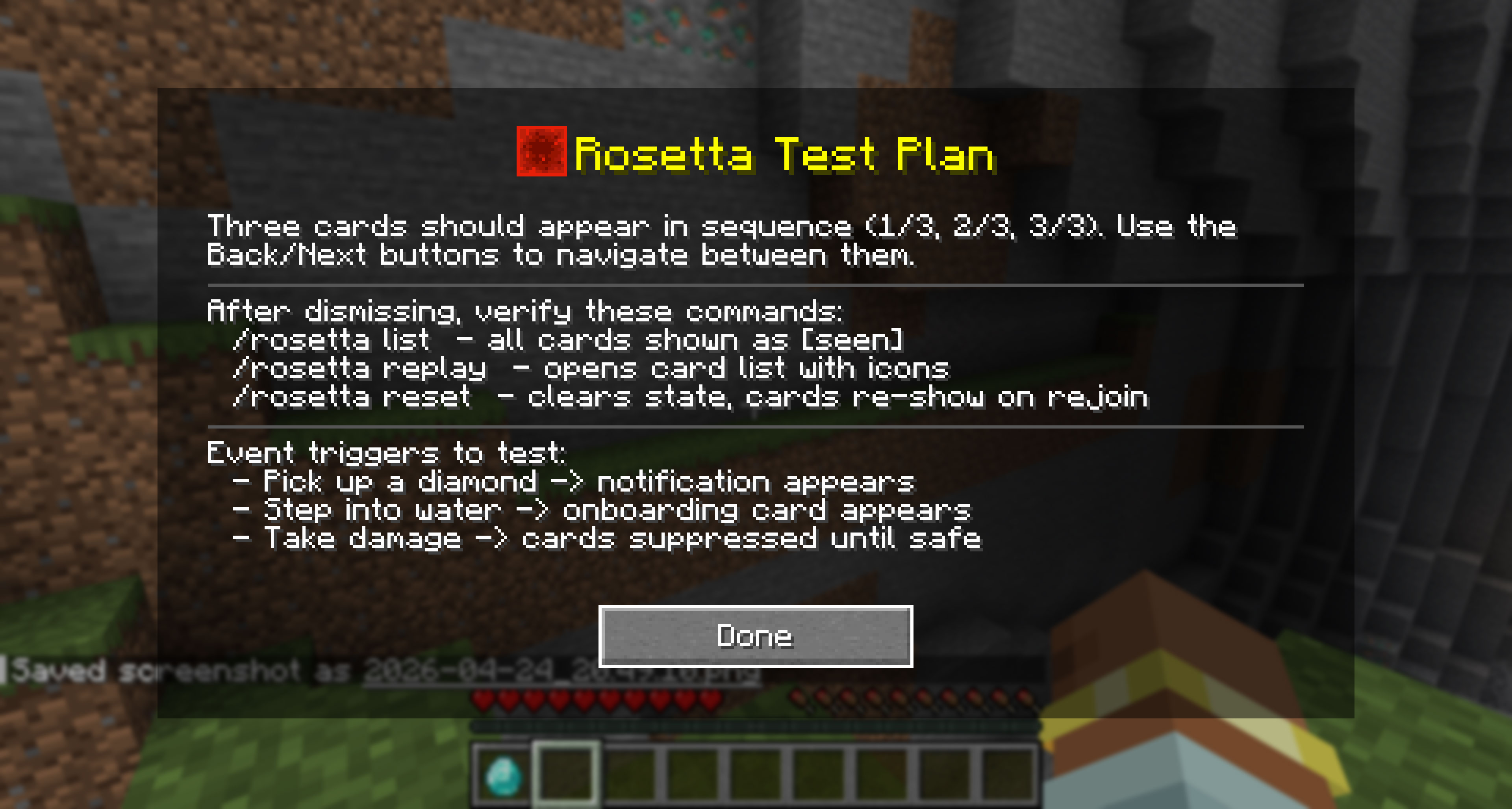 Example With Block Icon and Transparency
 -
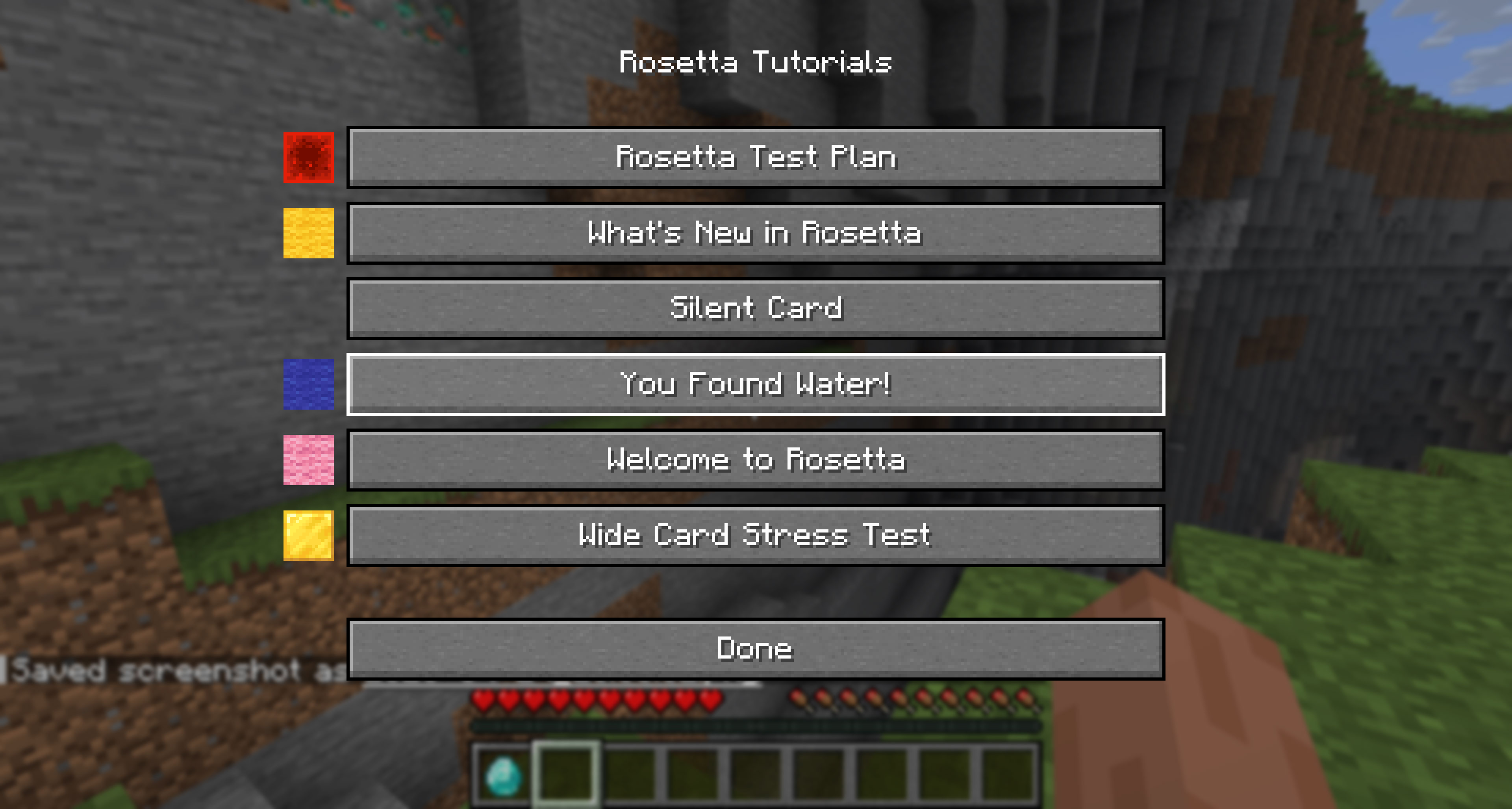 Replay Menu to see all the notifications registerd
 -
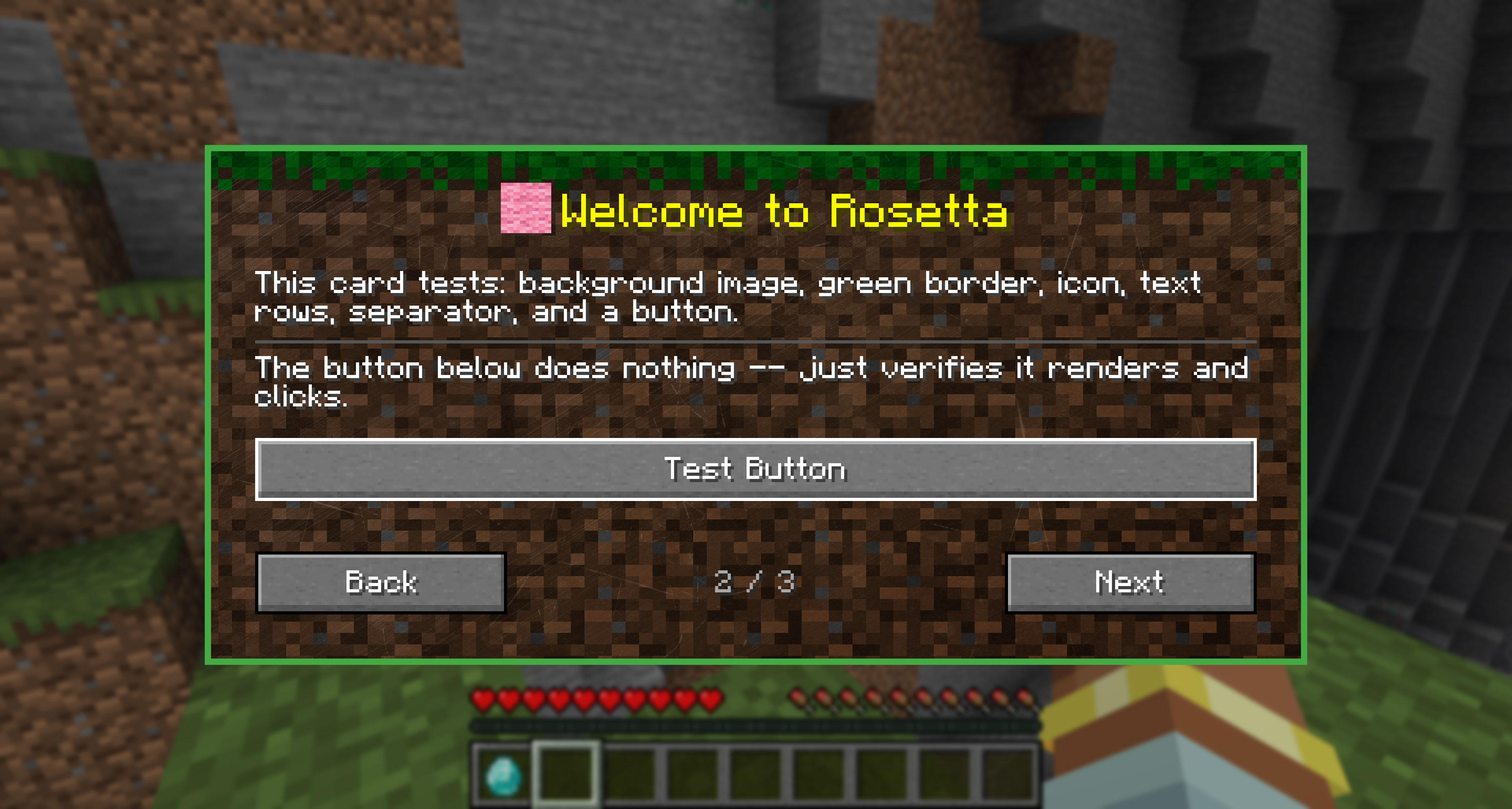 Example Card 1
 -
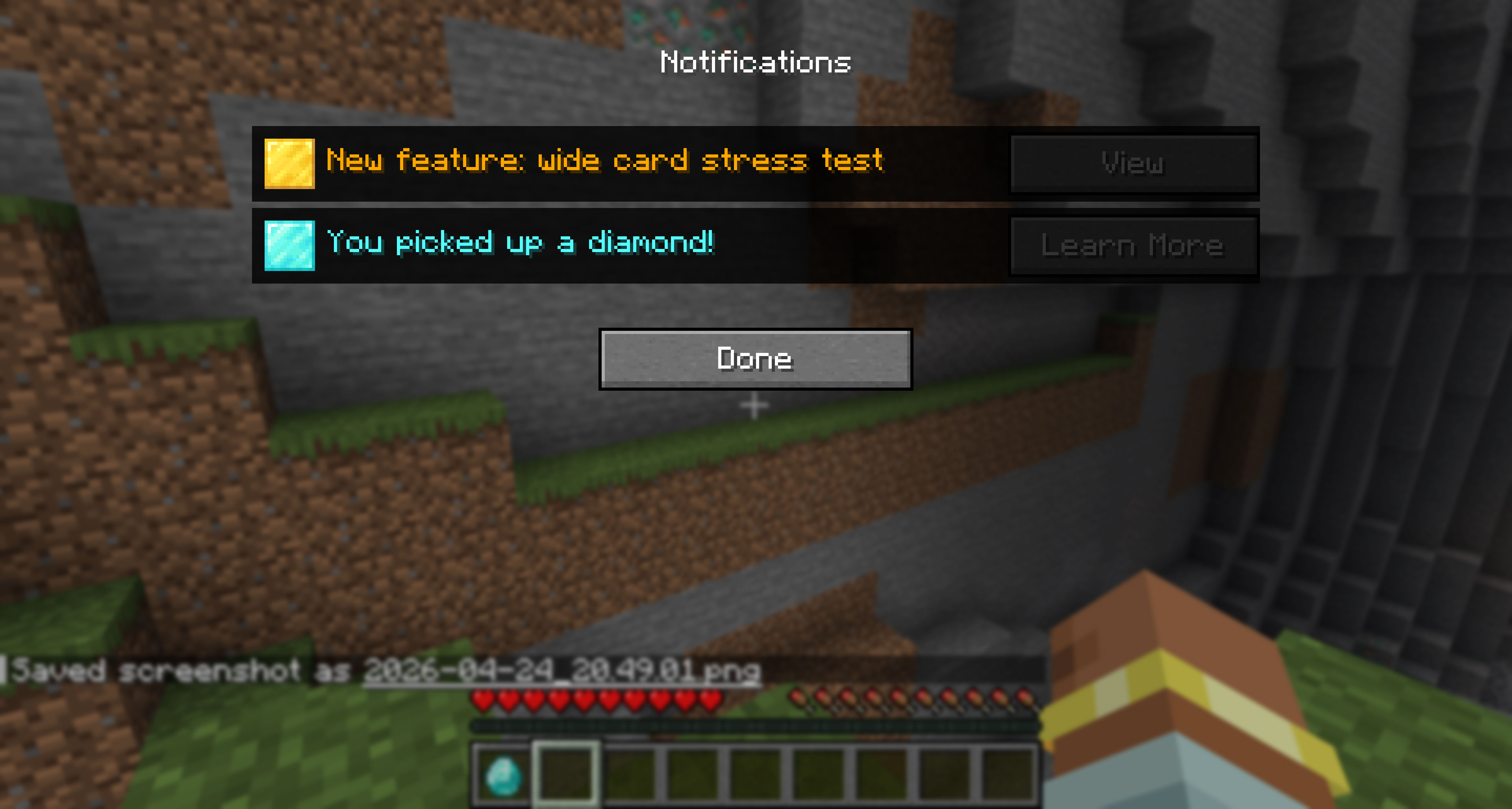 Notifications Example
 -
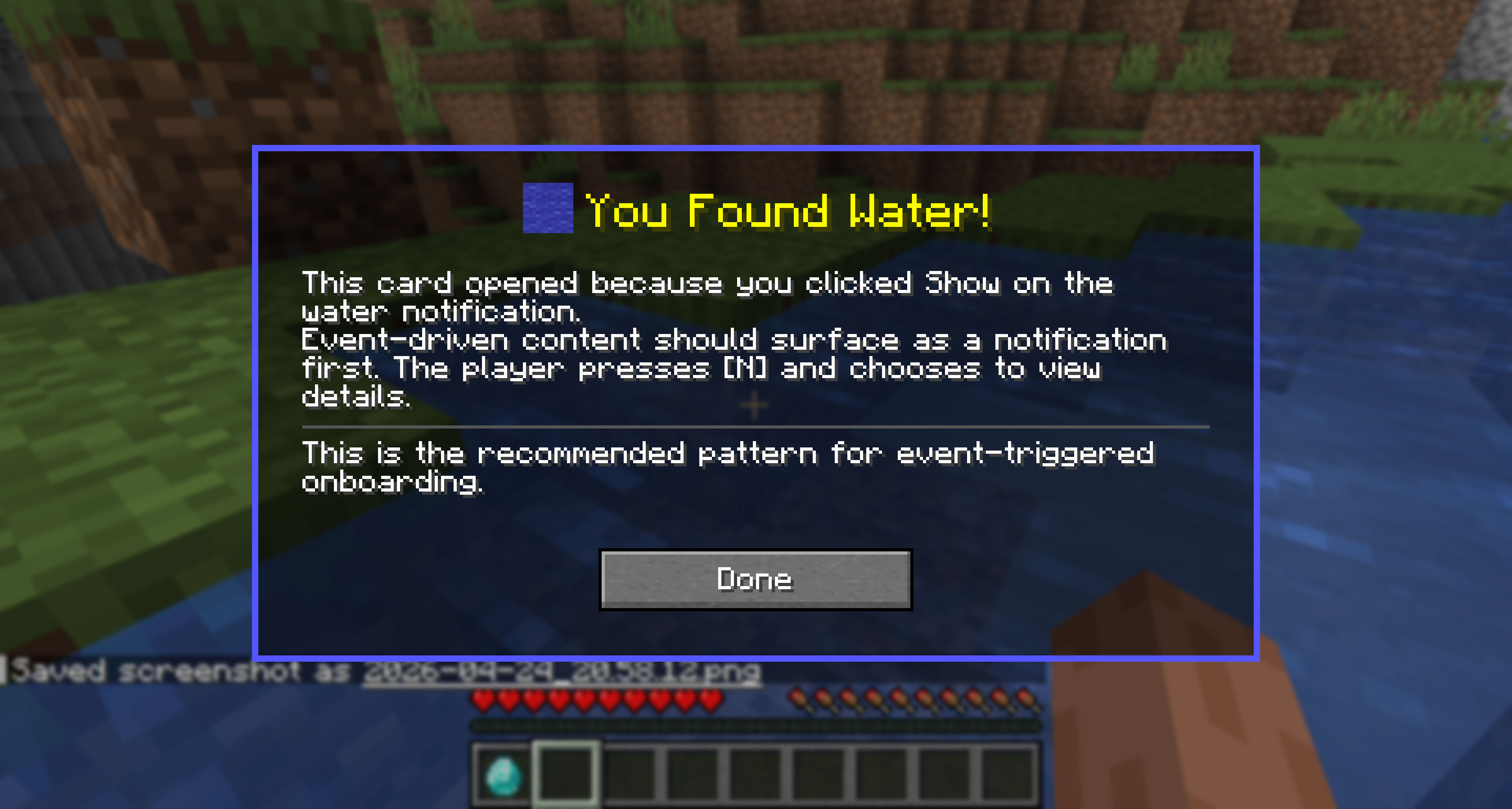 Event Triggered Card
Versions
Files
Relations
Project Relations
More like this
Similar Mods
Suggestions use data such as tags, dependencies, dependents, descriptions, titles, and more to rank how much they overlap with this mod.
On ModDex
Community snapshot
By the numbers
Statistics
Want to reach Minecraft players?
We're looking for a server hosting partner to feature here and other parts of the site. Interested? Send us a message!
Get in touchGet it on
Available Platforms
On ModDex
Community snapshot
By the numbers
Statistics
Resources