
Community listing page, reviews here may not be monitored by the author.
SAnnounce

No reviews yet
SAnnounce is a lightweight server announcement mod featuring automatic scheduled messages, independent intervals, in-game management, Minecraft & color codes, persistent configuration, multilingual support, and optional client installation.
Community voices
Reviews
No reviews yet. Be the first to review this project!
Get it on
Available Platforms
About
Project Details
For authors
Embed Badge
If you're the author of this project, you can embed a live badge anywhere that supports HTML or Markdown. It updates automatically whenever ratings change.
Use HTML for any page that supports it, or Markdown for README files and Markdown-based descriptions.
Identifiers
Platform IDs
Resources
External Links
About
Description
SAnnounce
SAnnounce is a lightweight announcement system for Minecraft Fabric servers.
Create automatic server announcements, send instant messages to specific players, and manage everything through an easy administration panel or simple commands.
✨ Features
Announcement Types
SAnnounce supports three announcement styles:
- Chat: sends the message directly in chat
- Title: displays a large title on the player's screen
- Hotbar: displays the message above the player's hotbar
Color codes using & are supported.
Example:
&aWelcome to the server!
&6Event starting soon!
&cWarning!
Announcement Panel
Administrators can open the announcement manager with:
/adminannounceIf the administrator has SAnnounce installed on the client, the custom SAnnounce interface is opened.
If the administrator does not have the mod installed client-side, SAnnounce automatically uses a vanilla Minecraft GUI instead.
This means the client mod is completely optional.
From the panel, administrators can manage server announcements without editing configuration files.
Automatic Announcements
Create repeating announcements directly through commands:
/announce create <type> <seconds> <message>Example:
/announce create chat 60 &aWelcome to our server!/announce create hotbar 30 &eRemember to read the rules!The number represents the announcement interval in seconds.
Available types:
chat
title
hotbar
Command autocomplete is available for announcement types.
Direct Player Announcements
SAnnounce can also send one-time announcements without adding them to the automatic announcement list.
Send to one player
/announce send <player> <type> <message>Example:
/announce send Steve chat &aWelcome back!Send to everyone
/announce send all <type> <message>Example:
/announce send all hotbar &eThe event starts in 5 minutes!This is especially useful for SMP servers, events, moderation and roleplay.
Titles & Subtitles
When using title with /announce send, you can define the title and subtitle separately:
/announce send <player|all> title title:<message> subtitle:<message>Example:
/announce send Steve title title:&cWARNING subtitle:&eReturn to the city!Or for everyone:
/announce send all title title:&6EVENT subtitle:&fStarting now!Both fields support & color codes.
Per-World Announcements
Announcement lists are stored separately for each Minecraft world/save.
This prevents announcements created in one world from appearing in another.
For example:
Survival World
Survival announcements

Roleplay World
Roleplay announcements

Testing World
Testing announcements
Each save maintains its own announcement configuration.
📦 Recommended Versions
| Requirement | Recommended |
|---|---|
| Minecraft | 1.20.1 or 1.21.1 |
| Mod Loader | Fabric |
| Fabric Loader | 0.18.4+ |
| Fabric API | Required |
| Java 1.20.1 | Java 17 |
| Java 1.21.1 | Java 21 |
Recommended Fabric Loader: 0.18.4 or newer.
🖥️ Client-Side or Server-Side?
SAnnounce is designed primarily as a Server-Side mod.
Recommended
Server: SAnnounce installed
Client: Not required
Regular players do not need SAnnounce installed.
Administrators without the client mod can still use /adminannounce through the vanilla Minecraft interface.
Installing SAnnounce on both client and server enables the custom administration interface.
| Setup | Supported |
|---|---|
| Server only | ✅ Recommended |
| Client + Server | ✅ Custom GUI |
| Admin without client mod | ✅ Vanilla GUI |
| Required for normal players | ❌ No |
| Singleplayer / LAN | ✅ Supported |
⌨️ Commands
/adminannounce
/adminannounceOpens the announcement management panel.
Uses the custom SAnnounce interface when available or automatically falls back to a vanilla Minecraft GUI.
/announce create
/announce create <type> <seconds> <message>Creates a repeating announcement.
Example:
/announce create chat 120 &bJoin our Discord!/announce send
/announce send <player|all> <type> <message>Immediately sends an announcement without saving it as an automatic announcement.
Example:
/announce send Steve hotbar &eYou have entered a protected area!/announce send all chat &aThe server event has started!For titles:
/announce send all title title:&6EVENT subtitle:&fStarting now!🌐 Languages
SAnnounce includes:
- English
- Portuguese (Brazil)
- Spanish
- Japanese
- Simplified Chinese
- Hindi
- Arabic
Player-facing messages and administration menus automatically use the player's Minecraft language.
Screenshots
Gallery
-
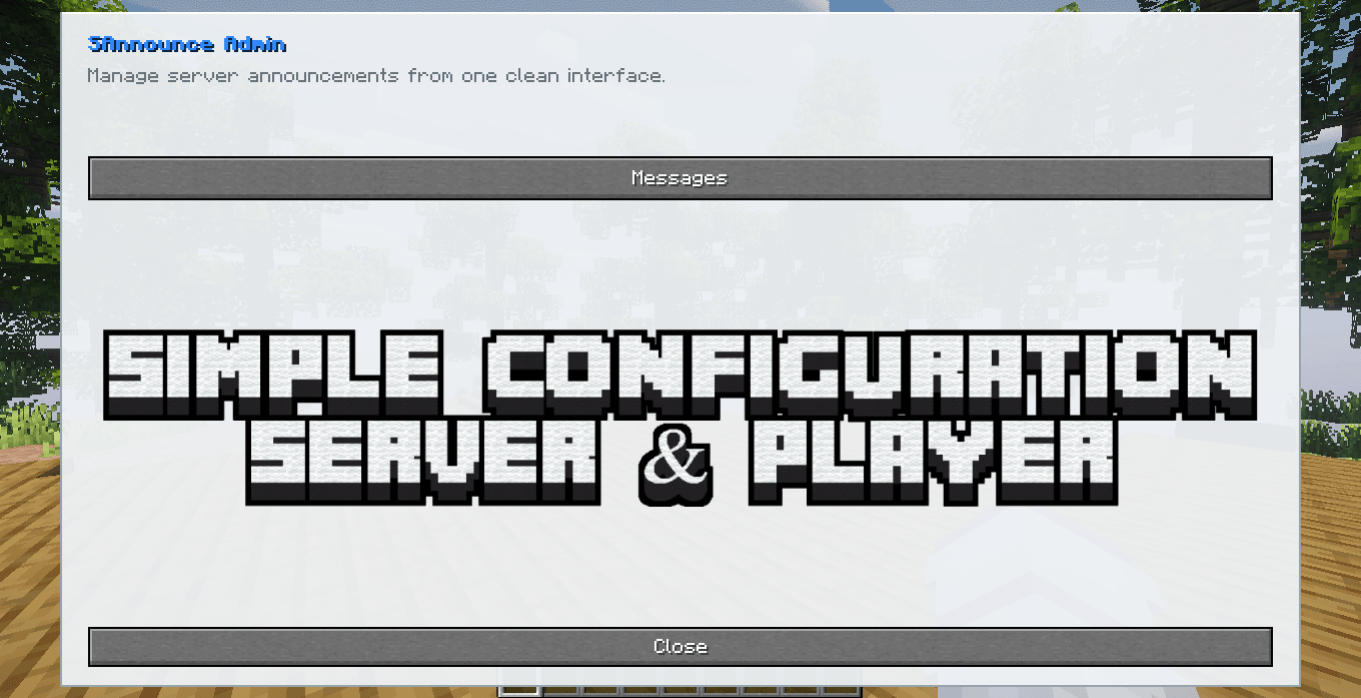 image-attachment_7eb1a2b0-7cb2-49d5-a041-dcf65c13bf7f.png
 -
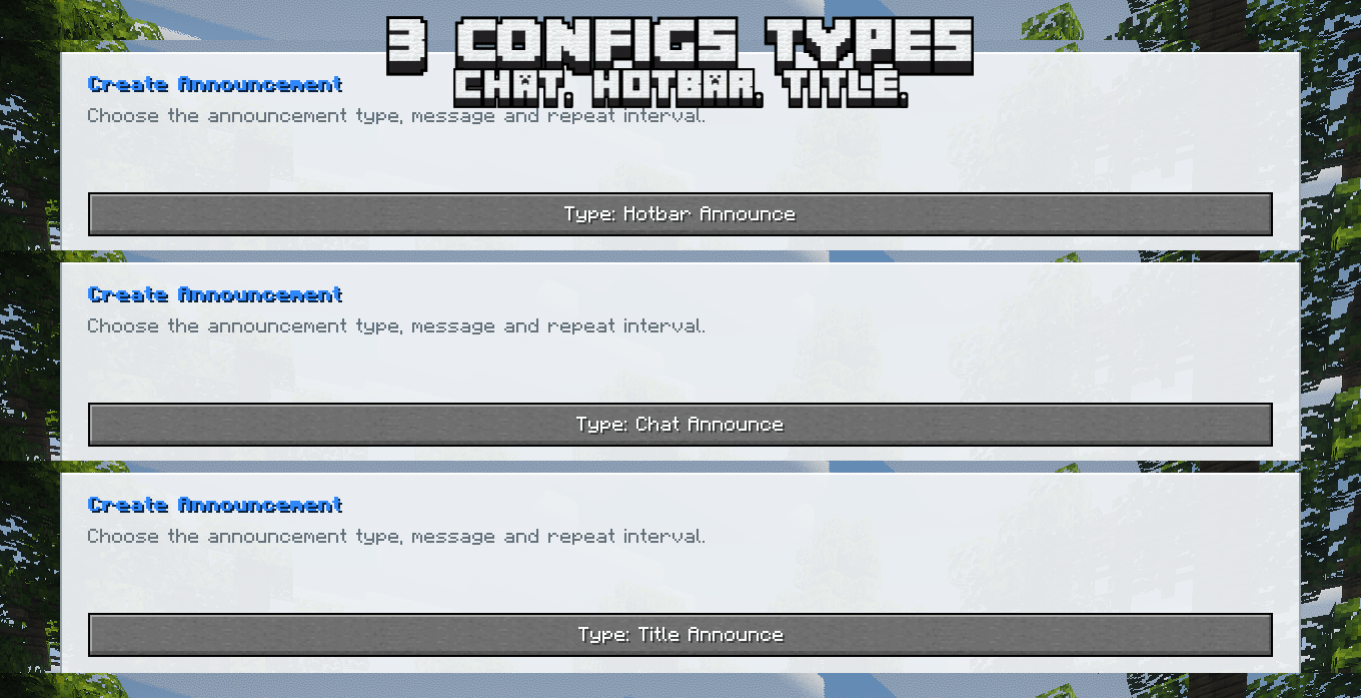 image-attachment_10b7c3ea-1847-4143-9f81-16e1fbaff646.png
 -
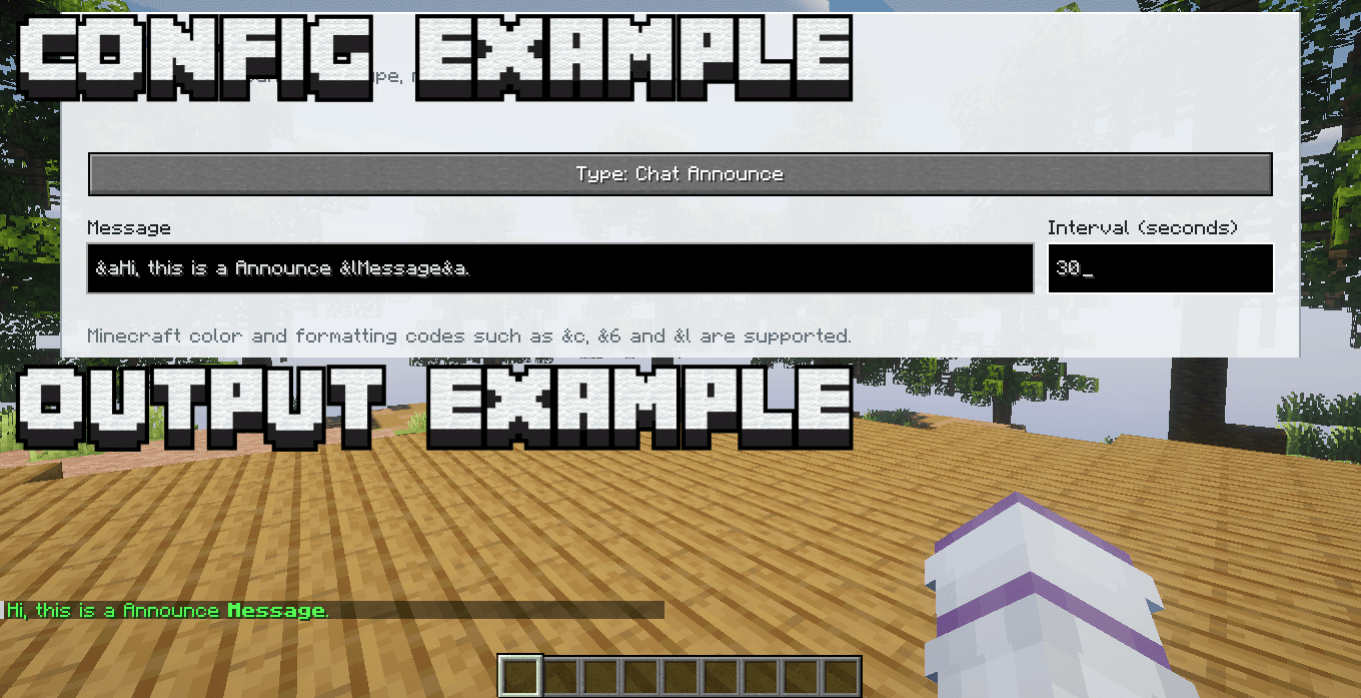 image-attachment_f5b85cd8-ebf2-4e08-9a97-5d586841eb0b.png
 -
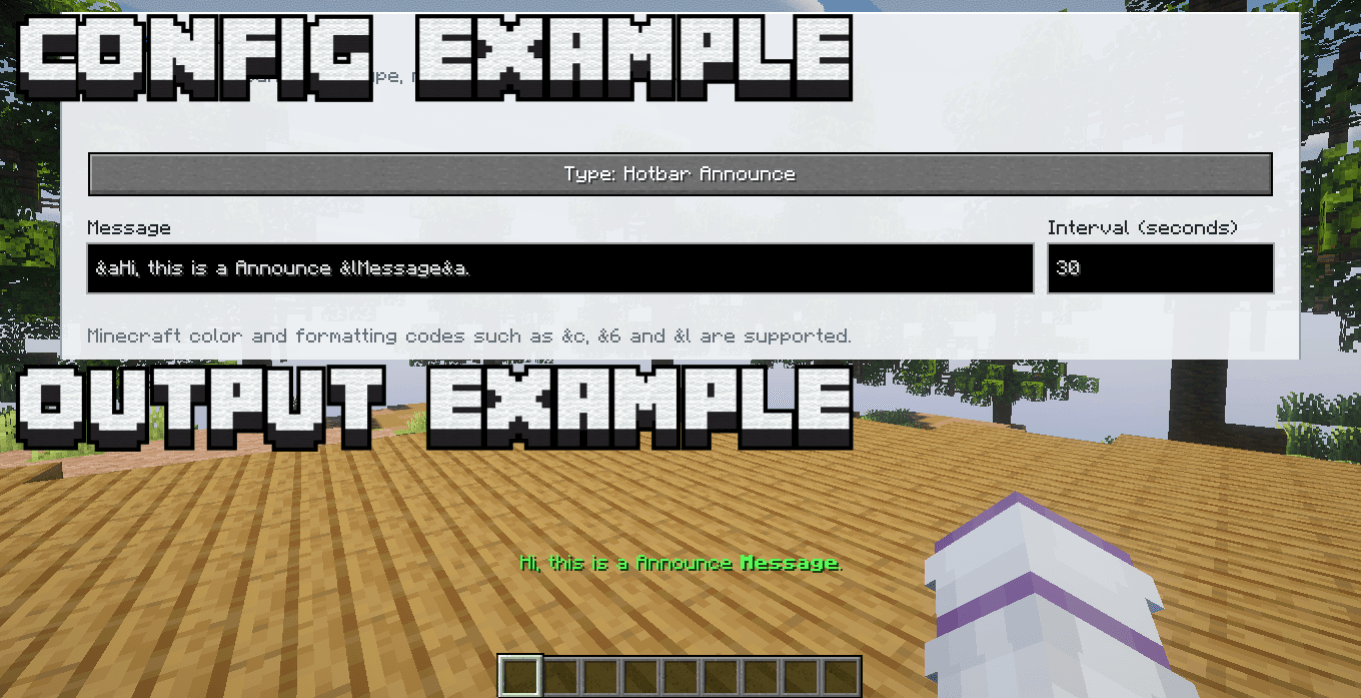 image-attachment_cbdc9d10-30f4-4e3e-9f0b-b2fccf8101b0.png
 -
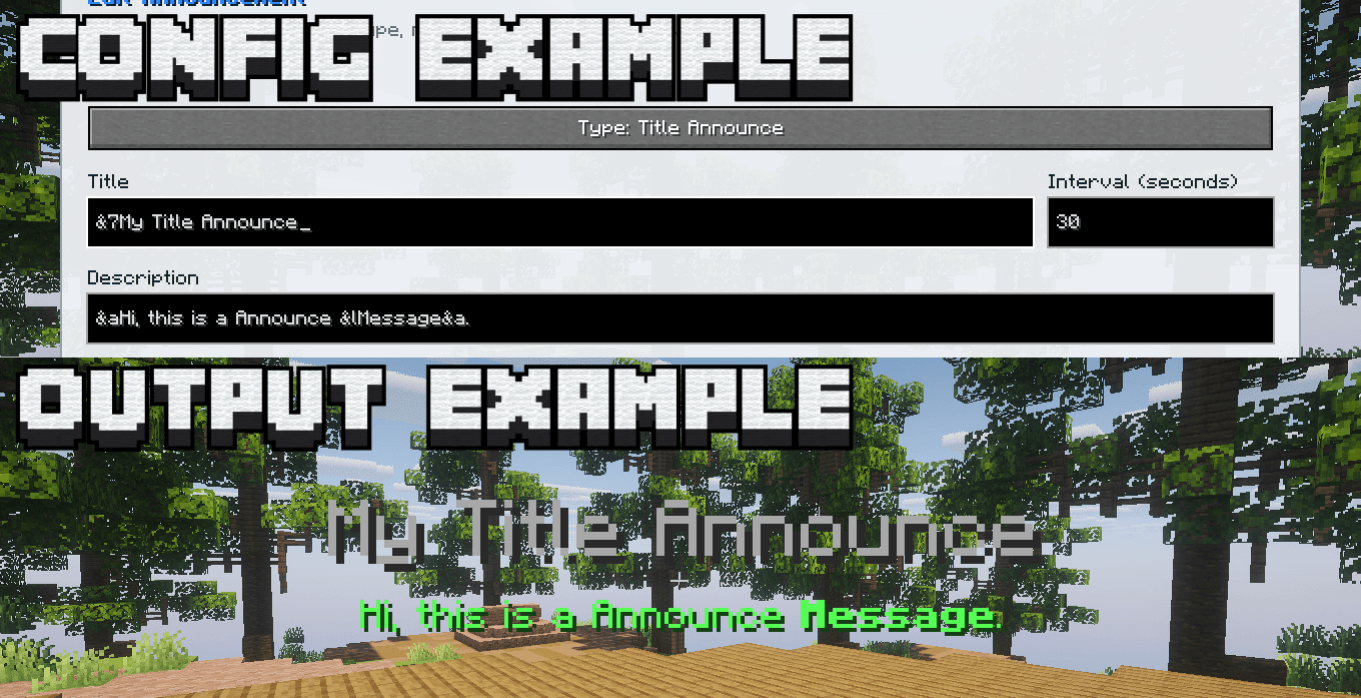 image-attachment_884356dc-39b8-4a0c-bb0a-2d474cfae72b.png
 -
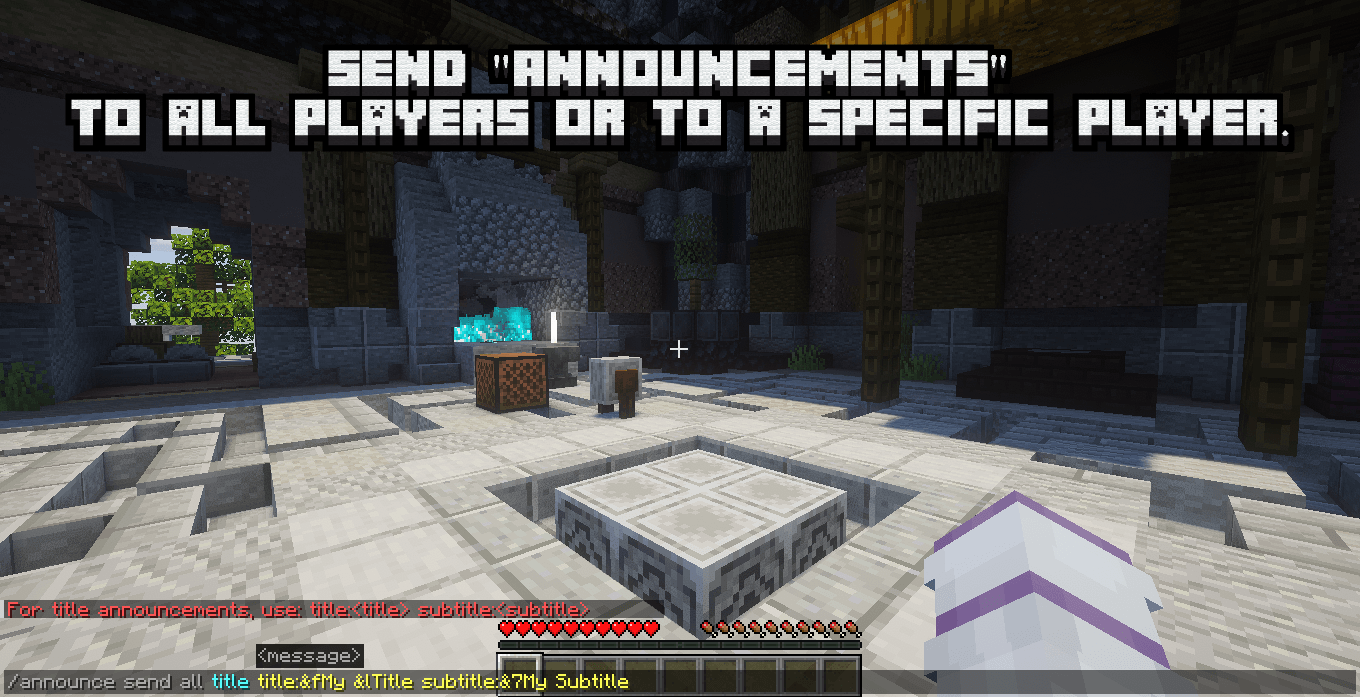 image-attachment_b5261810-ab6f-4829-b0b9-e434ee938fe4.png
 -
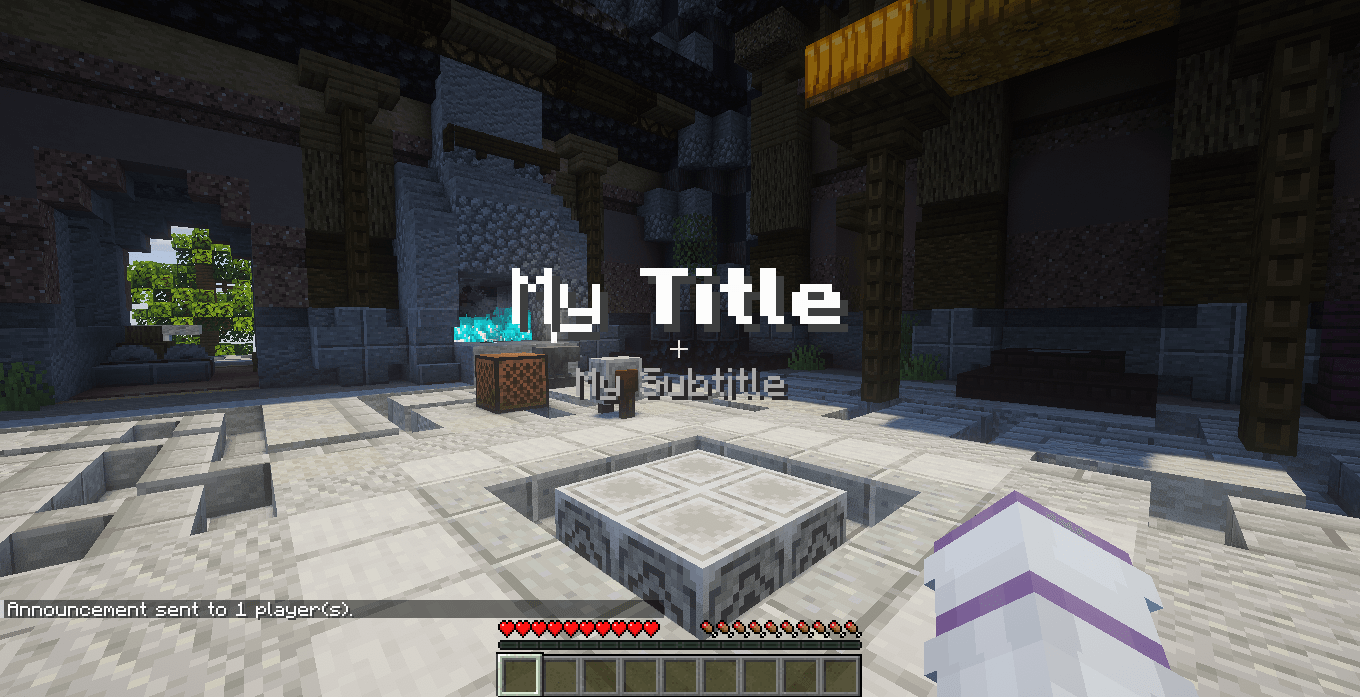 image-attachment_3d905c48-d45c-48c1-9d96-9439380d0d9f.png
 -
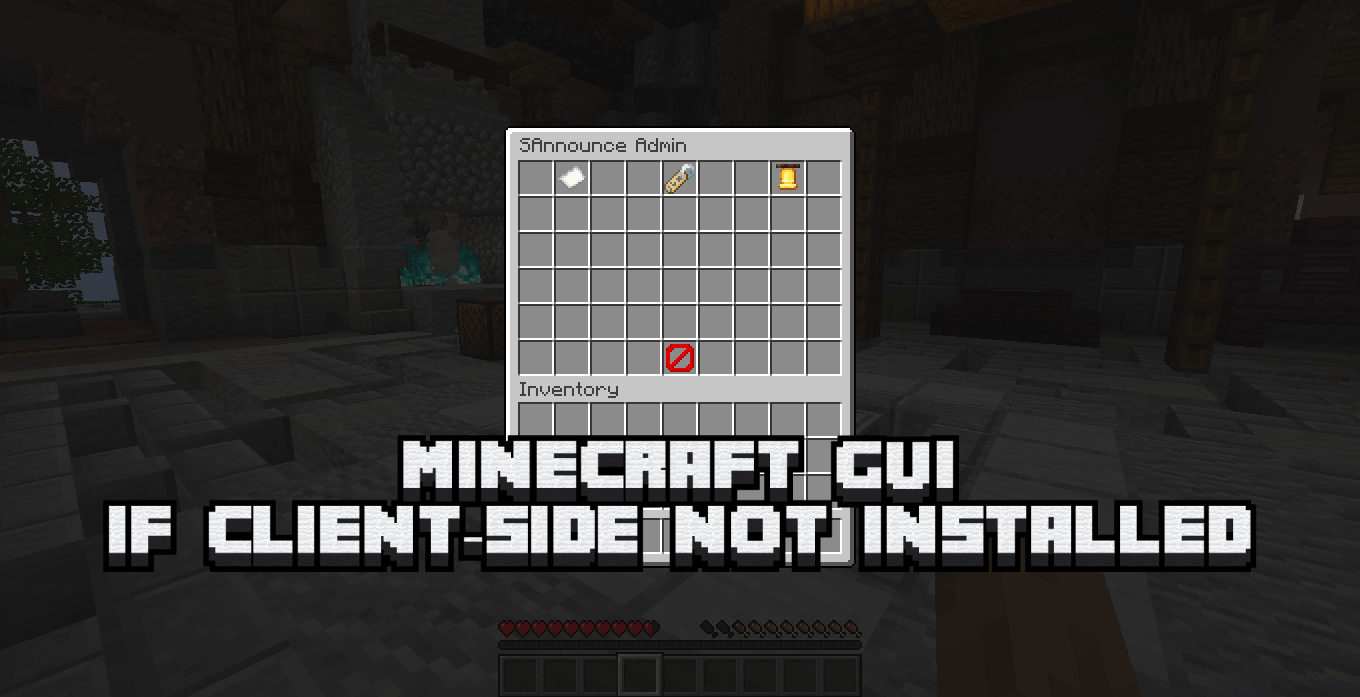 image-attachment_850e8426-1743-4921-8f3d-4073b1b87945.png
 -
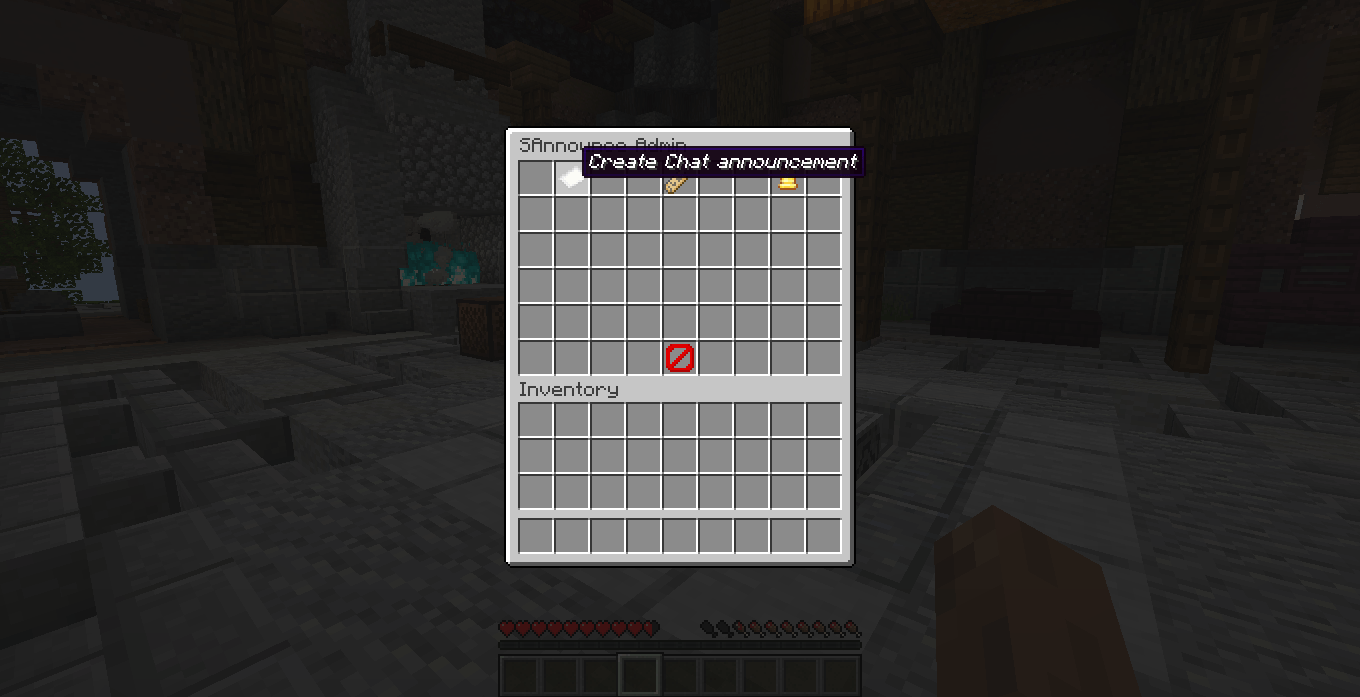 image-attachment_e6907a6d-dac5-4dc3-934f-6539eec1465f.png
 -
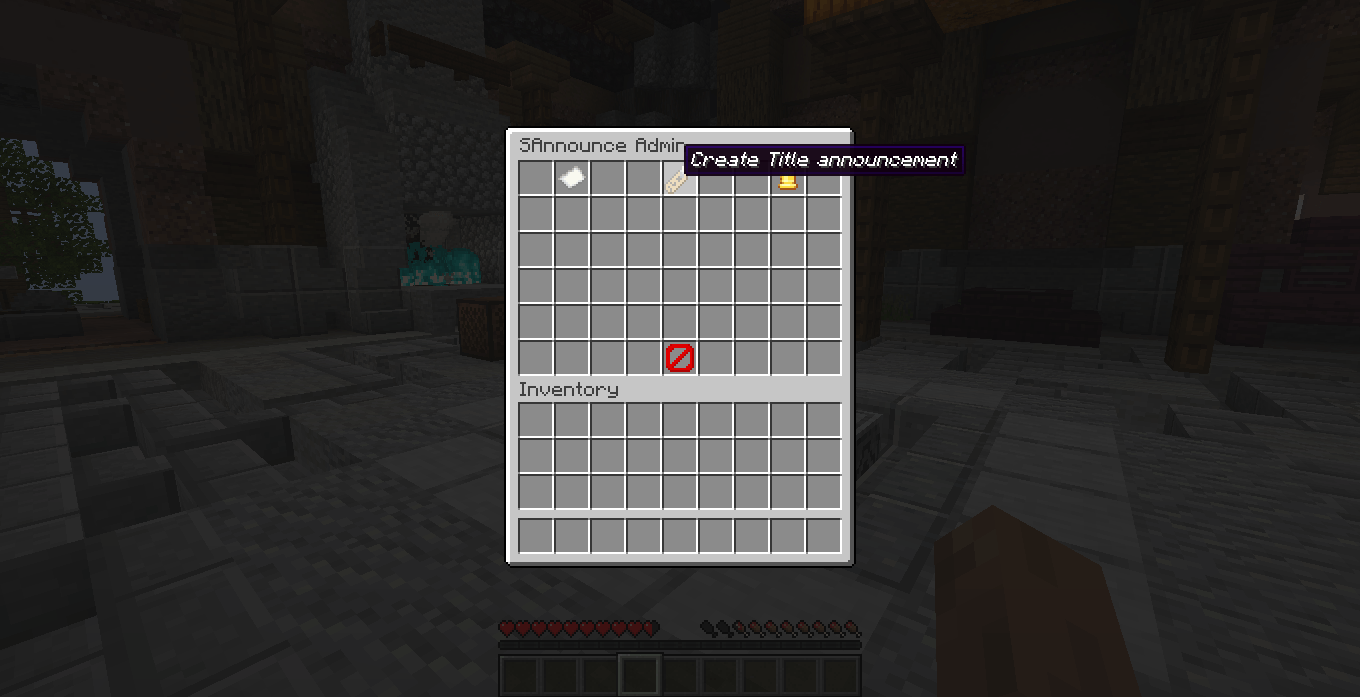 image-attachment_4d160b3c-4716-4d69-99d9-db8478d09bf7.png
 -
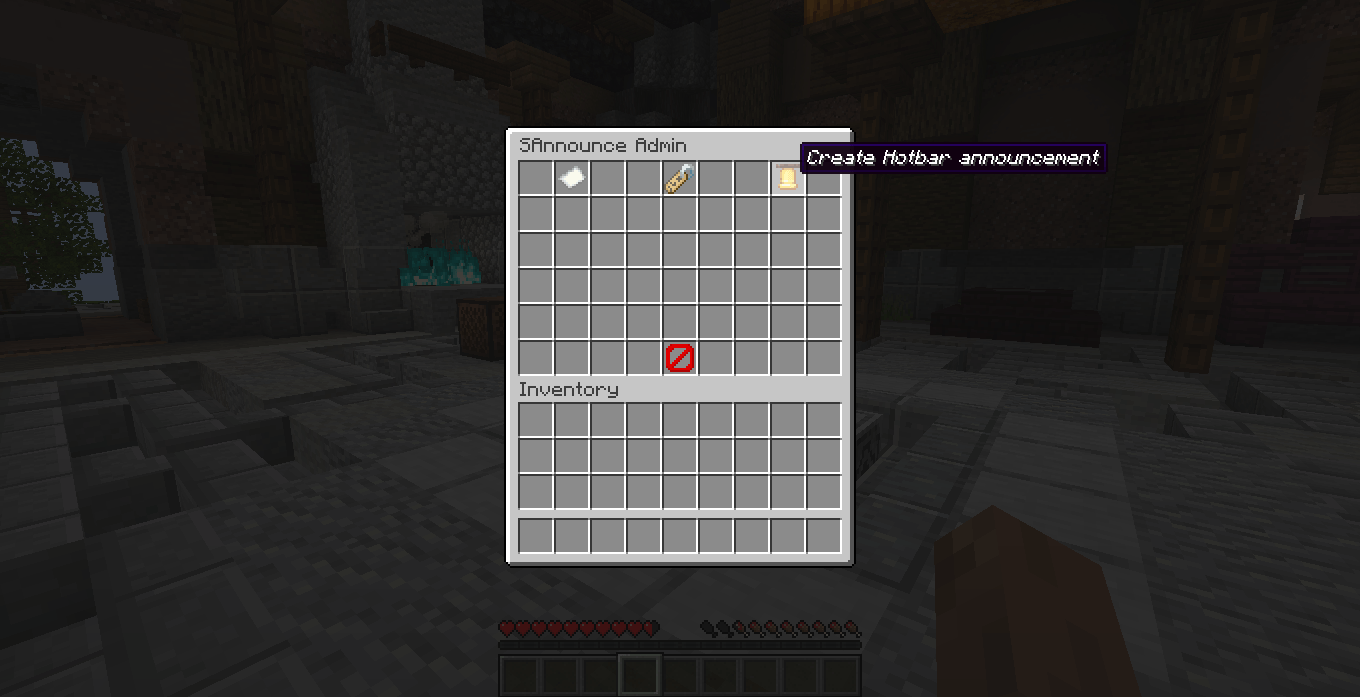 image-attachment_8ae5099f-f509-4a36-a0ee-a8e24d03760b.png
 -
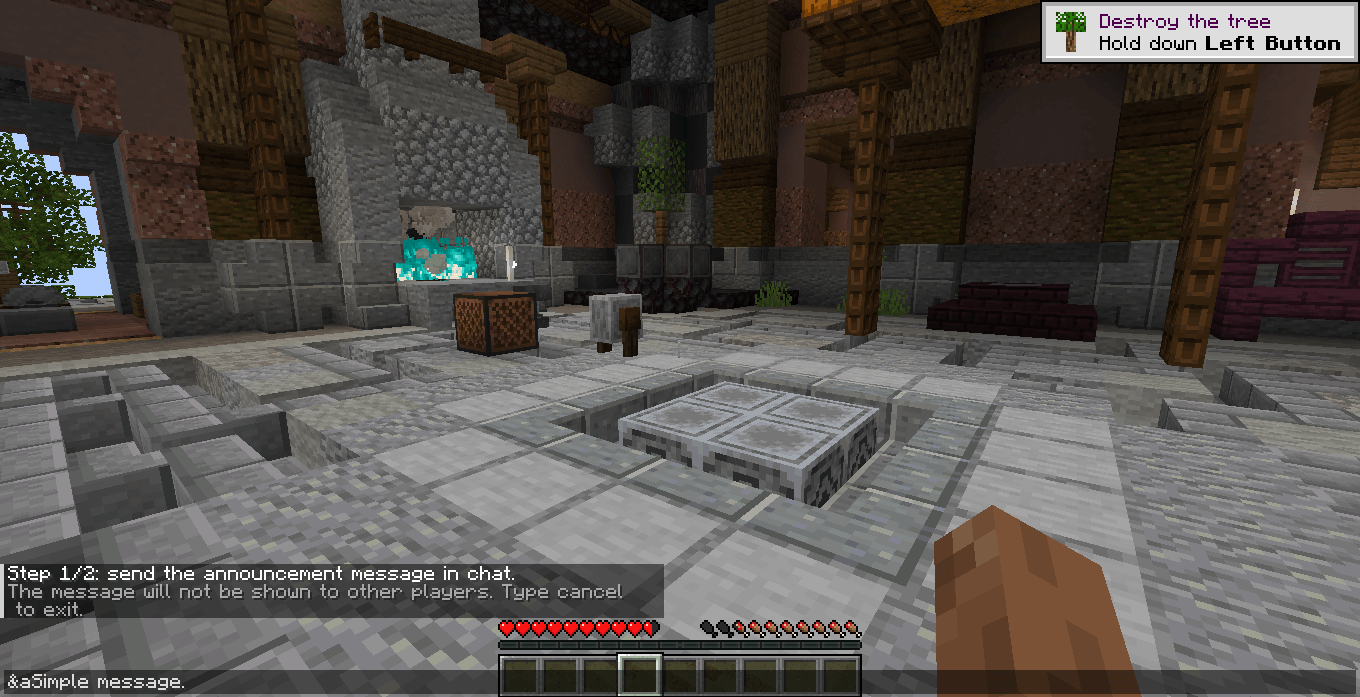 image-attachment_00995284-1746-4919-91e1-dc5551f3f934.png
 -
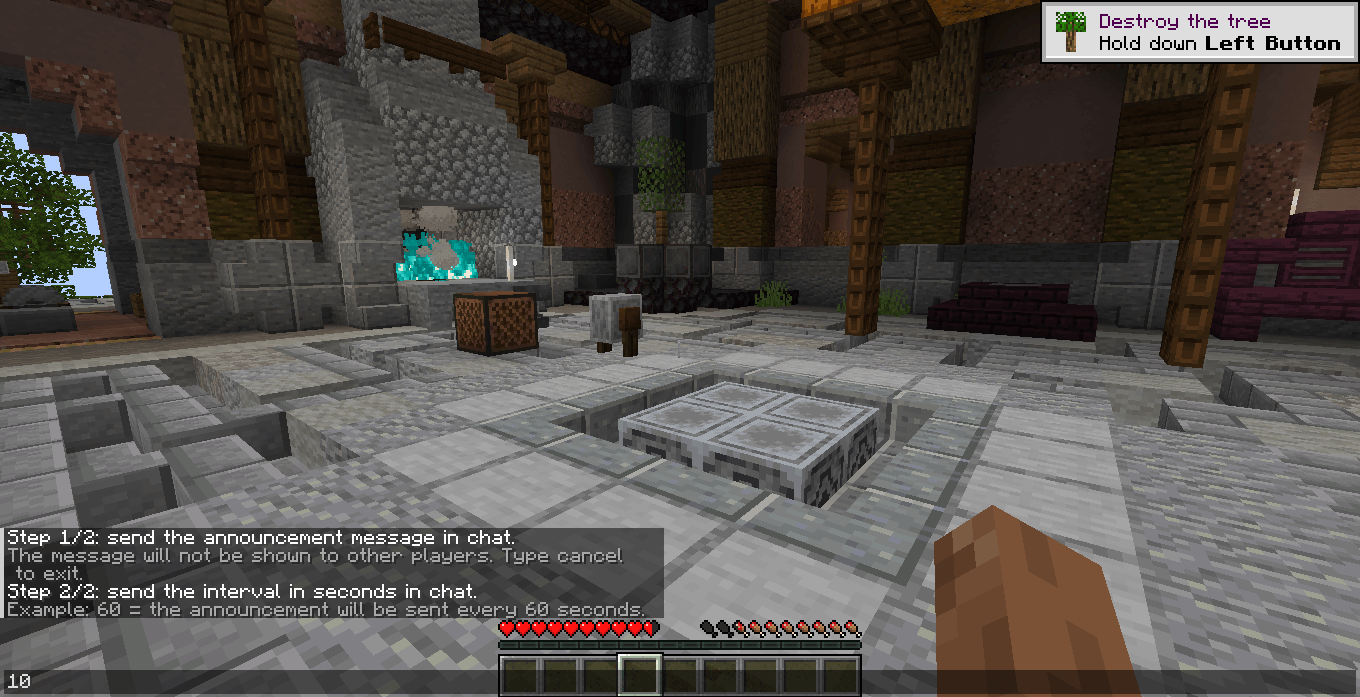 image-attachment_17d50061-3e26-4325-a345-3b07812f30a7.png
Versions
Files
Relations
Project Relations
More like this
Similar Mods
Suggestions use data such as tags, dependencies, dependents, descriptions, titles, and more to rank how much they overlap with this mod.
On ModDex
Community snapshot
By the numbers
Statistics
Want to reach Minecraft players?
We're looking for a server hosting partner to feature here and other parts of the site. Interested? Send us a message!
Get in touchGet it on
Available Platforms
On ModDex
Community snapshot
By the numbers
Statistics
Resources