
Community listing page, reviews may not be monitored by the author.
[TACZ] Heavy Bunker


No reviews yet
A lightweight, vanilla-friendly mod adding ultra-resistant building blocks designed to withstand heavy artillery, tank shells, and massive explosions. The ultimate counter to warfare mods like Tacz or SBW.

Community voices
Reviews
No reviews yet. Be the first to review this project!
Get it on
Available Platforms
Compatibility
Supported Environments
Must be installed on both the client and the server.
About
Project Details
For authors
Embed Badge
If you're the author of this project, you can embed a live badge anywhere that supports HTML or Markdown. It updates automatically whenever ratings change.
Use HTML for any page that supports it, or Markdown for README files and Markdown-based descriptions.
Identifiers
Platform IDs
Resources
External Links
About
Description
More decorative blocks, post-apocalyptic props, editor improvements and new features are in development.
Join our Discord[SIEGE & CONFIGURATION UPDATE - 24/09/2026]
Build your base, place a Bunker Core and defend it against increasingly dangerous waves.
New Siege Mode• Press F9 near your Bunker Core to start the siege.
• Zombies, spiders and skeletons advance toward the core, damage your walls and try to destroy your base.
• Reinforced Heavy blocks crack under attack. Repair your defenses between waves.
• Waves grow over time, with a preparation period before the next assault.
• Track the wave, remaining enemies and core health in the in-game status display.
• Siege progress is saved with the world. If the core is destroyed, the siege ends.
Snow Golem Turrets
• Craft and place a Snow Golem Turret to defend your base automatically.
• Its snow golem fires damaging snowballs at zombies, spiders and skeletons, including outside siege waves.
• Leave two blocks of free space above the turret for the snow golem to appear.
Built-in Configuration & Interface
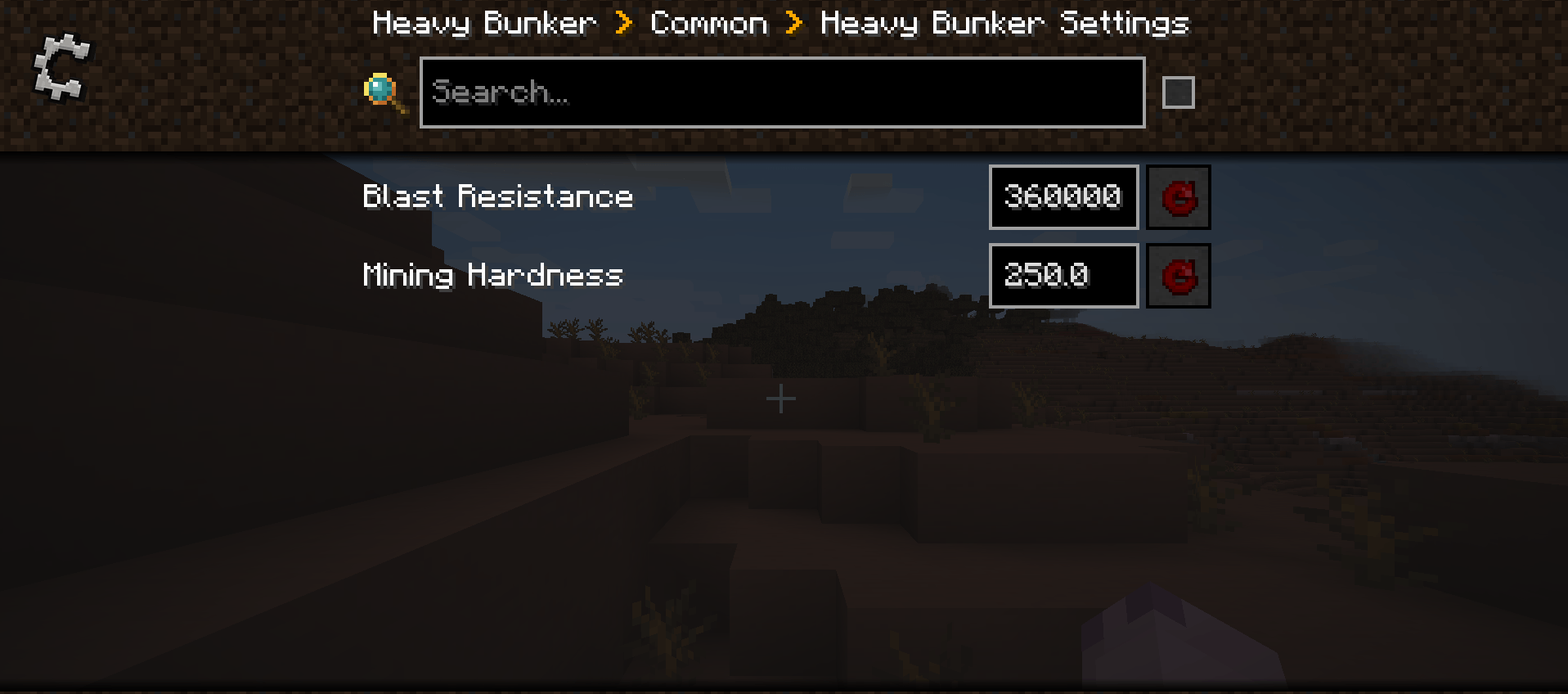
• Press F8 or open the mod settings to use the new configuration screen.
• Adjust wave size, difficulty growth, preparation time, spawn distance, core health and turret damage.
• New post-apocalyptic interface with the Woman of the Apocalypse font and text-only buttons.
• Improved French and English names, descriptions and translations for the new content.
[CONTENT UPDATE - 21/07/2026]
Heavy Bunker received a major content expansion focused on post-apocalyptic decoration.
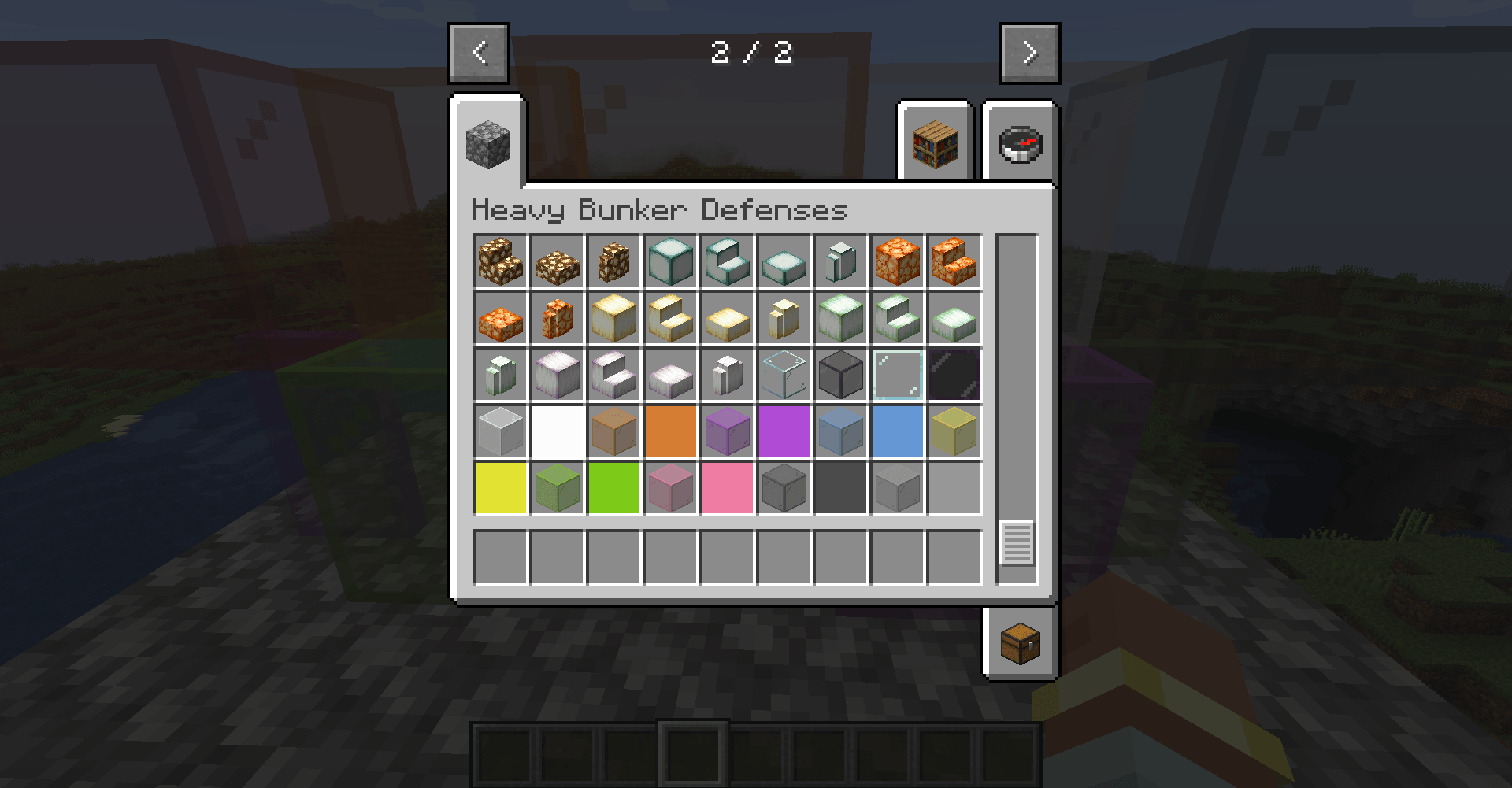
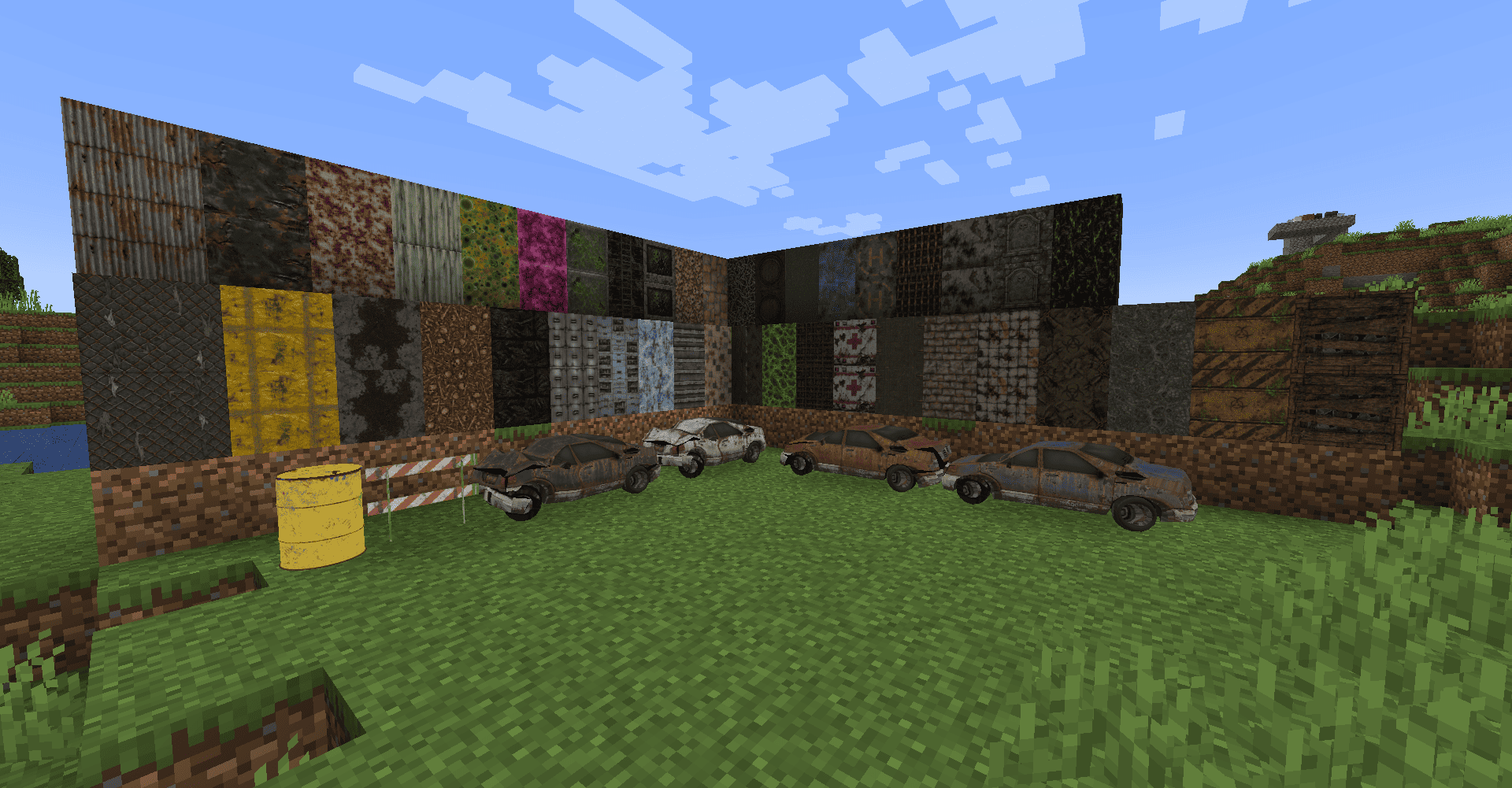
New Content• 50+ brand-new HD decorative block textures.
• Detailed decorative props, including abandoned vehicles and road objects.
• Improved inventory names and descriptions for decorative blocks.
• Better organization inside the creative inventory.
Editor Improvements
• Horizontal and vertical rotation directly from the Edit Tool.
• Improved block selection and placement workflow.
• Simplified editing of decorative blocks.
General Improvements
• Bug fixes and internal optimizations.
• Better compatibility with resource packs.
• Improved block registration and localization.
• Rendering and model fixes.
[EDITOR UPDATE - 21/05/2026]
A horizontal rotation edit mode was added. With the Edit Mode Tool, select an area and rotate all compatible Heavy Bunker blocks at once.
Controls• Shift + Right Click → Set Position 1.
• Shift + Left Click → Set Position 2.
• Right Click → Rotate compatible blocks in the selected area.
[VANILLA TEXTURE UPDATE - 21/05/2026]
At the time of this update, Heavy Bunker blocks switched to Minecraft's vanilla textures, reducing the need for additional files and improving resource-pack compatibility.
Removed block variants:• Dried Kelp Block.
• Pumpkin.
• Carved Pumpkin.
• Sculk Catalyst.
• Sculk Sensor.
[LITTLE PATCH - 12/04/2026]
Fixed an issue where reinforced glass did not correctly stop TacZ bullets.
[TACTICAL UPDATE - 16/03/2026]
At the time, Configured was recommended for defensive settings. A built-in settings screen is available in the September 2026 update.
Features introduced• New defensive blocks.
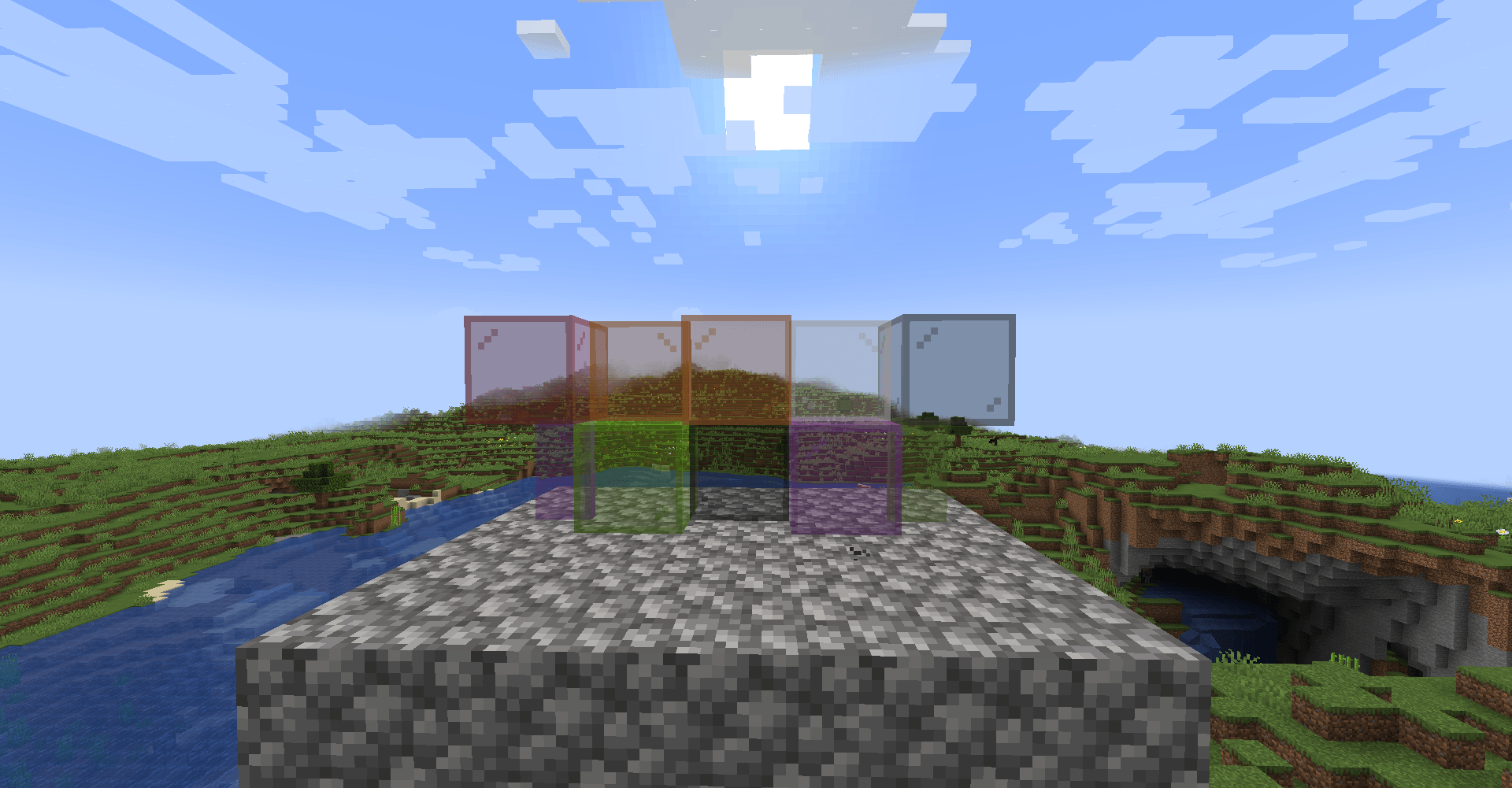
• Transparent block support.
• Improved lighting and visibility through compatible blocks.
Need help, previews, updates or support?
Join the Heavy Bunker Discord
Are your bases constantly getting obliterated by tank shells, mortars, and missiles from warfare mods? Heavy Bunker Defenses is here to solve that problem.
This mod introduces "Heavy" variants of standard vanilla blocks (Cobblestone, Stone, Bricks, Dirt, Oak Planks, etc.). These blocks look identical to their vanilla counterparts but are incredibly dense, boasting extreme blast resistance and mining hardness.
🛡️ Key Features:
Extreme Blast Resistance (3000.0): Completely immune to standard TNT, Creepers, and heavy artillery from military mods.
Vanilla Aesthetics: Uses standard Minecraft textures, keeping your world looking clean while hiding an impenetrable fortress.
Server & Client Friendly: Works flawlessly in multiplayer for faction, PvP, and war servers.
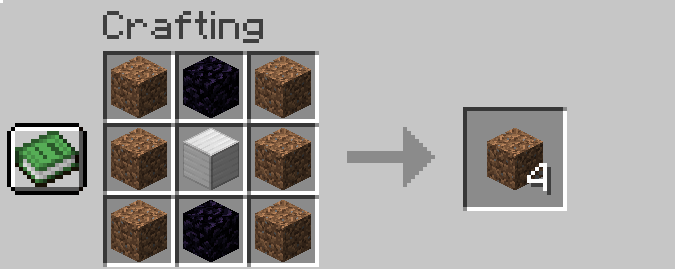
⚙️ How to Craft: Crafting Heavy Blocks requires serious resources to balance their extreme durability. To craft 4 Heavy Blocks, place the following in a Crafting Table:
1x Iron Block (Center)
2x Obsidian (Top-middle and Bottom-middle)
6x Base Material (Fill the remaining slots with the material you want to reinforce, e.g., Cobblestone) (Pattern: Material / Obsidian / Material | Material / Iron Block / Material | Material / Obsidian / Material)
⛏️ Mining & Tool Requirements: Because these blocks are designed to stop tanks, they will also stop casual griefers.
Required Tool: You must use at least a Diamond or Netherite Pickaxe to mine these blocks and get the drop.
Mining Time: Breaking a single block takes roughly 30 to 40 seconds with a standard Netherite Pickaxe.
💡 Pro-Tip: We highly recommend using an Efficiency V (5) enchantment and Haste beacons if you plan on remodeling your bunker!
🚁 Perfect Synergy with Timeless and Classics Zero (TacZ), : This mod was built with heavy combat in mind. If you are playing with Timeless and Classics Zero (TacZ), or any other military mod, Heavy Bunker Defenses is a must-have. It provides the perfect balance: attackers get heavy weapons, and defenders get the concrete-like structures they need to survive the siege.
Screenshots
Gallery
-
 crafting heavy stone.PNG crafting heavy stone.PNG
-
 crafting list.PNG crafting list.PNG
-
 Heavy Cobblestone.PNG Heavy Cobblestone.PNG
-
 Heavy Dirt.PNG Heavy Dirt.PNG
-
 1.PNG 1.PNG
-
 2.png 2.png
-
 1.png 1.png
-
 2026-07-21_08.26.16.png 2026-07-21_08.26.16.png


Versions
Files
Relations
Project Relations
More like this
Similar Mods
Suggestions use data such as tags, dependencies, dependents, descriptions, titles, and more to rank how much they overlap with this mod.
On ModDex
Community snapshot
By the numbers
Statistics

Get it on
Available Platforms
On ModDex
Community snapshot
By the numbers
Statistics
Resources