Community listing page, reviews here may not be monitored by the author.
ScalingGUIs


No reviews yet
Decouples the scaling of individual GUIs, the HUD, and Tooltips
Community voices
Reviews
No reviews yet. Be the first to review this project!
Get it on
Available Platforms
Compatibility
Supported Environments
Runs entirely on the client. Works on vanilla servers.
About
Project Details
For authors
Embed Badge
If you're the author of this project, you can embed a live badge anywhere that supports HTML or Markdown. It updates automatically whenever ratings change.
Use HTML for any page that supports it, or Markdown for README files and Markdown-based descriptions.
Identifiers
Platform IDs
About
Description
Decouples the scaling of individual GUIs, the HUD, and Tooltips.
NOT COMPATIBLE WITH OPTIFINE Compatible as of 1.0.2.0
ScalingGUIs replaces the GUI scale button in the Video Settings menu with a button to open a custom scale settings menu.
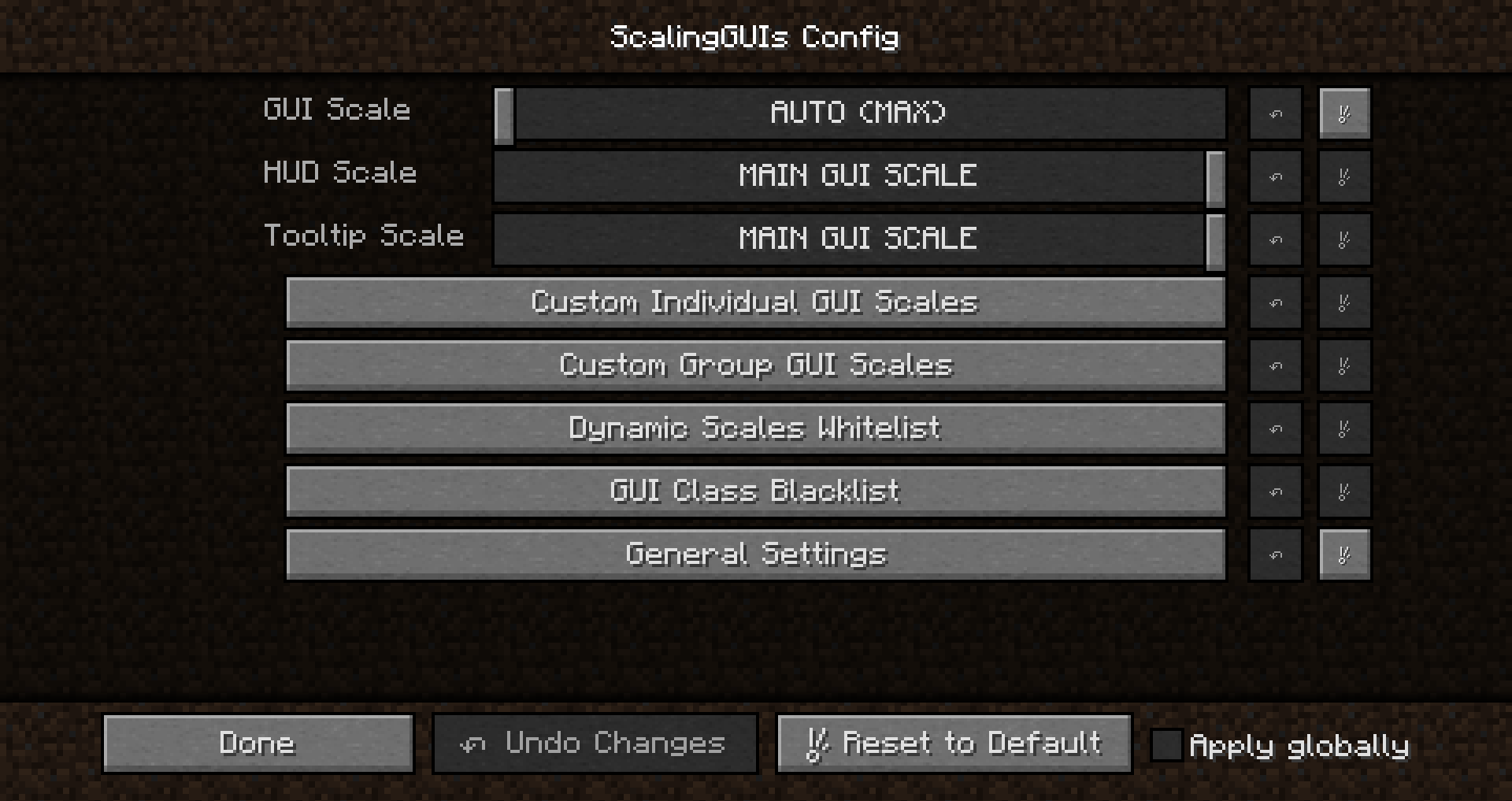
- GUI Scale is the main GUI scale setting. It controls the scale for any GUI without a custom setting.
- HUD Scale controls the scale of the in-game HUD.
- Tooltip Scale controls the scale of tooltips.
- Custom Individual GUI Scales provides a menu to set the scales for individual GUIs.
- Custom Group GUI Scales provides a menu to set the scales for GUIs with a common ancestor class.
- Dynamic Scales Whitelist provides a menu to whitelist GUI classes to dynamically scale based on the GUI's own dimensions.
- Only works for container GUIs (classes extending "GuiContainer").
- Added with max size chests from CompactStorage particularly in mind.
- GUI Class Blacklist provides a menu to blacklist GUI class names from changing the scale.
- Useful when a GUI should adopt the scale of the previously opened GUI. E.g. JEI Recipes GUI or Tinker's Construct GUI subcomponents
- General Settings provides config options for ScalingGUIs itself
Wiki
Sliders
Scale settings are presents as sliders with a greater range of options than in vanilla
- 0: AUTO (MAX): Scale to the largest possible scale. Like vanilla "Auto".
- 1: SMALL: Scale of 1x. Smallest possible scale. Like vanilla "Small".
- 2: NORMAL: Scale of 2x. Like vanilla "Normal".
- 3: LARGE: Scale of 3x. Like vanilla "Large".
- 4-8: 4x-8x
- 9: Match the scale of the main GUI scale entry
Example
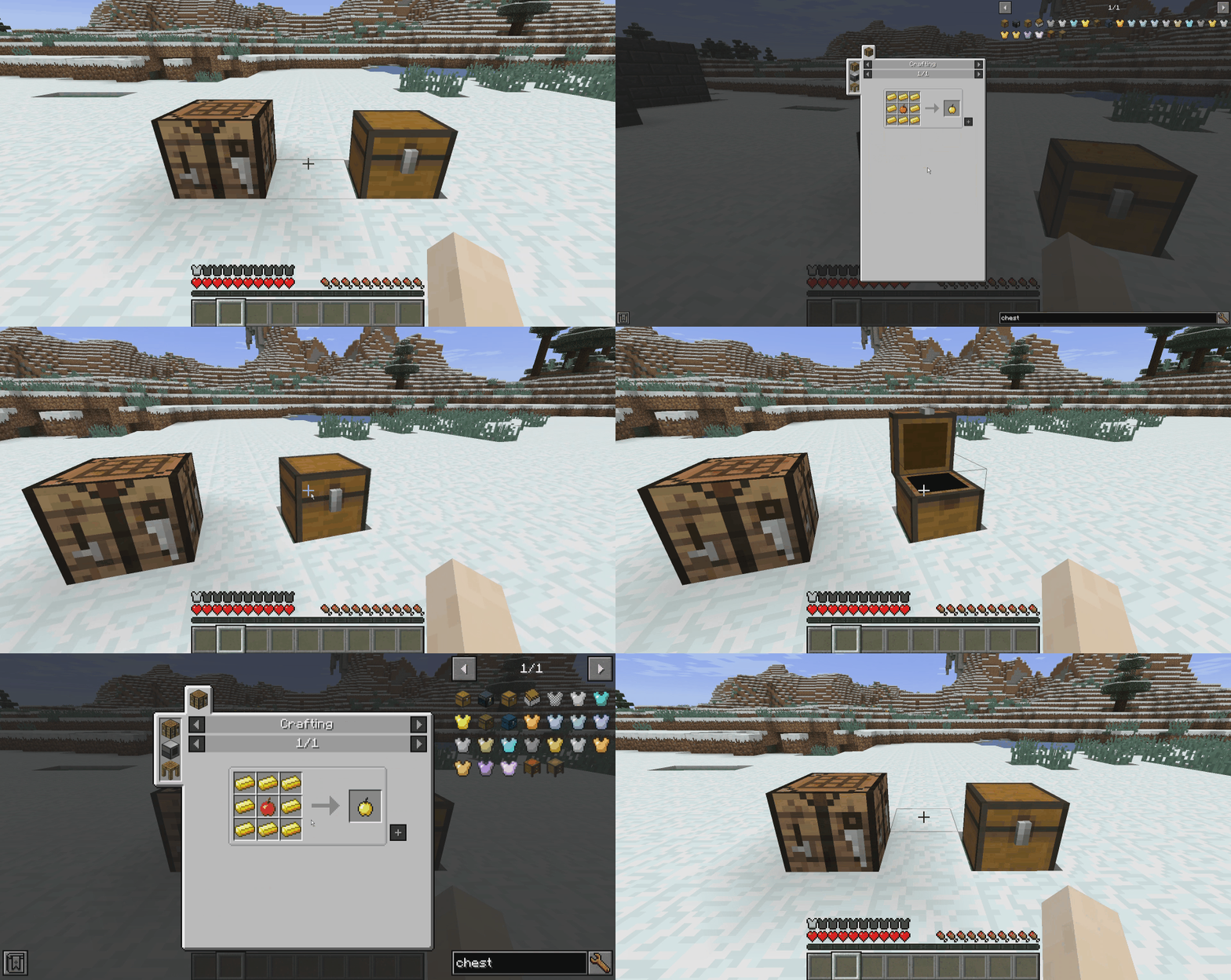
The crafting table GUI and chest GUI are both set to scale differently than other GUIs. The JEI Recipes GUI is added to the blacklist to scale with previous GUIs.
Setting changes are saved when the main ScalingGUIs menu is closed.
Conflicts
- TipTheScales - SG should still work from the mod config menu
Known Issues
- Video Settings scales odd* when different than the Options scale. Hit ESC if you run into this issue.
- Some GUIs scale odd* when they are actually composed of several GUIs behind the scenes.
- Notable cases are some Tinker's Construct GUIs (when certain GUIs are missing from the blacklist).
- SOLUTION: Enable logging to chat. Open the GUI that scales oddly. If multiple GUIs are logged to chat and the first GUI logged has a custom scale, the subsequent GUI(s) are likely reverting the scale and causing odd behavior. Add the subsequent GUI(s) to the blacklist and post the issue in the issue tracker for me to add default behavior.
- This problem should also be solvable by a recoupling system if I add it.
Odd scaling: Small to top left corner or large to bottom right corner
Credits
- unascribed for inspiration through Vise and several methods. (See license for details)
Decouples the scaling of individual GUIs, the HUD, and Tooltips.
ScalingGUIs replaces the GUI scale button in the Video Settings menu with a button to open a custom scale settings menu.
- GUI Scale is the main GUI scale setting. It controls the scale for any GUI without a custom setting.
- HUD Scale controls the scale of the in-game HUD.
- Tooltip Scale controls the scale of tooltips.
- Custom Individual GUI Scales provides a menu to set the scales for individual GUIs.
- Custom Group GUI Scales provides a menu to set the scales for GUIs with a common ancestor class.
- Dynamic Scales Whitelist provides a menu to whitelist GUI classes to dynamically scale based on the GUI's own dimensions.
- Only works for container GUIs (classes extending "GuiContainer"). projects/compactstorage "CompactStorage") particularly in mind.
- GUI Class Blacklist provides a menu to blacklist GUI class names from changing the scale.
- Useful when a GUI should adopt the scale of the previously opened GUI. E.g. JEI Recipes GUI or Tinker's Construct GUI subcomponents
- General Settings provides config options for ScalingGUIs itself
Wiki
Sliders
Scale settings are presents as sliders with a greater range of options than in vanilla
- 0: AUTO (MAX): Scale to the largest possible scale. Like vanilla "Auto".
- 1: SMALL: Scale of 1x. Smallest possible scale. Like vanilla "Small".
- 2: NORMAL: Scale of 2x. Like vanilla "Normal".
- 3: LARGE: Scale of 3x. Like vanilla "Large".
- 4-8: 4x-8x
- 9: Match the scale of the main GUI scale entry
Example
The crafting table GUI and chest GUI are both set to scale differently than other GUIs. The JEI Recipes GUI is added to the blacklist to scale with previous GUIs.
Setting changes are saved when the main ScalingGUIs menu is closed.
Conflicts
- TipTheScales - SG should still work from the mod config menu
Known Issues
- Video Settings scales odd* when different than the Options scale. Hit ESC if you run into this issue.
- Some GUIs scale odd* when they are actually composed of several GUIs behind the scenes.
- Notable cases are some Tinker's Construct GUIs (when certain GUIs are missing from the blacklist).
- SOLUTION: Enable logging to chat. Open the GUI that scales oddly. If multiple GUIs are logged to chat and the first GUI logged has a custom scale, the subsequent GUI(s) are likely reverting the scale and causing odd behavior. Add the subsequent GUI(s) to the blacklist and post the issue in the issue tracker for me to add default behavior.
- This problem should also be solvable by a recoupling system if I add it.
Odd scaling: Small to top left corner or large to bottom right corner
Credits
- unascribed for inspiration through Vise and several methods. (See license in sources for details)
Screenshots
Gallery
-
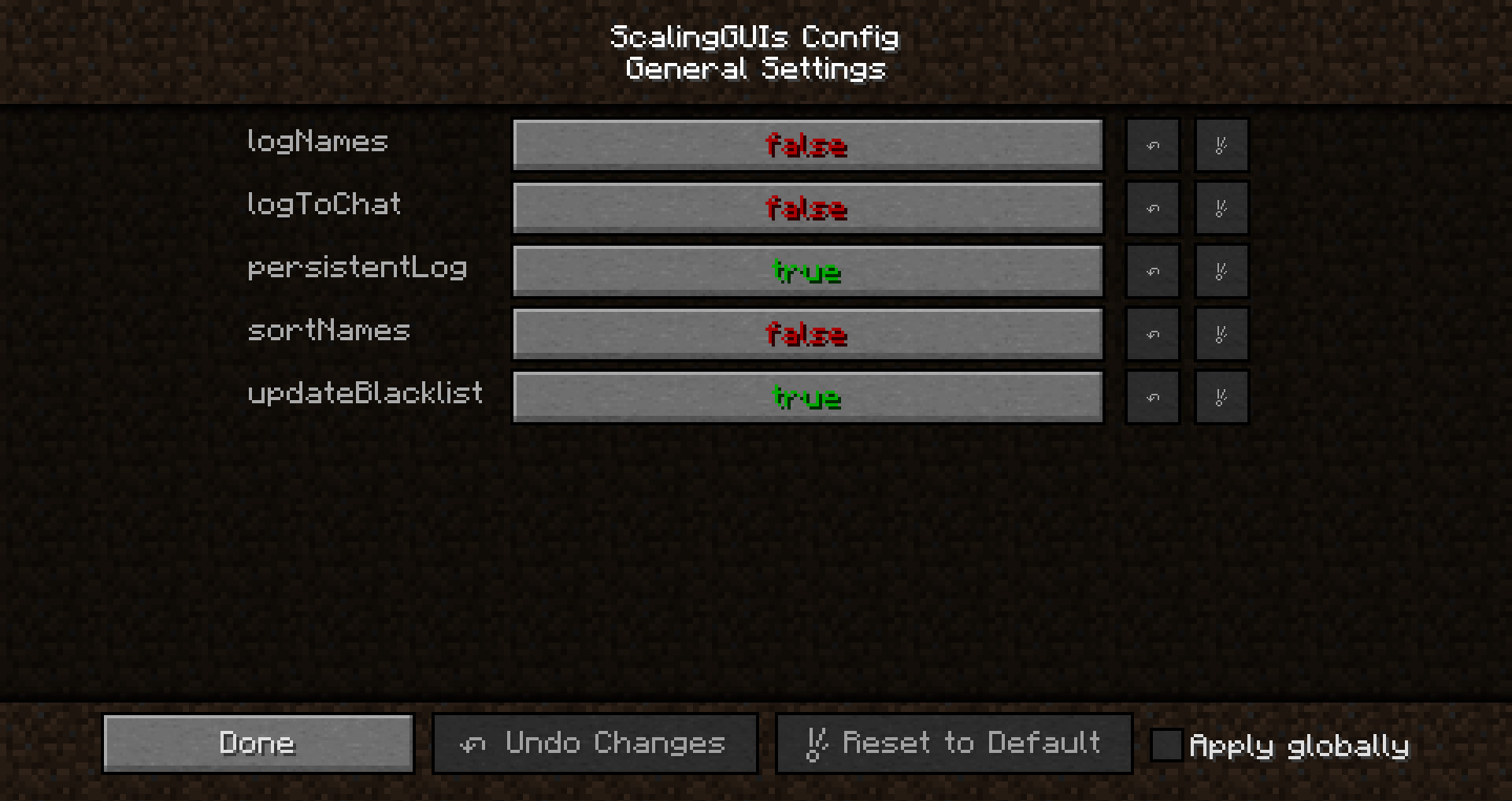 General Settings ScalingGUIs General Settings
 -
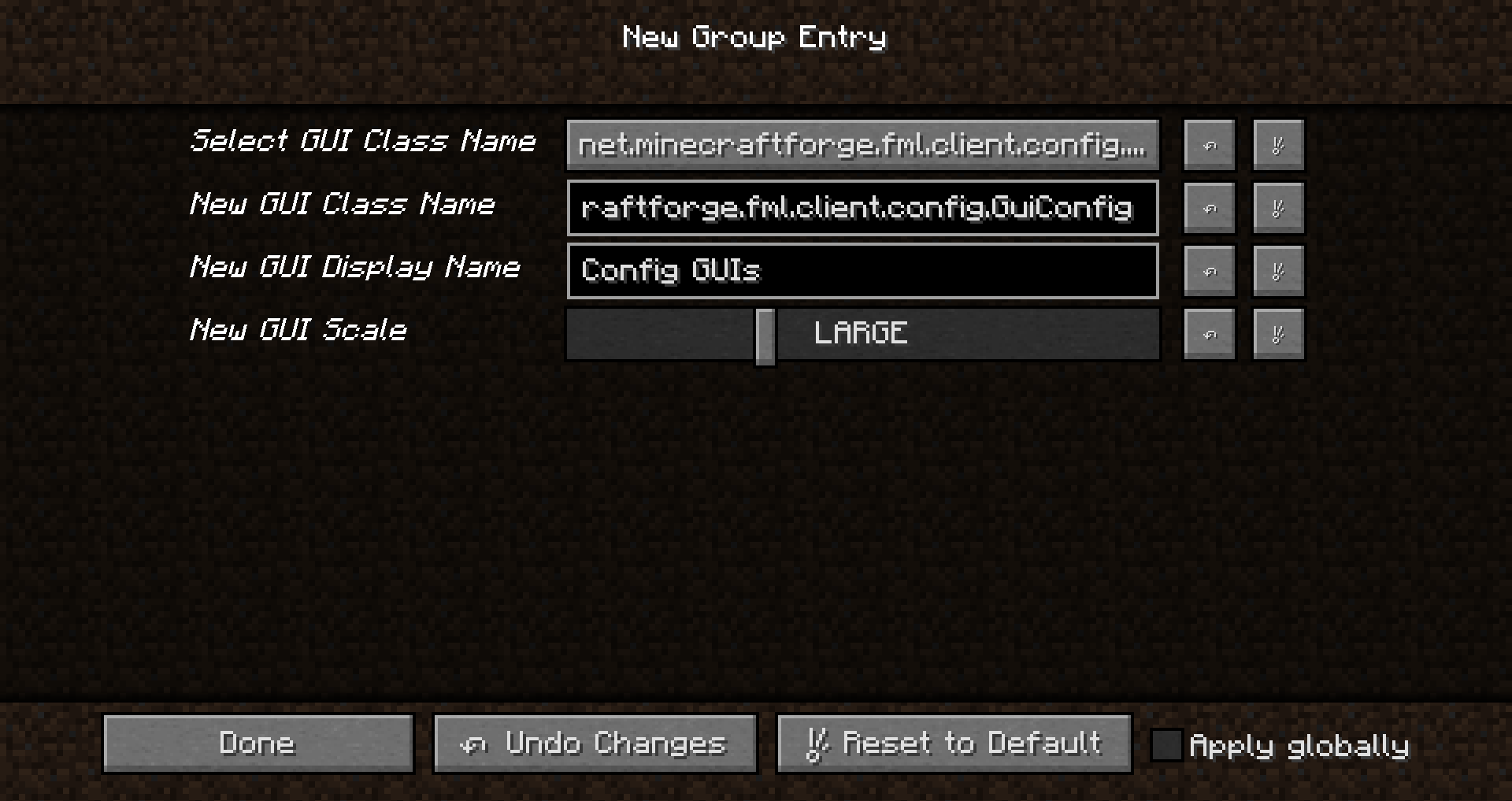 New Group Entry A new group entry being added for Config GUIs.
 -
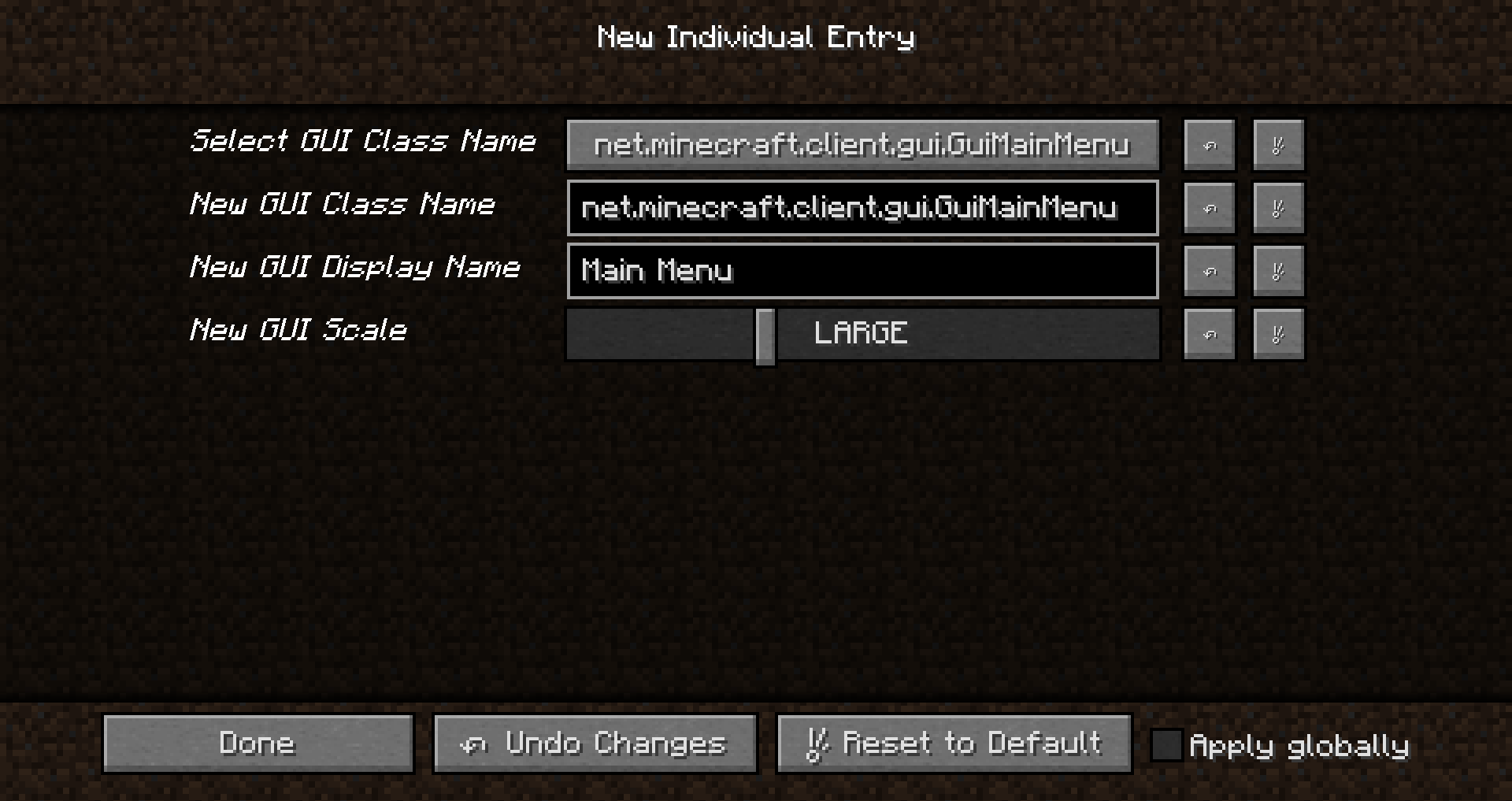 New Individual Entry A new entry being added for the Main Menu scale.
 -
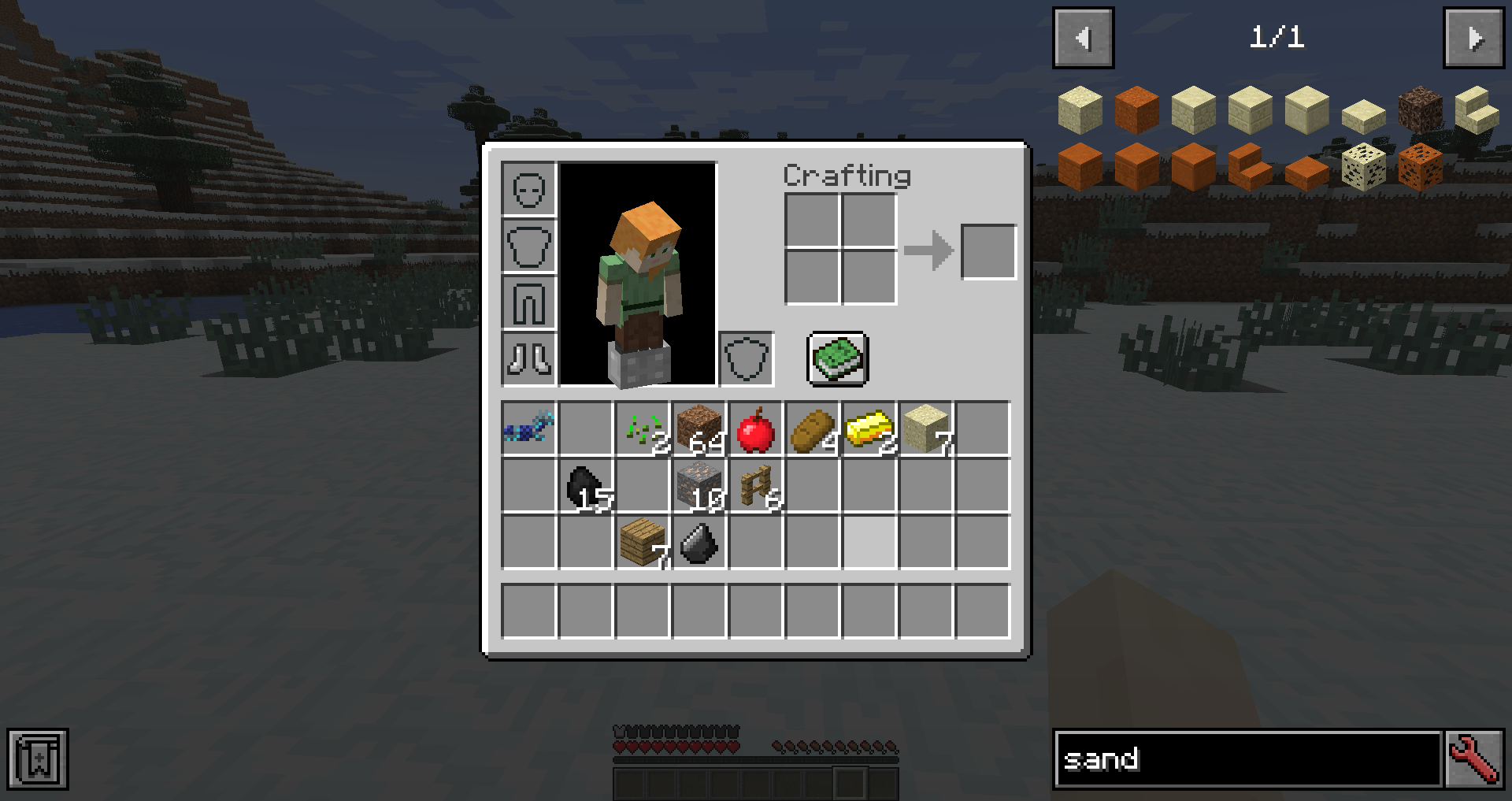 HUD Scale Changed Here, the HUD scale has been changed to be smaller than the GUI scale.
 -
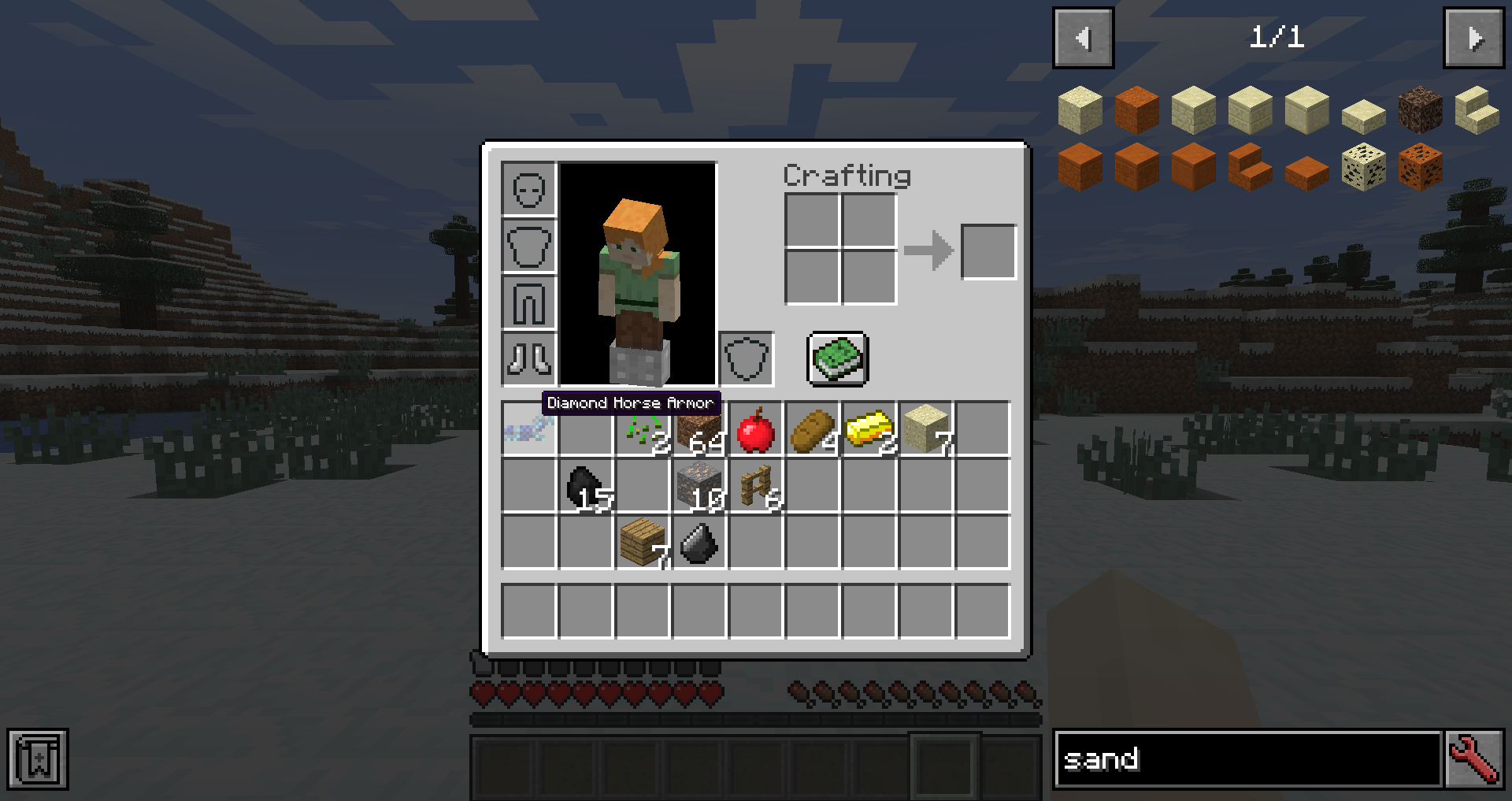 Tooltip Scale Changed Here, the tooltip scale has been changed to be smaller than the GUI scale.
-
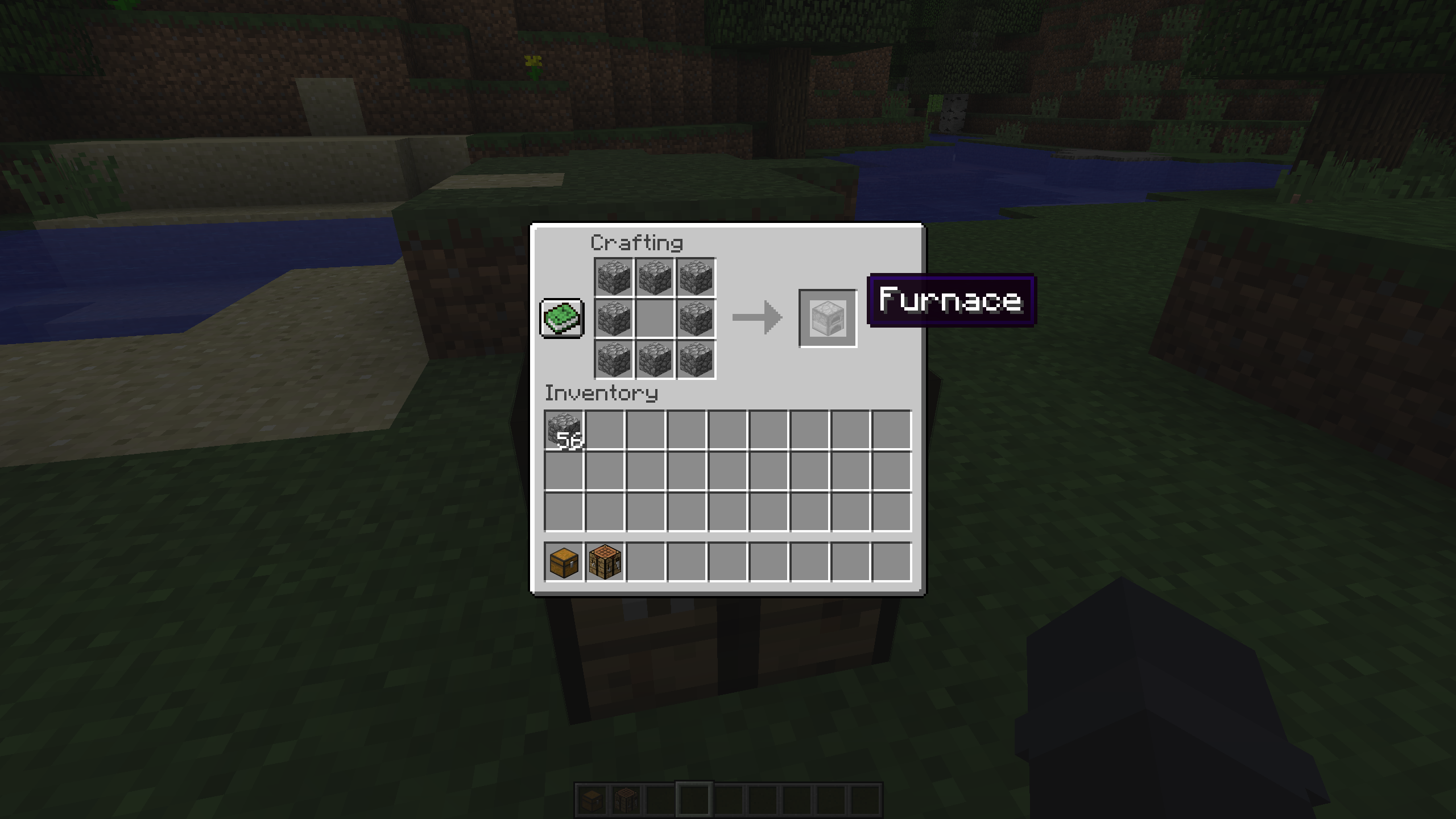 Three Different Scales Crafting GUI, HUD, and Tooltip are shown at three different scales.
Versions
Files
Relations
Project Relations
More like this
Similar Mods
Suggestions use data such as tags, dependencies, dependents, descriptions, titles, and more to rank how much they overlap with this mod.
On ModDex
Community snapshot
By the numbers
Statistics
Want to reach Minecraft players?
We're looking for a server hosting partner to feature here and other parts of the site. Interested? Send us a message!
Get in touchGet it on
Available Platforms
On ModDex
Community snapshot
By the numbers