Community listing page, reviews here may not be monitored by the author.
Schnabelborg's SchnabelHeads


No reviews yet
A lightweight miniblock/player head inventory mod

Community voices
Reviews
No reviews yet. Be the first to review this project!
Get it on
Available Platforms
Compatibility
Supported Environments
Runs entirely on the client. Works on vanilla servers.
About
Project Details
For authors
Embed Badge
If you're the author of this project, you can embed a live badge anywhere that supports HTML or Markdown. It updates automatically whenever ratings change.
Use HTML for any page that supports it, or Markdown for README files and Markdown-based descriptions.
Identifiers
Platform IDs
About
Description
Schnabelborg's SchnabelHeads Mod
This lightweight mod adds a new creative tab filled with useful decorative Schnabelborg-themed miniblocks to your inventory. This mod doesn't add any custom blocks, but makes player heads available to your creative inventory, which means that this mod is multiplayer compatible!
How to use:
This mod does not include any custom heads as-is. For heads to appear in your inventory, you need to download head packs, also referred to as "sets". These set files have to be put into the following directory:
.minecraft/schnabelheads/sets.
A zip file containing some premade sets can be downloaded here.
Features:
Inventory Tab
Adds a creative inventory tab filled with your installed SchnabelHeads.
Pick Head
Pick Head is a keybind (default V) to pick SchnabelHeads from the block you are looking at.
Similar to the way that the vanilla Pick Block keybind works, Pick Head gives you the head that corresponds to the block you are looking at. This is very useful for miniblocks, so if you are looking e.g. for the Red Wool Schnabelhead, you only need to look at a block of red wool and press V and it gets added to your active inventory slot. If there are multiple heads installed that belong to the block you are looking at, Pick Head opens a small GUI where you can scroll through the alternatives.
Pick Head also allows you to copy a player head to your inventory when using Pick Head on it.
Schnabelborg's SchnabelHeads Mod
This lightweight mod adds a new creative tab filled with useful decorative Schnabelborg-themed miniblocks to your inventory. This mod doesn't add any custom blocks, but makes player heads available to your creative inventory, which means that this mod is multiplayer compatible!
How to use:
This mod does not include any custom heads as-is. For heads to appear in your inventory, you need to download head packs, also referred to as "sets". These set files have to be put into the following directory:
.minecraft/schnabelheads/sets.
A zip file containing some premade sets can be downloaded here: http://njay15.github.io/schnabelheads/sets/SchnabelHeads%20Head%20Pack%201.0.zip
Features:
Inventory Tab
Adds a creative inventory tab filled with your installed SchnabelHeads.
Pick Head
Pick Head is a keybind (default V) to pick SchnabelHeads from the block you are looking at.
Similar to the way that the vanilla Pick Block keybind works, Pick Head gives you the head that corresponds to the block you are looking at. This is very useful for miniblocks, so if you are looking e.g. for the Red Wool Schnabelhead, you only need to look at a block of red wool and press V and it gets added to your active inventory slot. If there are multiple heads installed that belong to the block you are looking at, Pick Head opens a small GUI where you can scroll through the alternatives.
Pick Head also allows you to copy a player head to your inventory when using Pick Head on it.
Screenshots
Gallery
-
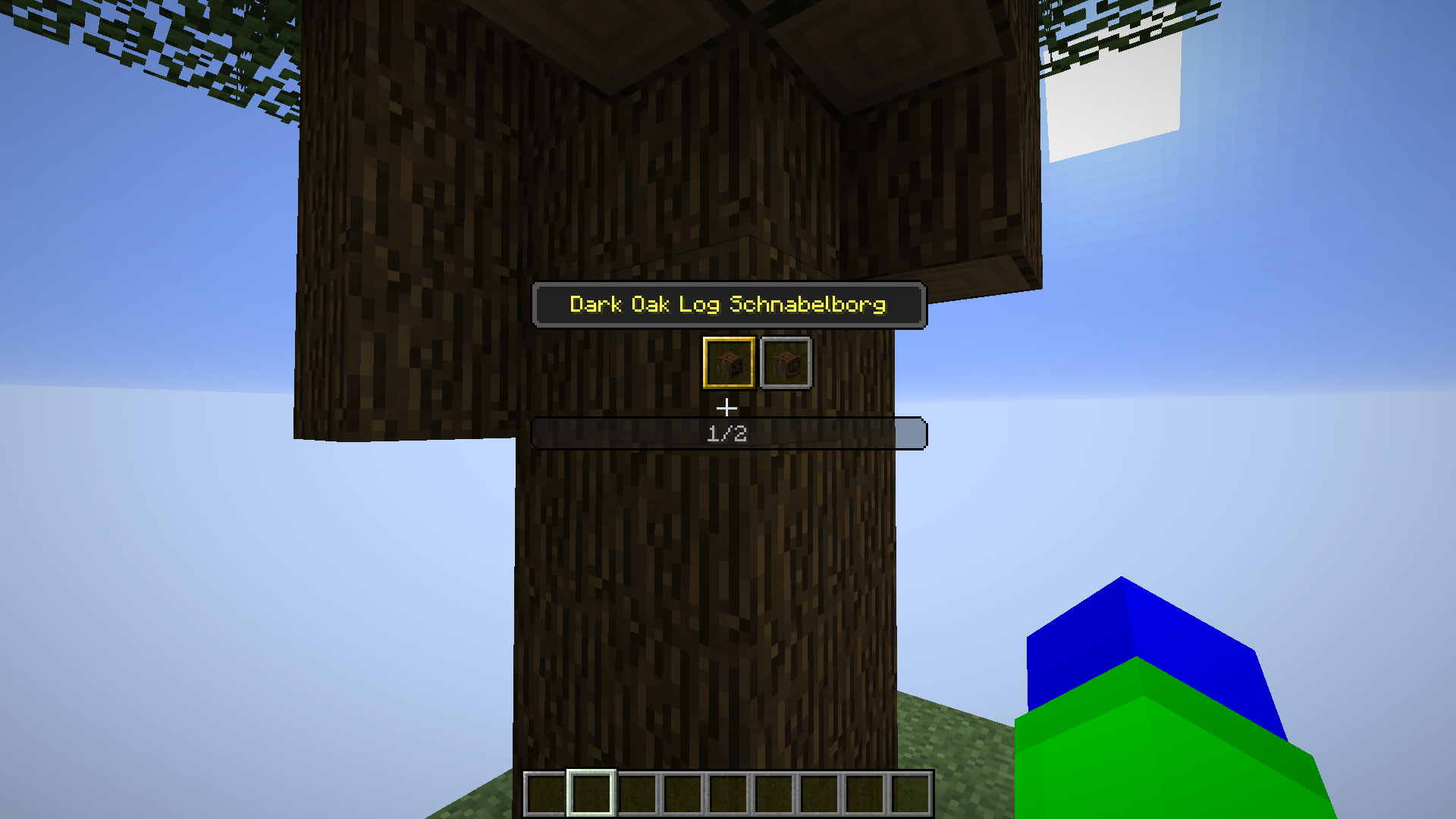 Pick Head Menu Find heads that match blocks in your world using the "Pick Head" menu
 -
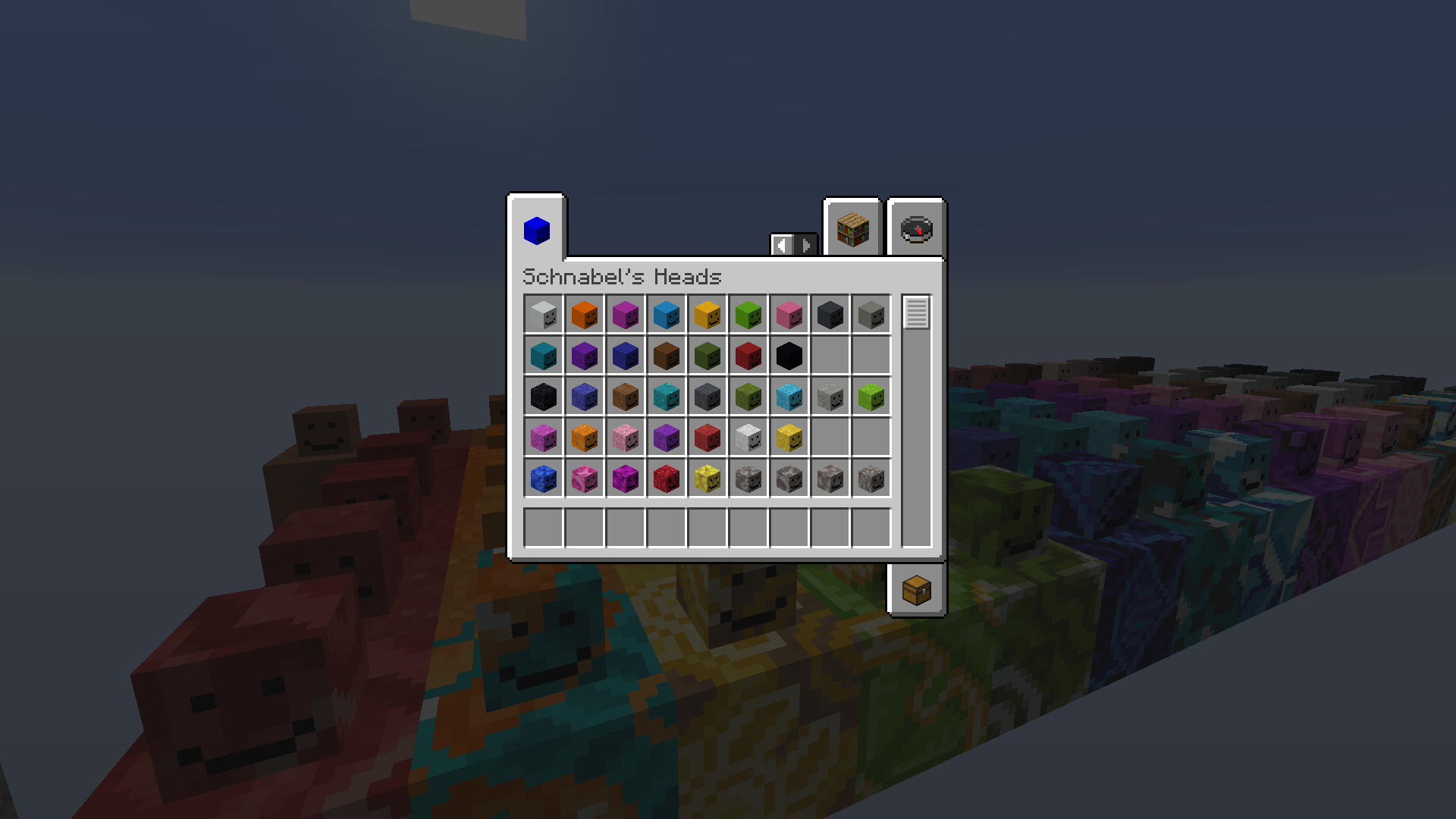 A dedicated creative tab for all your playerheads
 -
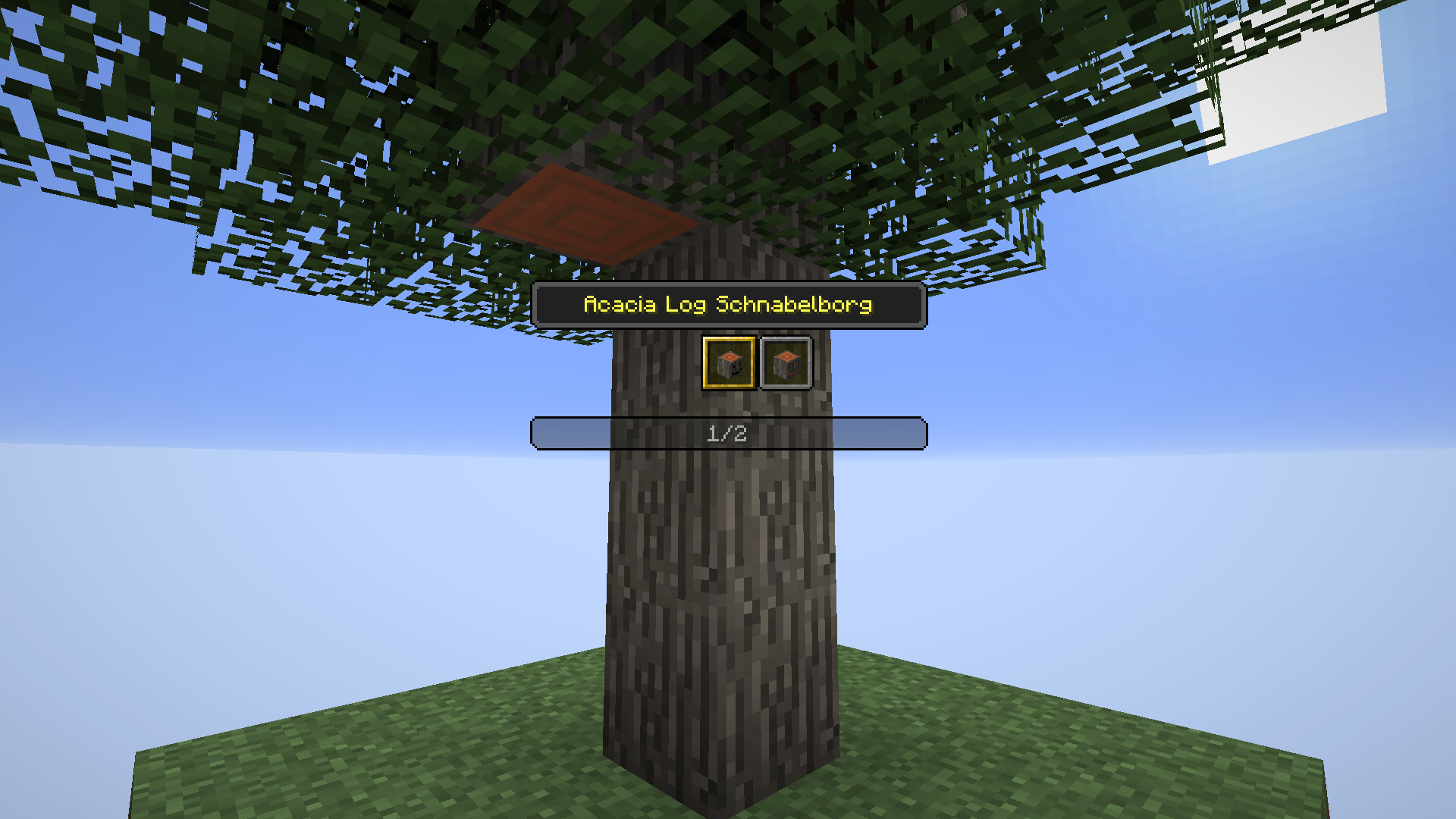 Pick Head Menu Open the menu using a configurable hotkey (default: V) and cycle through multiple heads that match the block you're looking at.
Versions
Files
Relations
Project Relations
More like this
Similar Mods
Suggestions use data such as tags, dependencies, dependents, descriptions, titles, and more to rank how much they overlap with this mod.
On ModDex
Community snapshot
By the numbers
Statistics
 (opens in a new tab)
Get it on
Available Platforms
On ModDex
Community snapshot
By the numbers