Community listing page, reviews here may not be monitored by the author.
Settings Keybinds


No reviews yet
Adds key bindings to change Minecraft settings.
Community voices
Reviews
No reviews yet. Be the first to review this project!
Get it on
Available Platforms
Compatibility
Supported Environments
Runs entirely on the client. Works on vanilla servers.
About
Project Details
For authors
Embed Badge
If you're the author of this project, you can embed a live badge anywhere that supports HTML or Markdown. It updates automatically whenever ratings change.
Use HTML for any page that supports it, or Markdown for README files and Markdown-based descriptions.
Identifiers
Platform IDs
About
Description


Adds key bindings to change Minecraft settings.
This allows settings that were previously only configurable through the settings screen to be changed in game through the use of a key binding that can be set by the user, saving time going back and forth through menus in the case of needing to quickly switch settings back and forth.
Current settings with key bindings include:
- Auto-Jump
- View Bobbing
- Show Subtitles
- Advanced Item Tooltips
- Held Item Tooltips
- Toggle Sneak
- Toggle Sprint
- GUI Scale
- Render Distance
- Simulation Distance
- Brightness
- Max Framerate
- FOV
- Sensitivity
- Attack Indicator
- Graphics
- Particles
- Difficulty (single player only)
For boolean settings such as Auto-Jump, there are keybinds for turning the value on, turning the value off, and toggling the value.
For integer and double (decimal point) settings such as GUI Scale and Render Distance, there are keybinds for increasing the value, decreasing the value, and setting it to a fixed value.
For enum (fixed value) settings such as Particles, there are keybinds for setting it to a fixed value.
Adds key bindings to change Minecraft settings.
This allows settings that were previously only configurable through the settings screen to be changed in game through the use of a key binding that can be set by the user, saving time going back and forth through menus in the case of needing to quickly switch settings back and forth.
Current settings with key bindings include:
- Auto-Jump
- View Bobbing
- Show Subtitles
- Advanced Item Tooltips
- Held Item Tooltips
- Toggle Sneak
- Toggle Sprint
- GUI Scale
- Render Distance
- Simulation Distance
- Brightness
- Max Framerate
- FOV
- Sensitivity
- Attack Indicator
- Graphics
- Particles
- Difficulty (single player only)
For boolean settings such as Auto-Jump, there are keybinds for turning the value on, turning the value off, and toggling the value.
For integer and double (decimal point) settings such as GUI Scale and Render Distance, there are keybinds for increasing the value, decreasing the value, and setting it to a fixed value.
For enum (fixed value) settings such as Particles, there are keybinds for setting it to a fixed value.
Screenshots
Gallery
-
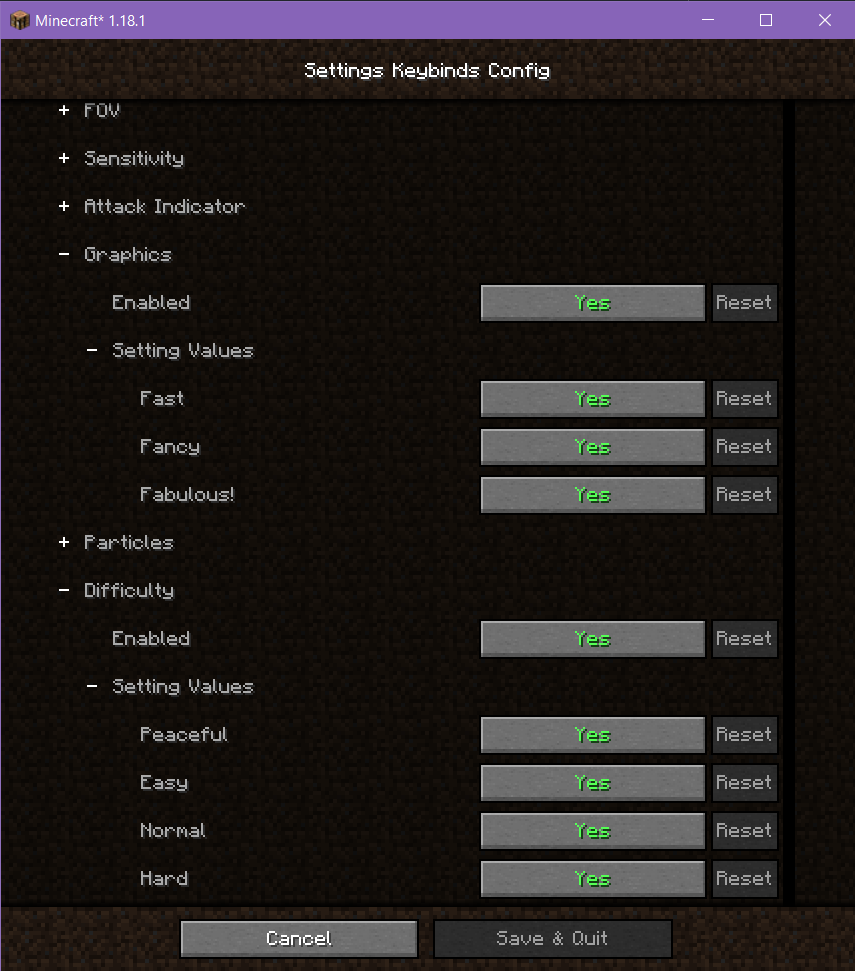 Configuration screen
 -
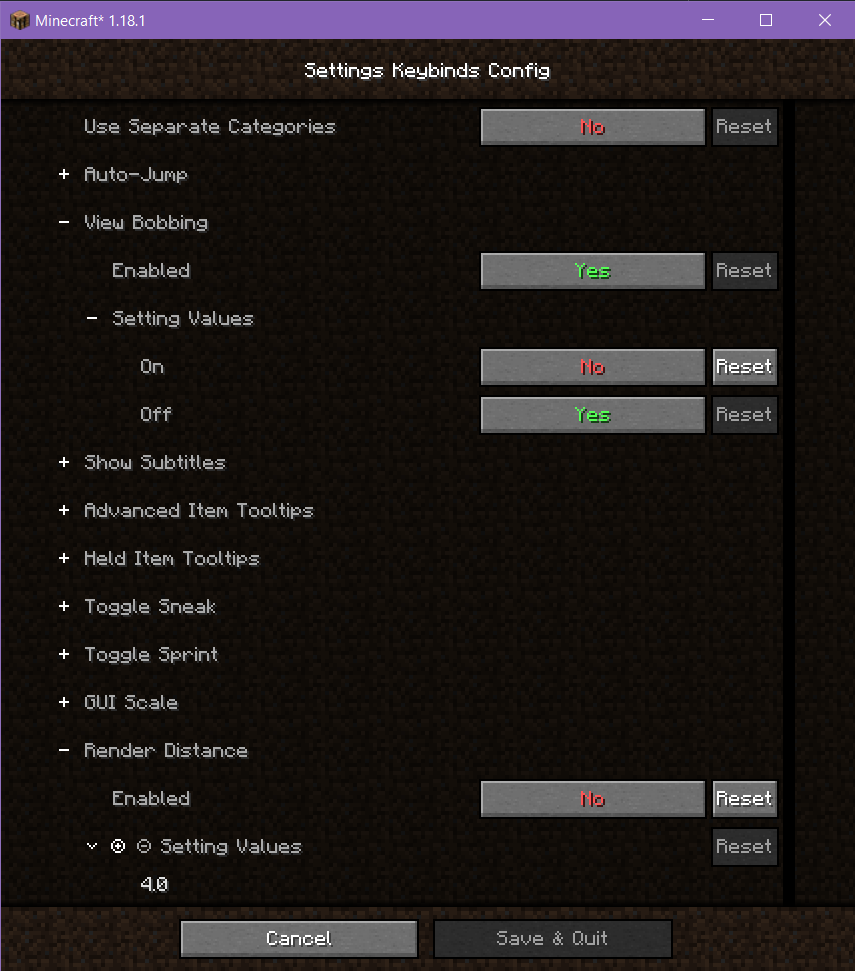 Configuration screen
 -
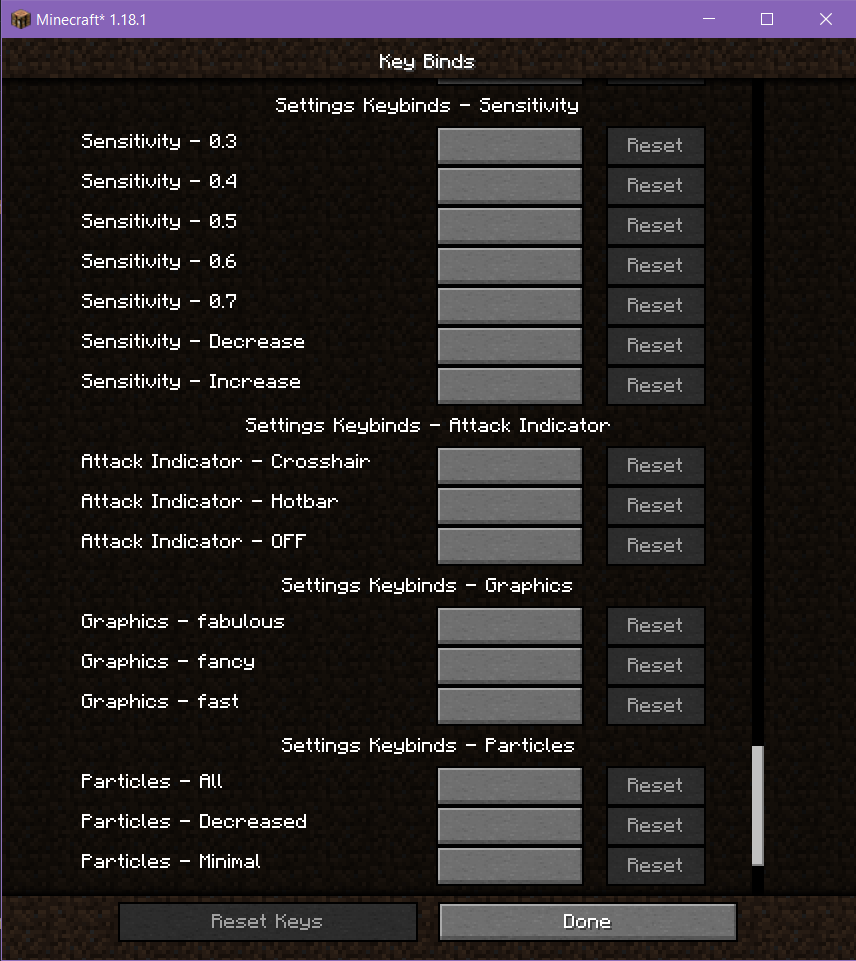 Keybinds added to the controls screen in separate categories
 -
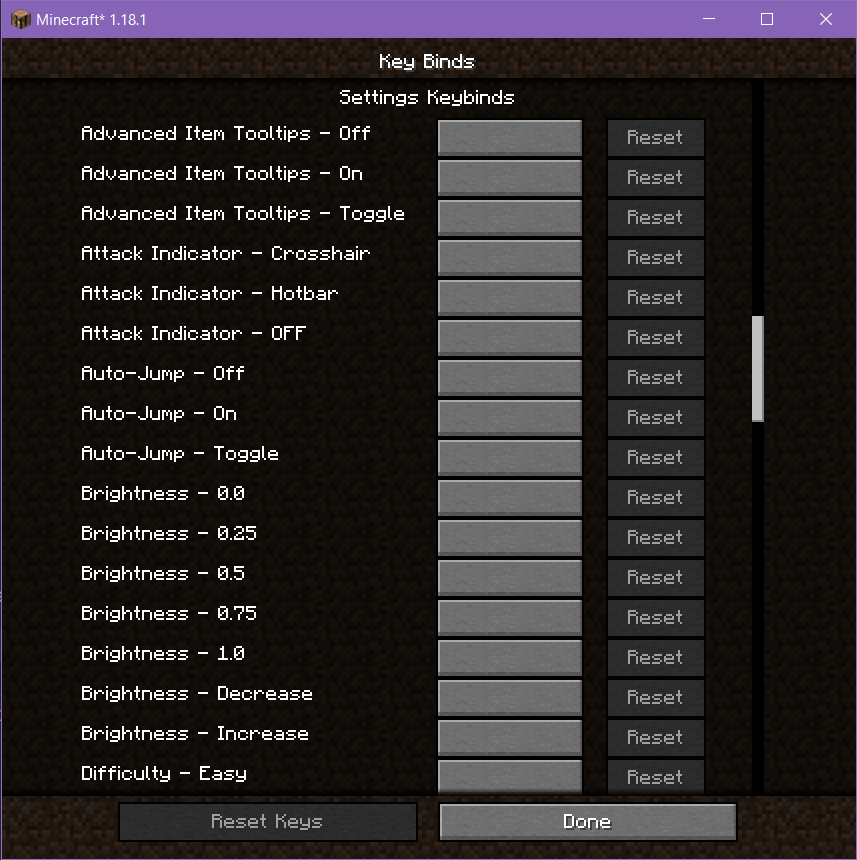 Keybinds added to the controls screen
Versions
Files
Relations
Project Relations
More like this
Similar Mods
Suggestions use data such as tags, dependencies, dependents, descriptions, titles, and more to rank how much they overlap with this mod.
On ModDex
Community snapshot
By the numbers
Statistics
Want to reach Minecraft players?
We're looking for a server hosting partner to feature here and other parts of the site. Interested? Send us a message!
Get in touchGet it on
Available Platforms
On ModDex
Community snapshot
By the numbers