Community listing page, reviews here may not be monitored by the author.
SG Tracks


No reviews yet
SG Tracks adds tracks that work like regular wheels for Create Aeronautics. You don't need any extra mounting blocks — just place the tracks directly on your machine and build your contraption.
Community voices
Reviews
No reviews yet. Be the first to review this project!
Get it on
Available Platforms
Compatibility
Supported Environments
Must be installed on both the client and the server.
About
Project Details
For authors
Embed Badge
If you're the author of this project, you can embed a live badge anywhere that supports HTML or Markdown. It updates automatically whenever ratings change.
Use HTML for any page that supports it, or Markdown for README files and Markdown-based descriptions.
Identifiers
Platform IDs
Resources
External Links
About
Description
SG Tracks
Adds simple tracks for your Create Aeronautics builds.
No extra mounts needed. Just place the tracks directly on your machine.
Features:
- Tracks work like wheels — your vehicle can move
- No separate mounting blocks required
- Adjustable track size
Requirements:
- Create Aeronautics
- Create 1.21.1 for NeoForge
How to use:
How to build a track:
- Place a Drive Wheel at your power connection point
- Add Support Wheels in a straight line
- Place another Drive Wheel at the opposite end
- Apply rotation — the track will move
Tools:
- Large Tool — affects the whole track at once
- Small Tool — affects only one track block
Controls:
- Right-click on track — increase value
- Shift + Right-click on air — switch mode (Size / Suspension)
- Shift + Right-click on track — decrease value
- Right-click with a Create Wrench to hide the wheels
- Select "Reset" mode with the Large Tool and right-click on the track to reset it
- Select "Track Position" mode and right-click on the upper part of the track to move it
Size rule:
If 50% or more of your Support Wheels share the same size, the entire track automatically changes to that size.
Important:
Track load capacity depends on your contraption's mass. Heavier vehicles need more tracks or stronger suspension.
⚠️ This mod is in beta testing. If you find a bug, please report it on Discord
SG Tracks
Adds simple tracks for your Create Aeronautics builds.
No extra mounts needed. Just place the tracks directly on your machine.
Features:
-
Tracks work like wheels — your vehicle can move
-
No separate mounting blocks required
-
Adjustable track size
Requirements:
-
Create Aeronautics
-
Create 1.21.1 for NeoForge
How to use:
How to build a track:
-
Place a Drive Wheel at your power connection point
-
Add Support Wheels in a straight line
-
Place another Drive Wheel at the opposite end
-
Apply rotation — the track will move
Tools:
-
Large Tool — affects the whole track at once
-
Small Tool — affects only one track block
Controls:
-
Shift + Right-click on air — switch mode (Size / Suspension)
-
Right-click on track — increase value
-
Shift + Right-click on track — decrease value
-
Right-click with a Create Wrench to hide the wheels
-
Select "Reset" mode with the Large Tool and right-click on the track to reset it
-
Select "Track Position" mode and right-click on the upper part of the track to move it
Size rule:
If 50% or more of your Support Wheels share the same size, the entire track automatically changes to that size.
Important:
Track load capacity depends on your contraption's mass. Heavier vehicles need more tracks or stronger suspension.
⚠️ This mod is in beta testing. If you find a bug, please report it on Discord
Screenshots
Gallery
-
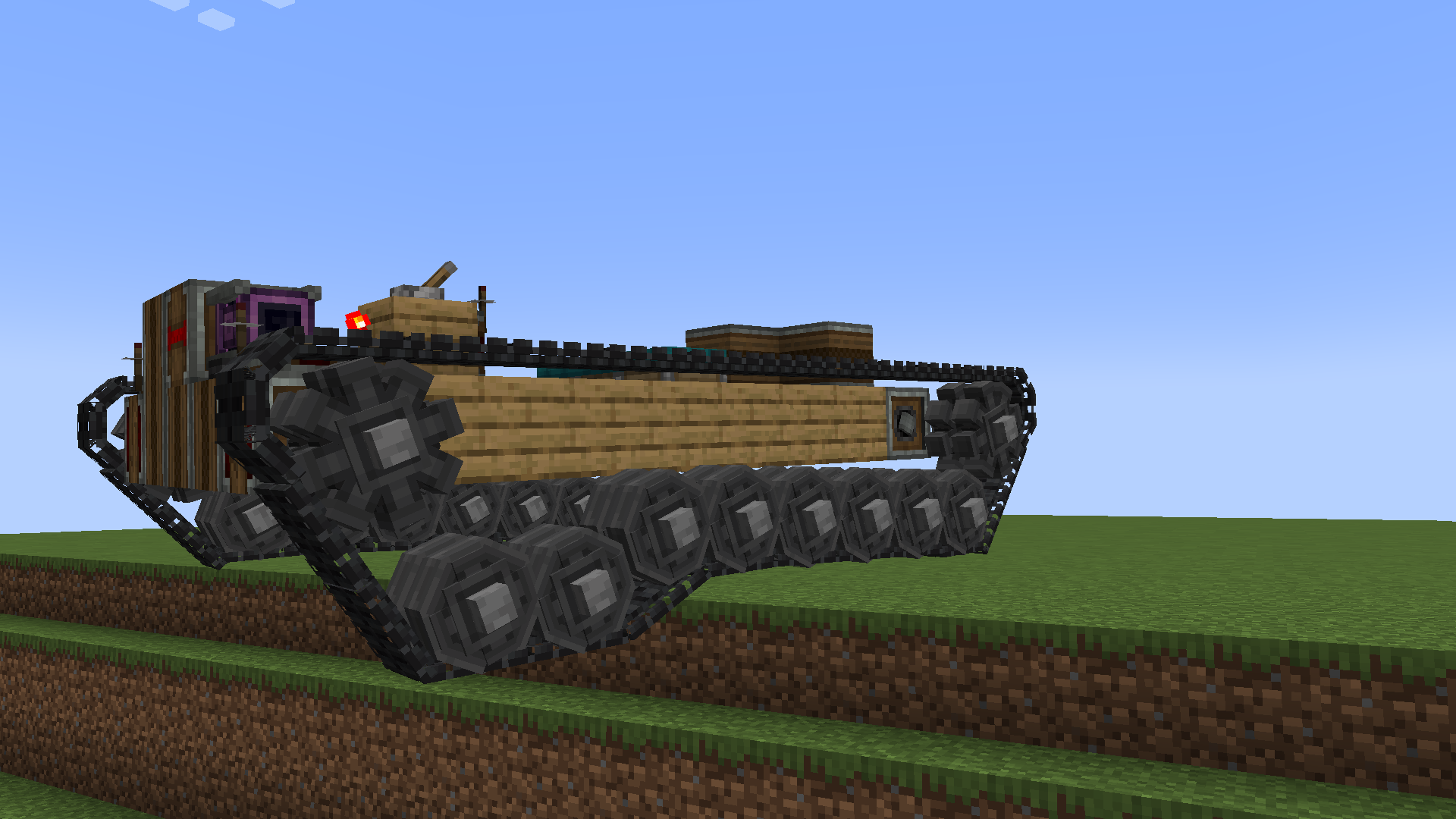 Example of using tracks
 -
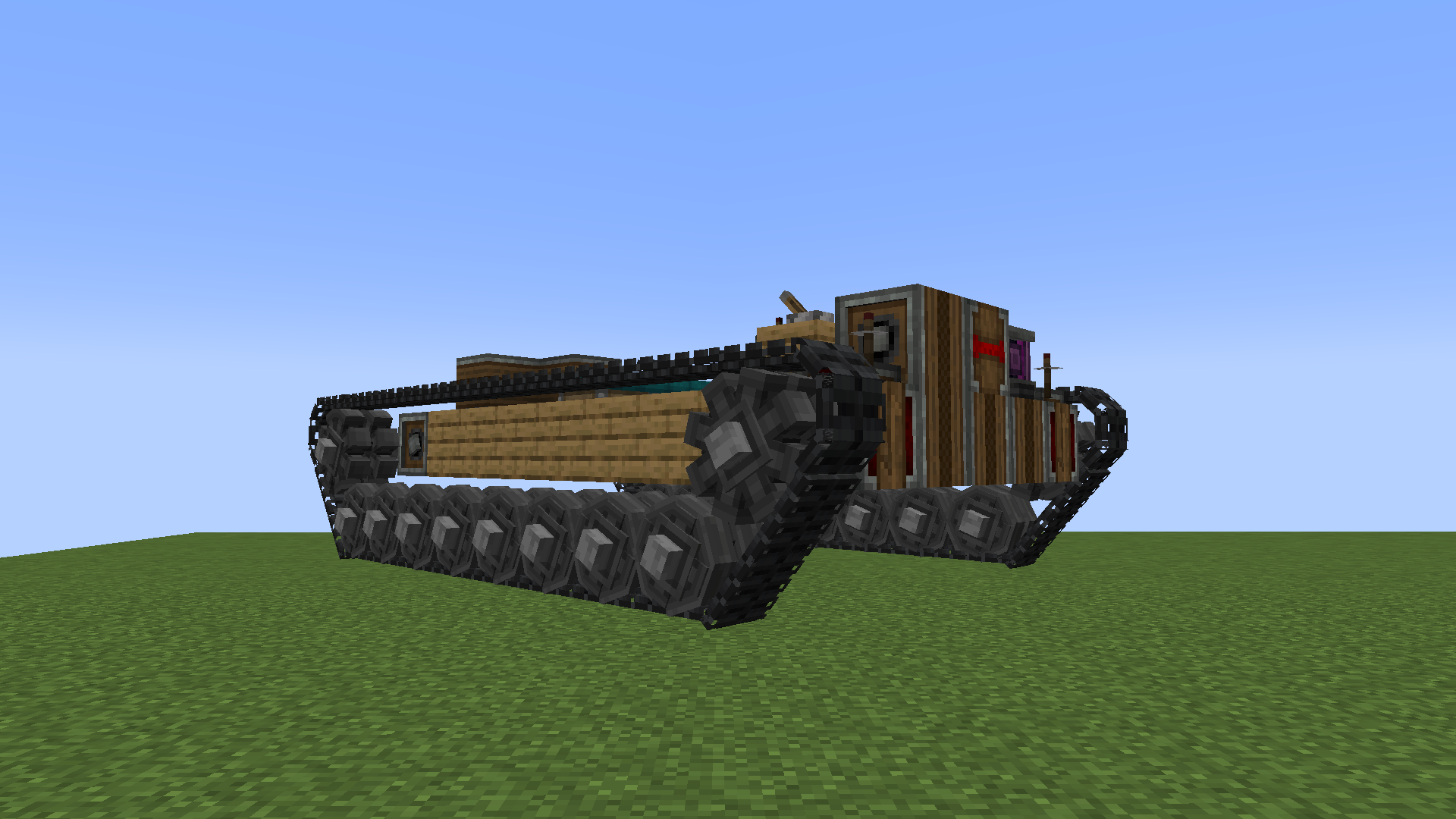 Example of using tracks
 -
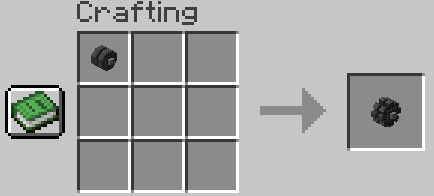 Recipe for tracks
 -
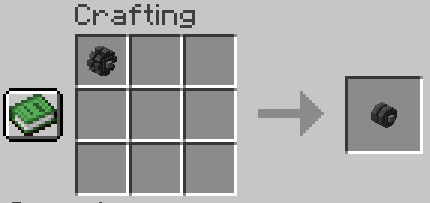 Recipe for tracks
 -
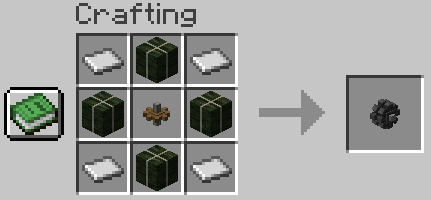 Recipe for tracks
 -
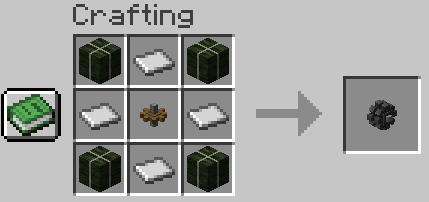 Recipe for tracks
 -
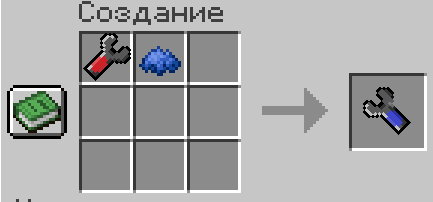 Recipe for a point tool
 -
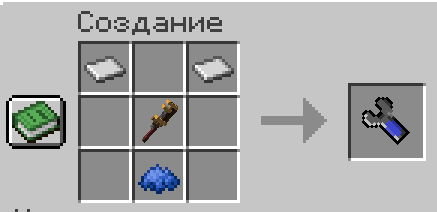 Recipe for a point tool
 -
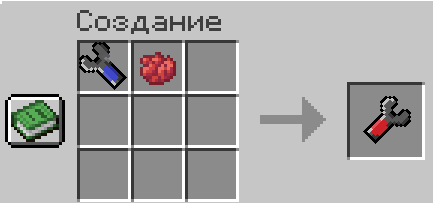 Recipe for a large tool
 -
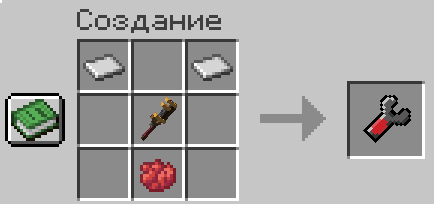 Recipe for a large tool
-
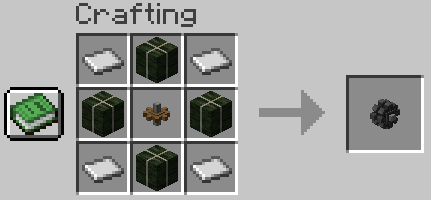 Recipe for tracks
 -
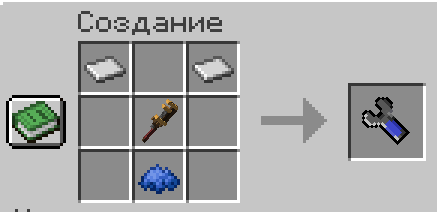 Recipe for a point tool
 -
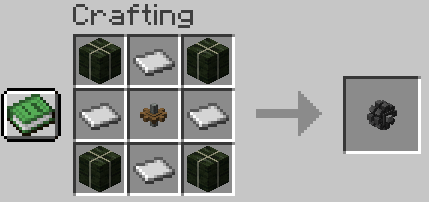 Recipe for tracks
 -
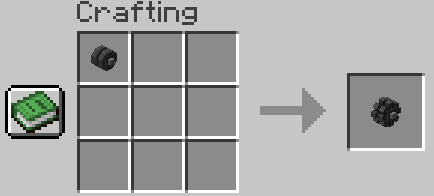 Recipe for tracks
 -
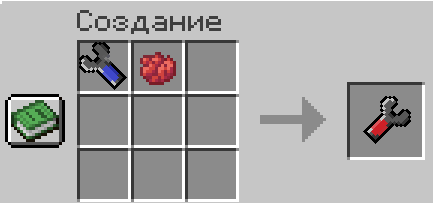 Recipe for a large tool
 -
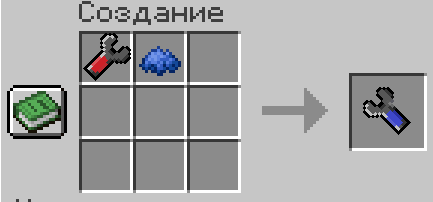 Recipe for a point tool
 -
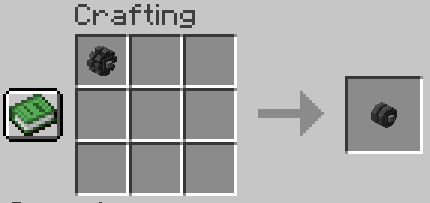 Recipe for tracks
 -
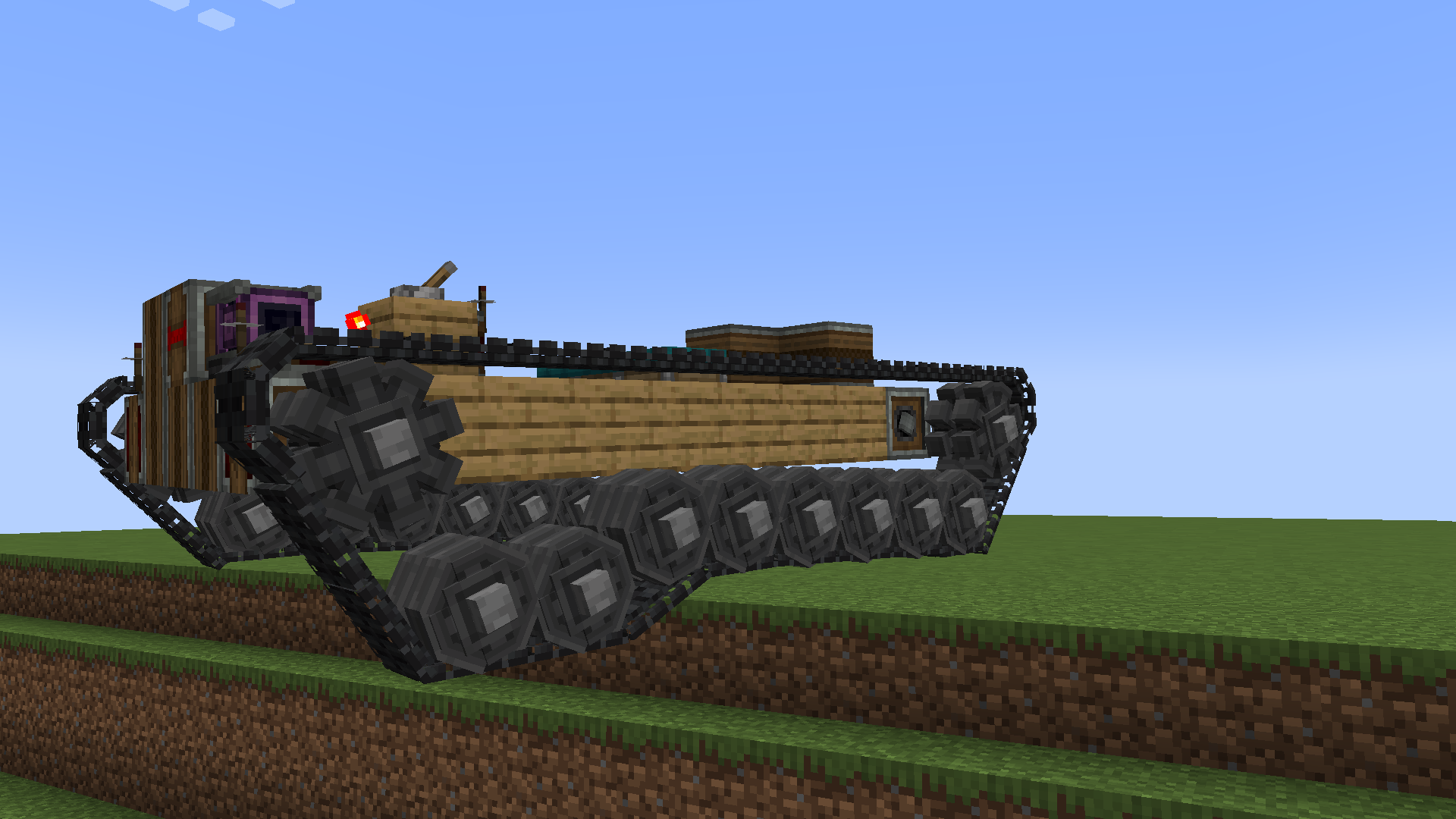 Example of using tracks
 -
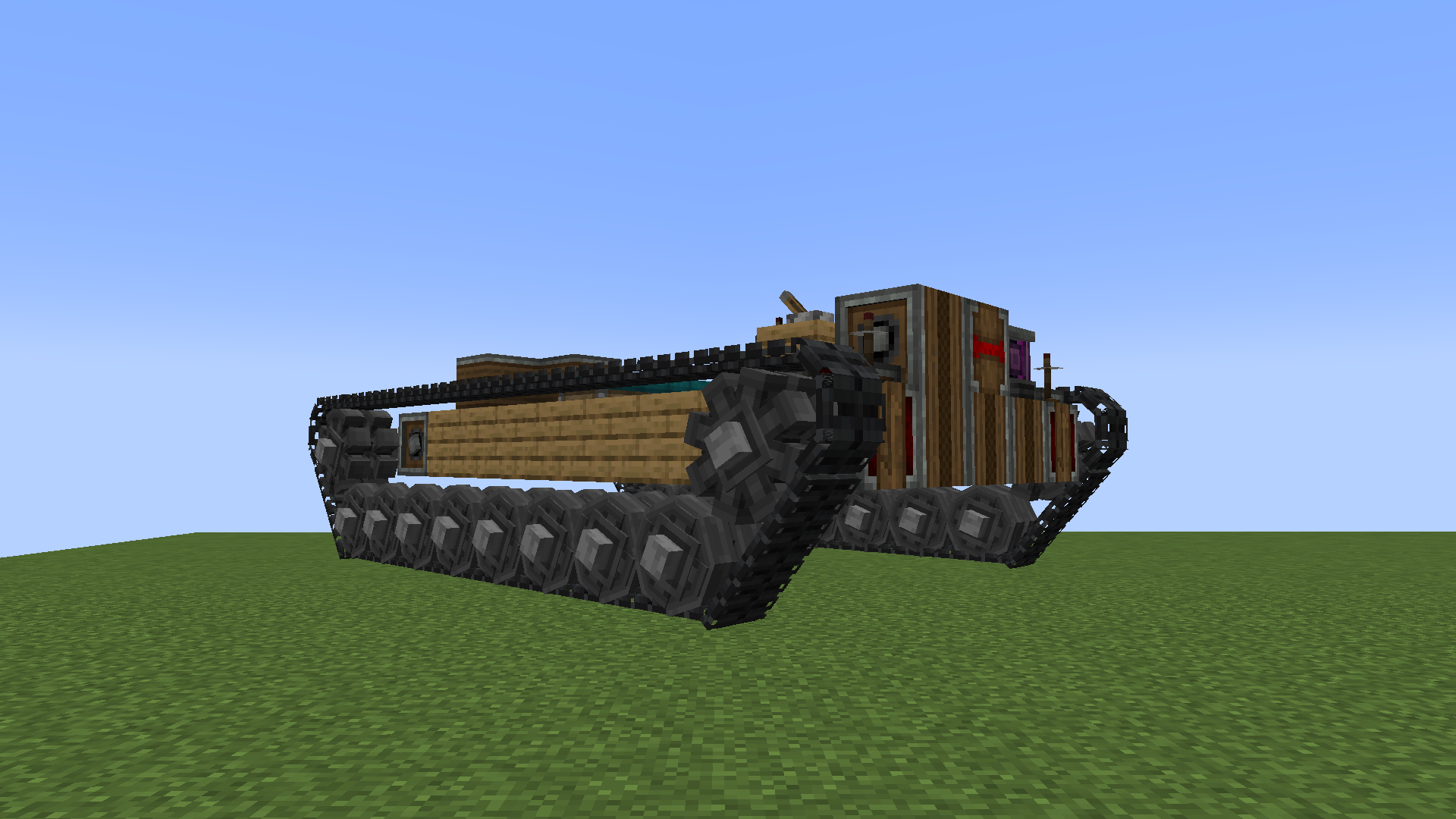 Example of using tracks
 -
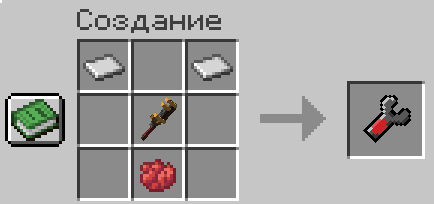 Recipe for a large tool
Versions
Files
Relations
Project Relations
More like this
Similar Mods
Suggestions use data such as tags, dependencies, dependents, descriptions, titles, and more to rank how much they overlap with this mod.
On ModDex
Community snapshot
By the numbers
Statistics
Want to reach Minecraft players?
We're looking for a server hosting partner to feature here and other parts of the site. Interested? Send us a message!
Get in touchGet it on
Available Platforms
On ModDex
Community snapshot
By the numbers
Statistics
Resources