
Community listing page, reviews here may not be monitored by the author.
shared-folder-skins

No reviews yet
Share local PNG skins from config/sharedskins with other players on a Fabric server.
Community voices
Reviews
No reviews yet. Be the first to review this project!
Get it on
Available Platforms
Compatibility
Supported Environments
Must be installed on both the client and the server.
About
Project Details
For authors
Embed Badge
If you're the author of this project, you can embed a live badge anywhere that supports HTML or Markdown. It updates automatically whenever ratings change.
Use HTML for any page that supports it, or Markdown for README files and Markdown-based descriptions.
Identifiers
Platform IDs
Resources
External Links
About
Description
Description
# Shared Folder Skins

Shared Folder Skins lets players use a local PNG skin from `config/sharedskins` and share it with other players on the same Fabric server.

It is meant for small servers, friends, private modpacks, LAN worlds, and anyone who wants quick shared skins without external accounts, web services, launchers, or resource pack setup.

## Features

- Loads PNG skins from `config/sharedskins`
- Shares your selected skin with other players who also have the mod installed
- Works on Fabric servers and integrated singleplayer worlds
- Supports classic and slim arm models
- Supports HD skins from `64x64` up to `2048x2048`
- Updates while connected when you replace or remove the PNG
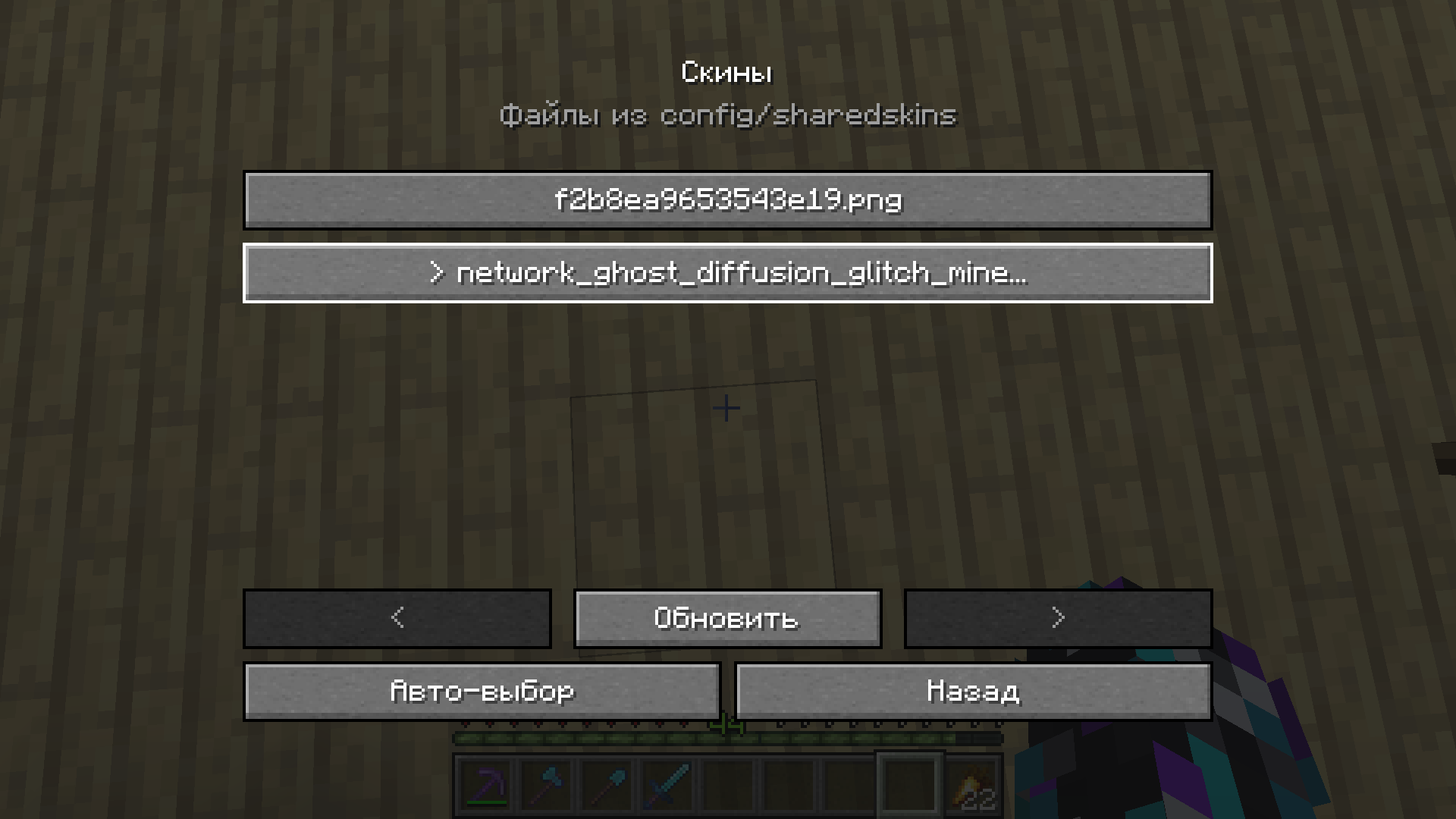
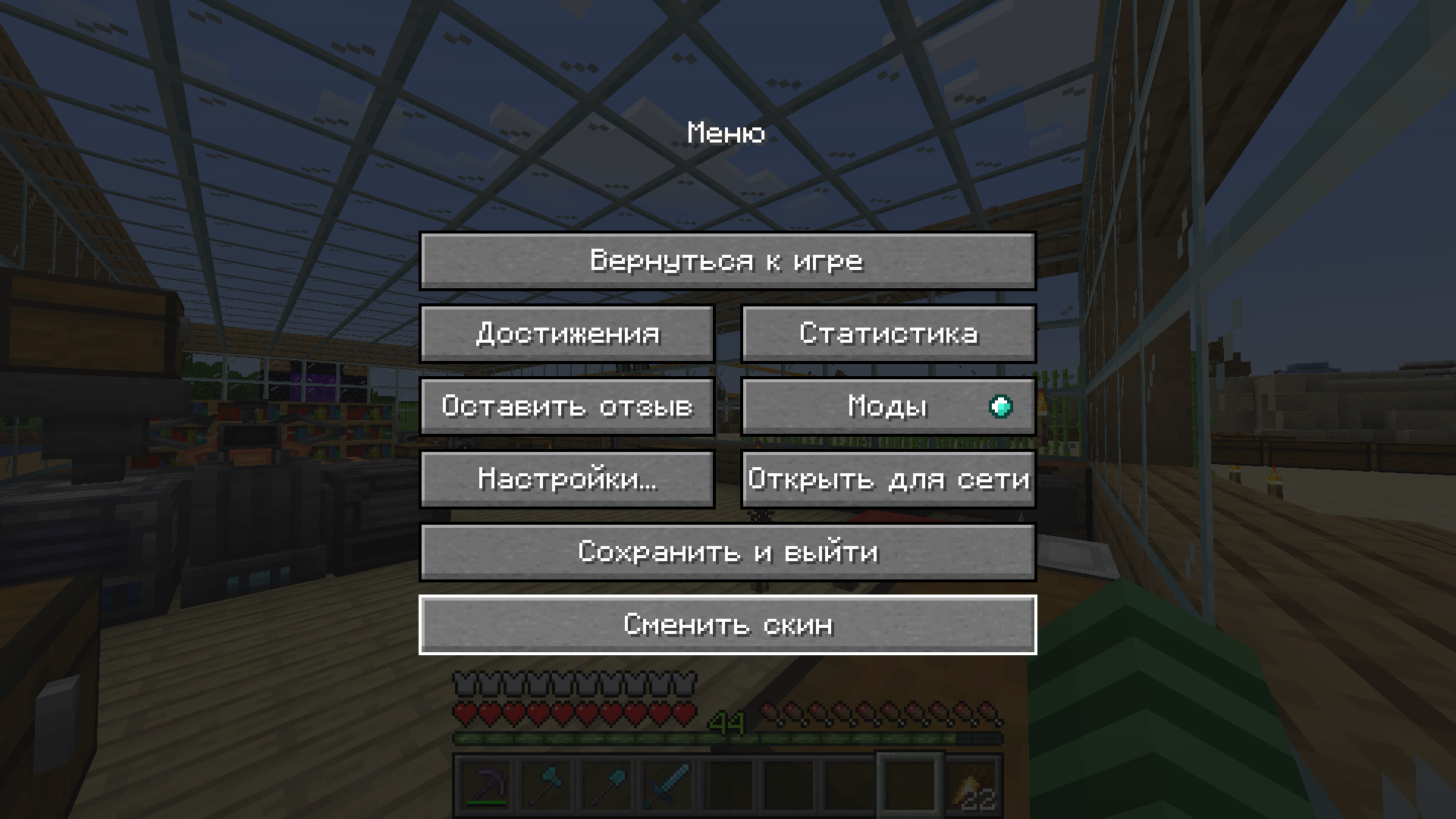
- Includes an in-game skin picker in the pause menu
- Saves the selected skin in `config/sharedskins/selected.txt`
- Preserves capes and elytra textures

## Setup

Install the matching jar on the server and on every client that should send or see shared skins.

Start the client once. The mod creates:

```text
config/sharedskins
Put a PNG skin in that folder.
Recommended file names:
skin.png
skin_slim.png
skin_slim.png uses the slim arm model. If no skin is manually selected, the mod checks these names first:
skin_slim.png
slim.png
skin.png
If none of those exist, it uses the first PNG in the folder.
In-game skin picker
Open the pause menu and press:
Change Skin
Pick any PNG from config/sharedskins to apply it immediately.
Use auto-select to return to the default file priority.
Requirements
- Fabric Loader
- Fabric API
- Java 17 for Minecraft 1.20 to 1.20.4
- Java 21 for Minecraft 1.20.5 and newer
Supported versions
This release line supports:
1.20 - 1.21.11
Use the jar that matches your exact Minecraft version.
Notes
- A vanilla server cannot relay shared skins. The server must have the mod installed.
- Other players must also have the mod installed to see shared skins.
- PNG files larger than
8 MiBare ignored. - The mod only replaces the player body skin. Capes and elytra textures stay unchanged.
Screenshots
Gallery
Versions
Files
Relations
Project Relations
More like this
Similar Mods
Suggestions use data such as tags, dependencies, dependents, descriptions, titles, and more to rank how much they overlap with this mod.
On ModDex
Community snapshot
By the numbers
Statistics

Want to reach Minecraft players?
We're looking for a server hosting partner to feature here and other parts of the site. Interested? Send us a message!
Get in touchGet it on
Available Platforms
On ModDex
Community snapshot
By the numbers
Statistics
Resources