![Shulker Box Tooltip [Fabric/Forge/NeoForge]](https://media.forgecdn.net/avatars/thumbnails/850/113/256/256/638251427406536090.png)
Community listing page, reviews here may not be monitored by the author.
Shulker Box Tooltip [Fabric/Forge/NeoForge]


What's in my shulker box?

Community voices
Reviews
No reviews yet. Be the first to review this project!
Get it on
Available Platforms
Compatibility
Supported Environments
Required on the client. Installing it on the server adds functionality.
About
Project Details
For authors
Embed Badge
If you're the author of this project, you can embed a live badge anywhere that supports HTML or Markdown. It updates automatically whenever ratings change.
Use HTML for any page that supports it, or Markdown for README files and Markdown-based descriptions.
Identifiers
Platform IDs
About
Description
This mod allows you to see a preview window of a shulker box contents when hovering above it in an inventory by pressing shift.
Supports both Fabric and MinecraftForge
Downloads
Fabric: 1.21.7 1.20.6 1.19.4 1.18.2 (old: 1.17.1 1.16.5 1.15.2 1.14.4)
MinecraftForge: 1.21.7 1.20.6 1.19.4 1.18.2
On Fabric:
Fabric Loader and Fabric API are required
Mod Menu is recommended (but not required) for in-game configuration
Features
Compact Preview
Press shift (by default) while hovering an item.
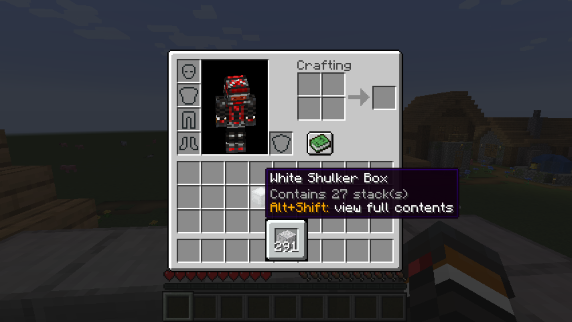
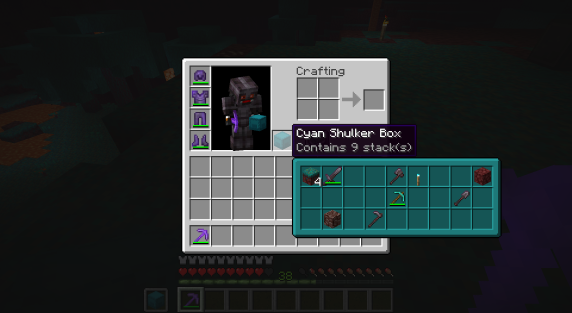
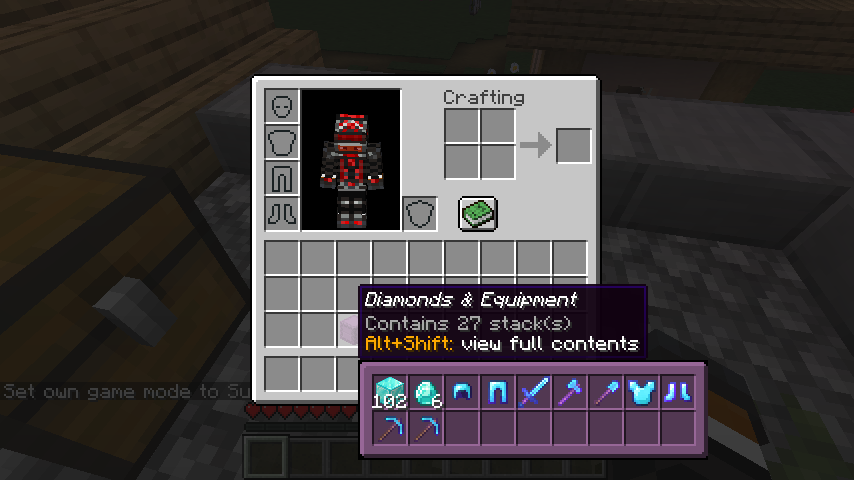
Full Preview
Press alt+shift (by default) while hovering an item to shows its full contents where each contained stack is displayed in the correct slot.
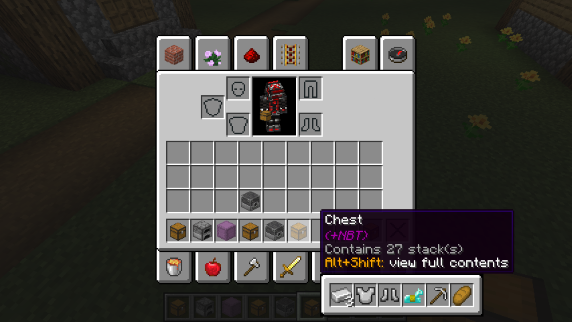
Other Containers
The preview also works with items obtained in creative mode using control + pick block such as chests, furnaces, barrels, etc...
Works with most modded containers as well.
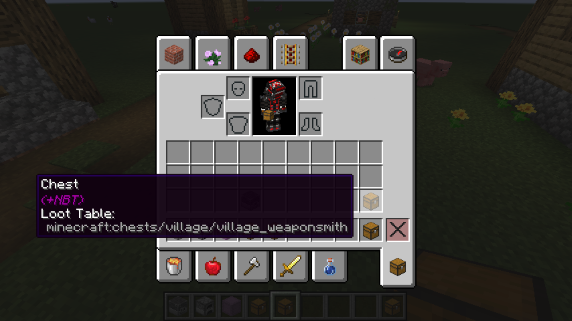
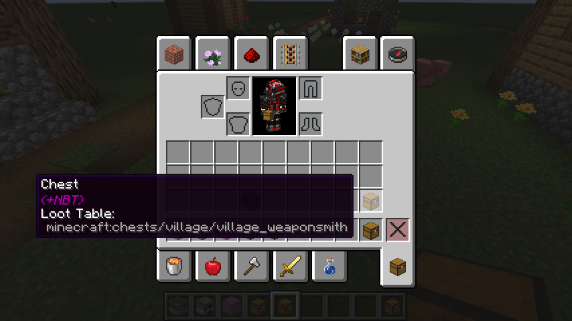
Loot Tables
The name of the loot table is displayed in the tooltip if the hovered item as one.
This option is disabled by default.
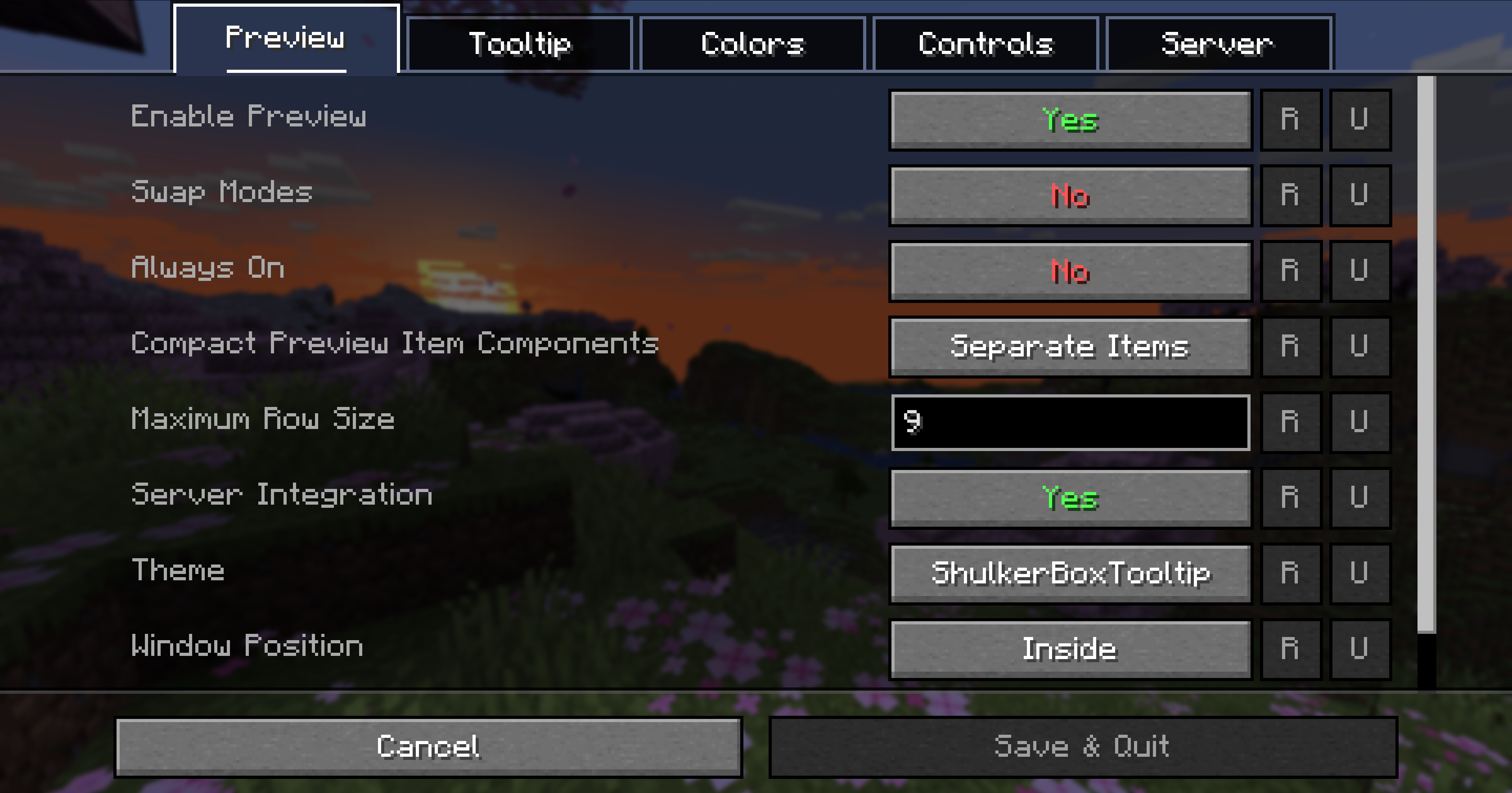
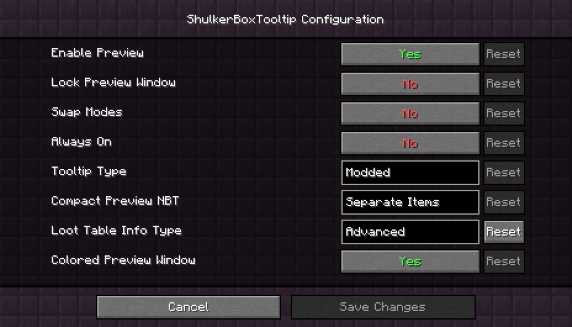
Configurability
Most aspects of the mod can be configured through the config menu. To access it, in the mod menu select ShulkerBoxTooltip an then click on the gear icon.
See the in game documentation or the wiki for info about each option. The config file can be found at <minecraft folder>/config/shulkerboxtooltip.json5
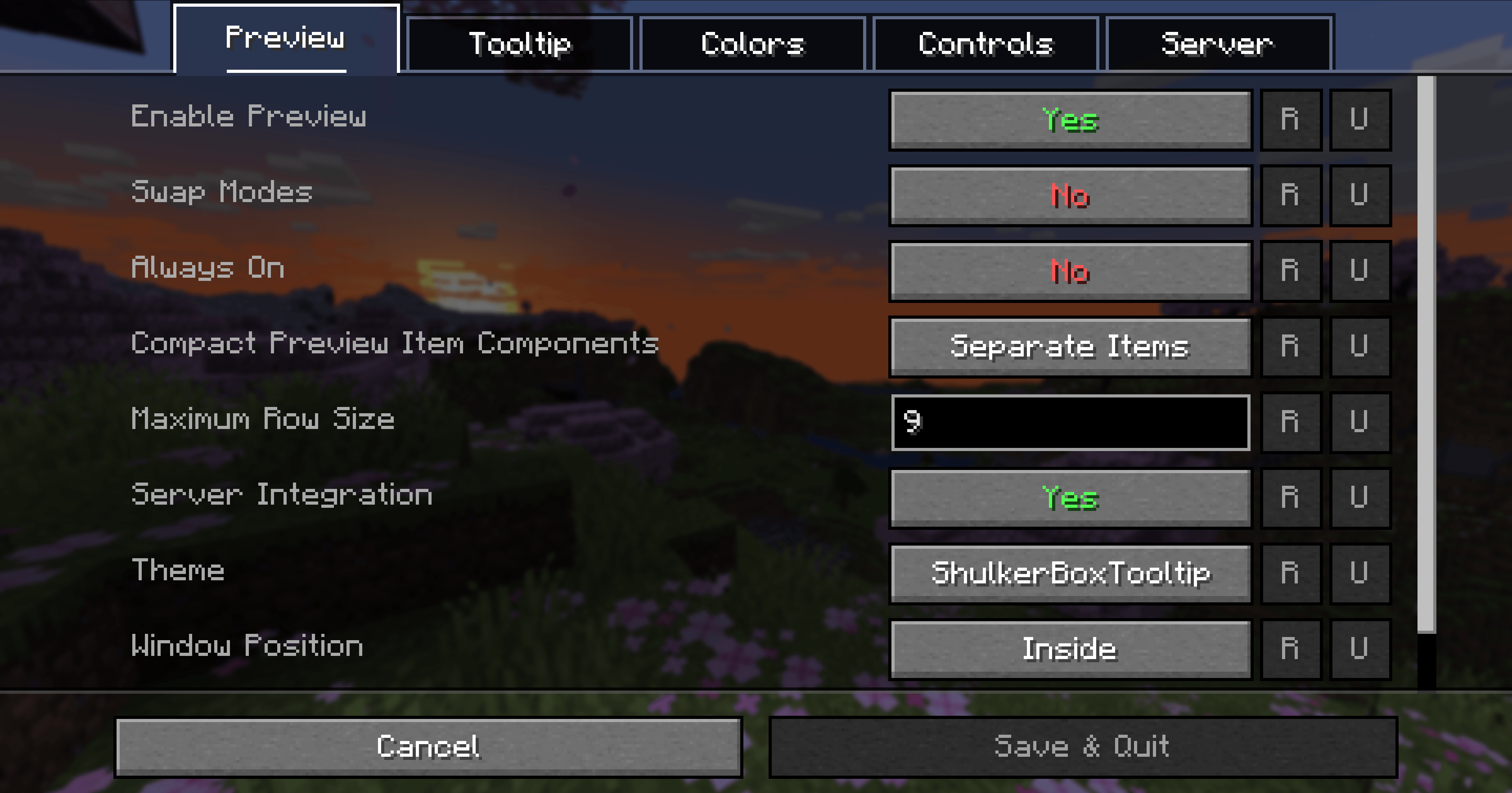
Colors!
The color of the preview window changes depending on the color of the shulker box, you can disable it in config.
Server support
The mod can also be installed server-side (optional) to provide extra features such as ender chest preview.
This mod allows you to see a preview window of a shulker box contents when hovering above it in an inventory by pressing shift.
Supports both Fabric and Forge
On Fabric:
Fabric Loader and Fabric API are required
Mod Menu is recommended (but not required) for in-game configuration
Features:
Compact Preview
Press shift (by default) while hovering an item.
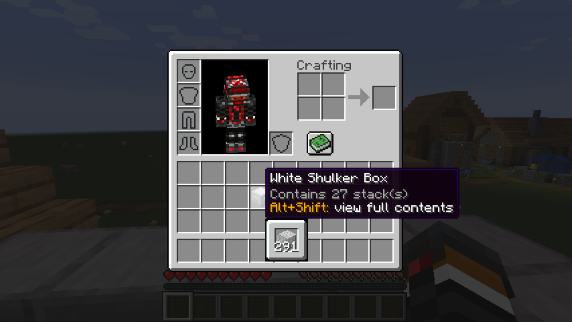
Full Preview
Press alt+shift (by default) while hovering an item to shows its full contents where each contained stack is displayed in the correct slot.
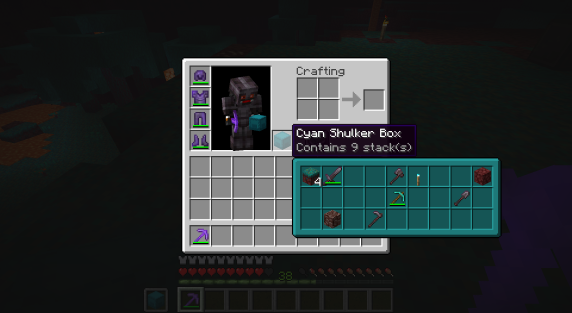
Other Containers
The preview also works with items obtained in creative mode using control + pick block such as chests, furnaces, barrels, etc...
Works with most modded containers as well.
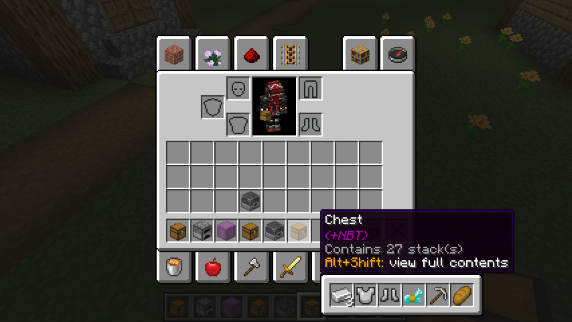
Loot Tables
The name of the loot table is displayed in the tooltip if the hovered item as one.
This option is disabled by default.
Configurability
Most aspects of the mod can be configured through the config menu. To access it, in the mod menu select ShulkerBoxTooltip and then click on the gear icon.
See the in game documentation or the wiki for info about each option. The config file can be found at <minecraft folder>/config/shulkerboxtooltip.json5
Colors!
The color of the preview window changes depending on the color of the shulker box, you can disable it in config.
Server support
The mod can also be installed server-side (optional) to provide extra features such as ender chest preview.
Screenshots
Gallery
-
 Full Preview
 -
Compact Preview
-
Other Containers Preview
-
Full Preview (Minecraft 1.16)
-
Loot Table Tooltip info
-
 Config Screen
 -
 Logo
Logo -
config-mk2.png Configuration Screen
-
Configuration Screen Featuring a plethora of options
-
 Logo
Logo -
Loot Table Tooltip Info Loot tables info may be enabled in the config
-
Full Preview
-
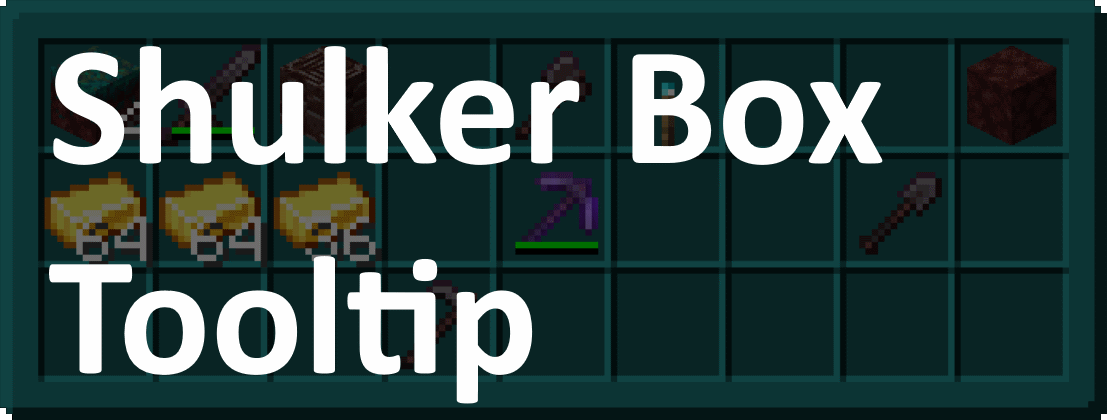 Logo (Old)
 -
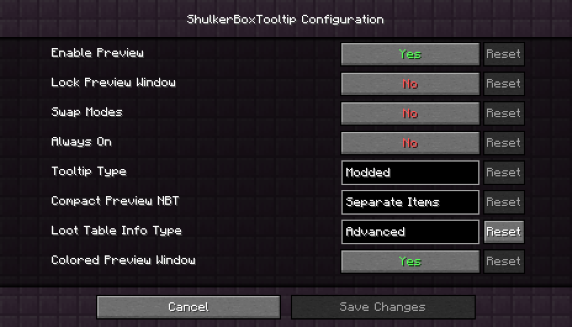 Config Screen
 -
Other Containers Preview Creative picked containers can be previewed
-
Compact Preview
Versions
Files
Relations
Project Relations
More like this
Similar Mods
Suggestions use data such as tags, dependencies, dependents, descriptions, titles, and more to rank how much they overlap with this mod.
On ModDex
Community snapshot
By the numbers
Statistics
 (opens in a new tab)
Get it on
Available Platforms
On ModDex
Community snapshot
By the numbers