
Community listing page, reviews here may not be monitored by the author.
Simple Close Button


No reviews yet
Adds a close button to most inventory screens.
Community voices
Reviews
No reviews yet. Be the first to review this project!
Get it on
Available Platforms
Compatibility
Supported Environments
Runs entirely on the client. Works on vanilla servers.
About
Project Details
For authors
Embed Badge
If you're the author of this project, you can embed a live badge anywhere that supports HTML or Markdown. It updates automatically whenever ratings change.
Use HTML for any page that supports it, or Markdown for README files and Markdown-based descriptions.
Identifiers
Platform IDs
About
Description
Simple Close Button
Adds a close button to inventory screens. As of version 3.0, you can add and remove which screens have the button, as well as change it's position and it should work with all vanilla-based implementations of a recipe book, all through the Mod Menu config, made with YACL.
Keep in mind that you will need to know the class path of whichever screen, vanilla or modded, that you want to add a button to in the config.
If you are just a casual user, you shouldn't have to worry about any of that, though. All the vanilla screens that this mod should apply to are included by default.
If you wish to make (and distibute) a resource pack that changes the textures of the button, feel free to do so. The textures are stored under /assets/close-btn/textures/gui/sprites/widget/. The indevidual textures are named "close_button.png" and "close_button_highlighted.png".
You may use this mod in modpacks as you like. Version 3.0 was specifically meant to add better support for this.
Simple Close Button
Adds a close button to inventory screens. As of version 3.0, you can add and remove which screens have the button, as well as change it's position and it should work with all vanilla-based implementations of a recipe book, all through the Mod Menu config, made with YACL.
Keep in mind that you will need to know the class path of whichever screen, vanilla or modded, that you want to add a button to in the config.
If you are just a casual user, you shouldn't have to worry about any of that, though. All the vanilla screens that this mod should apply to are included by default.
If you wish to make (and distibute) a resource pack that changes the textures of the button, feel free to do so. The textures are stored under /assets/close-btn/textures/gui/sprites/widget/. The indevidual textures are named "close_button.png" and "close_button_highlighted.png".
You may use this mod in modpacks as you like. Version 3.0 was specifically meant to add better support for this.
Screenshots
Gallery
-
 Crafting Table The crafting table gui with the mod while hovering the mouse over the close button
 -
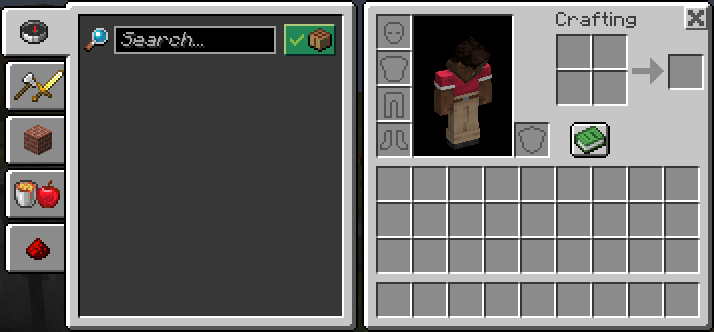 Inventory Inventory with the mod enabled
 -
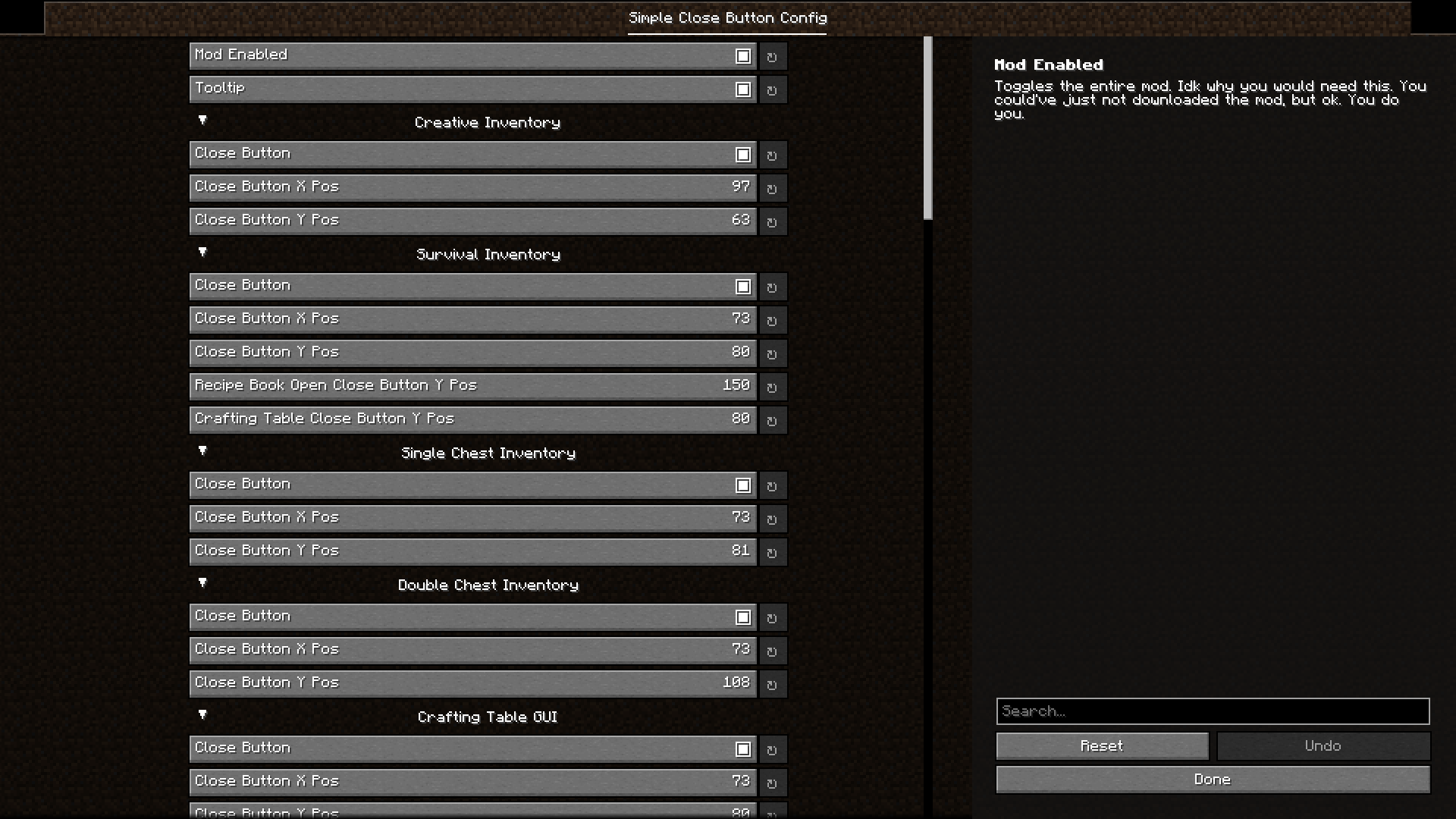 Config Screen The modmenu config screen made possible with the YACL library
 -
 Icon A higher resolution image of the in-game sprite
-
 Icon A higher resolution image of the in-game sprite
 -
 Config Screen The modmenu config screen made possible with the YACL library
 -
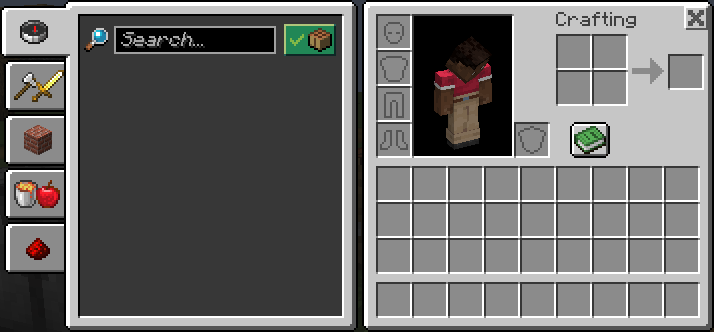 Inventory Inventory with the mod enabled
 -
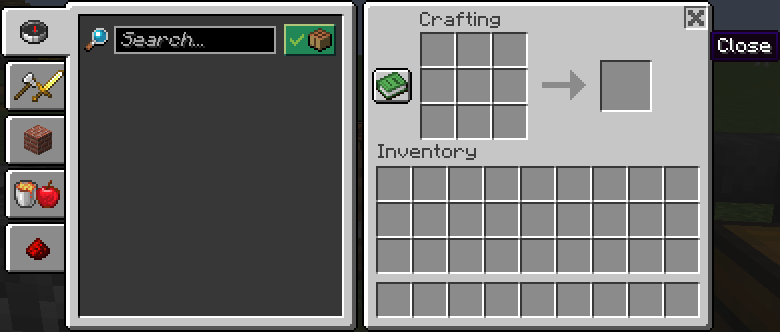 Crafting Table The crafting table gui with the mod while hovering the mouse over the close button
Versions
Files
Relations
Project Relations
More like this
Similar Mods
Suggestions use data such as tags, dependencies, dependents, descriptions, titles, and more to rank how much they overlap with this mod.
On ModDex
Community snapshot
By the numbers
Statistics
Want to reach Minecraft players?
We're looking for a server hosting partner to feature here and other parts of the site. Interested? Send us a message!
Get in touchGet it on
Available Platforms
On ModDex
Community snapshot
By the numbers