
Community listing page, reviews here may not be monitored by the author.
Simple Server Backups

No reviews yet
Complete and secure backups for your server, using in-game commands, with permissions and automatic backups.
Community voices
Reviews
No reviews yet. Be the first to review this project!
Get it on
Available Platforms
Compatibility
Supported Environments
Runs on a dedicated server only; does not work in singleplayer.
About
Project Details
For authors
Embed Badge
If you're the author of this project, you can embed a live badge anywhere that supports HTML or Markdown. It updates automatically whenever ratings change.
Use HTML for any page that supports it, or Markdown for README files and Markdown-based descriptions.
Identifiers
Platform IDs
About
Description
Simple Server Backups
 Simple Server Backups is a lightweight and easy-to-use Minecraft server backup mod designed for Fabric. It allows server administrators to create, manage, and restore world backups directly from in-game commands, making it easy to protect your server data.
Features
-
Create backups instantly or with a custom name.
-
View a list of all available backups.
-
Check detailed information about any backup.
-
Delete old backups.
-
Schedule a backup restore (the server will stop and restore the selected backup on the next startup).
-
Reload the mod configuration without restarting the server.
-
Automatic daily backups at a fixed time you choose, plus a command to check how long is left until the next one.
-
Status messages (backup progress, completion, deletion, scheduled restores) are broadcast to every connected player, no matter who ran the command — even from the server console.
-
Available in English and Spanish, with more languages easy to add.
-
Fully configurable through a configuration file:
- Enable and configure the daily automatic backup time.
- Set the maximum number of backups to keep.
- Change the mod language.
- Customize the backups folder and compression level.
- Grant specific players access to backup commands without making them full server operators, by player name or UUID.
Commands
/backup– Creates an automatic backup using the current date and time as its name./backup create <name>– Creates a backup with a custom name./backup list– Lists all available backups with their size and creation date./backup info <name>– Displays detailed information about a backup./backup delete <name>– Deletes an existing backup./backup load <name>– Schedules a backup restoration and shuts down the server to apply it on the next startup./backup reload– Reloads the mod configuration./backup next– Shows how much time is left until the next automatic backup./backup help– Displays the list of available commands.
Requirements
- Fabric Loader
- Fabric API
Perfect for small and large servers that need a simple, reliable, and configurable backup solution.
Screenshots
Gallery
-
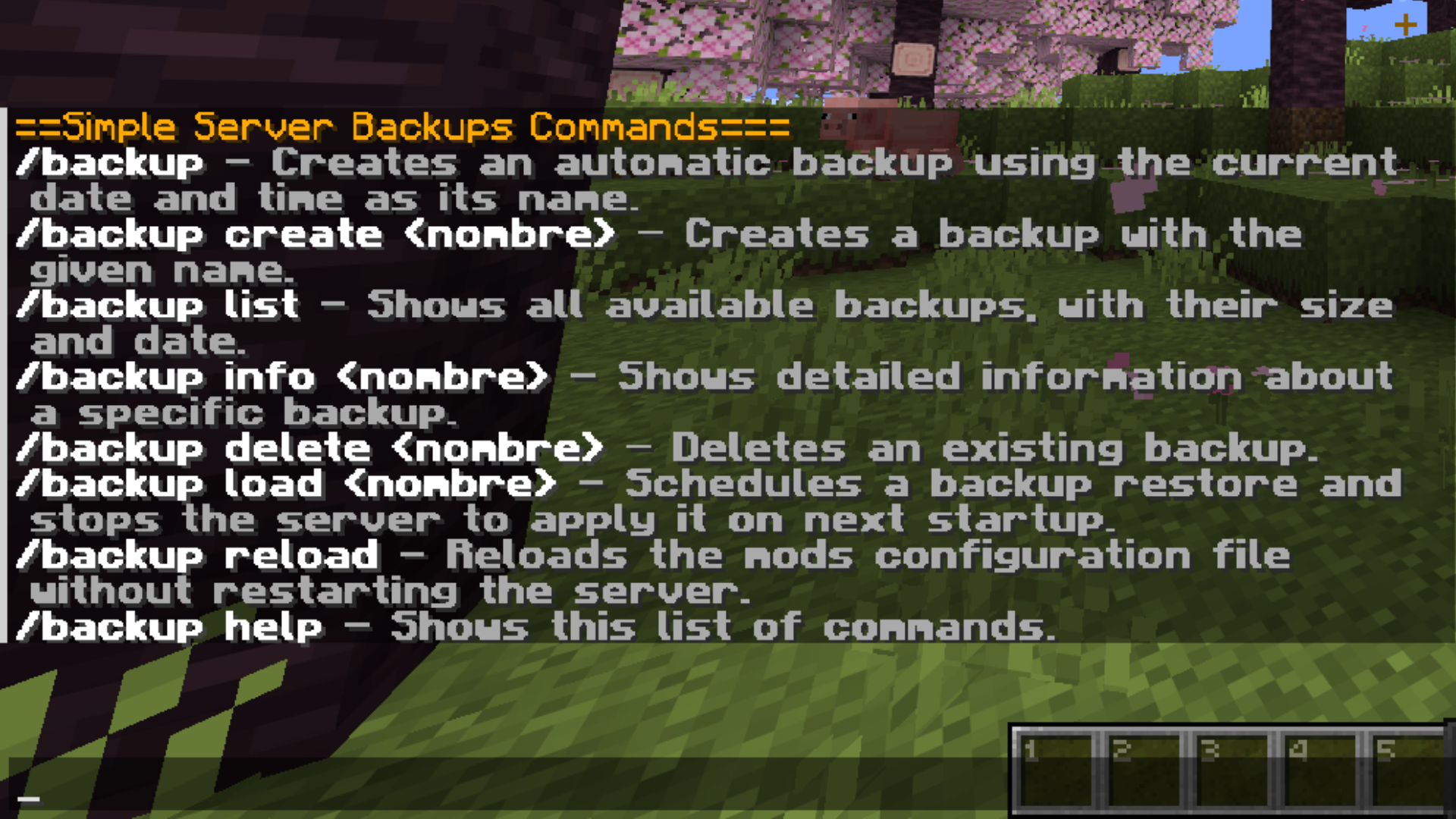 Mod Commands All mod commands with information about them
 -
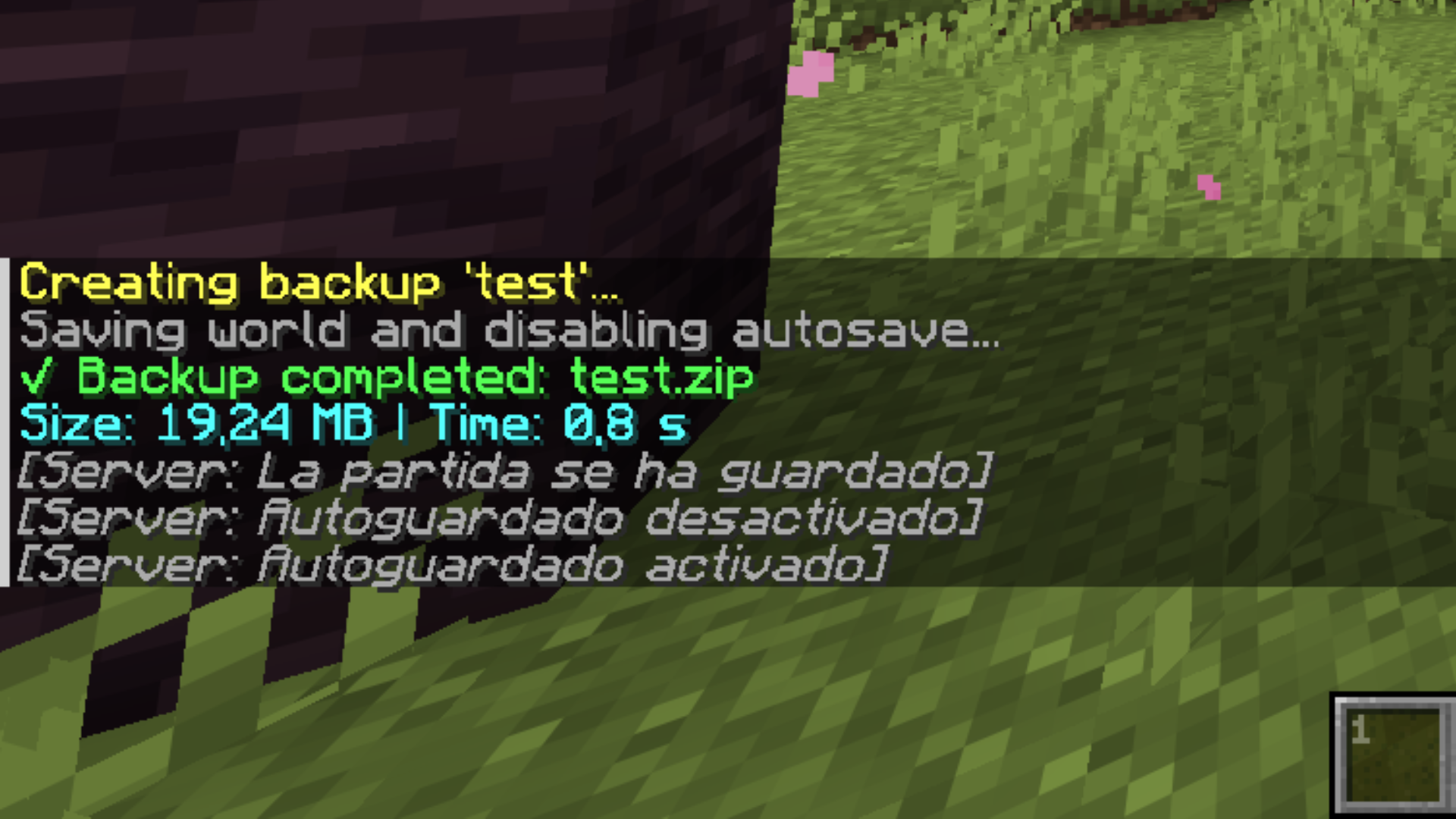 Creating Backup Creation of a backup along with information about it
Versions
Files
Relations
Project Relations
More like this
Similar Mods
Suggestions use data such as tags, dependencies, dependents, descriptions, titles, and more to rank how much they overlap with this mod.
On ModDex
Community snapshot
By the numbers
Statistics

Want to reach Minecraft players?
We're looking for a server hosting partner to feature here and other parts of the site. Interested? Send us a message!
Get in touchGet it on
Available Platforms
On ModDex
Community snapshot
By the numbers