
Community listing page, reviews here may not be monitored by the author.
Simple World Downloader


No reviews yet
Allows you to download worlds from servers.
Community voices
Reviews
No reviews yet. Be the first to review this project!
Get it on
Available Platforms
Compatibility
Supported Environments
Runs entirely on the client. Works on vanilla servers.
About
Project Details
For authors
Embed Badge
If you're the author of this project, you can embed a live badge anywhere that supports HTML or Markdown. It updates automatically whenever ratings change.
Use HTML for any page that supports it, or Markdown for README files and Markdown-based descriptions.
Identifiers
Platform IDs
About
Description
The saved world will be in the same folder as your singleplayer worlds.
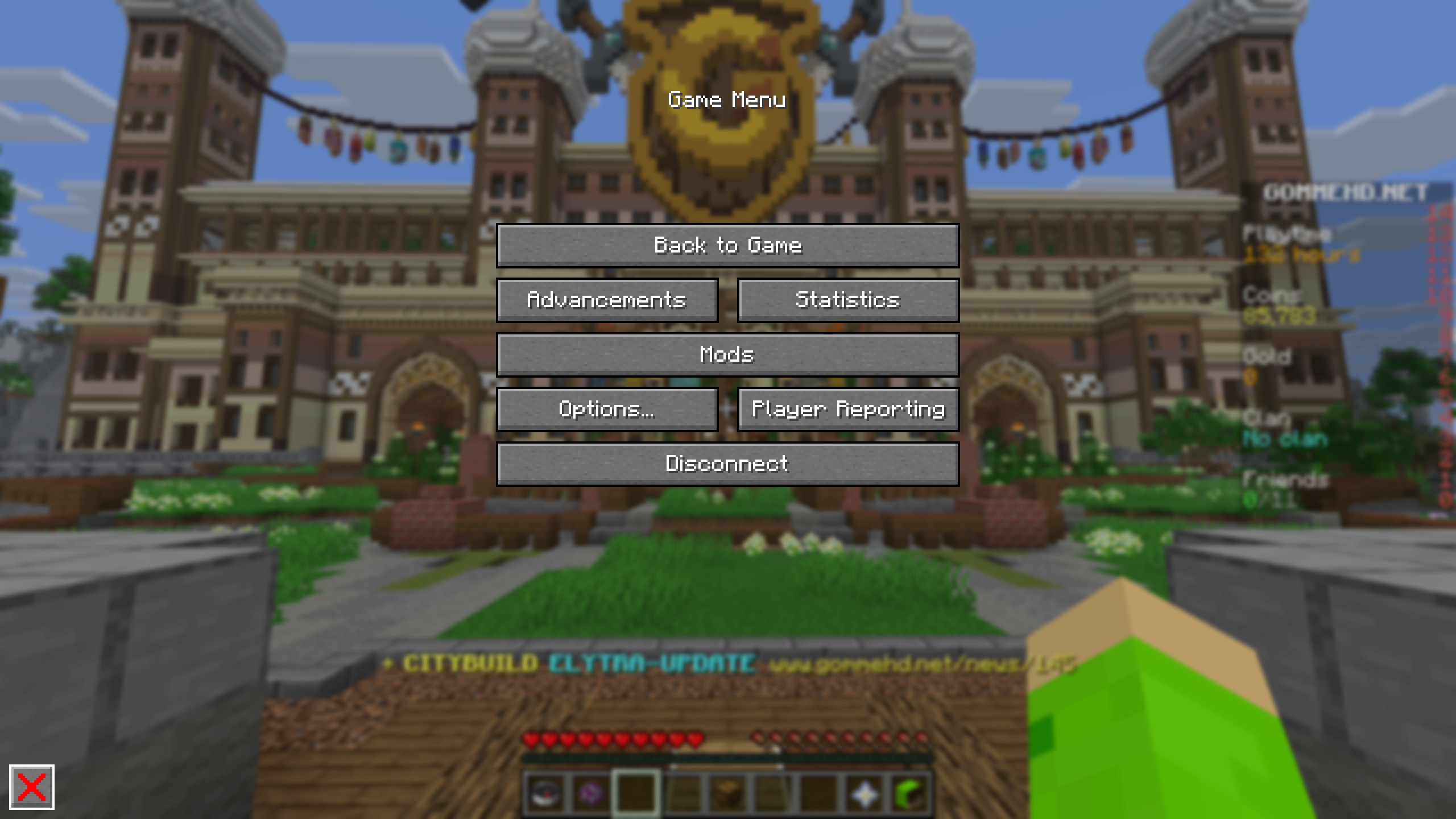
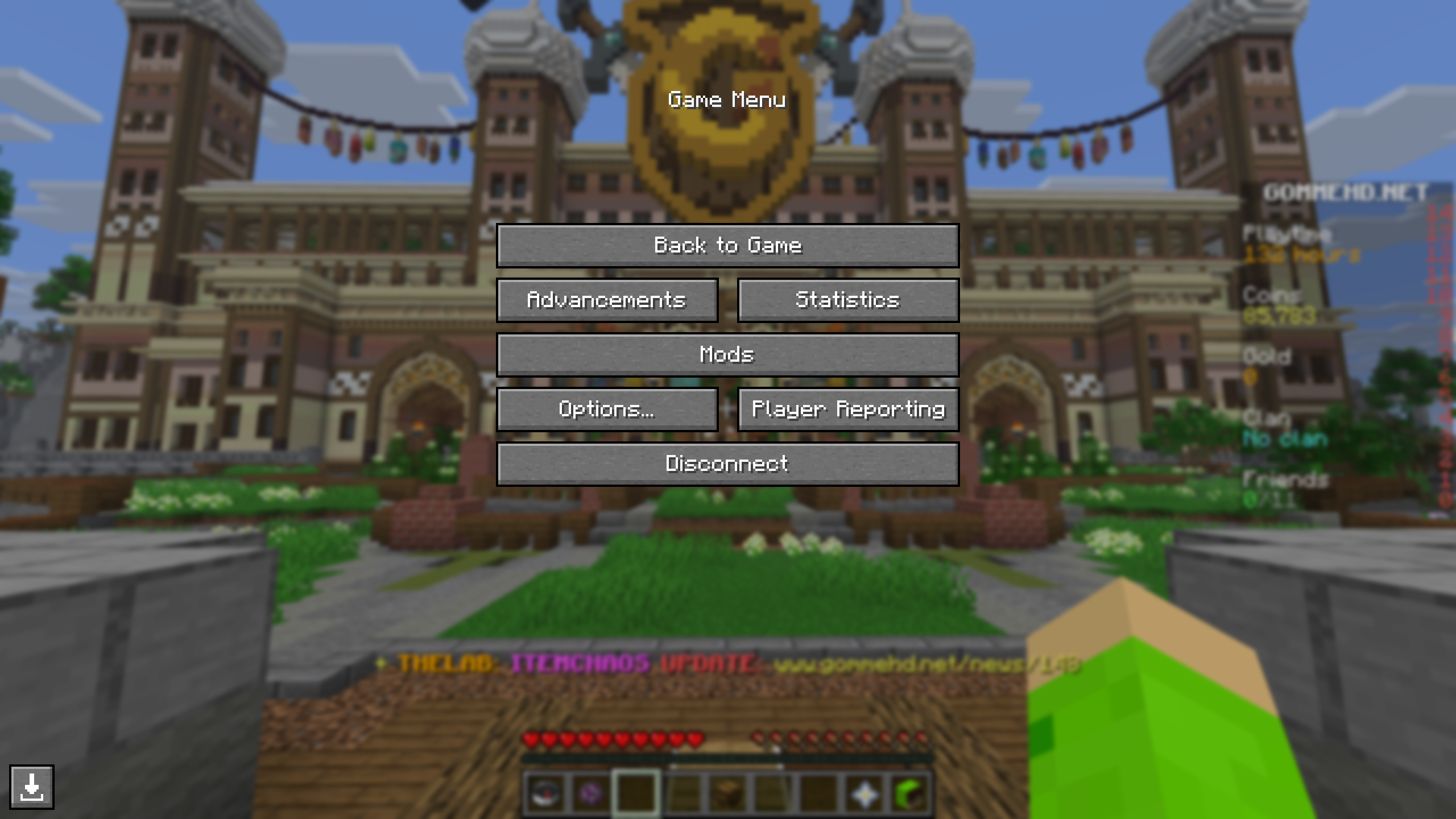
This Mod adds a button to the Escape-Menu which allows you to download a copy of the Server you are on to Singleplayer.
The Mod downloads:
- Blocks
- BlockEntities
- Resourcepacks
- Player Inventory
- Entities
- Enderchest Inventory
- Containers (Chests, Barrels, …)
- Villagers
- Advancements
- Statistics
Containers
Container inventories (Enderchest, Chests, Barrels, …) can only be saved if you open the inventory at least once while the world download is running. This is also true for Entitiy Inventories (like Villagers, Chestboats, Horses, …).
Advancements & Statistics
Advancements and Statistics can only be saved if the corresponding UI's are opened at least once while the download is running.
Fabric API
The Fabric API is required for this Mod to work. It can be downloaded here.
Config
Use "/swd config" to access the config.
Auto Downloading
Set whether worlds should be downloaded automatically on server joining.
Save world to
Set the name of the saved world. If a world with this name already exists, the new chunks overwrite parts of that world.
Flashback
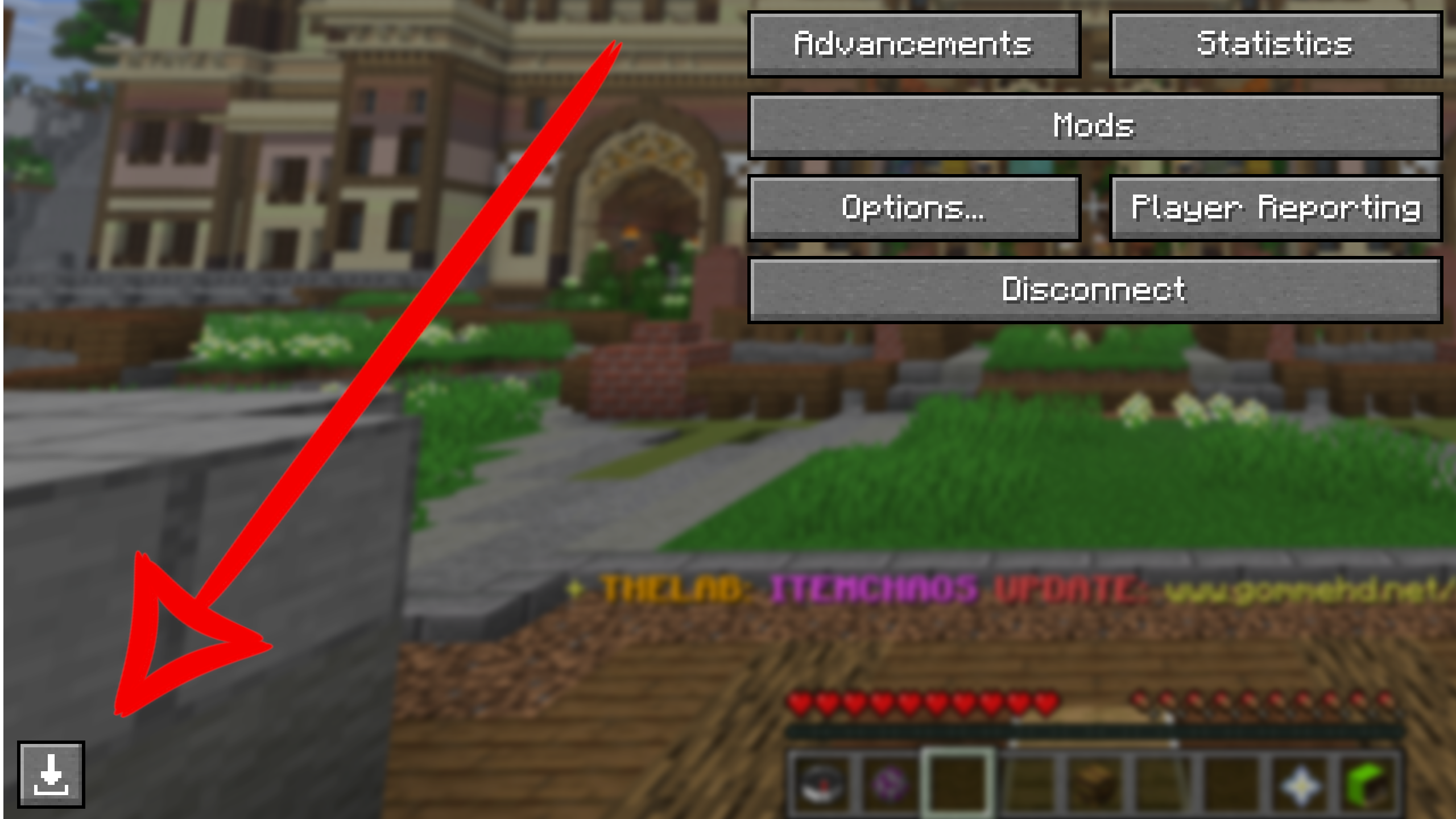
You can download the world from a Flashback recording. Just open the Flashback Replay Viewer in-game and press escape. There will be a download button in the bottom left.
Replay Mod
You can download the world from a Replay Mod recording. Just open the Replay Mod Replay Viewer in-game and press escape. There will be a download button in the bottom left.
Images
The saved world will be in the same folder as your singleplayer worlds.
This Mod adds a button to the Escape-Menu which allows you to download a copy of the Server you are on to Singleplayer.
The Mod downloads:
- Blocks
- BlockEntities
- Resourcepacks
- Player Inventory
- Entities
- Enderchest Inventory
- Containers (Chests, Barrels, ...)
- Villagers
- Advancements
- Statistics
Containers
Container inventories (Enderchest, Chests, Barrels, ...) can only be saved if you open the inventory at least once while the world download is running. This is also true for Entitiy Inventories (like Villagers, Chestboats, Horses, ...).
Advancements & Statistics
Advancements and Statistics can only be saved if the corresponding UI's are opened at least once while the download is running.
Fabric API
The Fabric API is required for this Mod to work. It can be downloaded here.
Config
Use "/swd config" to access the config.
Auto Downloading
Set whether worlds should be downloaded automatically on server joining.
Save world to
Set the name of the saved world. If a world with this name already exists, the new chunks overwrite parts of that world.
Flashback
You can download the world from a Flashback recording. Just open the Flashback Replay Viewer in-game and press escape. There will be a download button in the bottom left.
Replay Mod
You can download the world from a Replay Mod recording. Just open the Replay Mod Replay Viewer in-game and press escape. There will be a download button in the bottom left.
Images
Affiliate
If you are in need of a reliable Minecraft Server, you can support me by using my affiliate Link for Wisehosting or my discount code joker.
Thanks!

Screenshots
Gallery
Versions
Files
Relations
Project Relations
More like this
Similar Mods
Suggestions use data such as tags, dependencies, dependents, descriptions, titles, and more to rank how much they overlap with this mod.
On ModDex
Community snapshot
By the numbers
Statistics
Want to reach Minecraft players?
We're looking for a server hosting partner to feature here and other parts of the site. Interested? Send us a message!
Get in touchGet it on
Available Platforms
On ModDex
Community snapshot
By the numbers