
Community listing page, reviews here may not be monitored by the author.
Skin Shuffle


No reviews yet
Choose and change your skin in-game!

Community voices
Reviews
No reviews yet. Be the first to review this project!
Get it on
Available Platforms
Compatibility
Supported Environments
Required on the client. Installing it on the server adds functionality.
Must be installed on both the client and the server.
Varies by version.
About
Project Details
For authors
Embed Badge
If you're the author of this project, you can embed a live badge anywhere that supports HTML or Markdown. It updates automatically whenever ratings change.
Use HTML for any page that supports it, or Markdown for README files and Markdown-based descriptions.
Identifiers
Platform IDs
About
Description


SkinShuffle
SkinShuffle is a mod that allows you to change, store and customise your skin in-game. It also allows you to change your skin without leaving the server as long as the mod is installed on the server.
Skins are stored in Skin Presets, these presets can be created from the following sources:
- Texture URLs
- Usernames
- UUIDs
- Files
- In-game textures (Resource Locations)
Table Of Contents
Client-Side Support
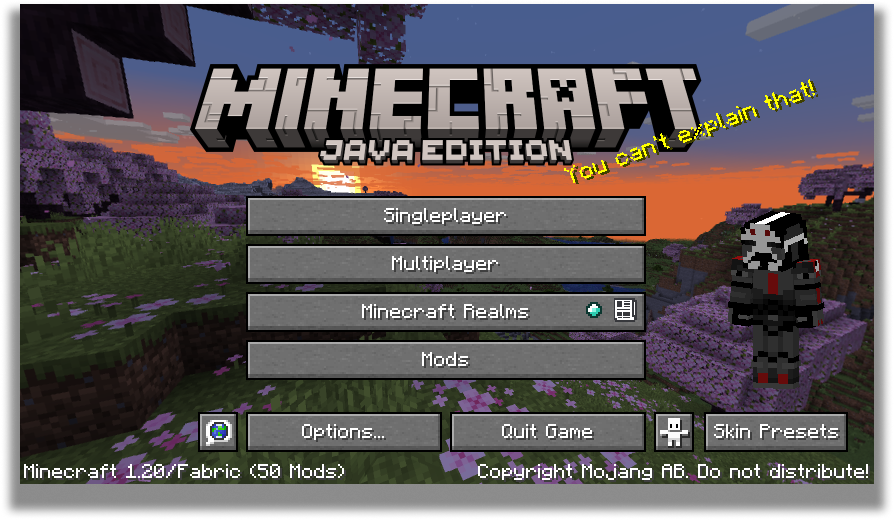
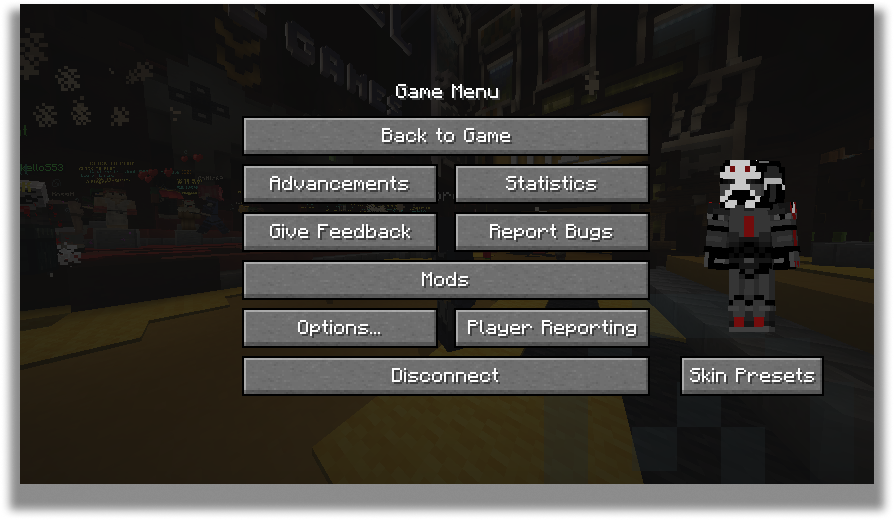
SkinShuffle works right out the bat for clients! Browse, create and edit skin presets in the Carousel and Edit Preset screens that can be accessed via Mod Menu or through the widget on the pause screen and the title screen.
When you start the game for the first time with SkinShuffle, it will automatically create a preset from your current skin and set it as the main preset! Your currently chosen preset will be shown on the widget.
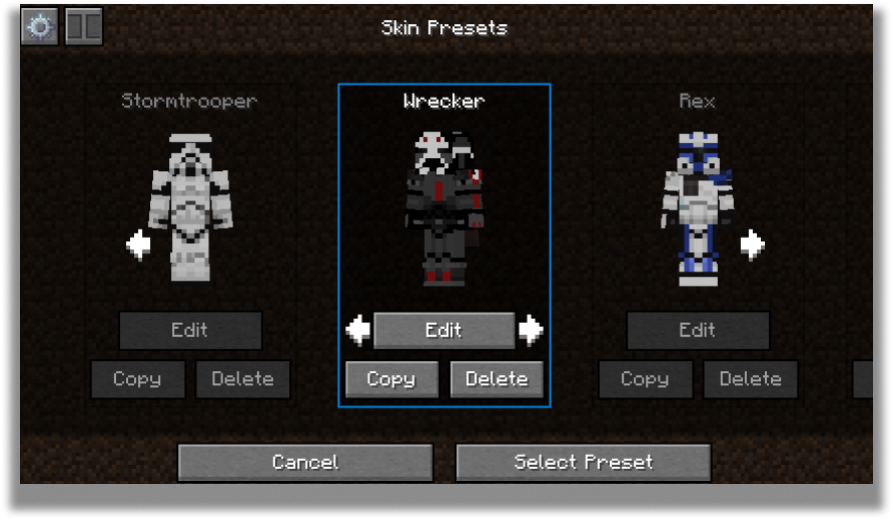
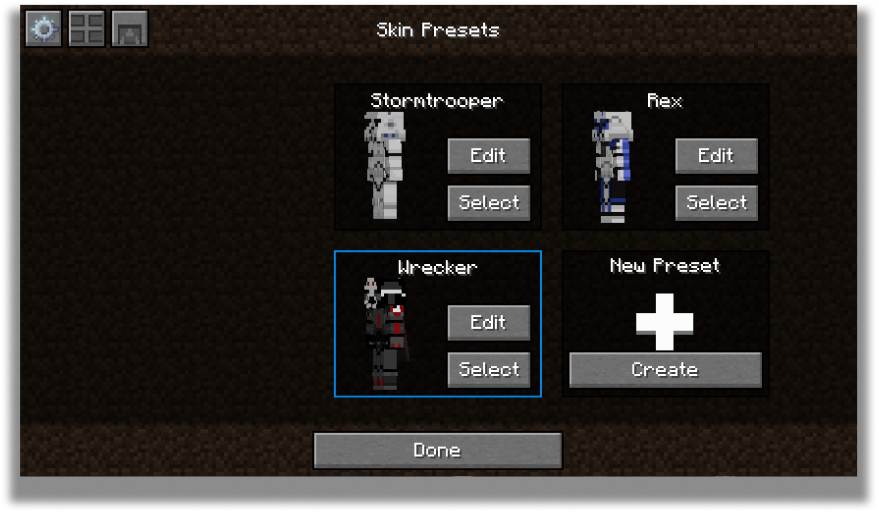
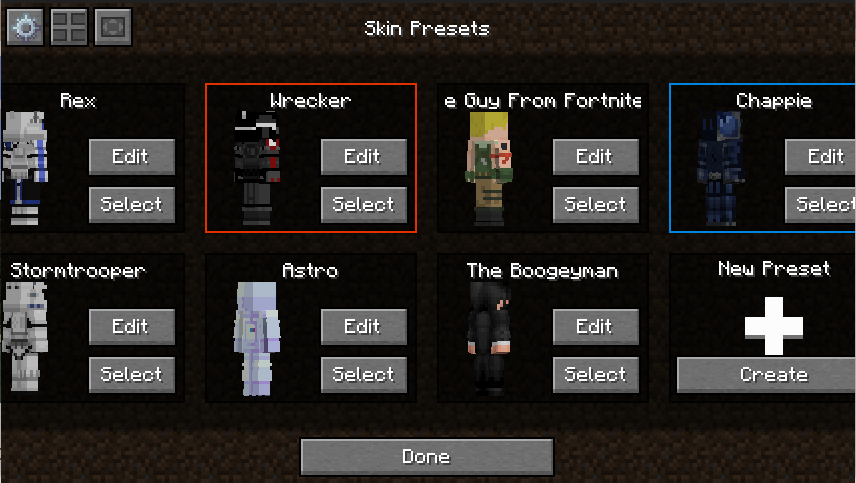
Carousel Screen
The carousel is where all your skins will be stored for future use! You can create, edit and delete your presets.
The carousel screen has two modes: Compact and Carousel
You can customize every preset to your own desire in the edit screen.
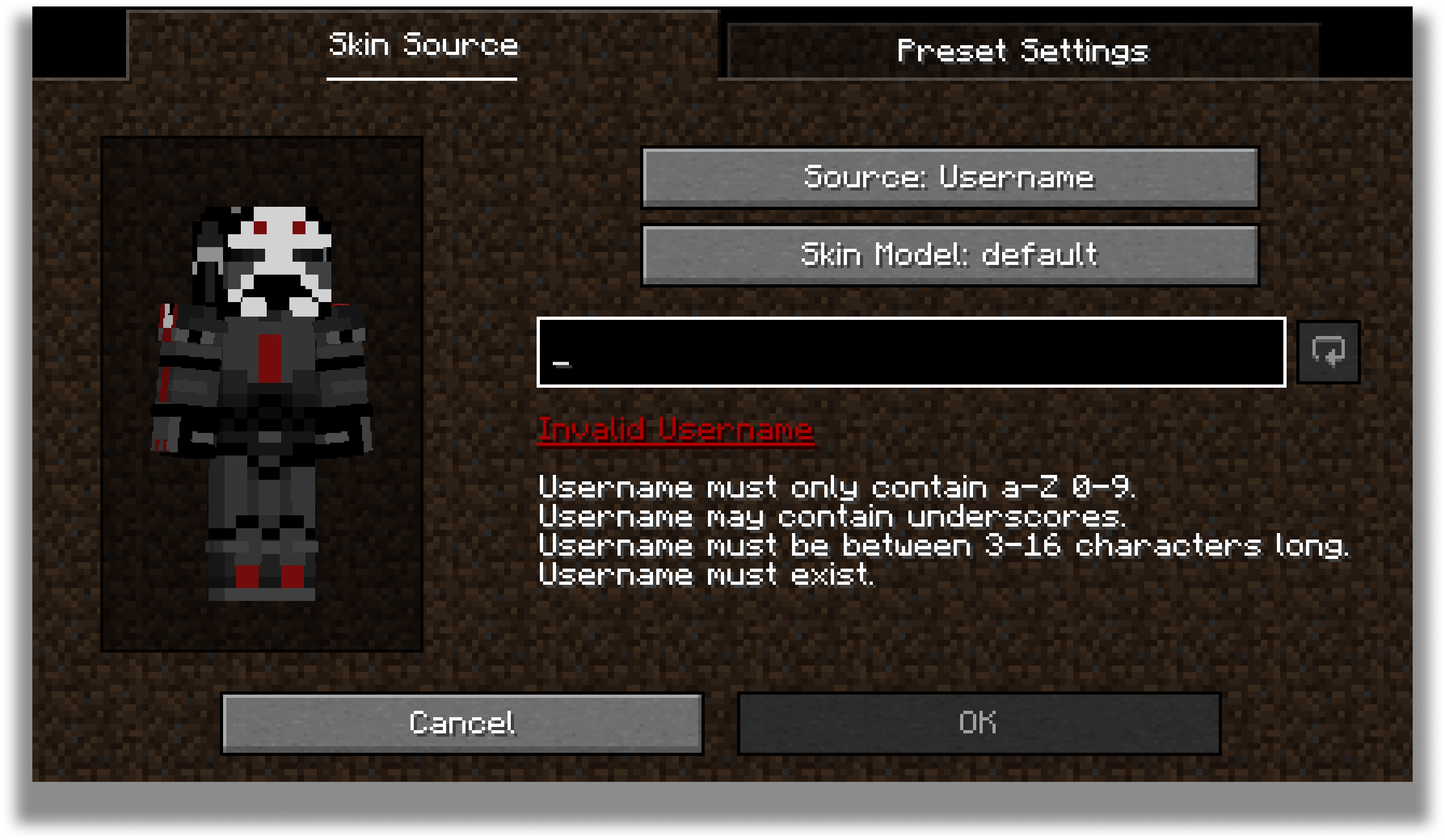
Edit Screen
The edit screen allows you to change the actual texture of the skin, the model type and the name of the preset.
For the future, there are plans to add cape and ear customization to this screen.
Configuration
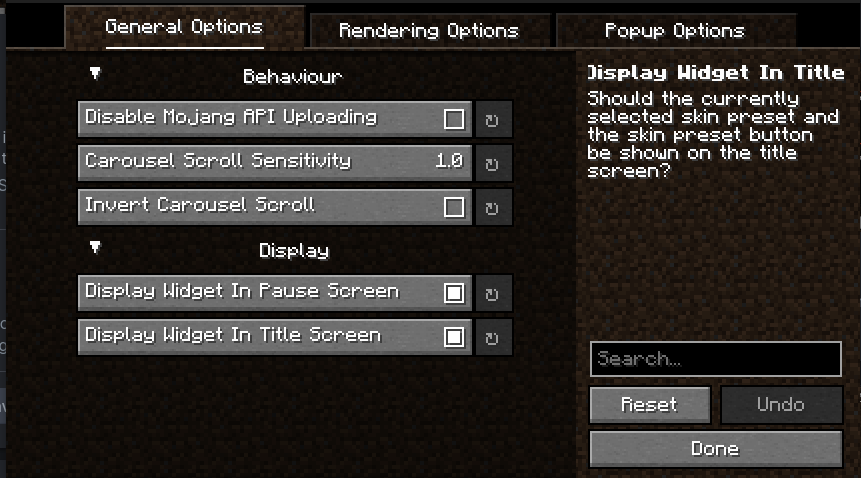
Every part of SkinShuffle is customizable thanks to YACL's powerful configuration screen.
You can customize the speed that skins rotate in the carousel, to where they should follow your cursor, and where the preview widget should show.
Server-Side Support
When SkinShuffle is installed on the server, you can change your skin in-game without having to relog. SkinShuffle will refresh your skin for you, and for other players instantly - even for players that do not have the mod on their client.
We have massive plans to expand server-side support in the future:
- Skin Changing Commands that allow vanilla clients to change their skins.
- Skin Preset Sharing


SkinShuffle
SkinShuffle is a mod that allows you to change, store and customise your skin in-game. It also allows you to change your skin without leaving the server as long as the mod is installed on the server.
SkinShuffle integrates with Mojang's online API to change skins, if you do not have a Minecraft account, SkinShuffle WILL NOT work, you will receive NO SUPPORT from me for using a pirated version of Minecraft.
Skins are stored in Skin Presets, these presets can be created from the following sources:
- Texture URLs
- Usernames
- UUIDs
- Files
- In-game textures (Identifiers)
Supported Versions
Only the latest stable release (26.1) and latest beta release (26.3) are supported.
Server-Side Support
When SkinShuffle is installed on the server, you can change your skin in-game without having to relog. SkinShuffle will refresh your skin for you, and for other players instantly - even for players that do not have the mod on their client.
Got a Paper/Spigot/Bukkit server? Consider using the Skin Shuffle Bridge plugin to allow players on your server to hot-swap skins!
Alternatively, SkinShuffle is supported by SkinRestorer (fabric+neoforge+forge) if your server has that installed, players using SkinShuffle will be able to quickly change their skins without needing to rejoin!
We have massive plans to expand server-side support in the future:
- Skin Changing Commands that allow vanilla clients to change their skins.
- Skin Preset Sharing
Client-Side Support
SkinShuffle works right out the bat for clients! Browse, create and edit skin presets in the Carousel and Edit Preset screens that can be accessed via Mod Menu or through the widget on the pause screen and the title screen.
When you start the game for the first time with SkinShuffle, it will automatically create a preset from your current skin and set it as the main preset! Your currently chosen preset will be shown on the widget.
Carousel Screen
The carousel is where all your skins will be stored for future use! You can create, edit and delete your presets.
The carousel screen has two modes: Compact and Carousel
You can customize every preset to your own desire in the edit screen.
Edit Screen
The edit screen allows you to change the actual texture of the skin, the model type and the name of the preset.
For the future, there are plans to add cape and ear customization to this screen.
Configuration
Every part of SkinShuffle is customizable thanks to YACL's powerful configuration screen.
You can customize the speed that skins rotate in the carousel, to where they should follow your cursor, and where the preview widget should show.
By using my mods, you agree to the Modpack Distribution Guidelines and the End User License Agreement
Screenshots
Gallery
-
Grid Mode
-
Edit Screen
-
Title Screen Widget
-
Carousel Mode
-
-
Pause Screen Widget
-
Configuration Screen
Versions
Files
Relations
Project Relations
More like this
Similar Mods
Suggestions use data such as tags, dependencies, dependents, descriptions, titles, and more to rank how much they overlap with this mod.
On ModDex
Community snapshot
By the numbers
Statistics
 (opens in a new tab)
Get it on
Available Platforms
On ModDex
Community snapshot
By the numbers