Community listing page, reviews here may not be monitored by the author.
SleepTimer


No reviews yet
Complete time management: time, moon phases, day/night alerts, customizable messages, and more
Community voices
Reviews
No reviews yet. Be the first to review this project!
Get it on
Available Platforms
Compatibility
Supported Environments
Runs entirely on the client. Works on vanilla servers.
About
Project Details
For authors
Embed Badge
If you're the author of this project, you can embed a live badge anywhere that supports HTML or Markdown. It updates automatically whenever ratings change.
Use HTML for any page that supports it, or Markdown for README files and Markdown-based descriptions.
Identifiers
Platform IDs
Resources
External Links
About
Description
# ⏰ SleepTimer
## 🌟 Main features
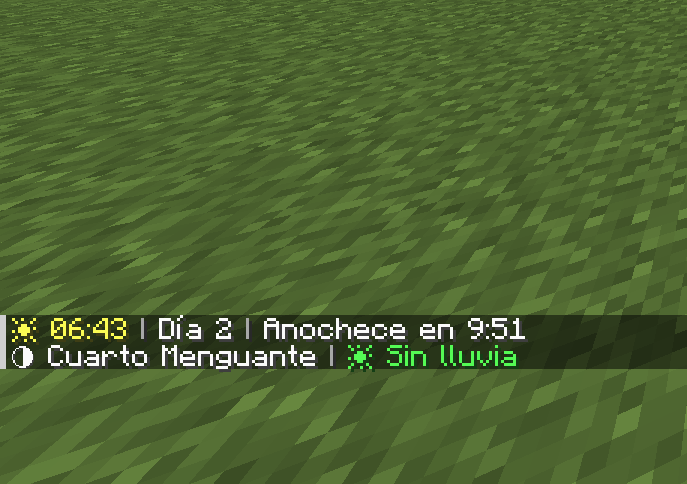
### 📊 Instant information (H key)
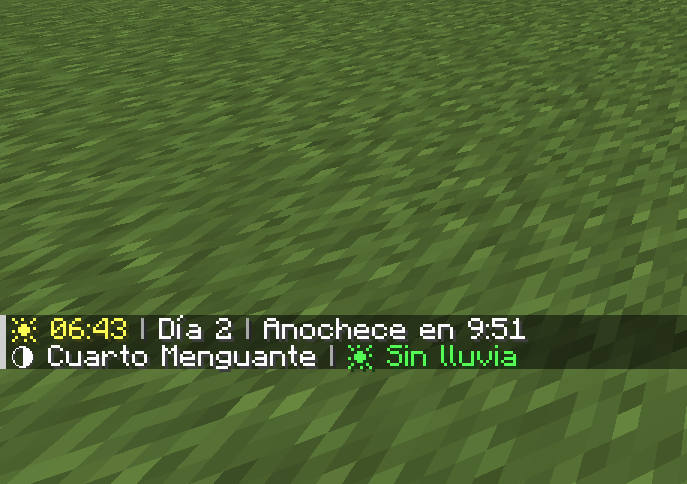
Press **H** at any time to see:
- ⏰ **Current time** in 24-hour format (e.g., 2:30 p.m.)
- 📅 **Day of the world** (e.g., Day 5)
- 🌅 **Time until sunset/sunrise** (e.g., Sunset in 3:42)
- 🌙 **Current moon phase** (Full Moon, First Quarter, New Moon, etc.)
- 💧 **Rain/storm duration** (e.g., Raining for 2:15)
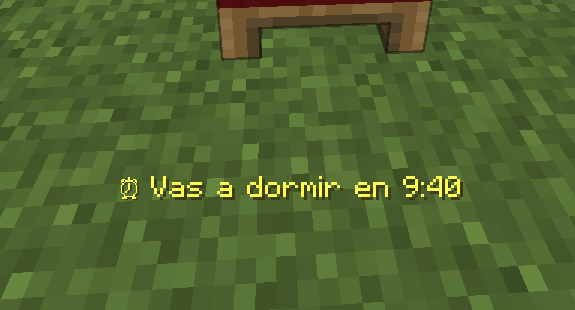
### 🛏️ Smart bed timer
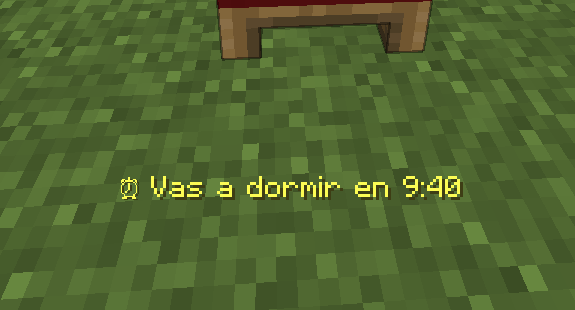
When you click on a bed during the day, a message appears indicating
**exactly how long it will be** before you can sleep (e.g., “⏰ You can sleep in 4:23”)
### ⚠️ Automatic alerts
- **Nightfall**: Alert 1 minute before nightfall
- **Sunrise**: Notification when it is safe to go out
- **Optional sounds**: Bells accompanying alerts
### ✏️ 100% customizable messages
Don't like the default messages? Change them!
- Write your own texts for each alert
- Use color codes (§e=yellow, §a=green, §c=red, §b=blue, §6=orange)
- Use %s to insert the time wherever you want
**Examples:**
- `§e⏰ You can sleep in %s` → “⏰ You can sleep in 3:42”
- `§cGo to bed in %s!` → “Go to bed in 3:42!”
- `§b%s left to dream` → “3:42 left to dream”
---
## ⚙️ Fully configurable
Open the configuration menu from:
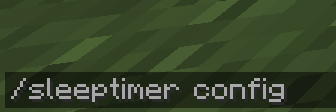
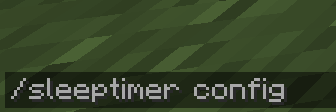
- **Command**: `/sleeptimer config`
- **Mods menu**: Mods → SleepTimer → ⚙️ Config
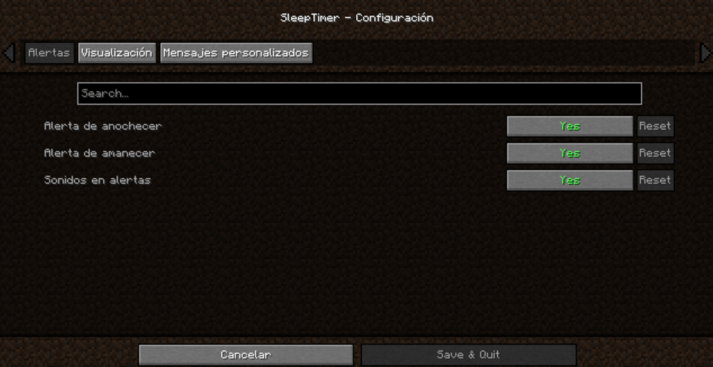
### Category: Alerts
| Option | Description |
|---|---|
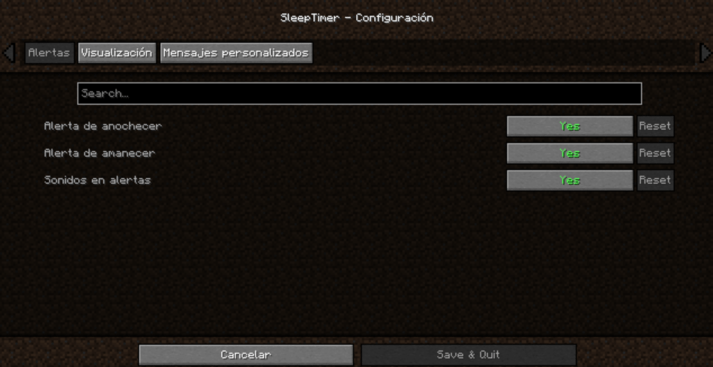
| Sunset alert | Notification 1 minute before sunset |
| Sunrise alert | Notification at sunrise |
| Sounds in alerts | Play sound with alerts |
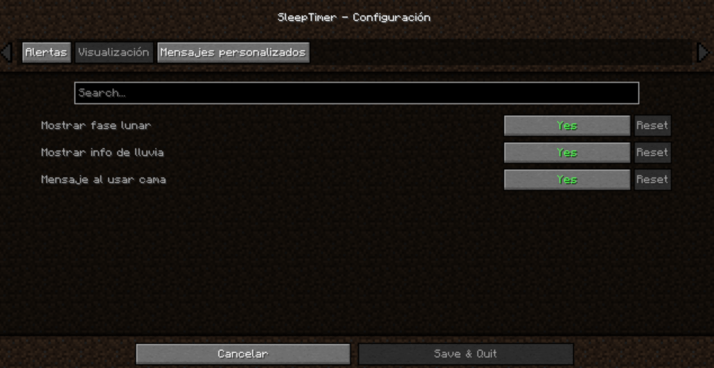
### Category: Display
| Option | Description |
|---|---|
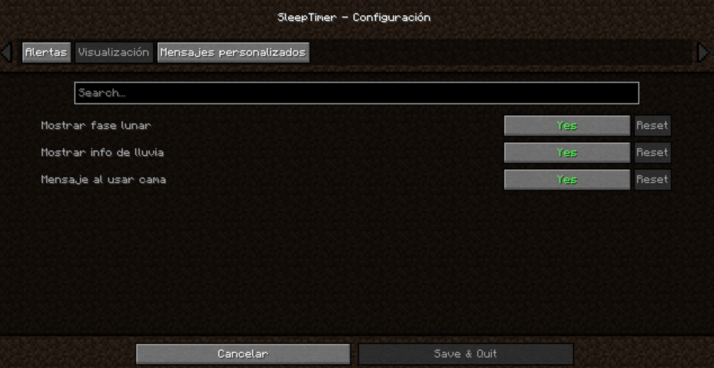
| Show moon phase | View moon phase when pressing H |
| Show rain info | View rain time when pressing H |
| Message when using bed | Show sleep time when clicking on bed |
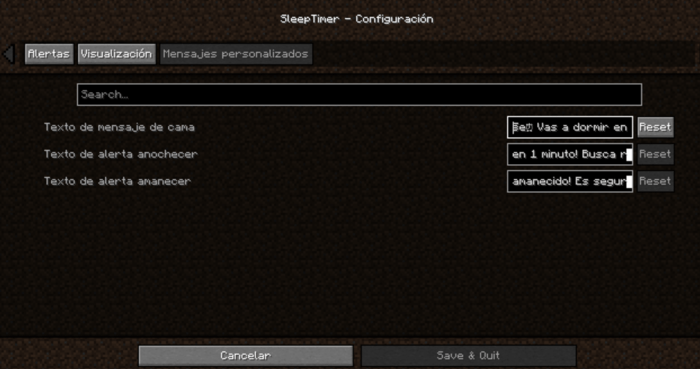
### Category: Custom messages
| Option | Description |
|---|---|
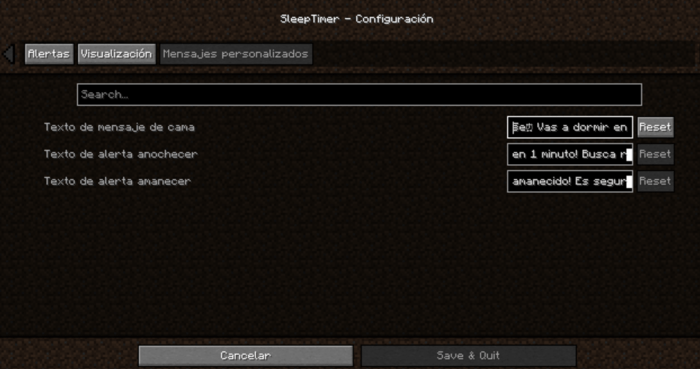
| Bedtime message text | Customize the message when using bed (use %s for the time) |
| Sunset alert text | Customize the sunset alert |
| Sunrise alert text | Customize the sunrise alert |
---
## ⌨️ Customizable key
Don't like the **H** key? Change it easily:
1. Go to **Options** → **Controls**
2. Find the **“SleepTimer”** category
3. Click on the current key
4. Press the new key you prefer
---
## 🌍 Multilingual
Fully translated into **13 languages**:
| Language | Code |
|----------|------|
| 🇪🇸 Spanish | es_es |
| 🇬🇧 English | en_us |
| 🇫🇷 French | fr_fr |
| 🇩🇪 German | de_de |
| 🇵🇹 Portuguese (Brazil) | pt_br |
| 🇮🇹 Italian | it_it |
| 🇯🇵 Japanese | ja_jp |
| 🇷🇺 Russian | ru_ru  |
| 🇨🇳 Chinese (Simplified) | zh_cn |
| 🇰🇷 Korean | ko_kr |
| 🇵🇱 Polish | pl_pl |
| 🇹🇷 Turkish | tr_tr |
| 🇳🇱 Dutch | nl_nl |
The mod automatically detects your Minecraft language.
---
## 📦 Installation
1. Install [Fabric Loader](https://fabricmc.net/use/)
2. Download [Fabric API](https://modrinth.com/mod/fabric-api)
3. Download SleepTimer
4. Place both mods in the `.minecraft/mods` folder
5. Enjoy!
> ℹ️ **Note**: Cloth Config API is included in the mod, you don't need to download it separately.
---
## 🎮 Requirements
| Requirement | Version |
|---|---|
| Minecraft | 1.20.1 |
| Fabric Loader | 0.18.4+ |
| Fabric API | Lastest version |
---
## 🎨 Available color codes
For use in your custom messages:
| Code | Color |
|---|---|
| §0 | Black |
| §1 | Dark blue |
| §2 | Dark green |
| §3 | Cyan |
| §4 | Dark red |
| §5 | Purple |
| §6 | Orange |
| §7 | Gray |
| §8 | Dark gray |
| §9 | Blue |
| §a | Green |
| §b | Light blue |
| §c | Red |
| §d | Pink |
| §e | Yellow |
| §f | White |
**Formats:**
| Code | Effect |
|---|---|
| §l | Bold |
| §o | Italics |
| §n | Underlined |
| §m | |
| §r | Reset formatting |
---
## 📸 Screenshots
1. Information when pressing H
2. Bedtime message
3. Command
4. Settings menu
---
## 🐛 Report bugs
Found a problem?
- Write to me on Discord: Tracats787
- Describe the problem and how to reproduce it.
---
## 📜 License
This mod is open source under the **CC0-1.0** license.
---
## 🙏 Credits
- **Developer**: Tracats787
- **Configuration API**: [Cloth Config](https://modrinth.com/mod/cloth-config) by shedaniel
---
## ❤️ Do you like the mod?
- 💚 Like it on Modrinth/CurseForge
- 📢 Share it with your friends!
⏰ SleepTimer
🌟 Main features
📊 Instant information (H key)
Press H at any time to see:
- ⏰ Current time in 24-hour format (e.g., 2:30 p.m.)
- 📅 Day of the world (e.g., Day 5)
- 🌅 Time until sunset/sunrise (e.g., Sunset in 3:42)
- 🌙 Current moon phase (Full Moon, First Quarter, New Moon, etc.)
- 💧 Rain/storm duration (e.g., Raining for 2:15)
🛏️ Smart bed timer
When you click on a bed during the day, a message appears indicating exactly how long it will be before you can sleep (e.g., “⏰ You can sleep in 4:23”)
⚠️ Automatic alerts
- Nightfall: Alert 1 minute before nightfall
- Sunrise: Notification when it is safe to go out
- Optional sounds: Bells accompanying alerts
✏️ 100% customizable messages
Don't like the default messages? Change them!
- Write your own texts for each alert
- Use color codes (§e=yellow, §a=green, §c=red, §b=blue, §6=orange)
- Use %s to insert the time wherever you want
Examples:
§e⏰ You can sleep in %s→ “⏰ You can sleep in 3:42”§cGo to bed in %s!→ “Go to bed in 3:42!”§b%s left to dream→ “3:42 left to dream”
⚙️ Fully configurable
Open the configuration menu from:
- Command:
/sleeptimer config - Mods menu: Mods → SleepTimer → ⚙️ Config
Category: Alerts
| Option | Description |
|---|---|
| Sunset alert | Notification 1 minute before sunset |
| Sunrise alert | Notification at sunrise |
| Alert sounds | Play sound with alerts |
Category: Display
| Option | Description |
|---|---|
| Show moon phase | View moon phase when pressing H |
| Show rain info | View rain time when pressing H |
| Message when using bed | Show sleep time when clicking on bed |
Category: Custom messages
| Option | Description |
|---|---|
| Bed message text | Customize the message when using the bed (use %s for the time) |
| Sunset alert text | Customize the sunset alert |
| Sunrise alert text | Customize the sunrise alert |
⌨️ Customizable key
Don't like the H key? Change it easily:
- Go to Options → Controls
- Find the “SleepTimer” category
- Click on the current key
- Press the new key you prefer
🌍 Multilingual
Fully translated into 13 languages:
| Language | Code |
|---|---|
| 🇪🇸 Spanish | es_es |
| 🇬🇧 English | en_us |
| 🇫🇷 French | fr_fr |
| 🇩🇪 German | de_de |
| 🇵🇹 Portuguese (Brazil) | pt_br |
| 🇮🇹 Italian | it_it |
| 🇯🇵 Japanese | ja_jp |
| 🇷🇺 Russian | ru_ru |
| 🇨🇳 Chinese (Simplified) | zh_cn |
| 🇰🇷 Korean | ko_kr |
| 🇵🇱 Polish | pl_pl |
| 🇹🇷 Turkish | tr_tr |
| 🇳🇱 Dutch | nl_nl |
The mod automatically detects your Minecraft language.
📦 Installation
- Install Fabric Loader
- Download Fabric API
- Download SleepTimer
- Place both mods in the
.minecraft/modsfolder - Enjoy!
ℹ️ Note: Cloth Config API is included in the mod, you don't need to download it separately.
🎮 Requirements
| Requirement | Version |
|---|---|
| Minecraft | 1.20.1-1.20.6 |
| Fabric Loader | 0.18.4+ |
| Fabric API | Latest version |
🎨 Available color codes
For use in your custom messages:
| Code | Color |
|---|---|
| §0 | Black |
| §1 | Dark blue |
| §2 | Dark green |
| §3 | Cyan |
| §4 | Dark red |
| §5 | Purple |
| §6 | Orange |
| §7 | Gray |
| §8 | Dark gray |
| §9 | Blue |
| §a | Green |
| §b | Light blue |
| §c | Red |
| §d | Pink |
| §e | Yellow |
| §f | White |
Formats:
| Code | Effect |
|---|---|
| §l | Bold |
| §o | Italic |
| §n | Underline |
| §m | |
| §r | Reset format |
📸 Screenshots
Information when pressing H

Bedtime message

Settings menu


🐛 Report bugs
Found a problem?
- Write to me on Discord: Tracats787
- Describe the problem and how to reproduce it
📜 License
This mod is open source under the CC0-1.0 license.
🙏 Credits
- Developer: Tracats787
- Configuration API: Cloth Config by shedaniel
❤️ Do you like the mod?
- 💚 Like it on Modrinth/CurseForge
- 📢 Share it with your friends!
Screenshots
Gallery
-
 TeclaH.png TeclaH.png
 -
 Cama.png Cama.png
 -
 comando.png comando.png
 -
 visualización.png visualización.png
 -
 mensajes.png mensajes.png
 -
 Alertas.png Alertas.png
-
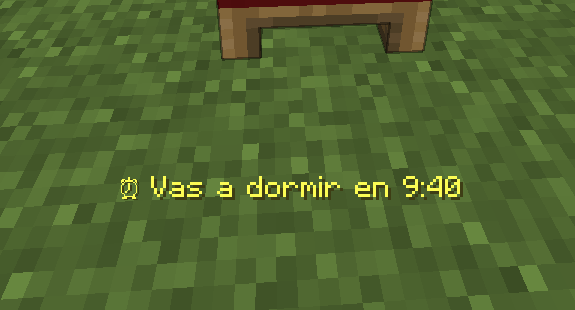 Cama Pone cuanto falta para poder dormir
 -
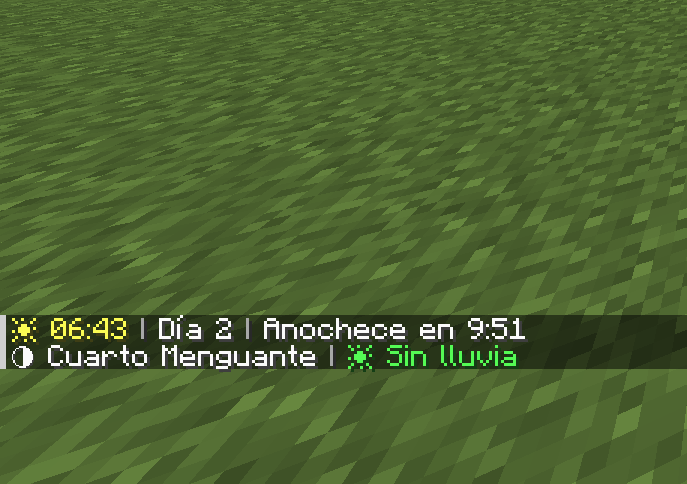 Texto Al pulsar la tecla "H", sale esto en el chat
 -
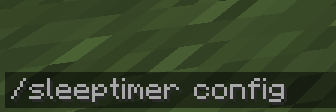 Comando Es el comando para abrir la configuración
 -
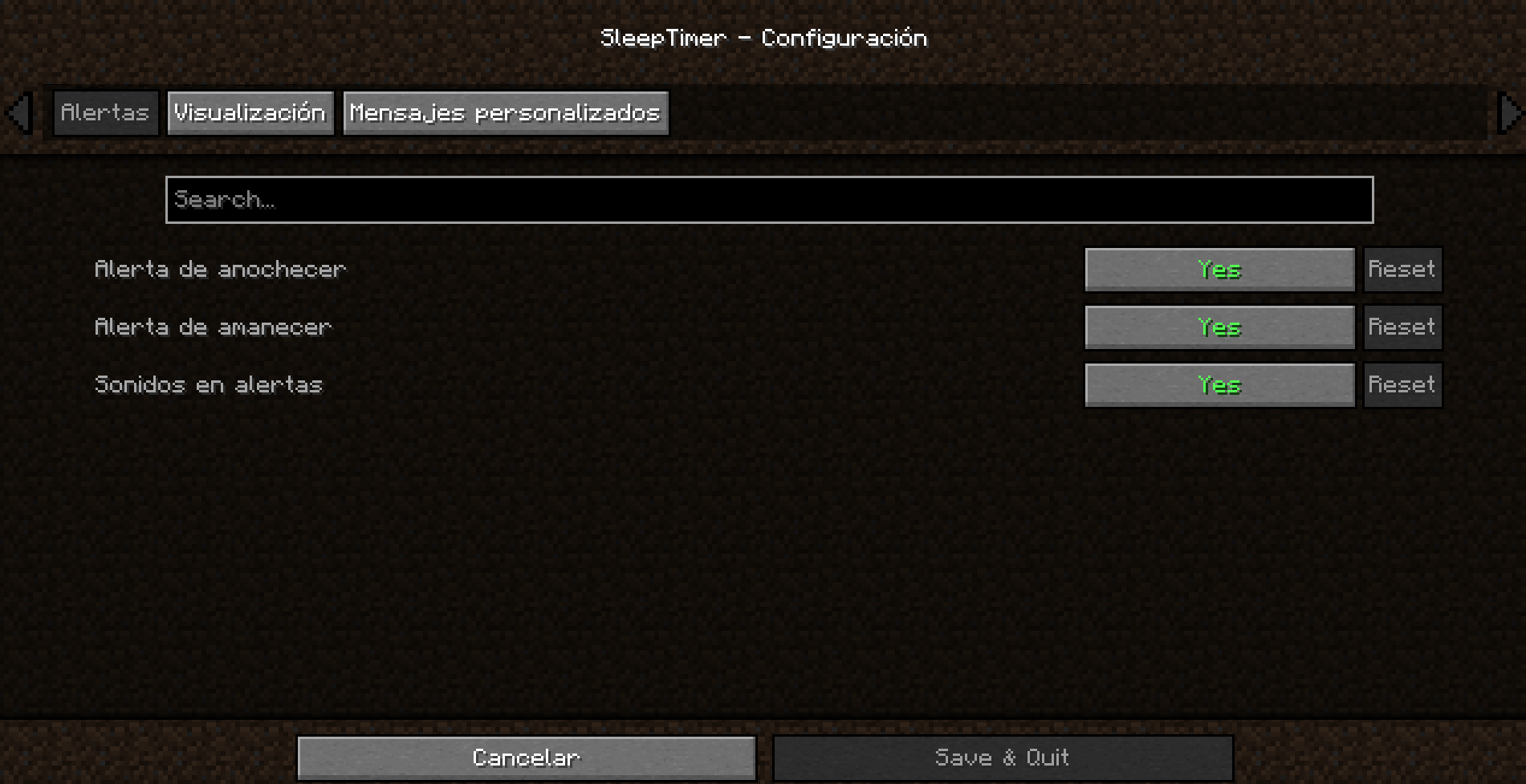 Alertas Es el apartado de configuración de "Alertas"
 -
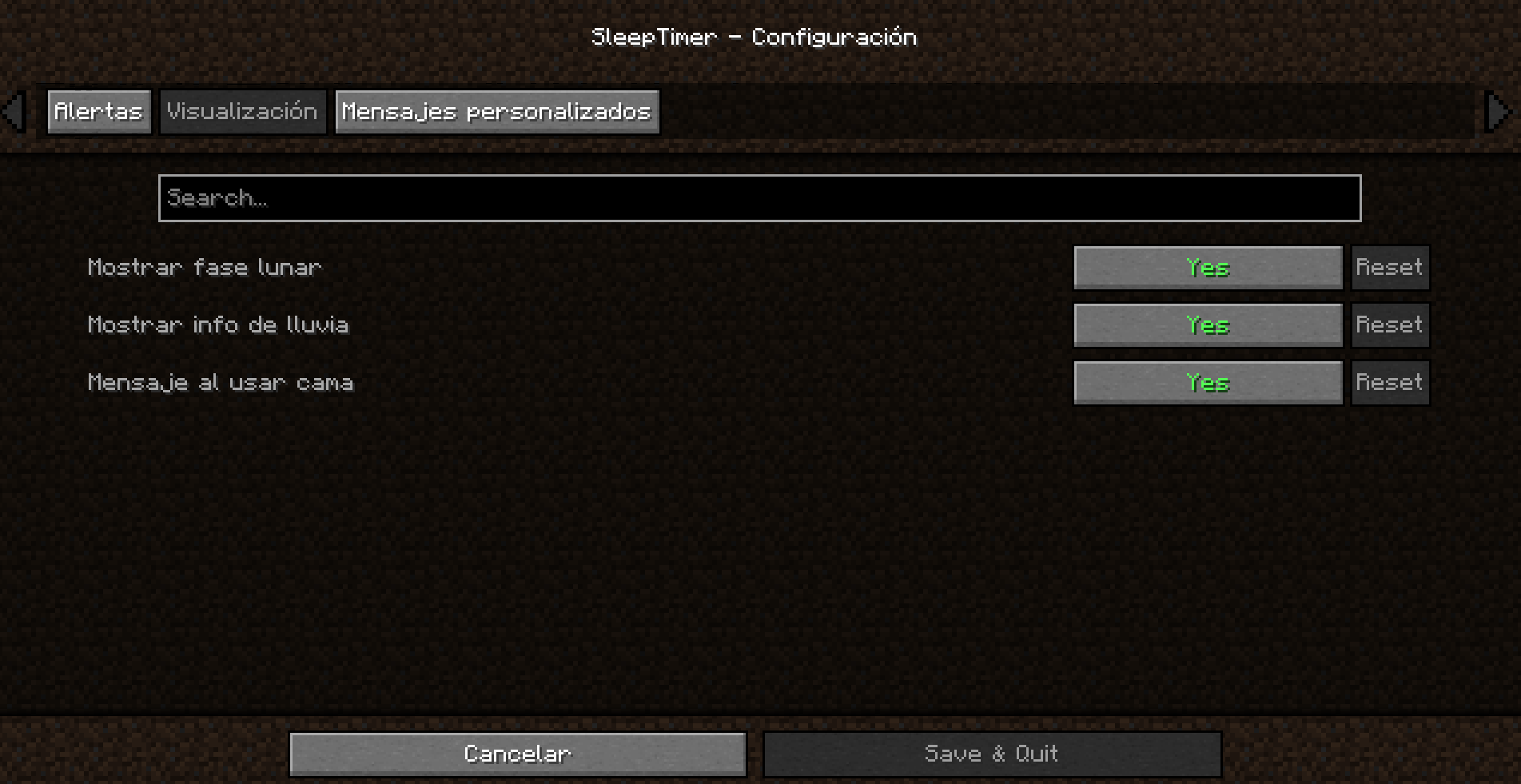 Visualización Es el apartado de la configuración de "Visualización"
 -
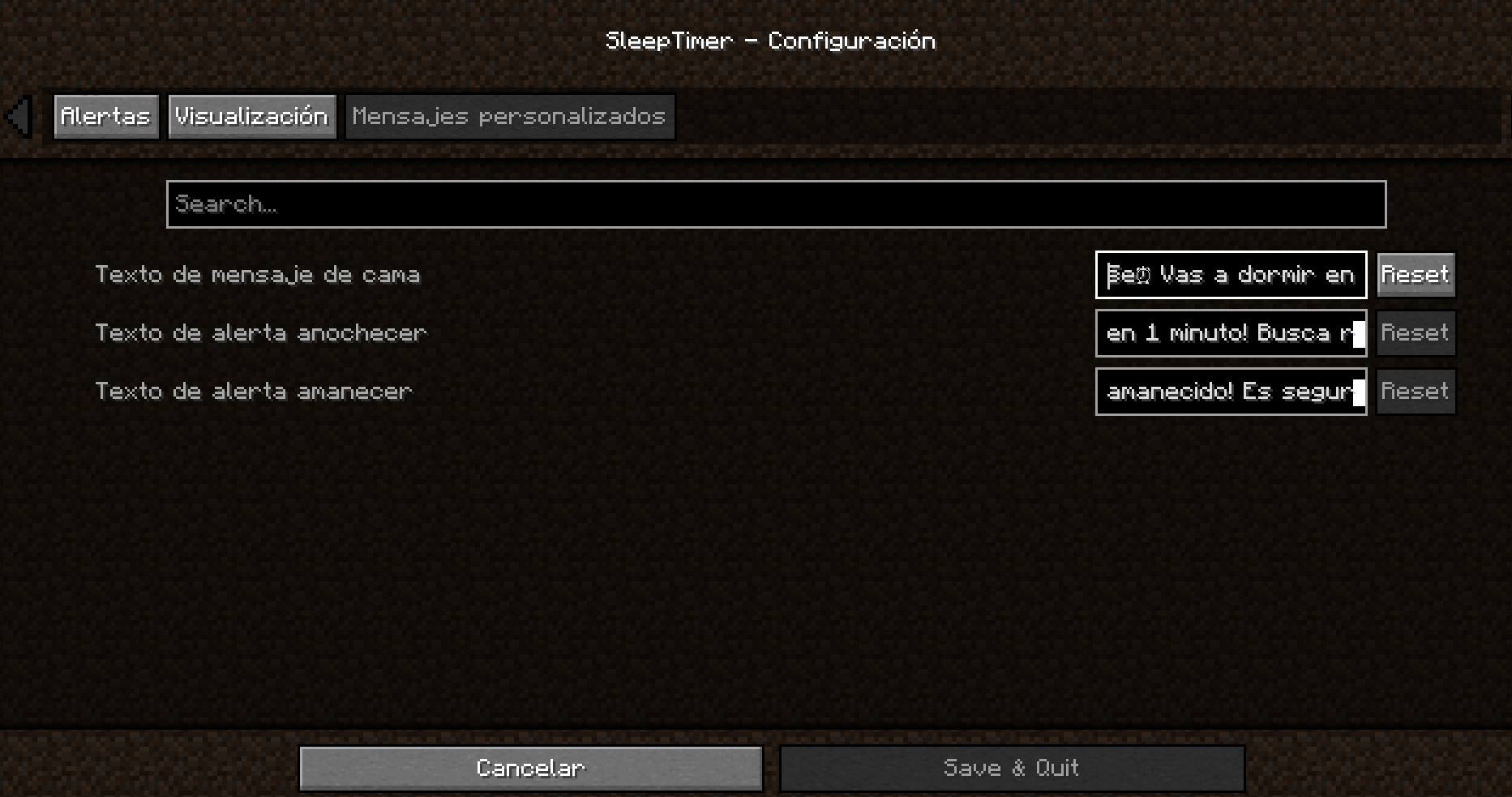 Mensajes Personalizados Es el último apartado de la configuración, pudiendo cambiar el texto de las notificaciones a tu gusto
Versions
Files
Relations
Project Relations
More like this
Similar Mods
Suggestions use data such as tags, dependencies, dependents, descriptions, titles, and more to rank how much they overlap with this mod.
On ModDex
Community snapshot
By the numbers
Statistics
Want to reach Minecraft players?
We're looking for a server hosting partner to feature here and other parts of the site. Interested? Send us a message!
Get in touchGet it on
Available Platforms
On ModDex
Community snapshot
By the numbers
Statistics
Resources