
Community listing page, reviews may not be monitored by the author.
Smart Books


No reviews yet
Create fully customizable books with images, custom fonts, and templates right inside Minecraft! A modern, canvas-based book editor.

Community voices
Reviews
No reviews yet. Be the first to review this project!
Get it on
Available Platforms
Compatibility
Supported Environments
Must be installed on both the client and the server.
About
Project Details
For authors
Embed Badge
If you're the author of this project, you can embed a live badge anywhere that supports HTML or Markdown. It updates automatically whenever ratings change.
Use HTML for any page that supports it, or Markdown for README files and Markdown-based descriptions.
Identifiers
Platform IDs
Resources
External Links
About
Description
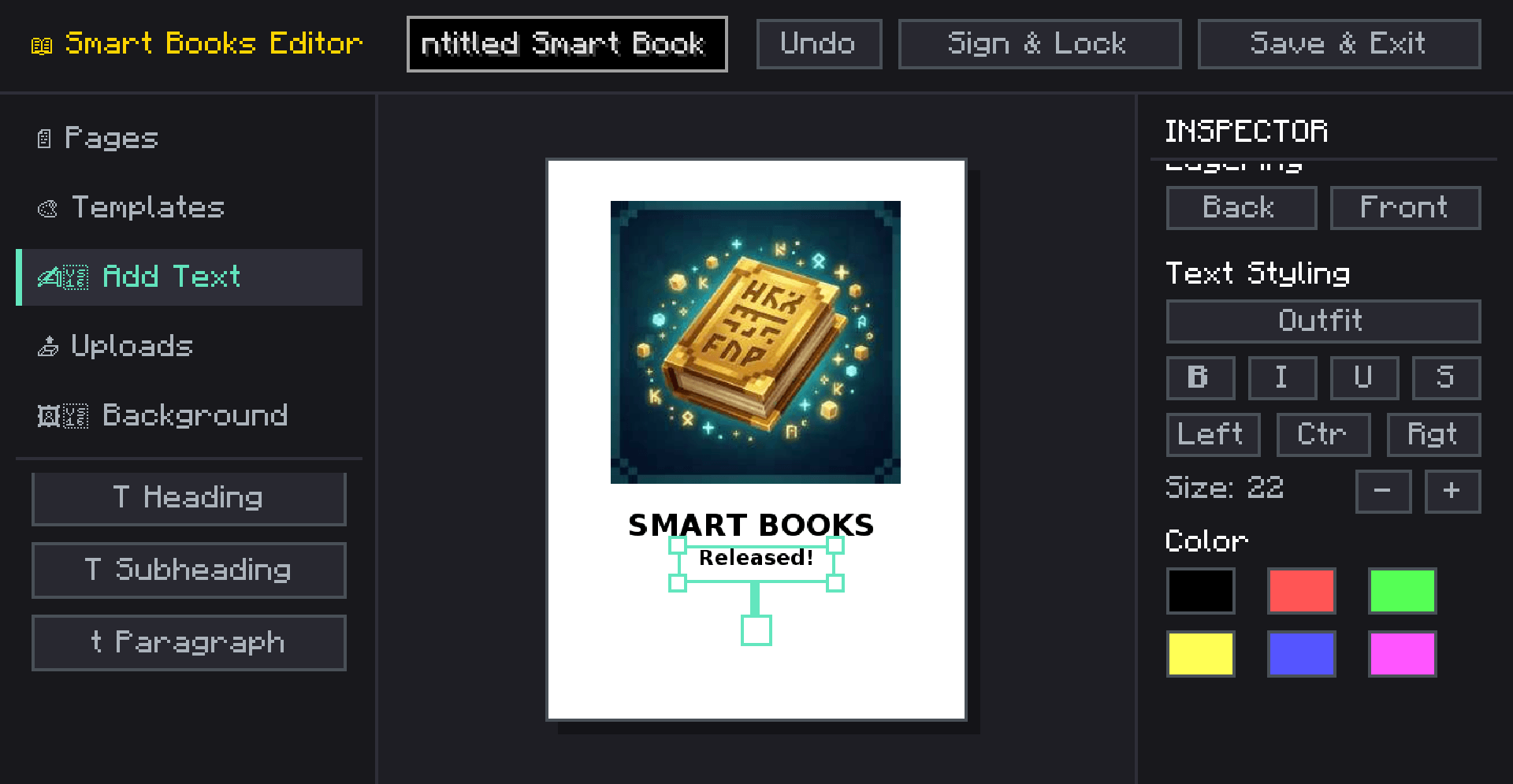
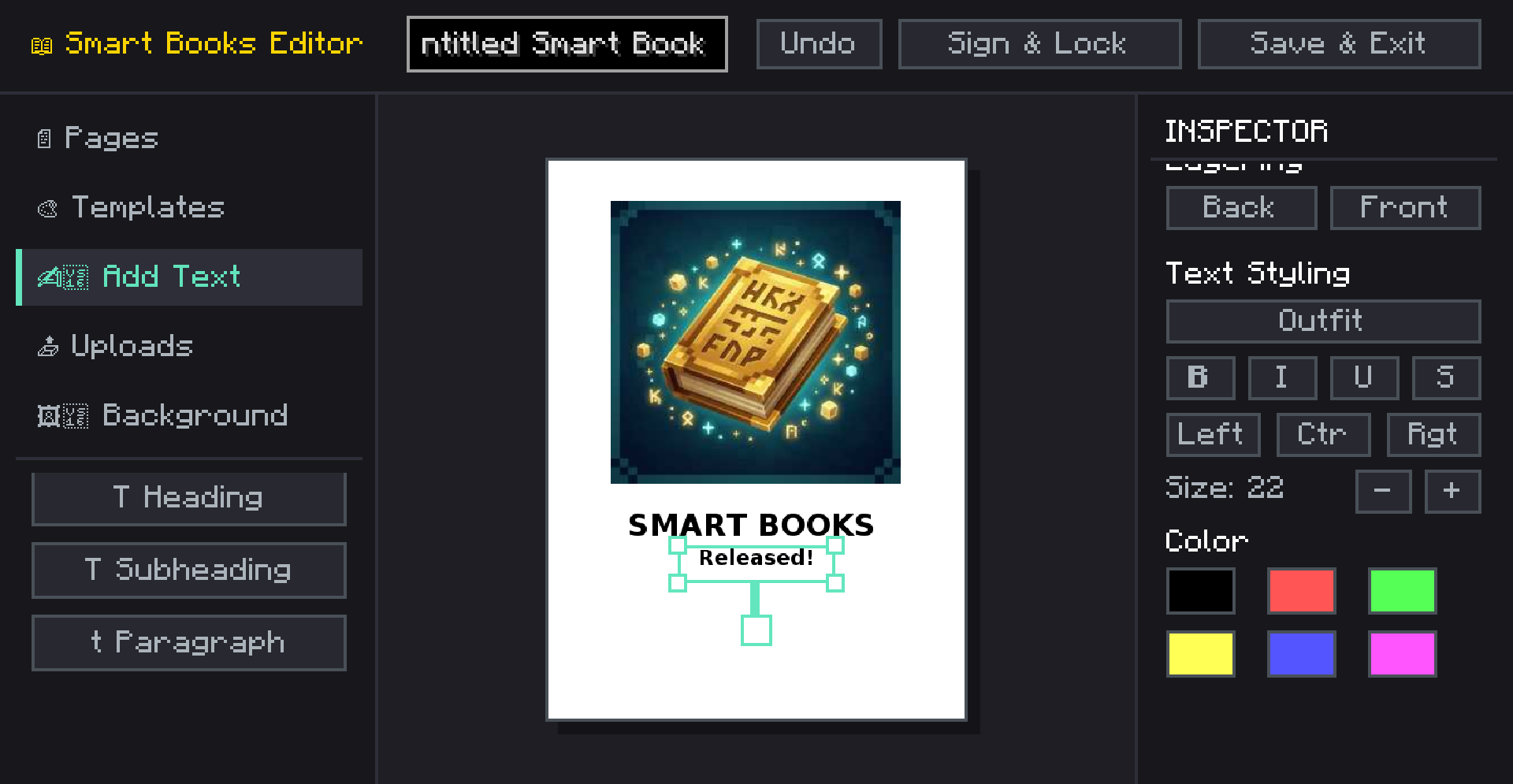
SmartBooks is an advanced, in-game book creation and editing mod that takes Minecraft's traditional book and quill to a whole new level. Whether you are creating a detailed server guide, a rich quest log, a comic book, or an encyclopedia, SmartBooks provides a modern, canvas-like editor directly in the game.
✨ Key Features
- Modern Canvas Editor: Move, resize, and rotate text and image elements anywhere on the page, just like professional design software.
- Rich Text Formatting: Choose from built-in fonts, change font sizes, colors, and apply formatting (bold, italics, underline, strikethrough). Supports left, center, and right text alignment.
- Custom Images: Upload images directly from your computer or import them using a URL! Adjust image opacity, add rounded corners, and customize border styles.
- Page Backgrounds & Colors: Customize each page with specific background colors or styles like lined paper, grid, or classic parchment.
- 10+ Pre-made Templates: Don't want to start from scratch? Use built-in templates like Comic, Magazine, Guide, Encyclopedia, Quest Log, Manual, and Newspaper to instantly format your pages.
- Layering System: Bring elements to the front or send them to the back with a simple click.
📖 How to Use
- Get a Smart Book.
- Right-click to open the editor. (If the book is empty, or you sneak-right-click an unsigned book, the editor opens. Otherwise, it opens in reader mode).
- Use the left sidebar to add text, images, pages, or apply templates.
- Use the right inspector panel to customize the properties of the selected element.
- Click Save to keep your progress or Sign to lock the book permanently!
⚙️ Technical Details
- Version: Minecraft 1.20.1
- Loaders: Available natively for both Fabric and Forge.
NOTE: THERE ARE NO RECIPE FOR NOW. IN NEXT UPDATE
SmartBooks is an advanced, in-game book creation and editing mod that takes Minecraft's traditional book and quill to a whole new level. Whether you are creating a detailed server guide, a rich quest log, a comic book, or an encyclopedia, SmartBooks provides a modern, canvas-like editor directly in the game.
✨ Key Features
- Modern Canvas Editor: Move, resize, and rotate text and image elements anywhere on the page, just like professional design software.
- Rich Text Formatting: Choose from built-in fonts, change font sizes, colors, and apply formatting (bold, italics, underline, strikethrough). Supports left, center, and right text alignment.
- Custom Images: Upload images directly from your computer or import them using a URL! Adjust image opacity, add rounded corners, and customize border styles.
- Page Backgrounds & Colors: Customize each page with specific background colors or styles like lined paper, grid, or classic parchment.
- 10+ Pre-made Templates: Don't want to start from scratch? Use built-in templates like Comic, Magazine, Guide, Encyclopedia, Quest Log, Manual, and Newspaper to instantly format your pages.
- Layering System: Bring elements to the front or send them to the back with a simple click.
- Multiplayer Compatible: Fully synchronized with the server. Books are saved on the server and safely sent to clients.
📖 How to Use
- Get a Smart Book.
- Right-click to open the editor. (If the book is empty, or you sneak-right-click an unsigned book, the editor opens. Otherwise, it opens in reader mode).
- Use the left sidebar to add text, images, pages, or apply templates.
- Use the right inspector panel to customize the properties of the selected element.
- Click Save to keep your progress or Sign to lock the book permanently!
⚙️ Technical Details
- Version: Minecraft 1.20.1
- Loaders: Available natively for both Fabric and Forge.
- Client & Server: Needs to be installed on both the client and the server for multiplayer synchronization to work correctly.
NOTE: THERE ARE NO RECIPE FOR NOW. IN NEXT UPDATE
Screenshots
Gallery
-
 2026-06-06_00.19.28.png 2026-06-06_00.19.28.png
Versions
Files
Relations
Project Relations
More like this
Similar Mods
Suggestions use data such as tags, dependencies, dependents, descriptions, titles, and more to rank how much they overlap with this mod.
On ModDex
Community snapshot
By the numbers
Statistics
 (opens in a new tab)
Get it on
Available Platforms
On ModDex
Community snapshot
By the numbers
Statistics
Resources