Community listing page, reviews here may not be monitored by the author.
Smart FPS Booster


No reviews yet
The ultimate Minecraft FPS optimization mod - boost your FPS, reduce lag, and improve performance automatically!
Community voices
Reviews
No reviews yet. Be the first to review this project!
Get it on
Available Platforms
Compatibility
Supported Environments
Runs entirely on the client. Works on vanilla servers.
About
Project Details
For authors
Embed Badge
If you're the author of this project, you can embed a live badge anywhere that supports HTML or Markdown. It updates automatically whenever ratings change.
Use HTML for any page that supports it, or Markdown for README files and Markdown-based descriptions.
Identifiers
Platform IDs
About
Description
Smart FPS Booster
The ultimate Minecraft FPS optimization mod - boost your FPS, reduce lag, and improve performance automatically!
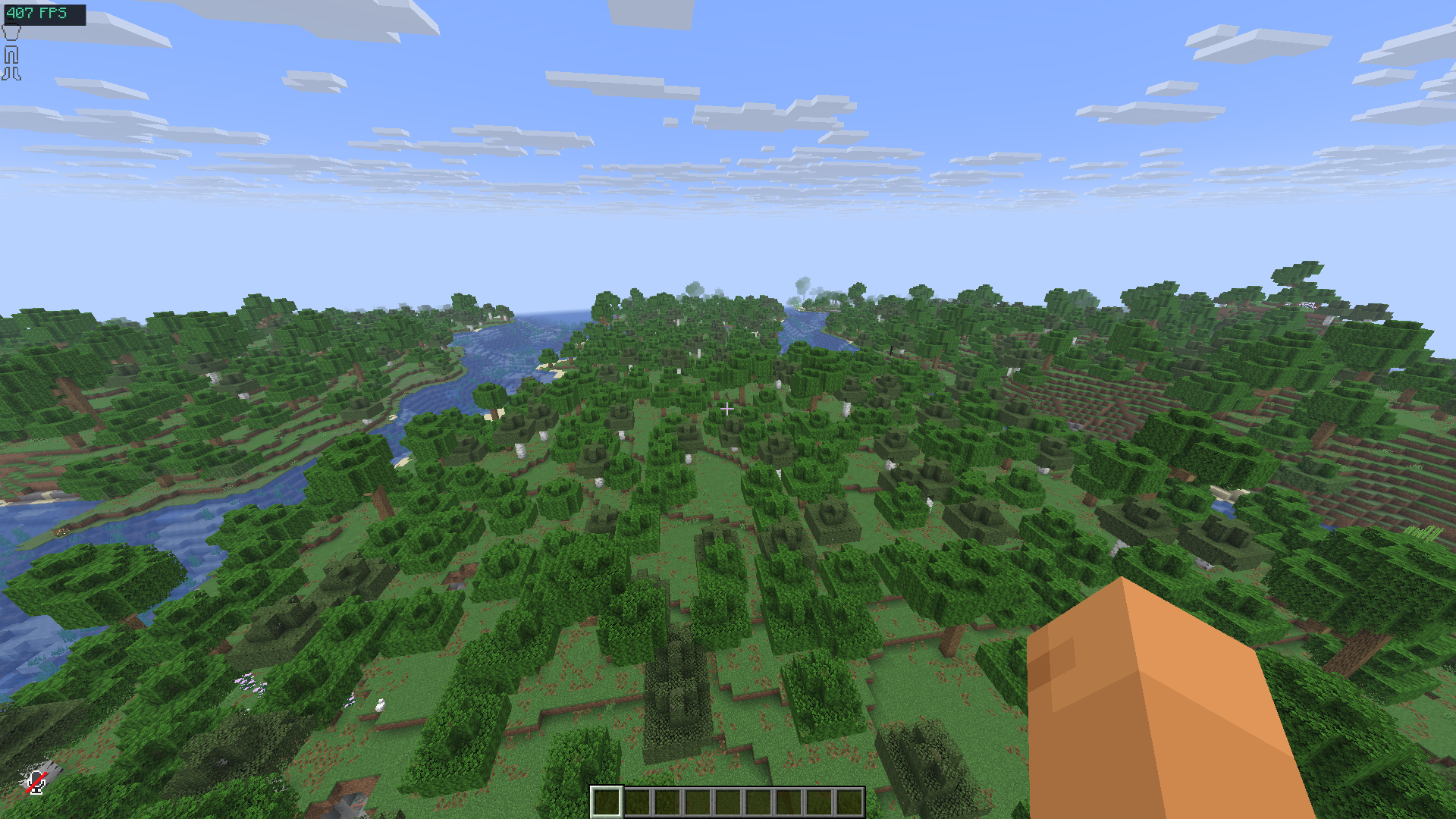
🚀 Why Smart FPS Booster?
Tired of low FPS? Lag spikes ruining your gameplay? Smart FPS Booster automatically optimizes your Minecraft settings based on your hardware and gameplay style. No more manual tweaking - just install and play!
Perfect for:
- Low-end PCs and laptops
- Competitive PvP players who need high FPS
- Players with FPS drops and stuttering
- Anyone who wants better Minecraft performance
✨ Features
🎯 Smart Profiles
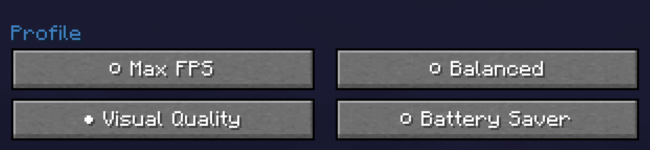
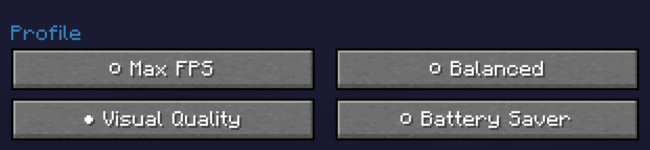
Choose from 4 optimization profiles:
- Max FPS - Maximum performance, best for PvP and competitive play
- Balanced - Good mix of visuals and performance
- Quality - Best visuals with acceptable FPS
- Battery Saver - Laptop-friendly, reduces power consumption
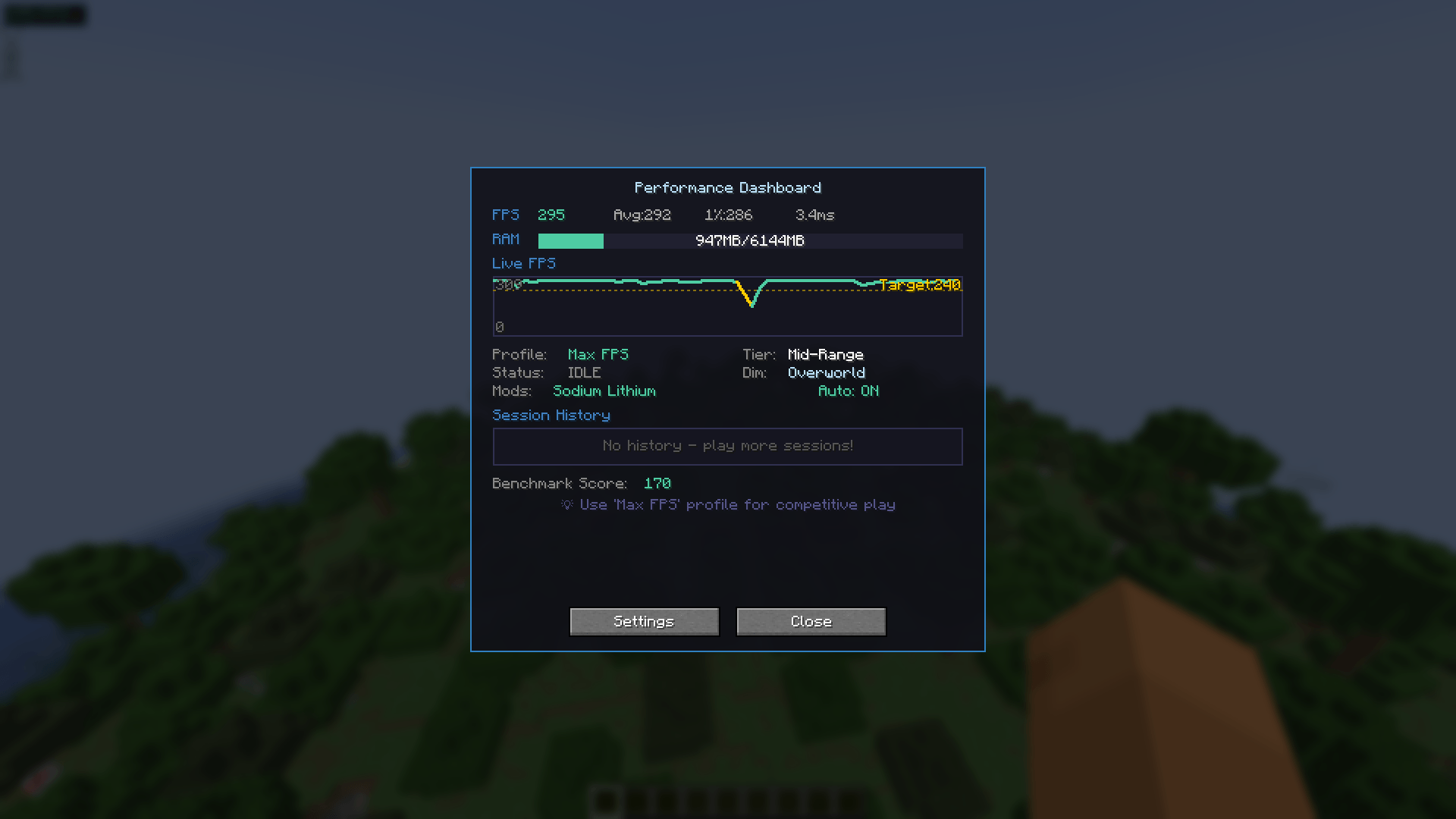
📊 Live Performance Dashboard
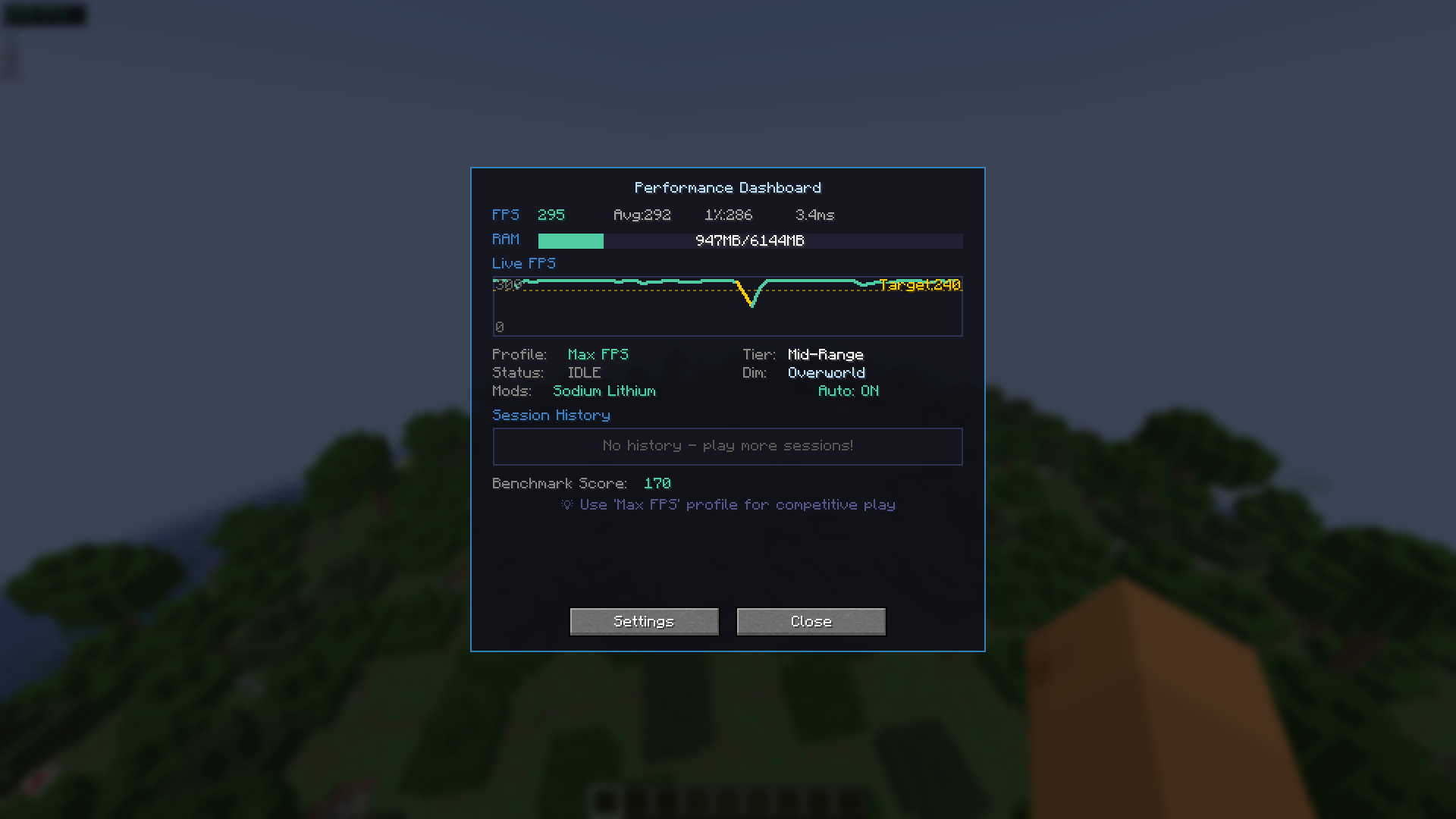
Monitor your performance in real-time:
- Live FPS graph - See your FPS over the last 60 seconds
- Memory usage bar - Monitor RAM usage and prevent crashes
- Session history - Track performance across 10 gaming sessions
- Hardware tier - Auto-detected system capability
- Benchmark score - Test and compare your performance
⚡ Dynamic Optimization
Smart auto-tuning that adapts to your gameplay:
- Movement-based tuning - Higher quality when standing still, optimized when moving
- Combat optimization - Automatically boosts FPS during PvP fights
- Heavy scene detection - Reduces settings in particle-heavy areas (explosions, farms)
- Dimension presets - Different settings for Overworld, Nether, and End
🔒 Setting Locks
Protect your favorite settings from auto-optimization:
- 🔒 Lock Render Distance
- 🔒 Lock Graphics Quality
- Keep the settings you love while optimizing everything else
🔔 Lag Spike Alert
Visual feedback when FPS drops suddenly - red screen flash alerts you to performance issues instantly!
🎹 Keybinds
| Key | Action |
|---|---|
| F8 | Open Performance Dashboard |
| F9 | Toggle Auto-Optimize ON/OFF |
| F10 | Cycle Through Profiles |
🎮 Mod Compatibility
Works perfectly alongside popular optimization mods:
| Mod | Status |
|---|---|
| Sodium | ✅ Detected & Compatible |
| Lithium | ✅ Detected & Compatible |
| Iris Shaders | ✅ Detected & Compatible |
| Mod Menu | ✅ Config Screen + Donate Button |
Note: Smart FPS Booster detects these mods and adjusts its optimization strategy accordingly!
📦 Installation
- Install Fabric Loader
- Install Fabric API
- Download Smart FPS Booster for your Minecraft version
- Put the
.jarfile in yourmodsfolder - Launch Minecraft and press F8 to open the dashboard!
Recommended mods (optional):
💖 Support Development
If Smart FPS Booster helps improve your Minecraft experience, consider supporting development!

🔗 Links
📜 License
MIT License - Free to use, modify, and distribute.
🏷️ Tags
fps boost performance optimization fps mod lag fix fps increase minecraft optimization low end pc fps booster reduce lag better fps fps optimizer performance mod fps improvement lag reducer smooth gameplay fps counter fps overlay auto optimize dynamic fps
Made with ❤️ by devxkamlesh
Smart FPS Booster
A client-side Minecraft performance utility mod that dynamically manages selected video and performance settings, provides real-time performance monitoring, and offers configurable optimization profiles.
Smart FPS Booster does not modify Minecraft’s engine and does not guarantee specific FPS increases. Performance results depend on hardware, installed mods, and game settings.
Keybinds
| Key | Action |
|---|---|
| F8 | Open performance dashboard |
| F9 | Toggle dynamic optimization |
| F10 | Cycle profiles |
Why Smart FPS Booster?
Minecraft performance tuning often requires manual configuration and frequent adjustments depending on gameplay situations. Smart FPS Booster simplifies this process by:
- Applying predefined optimization profiles
- Dynamically adjusting supported client settings (optional)
- Displaying live performance data
- Integrating with popular optimization mods
The goal is to stabilize performance, reduce stuttering, and simplify configuration, especially on low-end or mid-range systems.
Intended For
- Players on low-end or mid-range PCs and laptops
- PvP players who prefer consistent frame timing
- Players experiencing FPS drops or stuttering
- Anyone who wants automated client-side performance management
Features
Optimization Profiles
Four configurable profiles are included:
- Max FPS – prioritizes performance-oriented settings
- Balanced – default mix of visuals and performance
- Quality – higher visual settings with moderate optimization
- Battery Saver – reduces GPU/CPU load for laptops
Profiles modify only supported client-side video and performance settings.
Live Performance Dashboard
Accessible via F8:
- Current FPS display
- FPS history graph (last 60 seconds)
- Memory usage indicator
- Session history (up to 10 sessions)
- Hardware tier estimation
- Built-in benchmark tool
Dynamic Optimization (Optional)
When enabled, the mod can adjust selected settings based on:
- Player movement
- Combat situations
- Heavy visual scenes (particles, explosions, large farms)
- Current dimension (Overworld / Nether / End)
All changes remain within normal Minecraft client configuration options.
Setting Locks
You may prevent the mod from changing specific settings:
- Render Distance
- Graphics Mode
This allows optimization while preserving your preferred visual configuration.
Lag Spike Indicator
Optional visual alert when a sudden FPS drop is detected (brief red screen flash).
This is informational only and does not affect gameplay mechanics.
Mod Compatibility
Smart FPS Booster detects and adapts behavior when used with:
- Sodium
- Lithium
- Iris Shaders
- Mod Menu
Compatibility is automatic when these mods are present.
Installation
- Install Fabric Loader
- Install Fabric API
- Place the mod
.jarinto themodsfolder - Launch the game
Important Notes
- Client-side only
- Safe to use on servers
- Does not bypass hardware limitations
- Does not guarantee FPS improvements
- Designed to assist configuration and performance monitoring
License
MIT License
Developer
Created by devxkamlesh
Source code, issue tracker, and donation links are available on the project page.
Screenshots
Gallery
-
 profiles.png profiles.png
 -
 dashboard.png dashboard.png
 -
 Screenshot from 2026-01-13 06-28-20.png Screenshot from 2026-01-13 06-28-20.png
-
 Smart FPS Booster - Boost Your Minecraft FPS The ultimate FPS optimization mod for Minecraft. Automatically boost your FPS, reduce lag, and improve performance with smart profiles and dynamic optimization.
 -
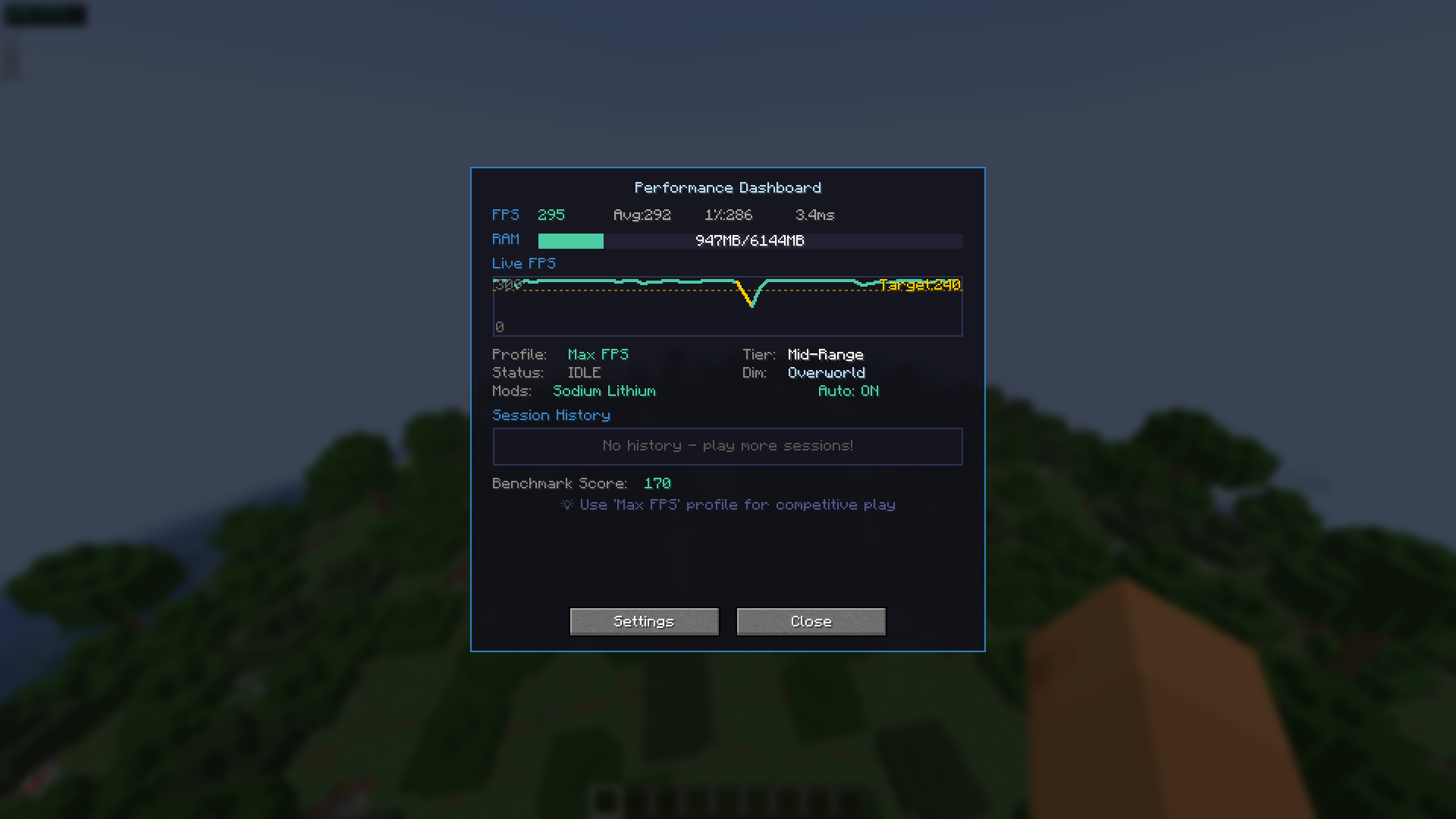 Live Performance Dashboard - Real-time FPS Monitoring Monitor your Minecraft performance in real-time! Features live FPS graph, memory usage bar, session history chart, hardware tier detection, and benchmark scoring. Press F8 to open.
 -
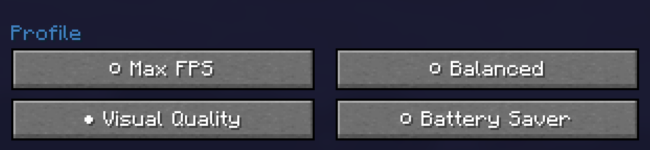 Smart Optimization Profiles - Max FPS, Balanced, Quality Choose from 4 optimization profiles: Max FPS for competitive PvP, Balanced for everyday play, Quality for beautiful visuals, and Battery Saver for laptops. One-click profile switching!
 -
 Easy Settings - Customize Your Optimization Full control over your optimization settings. Toggle auto-optimize, set target FPS, lock specific settings, change overlay position and style. All accessible in-game!
 -
 Benchmark Mode - Test Your Performance Run a 10-second benchmark to test your system performance. Get a score to compare before and after optimization, or compare with friends!
 -
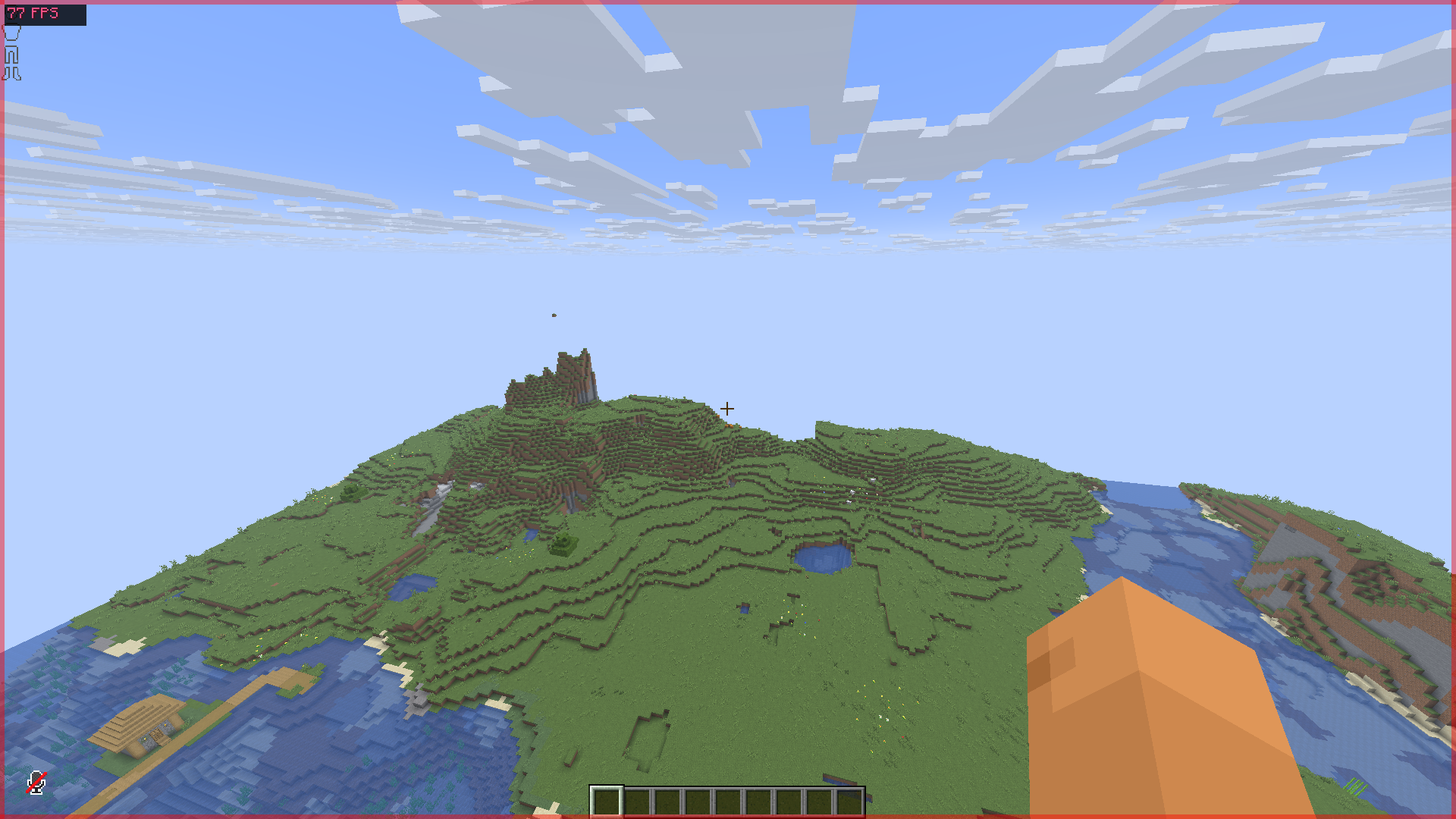 Lag Spike Alert - Instant Visual Feedback Red screen flash when FPS drops suddenly. Know immediately when performance issues occur so you can react or adjust settings.
 -
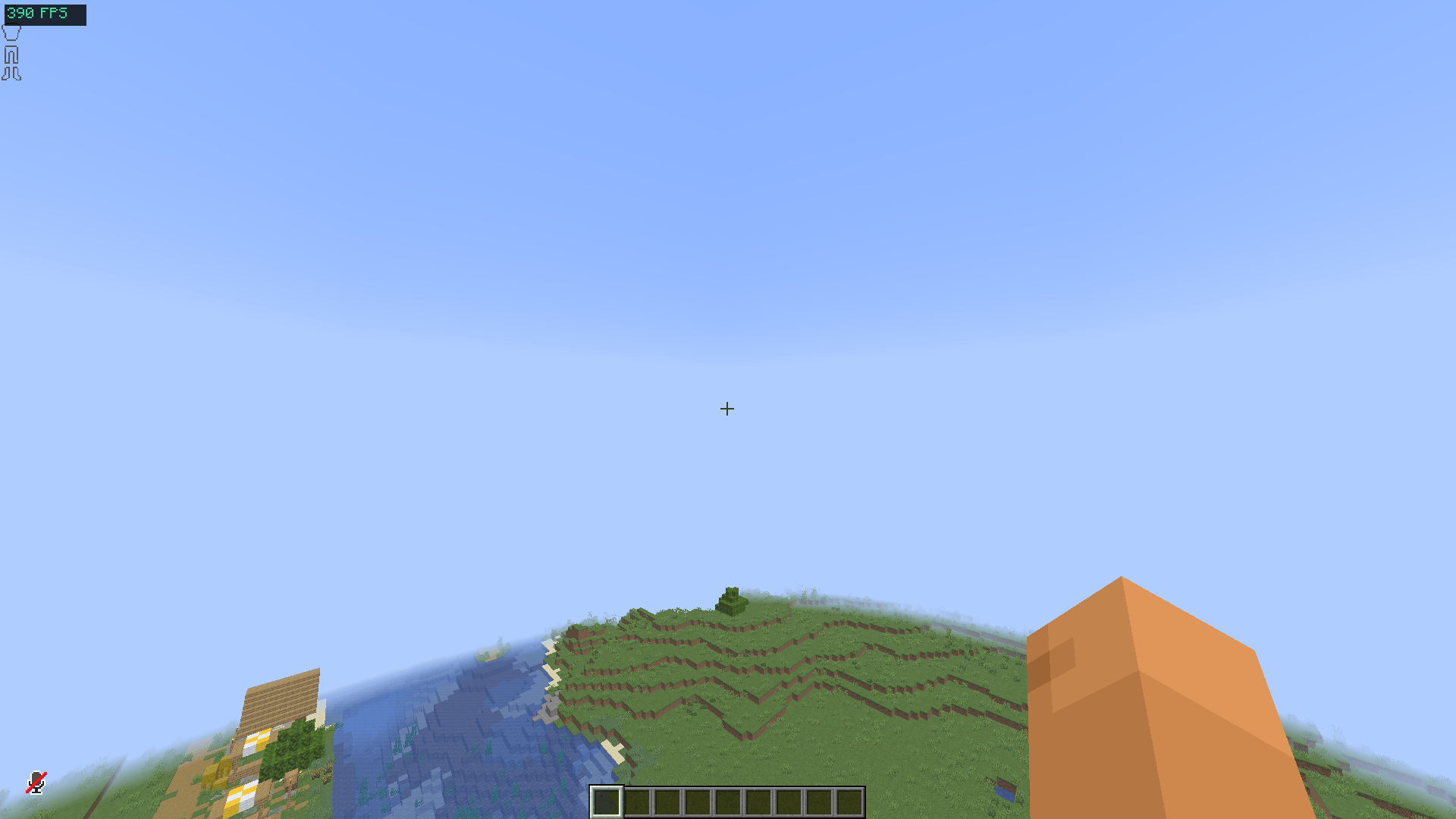
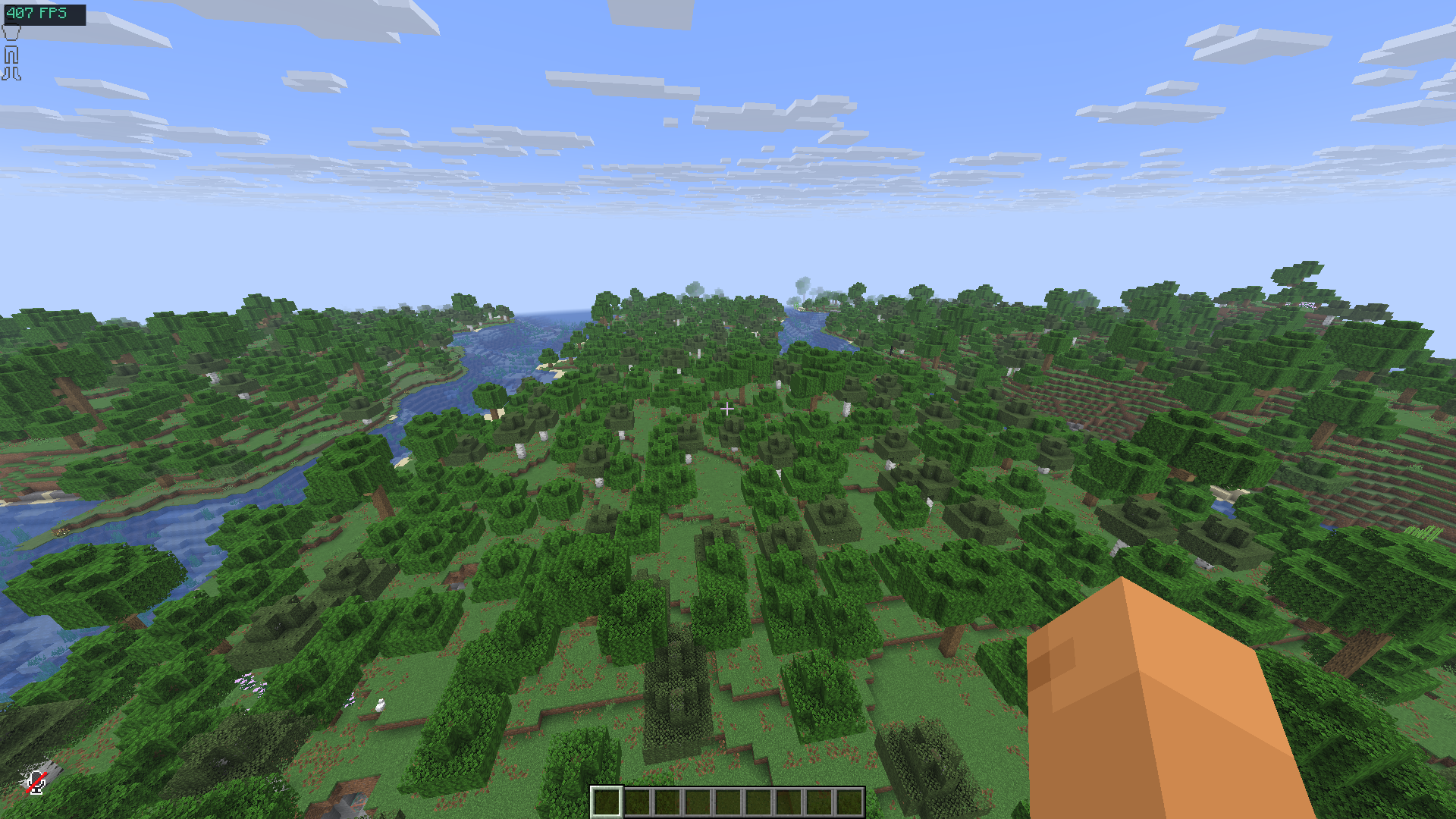
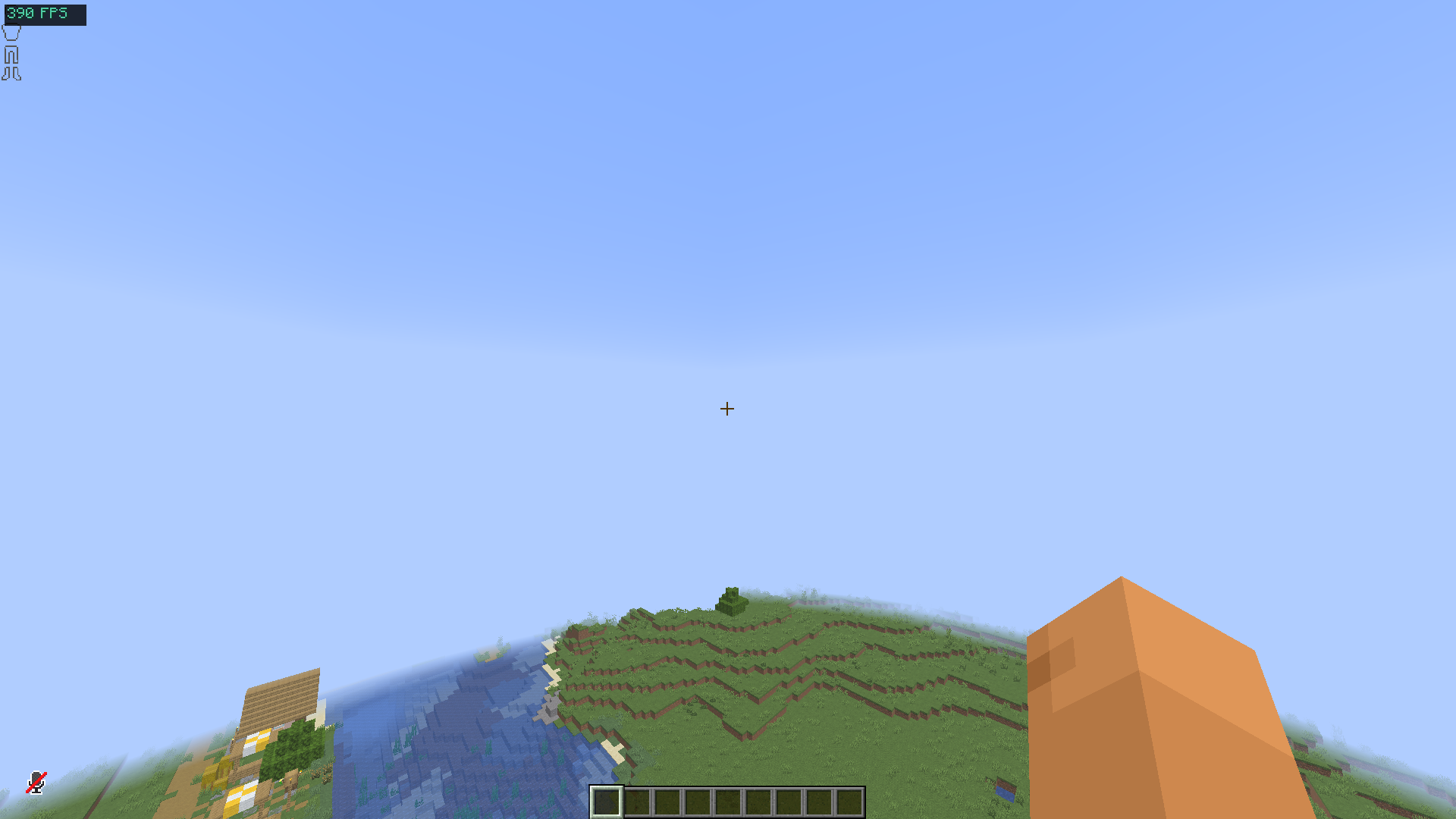 Minimal FPS Overlay - Always Know Your Performance Clean, customizable FPS overlay with 3 styles (Minimal, Compact, Detailed) and 4 positions. Drag to custom position or use presets. Shows FPS, memory, and optimization status.
Versions
Files
Relations
Project Relations
More like this
Similar Mods
Suggestions use data such as tags, dependencies, dependents, descriptions, titles, and more to rank how much they overlap with this mod.
On ModDex
Community snapshot
By the numbers
Statistics
Want to reach Minecraft players?
We're looking for a server hosting partner to feature here and other parts of the site. Interested? Send us a message!
Get in touchGet it on
Available Platforms
On ModDex
Community snapshot
By the numbers