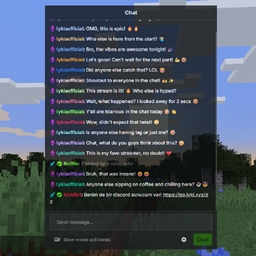
Community listing page, reviews here may not be monitored by the author.
In Game Stream Chat


No reviews yet
View your live stream chat directly in Minecraft!
Community voices
Reviews
No reviews yet. Be the first to review this project!
Get it on
Available Platforms
Compatibility
Supported Environments
Runs entirely on the client. Works on vanilla servers.
About
Project Details
For authors
Embed Badge
If you're the author of this project, you can embed a live badge anywhere that supports HTML or Markdown. It updates automatically whenever ratings change.
Use HTML for any page that supports it, or Markdown for README files and Markdown-based descriptions.
Identifiers
Platform IDs
About
Description


In-Game Stream Chat
In-Game Stream Chat is a client-side Fabric mod for Minecraft. It allows you to see the chats from live streams on platforms like Twitch/Kick/YouTube on your in-game screen. You can send messages to the chat, ban people, delete messages, and customize additional stream chat settings right from the screen.
You can view chats without requiring any authorization or membership login.
What's Changed:
v1.3.0:
- The dependency requirement has been removed. You no longer need to install an extra mod.
- An issue detected in rendering has been fixed.
v1.2.0:
- The config screen has been updated and now includes a new button.
- Size and Opacity Settings have been added, allowing the in-game stream chat to be resized, moved to any desired location on the screen, and its opacity adjusted.
- Rendering has been optimized.
For issues and feedback: (Email, Faster) [email protected] or (Discord) https://go.lyki.dev/dc
In-Game Chat Overlay

With the overlay, you can view your stream chat on top of the screen.

With a keybind, you can activate your mouse and click or type on anything you want.

Preview (.gif)

From the settings screen, you can easily configure which streamer's chat you want to view and on which platform the stream is hosted. For YouTube, you will need to enter the stream ID found in the URL of the stream instead of the streamer's name.

Multilingual support: Customized messages for 6 different languages. Works seamlessly with your client language. Here are the supported languages:
- Turkish (Türkçe)
- English (US)
- Français (France)
- Español (España)
- Deutsch (German)
- Russian (Русский)
There may be errors in the localizations; please report any issues for corrections.





In-Game Stream Chat
In-Game Stream Chat is a client-side Fabric mod for Minecraft. It allows you to see the chats from live streams on platforms like Twitch/Kick/YouTube on your in-game screen. You can send messages to the chat, ban people, delete messages, and customize additional stream chat settings right from the screen.
You can view chats without requiring any authorization or membership login.
What's Changed:
v1.3.0:
- The dependency requirement has been removed. You no longer need to install an extra mod.
- An issue detected in rendering has been fixed.
v1.2.0:
- The config screen has been updated and now includes a new button.
- Size and Opacity Settings have been added, allowing the in-game stream chat to be resized, moved to any desired location on the screen, and its opacity adjusted.
- Rendering has been optimized.
For issues and feedback: (Email) [email protected] or (Discord) https://go.lyki.dev/dc
In-Game Chat Overlay
With the overlay, you can view your stream chat on top of the screen.
With a keybind, you can activate your mouse and click or type on anything you want.
Preview (.gif)
From the settings screen, you can easily configure which streamer's chat you want to view and on which platform the stream is hosted. For YouTube, you will need to enter the stream ID found in the URL of the stream instead of the streamer's name.
Multilingual support: Customized messages for 6 different languages. Works seamlessly with your client language. Here are the supported languages:
- Turkish (Türkçe)
- English (US)
- Français (France)
- Español (España)
- Deutsch (German)
- Russian (Русский)
There may be errors in the localizations; please report any issues for corrections.
Built by lyki.dev
In Game Stream Chat is developed by lyki.dev — an independent software studio focused on custom Minecraft mods, plugins, backend systems and reverse-engineering work.
Need a custom system, private mod or server infrastructure?
Screenshots
Gallery
-
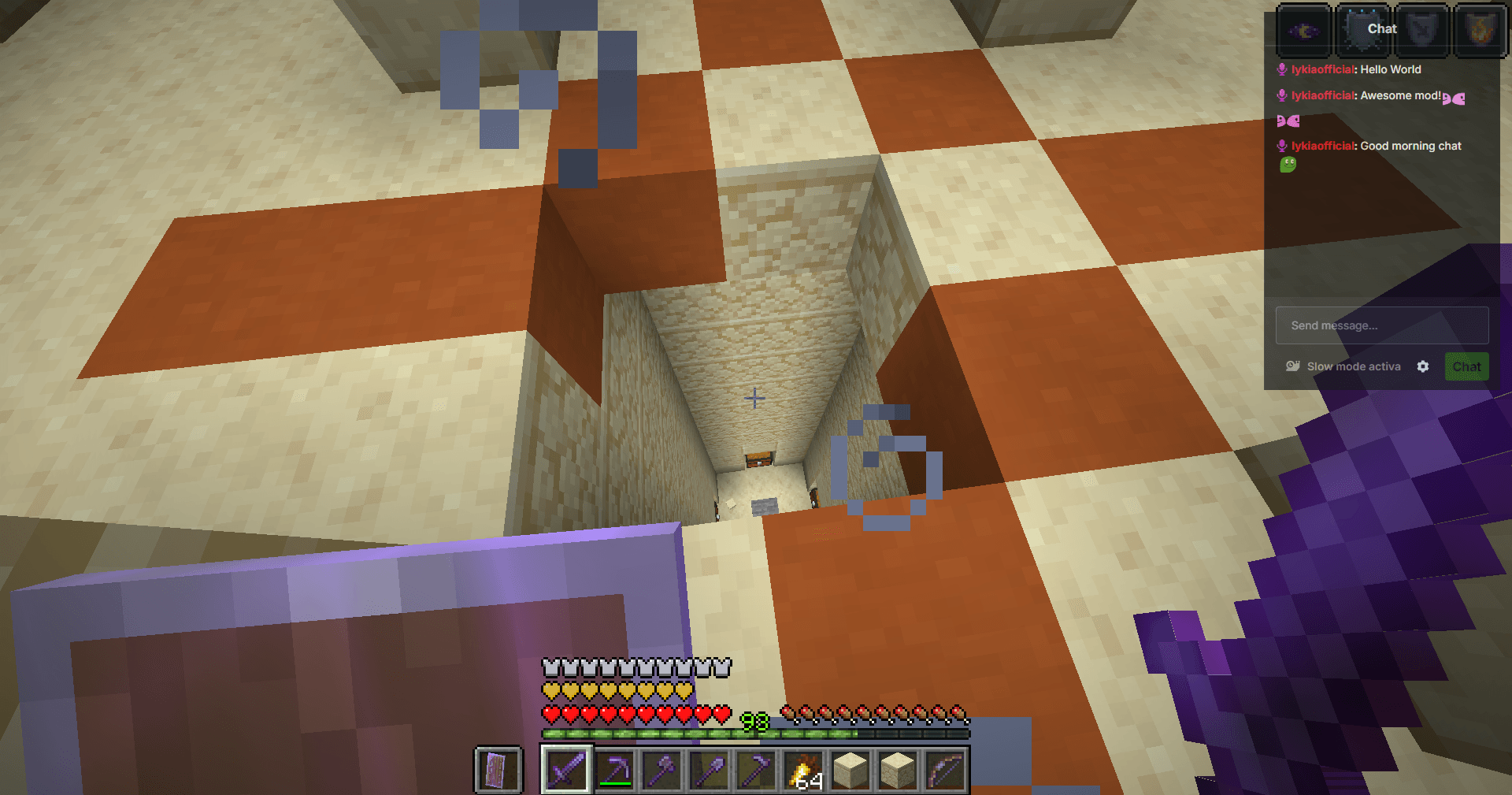 Kick Chat in The Game
 -
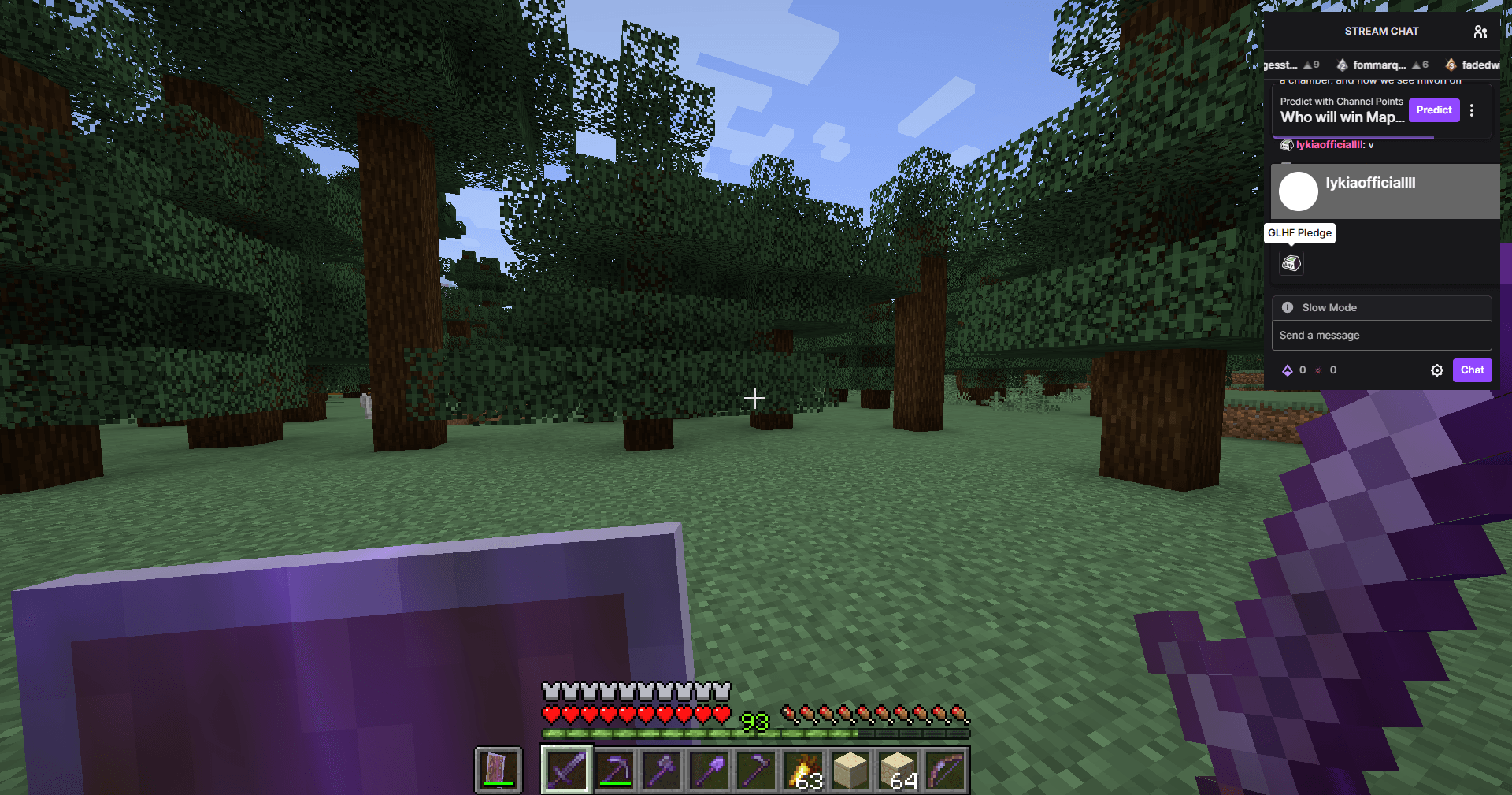 Twitch Chat in The Game
 -
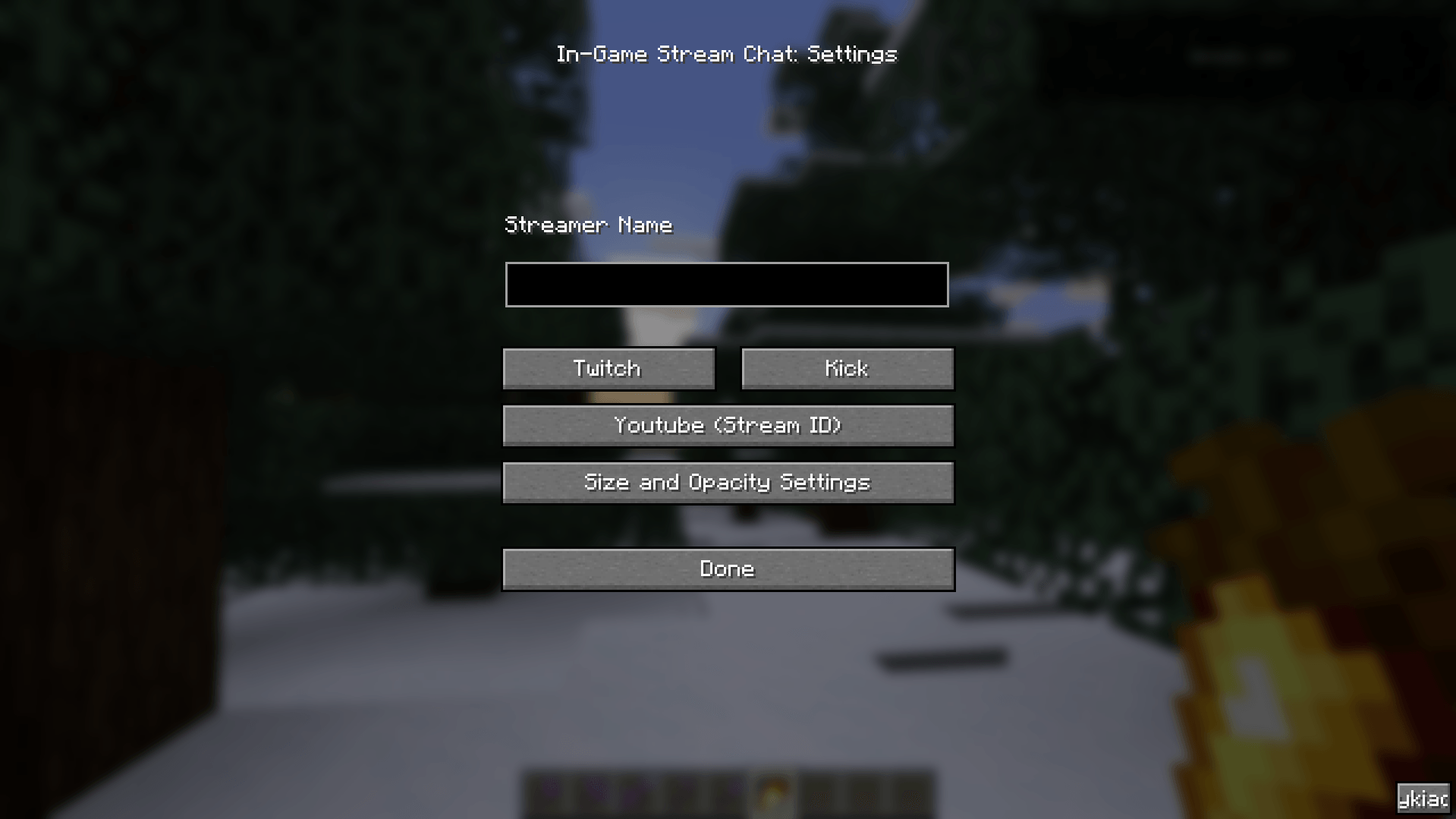 v1.2.0 Settings Menu
 -
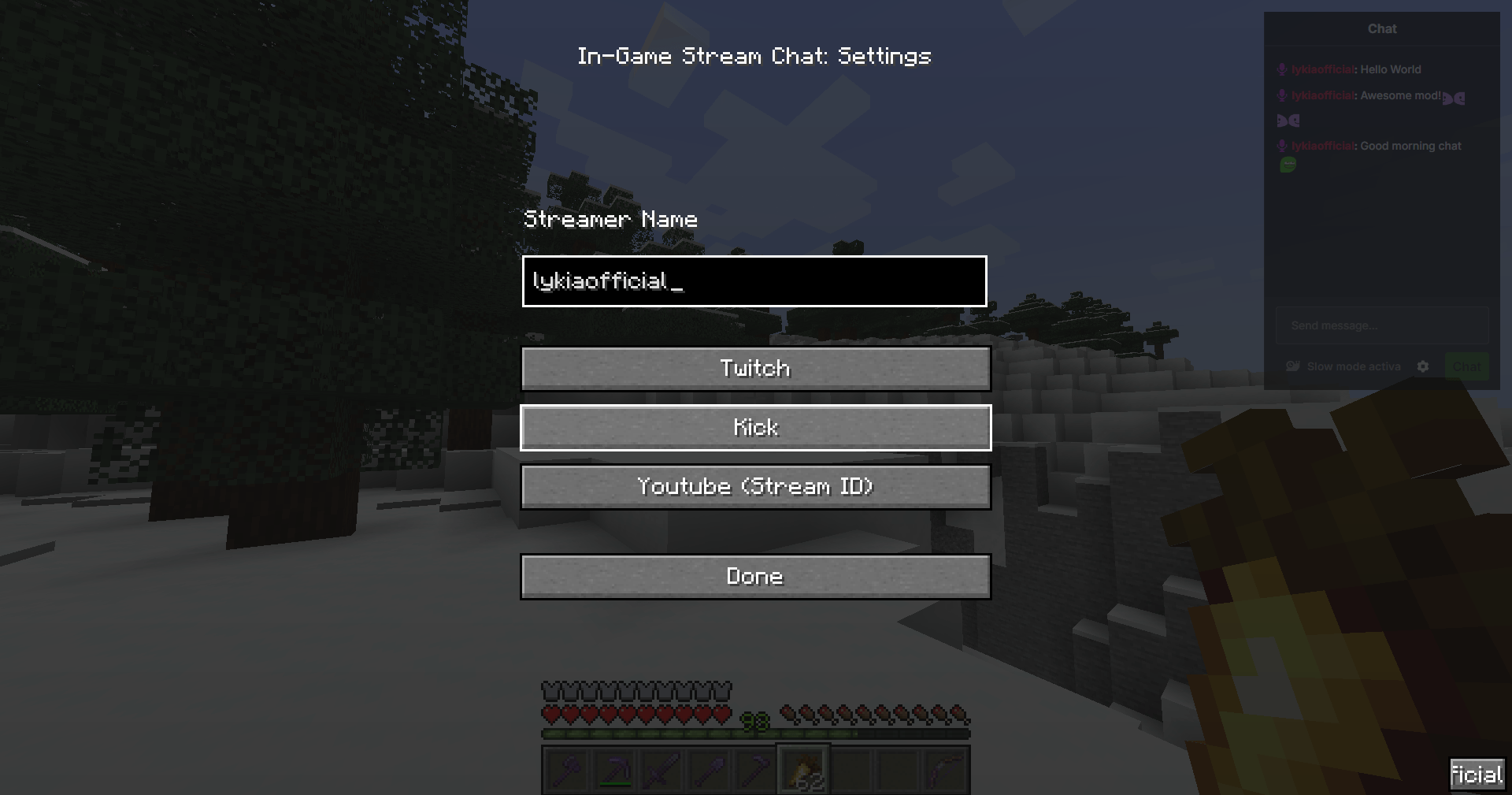 v1.1.2 Settings Menu
-
 lykiaofficial
 -
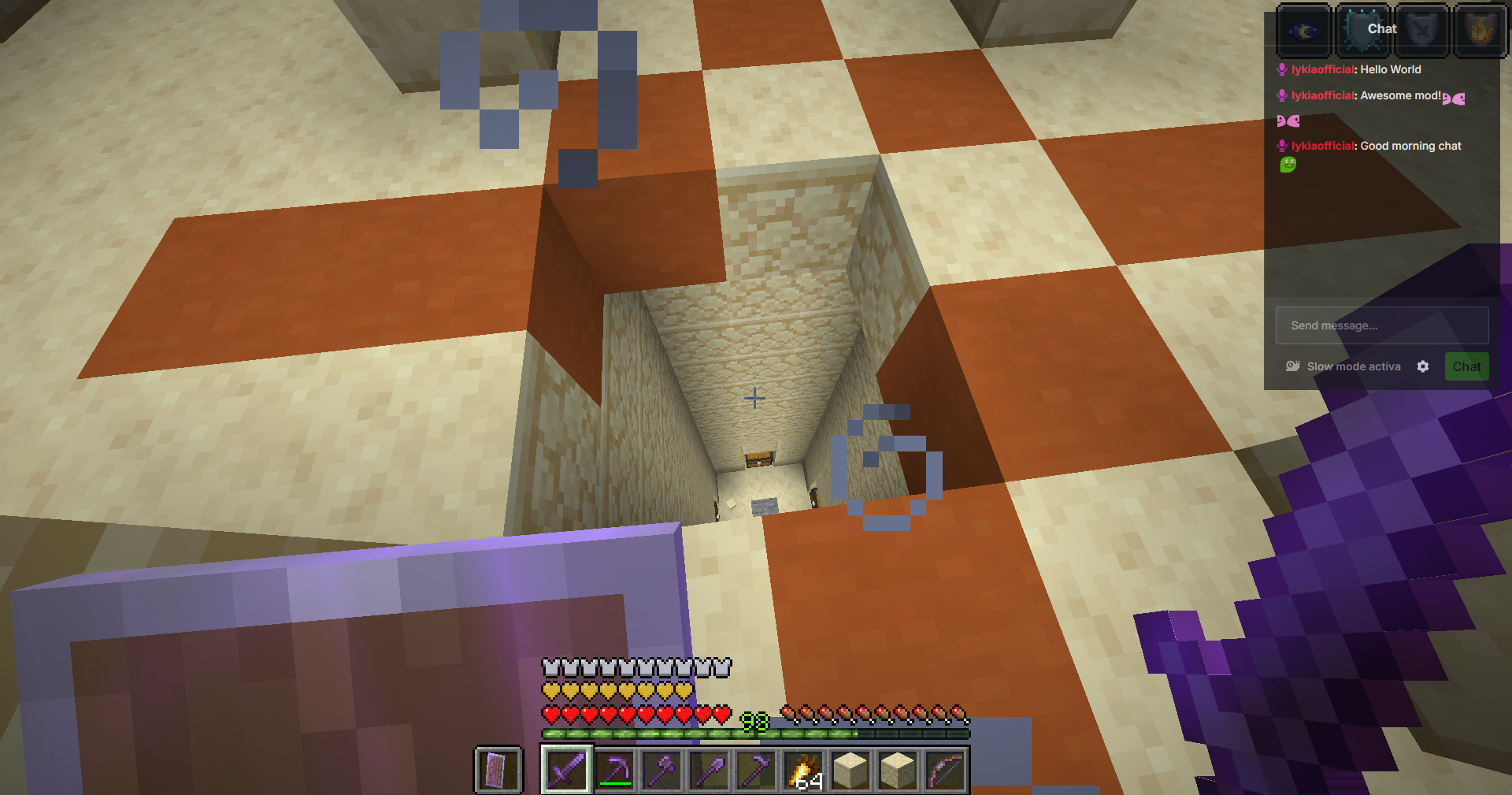 Kick Chat in The Game
 -
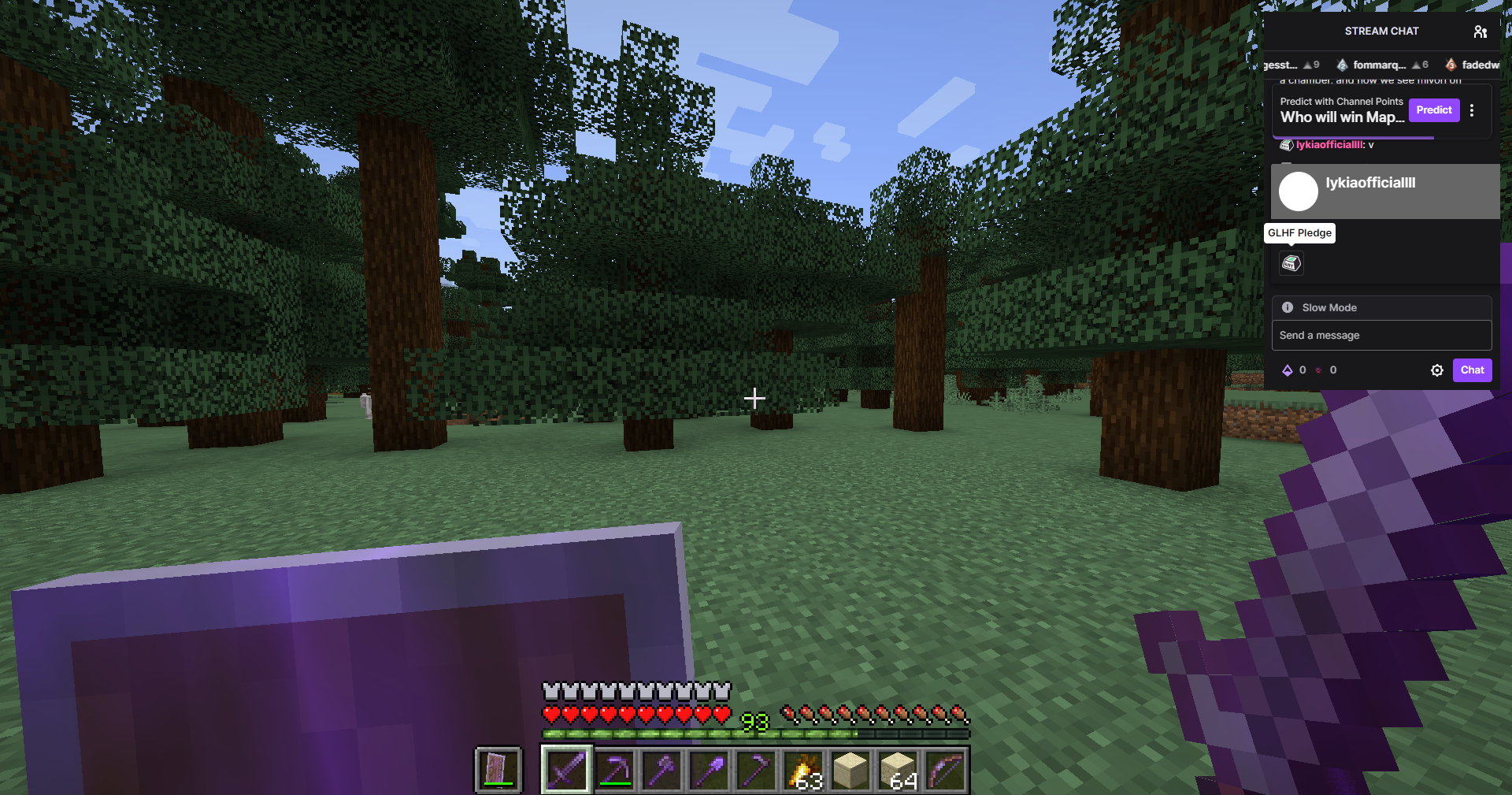 Twitch Chat in The Game
 -
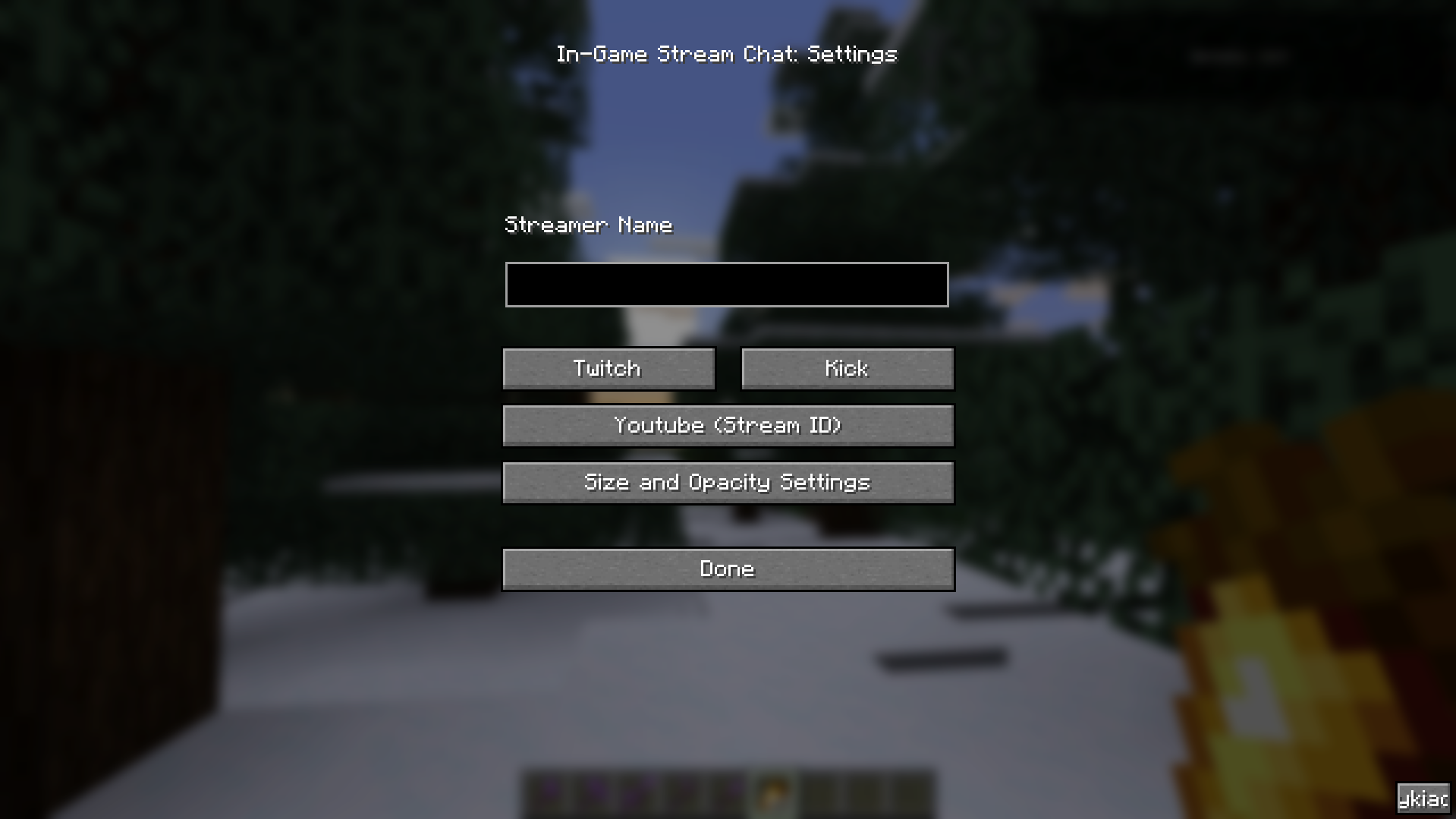 v1.2.0 Settings Menu
 -
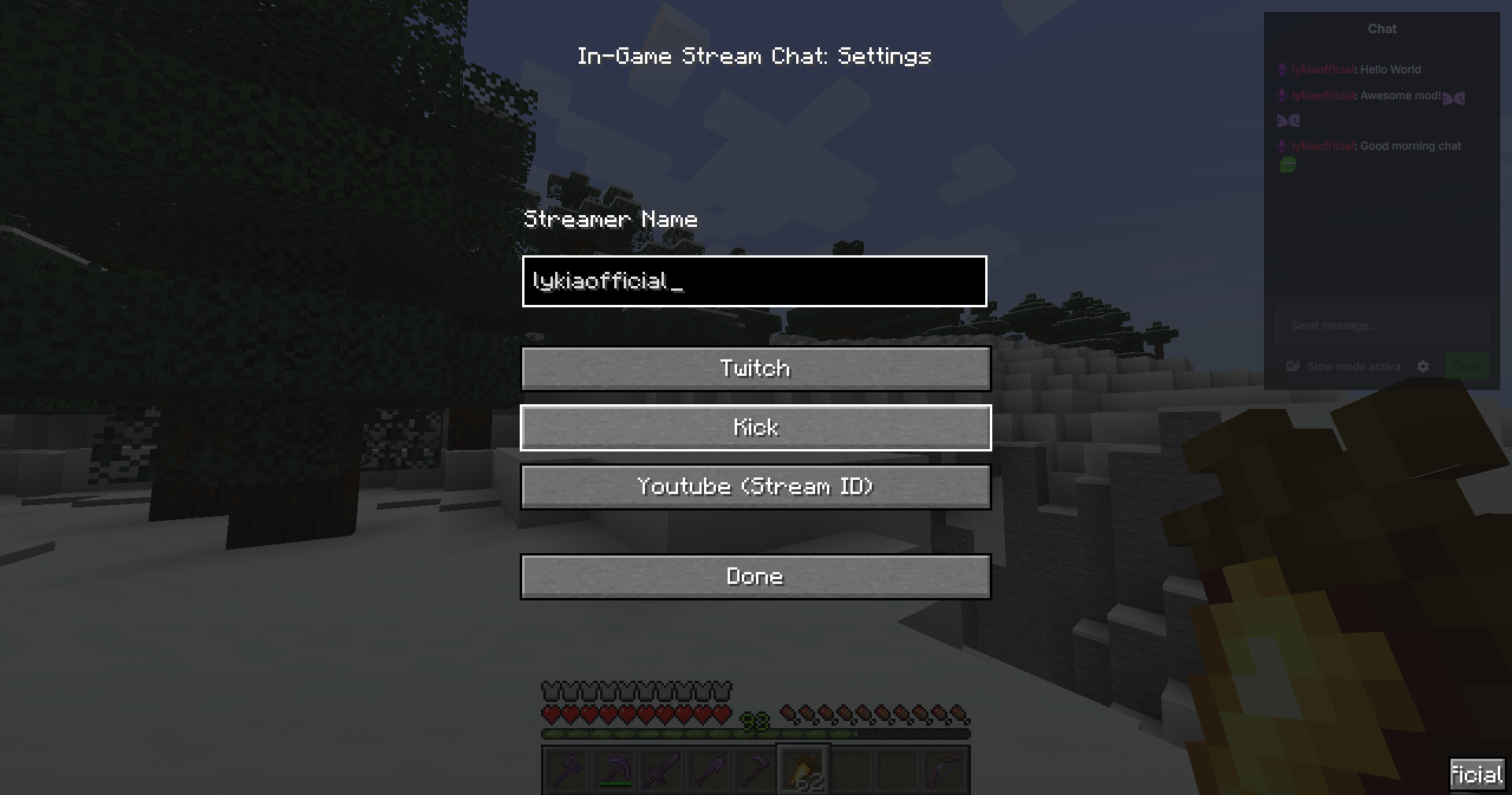 v1.1.2 Settings Menu
Versions
Files
Relations
Project Relations
More like this
Similar Mods
Suggestions use data such as tags, dependencies, dependents, descriptions, titles, and more to rank how much they overlap with this mod.
On ModDex
Community snapshot
By the numbers
Statistics
Want to reach Minecraft players?
We're looking for a server hosting partner to feature here and other parts of the site. Interested? Send us a message!
Get in touchGet it on
Available Platforms
On ModDex
Community snapshot
By the numbers