
Community listing page, reviews here may not be monitored by the author.
Smart Inventory Sorter

No reviews yet
Smart Inventory Sorter is a lightweight automatic inventory, chest, shulcker,barrel organization mod
Community voices
Reviews
No reviews yet. Be the first to review this project!
Get it on
Available Platforms
Compatibility
Supported Environments
Runs entirely on the server. Also works in singleplayer.
About
Project Details
For authors
Embed Badge
If you're the author of this project, you can embed a live badge anywhere that supports HTML or Markdown. It updates automatically whenever ratings change.
Use HTML for any page that supports it, or Markdown for README files and Markdown-based descriptions.
Identifiers
Platform IDs
Resources
External Links
About
Description
Smart Inventory Sorter
Smart Inventory Sorter is a lightweight automatic inventory organization mod for Minecraft 1.21.x, 26.1.x, and 26.2. It sorts storage containers after players finish using them, organizes player inventories on close, consolidates partial stacks, and supports server-side only, singleplayer, and optional client controls.
Vanilla players can join a server running the mod without installing anything client-side. Install it on the client only when you want the optional sort button and keybind.
Supported Versions
| Minecraft | Java | Status |
|---|---|---|
| 1.21.x | 21 | Full support |
| 26.1.x | 25 | Full support |
| 26.2 | 25 | Full support |
Installation Modes
| Mode | Automatic Sorting | Manual Controls | Client Mod Required |
|---|---|---|---|
| Server-side only | Yes | /sort command |
No |
| Singleplayer | Yes | S button, P key, and /sort |
Yes |
| Client + server | Yes | S button, P key, and /sort |
For manual client controls only |
| Raw mode | Yes | No custom button or keybind | Depends on installation mode |
Server-side automatic sorting requires the mod and Fabric API on the server. A client-only installation on an unmodded multiplayer server cannot provide authoritative server auto-sorting.
Purpose & Function
The core mission of this project is to keep storage organized automatically without constant manual stack management.
- Sort When Finished: Containers are sorted once when the player closes them, not continuously every tick.
- Automatic Player Inventory Sorting: The 36 main inventory slots are organized after the inventory closes.
- Smart Stack Consolidation: Compatible partial stacks are merged before sorting to recover empty slots.
- Hotbar Protection: The first nine hotbar slots remain untouched when hotbar locking is enabled.
- Safe Storage Detection: Regular storage is sorted while specialized processing menus are left alone.
- Authoritative Server Changes: Server-side sorting updates the real inventory and persists after reopening the container.
Key Features
| Feature | Description | Default |
|---|---|---|
| Auto-Sort on Close | Sort storage after interaction ends | ON |
| Chest Sorting | Chests, double chests, and ender chests | ON |
| Barrel Sorting | Automatically organize barrels | ON |
| Shulker Sorting | Automatically organize shulker boxes | ON |
| Other Storage | Hoppers, droppers, dispensers, and compatible storage | ON |
| Player Inventory Sorting | Sort the 36-slot player inventory on close | ON |
| Hotbar Lock | Preserve all nine hotbar slots | ON |
| Creative Tab Sorting | Group items by Creative inventory category | DEFAULT |
| Alphabetical Sorting | Sort items by their displayed names | AVAILABLE |
| Item ID Sorting | Sort items by their registry identifiers | AVAILABLE |
| Manual Sort Button | Compact S button in supported container screens |
ON with client mod |
| Manual Sort Key | Press P to request an immediate sort |
ON with client mod |
| Raw Mode | Remove the custom button and keybind | OFF |
- 100% Server-Side Capable Vanilla clients receive automatic sorting with no client mod required.
- Singleplayer Ready Minecraft's integrated server runs the same authoritative auto-sort logic.
- Optional Zero-UI Mode Enable raw mode for automatic sorting with no custom interface.
- Safe by Design Processing and crafting menus are excluded from automatic rearrangement.
- Lightweight No database, inventory scanning loop, scheduled sorter, or constant CPU usage.
- Fabric Based Requires Fabric Loader and Fabric API.
Enhance your server setup! Check out my other server-side mods over at : Fabric Server Essentials
Automatically Sorted Storage
Smart Inventory Sorter recognizes standard storage layouts and compatible storage menus, including:
- Chests and double chests
- Ender chests
- Barrels
- Shulker boxes
- Hoppers
- Droppers
- Dispensers
- Compatible modded storage using a regular storage-slot layout
For safety, specialized menus are not automatically rearranged, including:
- Crafting tables and player crafting grids
- Furnaces, blast furnaces, and smokers
- Brewing stands
- Anvils, smithing tables, and stonecutters
- Enchanting and other processing menus
How to Use
Automatic container sorting:
- Open a supported storage container.
- Add, remove, or rearrange items normally.
- Close the container.
- The server consolidates stacks and sorts the contents automatically.
Automatic player inventory sorting:
- Open your player inventory.
- Finish managing your items.
- Close the inventory.
- The main inventory is sorted while the locked hotbar remains unchanged.
Optional manual controls:
- Click the compact
Sbutton in a container screen. - Press
Pto request an immediate sort. - Use
/sortfor server-authoritative sorting.
Command
/sort
- Sorts the currently active storage menu when one is open.
- Sorts the player's main inventory when no external storage menu is active.
- Can be used by players without installing the client mod when the mod is installed server-side.
Configuration
Configuration is stored in:
config/smart_sorter_config.json
Default configuration:
{
  "rawMode": false,
  "autoSortOnClose": true,
  "sortChests": true,
  "sortBarrels": true,
  "sortShulkers": true,
  "sortOtherContainers": true,
  "sortPlayerInventoryOnClose": true,
  "lockHotbar": true,
  "sortingMethod": "CREATIVE_TAB"
}
| Setting | Description |
|---|---|
rawMode |
Disable the client-side S button and P keybind while keeping automatic sorting |
autoSortOnClose |
Master switch for automatic close sorting |
sortChests |
Automatically sort chest-style storage |
sortBarrels |
Automatically sort barrels |
sortShulkers |
Automatically sort shulker boxes |
sortOtherContainers |
Sort other safe storage layouts such as hoppers, droppers, and dispensers |
sortPlayerInventoryOnClose |
Sort the player's main inventory after it closes |
lockHotbar |
Preserve hotbar slots during player inventory sorting |
sortingMethod |
Select CREATIVE_TAB, ALPHABETICAL, or ID |
Set raw mode for automatic sorting without custom client UI:
"rawMode": true
Restart the game or server after changing the configuration. Existing installations should verify that sortPlayerInventoryOnClose and sortOtherContainers are set to true if those options were not present in an older config.
Requirements
- Fabric Loader
- Fabric API
- Java 21 for Minecraft 1.21.x
- Java 25 for Minecraft 26.1.x and 26.2
For server-side-only usage, install the correct Smart Inventory Sorter JAR and Fabric API on the server. Players can connect with an unmodified vanilla client.
Built for players and server owners who want organized storage without repeated inventory cleanup. Finish interacting, close the menu, and let the sorter handle the rest.
Screenshots
Gallery
-
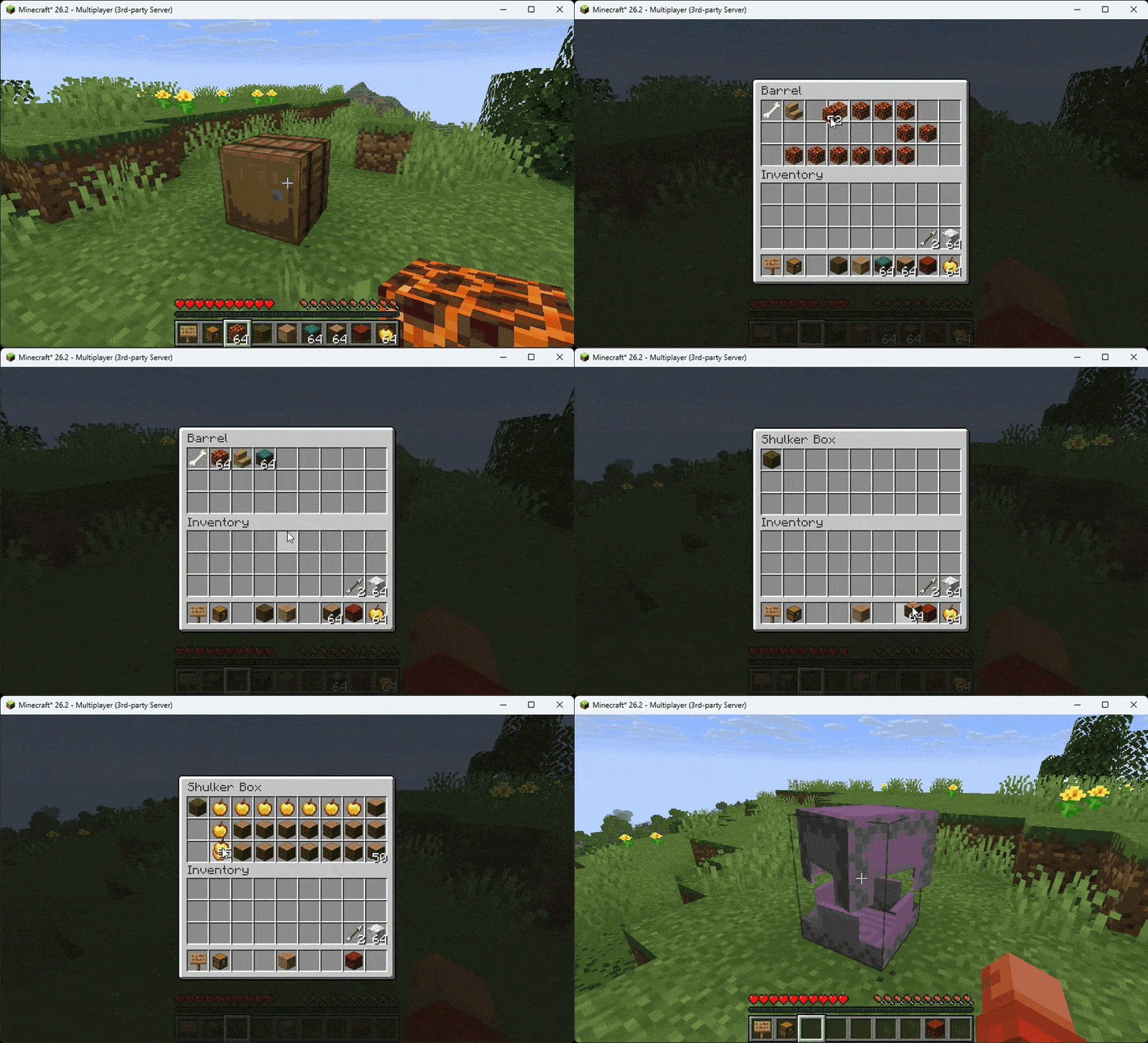 Shulker And Barrel Sorting🤩
 -
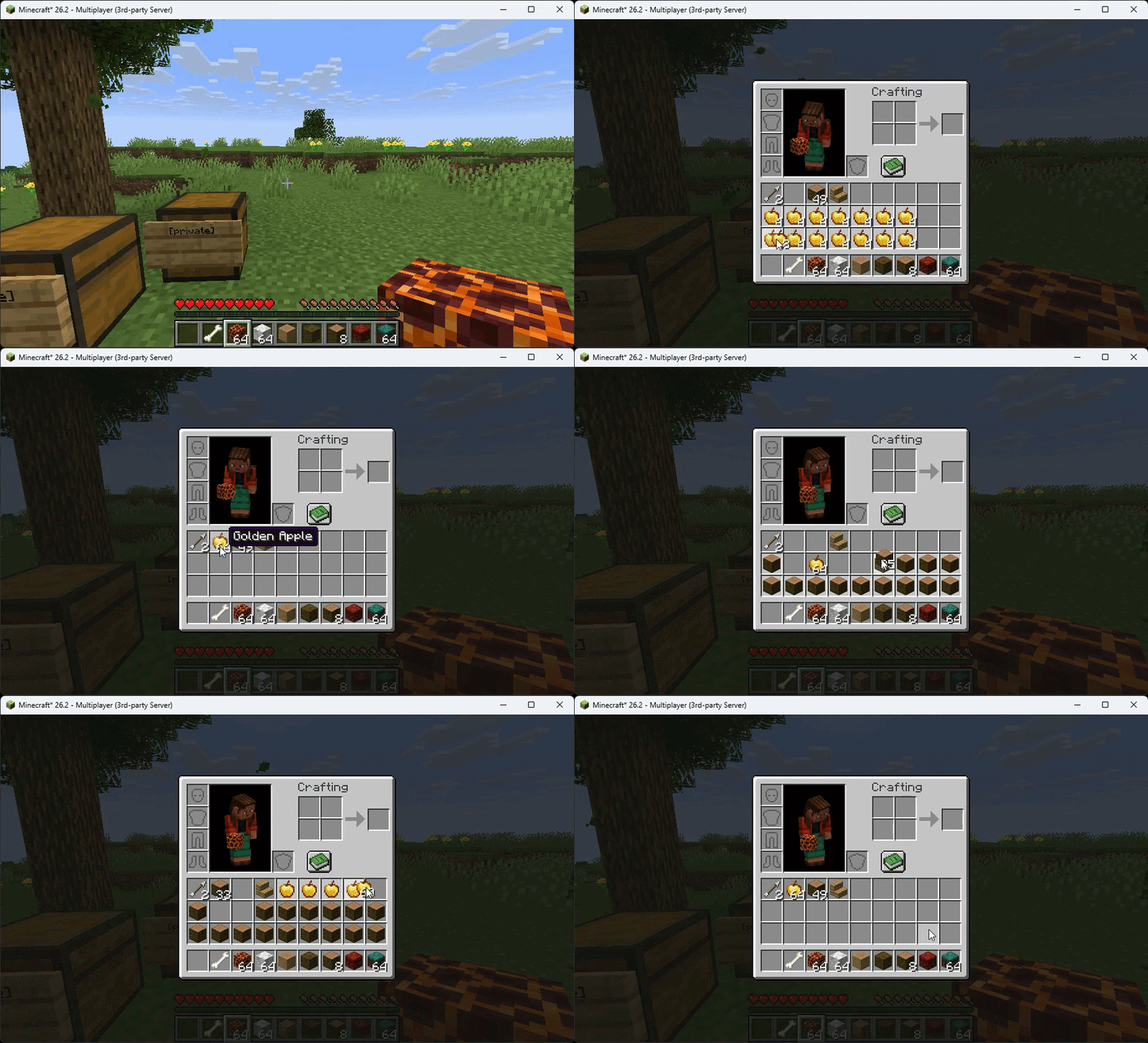 Inventory Sorting✨
 -
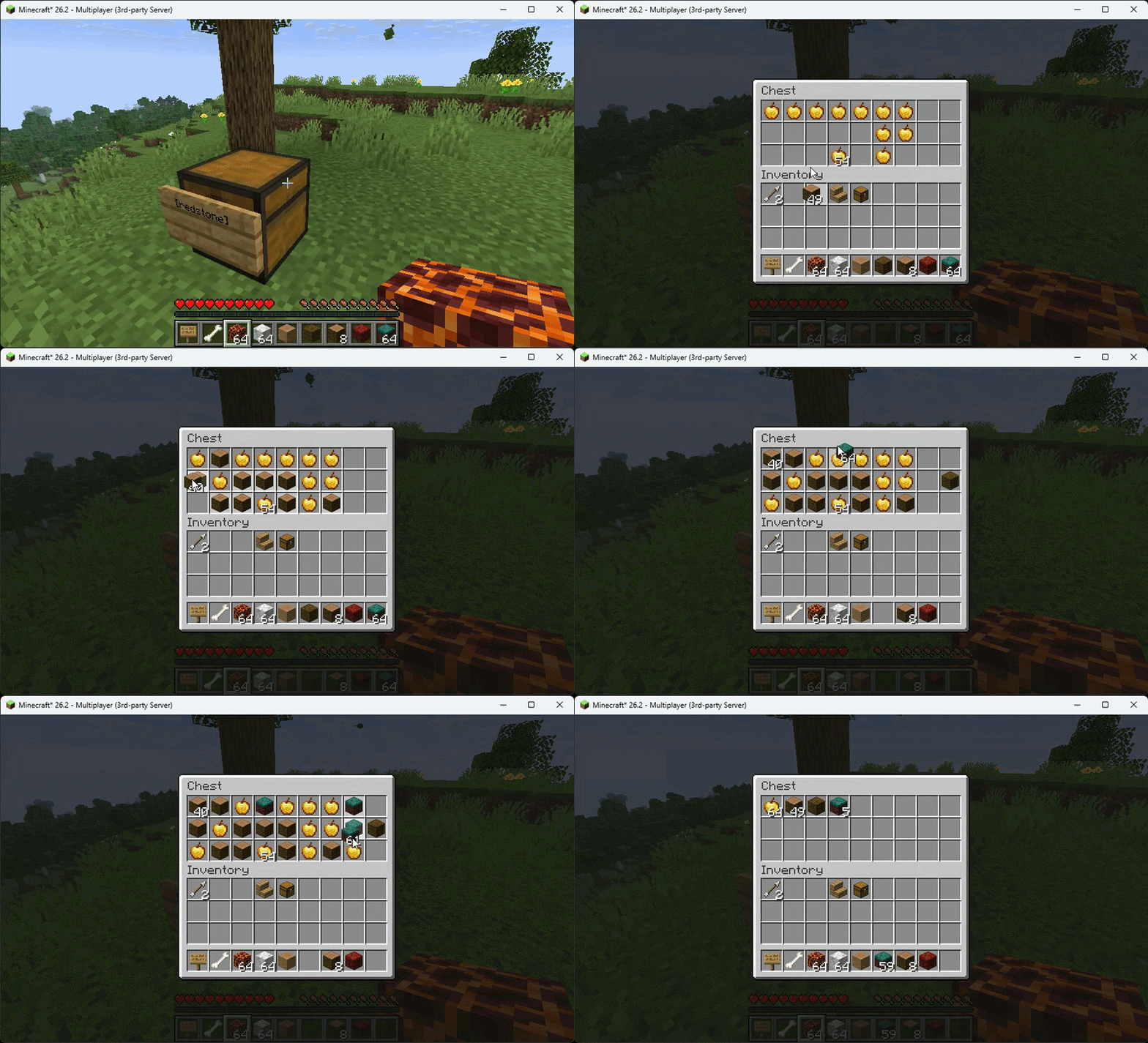 Chest Sorting✨
Versions
Files
Relations
Project Relations
More like this
Similar Mods
Suggestions use data such as tags, dependencies, dependents, descriptions, titles, and more to rank how much they overlap with this mod.
On ModDex
Community snapshot
By the numbers
Statistics

Want to reach Minecraft players?
We're looking for a server hosting partner to feature here and other parts of the site. Interested? Send us a message!
Get in touchGet it on
Available Platforms
On ModDex
Community snapshot
By the numbers
Statistics
Resources