
Community listing page, reviews here may not be monitored by the author.
Smootheez Config Lib


No reviews yet
Config library for all of my mods
Community voices
Reviews
No reviews yet. Be the first to review this project!
Get it on
Available Platforms
Compatibility
Supported Environments
Runs entirely on the client. Works on vanilla servers.
About
Project Details
For authors
Embed Badge
If you're the author of this project, you can embed a live badge anywhere that supports HTML or Markdown. It updates automatically whenever ratings change.
Use HTML for any page that supports it, or Markdown for README files and Markdown-based descriptions.
Identifiers
Platform IDs
About
Description
📦 Smootheez Config Lib (SCL)
A utility mod designed to simplify configuration handling for Minecraft modding.
Primarily developed for my own mods, but freely available for public use.
❓ What is SCL?
Smootheez Config Lib (SCL) provides an easier and cleaner way to manage configurations for Minecraft mods.
It removes boilerplate and offers a simple interface for:
- ✅ Config file management
- 🛠️ Automatic config screen generation
- ⚙️ Automatic config file generation
🖼️ In-Game Previews
🔧 Standard Config Screen
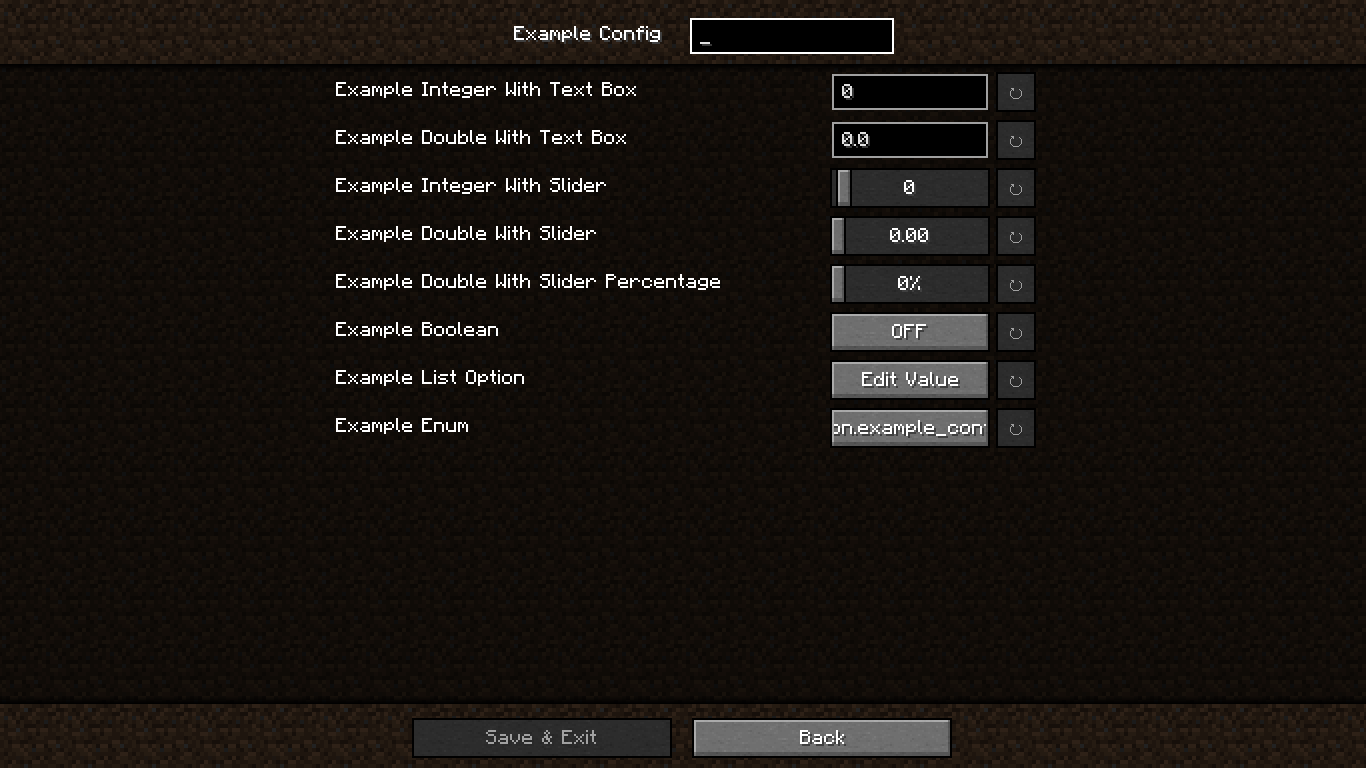
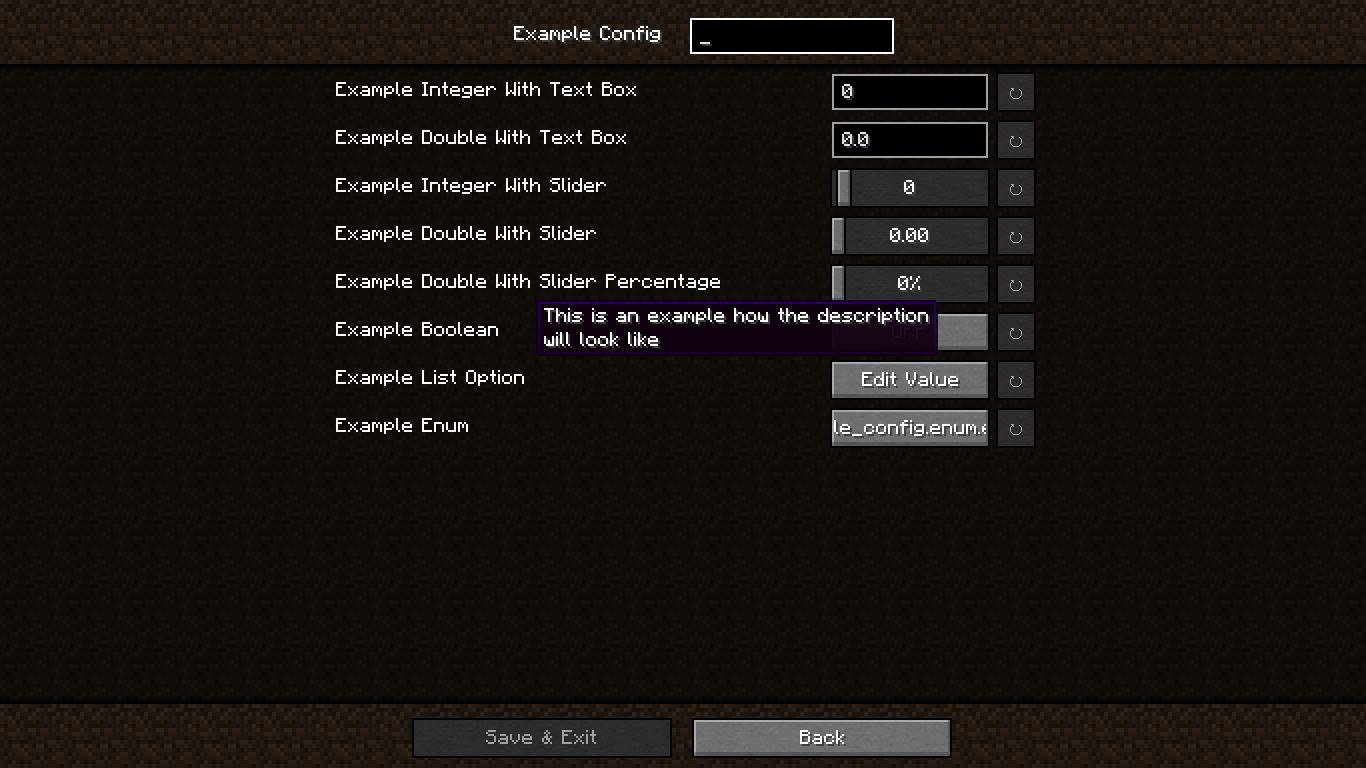
📝 Config Screen with Descriptions
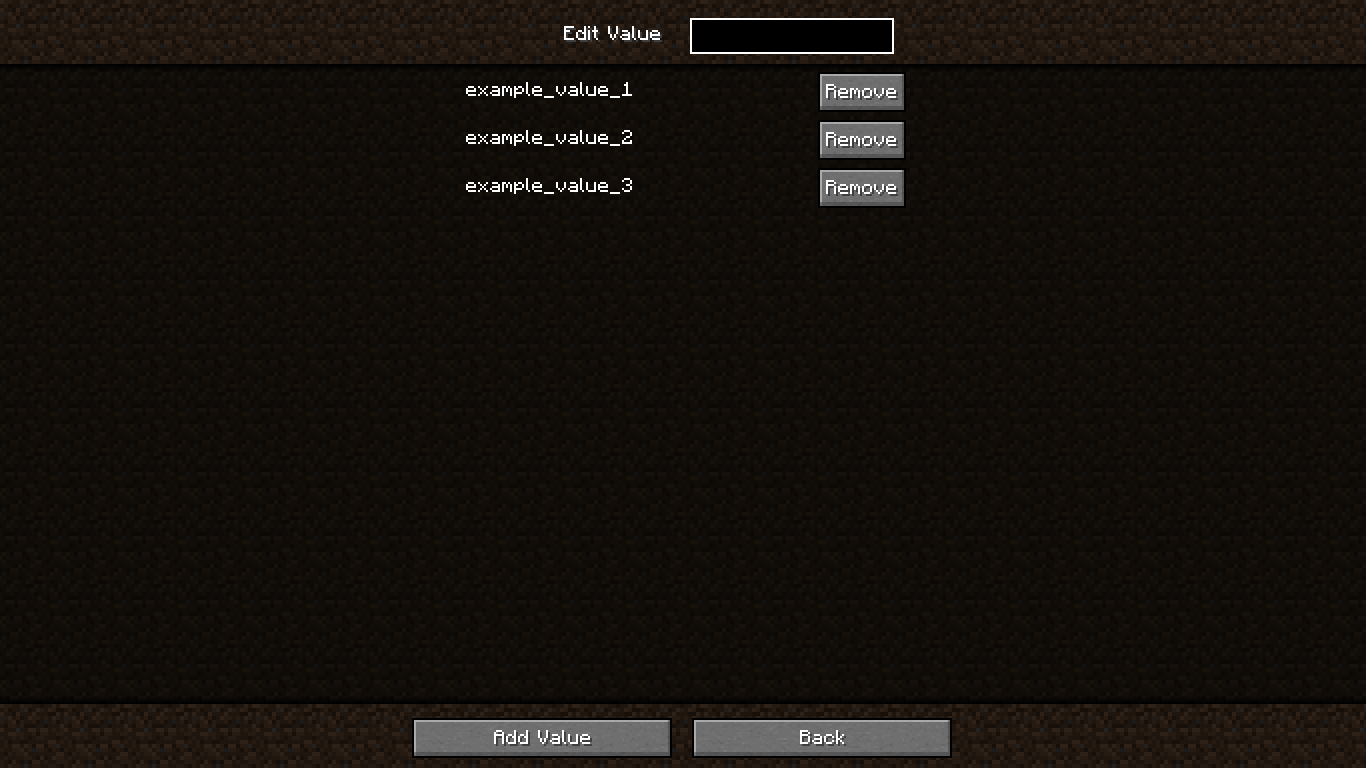
🗂️ Edit Value in OptionList
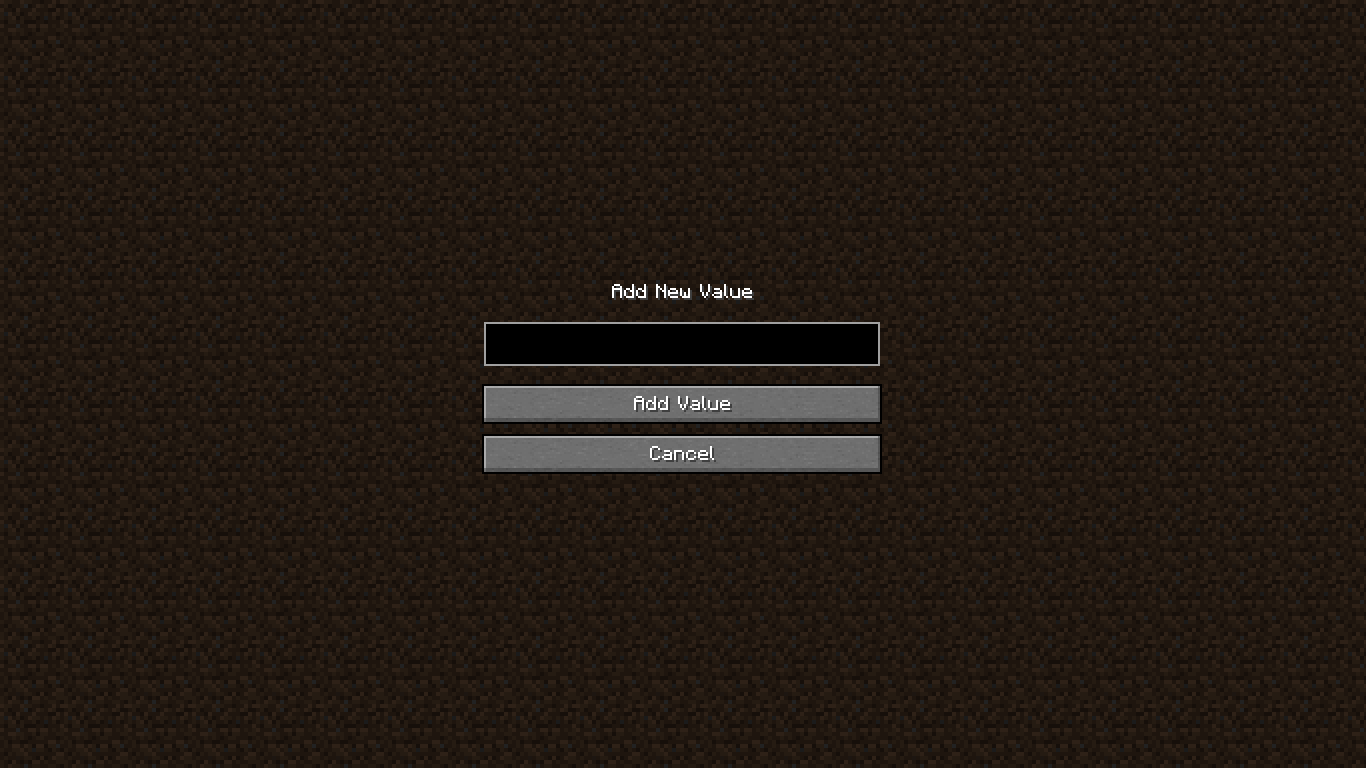
➕ Add Value to OptionList
❗ Confirmation Screen

🚀 Getting Started
🏗️ Step 1 – Add Repository
In your build.gradle:
repositories {
    maven {
        url "https://jitpack.io"
    }
}
📦 Step 2 – Add Dependency
Using version from gradle.properties:
dependencies {
    modImplementation "com.github.smootheez:scl:${project.scl_version}"
}
Or use the version directly:
dependencies {
    modImplementation "com.github.smootheez:scl:[version]"
}
💡 Example Usage
🧱 Step 1 – Create a Config Class
@Config(name = "example_config", gui = true)
public class ExampleConfig {
    public static final ConfigOption<Integer> INT_TEXT = ConfigOption.create("intText", 0, -5, 100);
    public static final ConfigOption<Double> DOUBLE_TEXT = ConfigOption.create("doubleText", 0.0, 0.0, 2.0);
    public static final ConfigOption<Integer> INT_SLIDER = ConfigOption.create("intSlider", 0, -5, 100).asSlider();
    public static final ConfigOption<Double> DOUBLE_SLIDER = ConfigOption.create("doubleSlider", 0.0, 0.0, 2.0).asSlider();
    public static final ConfigOption<Double> DOUBLE_SLIDER_PERCENTAGE = ConfigOption.create("doubleSliderPercentage", 0.0, 0.0, 2.0).asSliderPercentage();
    public static final ConfigOption<Boolean> BOOLEAN = ConfigOption.create("boolean", false);
    public static final ConfigOption<OptionList> LIST = ConfigOption.create("list", "example_value_1", "example_value_2", "example_value_3");
    public static final ConfigOption<ExampleEnum> ENUM = ConfigOption.create("enum", ExampleEnum.EXAMPLE_VALUE_1);
}
🧩 Step 2 – Register the Config
In your fabric.mod.json:
"entrypoints": {
    // ...existing entrypoints
    "scl": [
        "dev.smootheez.scl.example.ExampleConfig"
    ]
}
✅ That's it! SCL will automatically generate:
- The config file
- The config screen (requires
ModMenu)
📌 Note: The config screen will only be generated if:
gui = trueis set- The config
namematches your mod ID
📥 Download

🐞 Issue Tracker
Found a bug or have a feature suggestion?
Submit an issue here: GitHub Issues
⚠️ Important Notes
- ✅ Compatible with Minecraft 1.20.1+
- 📜 Licensed under the MIT License
☕ Support Me
If you find this project helpful and want to support my work, consider donating:


📦 Smootheez Config Lib (SCL)
A utility mod designed to simplify configuration handling for Minecraft modding.
Primarily developed for my own mods, but freely available for public use.
❓ What is SCL?
Smootheez Config Lib (SCL) provides an easier and cleaner way to manage configurations for Minecraft mods.
It removes boilerplate and offers a simple interface for:
- ✅ Config file management
- 🛠️ Automatic config screen generation
- ⚙️ Automatic config file generation
🖼️ In-Game Previews
🔧 Standard Config Screen
📝 Config Screen with Descriptions
🗂️ Edit Value in OptionList
➕ Add Value to OptionList
❗ Confirmation Screen
🚀 Getting Started
🏗️ Step 1 – Add Repository
In your build.gradle:
repositories {
    maven {
        url "https://jitpack.io"
    }
}
📦 Step 2 – Add Dependency
Using version from gradle.properties:
dependencies {
    modImplementation "com.github.smootheez:scl:${project.scl_version}"
}
Or use the version directly:
dependencies {
    modImplementation "com.github.smootheez:scl:[version]"
}
💡 Example Usage
🧱 Step 1 – Create a Config Class
@Config(name = "example_config", gui = true)
public class ExampleConfig {
    public static final ConfigOption<Integer> INT_TEXT = ConfigOption.create("intText", 0, -5, 100);
    public static final ConfigOption<Double> DOUBLE_TEXT = ConfigOption.create("doubleText", 0.0, 0.0, 2.0);
    public static final ConfigOption<Integer> INT_SLIDER = ConfigOption.create("intSlider", 0, -5, 100).asSlider();
    public static final ConfigOption<Double> DOUBLE_SLIDER = ConfigOption.create("doubleSlider", 0.0, 0.0, 2.0).asSlider();
    public static final ConfigOption<Double> DOUBLE_SLIDER_PERCENTAGE = ConfigOption.create("doubleSliderPercentage", 0.0, 0.0, 2.0).asSliderPercentage();
    public static final ConfigOption<Boolean> BOOLEAN = ConfigOption.create("boolean", false);
    public static final ConfigOption<OptionList> LIST = ConfigOption.create("list", "example_value_1", "example_value_2", "example_value_3");
    public static final ConfigOption<ExampleEnum> ENUM = ConfigOption.create("enum", ExampleEnum.EXAMPLE_VALUE_1);
}
🧩 Step 2 – Register the Config
In your fabric.mod.json:
"entrypoints": {
    // ...existing entrypoints
    "scl": [
        "dev.smootheez.scl.example.ExampleConfig"
    ]
}
✅ That's it! SCL will automatically generate:
- The config file
- The config screen (requires
ModMenu)
📌 Note: The config screen will only be generated if:
gui = trueis set- The config
namematches your mod ID
📥 Download

🐞 Issue Tracker
Found a bug or have a feature suggestion?
Submit an issue here: GitHub Issues
⚠️ Important Notes
- ✅ Compatible with Minecraft 1.20.1+
- 📜 Licensed under the MIT License
☕ Support Me
If you find this project helpful and want to support my work, consider donating:
Screenshots
Gallery
Versions
Files
Relations
Project Relations
More like this
Similar Mods
Suggestions use data such as tags, dependencies, dependents, descriptions, titles, and more to rank how much they overlap with this mod.
On ModDex
Community snapshot
By the numbers
Statistics
Want to reach Minecraft players?
We're looking for a server hosting partner to feature here and other parts of the site. Interested? Send us a message!
Get in touchGet it on
Available Platforms
On ModDex
Community snapshot
By the numbers