
Community listing page, reviews here may not be monitored by the author.
SoundboardPlus

No reviews yet
A Soundboard for Simple Voice Chat. Supports mp3 format, inbuild yt-dlp, and categories.
Community voices
Reviews
No reviews yet. Be the first to review this project!
Get it on
Available Platforms
Compatibility
Supported Environments
Runs entirely on the client. Works on vanilla servers.
About
Project Details
For authors
Embed Badge
If you're the author of this project, you can embed a live badge anywhere that supports HTML or Markdown. It updates automatically whenever ratings change.
Use HTML for any page that supports it, or Markdown for README files and Markdown-based descriptions.
Identifiers
Platform IDs
About
Description
SoundboardPlus
🔀 This is a fork of Simple Soundboard by kvxd, extended with additional features and improvements.
SoundboardPlus is an enhanced soundboard mod for Simple Voice Chat. Play audio files directly into your voice stream — perfect for servers, fun moments, or just vibing with friends.
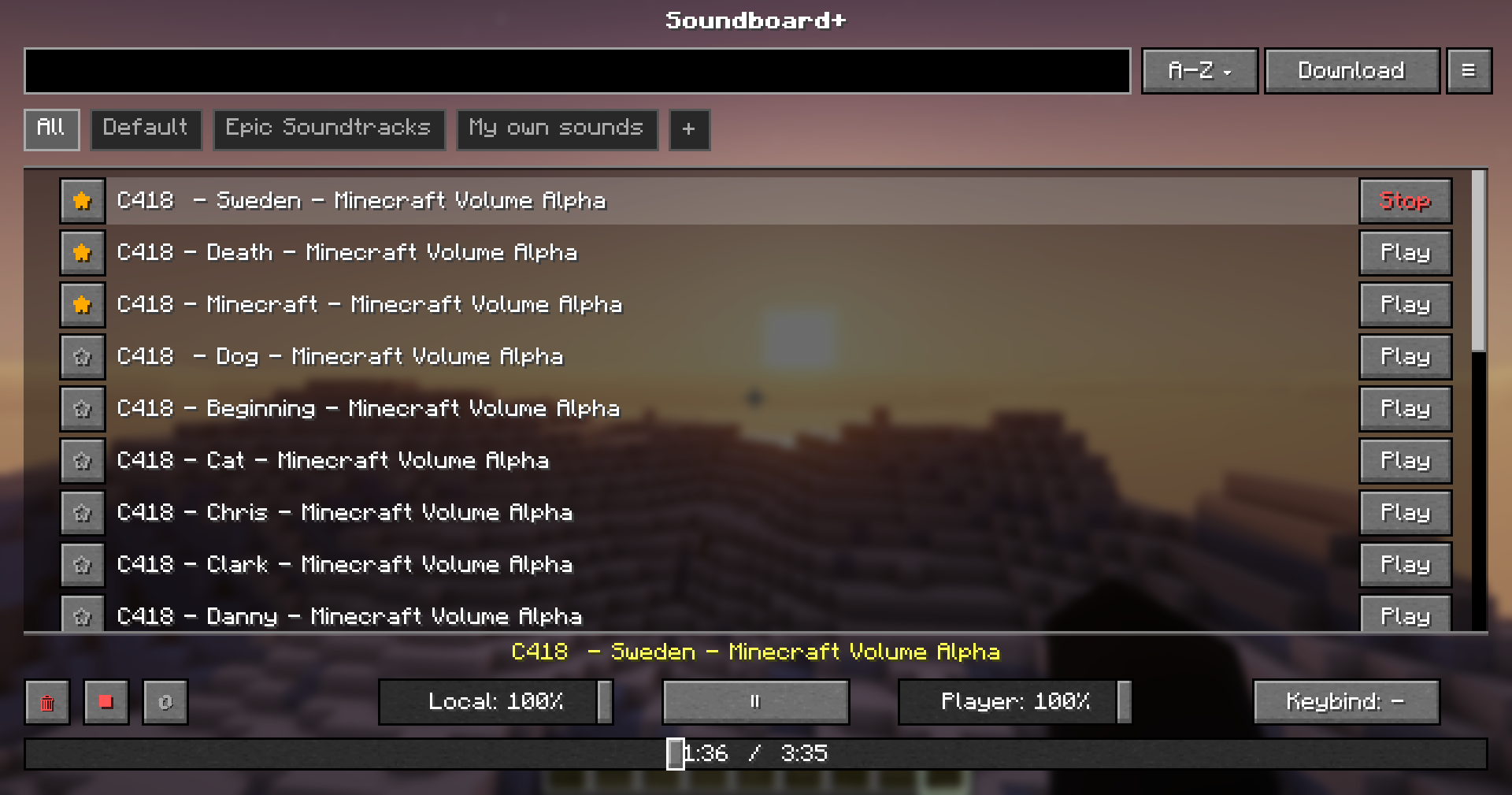
Features
- Audio File Support — Play sound files directly into your microphone stream
- Dual Volume Control — Separate sliders for what you hear vs. what others hear
- Sound Management GUI — Browse, organize, and play your sounds from an in-game interface
- Categories — Create and manage categories
- YouTube Downloading — Supports downloading from YouTube, TikTok & multiple other sources — uses yt-dlp + ffmpeg
- Hotkeys — Create hotkeys for specific sounds
Dependencies
| Dependency | Required |
|---|---|
| Fabric Loader | ✅ Required |
| Fabric API | ✅ Required |
| Simple Voice Chat | ✅ Required |
| Fabric Language Kotlin | ✅ Required |
Note: This mod downloads yt-dlp and ffmpeg automatically.
Installation
- Download all required dependencies above
- Drop
SoundboardPlus.jarinto your.minecraft/mods/folder - Launch the game — the
soundboard/folder will be generated automatically
Usage
- Place your audio files into the
.minecraft/soundboard/folder or download them via the ingame downloading tab - Join a world or server
- Press the keybind (default:
J) to open the Soundboard GUI - Click Play on any sound to broadcast it through your voice chat
Changes from the Original
- Category support — Organize your sounds into categories for easier navigation
- Fixed yt-dlp downloading — Audio downloads via yt-dlp now work reliably
- Global Volume Slider — Adjust playback volume globally without per-sound configuration
- Progress Bar — Visual playback progress so you always know where a sound is at
- Play / Pause & Loop — Full playback controls, including looping sounds on repeat
- Toast Notifications — On-screen notifications for downloading events
- Additional Settings — More configuration options for a customized experience
- Refreshed UI — Cleaner and improved interface compared to the original
Issues & Contributions
Found a bug, want to contribute, or want to suggest changes? Head over to the GitHub repository and open an issue or pull request!
Licensed under GPL-3.0
Screenshots
Gallery
-
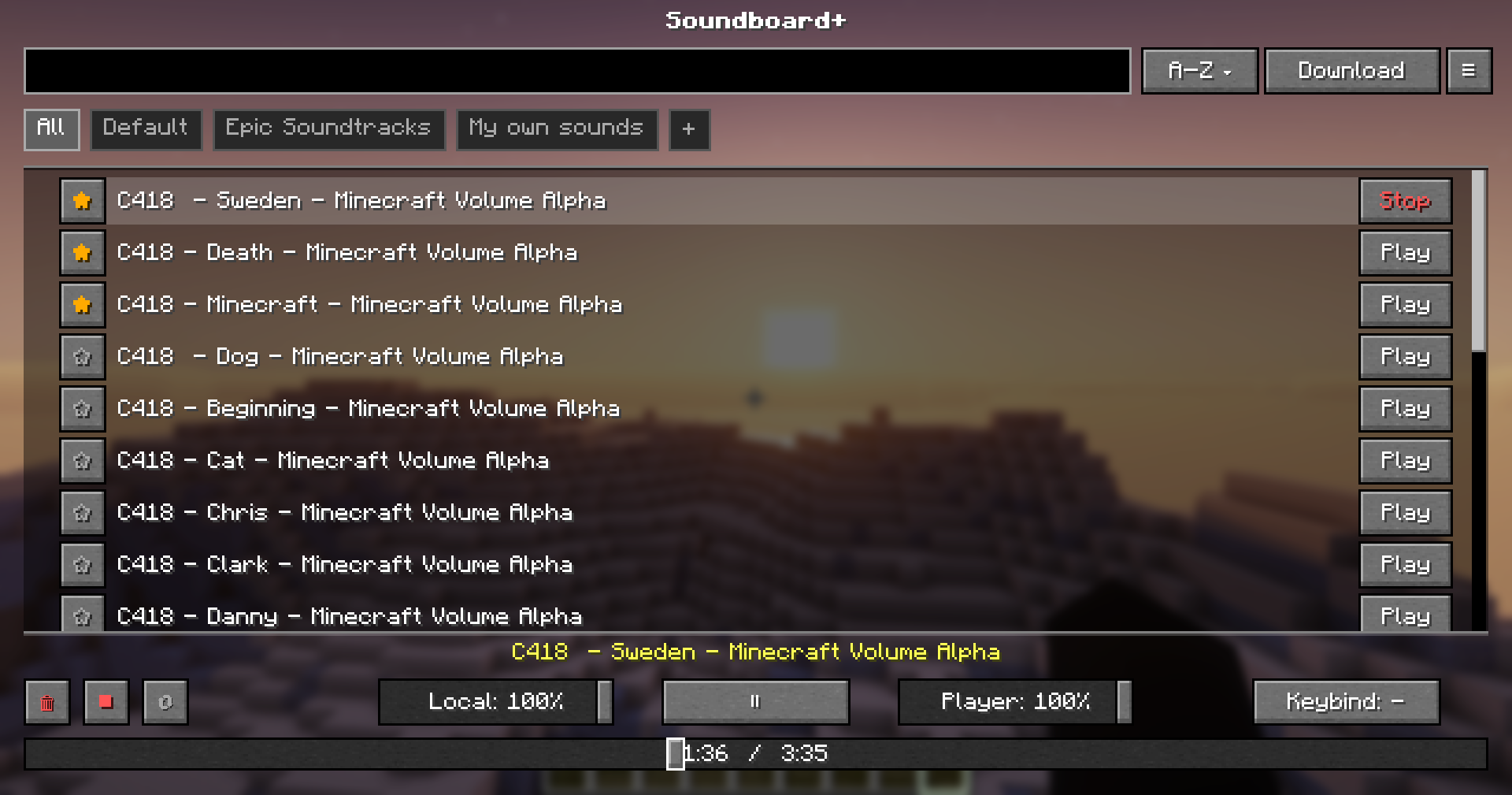 Main Menu
 -
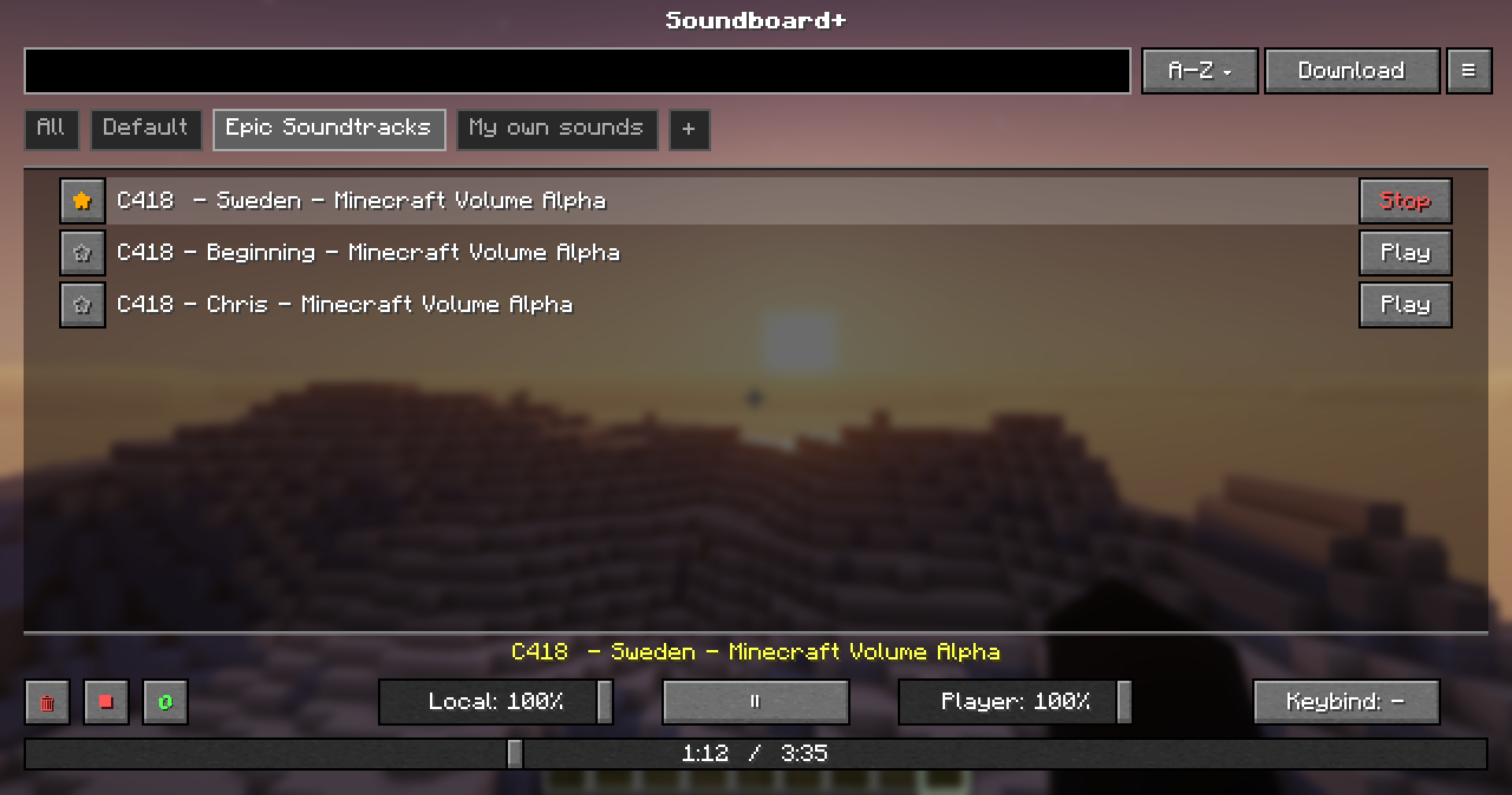 Different Categories
 -
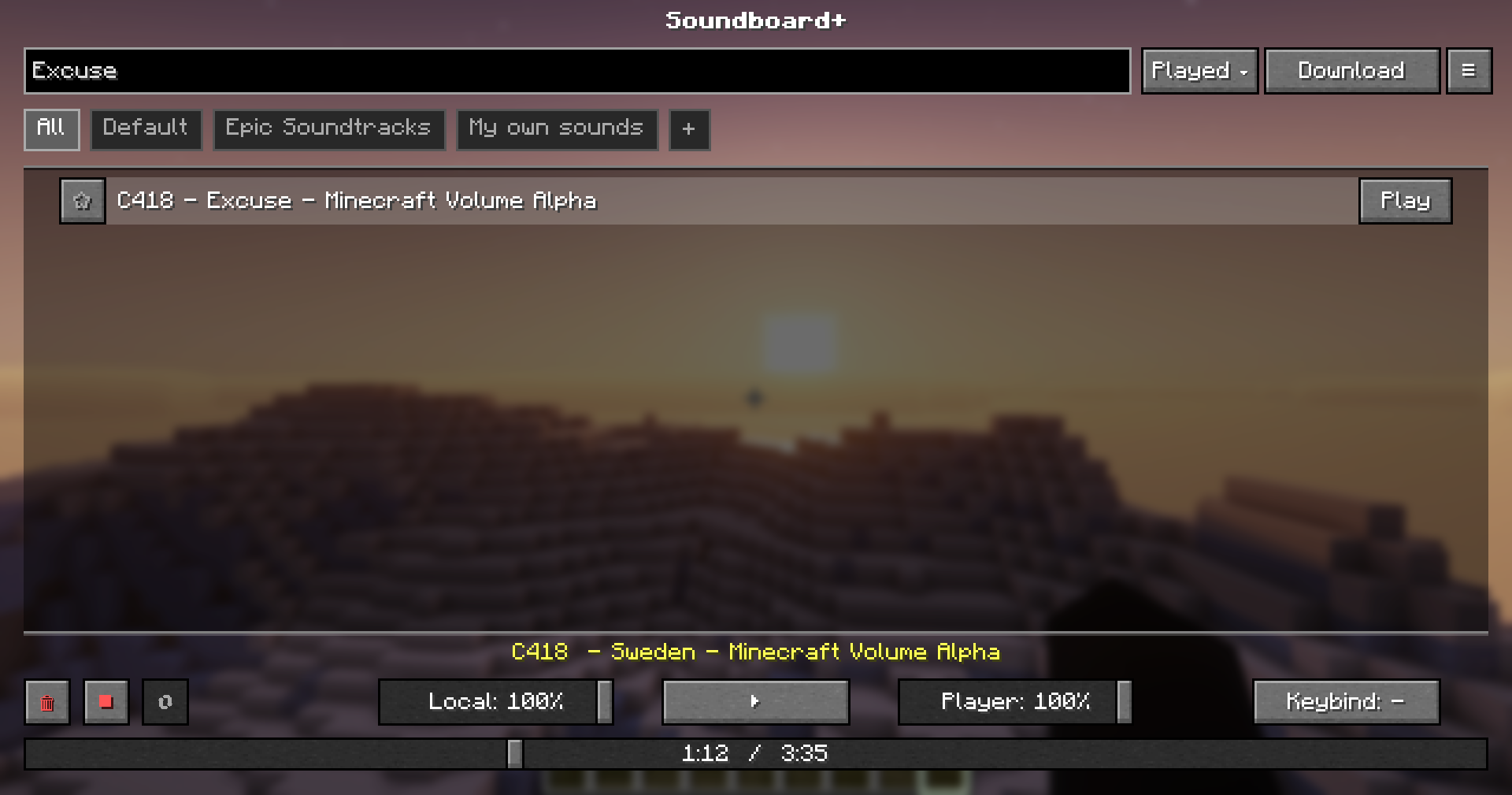 Searchbar
 -
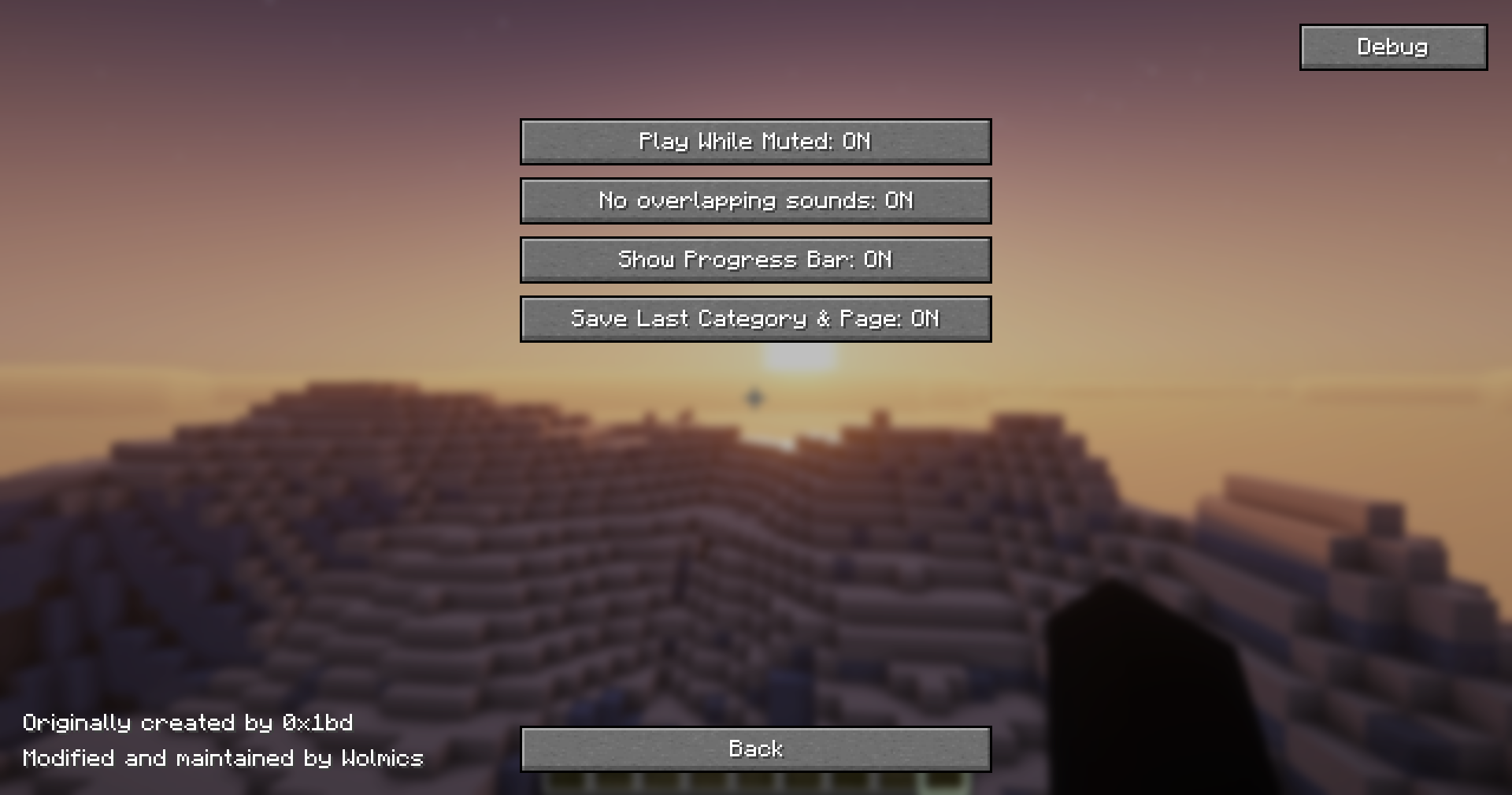 Config Menu
 -
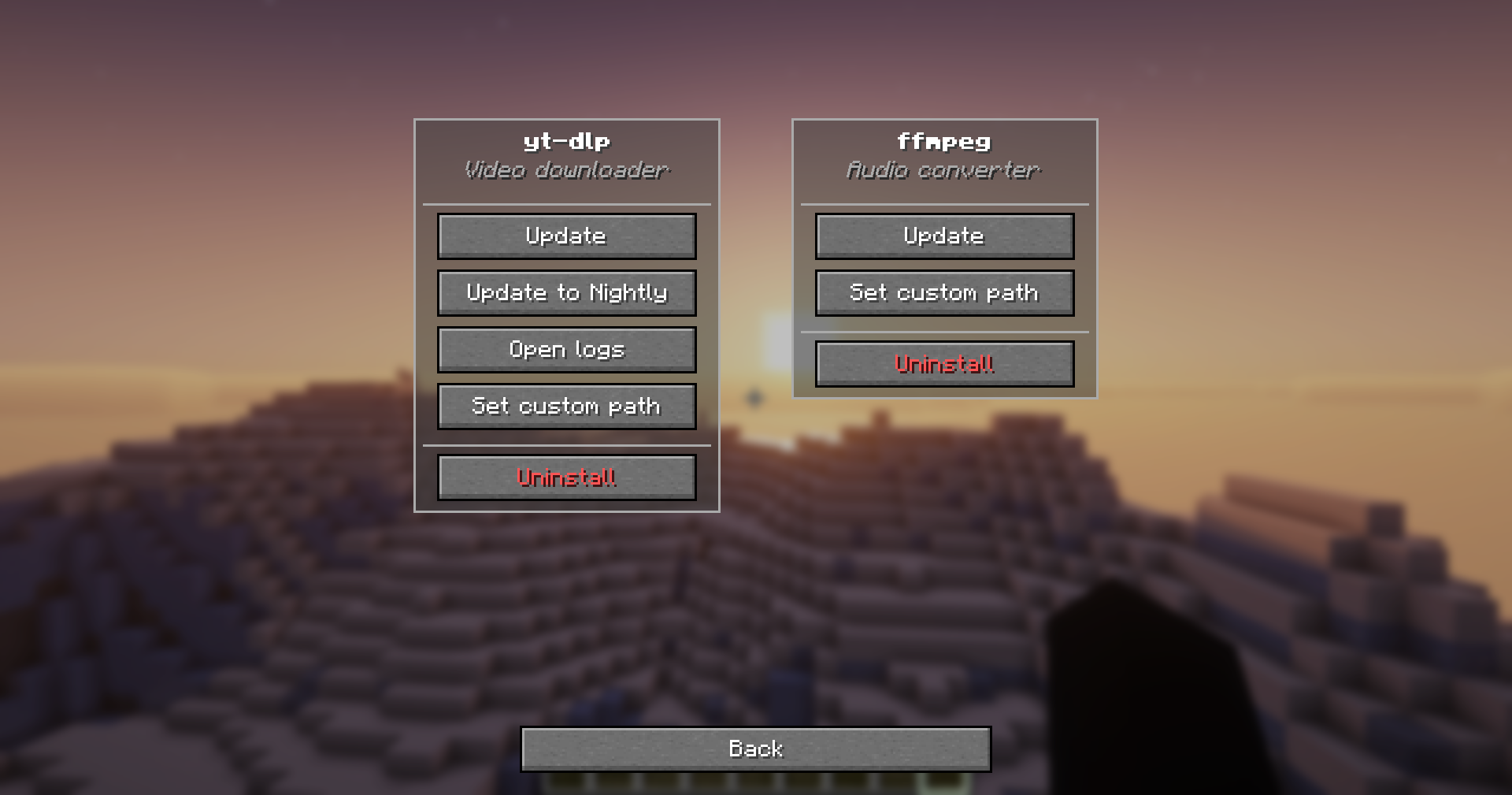 Debug Menu
 -
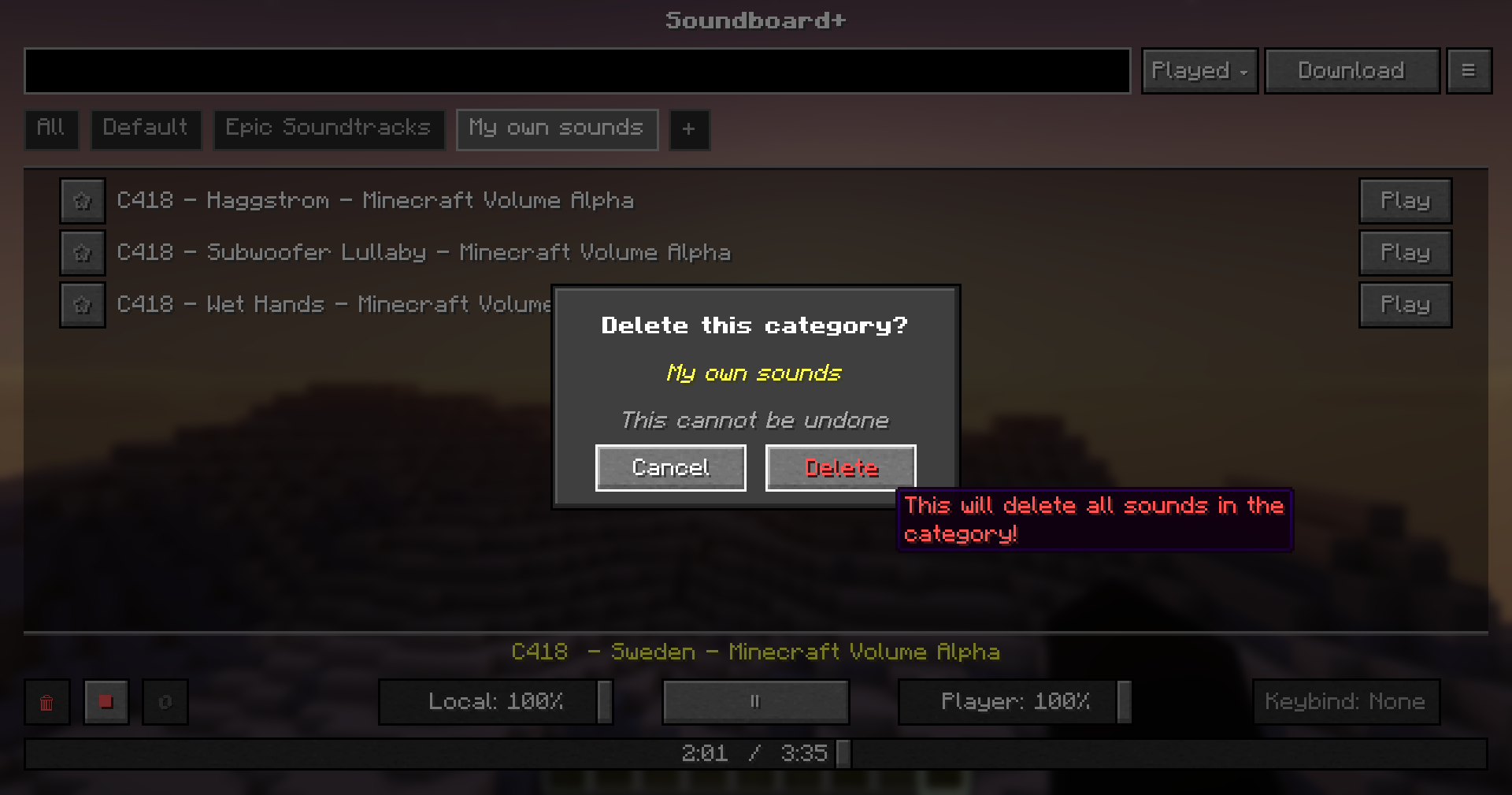 Delete Category
Versions
Files
Relations
Project Relations
More like this
Similar Mods
Suggestions use data such as tags, dependencies, dependents, descriptions, titles, and more to rank how much they overlap with this mod.
On ModDex
Community snapshot
By the numbers
Statistics

Want to reach Minecraft players?
We're looking for a server hosting partner to feature here and other parts of the site. Interested? Send us a message!
Get in touchGet it on
Available Platforms
On ModDex
Community snapshot
By the numbers