Community listing page, reviews may not be monitored by the author.
Spis UI API


No reviews yet
Library mod that adds easy to use UI elements like Custom Fonts or animated textures

Community voices
Reviews
No reviews yet. Be the first to review this project!
Get it on
Available Platforms
Compatibility
Supported Environments
Must be installed on both the client and the server.
About
Project Details
For authors
Embed Badge
If you're the author of this project, you can embed a live badge anywhere that supports HTML or Markdown. It updates automatically whenever ratings change.
Use HTML for any page that supports it, or Markdown for README files and Markdown-based descriptions.
Identifiers
Platform IDs
About
Description
Who It's For?
This library is mainly for use in my mods, to streamline creating ui/gui interfaces.
However anyone can use this mod as a dependency to use its features.
Why Use It?
Currently the mod does the following;
A new set of drawStrings(), which adds easily accessed custom fonts, aswell as wordwrapping to custom bounding boxes, and setting the alignment to left/center/right.
How Use It?
Imports
import net.spidrone.uiapi.UIAnimationManager;
import net.spidrone.uiapi.UIGraphicsHelper;
Animated Graphics
UIAnimationManager.drawGif(GuiGraphics graphics, String imagePath, int x, int y, int frameWidth, int frameHeight, int totalFrames, int fps, float scaleX, float scaleY, float red, float green, float blue)Custom drawString()
UIGraphicsHelper.drawCustomFont(GuiGraphics graphics, ResourceLocation fontLocation, String message, int x, int y, int color, boolean dropShadow, TextAlign align)Custom drawString() with bounding boxes/autowrap/line splitting
UIGraphicsHelper.drawCustomFontBound(GuiGraphics graphics, ResourceLocation fontLocation, String message, char splitChar, int x1, int y1, int x2, int y2, int color, boolean dropShadow, TextAlign align)not including something like the fontLocation will cause it to use the default font
align : LEFT/CENTER/RIGHT
splitChar "$" will cause hi$world to appear on your ui as
hi
world
Registering Fonts
Register your fonts ttf by placing them in your assets folder
assets/modid/font
in the same folder include a .json file
{
  "providers": [
    {
      "type": "ttf",
      "file": "spis_ui_api:boldpixels.ttf",
      "shift": [0.0, 0.0],
      "size": 16.0,
      "oversample": 2.0
    }
  ]
}
Declare the fonts resource location in your ui
public static final ResourceLocation BOLD_PIXELS_FONT = ResourceLocation.fromNamespaceAndPath("spis_ui_api", "boldpixels");Credits
Bold Pixels : https://yukipixels.itch.io/boldpixels
The font is absolutely perfect for minecraft
Extras
Q: Do you support X version
A: This library is primarily for 1.21.1, but it will be expanded to other versions over time
Who It's For?
This library is mainly for use in my mods, to streamline creating ui/gui interfaces. However anyone can use this mod as a dependency to use its features.
Why Use It?
Currently the mod does the following;
A new set of drawStrings(), which adds easily accessed custom fonts, aswell as wordwrapping to custom bounding boxes, and setting the alignment to left/center/right.
Quick Example
How Use It?
Github Wiki
Imports
import net.spidrone.uiapi.UIAnimationManager;
import net.spidrone.uiapi.UIGraphicsHelper;
Animated Graphics
UIAnimationManager.drawGif(GuiGraphics graphics, String imagePath, int x, int y, int frameWidth, int frameHeight, int totalFrames, int fps, float scaleX, float scaleY, float red, float green, float blue)
Custom drawString()
UIGraphicsHelper.drawCustomFont(GuiGraphics graphics, ResourceLocation fontLocation, String message, int x, int y, int color, boolean dropShadow, TextAlign align)
Custom drawString() with bounding boxes/autowrap/line splitting
UIGraphicsHelper.drawCustomFontBound(GuiGraphics graphics, ResourceLocation fontLocation, String message, char splitChar, int x1, int y1, int x2, int y2, int color, boolean dropShadow, TextAlign align)
not including something like the fontLocation will cause it to use the default font align : LEFT/CENTER/RIGHT
splitChar "$" will cause hi$world to appear on your ui as
hi
world
Register your fonts ttf by placing them in your assets folder assets/modid/font in the same folder include a .json file
{
  "providers": [
    {
      "type": "ttf",
      "file": "spis_ui_api:boldpixels.ttf",
      "shift": [0.0, 0.0],
      "size": 16.0,
      "oversample": 2.0
    }
  ]
}
Declare the fonts resource location in your ui
public static final ResourceLocation BOLD_PIXELS_FONT = ResourceLocation.fromNamespaceAndPath("spis_ui_api", "boldpixels");
Credits
Bold Pixels : https://yukipixels.itch.io/boldpixels
The font is absolutely perfect for minecraft
Extras
Q: Do you support X version
A: This library will mostly be used by me for my own projects, If you'd like to request a version you can join the discord, but nothing before 1.21.1 will be considered
Screenshots
Gallery
-
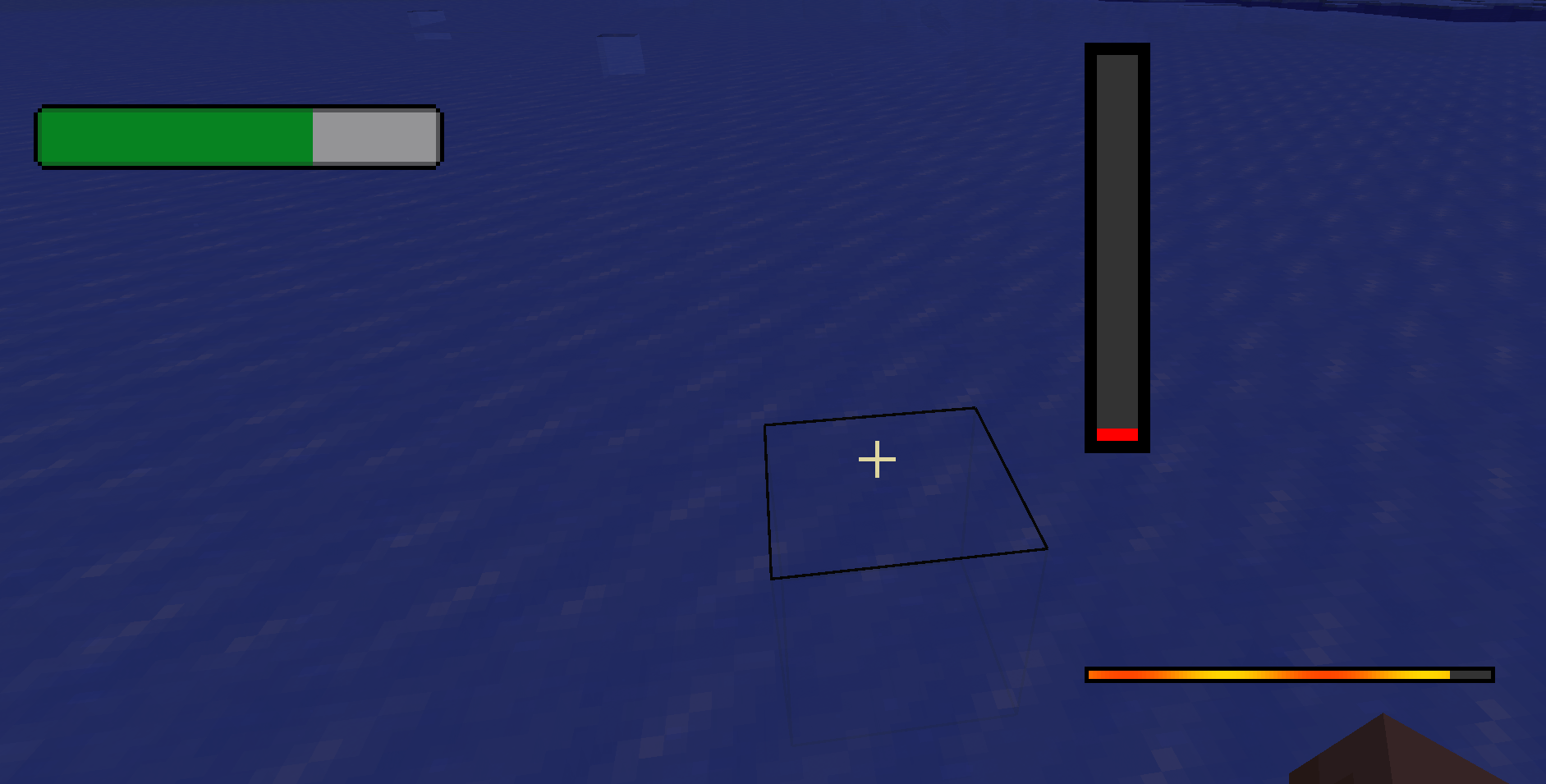 image.webp image.webp
 -
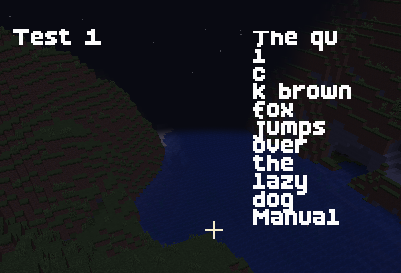 image.webp image.webp
-
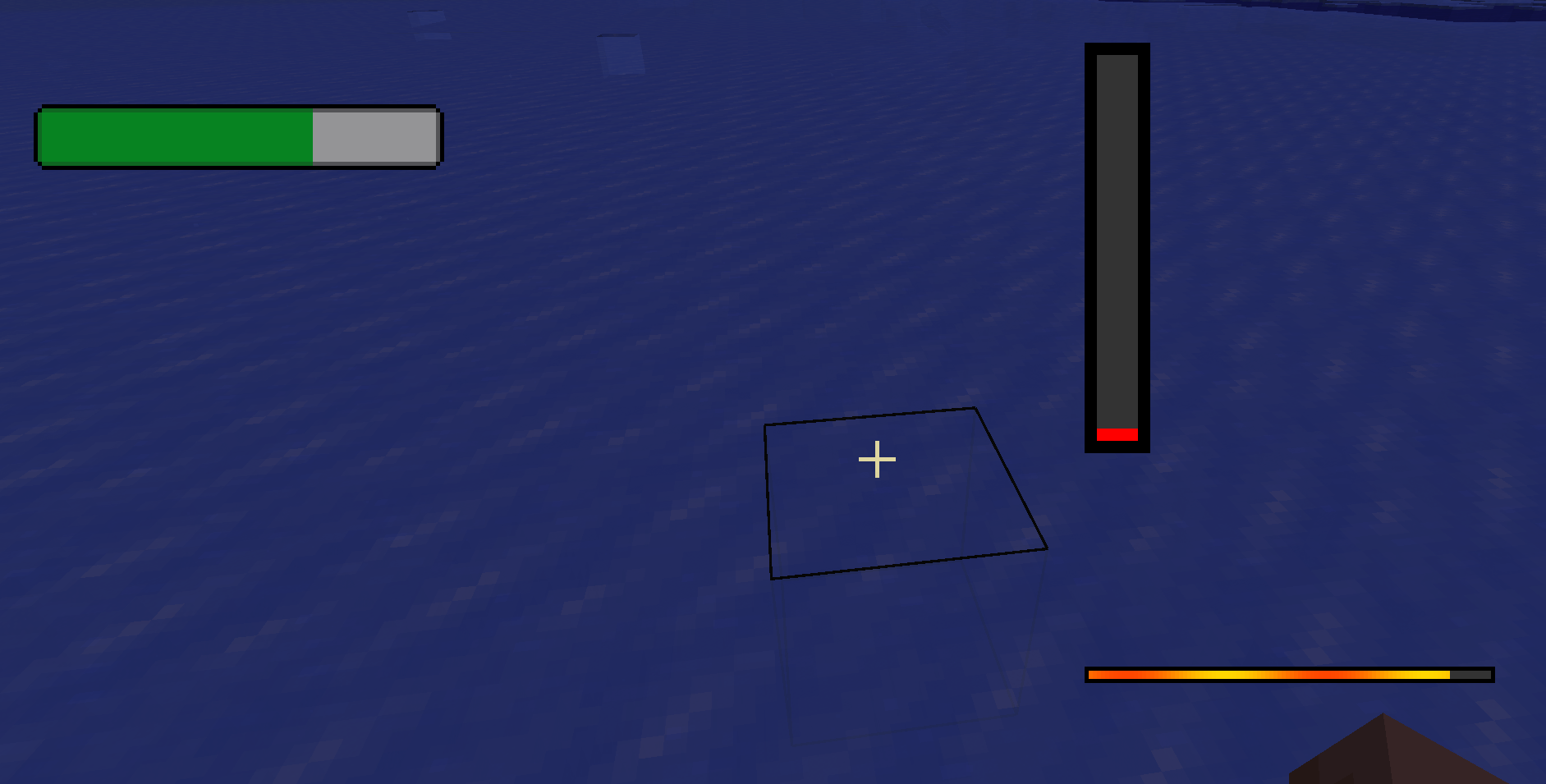 Progress Bars Showing off vertical/horizontal/size variance/and image based
 -
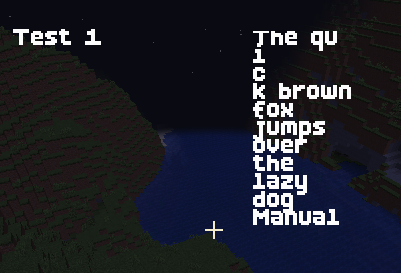 Fonts Displaying Custom Font, and Word wrapping
Versions
Files
Relations
Project Relations
More like this
Similar Mods
Suggestions use data such as tags, dependencies, dependents, descriptions, titles, and more to rank how much they overlap with this mod.
On ModDex
Community snapshot
By the numbers
Statistics
 (opens in a new tab)
Get it on
Available Platforms
On ModDex
Community snapshot
By the numbers