
Community listing page, reviews here may not be monitored by the author.
Sulkan


No reviews yet
Native Vulkan shaders for Minecraft 26.2. Client-side Fabric mod powered by Sodium, with a built-in shader pack and support for native Sulkan packs.
Community voices
Reviews
No reviews yet. Be the first to review this project!
Get it on
Available Platforms
Compatibility
Supported Environments
Runs entirely on the client. Works on vanilla servers.
About
Project Details
For authors
Embed Badge
If you're the author of this project, you can embed a live badge anywhere that supports HTML or Markdown. It updates automatically whenever ratings change.
Use HTML for any page that supports it, or Markdown for README files and Markdown-based descriptions.
Identifiers
Platform IDs
Resources
External Links
About
Description
Sulkan
Sulkan is a client-side Fabric mod that adds native shader support to Minecraft's Vulkan renderer.
Built on Sodium, Sulkan provides a dedicated Vulkan shader pipeline, a built-in shader pack, and support for native Sulkan shader packs. It is designed for Minecraft 26.2 and requires a Vulkan-capable GPU and driver.
Features
- Native shader rendering on Minecraft's Vulkan backend
- Built-in Sulkan Realistic shader pack
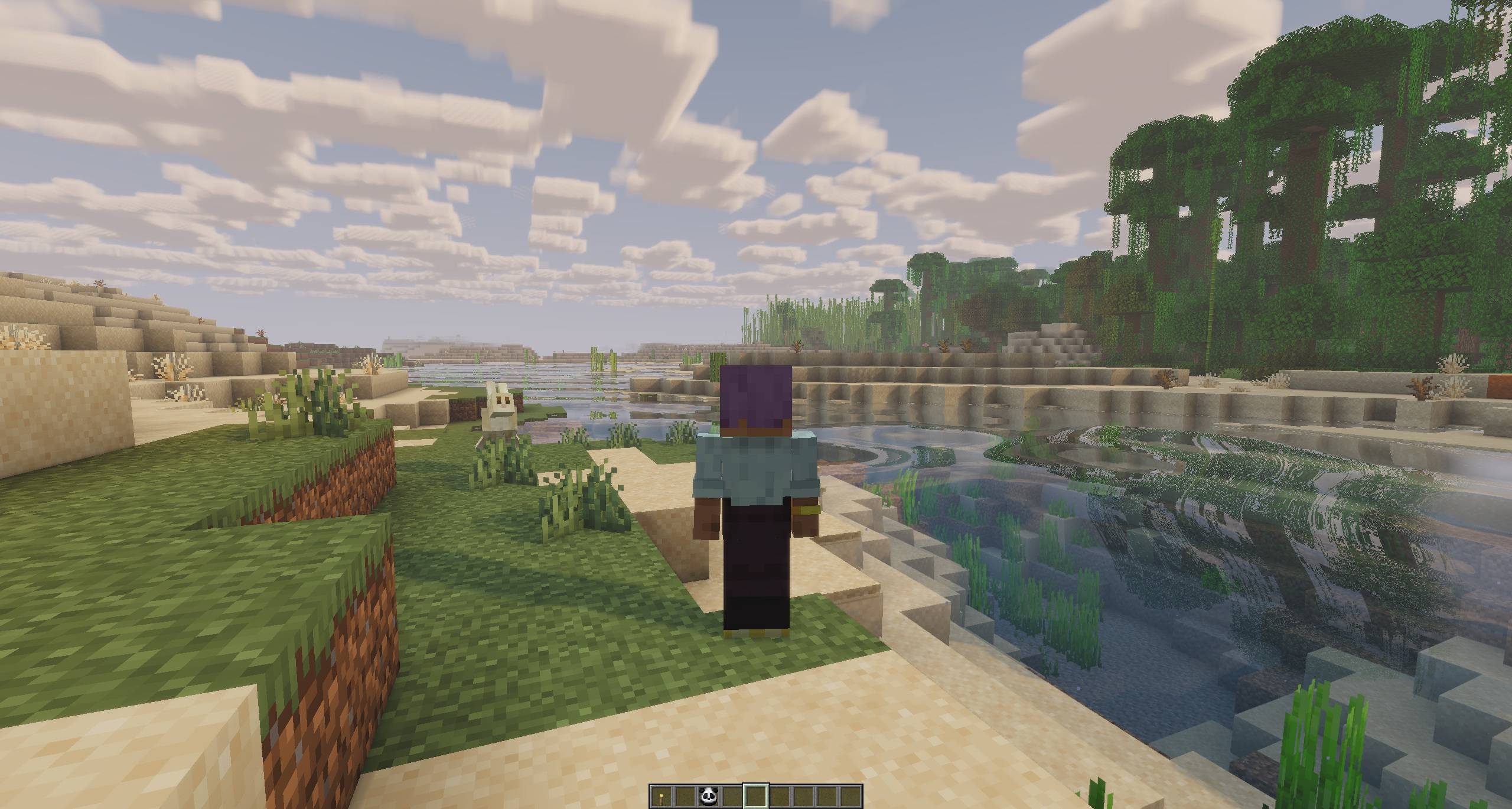
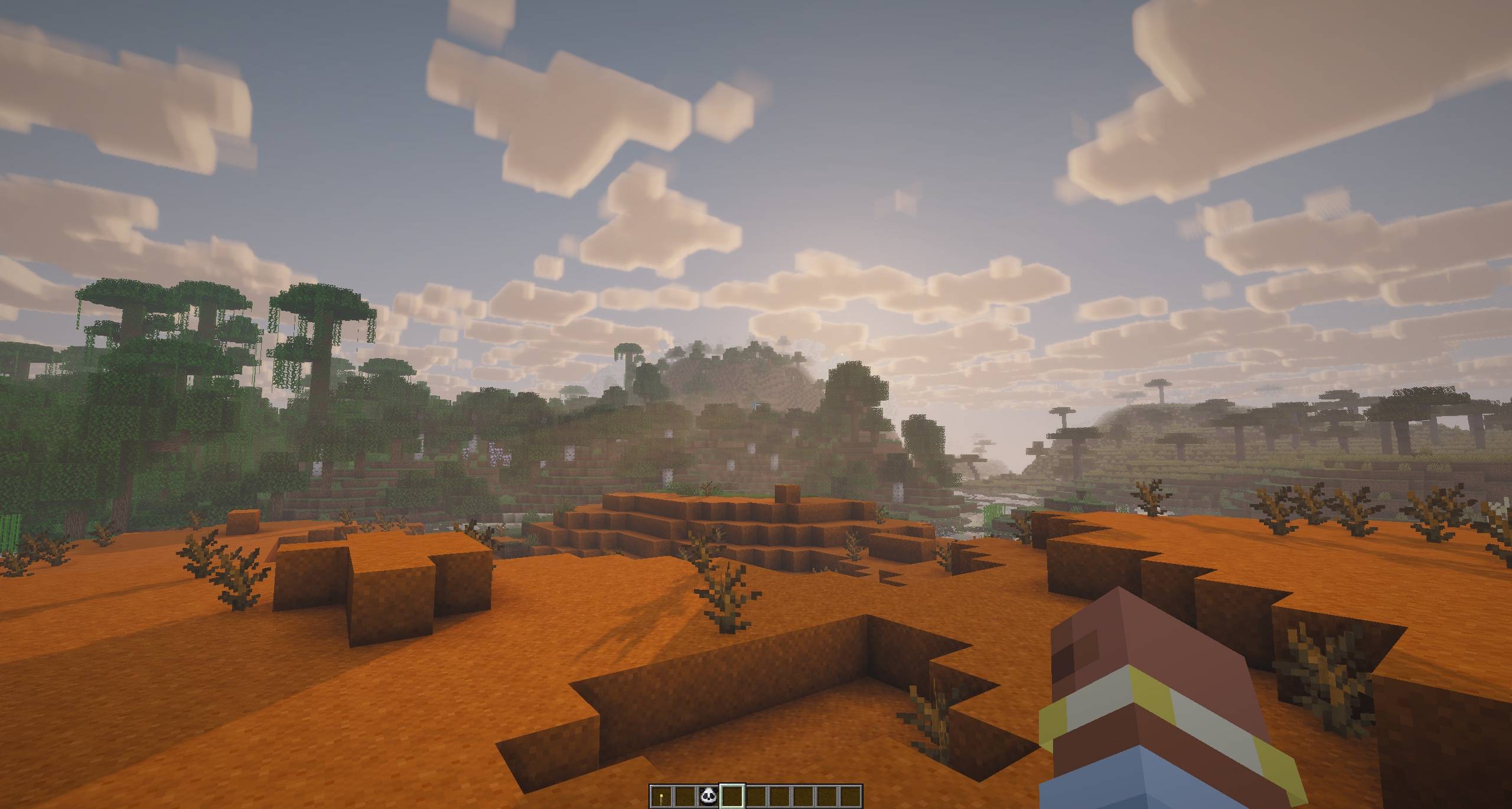
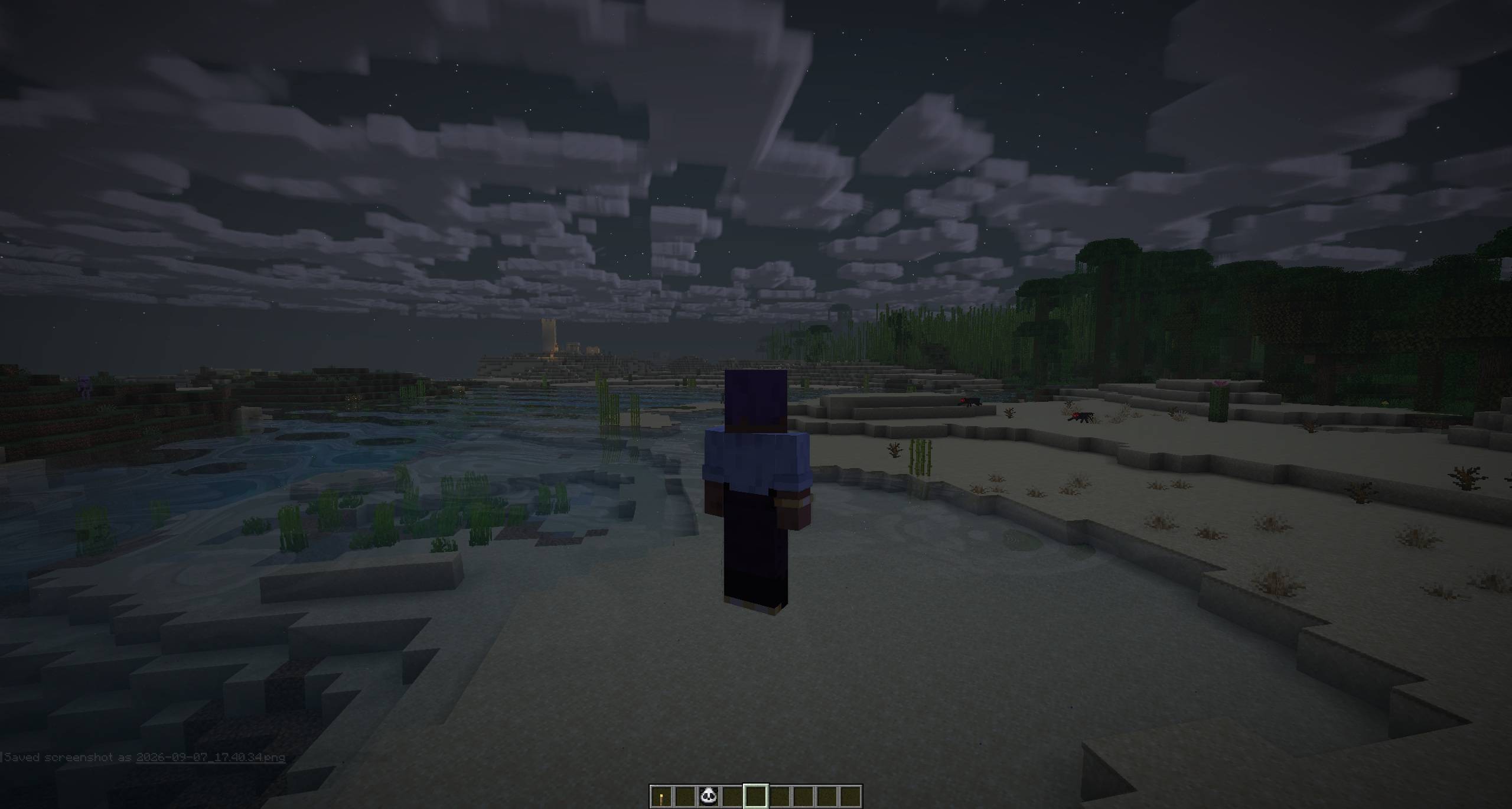
- Shadows, ambient occlusion, water, clouds, atmosphere, bloom, and FXAA
- In-game shader settings and quality controls
- Support for native Sulkan shader packs
- Vulkan 1.2 shader compilation
- Client-side Fabric mod built on Sodium
Requirements
- Minecraft Java Edition 26.2
- Fabric Loader 0.18.4 or newer
- Fabric API 0.155.0 or newer for Minecraft 26.2
- Sodium 0.9.1 or newer for Minecraft 26.2
- Java 25 or newer
- A Vulkan-capable GPU with up-to-date drivers
Sulkan is client-side only and should not be installed on a dedicated server.
Installation
- Install Fabric for Minecraft 26.2.
- Install the matching versions of Fabric API and Sodium.
- Download Sulkan from Modrinth or CurseForge.
- Place the Sulkan JAR in your client's
modsfolder. - Launch Minecraft and open Video Settings → Shaders.
The built-in Sulkan Realistic pack is included with the mod and does not need to be installed separately.
Shader packs
Sulkan uses its own native shader-pack format. External packs must include a sulkan.json manifest and can be installed as a folder or ZIP directly inside the game's shaders/ directory.
See the shader-pack documentation before creating or installing a native Sulkan pack.
Unmodified Iris and OptiFine shader packs are not supported.
Compatibility
Sulkan is designed for Minecraft's Vulkan renderer and the Fabric/Sodium stack. Mods that depend on OpenGL behavior, replace the renderer, or make direct OpenGL calls may be incompatible.
Sodium is required and is not bundled with Sulkan.
If Minecraft falls back to OpenGL, Sulkan pauses its shader effects and explains the situation on the title screen. Driver updates, GPU selection, or Vulkan support may affect whether the renderer starts successfully.
Links
Reporting issues
Before reporting a problem, test with only Fabric API, Sodium, and Sulkan installed.
Please include:
- Minecraft, Fabric Loader, Fabric API, Sodium, and Sulkan versions
- GPU and driver version
- Operating system
- Full client log or crash report
- Steps to reproduce the issue
Sulkan
Sulkan is a client-side Fabric mod that adds native shader support to Minecraft's Vulkan renderer.
Built on Sodium, Sulkan provides a dedicated Vulkan shader pipeline, a built-in shader pack, and support for native Sulkan shader packs. It is designed for Minecraft 26.2 and requires a Vulkan-capable GPU and driver.
Features
- Native shader rendering on Minecraft's Vulkan backend
- Built-in Sulkan Realistic shader pack
- Shadows, ambient occlusion, water, clouds, atmosphere, bloom, and FXAA
- In-game shader settings and quality controls
- Support for native Sulkan shader packs
- Vulkan 1.2 shader compilation
- Client-side Fabric mod built on Sodium
Requirements
- Minecraft Java Edition 26.2
- Fabric Loader 0.18.4 or newer
- Fabric API 0.155.0 or newer for Minecraft 26.2
- Sodium 0.9.1 or newer for Minecraft 26.2
- Java 25 or newer
- A Vulkan-capable GPU with up-to-date drivers
Sulkan is client-side only and should not be installed on a dedicated server.
Installation
- Install Fabric for Minecraft 26.2.
- Install the matching versions of Fabric API and Sodium.
- Download Sulkan from Modrinth or CurseForge.
- Place the Sulkan JAR in your client's
modsfolder. - Launch Minecraft and open Video Settings → Shaders.
The built-in Sulkan Realistic pack is included with the mod and does not need to be installed separately.
Shader packs
Sulkan uses its own native shader-pack format. External packs must include a sulkan.json manifest and can be installed as a folder or ZIP directly inside the game's shaders/ directory.
See the shader-pack documentation before creating or installing a native Sulkan pack.
Unmodified Iris and OptiFine shader packs are not supported.
Compatibility
Sulkan is designed for Minecraft's Vulkan renderer and the Fabric/Sodium stack. Mods that depend on OpenGL behavior, replace the renderer, or make direct OpenGL calls may be incompatible.
Sodium is required and is not bundled with Sulkan.
If Minecraft falls back to OpenGL, Sulkan pauses its shader effects and explains the situation on the title screen. Driver updates, GPU selection, or Vulkan support may affect whether the renderer starts successfully.
Links
Reporting issues
Before reporting a problem, test with only Fabric API, Sodium, and Sulkan installed.
Please include:
- Minecraft, Fabric Loader, Fabric API, Sodium, and Sulkan versions
- GPU and driver version
- Operating system
- Full client log or crash report
- Steps to reproduce the issue
Screenshots
Gallery
-
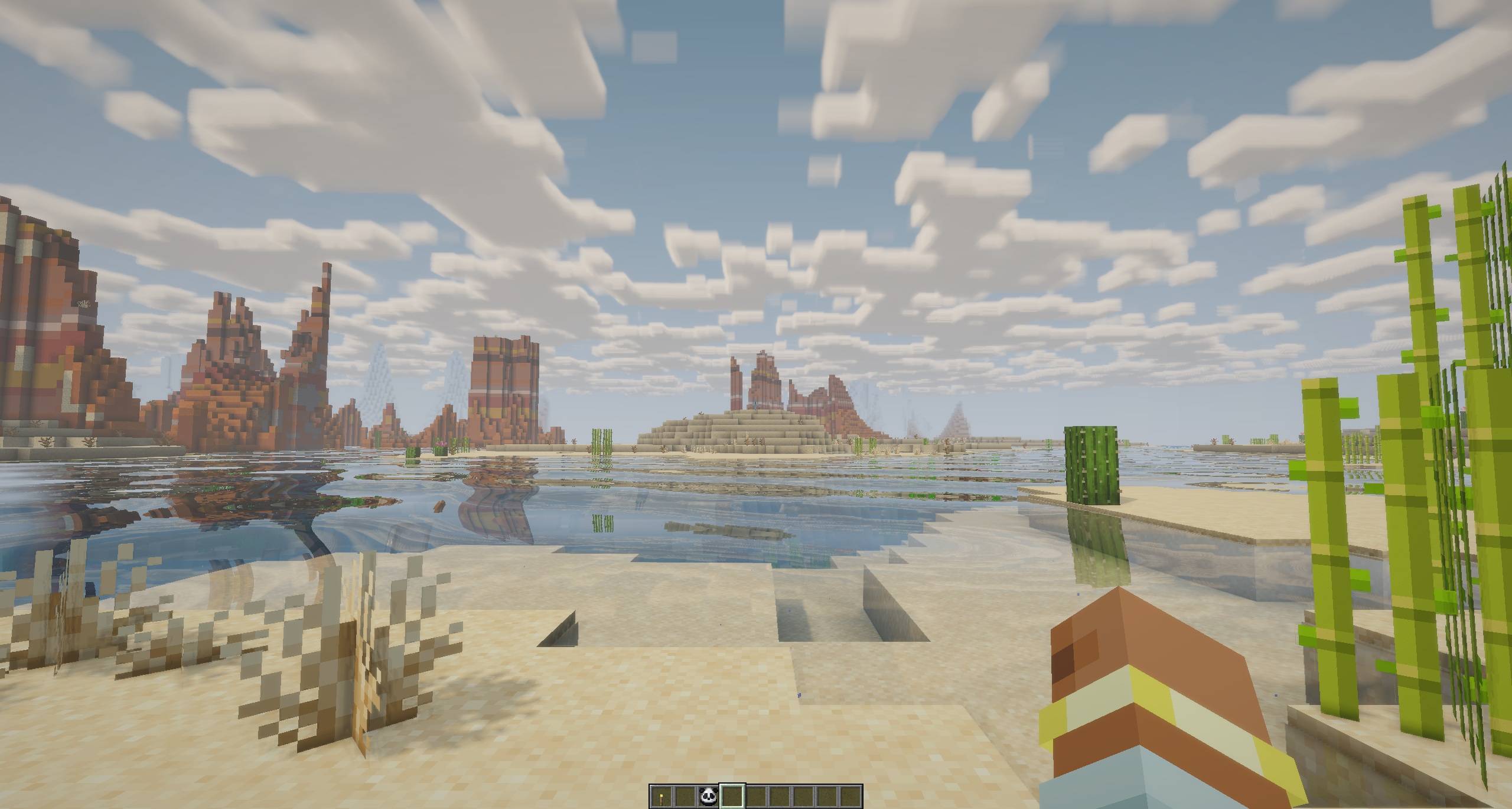 image-attachment_e1fa474e-8283-44de-a22e-26dd2a5a951e.jpg
 -
 2026-09-07_17.40.24.jpg 2026-09-07_17.40.24.jpg
 -
 2026-09-07_17.39.27.jpg 2026-09-07_17.39.27.jpg
 -
 2026-09-07_17.40.45.jpg 2026-09-07_17.40.45.jpg
-
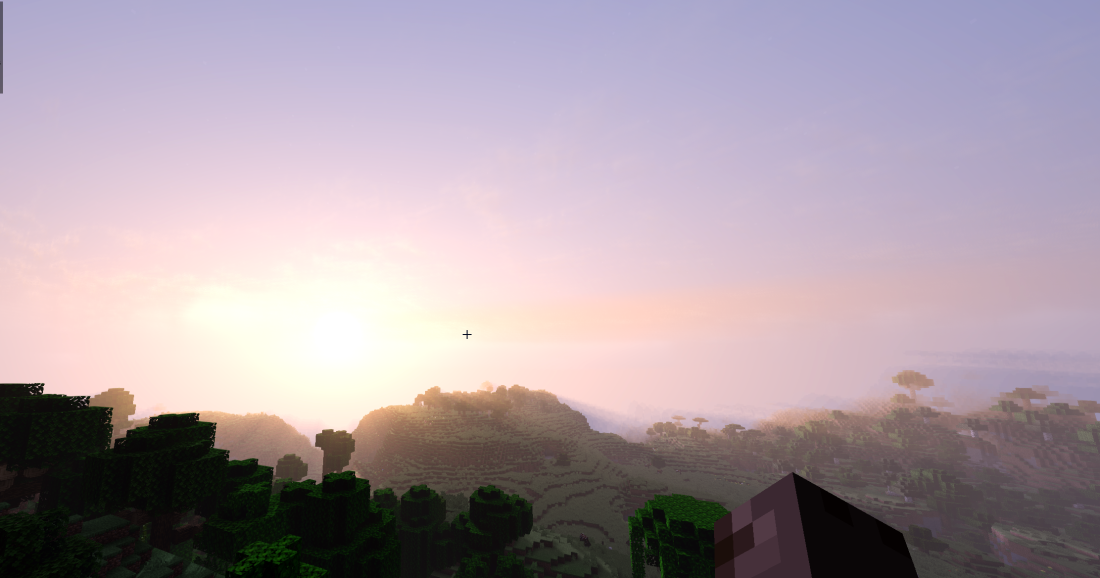 Sky Volumetric clouds and sky in action
 -
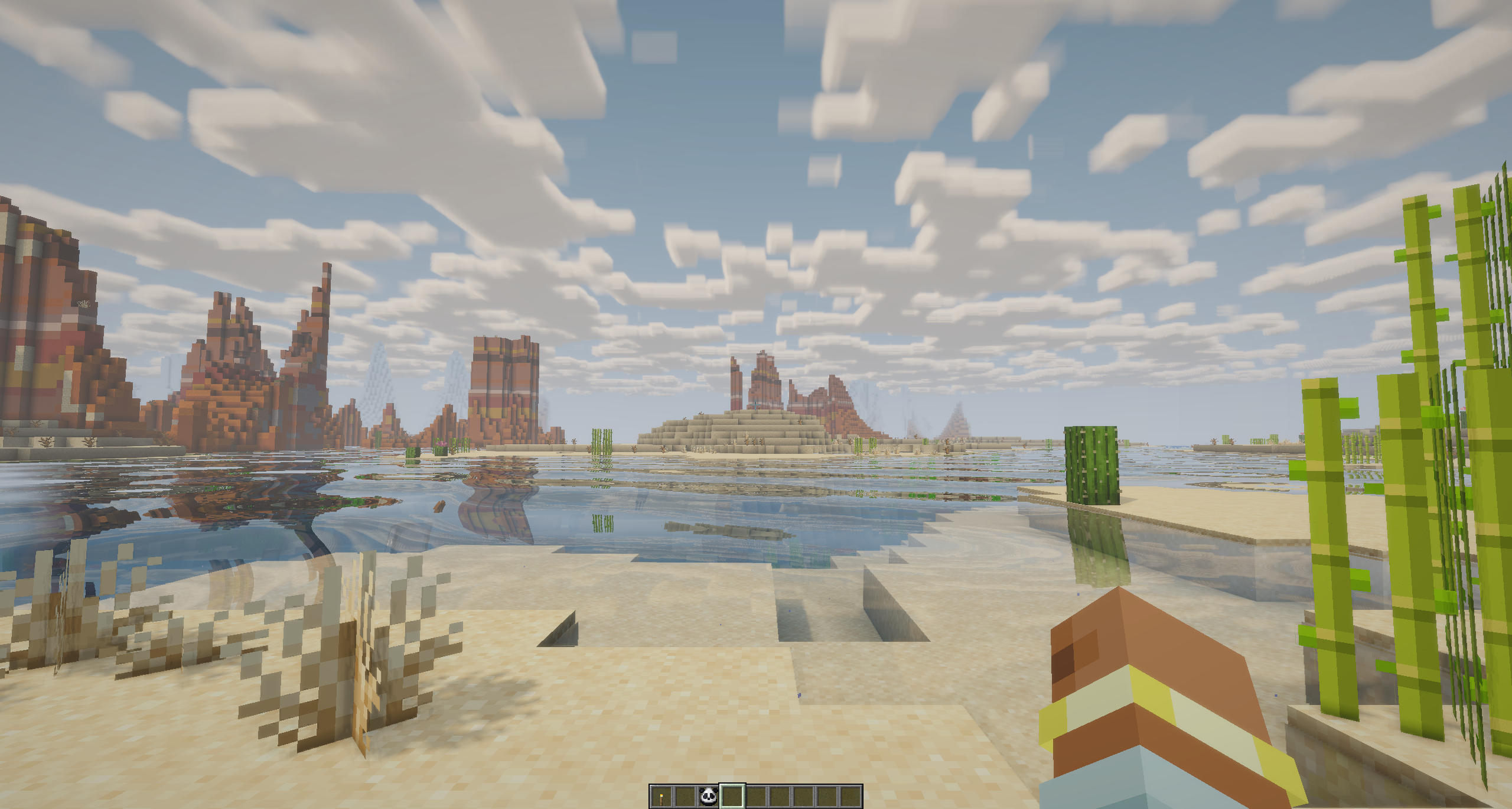 Water reflection
 -
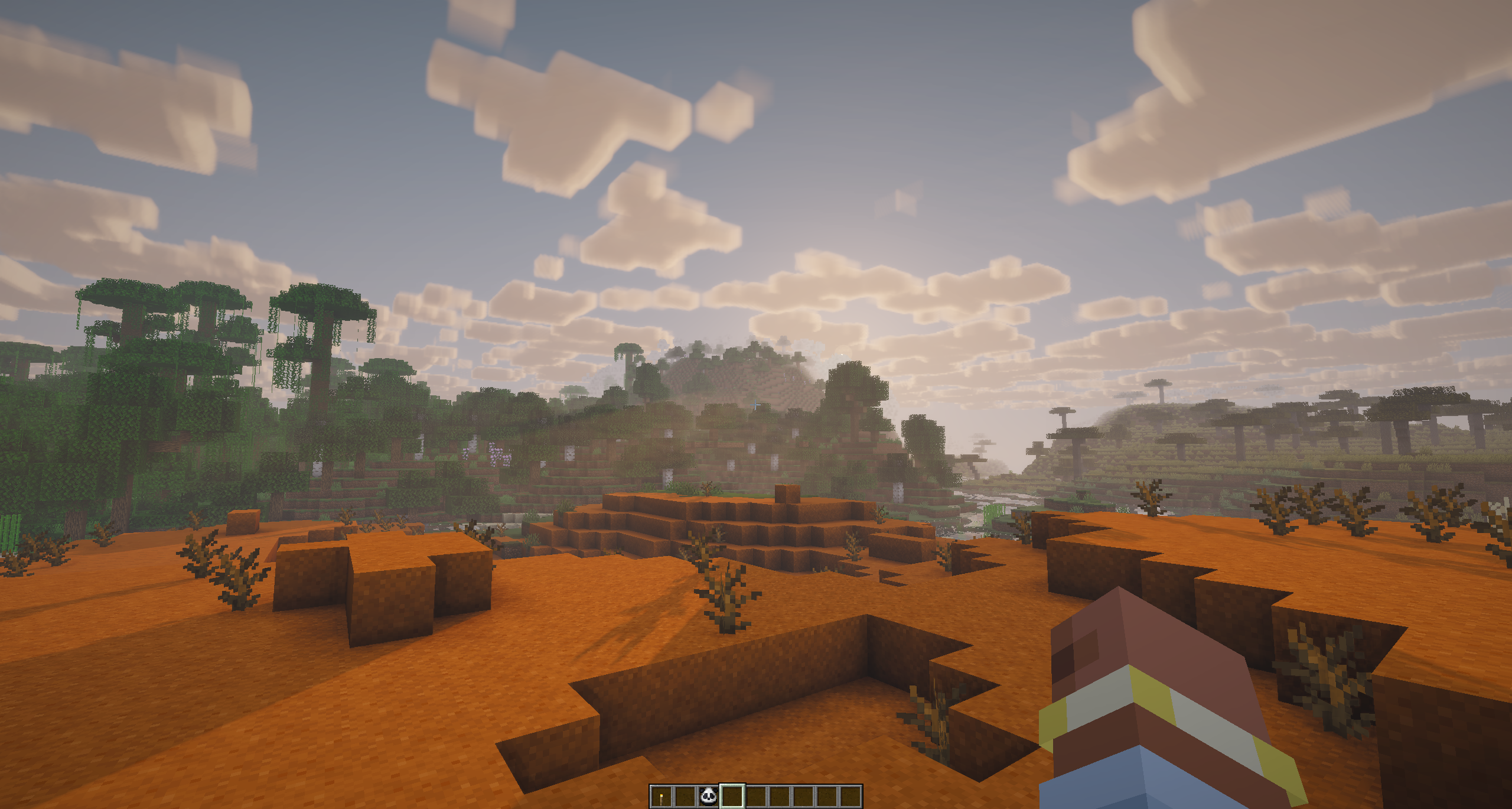 Clouds
Versions
Files
Relations
Project Relations
More like this
Similar Mods
Suggestions use data such as tags, dependencies, dependents, descriptions, titles, and more to rank how much they overlap with this mod.
On ModDex
Community snapshot
By the numbers
Statistics
Want to reach Minecraft players?
We're looking for a server hosting partner to feature here and other parts of the site. Interested? Send us a message!
Get in touchGet it on
Available Platforms
On ModDex
Community snapshot
By the numbers
Statistics
Resources