Community listing page, reviews may not be monitored by the author.
SwitchRail

No reviews yet
for adding switch and a rail control system

Community voices
Reviews
No reviews yet. Be the first to review this project!
Get it on
Available Platforms
About
Project Details
For authors
Embed Badge
If you're the author of this project, you can embed a live badge anywhere that supports HTML or Markdown. It updates automatically whenever ratings change.
Use HTML for any page that supports it, or Markdown for README files and Markdown-based descriptions.
Identifiers
Platform IDs
Resources
External Links
About
Description
This mod add to minecraft the desired switchrail to the game. This mod is adding also a system of control to allow a player to control direction of a train from a near place.
This mod includes the possibility of changing switch directly using switch lever.
I also add a resource pack that improve the rendering of normal rail.
The resource pack for better rendering : Better Railways
please do not hesitate to complain about bugs in this mod I will try to correct them.
If you have any bugs or any new ideas for Switchrail, go on the discord forum : discord.gg/Fm5WDWFW
Matt1999rd2
Screenshots
Gallery
-
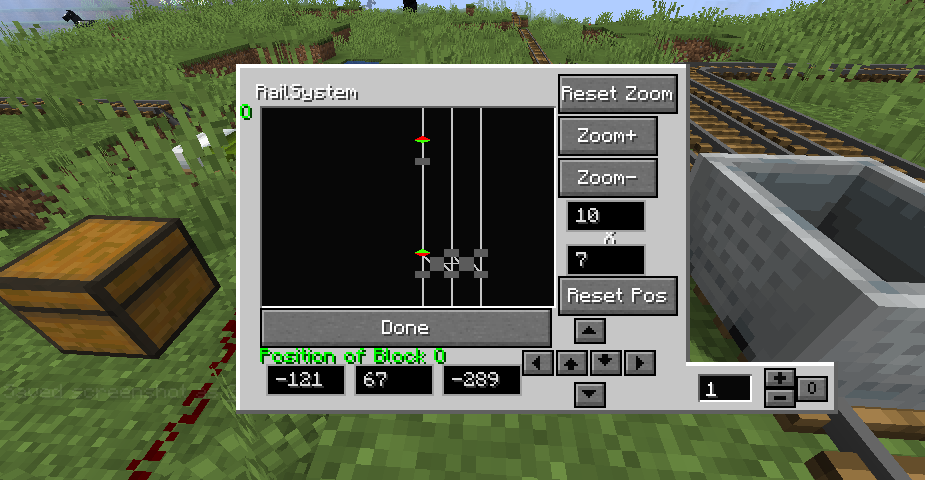 Axle counter Point GUI (when cart is on detection zone) The GUI is almost the same except for the right down part that display 1 axle on the Axle counter point. You can remove or add axle manually with +- button and free the detection zone with 0 button.
 -
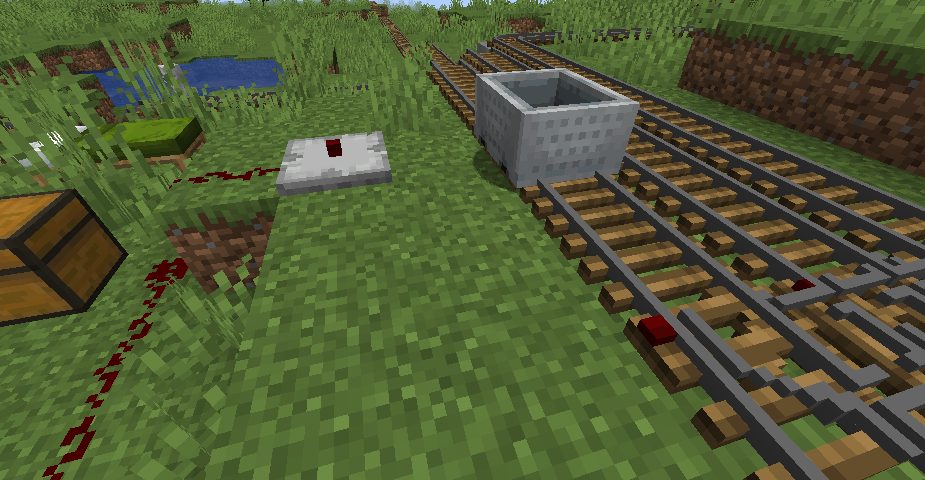 Cart arrive on the left The Axle counter point is not outputing any signal because the detection zone is occupied
 -
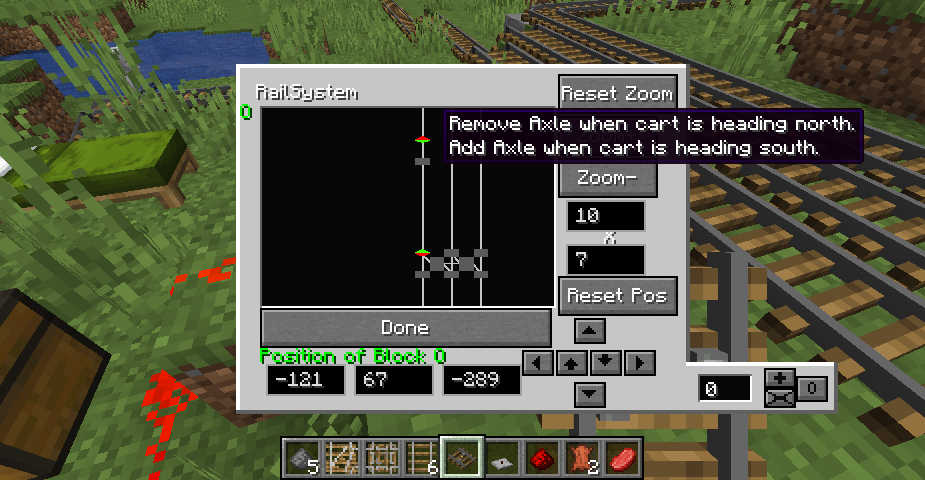 Axle counter point GUI An example of configuration you can do to detect a cart in the detection zone in the last picture. It is delimited by two counter point that add axle when coming in and remove axle when getting out.
 -
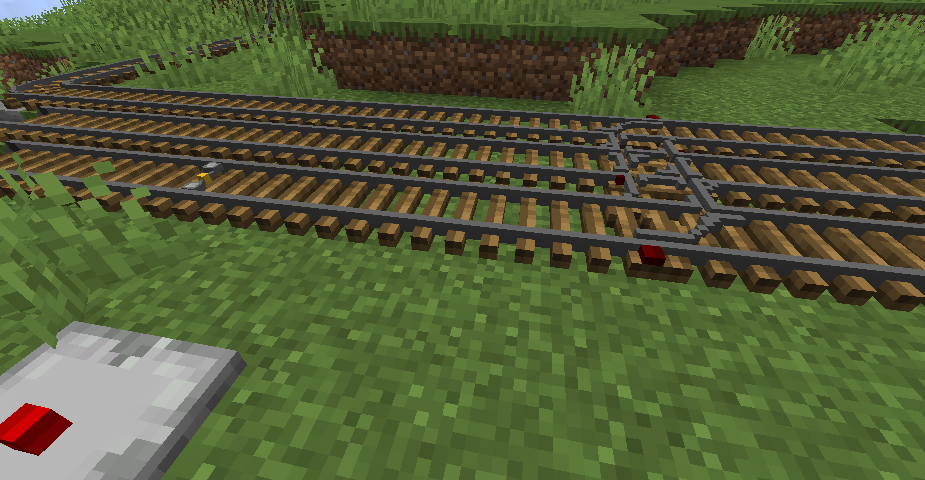 Detection zone The part of rail where we want to detect a cart. It is delimited by the switch on the right and an Axle Counter Rail on the left
 -
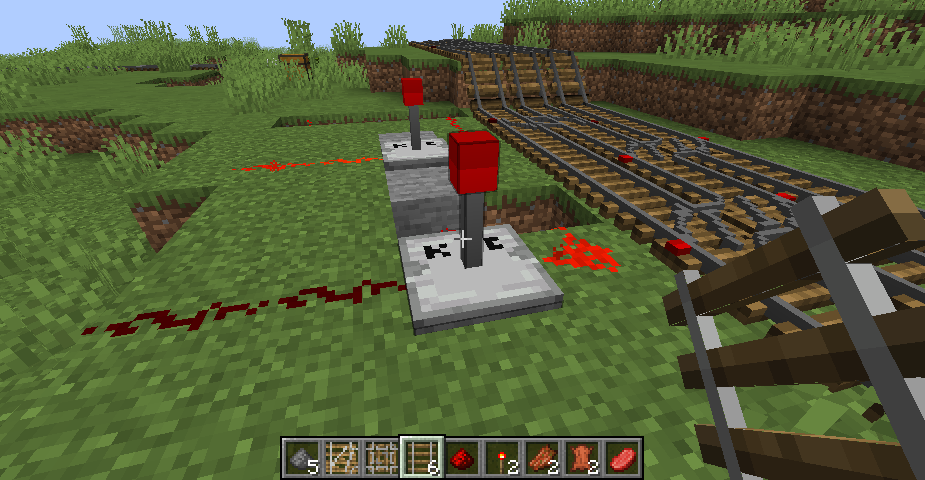 Terminal Switch 2 When powered ans conflict error occurs : it outputs no redstone power
 -
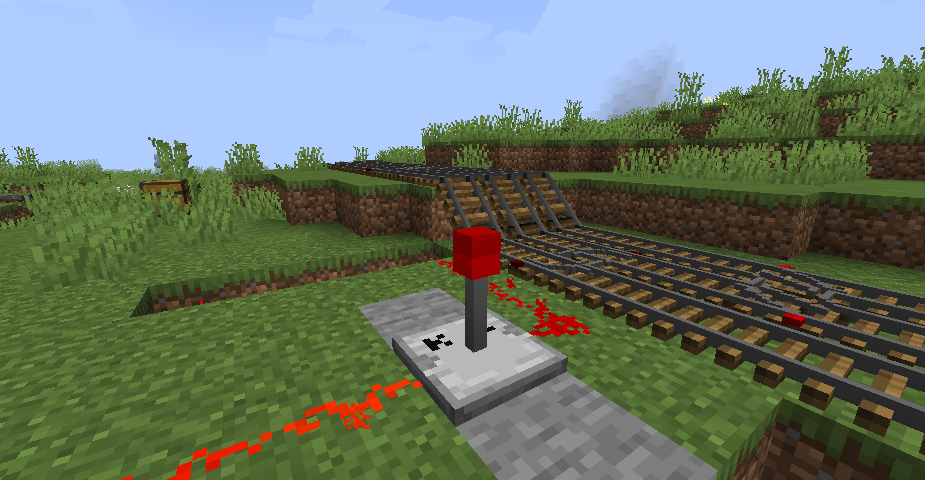 Terminal Switch 1 When powered and no conflict error : it outputs power (15)
 -
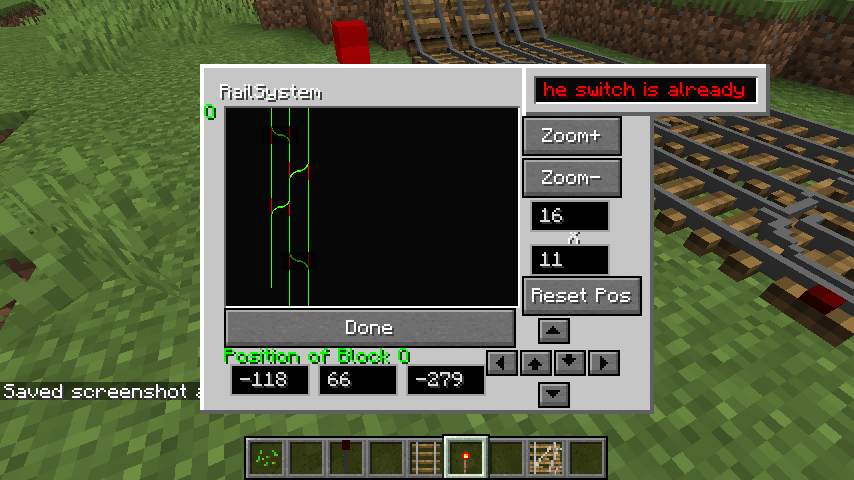 Terminal GUI 2 When the player has made a mistake (ie two terminal command the same switch regardless of their defined positions), it is very bad and the GUI indicates it.
 -
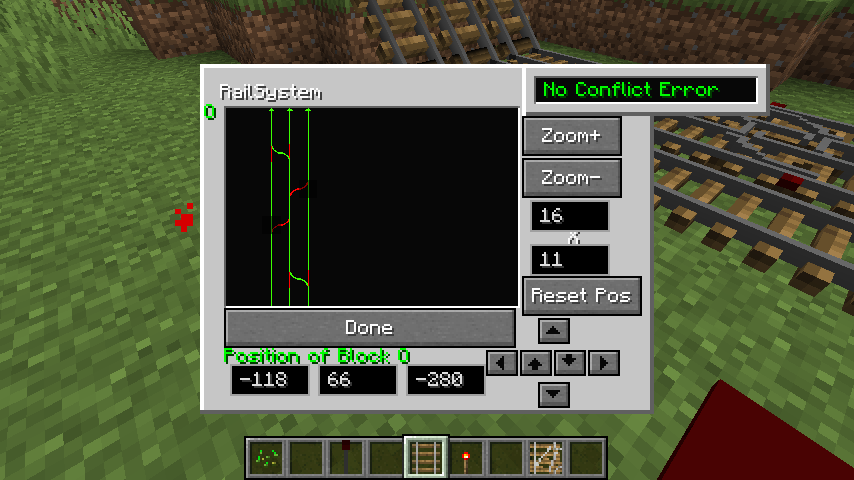 Terminal GUI When the player is greatly controling its terminal, there is no switch that is controlled by two terminal
 -
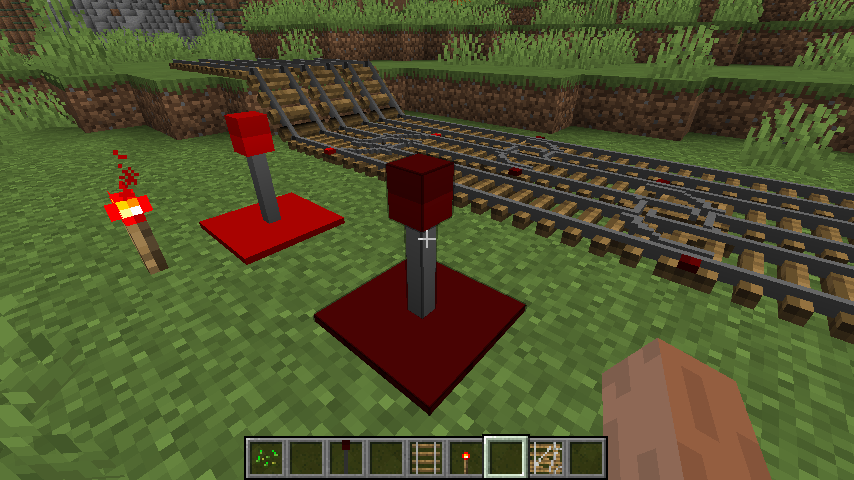 Terminal block The block that can control the switch position using redstone
 -
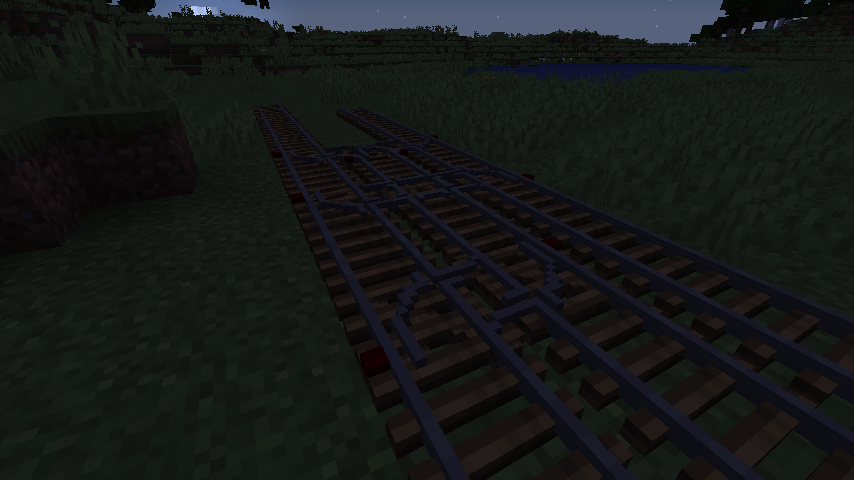 Switch Rail on a line how you can use rail in your world
 -
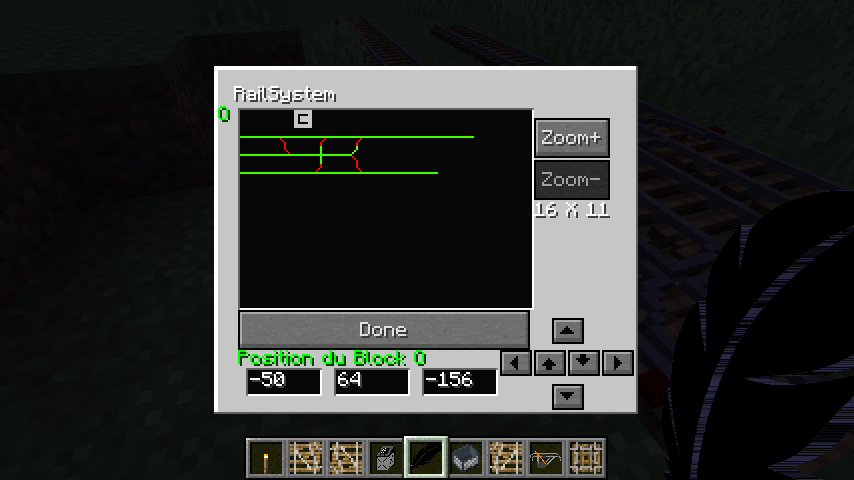 Controller Block GUI when you click on controller block
Versions
Files
Relations
Project Relations
More like this
Similar Mods
Suggestions use data such as tags, dependencies, dependents, descriptions, titles, and more to rank how much they overlap with this mod.
On ModDex
Community snapshot
By the numbers
Statistics

Get it on
Available Platforms
On ModDex
Community snapshot
By the numbers
Statistics
Resources