
Community listing page, reviews may not be monitored by the author.
[TaCZ] Weapon Research & Blueprints

No reviews yet
Adds lootable blueprints, weapon research, and a configurable Tech Tree for unlocking recipes from Timeless and Classics Zero (TaCZ).

Community voices
Reviews
No reviews yet. Be the first to review this project!
Get it on
Available Platforms
About
Project Details
For authors
Embed Badge
If you're the author of this project, you can embed a live badge anywhere that supports HTML or Markdown. It updates automatically whenever ratings change.
Use HTML for any page that supports it, or Markdown for README files and Markdown-based descriptions.
Identifiers
Platform IDs
Resources
External Links
About
Description
[TaCZ] Weapon Research & Blueprints
Build your arsenal through exploration, blueprints, and research. This add-on turns Timeless and Classics Zero (TaCZ) into a configurable progression system: find weapon blueprints, collect Scrap, analyze recovered guns, and work through a Tech Tree toward the weapons you want.
Choose Minecraft 1.20.1 with Forge or the Minecraft 1.21.1 NeoForge release. Install the matching build and dependencies on both the client and server.
Learning a blueprint permanently unlocks its matching recipe for your player. Knowledge stays with you through death, dimension changes, logout, and server restarts. Crafting can also require a Workbench level or other server-defined progression requirements.
TLDR: I have this setup how I wanted for my own modpack by default but everything is configurable so you can easily change it however you want.
Explore, Research, and Craft
- Find blueprints while exploring. Configurable loot rewards you with blueprints, Scrap, and Research Data. Learn recipes from blueprints or recycle supported duplicates at a Blueprint Analyzer.
- Collect physical Scrap. Find it, earn it from player kills, spend it on research, or trade it. Scrap follows normal death drops. Servers can choose banked Research Points (RP).
- Plan your next weapon. Browse a searchable Tech Tree with weapon artwork, branches, pan, zoom, keyboard navigation, and an interactive minimap. Track a target and its requirements, or filter to research you can afford.
- See the full cost. Compare your resources with a blueprint's prerequisite path. Review and buy a whole path together; failed purchases don't consume partial payments.
- Build better stations. Three Research Bench tiers support research, and three crafting Workbench levels open TaCZ's native crafting screen. Servers configure research and crafting requirements separately.
- Keep a Blueprint Journal. Review discoveries, learned recipes, recent unlocks, and completion, with Getting Started guidance for your server.
Servers can use a single Research Bench or enable Portable Research through the Journal / Research key. Costs and progression requirements still apply.
Analyze Weapons and Research Data
Bring supported equipment to a Blueprint Analyzer for blueprints or fragments. Basic, Advanced, and Experimental Analyzers compare weapon and station tiers; attempts above the station's tier can produce nothing. Servers can use Single Analyzer mode to handle every weapon tier at the basic station.
Research Data supplies another route to blueprints. By default, Research Notes target Tier 1 weapons, Research Reports target Tiers 1–2, and Research Dossiers target Tiers 1–3. Higher Analyzer tiers improve Data outcomes. Archive matching analysis fragments to reconstruct a blueprint; already learned targets can still produce duplicate rewards.
Ordinary fragments found through loot have separate progress and settings. Completed sets can discount research, reconstruct a blueprint, or return currency for a learned weapon. Servers also control weapon recovery and recycling. Successful processing returns loaded ammo, with overflow dropped at your feet.
Establish Village Traders
Place a Gunsmith Station or Ballistics Desk near an unemployed adult villager. The Gunsmith sells selected guns, matching ammo, and attachments. On Forge, supported TaCZ Magazines content also adds matching empty basic-magazine offers for guns that need them.
The Ballistics Researcher sells Research Data and targeted analysis fragments. Bring those supplies to the Blueprint Analyzer. Purchases don't automatically learn recipes; protected reconstructed blueprints respect prerequisites and can't be recycled for currency under the default rules.
Both professions use the familiar trading screen and five villager levels. Products stay selected through restocking; stock is shared between players. They accept physical research currency, or Emeralds in banked RP mode. Pack authors can change stock and currency. Craftable job sites work in existing worlds.
Design and Configure Progression
Research Designer lets you build custom Tech Trees in game. Copy the server's
tree or start an empty project, add weapons, connect paths, and edit costs and
prerequisites. Test simulated progress, export a datapack, or share an editable
project. Open it from the title or pause menu or /researchdesigner. Capturing
server data requires operator permission level 2; local editing does not.
Configure loot, starting blueprints, discovery visibility, research and crafting tiers, and progression exemptions. Datapacks can customize branches, requirements, Analyzer rewards, Data pools, and villager trades. The automatic tree adapts to compatible TaCZ catalogs; pack authors can select exact weapons. On NeoForge, open World & Server Settings → Quick Setup for common progression choices. Advanced Settings keeps detailed controls in searchable categories. Both views share pending changes: review the Gameplay Summary, then Apply or Discard. Recommended setup and Simpler Stations show what they will change first. Personal Settings keeps your own interface preferences separate. Existing configuration values are preserved.
To enable the included ammo and attachment Tech Trees on NeoForge, set Ammo research and Attachment research to On in Quick Setup, keep Research on, and choose Apply. On Forge, use Server Settings → Research Progression and keep Enable Research on. Follow modpack follows your datapack's category rules; weapons are the only category enabled by the bundled profile. No additional datapack is needed to enable the bundled categories. See the operations guide.
On Forge 1.20.1, the optional TaCZ Magazines integration adds empty-magazine crafting at the three Workbench levels and TaCZ's ammo Workbench. Servers can require learned compatible weapons and minimum Workbench levels. Eject inserted magazines before analyzing a gun. This integration is not available in the NeoForge release. Compatibility between TaCZ Magazines and TaCZ 1.2.0 still needs separate validation.
Getting Started
- Install matching mod versions on the client and server, with required dependencies.
- Explore for blueprints, Scrap, and Data; use blueprints to learn recipes.
- Open the Journal, then craft a Research Bench and the appropriate crafting Workbench.
- Build an Analyzer to process equipment and Data or archive fragments. Leave two adjacent blocks of space; either half opens it.
- Establish village traders for equipment and research supplies.
Requirements
| Forge | NeoForge | |
|---|---|---|
| Minecraft | 1.20.1 | 1.21.1 |
| Loader | Forge 47.x | NeoForge 21.1.233 or newer in the 21.1 series |
| Java | 17 | 21 |
| TaCZ | Official Forge build, 1.2.0 or newer | Official NeoForge build, 1.2.0 or newer |
| Fzzy Config | 0.7.6 or later in the 0.7 series, Forge build | 0.7.7 or later in the 0.7 series, NeoForge build |
| Kotlin dependency | Kotlin for Forge | Kotlin for Forge, NeoForge variant; tested with 5.12.0 |
| Optional recipe viewers | JEI 15.x or EMI 1.1.x | JEI 19.x or EMI 1.1.x for 1.21.1 NeoForge |
Use the dependencies built for your chosen Minecraft version and loader. The NeoForge build requires the official NeoForge TaCZ build. Remove the unofficial port before installing it. The Forge TaCZ JAR cannot be used with it. Newer TaCZ versions are accepted by the dependency requirement, but future API changes can still require a compatibility update.
The new settings screens are NeoForge-only. The Forge build retains its existing Fzzy Config interface.
Back up worlds before updating. For a first NeoForge installation, start a new
world; migration of Forge
1.20.1 worlds and player progress is not supported. For supported updates within
the Forge version, learned recipes, discoveries, fragment archives, and saved
RP carry over. Changing currency
modes does not turn RP into items automatically; see the
currency migration guide.
Report issues with mod and
dependency versions, installed content packs, and the relevant latest.log.
Screenshots
Gallery
-
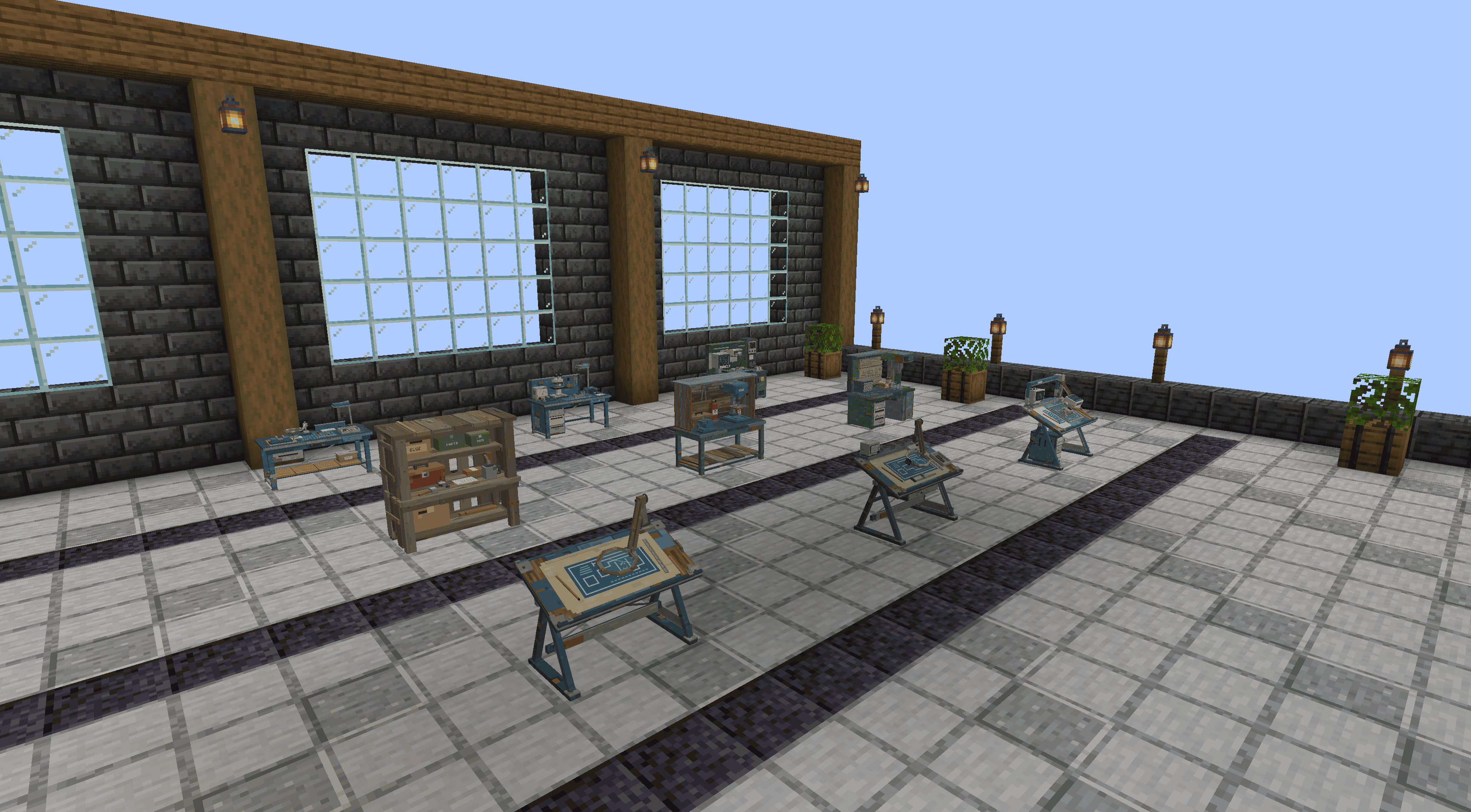 01-workshop.png 01-workshop.png
-
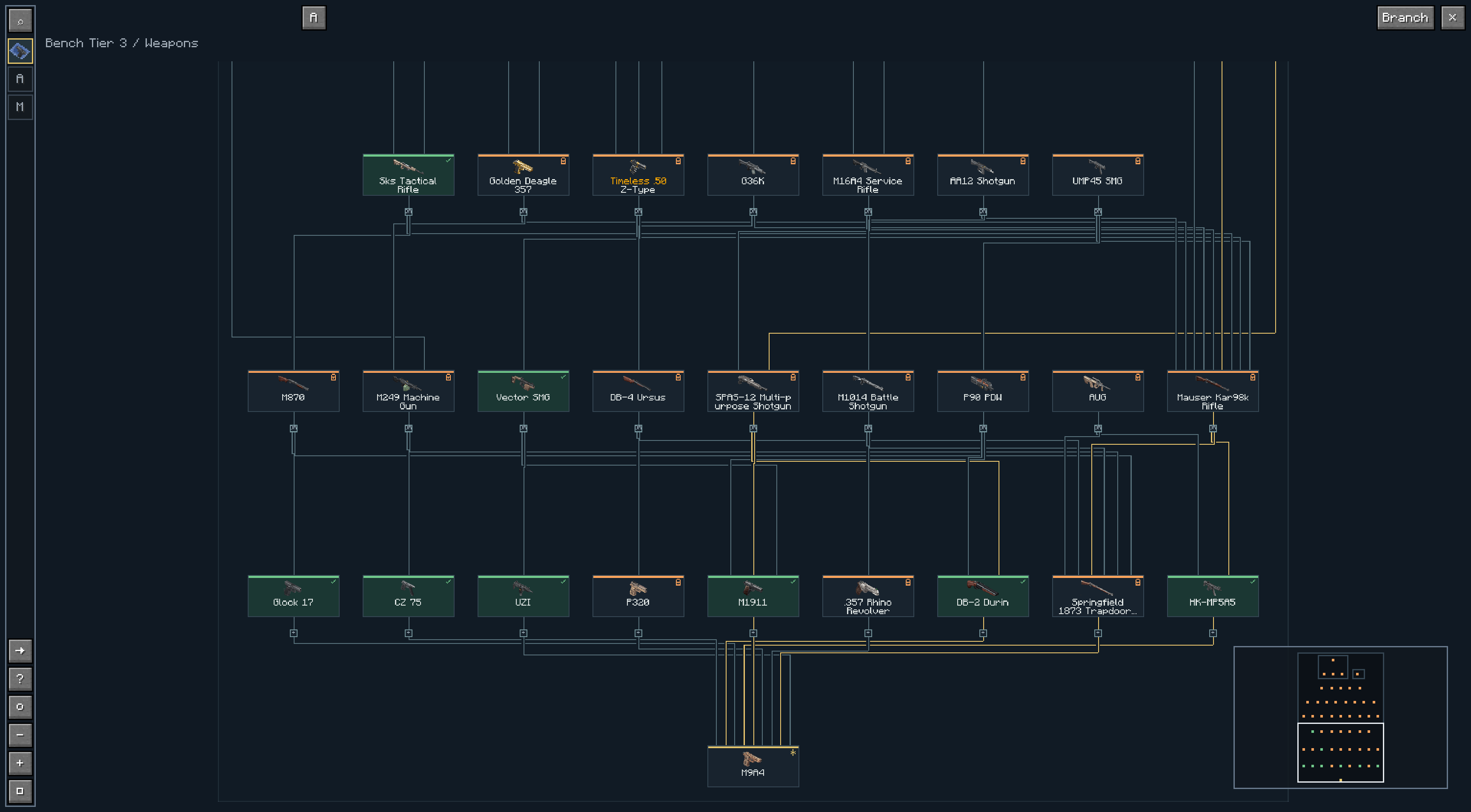 02-tech-tree.png 02-tech-tree.png
-
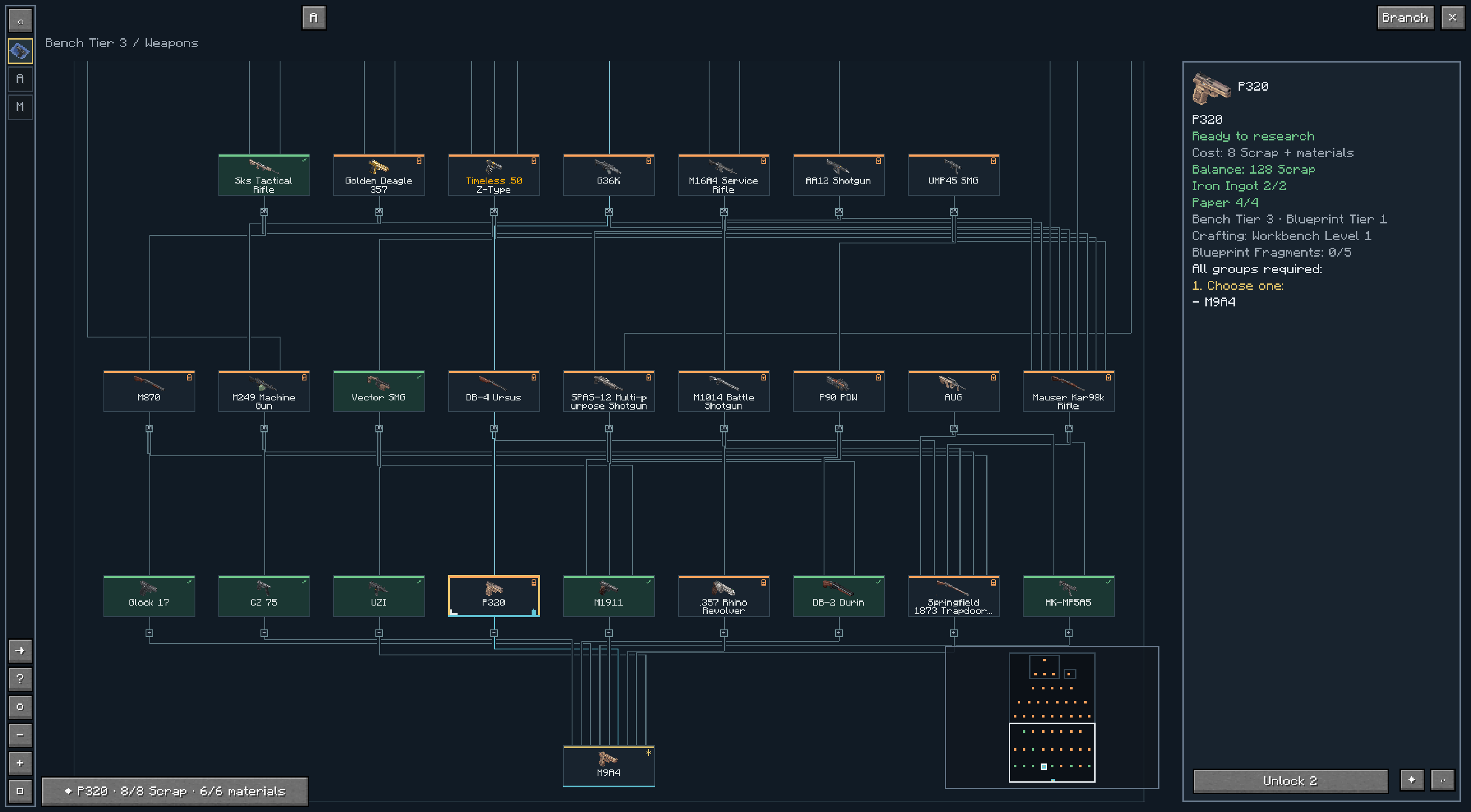 03-research-costs-and-tracking.png 03-research-costs-and-tracking.png
-
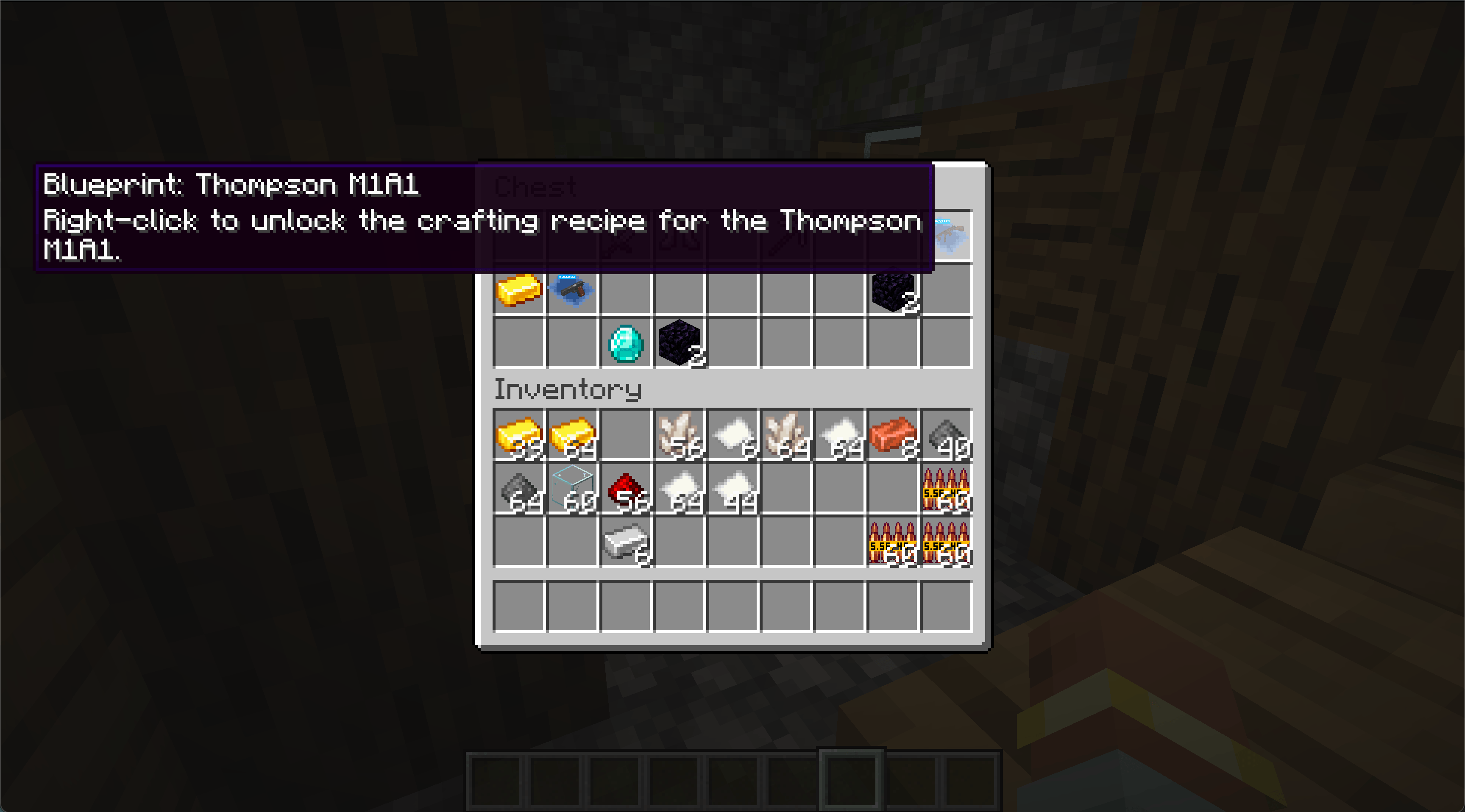 Screenshot 2026-08-27 at 12.12.38â¯AM.png Screenshot 2026-08-27 at 12.12.38â¯AM.png
-
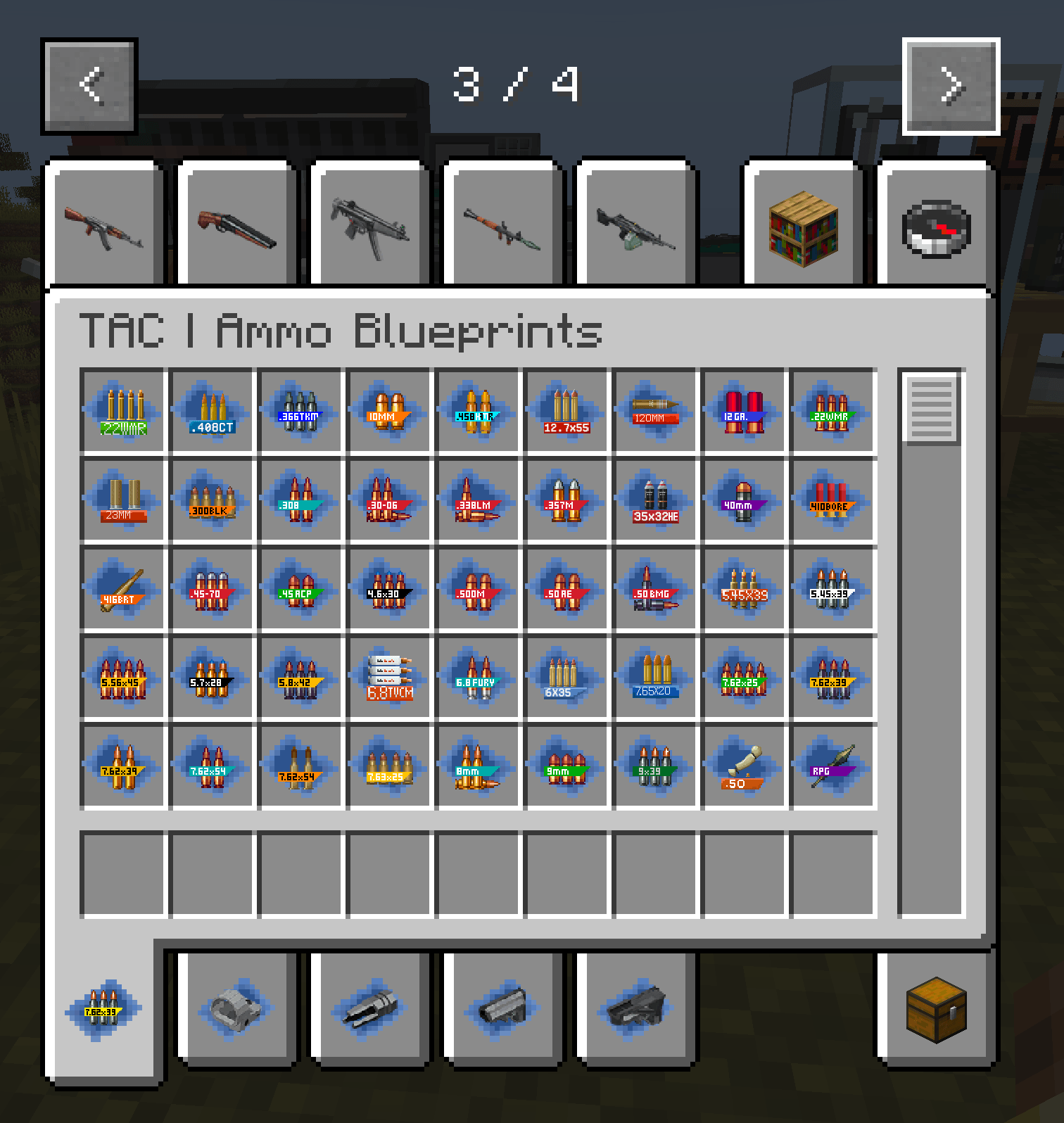 Screenshot 2026-08-27 at 12.08.09â¯AM.png Screenshot 2026-08-27 at 12.08.09â¯AM.png
-
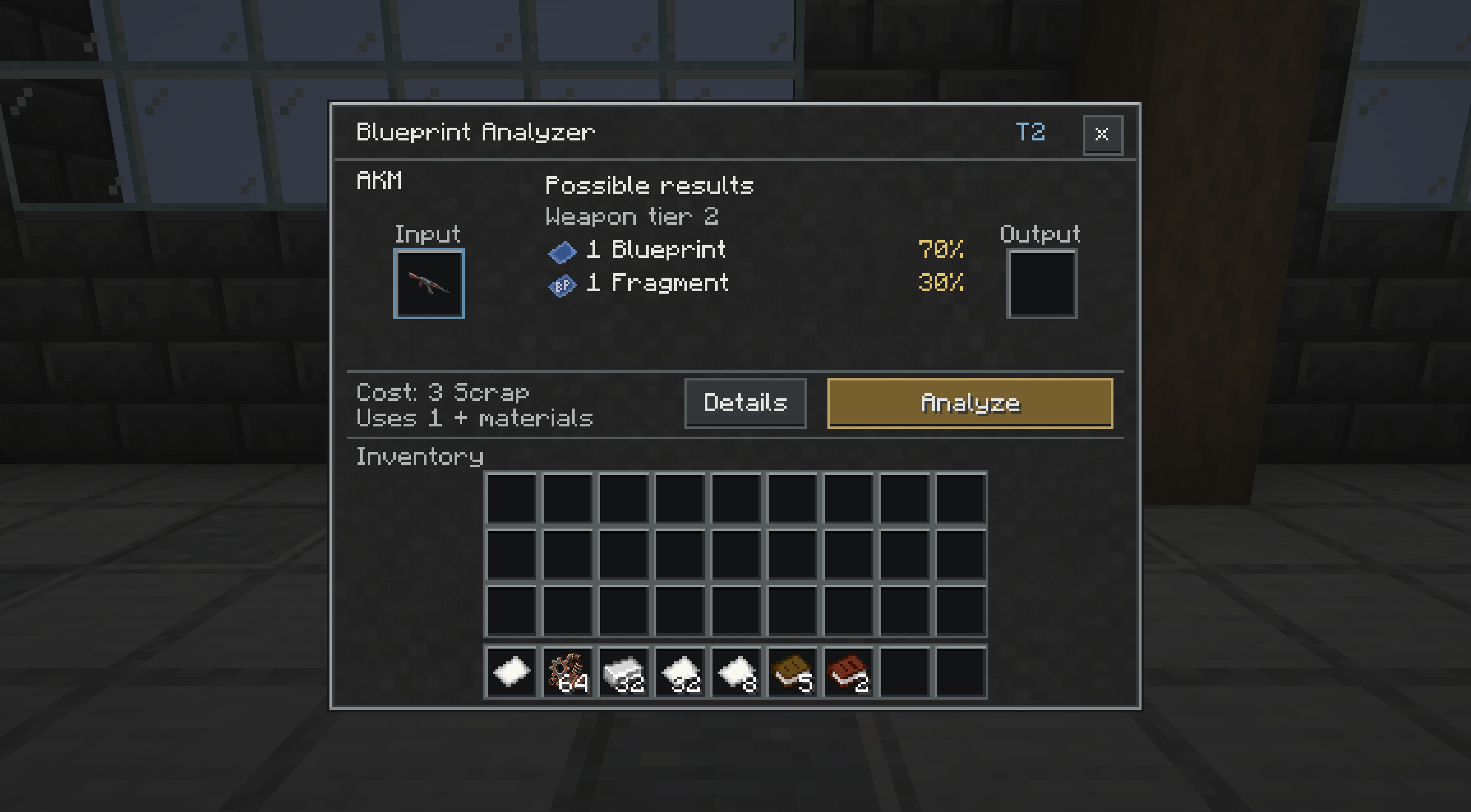 04-weapon-analysis.png 04-weapon-analysis.png
-
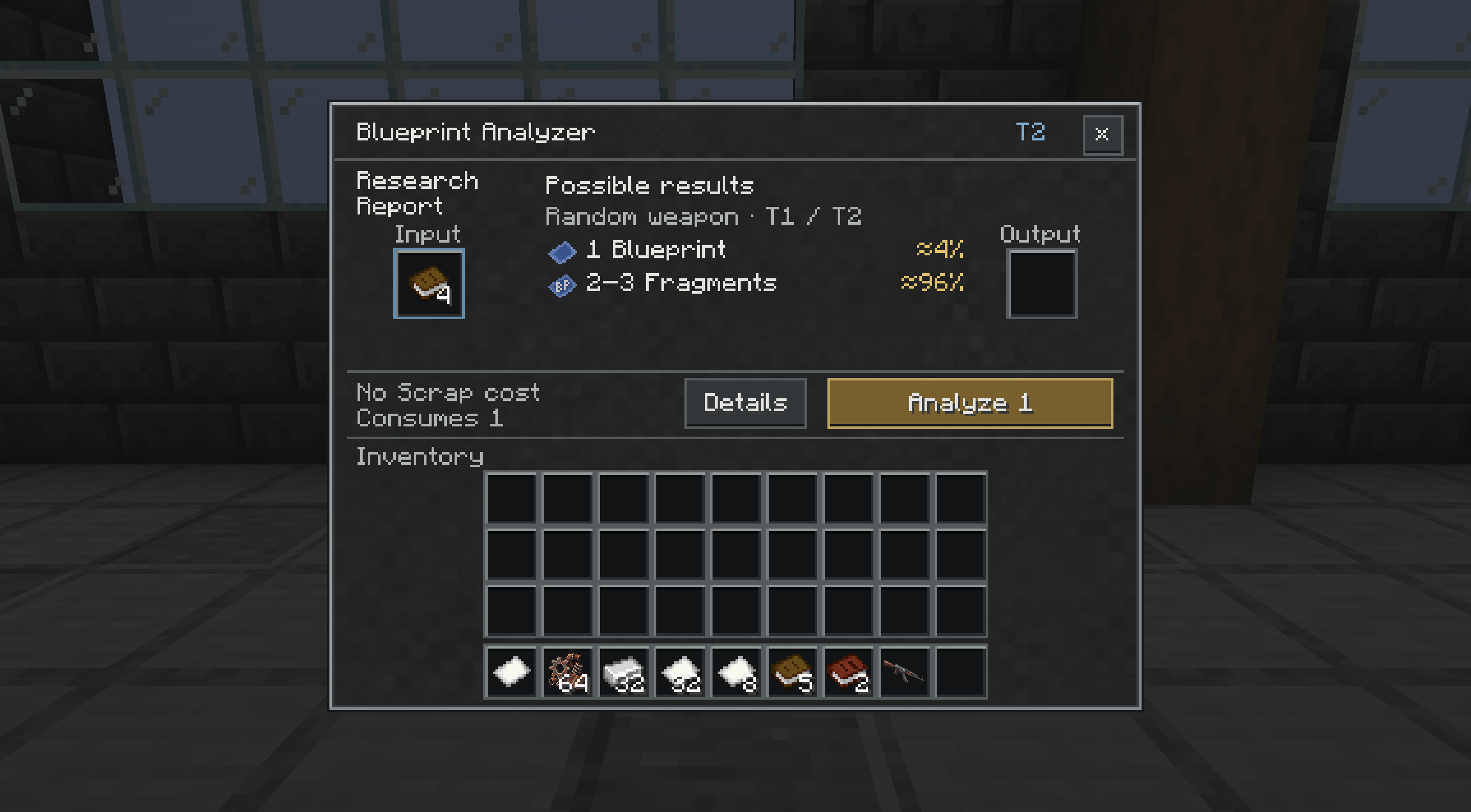 05-research-data.png 05-research-data.png
-
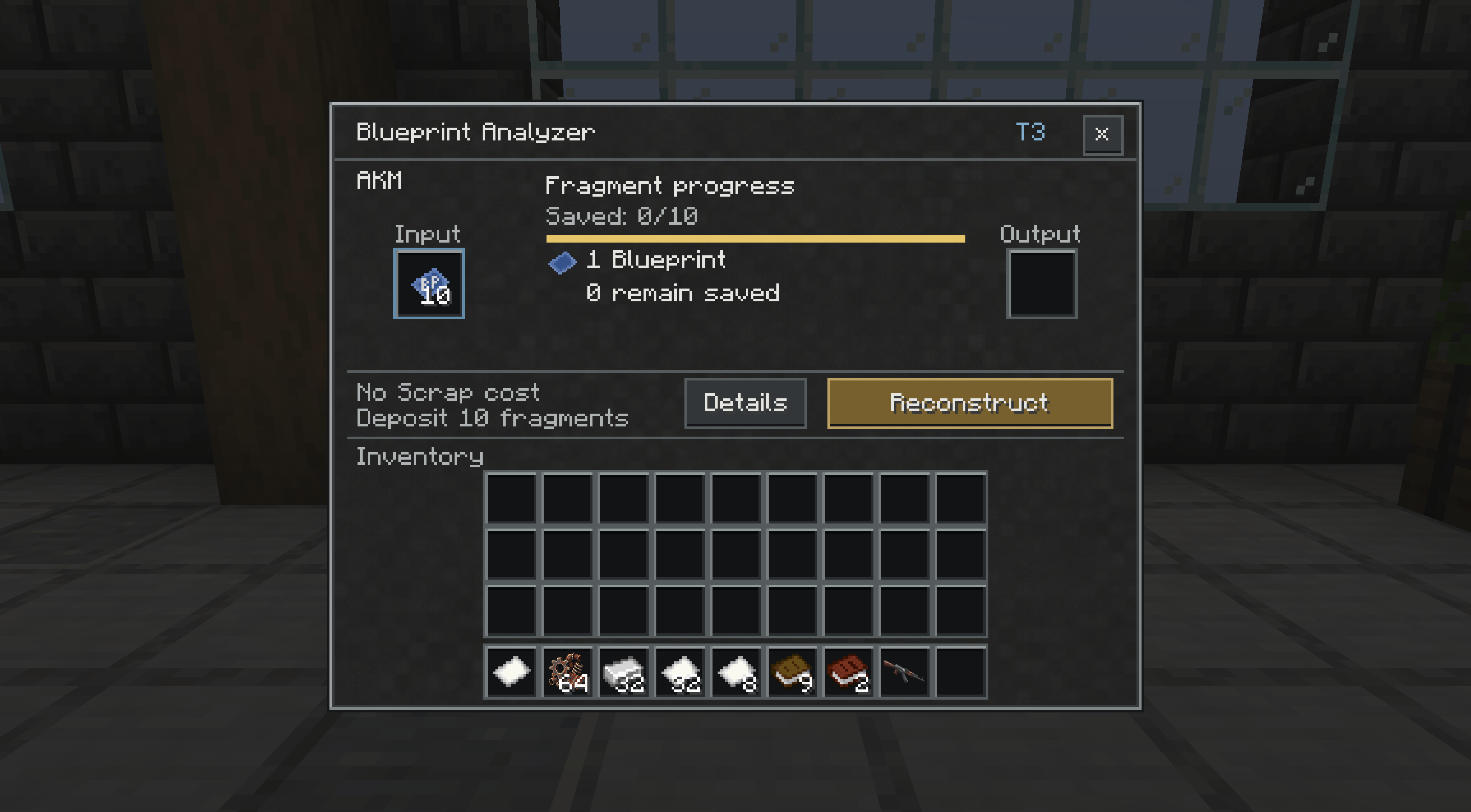 06-fragment-reconstruction.png 06-fragment-reconstruction.png
-
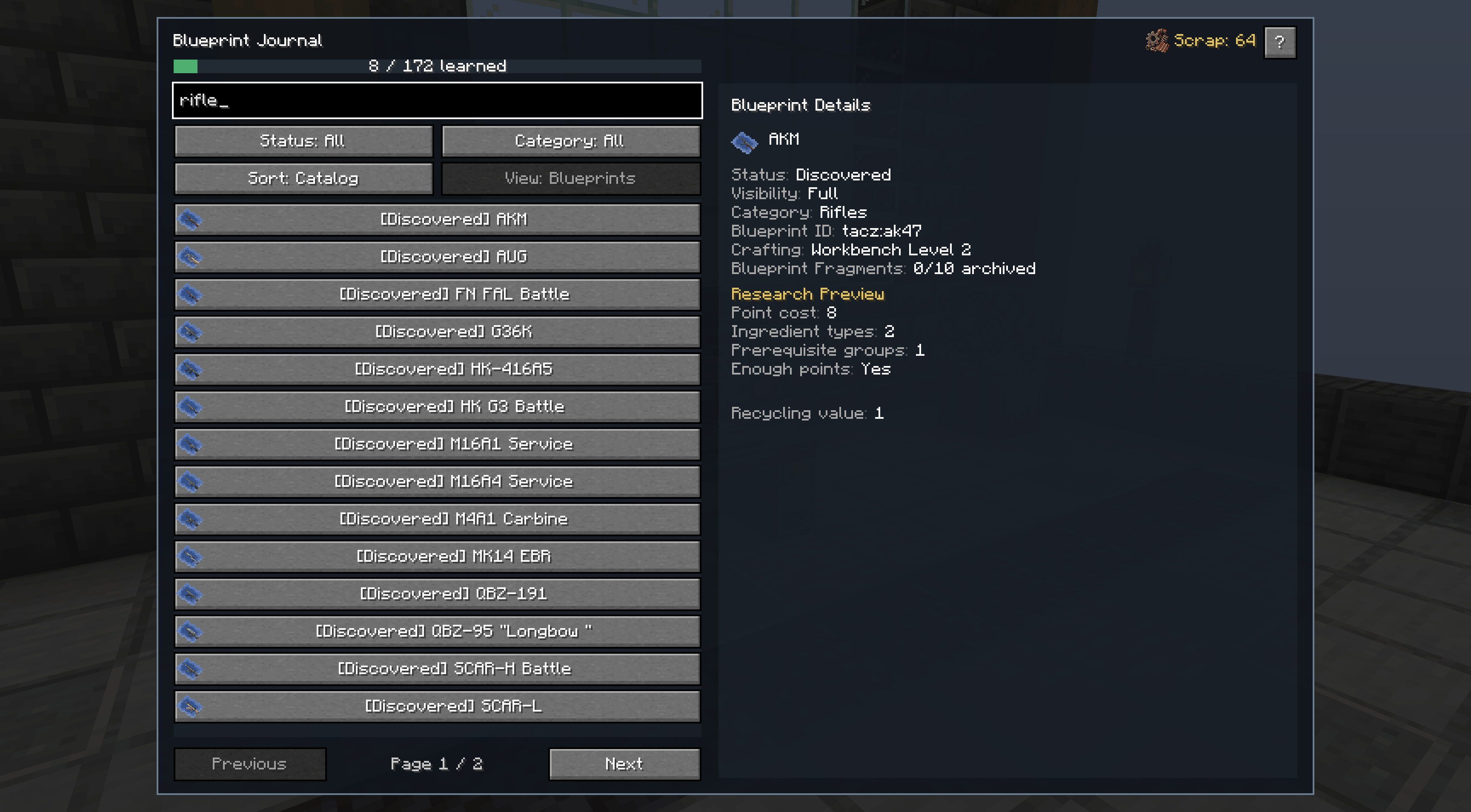 07-blueprint-journal.png 07-blueprint-journal.png
-
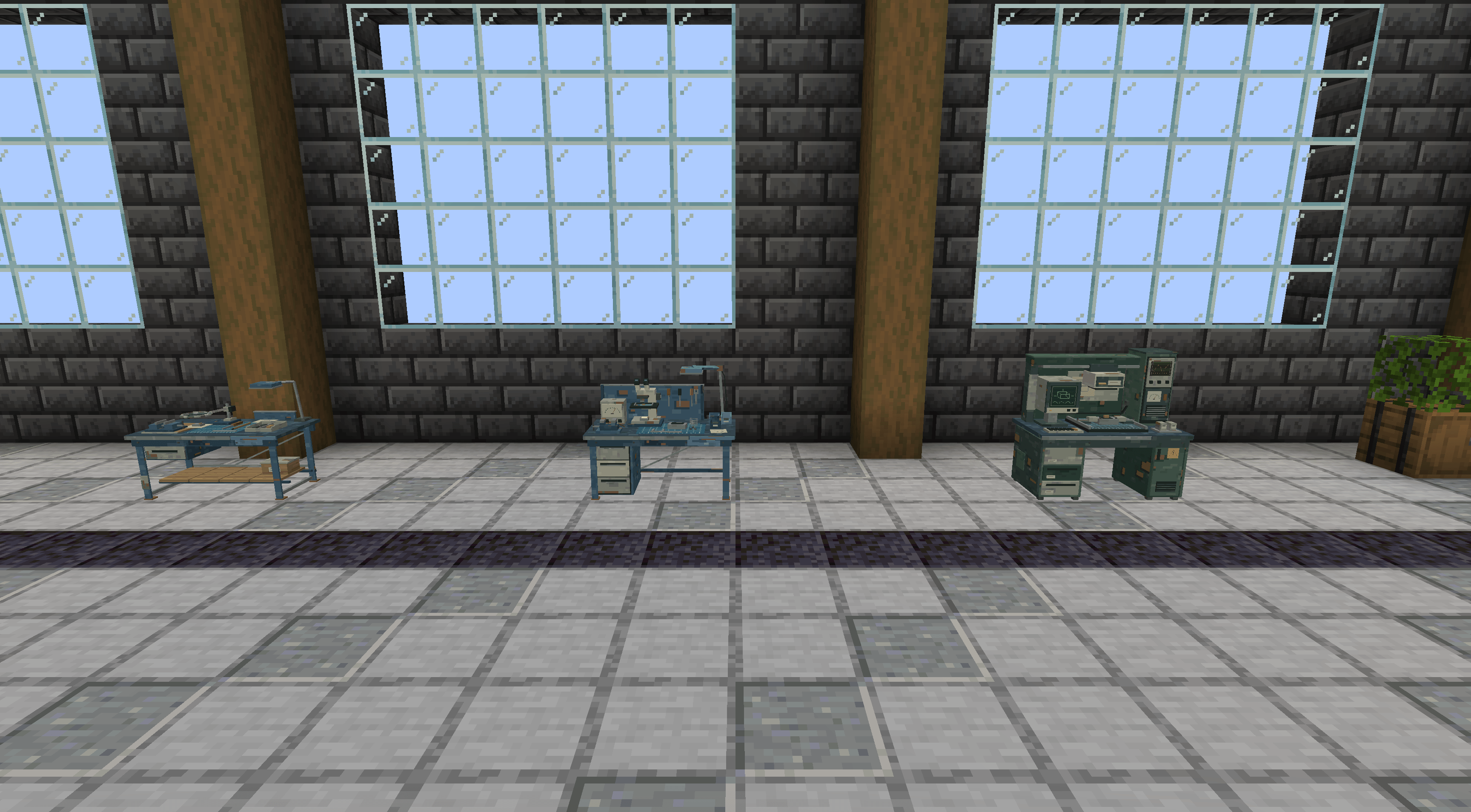 08-analyzer-tiers.png 08-analyzer-tiers.png
Versions
Files
Relations
Project Relations
More like this
Similar Mods
Suggestions use data such as tags, dependencies, dependents, descriptions, titles, and more to rank how much they overlap with this mod.
On ModDex
Community snapshot
By the numbers
Statistics

Get it on
Available Platforms
On ModDex
Community snapshot
By the numbers
Statistics
Resources