Community listing page, reviews here may not be monitored by the author.
TakeItOut (Take It Out)


No reviews yet
Pick blocks directly from shulker boxes using mouse wheel, Litematica Easy Place, or right-click. Fully supports schematics and printers.
Community voices
Reviews
No reviews yet. Be the first to review this project!
Get it on
Available Platforms
Compatibility
Supported Environments
Must be installed on both the client and the server.
About
Project Details
For authors
Embed Badge
If you're the author of this project, you can embed a live badge anywhere that supports HTML or Markdown. It updates automatically whenever ratings change.
Use HTML for any page that supports it, or Markdown for README files and Markdown-based descriptions.
Identifiers
Platform IDs
Resources
External Links
About
Description

⚡ TakeItOut — Fast Shulker Block Picking + Easy Place
Pick blocks directly from shulker boxes — whether they’re in your inventory or placed in the world — using:
- the pick block key (mouse wheel)
- Litematica Easy Place (right-click in schematics)
- or regular right-click in schematics with Auto Take Out enabled
Build faster — whether you use Easy Place or place blocks manually.
💡 Perfect for Litematica users:
Works with both Easy Place and manual building — automatically supplying the correct blocks either way.
🎥 Building Demo

Fast building with Litematica using blocks directly from shulker boxes and linked containers.
✨ Features
📦 Pick blocks directly from:
- shulker boxes in your inventory
- linked world containers
🧱 Litematica Easy Place support
Right-click schematic blocks to auto-pick and place them exactly as defined by the schematic🖱️ Manual placement support (Auto Take Out)
Right-click in schematics to automatically take the required item while placing blocks normally⚡ Full support for Litematica schematics
🖨️ Compatible with:
- original Litematica printer
- litematica-printer (BiliXWhite fork)
🔄 Compatible with Tweakeroo Restock
🖱️ Pick block support — use the mouse wheel
🔄 Auto pick mode (R)
📦 Extraction modes — SINGLE / STACK (B)
📁 Container Groups
Save, switch and share named container setups with other players on the server🌐 Server-side Shared Groups
Publish container groups to the server and let other players import them instantly📦 Box Selection Tool
Select a cuboid area to automatically link all containers inside it
📦 Linked World Containers
Link containers using the H key.
Supported:
- shulker boxes
- chests
- barrels
Features:
- 🌐 Cross-container item access
- 🌍 Cross-dimension support
- 📊 Litematica material list integration
- 🟢 Linked container outline rendering
- 🧭 Container management UI
Additional functionality:
- 📁 Container Groups — save, switch and share setups
- 🌐 Shared Server Groups — publish groups for all players
- 🗑️ Dump Containers
- 📦 Box Selection — bulk-link containers in an area
- 🔍 Item search in All Items tab
- 🖱️ LMB = stack / RMB = single item
🆕 Recent Updates
- Added server-side shared container groups with import/remove support
- Added Box Selection mode for bulk container linking
- Improved Easy Place reliability after reconnect
- Correct block placement in water
- Better redstone wire matching
- Fixed stack merge overflow issues
- Tools no longer get moved into world containers accidentally
- Chat notifications for scan limits and restrictions
- Server option to disable All Items requests
⚠️ Compatibility Notice
Item Swapper
TakeItOut may conflict with Item Swapper because both modify item picking behavior.
Possible issues:
- incorrect item selection
- unexpected hotbar swaps
👉 Try disabling Item Swapper if issues occur.
🌐 Multiplayer
Install on the server or use the companion plugin for:
- Paper
- Purpur
- Spigot
- Bukkit
⚠️ Client Compatibility
Older TakeItOut client versions are not compatible with newer servers.
Please update the client to the latest version.
⚙️ Settings
Open the settings screen with:
- X + T
- Controls menu
- Mod Menu
🔗 Links
Discord: https://discord.gg/TR8tUk4WNF
Modrinth: https://modrinth.com/mod/takeitout
Support: https://ko-fi.com/maxbel
Made by Max Bel
⚡ TakeItOut — Fast Shulker Block Picking + Easy Place
Pick blocks directly from shulker boxes — whether they’re in your inventory or placed in the world — using:
- the pick block key (mouse wheel)
- Litematica Easy Place (right-click in schematics)
- or regular right-click in schematics with Auto Take Out enabled
Build faster than ever — whether you use Easy Place or place blocks manually.
Works seamlessly with Litematica schematics and is especially useful with any Litematica printer.
🎥 Video Guide
✨ Key Features
-
📦 Pick blocks directly from:
- shulker boxes in your inventory
- linked containers placed in the world
-
🧱 Litematica Easy Place support
Right-click schematic blocks to auto-pick and place them exactly as defined by the schematic -
🖱️ Manual placement support (Auto Take Out)
Right-click in schematics to automatically take the required item while placing blocks normally -
⚡ Works with Litematica schematics
-
🖨️ Compatible with:
- original Litematica printer
- litematica-printer (BiliXWhite fork)
-
🔄 Support for Tweakeroo Restock
-
🖱️ Pick block support using the mouse wheel
-
🔄 Auto pick mode (toggle with R)
-
📦 Extraction Modes:
- SINGLE ITEM
- FULL STACK
(switch with B)
-
📁 Container Groups
Save, switch and share named container setups with other players on the server -
🌐 Server-side Shared Groups
Publish container groups to the server and let other players import them instantly -
📦 Box Selection Tool
Select a cuboid area to automatically link all containers inside it
📦 Linked World Containers
Link placed containers using the configurable Link Looked-at Container hotkey (H by default).
Supported:
- shulker boxes
- chests
- barrels
Features:
- 🌐 Cross-container item access
- 🌍 Cross-dimension support
- 📊 Litematica material list integration
- 🟢 Linked container outline rendering
- 🧭 Container management UI
You can also create:
- 📁 Container Groups — save, switch and share named container setups
- 🌐 Shared Server Groups — publish groups for all players on the server
- 🗑️ Dump Containers — automatically store displaced inventory items during swaps
- 📦 Box Selection — bulk-link containers inside a selected area
🧭 UI & Item Management
All Items Tab
- View all available items
- 🔍 Search/filter items
- 🖱️ Left-click → request full stack
- 🖱️ Right-click → request single item
Containers Tab
Manage:
- linked containers
- dump containers
- container groups
Includes:
- linked container counters
- Delete All actions
- improved item pulling UX
⌨️ Keybindings
| Action | Default |
|---|---|
| Toggle Auto Pick | R |
| Switch Extraction Mode | B |
| Link Looked-at Container | H |
| Mark Dump Container | G |
🆕 Recent Updates
- Added server-side shared container groups with import/remove support
- Added Box Selection mode for bulk container linking
- Improved Easy Place reliability after reconnects
- Correct block placement in water
- Better redstone wire matching
- Fixed inventory overflow and item merge issues
- Tools no longer get moved into world containers accidentally
- Chat notifications for scan limits and server restrictions
- Server config option to disable item requests from All Items tab
⚠️ Compatibility Notice
Item Swapper
TakeItOut may conflict with Item Swapper because both modify item picking behavior.
Possible issues:
- incorrect item selection
- unexpected hotbar swaps
👉 If problems occur, try disabling Item Swapper or adjusting its settings.
🌐 Multiplayer Support
Install the mod on the server to use it on public servers
or use the companion plugin for:
- Paper
- Purpur
- Spigot
- Bukkit
⚠️ Client Compatibility
Older client versions are not compatible with current server versions.
This changed after introducing Single Item Mode.
👉 Please update the client to the latest version.
⚙️ Settings
Open the full settings screen with:
- X + T
- Controls menu
- Mod Menu
🔗 Links



☕ Support
Made by Max Bel — support the project:
https://ko-fi.com/maxbel


Screenshots
Gallery
-
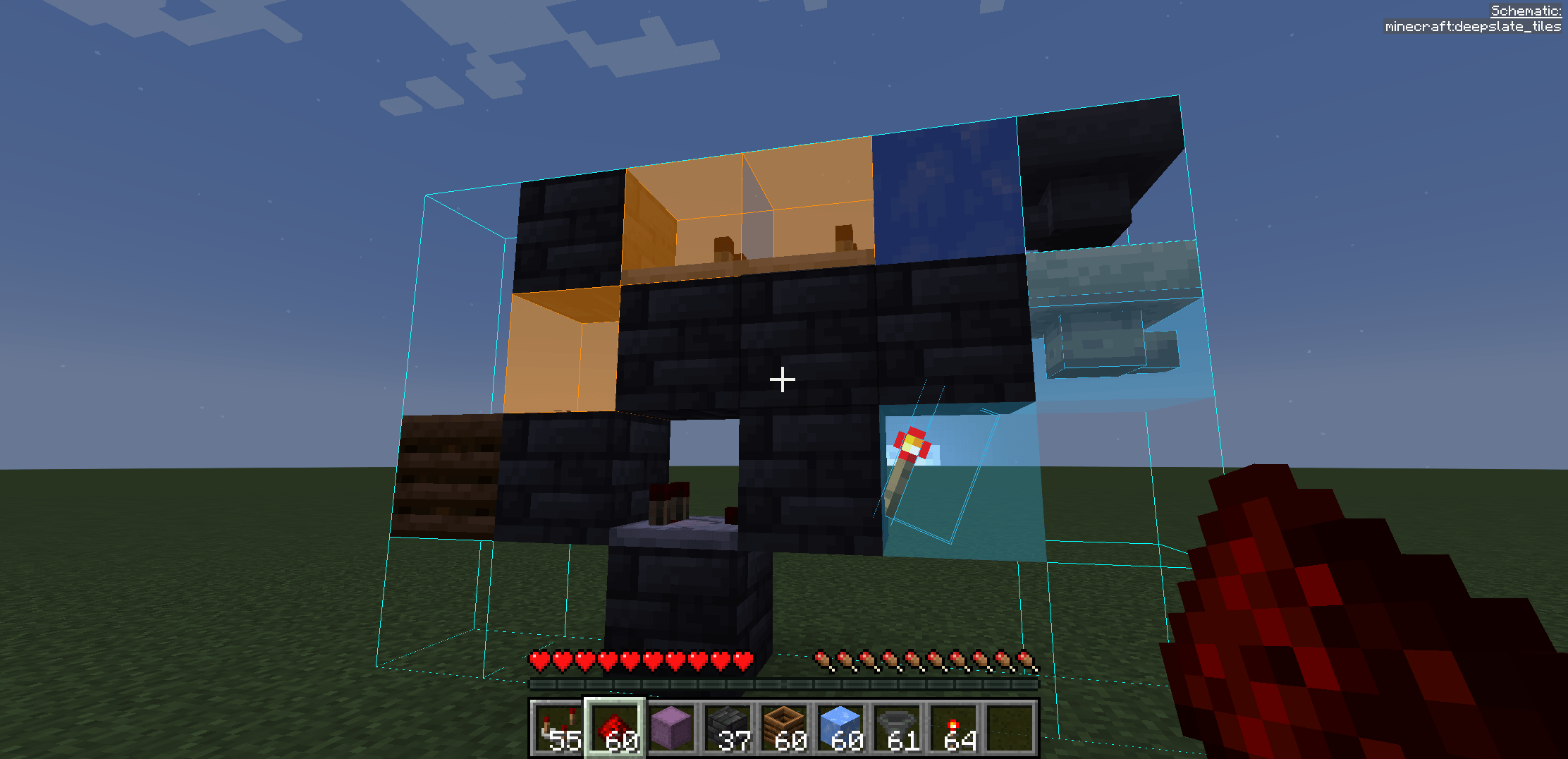 2024-09-02_23.35.14.png Build form containers by Litematica.
 -
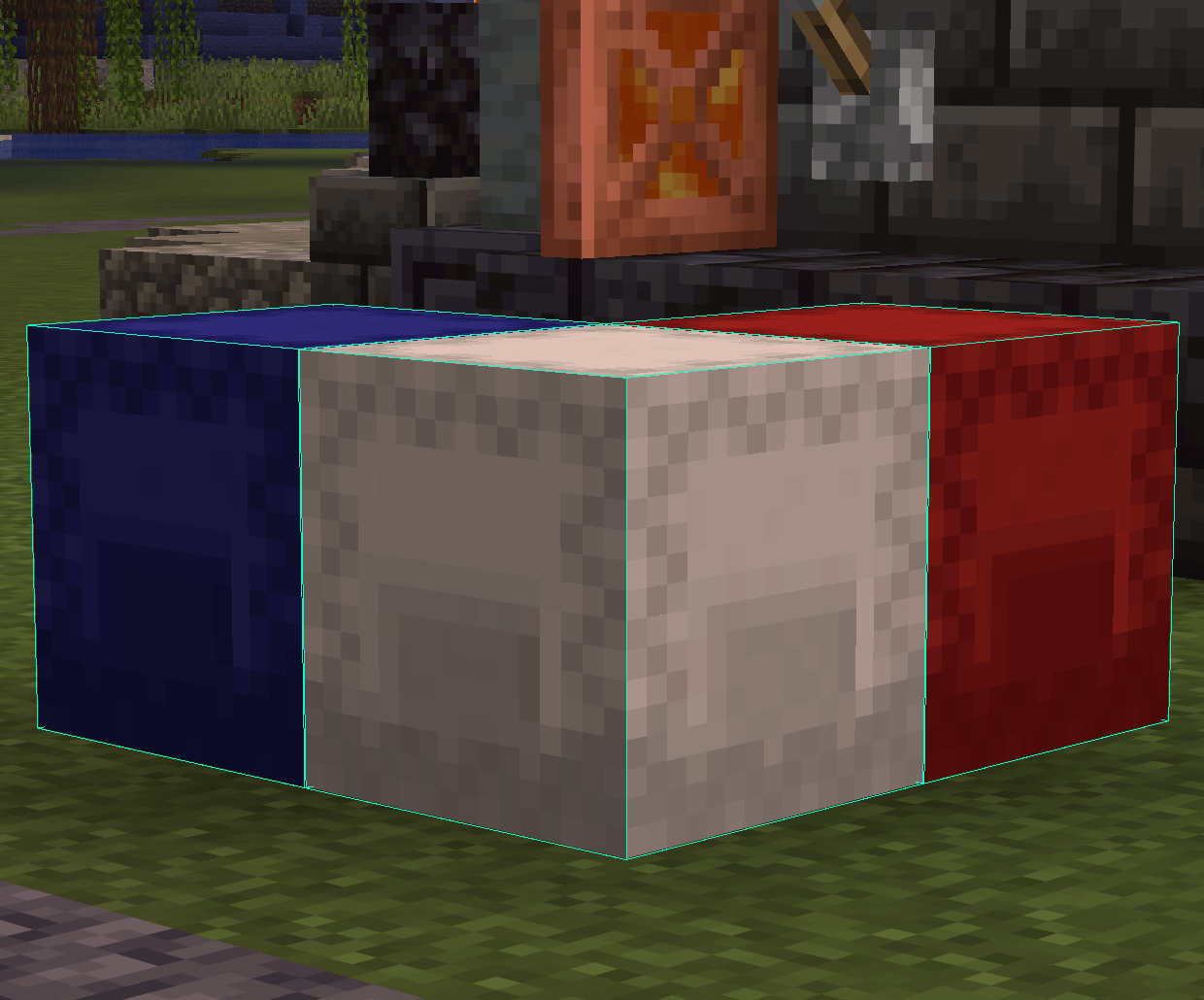 image.png 📦 World Container Sources Link placed chests, barrels, and shulkers using the configurable Link Looked-at Container hotkey (H by default).
 -
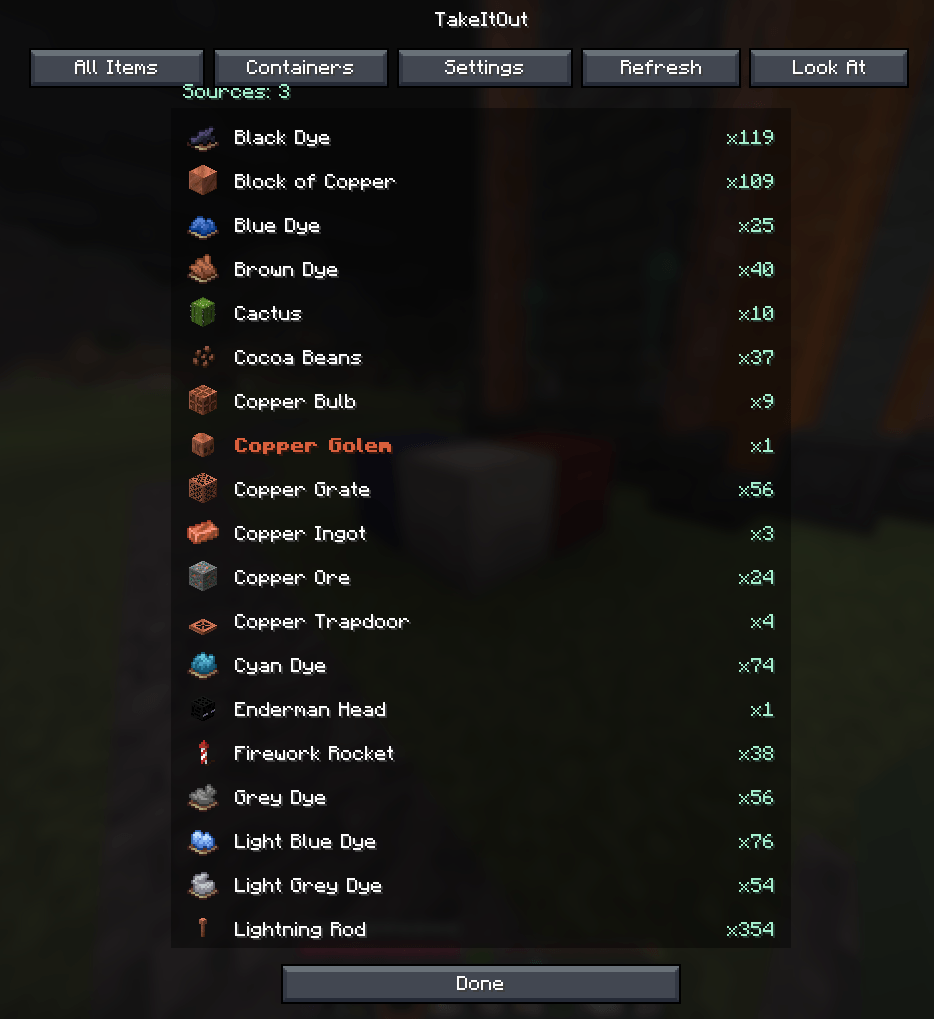 image_2.png All Items — view all available items across linked containers
 -
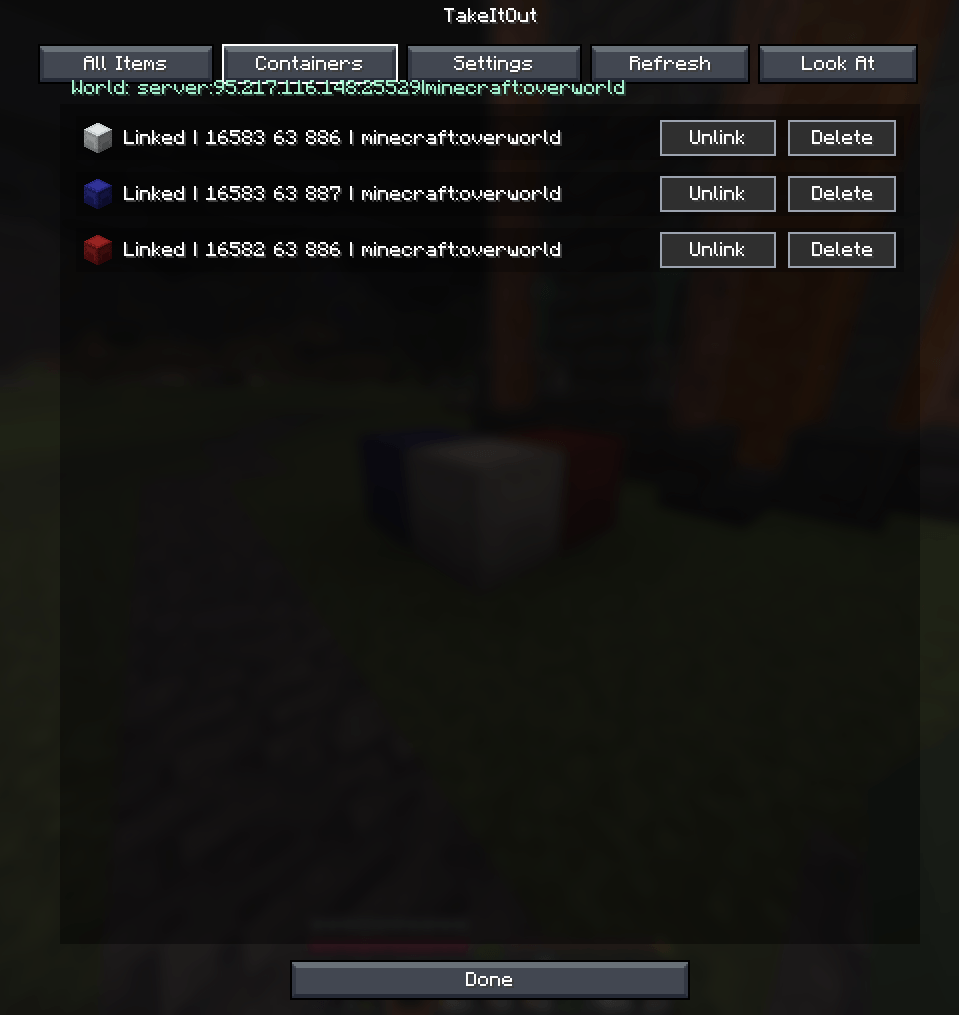 image_3.png 🧭 Container Management UI
 -
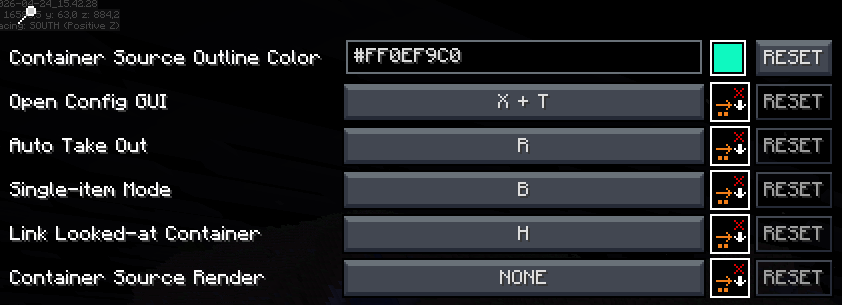 image_4.png ⚙️ Full Settings Screen Open with X + T or via Controls / Mod Menu. All hotkeys and visuals are configurable via malilib.
 -
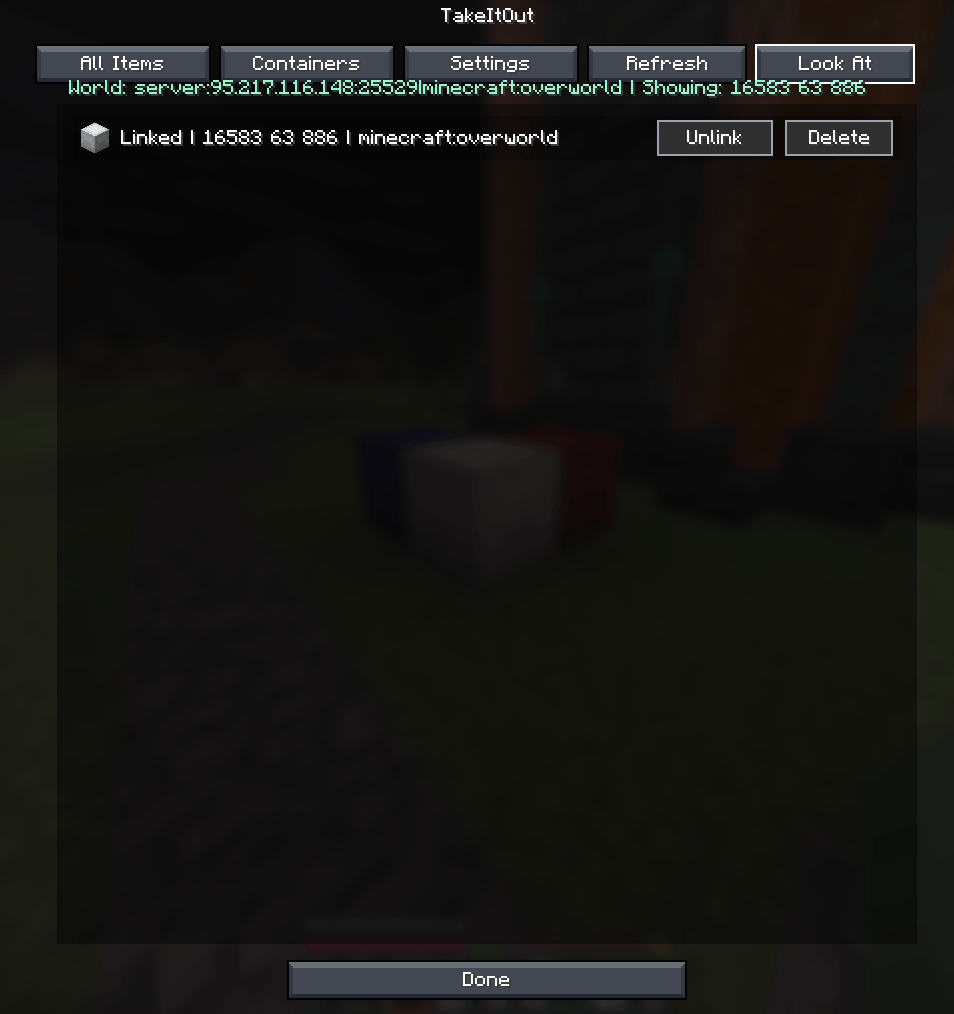 image_5.png Look At Container - 🧭 Container Management UI
-
-
 Placed in the world 📦 World Container Sources Link placed chests, barrels, and shulkers using the configurable Link Looked-at Container hotkey (H by default). The mod can now pull items directly from the world when they are not in your inventory.
 -
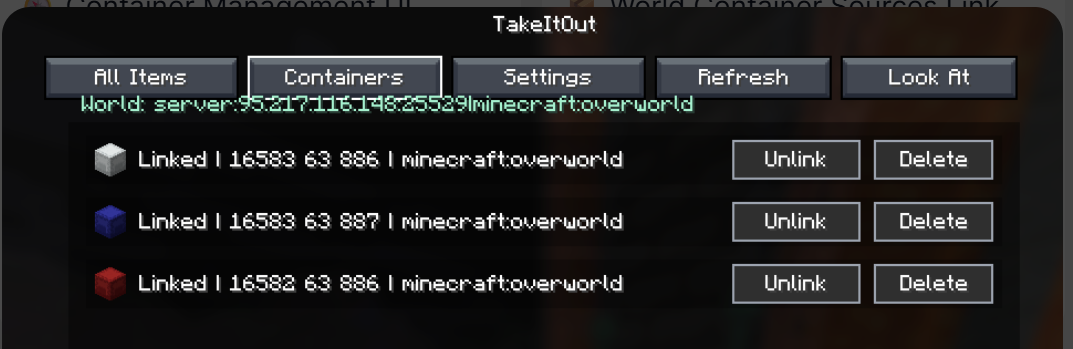 Containers Containers — manage, inspect, and locate saved containers
 -
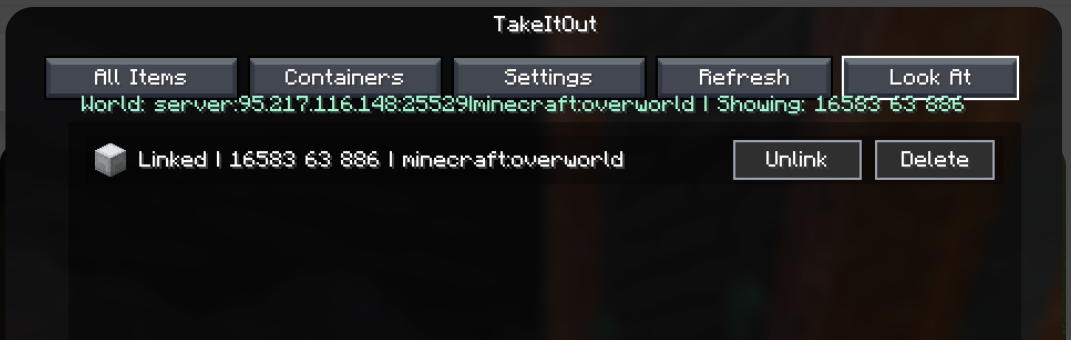 Look At Container 🧭 Container Management UI
 -
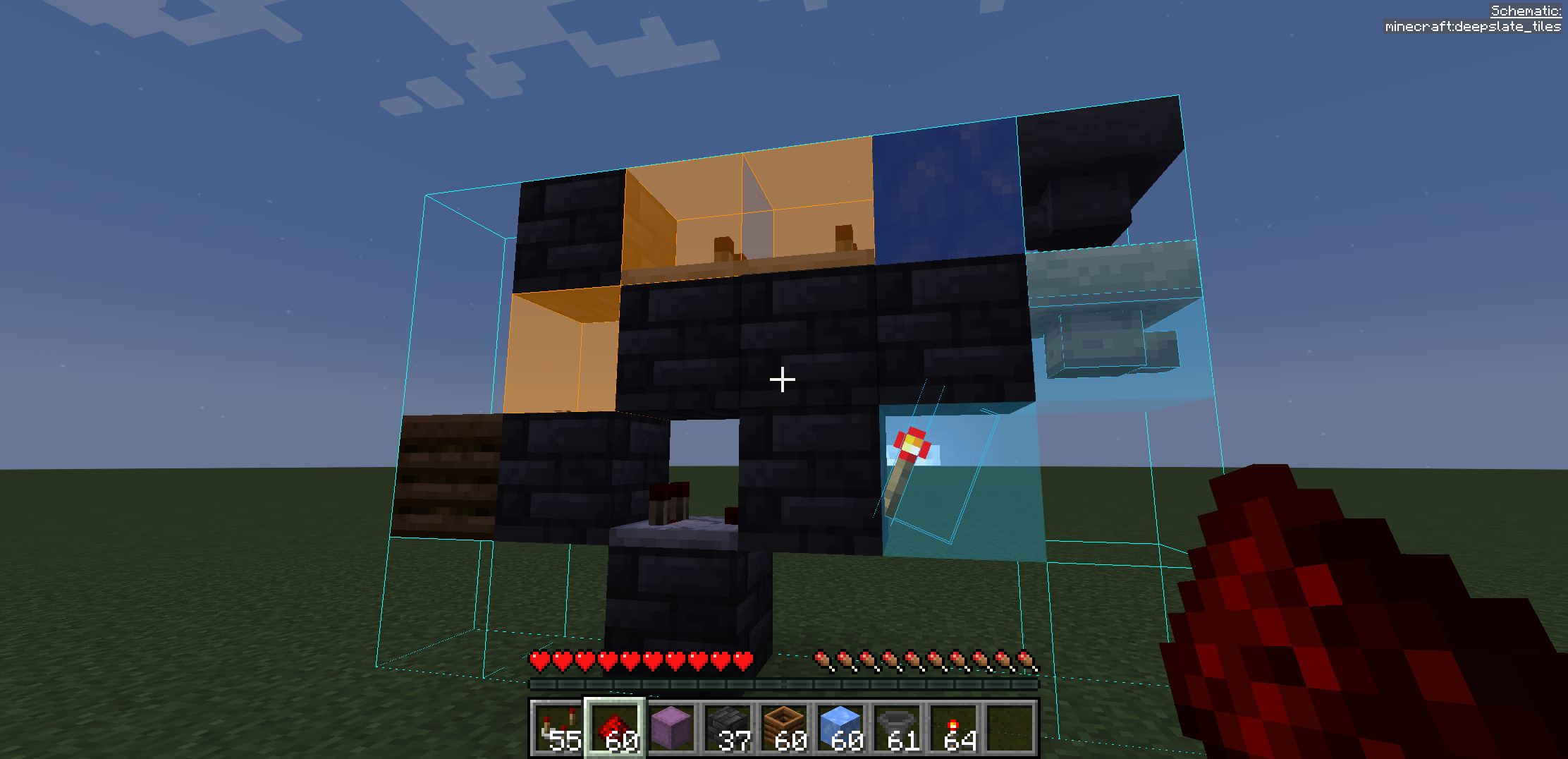
Building Process Using Litematica and a shulker box with blocks in the inventory
-
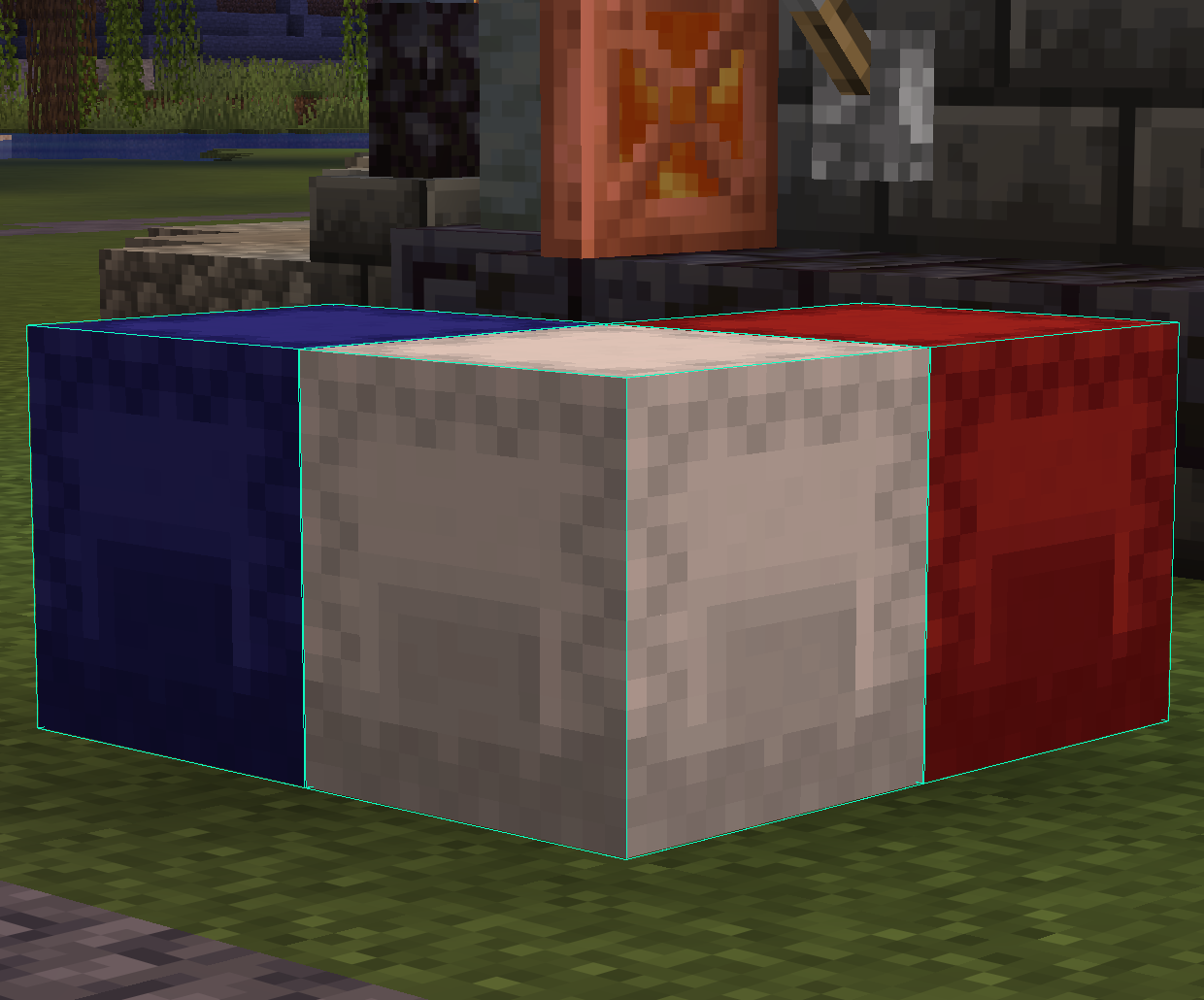 Linked Containers 📦 World Container Sources Link placed chests, barrels, and shulkers using the configurable Link Looked-at Container hotkey (H by default).
 -
 Single item mode 📦 Extraction Modes — SINGLE ITEM / FULL STACK (switch with B)
 -
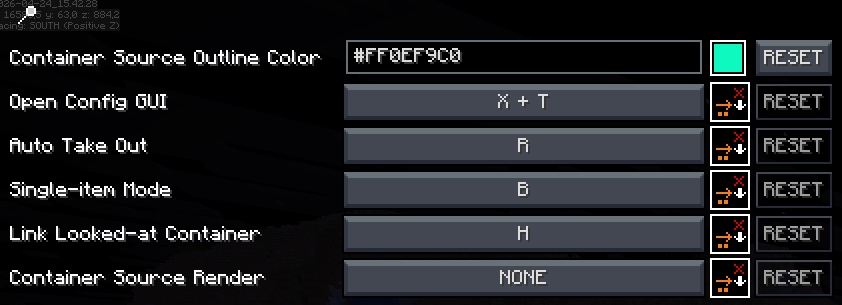 Full Settings Screen ⚙️ Full Settings Screen Open with X + T or via Controls / Mod Menu. All hotkeys and visuals are configurable via malilib.
 -
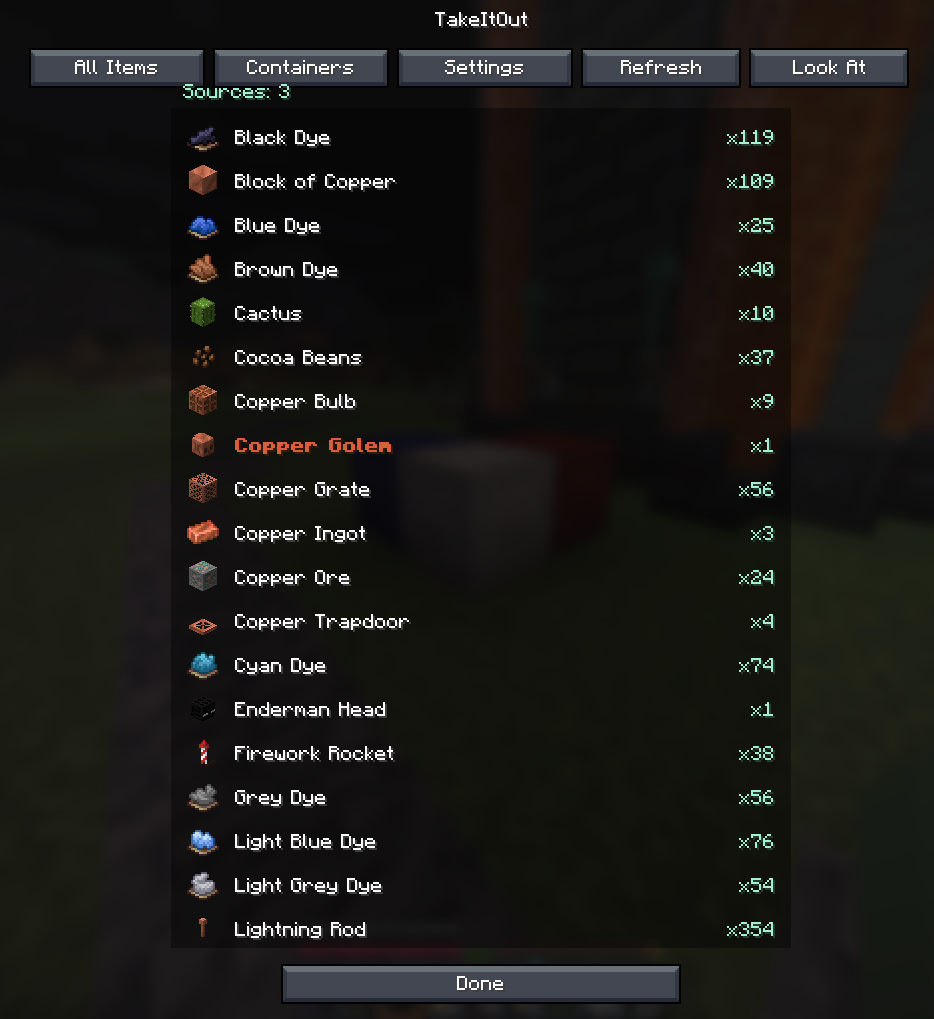 All Items All Items — view all available items across linked containers
 -
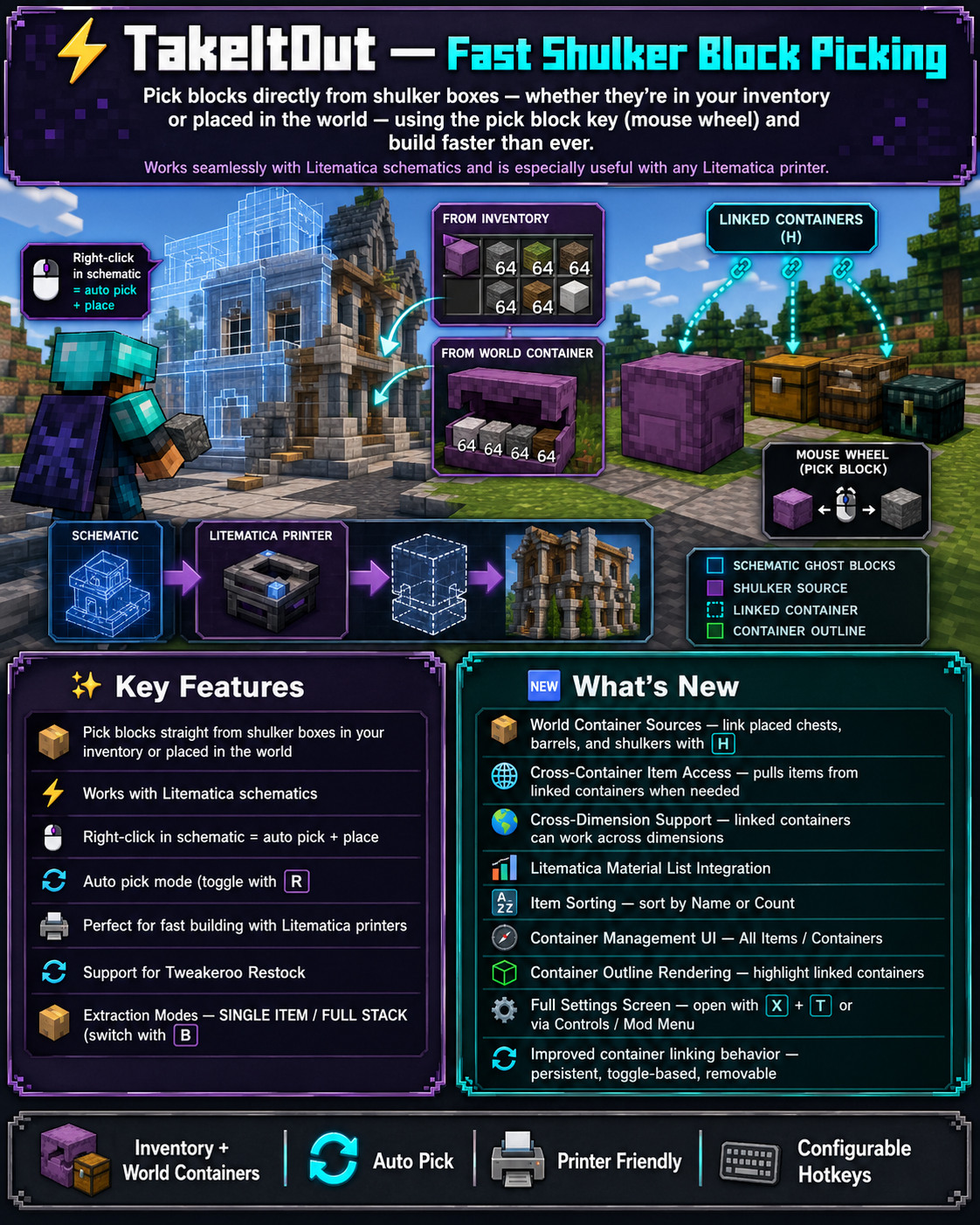 Banner
Versions
Files
Relations
Project Relations
More like this
Similar Mods
Suggestions use data such as tags, dependencies, dependents, descriptions, titles, and more to rank how much they overlap with this mod.
On ModDex
Community snapshot
By the numbers
Statistics
Want to reach Minecraft players?
We're looking for a server hosting partner to feature here and other parts of the site. Interested? Send us a message!
Get in touchGet it on
Available Platforms
On ModDex
Community snapshot
By the numbers
Statistics
Resources