Community listing page, reviews here may not be monitored by the author.
TerraMath


No reviews yet
Create custom terrain using mathematical functions and formulas for unique procedural world generation.
Community voices
Reviews
No reviews yet. Be the first to review this project!
Get it on
Available Platforms
Compatibility
Supported Environments
Required on the server. Installing it on the client adds functionality.
About
Project Details
For authors
Embed Badge
If you're the author of this project, you can embed a live badge anywhere that supports HTML or Markdown. It updates automatically whenever ratings change.
Use HTML for any page that supports it, or Markdown for README files and Markdown-based descriptions.
Identifiers
Platform IDs
About
Description






Description
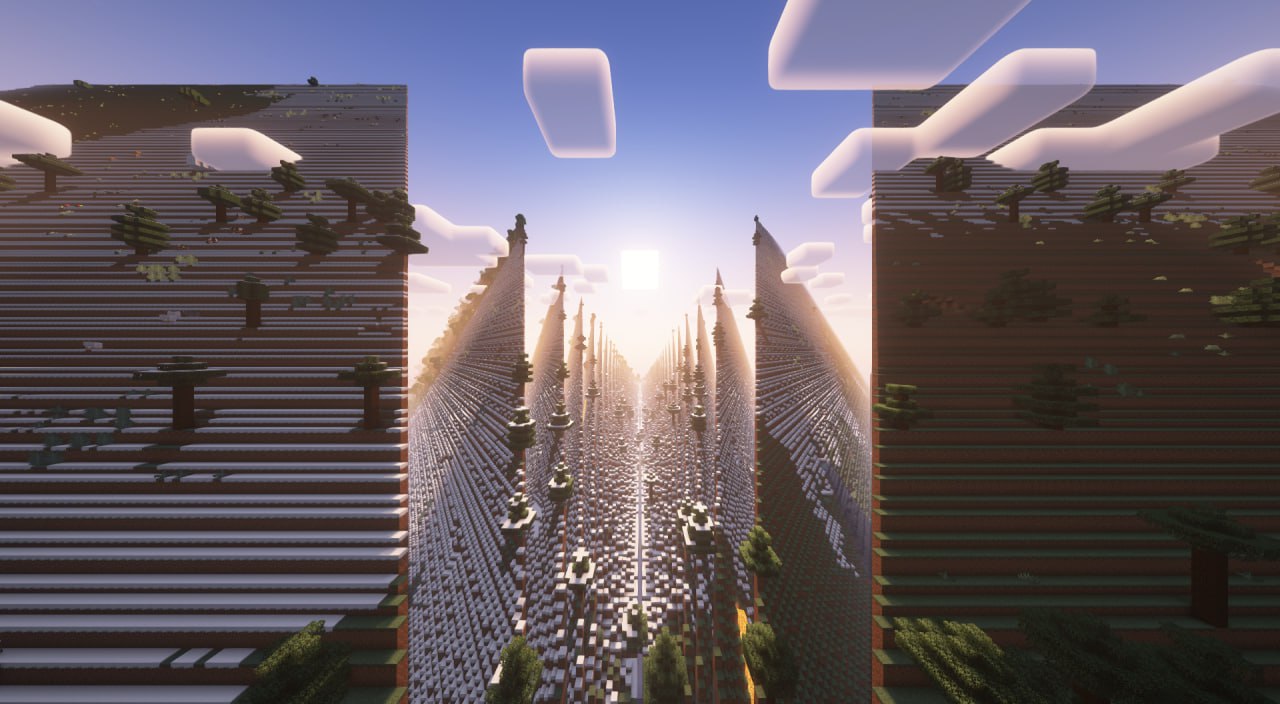
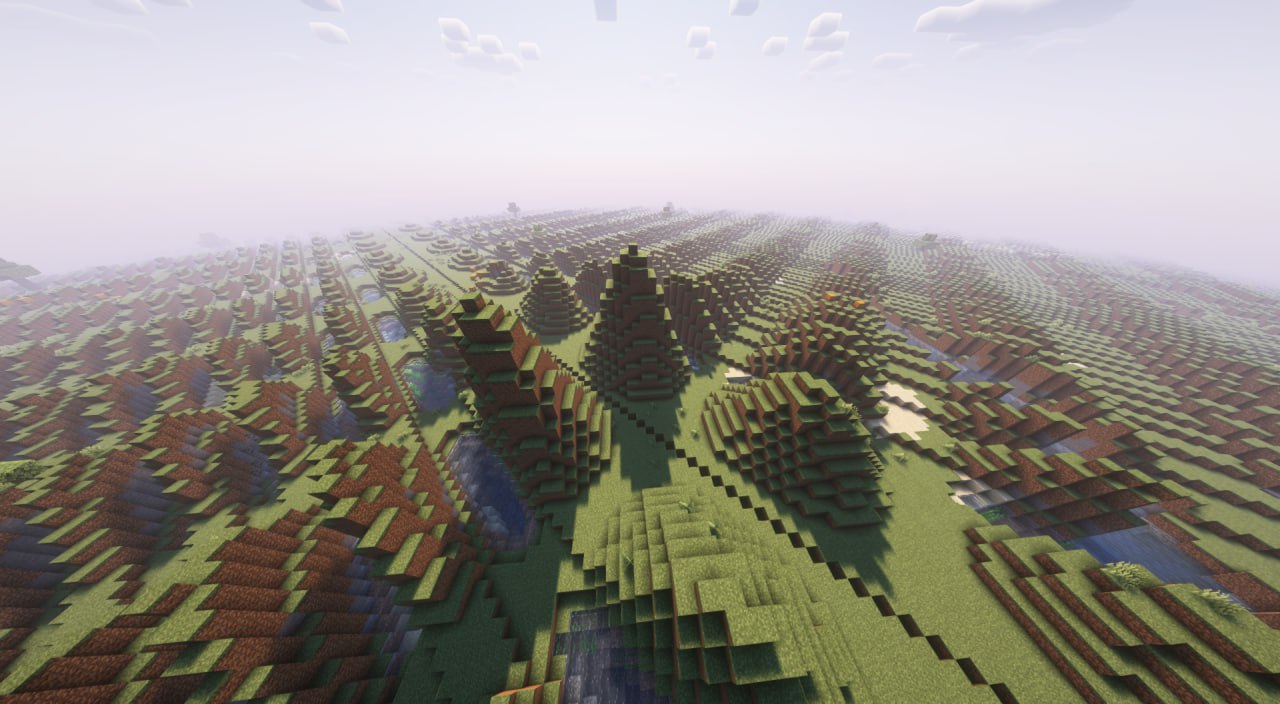
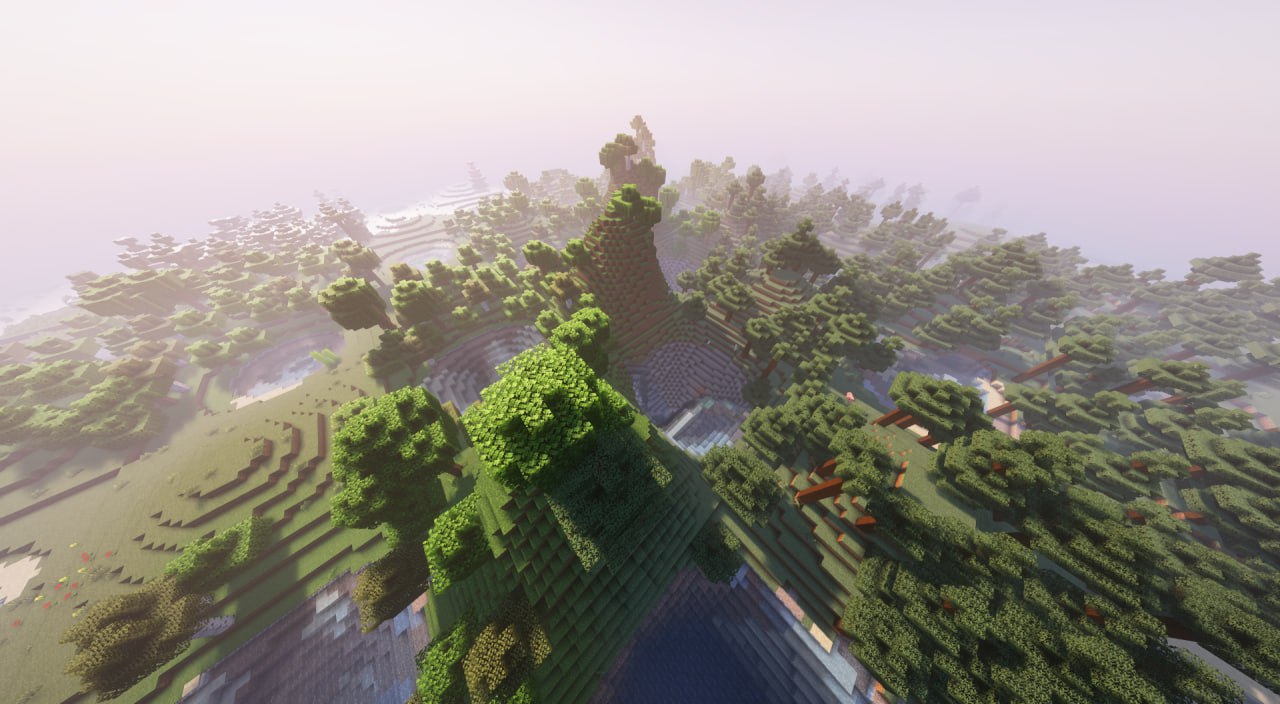
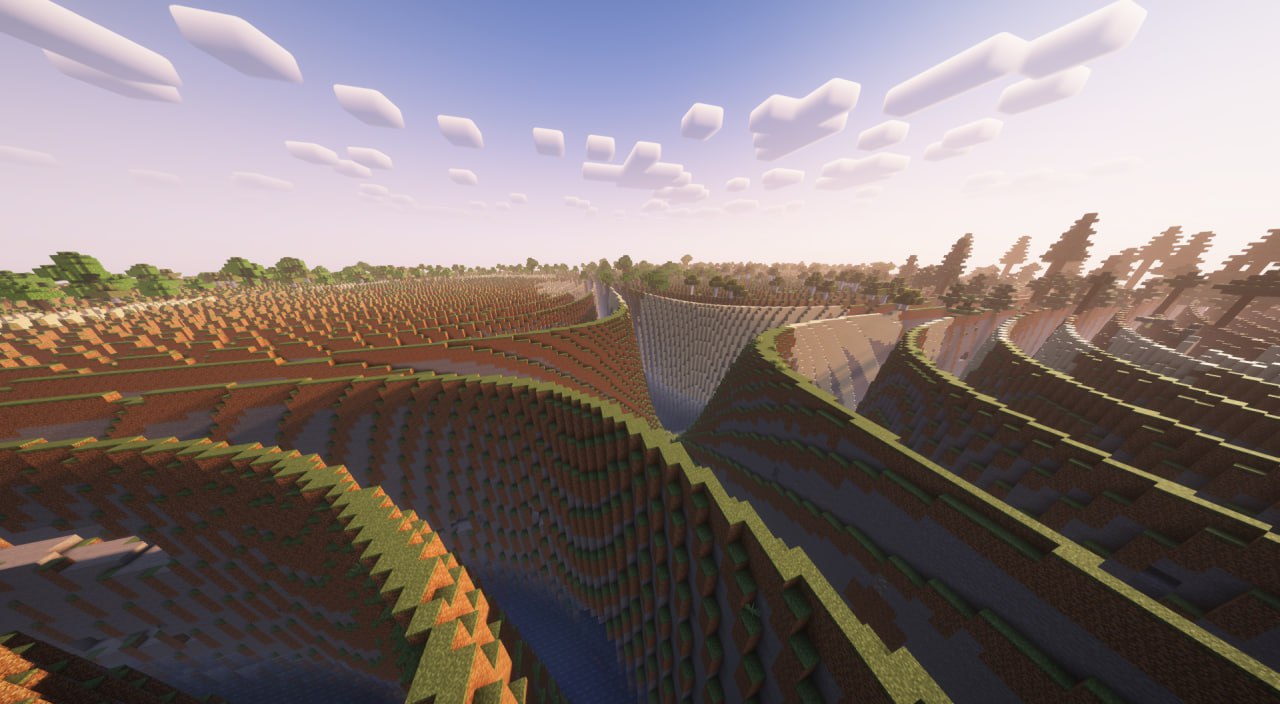
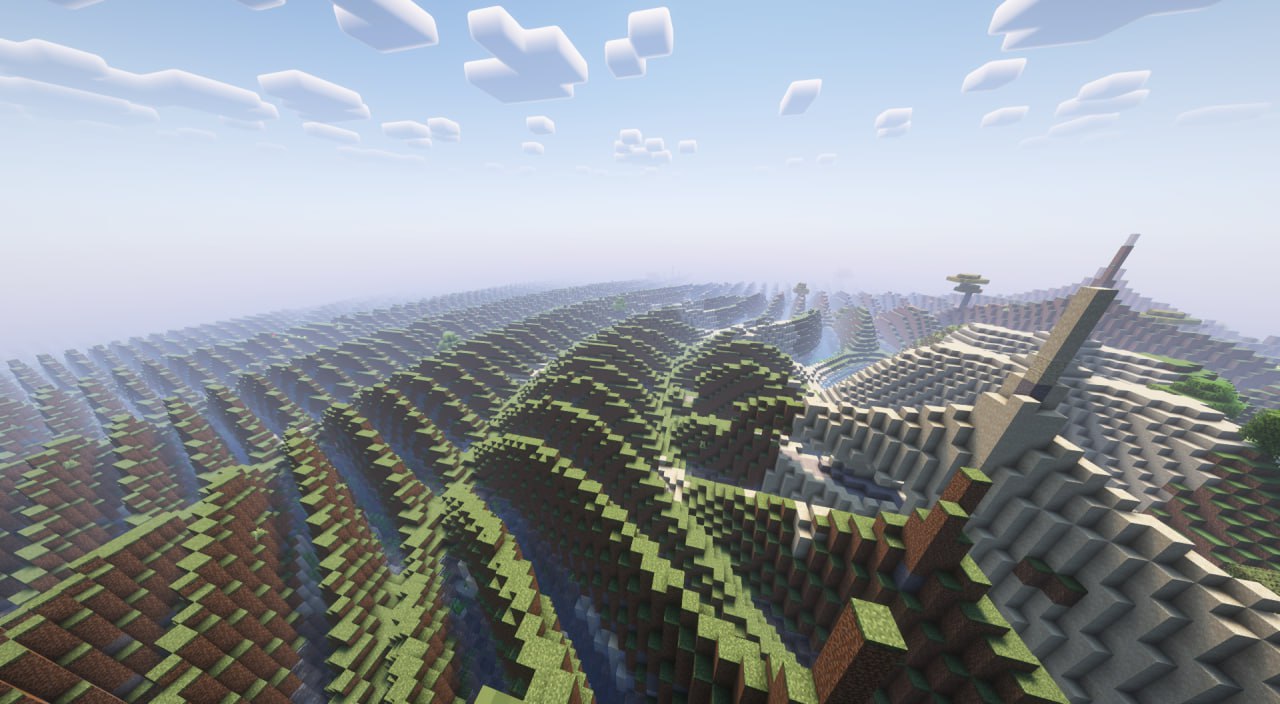
TerraMath is a Minecraft 1.20 - 1.21.x mod that allows you to customize world generation using mathematical functions. Create unique landscapes by defining terrain height through mathematical formulas!
You can also join my Discord to find more formulas or share yours.
Features
- Custom world generation through mathematical formulas
- Adjustable basic generation parameters (scale, height, variation, smoothing)
- Configurable noise overlay on top of your base formula
- Support for mathematical constants in formulas
How to Use on Client
- World generation settings interface
Parameter Configuration
- Go to "World" tab in world creation screen
- Open the terrain settings screen
- Enter your desired formula in the field
- Adjust additional parameters (optional):
- Scale
- Base Height (determines average surface level)
- Height Variation (amplitude of changes)
- Smoothing (terrain transition smoothness)
- Choose noise type and settings (optional):
- Noise type: Perlin, Simplex, Blended, Normal
- X, Y, Z coordinate multipliers
- General noise height multiplier
How to Use on Server
- Start the server with TerraMath mod installed
- Check the config folder, there will be a
terramath.jsonfile - Set the necessary parameters manually in the file, or…
- …configure the mod on your client
- Set the parameters and save the config
- Transfer the config file to the server's config folder
Important Server Notes:
- For the config to apply to a new world, make sure the
useDefaultFormulaparameter in the config is set totrue - After changing config settings, you'll need to delete the existing world and restart the server for the new terrain formula to take effect
- Alternatively, you can transfer your entire world folder from a client to the server - the world will continue to generate according to the same formula without requiring config changes
Formula Examples
Basic wavy landscape: sin(x)
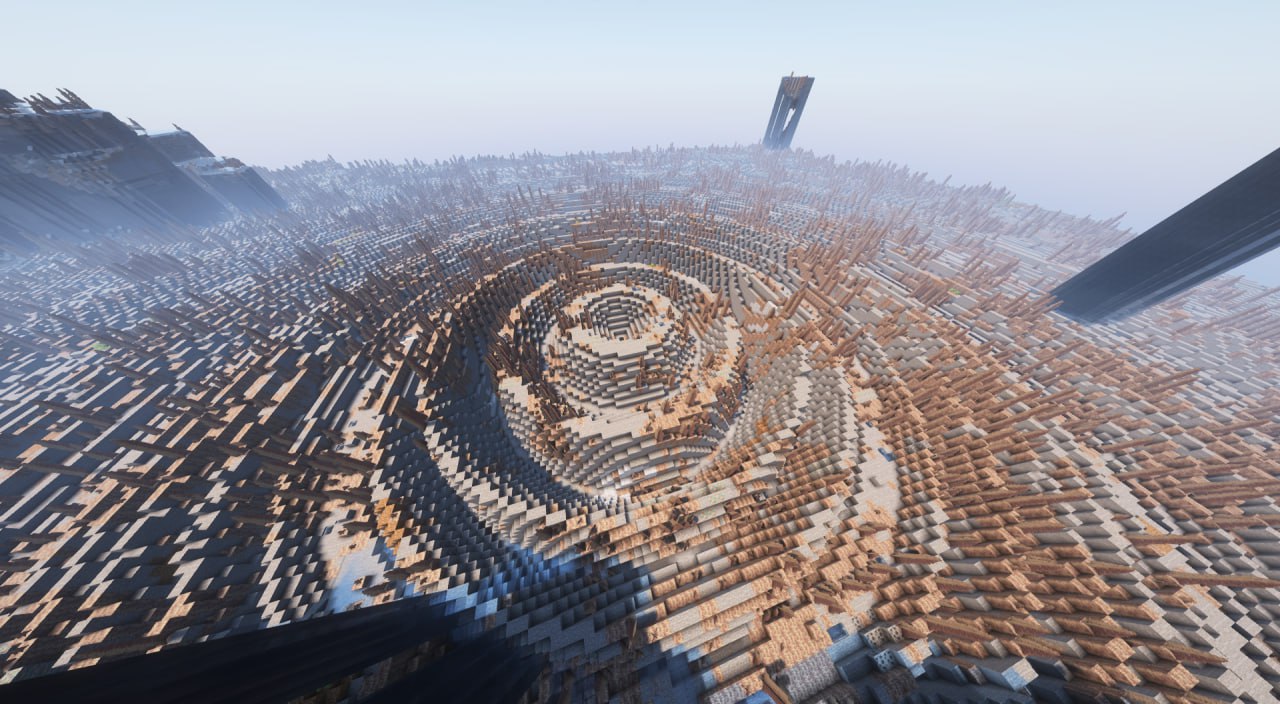
Spiky volcanic-like terrain with steep slopes: abs(sin(x/10))*exp(cos(z/15))*8 + tanh(sqrt(x^2 + z^2)/20)*15
Rolling mountains: sin(x/8)*cos(z/8)*10 + abs(sin(x/20))*15 + sqrt(abs(x/10))*5
Some crazy and heavy thing: round(sin(x/15))*10 + round(cos(z/15))*10 + sqrt(abs(sin((x+z)/20)))*15
Terraced landscape with plateaus: floor(sin(x/20) * cos(z/20) * 5) * 4 + sqrt(x^2 + z^2)/10
Crater-filled terrain: 10 * (1 - exp(-((x/30)^2 + (z/30)^2) / 2)) + 5 * perlin(x/50, 0, z/50)
Available Functions and Operators
Mathematical Functions:

Trigonometric:
- sin(x) - sine
- cos(x) - cosine
- tan(x) - tangent
- csc(x) - cosecant
- sec(x) - secant
- cot(x) - cotangent
- asin(x) - inverse sine
- acos(x) - inverse cosine
- atan(x) - inverse tangent
- atan2(x,y) - two-argument inverse tangent
- acsc(x) - inverse cosecant
- asec(x) - inverse secant
- acot(x) - inverse cotangent

Hyperbolic:
- sinh(x) - hyperbolic sine
- cosh(x) - hyperbolic cosine
- tanh(x) - hyperbolic tangent
- asinh(x) - inverse hyperbolic sine
- acosh(x) - inverse hyperbolic cosine
- atanh(x) - inverse hyperbolic tangent
- csch(x) - hyperbolic cosecant
- sech(x) - hyperbolic secant
- coth(x) - hyperbolic cotangent
- acsch(x) - inverse hyperbolic cosecant
- asech(x) - inverse hyperbolic secant
- acoth(x) - inverse hyperbolic cotangent

Root and Power:
- sqrt(x) - square root
- cbrt(x) - cube root
- root(x,n) - nth root of x
- pow(x,y) - x raised to power y
- exp(x) - exponential (e^x)

Logarithmic:
- ln(x) - natural logarithm
- lg(x) - base-10 logarithm

Rounding and Numbers:
- abs(x) - absolute value
- floor(x) - largest integer less than x
- ceil(x) - smallest integer greater than x
- round(x) - rounds to nearest integer
- sign(x) - returns sign of x (-1, 0, or 1)
- mod(x,y) - remainder of x divided by y
- gcd(x,y) - greatest common divisor
- lcm(x,y) - least common multiple
- modi(x,y) - modular inverse

Special Functions:
- gamma(x) - gamma function
- erf(x) - error function
- beta(x,y) - beta function

Random Number Generation:
- rand() - random number between 0 and 1
- randnormal(mean,stdev) - random number from normal distribution
- randrange(min,max) - random number between min and max

Noise Functions:
- perlin(x,y,z) - perlin noise
- simplex(x,y,z) - simplex noise
- normal(x,y,z) - normal noise
- blended(x,y,z) - blended noise
- octaved(x,z,octaves,persistence) - octaved noise

Utility Functions:
- max(x,y) - maximum of x and y
- min(x,y) - minimum of x and y
- sigmoid(x) - sigmoid function (1/(1+e^-x))
- clamp(x,min,max) - constrains x between min and max

Constants:
- pi, π - 3.14159... (π constant)
- e - 2.71828... (Euler's number)
- phi, φ - 1.61803... (Golden ratio)
- zeta3, ζ3 - 1.20205... (Apéry's constant)
- catalan, K - 0.91596... (Catalan's constant)
- alpha, α, feigenbaum - 2.50290... (Feigenbaum constant)
- delta, δ, feigenbaumdelta - 4.66920... (Feigenbaum delta)
- omega, Ω - 0.6889 (Cosmological constant)

Variables:
x, y, z - block coordinates in world

Operators:
+, -, *, /, ^, (), !
Known Issues
- Extreme formulas that produce XXL landscapes may impact performance (probably not a completely solvable problem)
- Random number generation functions can significantly impact world generation performance when used extensively. Consider using these functions sparingly, especially in complex terrain formulas, as they may cause frame rate drops or increased chunk loading time
Contributing
Feel free to report bugs or suggest features through the issue tracker!
Description
TerraMath is a Minecraft 1.20 - 1.21.x mod that allows you to customize world generation using mathematical functions. Create unique landscapes by defining terrain height through mathematical formulas!
You can also join my Discord to find more formulas or share yours.
Features
- Custom world generation through mathematical formulas
- Adjustable basic generation parameters (scale, height, variation, smoothing)
- Configurable noise overlay on top of your base formula
- Support for mathematical constants in formulas
How to Use on Client
- World generation settings interface
Parameter Configuration
- Go to "World" tab in world creation screen
- Open the terrain settings screen
- Enter your desired formula in the field
- Adjust additional parameters (optional):
- Scale
- Base Height (determines average surface level)
- Height Variation (amplitude of changes)
- Smoothing (terrain transition smoothness)
- Choose noise type and settings (optional):
- Noise type: Perlin, Simplex, Blended, Normal
- X, Y, Z coordinate multipliers
- General noise height multiplier
How to Use on Server
- Start the server with TerraMath mod installed
- Check the config folder, there will be a
terramath.jsonfile - Set the necessary parameters manually in the file, or...
- ...configure the mod on your client
- Set the parameters and save the config
- Transfer the config file to the server's config folder
Important Server Notes:
- For the config to apply to a new world, make sure the
useDefaultFormulaparameter in the config is set totrue - After changing config settings, you'll need to delete the existing world and restart the server for the new terrain formula to take effect
- Alternatively, you can transfer your entire world folder from a client to the server - the world will continue to generate according to the same formula without requiring config changes
Formula Examples
-
Basic wavy landscape:
sin(x) -
Spiky volcanic-like terrain with steep slopes:
abs(sin(x/10))*exp(cos(z/15))*8 + tanh(sqrt(x^2 + z^2)/20)*15 -
Rolling mountains:
sin(x/8)*cos(z/8)*10 + abs(sin(x/20))*15 + sqrt(abs(x/10))*5 -
Some crazy and heavy thing:
round(sin(x/15))*10 + round(cos(z/15))*10 + sqrt(abs(sin((x+z)/20)))*15 -
Terraced landscape with plateaus:
floor(sin(x/20) * cos(z/20) * 5) * 4 + sqrt(x^2 + z^2)/10 -
Crater-filled terrain:
10 * (1 - exp(-((x/30)^2 + (z/30)^2) / 2)) + 5 * perlin(x/50, 0, z/50)
Available Functions and Operators
Mathematical Functions:

Trigonometric:
- sin(x) - sine
- cos(x) - cosine
- tan(x) - tangent
- csc(x) - cosecant
- sec(x) - secant
- cot(x) - cotangent
- asin(x) - inverse sine
- acos(x) - inverse cosine
- atan(x) - inverse tangent
- atan2(x,y) - two-argument inverse tangent
- acsc(x) - inverse cosecant
- asec(x) - inverse secant
- acot(x) - inverse cotangent

Hyperbolic:
- sinh(x) - hyperbolic sine
- cosh(x) - hyperbolic cosine
- tanh(x) - hyperbolic tangent
- asinh(x) - inverse hyperbolic sine
- acosh(x) - inverse hyperbolic cosine
- atanh(x) - inverse hyperbolic tangent
- csch(x) - hyperbolic cosecant
- sech(x) - hyperbolic secant
- coth(x) - hyperbolic cotangent
- acsch(x) - inverse hyperbolic cosecant
- asech(x) - inverse hyperbolic secant
- acoth(x) - inverse hyperbolic cotangent

Root and Power:
- sqrt(x) - square root
- cbrt(x) - cube root
- root(x,n) - nth root of x
- pow(x,y) - x raised to power y
- exp(x) - exponential (e^x)

Logarithmic:
- ln(x) - natural logarithm
- lg(x) - base-10 logarithm

Rounding and Numbers:
- abs(x) - absolute value
- floor(x) - largest integer less than x
- ceil(x) - smallest integer greater than x
- round(x) - rounds to nearest integer
- sign(x) - returns sign of x (-1, 0, or 1)
- mod(x,y) - remainder of x divided by y
- gcd(x,y) - greatest common divisor
- lcm(x,y) - least common multiple
- modi(x,y) - modular inverse

Special Functions:
- gamma(x) - gamma function
- erf(x) - error function
- beta(x,y) - beta function

Random Number Generation:
- rand() - random number between 0 and 1
- randnormal(mean,stdev) - random number from normal distribution
- randrange(min,max) - random number between min and max

Noise Functions:
- perlin(x,y,z) - perlin noise
- simplex(x,y,z) - simplex noise
- normal(x,y,z) - normal noise
- blended(x,y,z) - blended noise
- octaved(x,z,octaves,persistence) - octaved noise

Utility Functions:
- max(x,y) - maximum of x and y
- min(x,y) - minimum of x and y
- sigmoid(x) - sigmoid function (1/(1+e^-x))
- clamp(x,min,max) - constrains x between min and max

Constants:
- pi, π - 3.14159... (π constant)
- e - 2.71828... (Euler's number)
- phi, φ - 1.61803... (Golden ratio)
- zeta3, ζ3 - 1.20205... (Apéry's constant)
- catalan, K - 0.91596... (Catalan's constant)
- alpha, α, feigenbaum - 2.50290... (Feigenbaum constant)
- delta, δ, feigenbaumdelta - 4.66920... (Feigenbaum delta)
- omega, Ω - 0.6889 (Cosmological constant)

Variables:
x, y, z - block coordinates in world

Operators:
+, -, *, /, ^, (), !
Known Issues
- Extreme formulas that produce XXL landscapes may impact performance (probably not a completely solvable problem)
- Random number generation functions can significantly impact world generation performance when used extensively. Consider using these functions sparingly, especially in complex terrain formulas, as they may cause frame rate drops or increased chunk loading time
Contributing
Feel free to report bugs or suggest features through the issue tracker!
Screenshots
Gallery
-
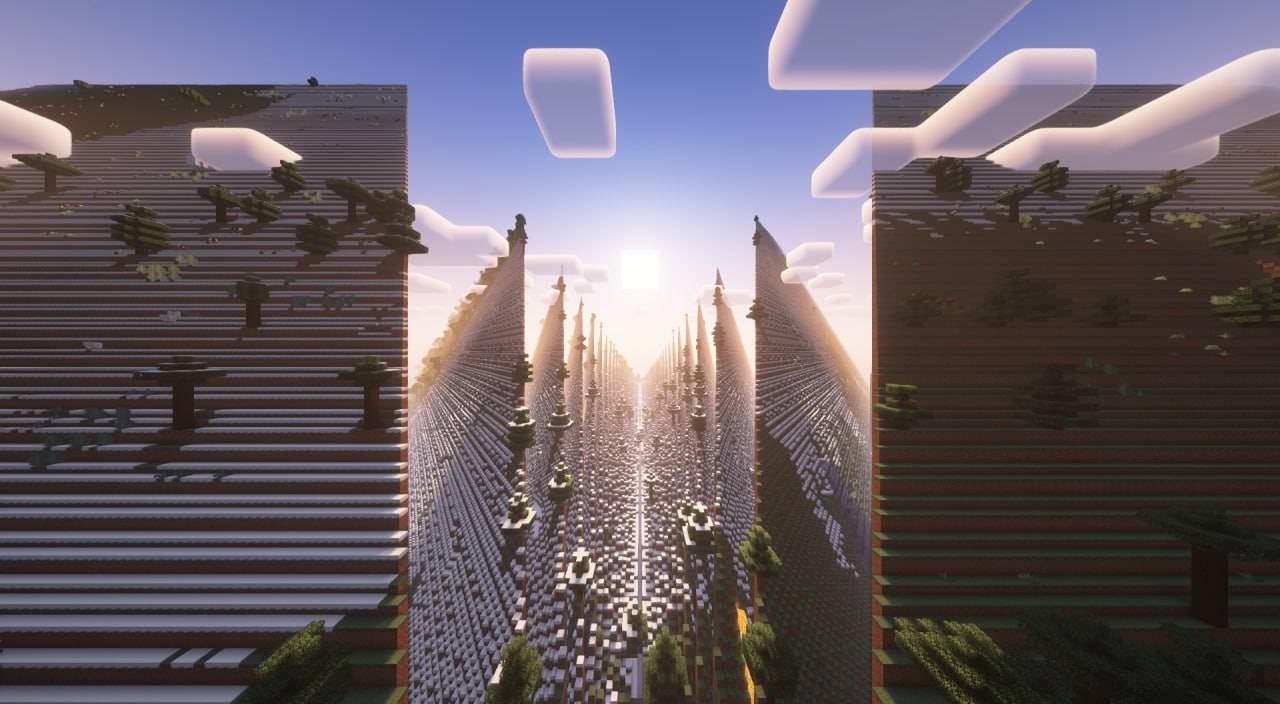 photo_2_2024-11-28_01-24-55.jpg photo_2_2024-11-28_01-24-55.jpg
 -
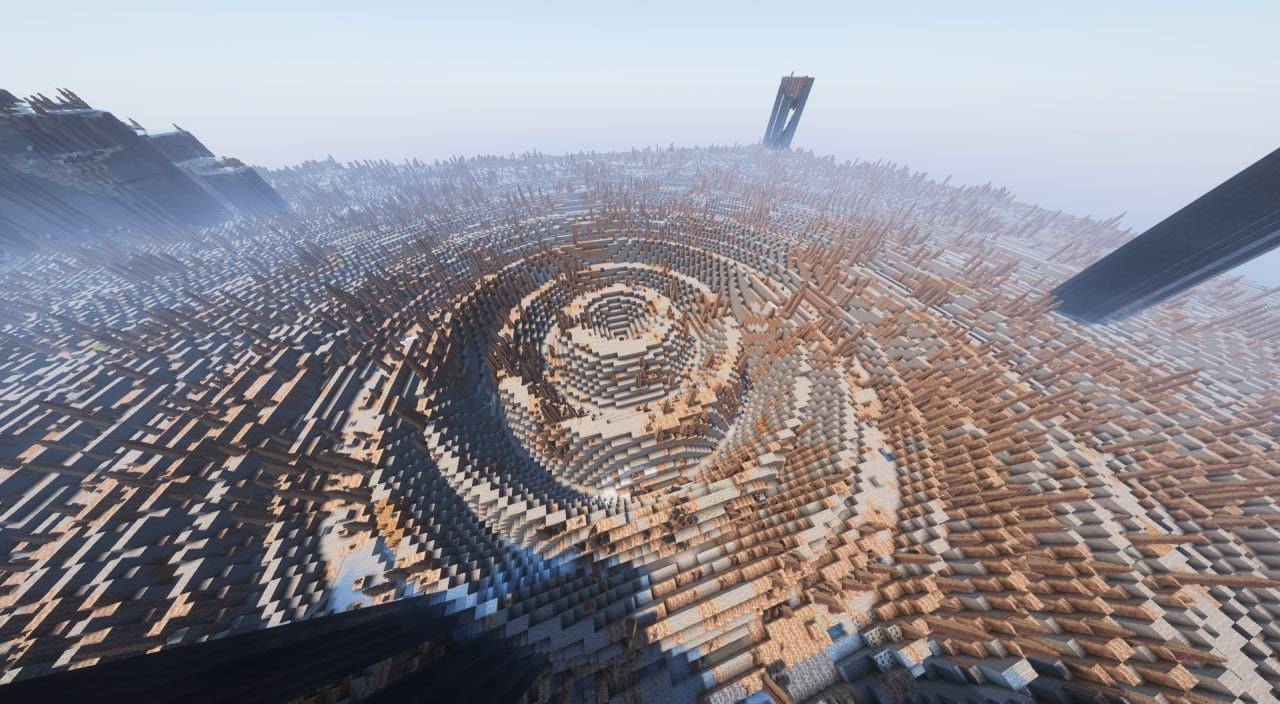 photo_6_2024-11-28_01-24-55.jpg photo_6_2024-11-28_01-24-55.jpg
 -
 photo_5_2024-11-28_01-24-55.jpg photo_5_2024-11-28_01-24-55.jpg
 -
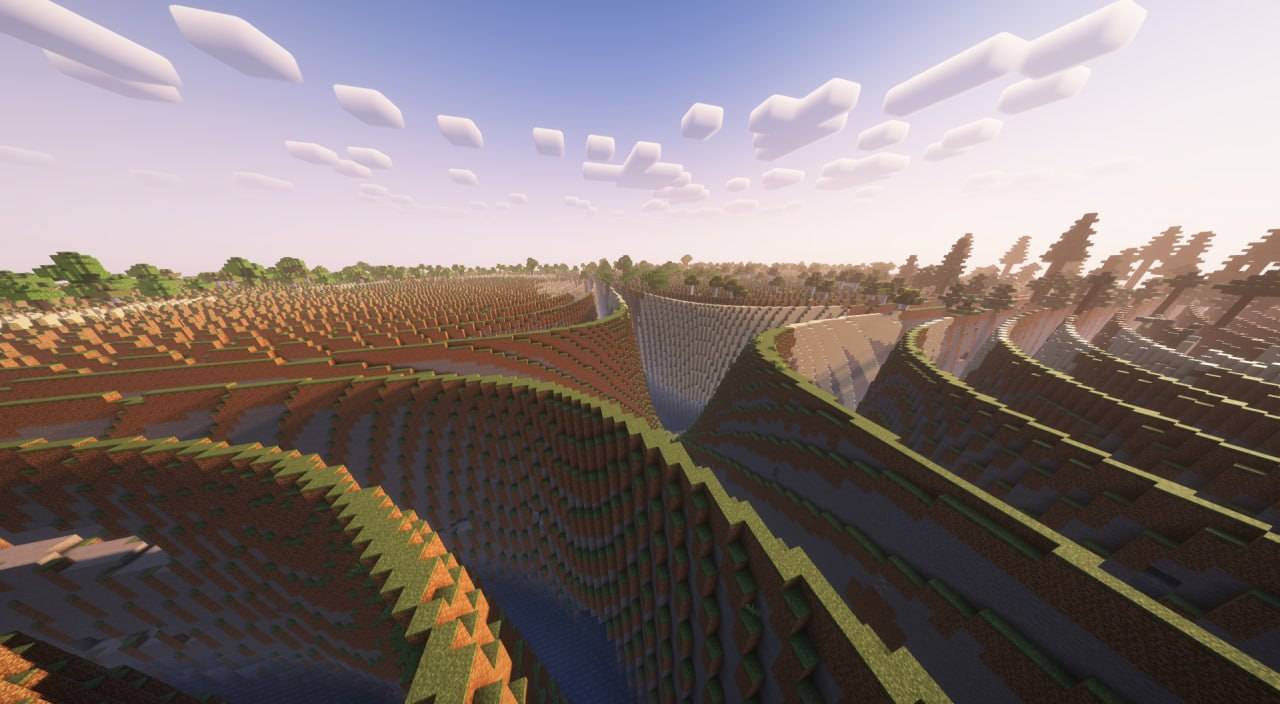 photo_4_2024-11-28_01-24-55.jpg photo_4_2024-11-28_01-24-55.jpg
 -
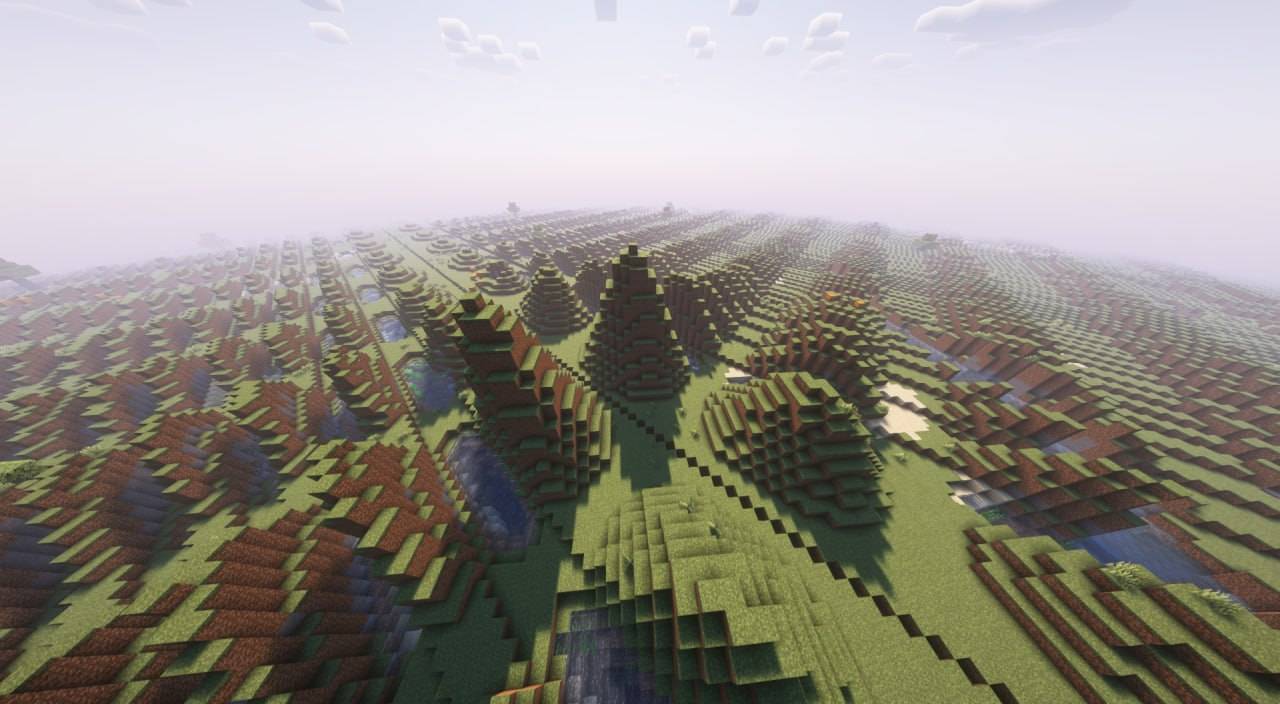 photo_3_2024-11-28_01-24-55.jpg photo_3_2024-11-28_01-24-55.jpg
 -
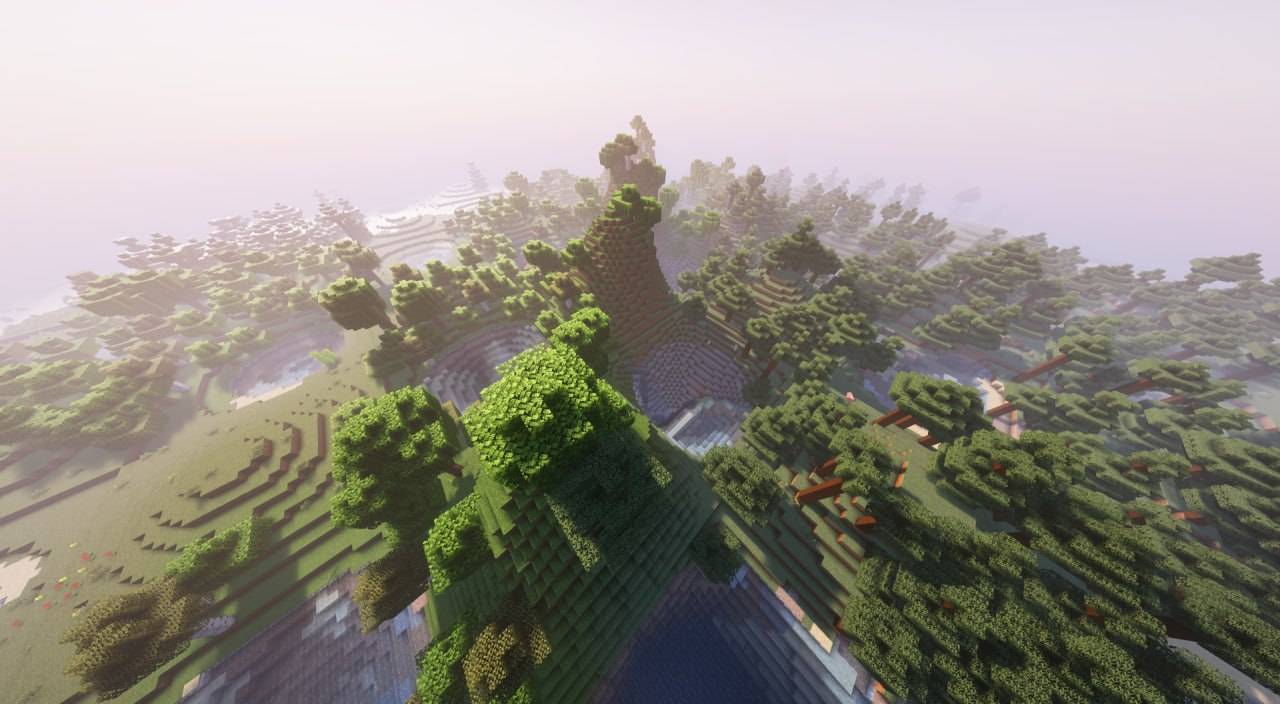 photo_1_2024-11-28_01-24-55.jpg photo_1_2024-11-28_01-24-55.jpg
-
 Main banner
 -
-
-
-
-
-
Versions
Files
Relations
Project Relations
More like this
Similar Mods
Suggestions use data such as tags, dependencies, dependents, descriptions, titles, and more to rank how much they overlap with this mod.
- Create: Terramity Crafting Addon ( Akane's Quality of Life Modpack )
- Cast Iron Skillset - A Terramity Class Addon!
- Terralith andesite patch
- Explorer's Blend
- Terralith
- Terramity
- Fabric Seasons: Terralith Compat
- Brutality - A Terramity Addon
- Terralith ReStoned
- Terramap
- Terralith: No Structures
- Terramity: Paisley's Summoning
On ModDex
Community snapshot
By the numbers
Statistics
Want to reach Minecraft players?
We're looking for a server hosting partner to feature here and other parts of the site. Interested? Send us a message!
Get in touchGet it on
Available Platforms
On ModDex
Community snapshot
By the numbers