Community listing page, reviews here may not be monitored by the author.
MineTerritory

No reviews yet
Players can claim territory through the user interface
Community voices
Reviews
No reviews yet. Be the first to review this project!
Get it on
Available Platforms
About
Project Details
For authors
Embed Badge
If you're the author of this project, you can embed a live badge anywhere that supports HTML or Markdown. It updates automatically whenever ratings change.
Use HTML for any page that supports it, or Markdown for README files and Markdown-based descriptions.
Identifiers
Platform IDs
Resources
External Links
About
Description
Territory Mod of Minecraft
A territory mod based on Forge.
NOTICE: The mod for 1.16.2 is incompatible with 1.16.1. Please download the corresponding version.
The latest version can be used on 1.16.3 - 1.16.5.
Introduction
Compared with other mod and plugins, it has the following features:
1. Ensure the gameplay and try not to damage the original game experience.
2. GUI interface. Players can configure permissions, territory area and territory name through GUI.
3. Divide territories by chunks. This is mainly for performance considerations.
How To Use
First, we need a territory table, the only block in this mod.
The recipes is:
paper compass paper
diamond obsidian diamond
obsidian obsidian obsidian
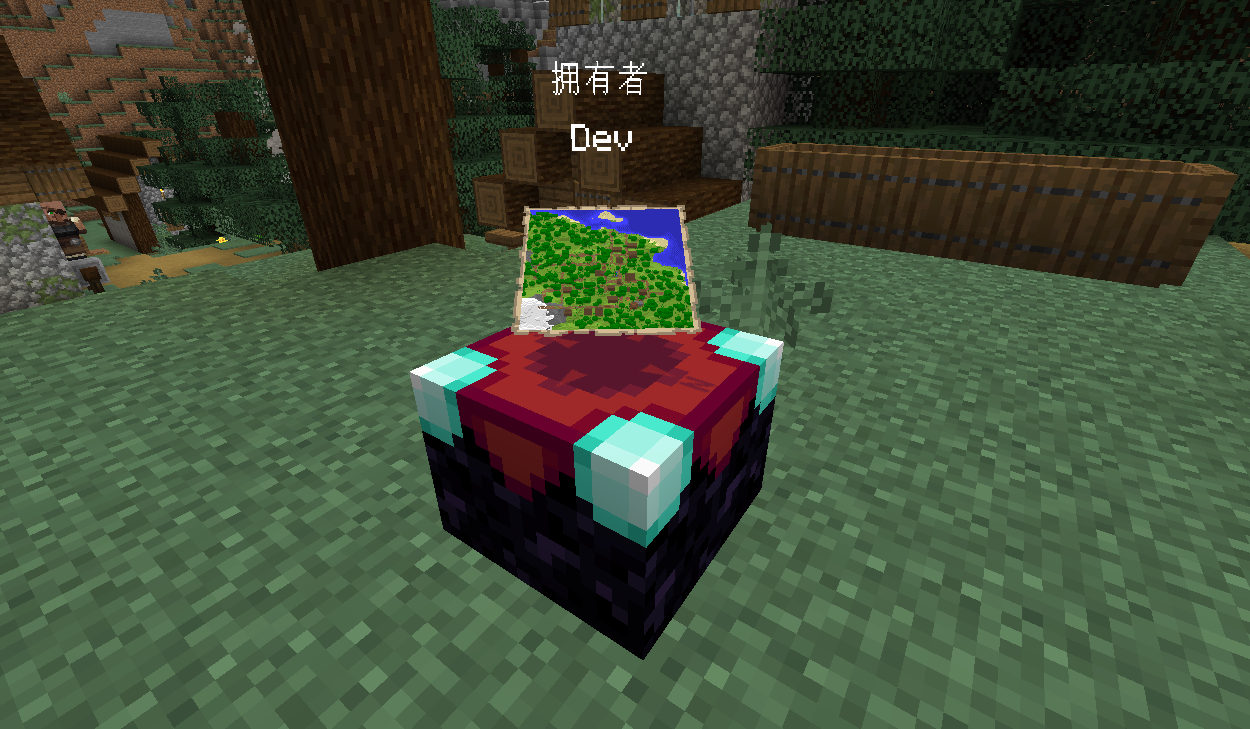
When the player holds it in his hand, the outline of the chunk will show.
Place it on the ground, right click to open the gui.
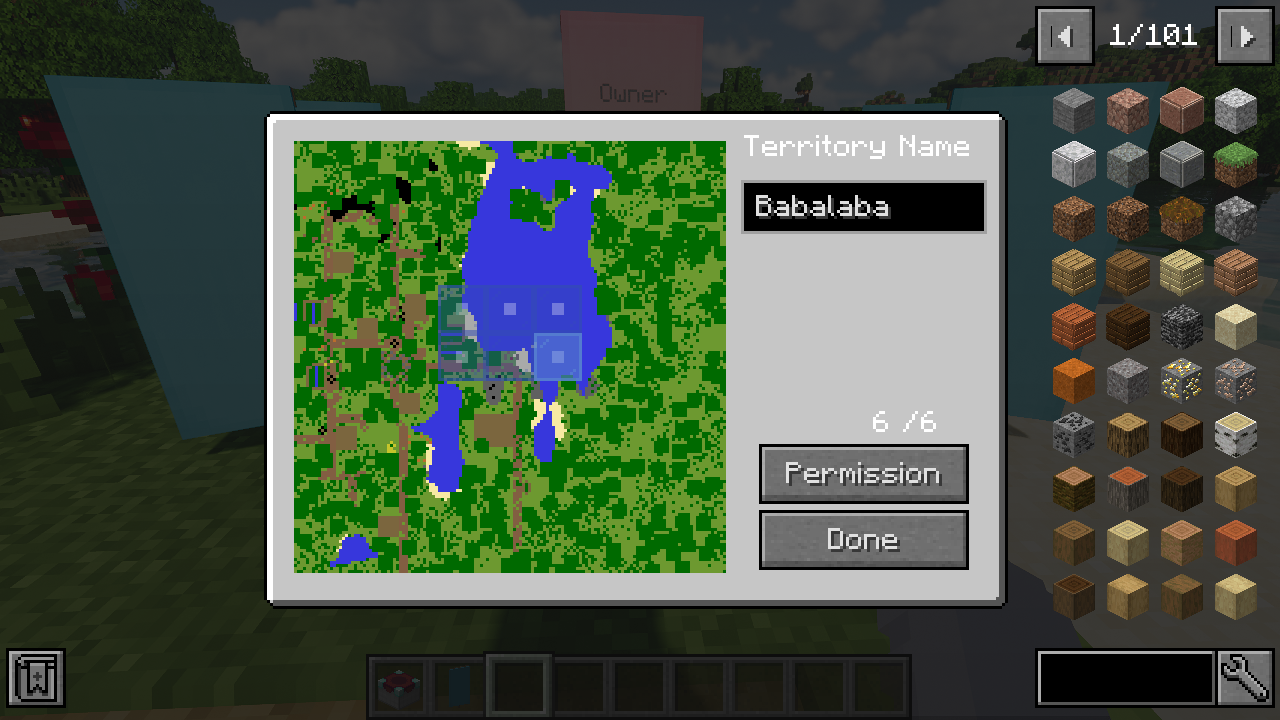
The number on the right is "protect power" which means how many chunks we can get.
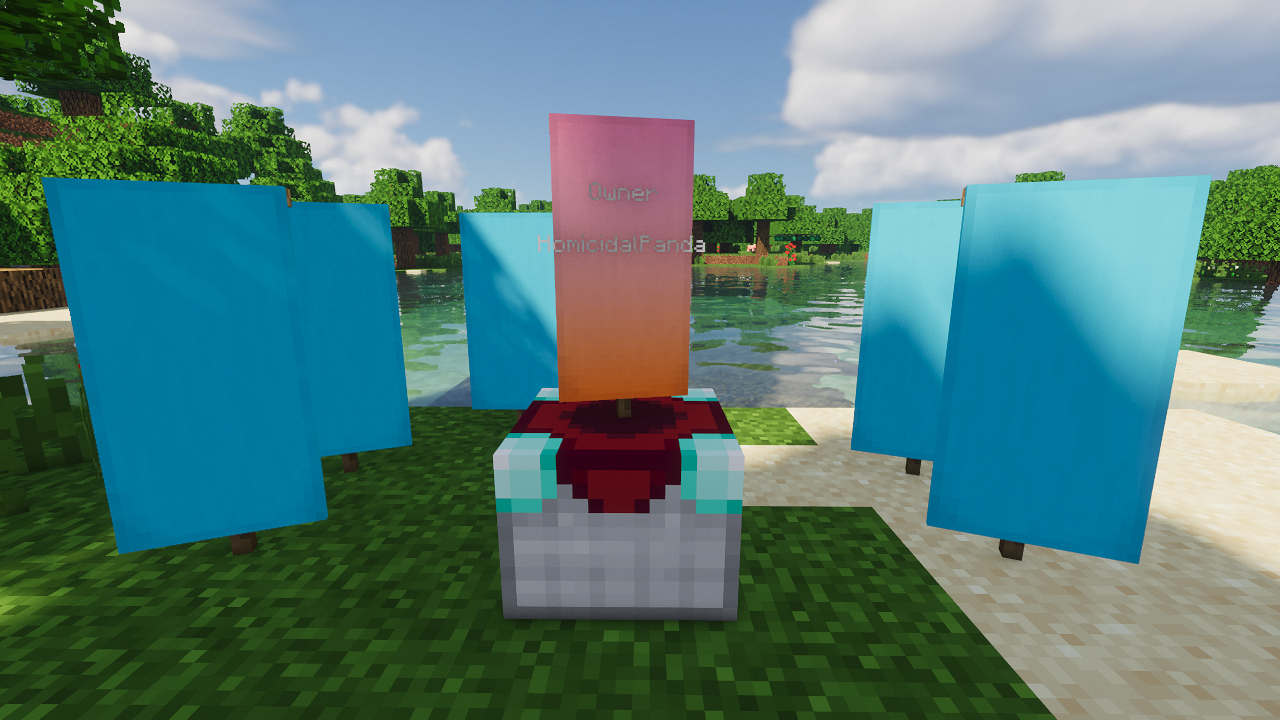
To improve the protect power, we can place banners around the territory like we place bookshelves around enchanting table.
The "power provider" can be modified in config file.
Open the file you'll see :
powerProvider = ["tag:minecraft:banners;1", "item:minecraft:yellow_banner{display:{Name:'{\"text\":\"template_territory\"}'}};3"]
Which means any items contained tag "banners" can provider 1 point protect power and the item "yellow_banner" which has the display name "template_territory" can provide 3 points protect power.
If you change it to powerProvider = ["item:minecraft:air;1"] , you can gain 26 points protect power without placing any blocks. But in this case, if you place something isn't air around, the protect power will reduce because Because the surrounding air is reduced.
Select the chunks and configure the permissions and then click done. Notice that each chunk of your territory must be connected.
The changes of territory will cost player's xp. Each chunk needs 0.5 level and it will be returned when the chunk removed.
You can edit config file to modify the experience requirement.
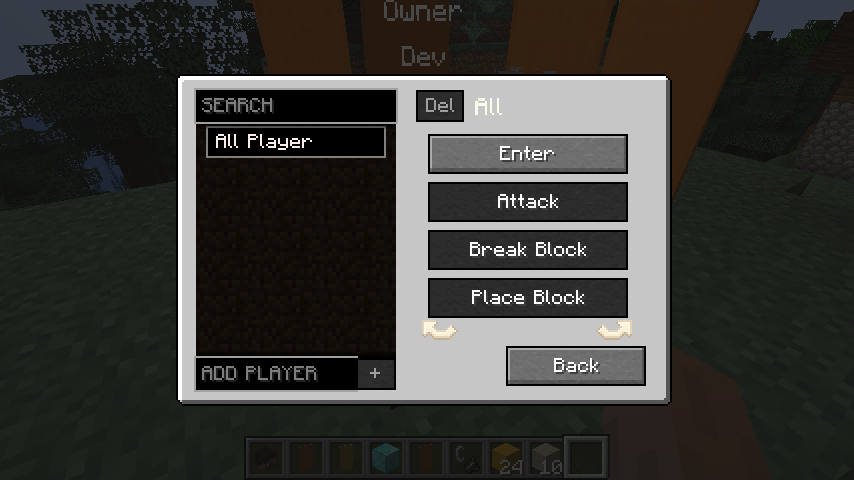
Click permission button to configure permission for all players and specific player.
To configure permission for specific player, input the name and click the add button.
Then select one player in the list and add or remove permission by the toggle button.
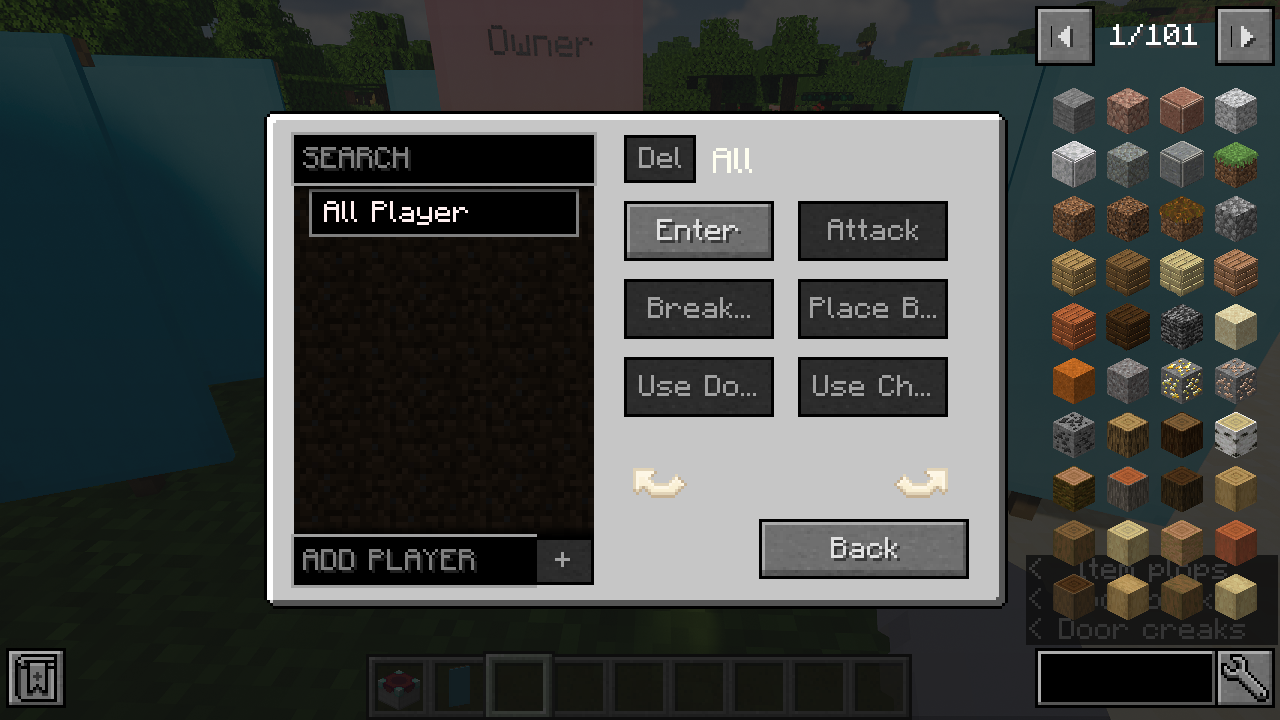
By configuring permissions, players can restrict the following behaviors of others:
[1] Enter (Invalid for TP.)
[2] Attack entities (Any living entities)
[3] Break blocks
[4] Place blocks
[5] Open or close door
[6] Use chest
[7] Interact with entities(such as riding horses and trading with village)
[8] Use Item (Player can't right click any item on blocks, such as flint. However, there is no limit to the use of levers or button with empty hands.)
[9] Use table(Use this territory table to configure the territory. if you want to share your territory with your friends give him this permission. )
Besides, your territory is protected from explosion damage and fire (That should be configurable in the config file).
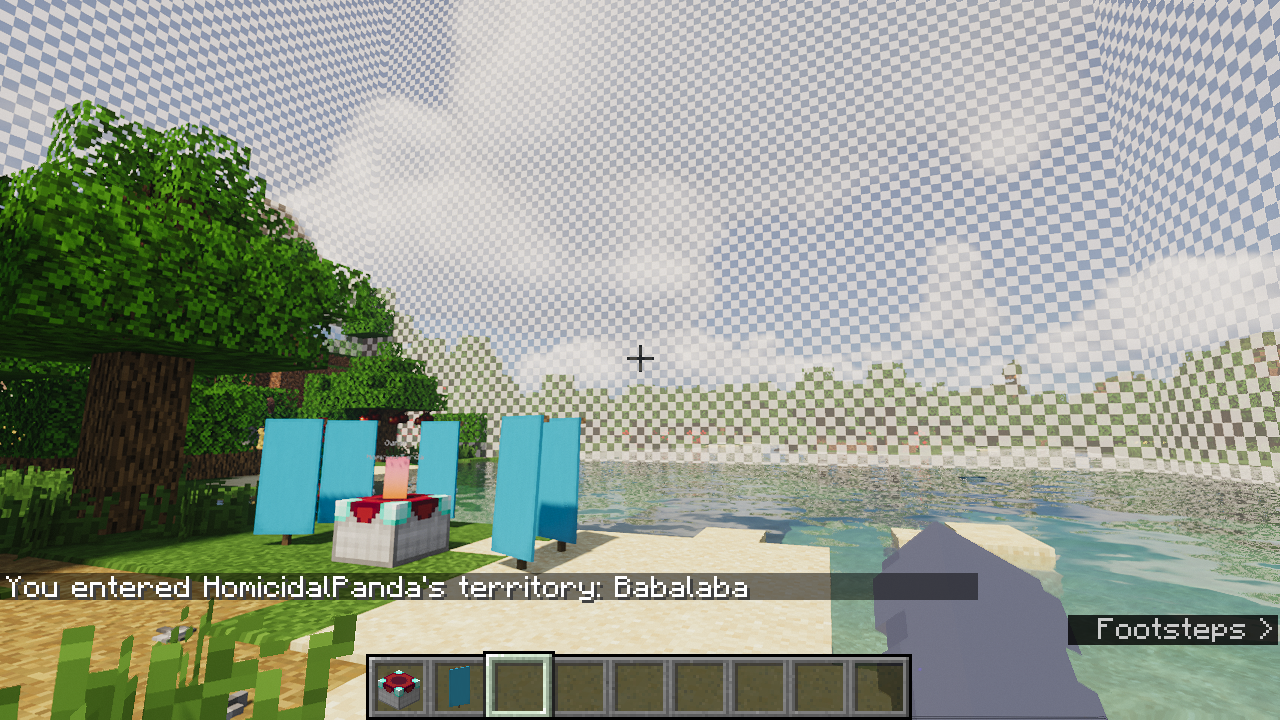
When player enter or do something forbidden, the outline will show.
Following Plan
More configurable permissions.
LICENSE
GPL V3
Any suggestions are welcome.
If the game crashes, please upload the log file.
Screenshots
Gallery
-
new permission page
-
New territory table
-
Outline The outline of territory
-
Permission Add permission to all player or specific player
-
GUI Use GUI to configure territory.
-
Banners Put banners near territory table to improve "protect power"
-
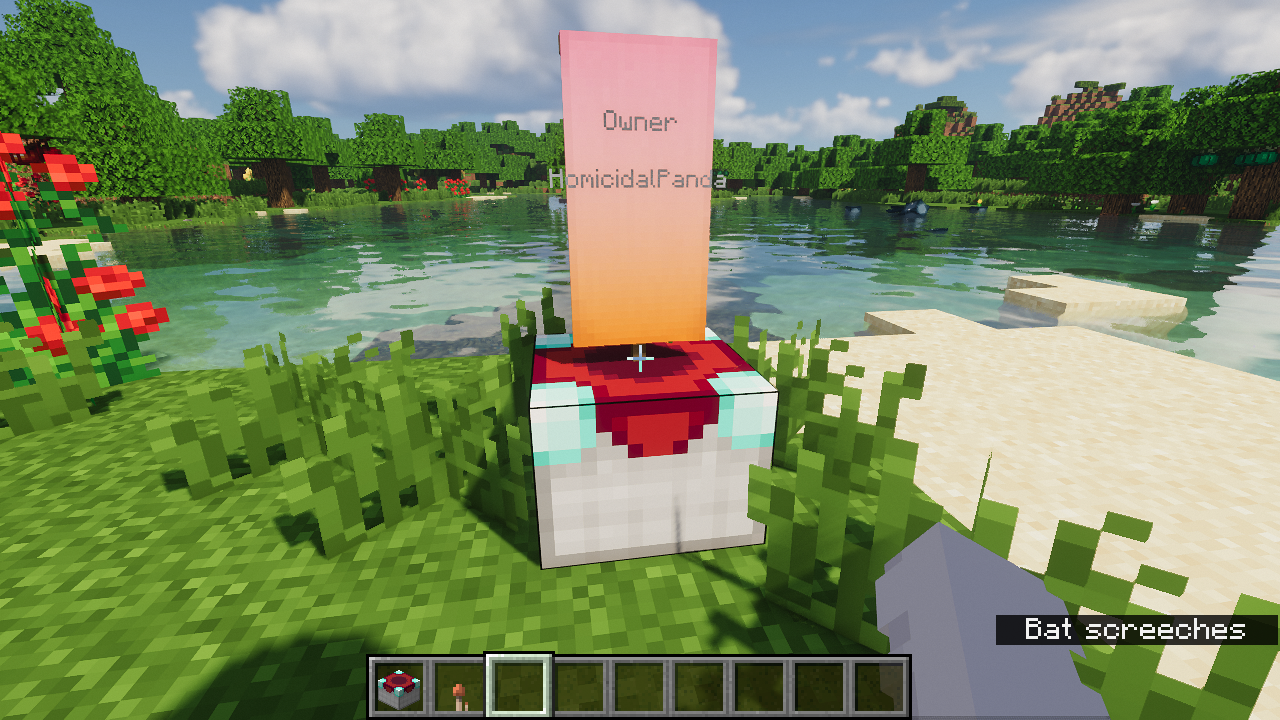 Territory Table
Versions
Files
Relations
Project Relations
More like this
Similar Mods
Suggestions use data such as tags, dependencies, dependents, descriptions, titles, and more to rank how much they overlap with this mod.
On ModDex
Community snapshot
By the numbers
Statistics
Want to reach Minecraft players?
We're looking for a server hosting partner to feature here and other parts of the site. Interested? Send us a message!
Get in touchGet it on
Available Platforms
On ModDex
Community snapshot
By the numbers
Statistics
Resources