Community listing page, reviews here may not be monitored by the author.
TesseraUI


No reviews yet
TesseraUI is a lightweight HTML/CSS UI framework modder build Minecraft screens with runtime-parsed HTML templates, CSS styling, flexbox/grid layouts, data binding, animations, i18n, drag and drop, item slots, virtual lists, and a full Java API
Community voices
Reviews
No reviews yet. Be the first to review this project!
Get it on
Available Platforms
Compatibility
Supported Environments
Runs entirely on the client. Works on vanilla servers.
About
Project Details
For authors
Embed Badge
If you're the author of this project, you can embed a live badge anywhere that supports HTML or Markdown. It updates automatically whenever ratings change.
Use HTML for any page that supports it, or Markdown for README files and Markdown-based descriptions.
Identifiers
Platform IDs
About
Description
TesseraUI
TesseraUI is a lightweight UI framework for NeoForge that lets mod developers build Minecraft screens with HTML templates, CSS styling, and native Minecraft rendering.
It is designed for developers who want richer client-side interfaces without manually rebuilding layout, styling, interaction, and rendering logic for every screen. Define your UI with familiar HTML-like templates and CSS files, bind it to Java data and callbacks, then let TesseraUI render it as real Minecraft GUI widgets.
TesseraUI does not embed a browser and does not run JavaScript. Templates and styles are parsed at runtime and converted into native UI components that work inside the Minecraft client.
Why Use TesseraUI?
Minecraft GUI development can become repetitive quickly: positioning elements, handling hover states, resizing layouts, wiring buttons, translating text, rendering item slots, and keeping large dynamic lists responsive all take time.
TesseraUI gives you a structured UI layer inspired by web development while staying inside the Minecraft rendering stack. You can build screens faster, keep presentation separate from Java logic, and reuse UI patterns across your mod.
It is useful for:
- configuration menus
- guide books and documentation screens
- dashboards and admin panels
- inventory-style interfaces
- item selection screens
- settings pages
- mod management tools
- dynamic lists and data-heavy UIs
- custom in-game editors or debug screens
Key Features
- HTML template rendering for Minecraft GUI screens
- CSS styling with flexbox and grid layout support
- CSS variables and media queries
- Hover transitions and keyframe animations
- Data binding with
{{ }},v-for, andv-if - Component templates and slots
- Localization helpers with
data-i18nand translation bindings - Drag and drop support
- Item slots and inventory picker support
- Virtual lists for large datasets
- Tabs and interactive UI components
- Hot reload support for faster UI development
- Full programmatic Java API for code-first interfaces
HTML and CSS Templates
Create UI files under your mod assets and load them from Java:
<col>
  <h2 data-i18n="ui.example.title">Settings</h2>
  <p>Hello, {{ player.name }}!</p>

  <row>
    <button onclick="save">Save</button>
    <button onclick="cancel">Cancel</button>
  </row>
</col>
col {
background: #1A1208;
padding: 12px;
gap: 8px;
}
button {
background: #5C3A1E;
color: #F0B27A;
width: 80px;
height: 16px;
transition: background 200ms ease-out;
}
button:hover {
background: #7C5A2E;
}This lets artists, designers, and developers iterate on layout and styling without burying every visual decision inside Java code.
Java API Included
If you prefer building screens directly in code, TesseraUI also exposes a full Java API. You can create panels, labels, buttons, lists, animations, item slots, and interactive components programmatically while using the same layout and rendering system.
You can also mix both approaches: use templates for most UI structure, then attach Java callbacks, dynamic models, and custom components where needed.
Built for Mod Development
TesseraUI focuses on the practical needs of Minecraft mod UIs:
- client-side screen rendering
- item-aware widgets
- inventory picker support
- localization-friendly text
- reusable components
- responsive layouts for different GUI scales
- hot reload during development
- no web runtime dependency
The goal is to make complex mod screens easier to build, maintain, and restyle over time.
In-Game Example Screens
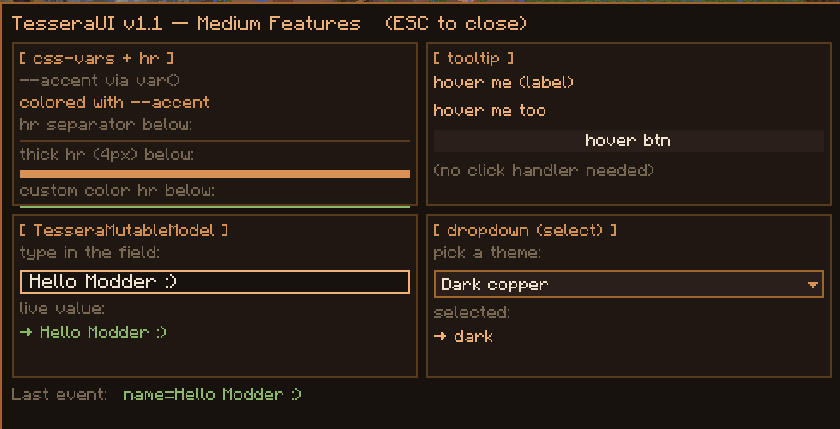
TesseraUI includes several development/demo screens that can be opened in-game to see the framework in action. They are useful for testing features, taking screenshots, and understanding how the HTML/CSS templates map to Minecraft UI widgets.
Recommended demo screens:
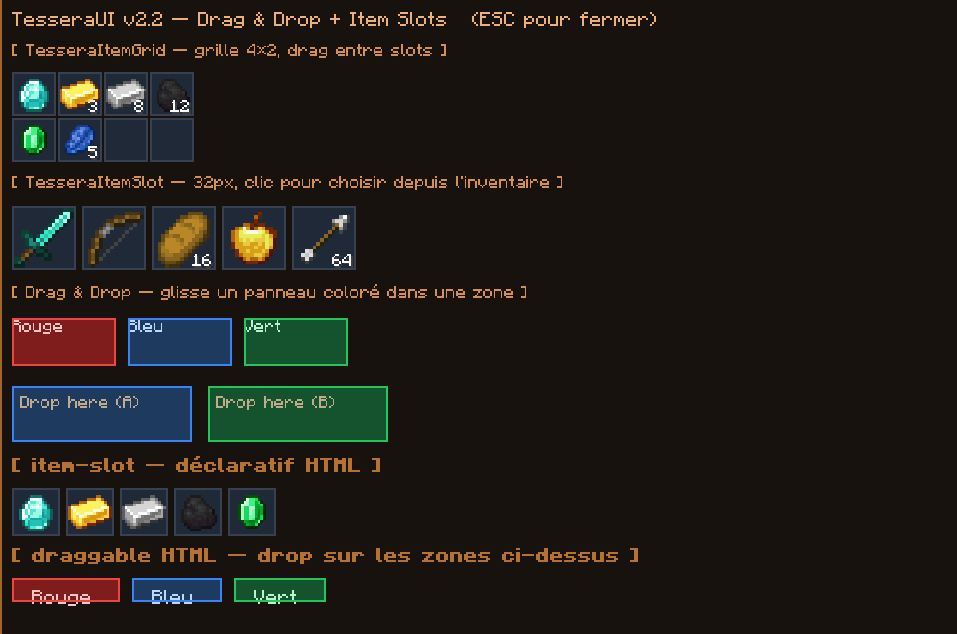
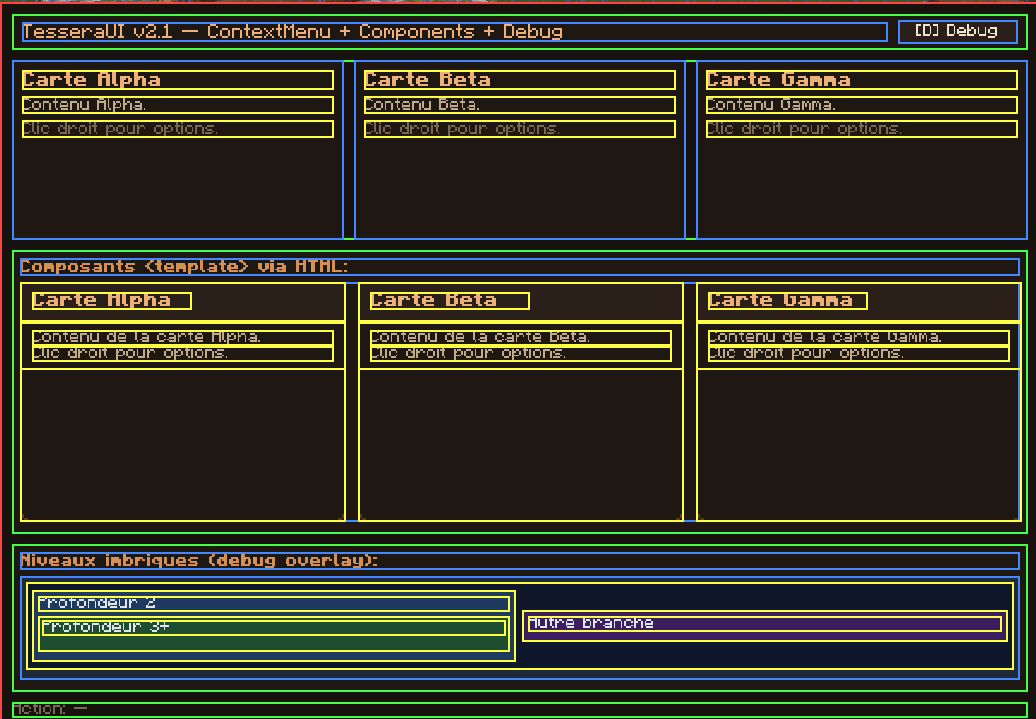
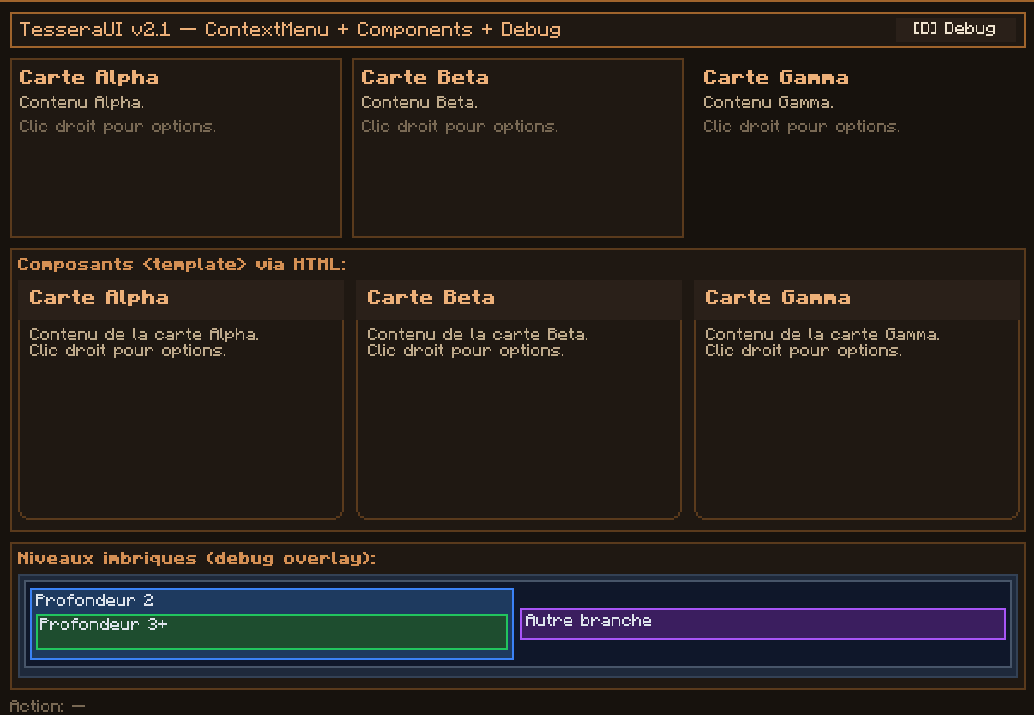
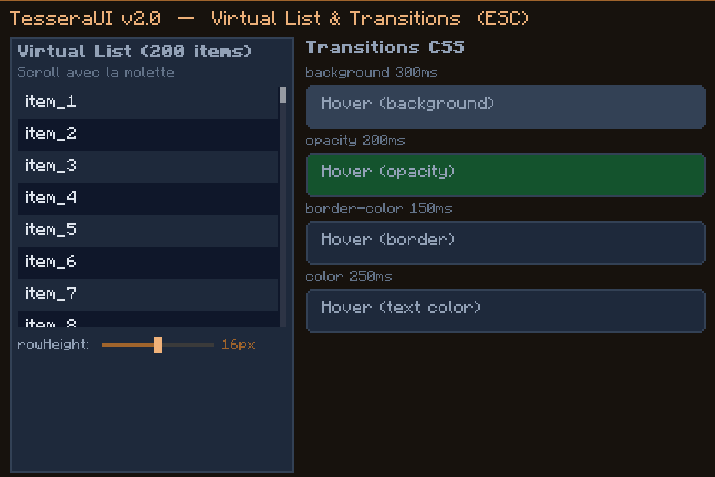
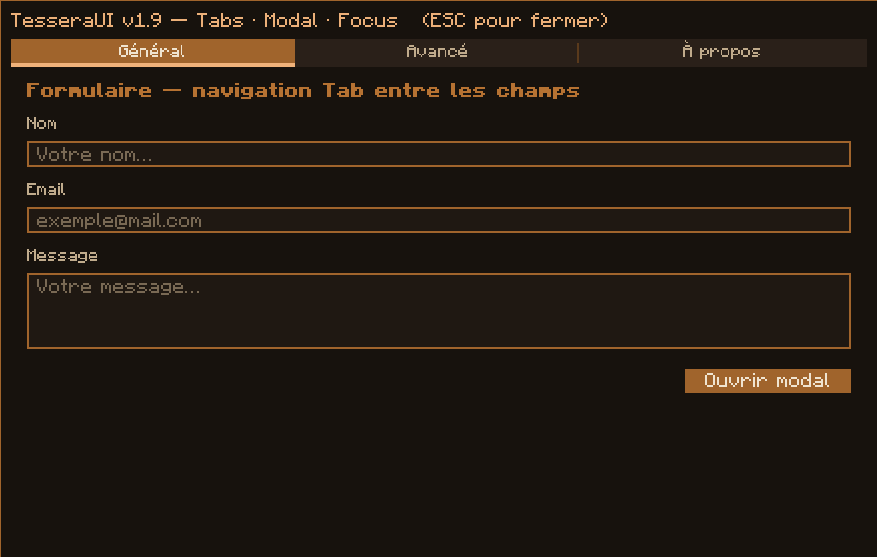
/tessera test-v18— tooltips, reactive state, and toast notifications/tessera test-v19— tabs, modal dialogs, forms, sliders, and keyboard focus/tessera test-v20— virtual lists and CSS transitions/tessera test-v21— reusable components, context menus, and debug overlay tooling/tessera test-v22— drag and drop, item slots, and item grids/tessera test-v23— CSS transitions and keyframe animations
These screens are meant as practical examples for mod developers, not as gameplay content. They show how TesseraUI can be used to build real mod menus, configuration panels, inventory-style interfaces, dashboards, and dynamic client-side screens.
Requirements
- Minecraft 1.21.1
- NeoForge 21.1.x
- Java 21
Documentation
Documentation is available on the GitHub Wiki:
https://github.com/Blushister/TesseraUI/wiki
The wiki includes getting started guides, supported HTML tags, the CSS reference, data binding, layout behavior, localization, drag and drop, item slots, hot reload, and the programmatic API.
License
TesseraUI is licensed under LGPL-3.0.

TesseraUI
TesseraUI is a lightweight UI framework for NeoForge that lets mod developers build Minecraft screens with HTML templates, CSS styling, and native Minecraft rendering.
It is designed for developers who want richer client-side interfaces without manually rebuilding layout, styling, interaction, and rendering logic for every screen. Define your UI with familiar HTML-like templates and CSS files, bind it to Java data and callbacks, then let TesseraUI render it as real Minecraft GUI widgets.
TesseraUI does not embed a browser and does not run JavaScript. Templates and styles are parsed at runtime and converted into native UI components that work inside the Minecraft client.
Why Use TesseraUI?
Minecraft GUI development can become repetitive quickly: positioning elements, handling hover states, resizing layouts, wiring buttons, translating text, rendering item slots, and keeping large dynamic lists responsive all take time.
TesseraUI gives you a structured UI layer inspired by web development while staying inside the Minecraft rendering stack. You can build screens faster, keep presentation separate from Java logic, and reuse UI patterns across your mod.
It is useful for:
- configuration menus
- guide books and documentation screens
- dashboards and admin panels
- inventory-style interfaces
- item selection screens
- settings pages
- mod management tools
- dynamic lists and data-heavy UIs
- custom in-game editors or debug screens
Key Features
- HTML template rendering for Minecraft GUI screens
- CSS styling with flexbox and grid layout support
- CSS variables and media queries
- Hover transitions and keyframe animations
- Data binding with
{{ }},v-for, andv-if - Component templates and slots
- Localization helpers with
data-i18nand translation bindings - Drag and drop support
- Item slots and inventory picker support
- Virtual lists for large datasets
- Tabs and interactive UI components
- Hot reload support for faster UI development
- Full programmatic Java API for code-first interfaces
HTML and CSS Templates
Create UI files under your mod assets and load them from Java:
<col>
<h2 data-i18n="ui.example.title">Settings</h2>
<p>Hello, {{ player.name }}!</p>
<row>
<button onclick="save">Save</button>
<button onclick="cancel">Cancel</button>
</row>
</col>
col {
  background: #1A1208;
  padding: 12px;
  gap: 8px;
}

button {
  background: #5C3A1E;
  color: #F0B27A;
  width: 80px;
  height: 16px;
  transition: background 200ms ease-out;
}

button:hover {
  background: #7C5A2E;
}
This lets artists, designers, and developers iterate on layout and styling without burying every visual decision inside Java code.
Java API Included
If you prefer building screens directly in code, TesseraUI also exposes a full Java API. You can create panels, labels, buttons, lists, animations, item slots, and interactive components programmatically while using the same layout and rendering system.
You can also mix both approaches: use templates for most UI structure, then attach Java callbacks, dynamic models, and custom components where needed.
Built for Mod Development
TesseraUI focuses on the practical needs of Minecraft mod UIs:
- client-side screen rendering
- item-aware widgets
- inventory picker support
- localization-friendly text
- reusable components
- responsive layouts for different GUI scales
- hot reload during development
- no web runtime dependency
The goal is to make complex mod screens easier to build, maintain, and restyle over time.
In-Game Example Screens
TesseraUI includes several development/demo screens that can be opened in-game to see the framework in action. They are useful for testing features, taking screenshots, and understanding how the HTML/CSS templates map to Minecraft UI widgets.
Recommended demo screens:
/tessera test-v18— tooltips, reactive state, and toast notifications/tessera test-v19— tabs, modal dialogs, forms, sliders, and keyboard focus/tessera test-v20— virtual lists and CSS transitions/tessera test-v21— reusable components, context menus, and debug overlay tooling/tessera test-v22— drag and drop, item slots, and item grids/tessera test-v23— CSS transitions and keyframe animations
These screens are meant as practical examples for mod developers, not as gameplay content. They show how TesseraUI can be used to build real mod menus, configuration panels, inventory-style interfaces, dashboards, and dynamic client-side screens.
Requirements
- Minecraft 1.21.1
- NeoForge 21.1.x
- Java 21
Documentation
Documentation is available on the GitHub Wiki:
https://github.com/Blushister/TesseraUI/wiki
The wiki includes getting started guides, supported HTML tags, the CSS reference, data binding, layout behavior, localization, drag and drop, item slots, hot reload, and the programmatic API.
License
TesseraUI is licensed under LGPL-3.0.
Screenshots
Gallery
-
 v22.png v22.png
 -
 v21-debug.png v21-debug.png
 -
 v21.png v21.png
 -
 v20.png v20.png
 -
 v19.png v19.png
 -
 medium.png medium.png
-
 medium
 -
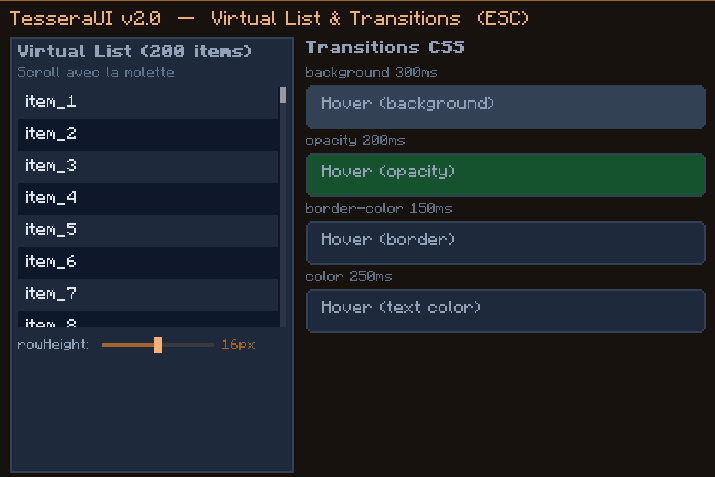 v20 Virtual list demo with CSS transitions, designed for large dynamic datasets and data-heavy client-side interfaces.
 -
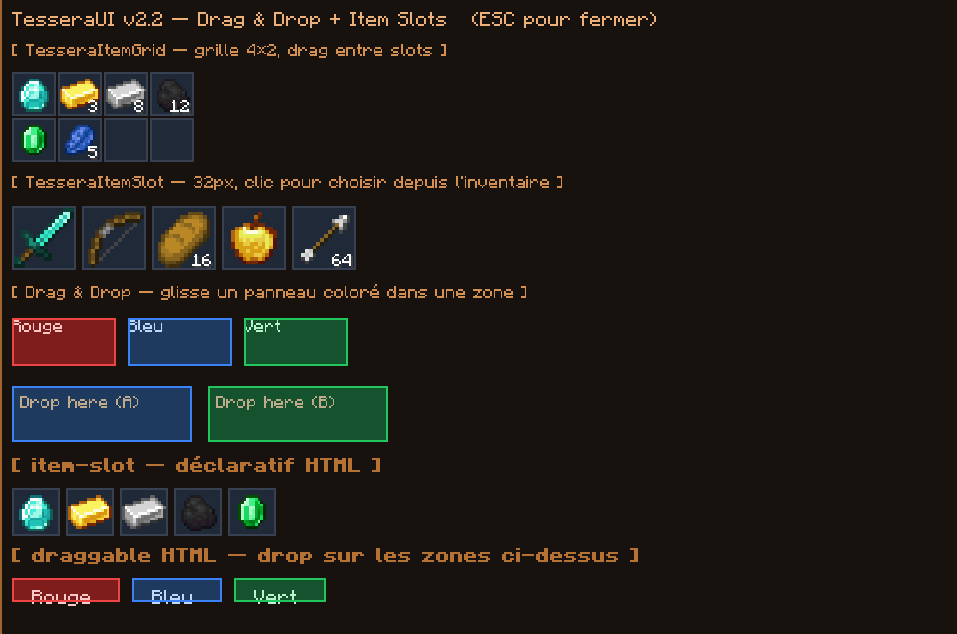 v22 Drag & drop item slots built with TesseraUI HTML/CSS templates, showing item rendering, slot layouts, and interactive Minecraft-style UI behavior.
 -
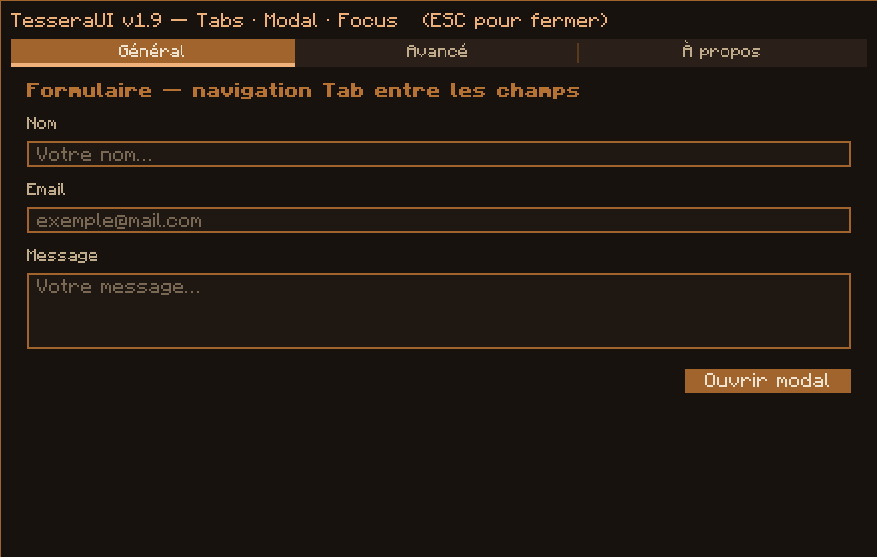 v19 Tabbed configuration screen with modal dialogs, form inputs, sliders, and keyboard focus support, demonstrating how TesseraUI can power modern mod menus.
 -
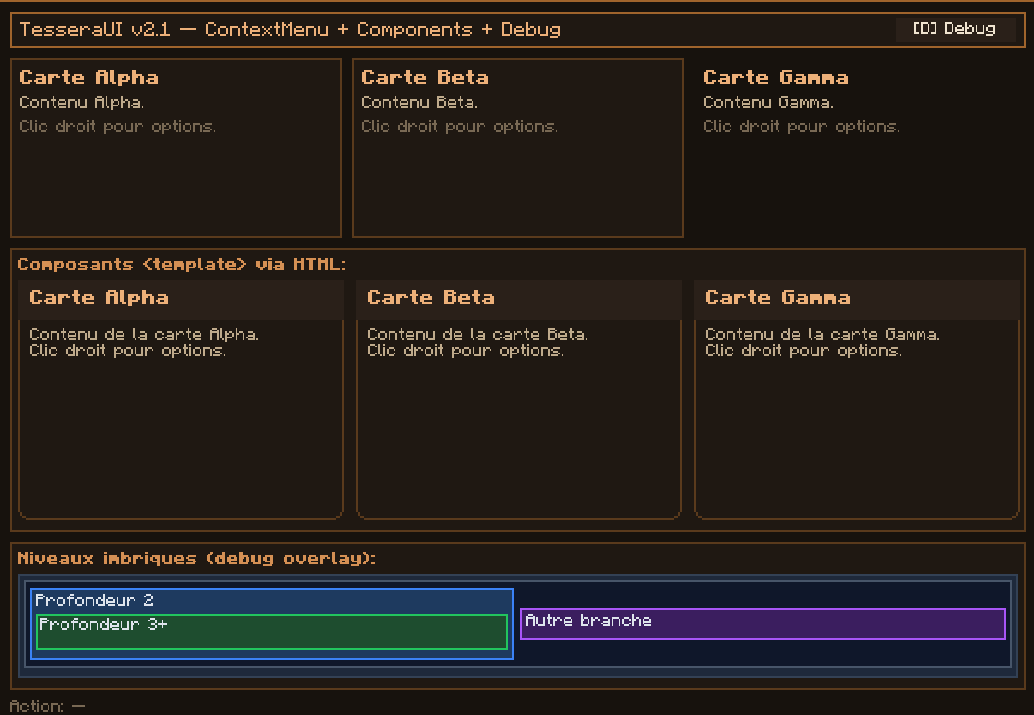 v21
v21 -
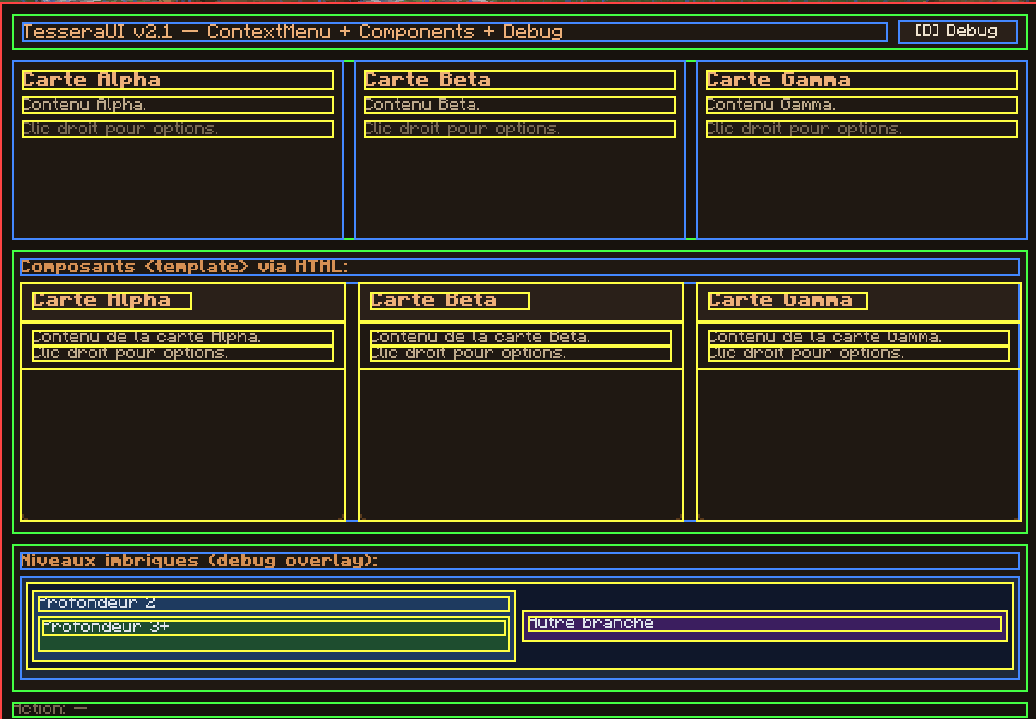 v21-debug
Versions
Files
Relations
Project Relations
More like this
Similar Mods
Suggestions use data such as tags, dependencies, dependents, descriptions, titles, and more to rank how much they overlap with this mod.
On ModDex
Community snapshot
By the numbers
Statistics
Want to reach Minecraft players?
We're looking for a server hosting partner to feature here and other parts of the site. Interested? Send us a message!
Get in touchGet it on
Available Platforms
On ModDex
Community snapshot
By the numbers