Community listing page, reviews here may not be monitored by the author.
The Pocketaverse - Pocket dimensions

No reviews yet
This mod adds a way to create and go to pocket dimensions to provide more space ,add some extra exploration & imprisoning people :)
Community voices
Reviews
No reviews yet. Be the first to review this project!
Get it on
Available Platforms
About
Project Details
For authors
Embed Badge
If you're the author of this project, you can embed a live badge anywhere that supports HTML or Markdown. It updates automatically whenever ratings change.
Use HTML for any page that supports it, or Markdown for README files and Markdown-based descriptions.
Identifiers
Platform IDs
Resources
External Links
About
Description
Have you ever wanted more space, your own dimension or an easy way of imprisonment?
As you can see here, this is the basic setup only requiring a dimensional doorway, dimensional doorway confiurer, as well as a dimensional (The trapdoor is not nessary)
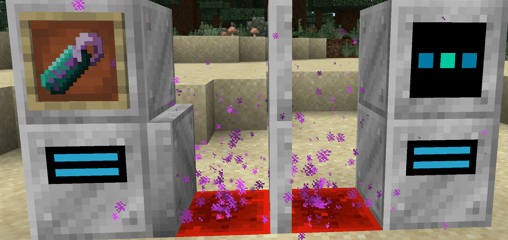
All crafting recipes:
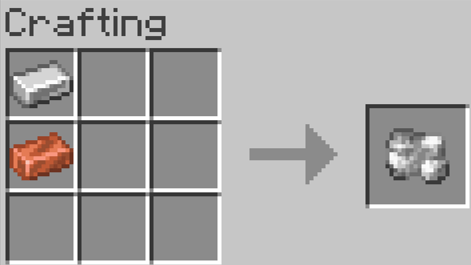
Raw Copper-iron alloy is made from iron and copper:
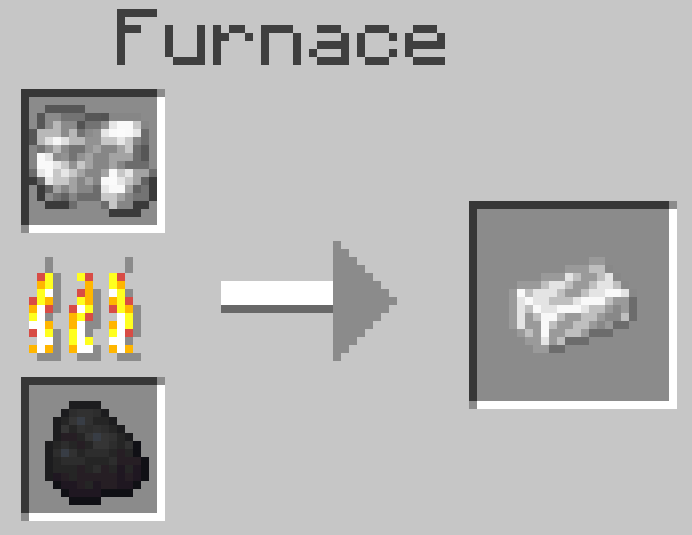
It then can be processed in a furnace or blast furnace:
Recipes:
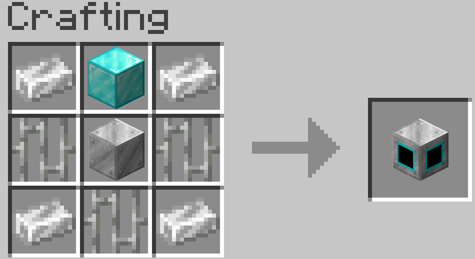
Dimensional doorway:
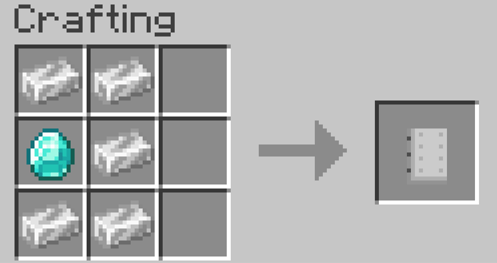
Dimensional doorway configurer:
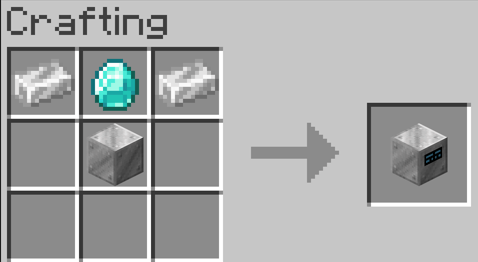
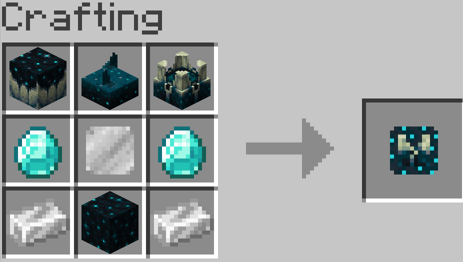
Dimensional creator:
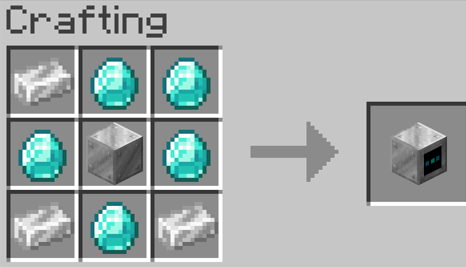
As well as:
The Forceload block:
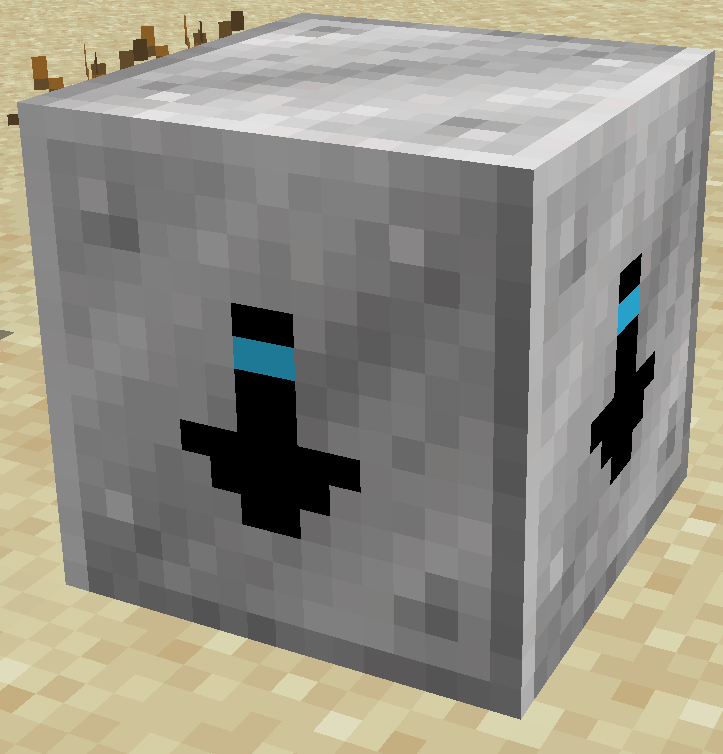
This block (While in a pocket dimension), automatically loads the chunks for you even when your not in the dimension.
Recipe:
Forceloader:
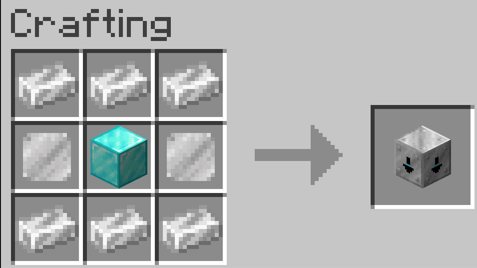
Dimensional Trapdoor:
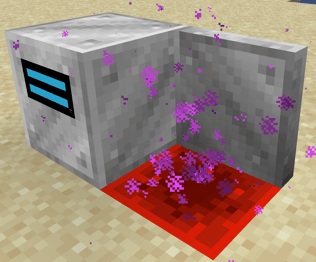
This acts a entrance to a pocket dimensional, working exactly like a dimensional doorway, except it cannot work as a exit to one
Recipe:
Dimensional Trapdoor:
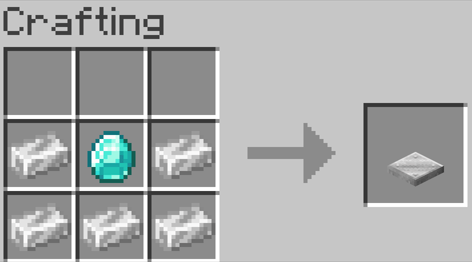
Dimensional Spawner:
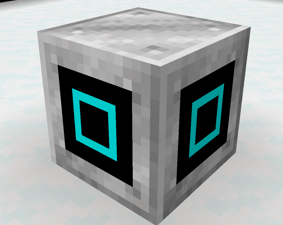
This spawns mobs inside of your pocket dimension with a (limit of 20 animals & 30 mobs) (The more that are placed increases spawn rates)
Recipe:
Dimensional Spawner:
Dimensional doorway and trapdoor varients:
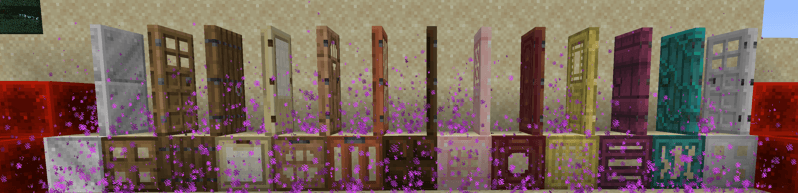
Recipes:
They are each crafted with any varient and your wanted door type
e.g. Normal dimensional doorway + Oak door = Oak dimensional doorway
Dimensional remote:
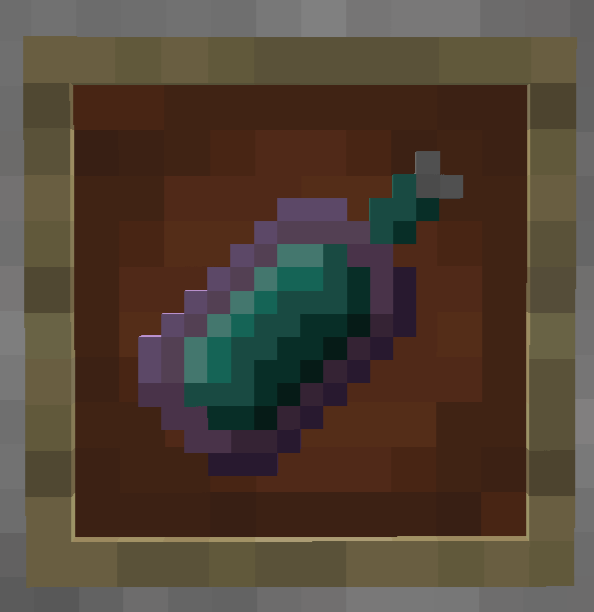
This item can be used on configurered doors to set a prioity exit (So you will always exit through the selected door)
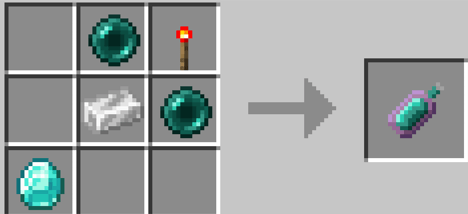
Recipe:
Dimensional remote:
In order to create & goto your dimension you must first craft all these componates and addtionally a size and biome template;
Sizes:
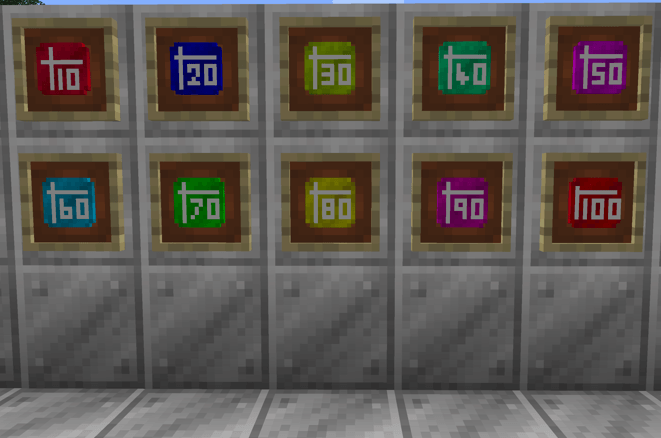
Recipes:
Blank template:
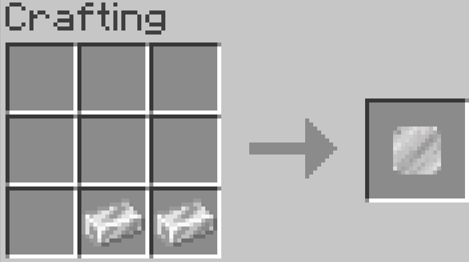
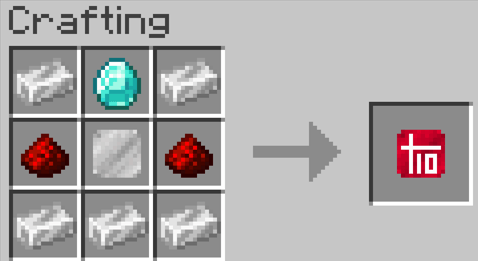
10 x 10 template:
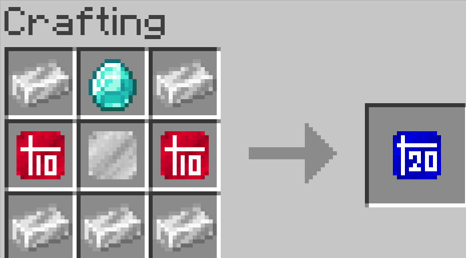
20 x 20 template:
30 x 30 template:
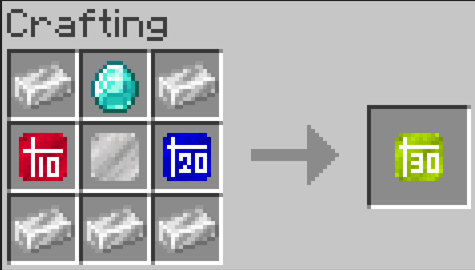
40 x 40 template:

50 x 50 template:
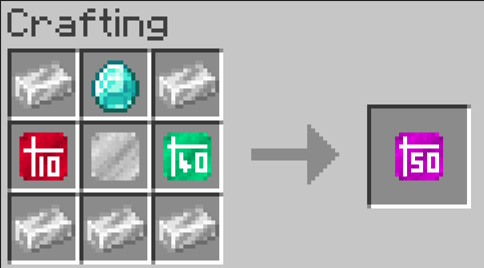
60 x 60 template:
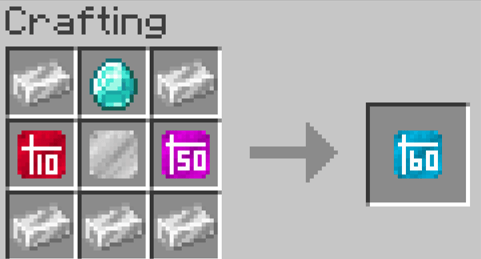
70 x 70 template:
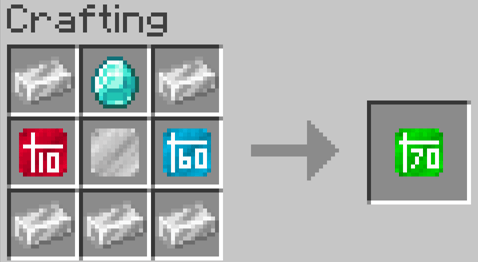
80 x 80 template:
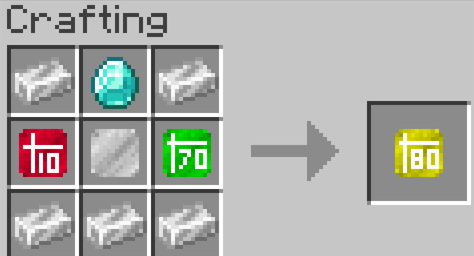
90 x 90 template:
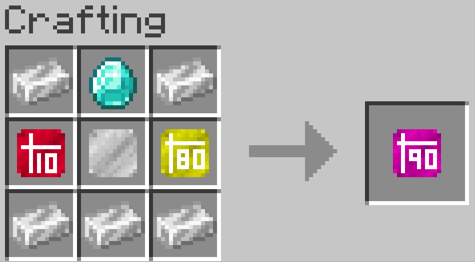
100 x 100 template:
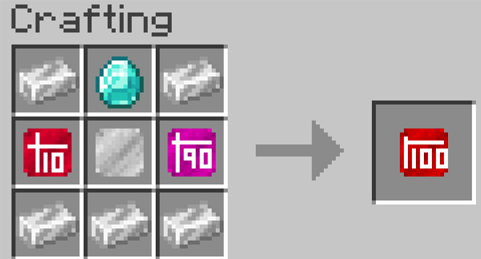
Biomes:
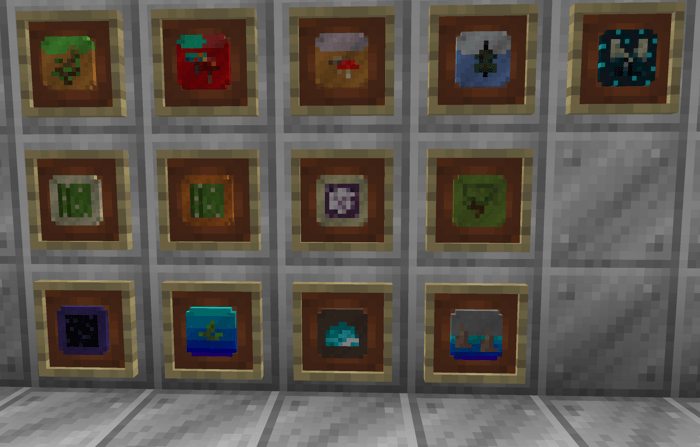
Recipes:
Blank template:
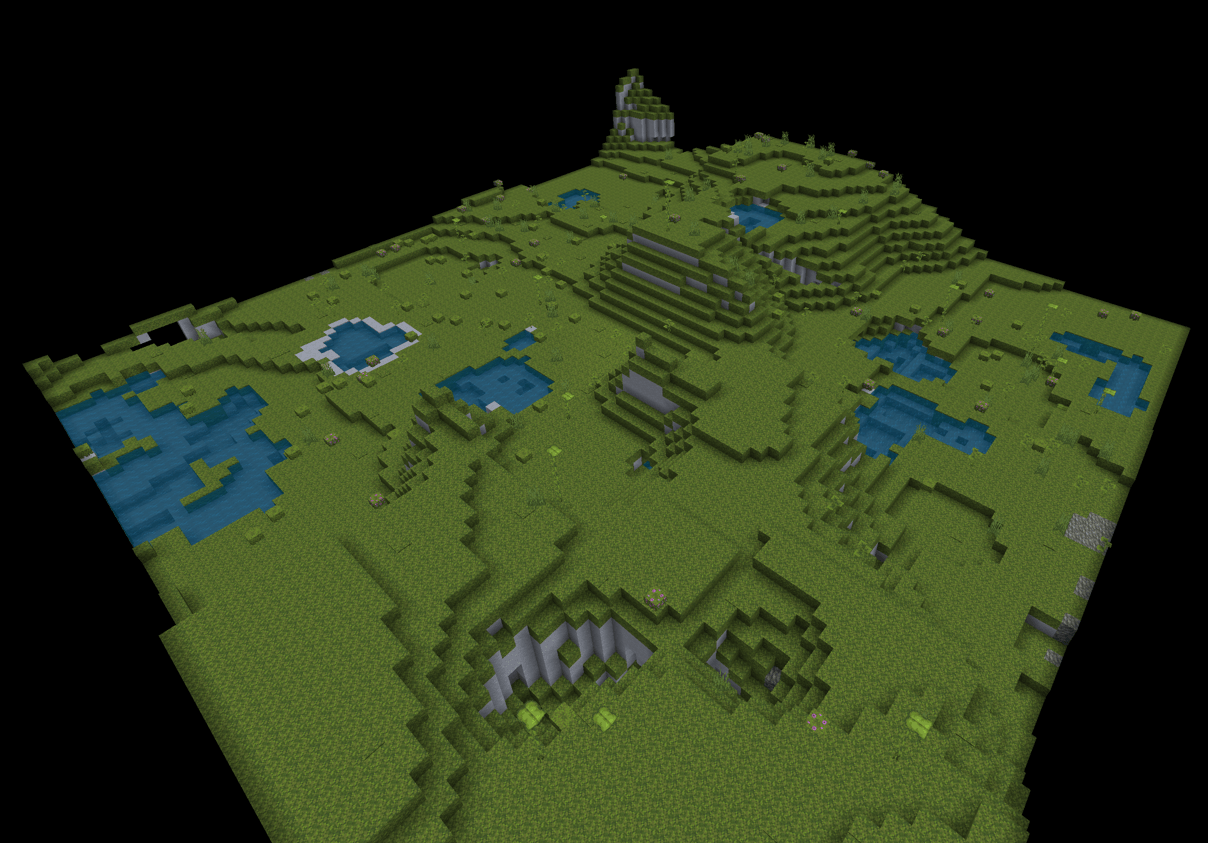
Plains template:
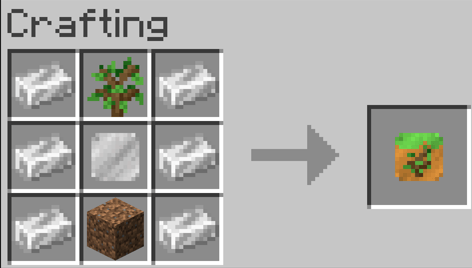
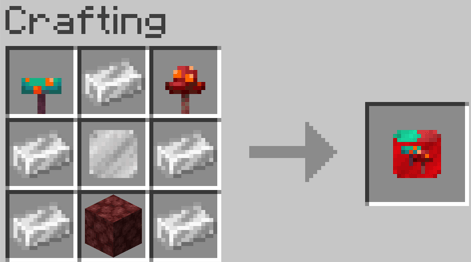
Nether forrests template:
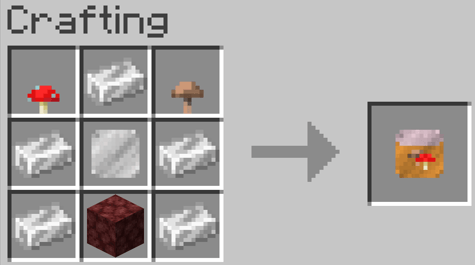
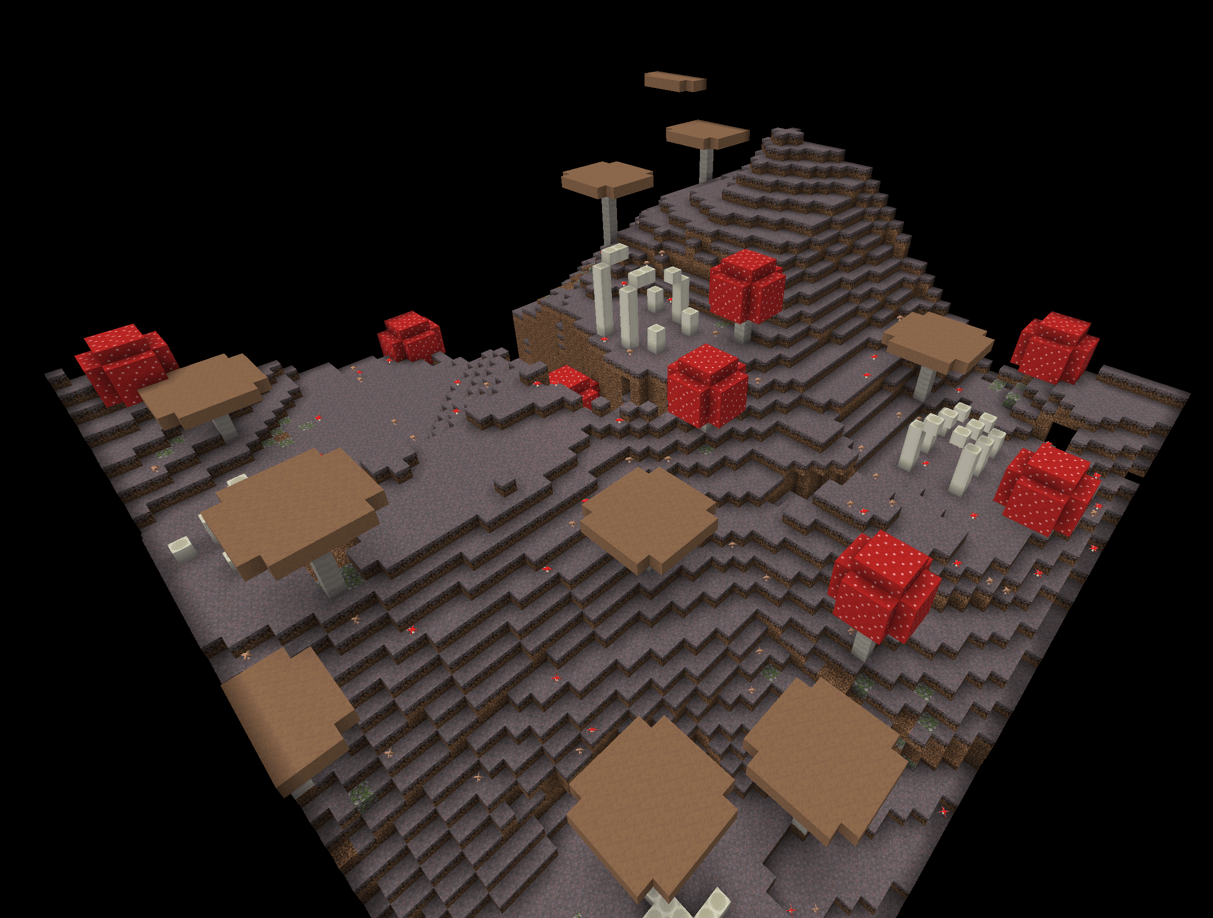
Mushroom template:
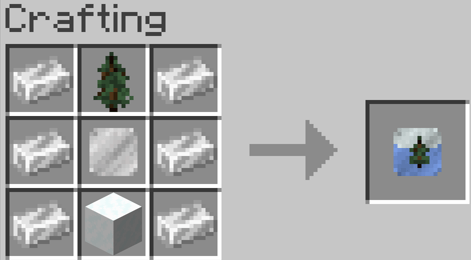
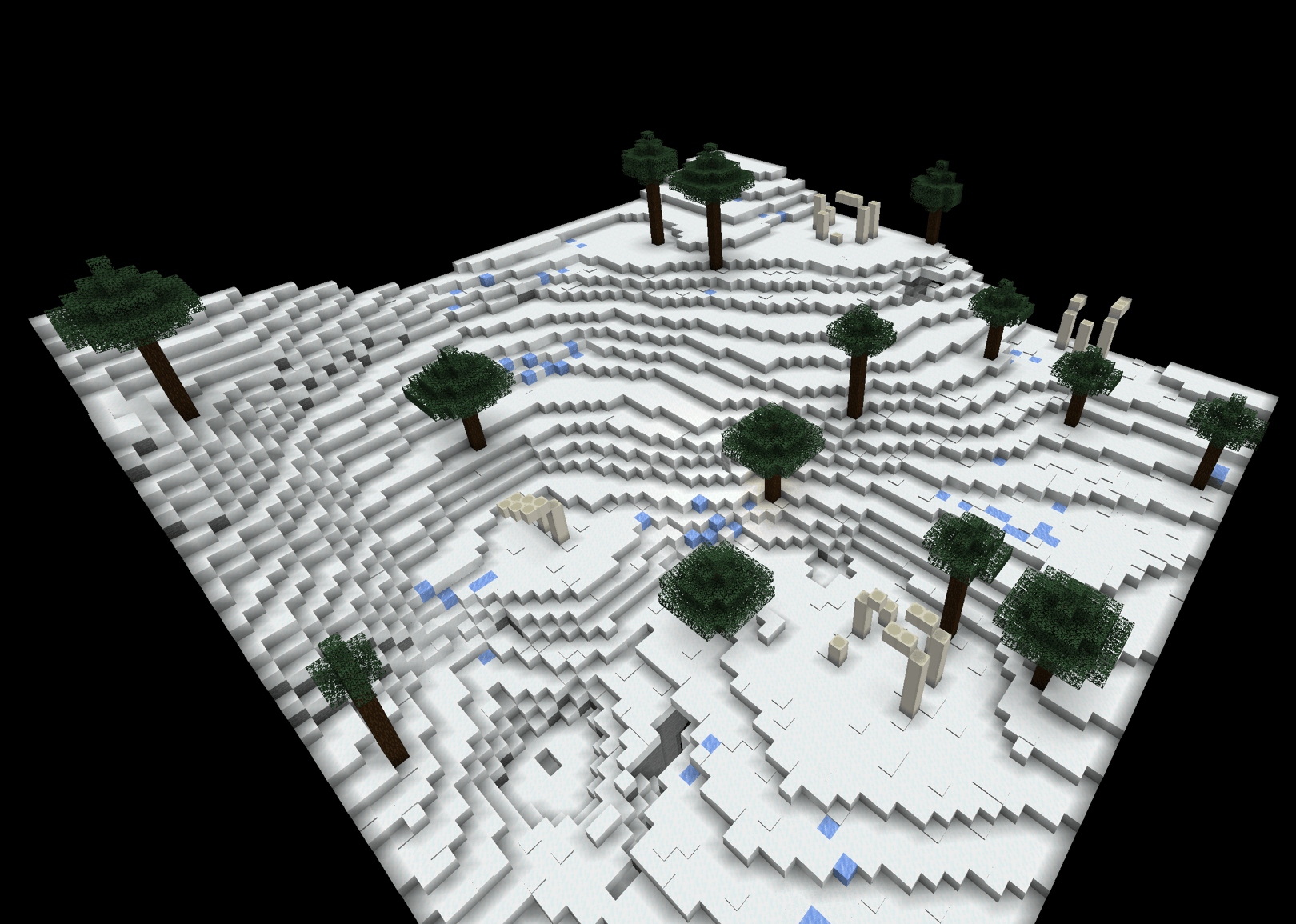
Ice and snow template:
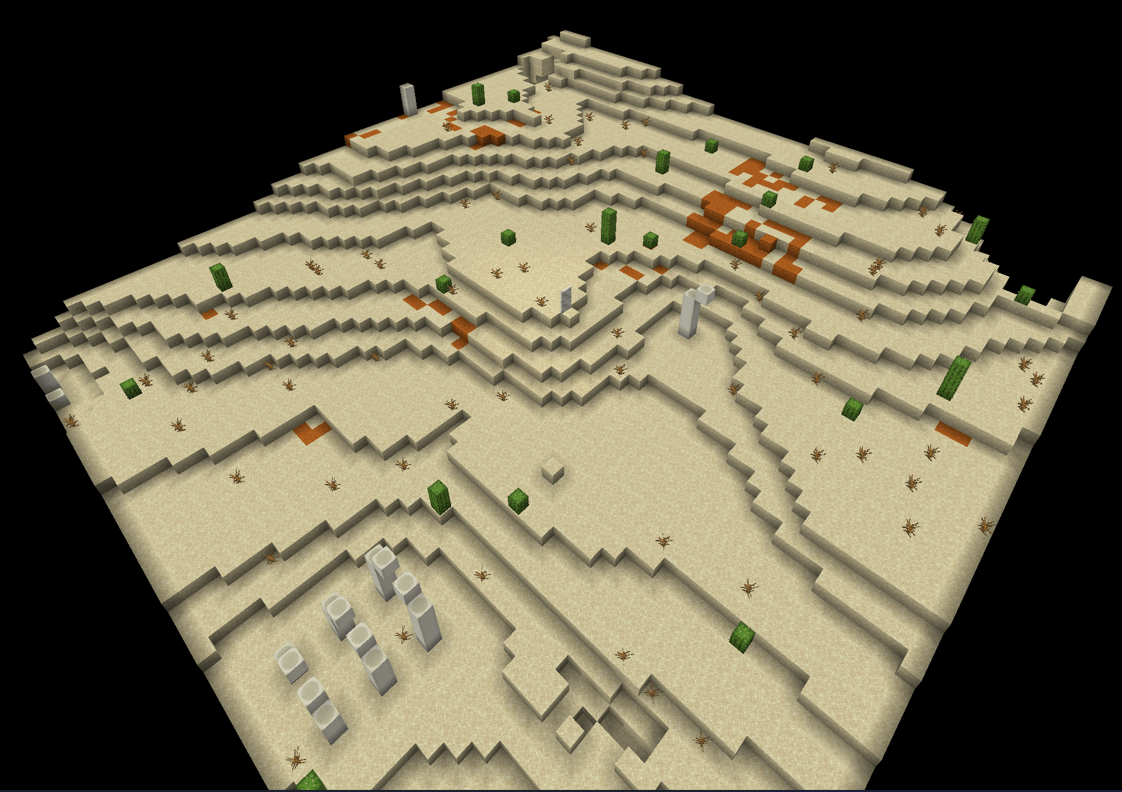
Desert template:
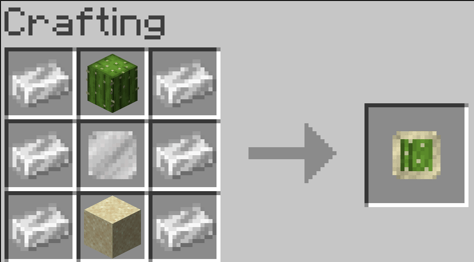
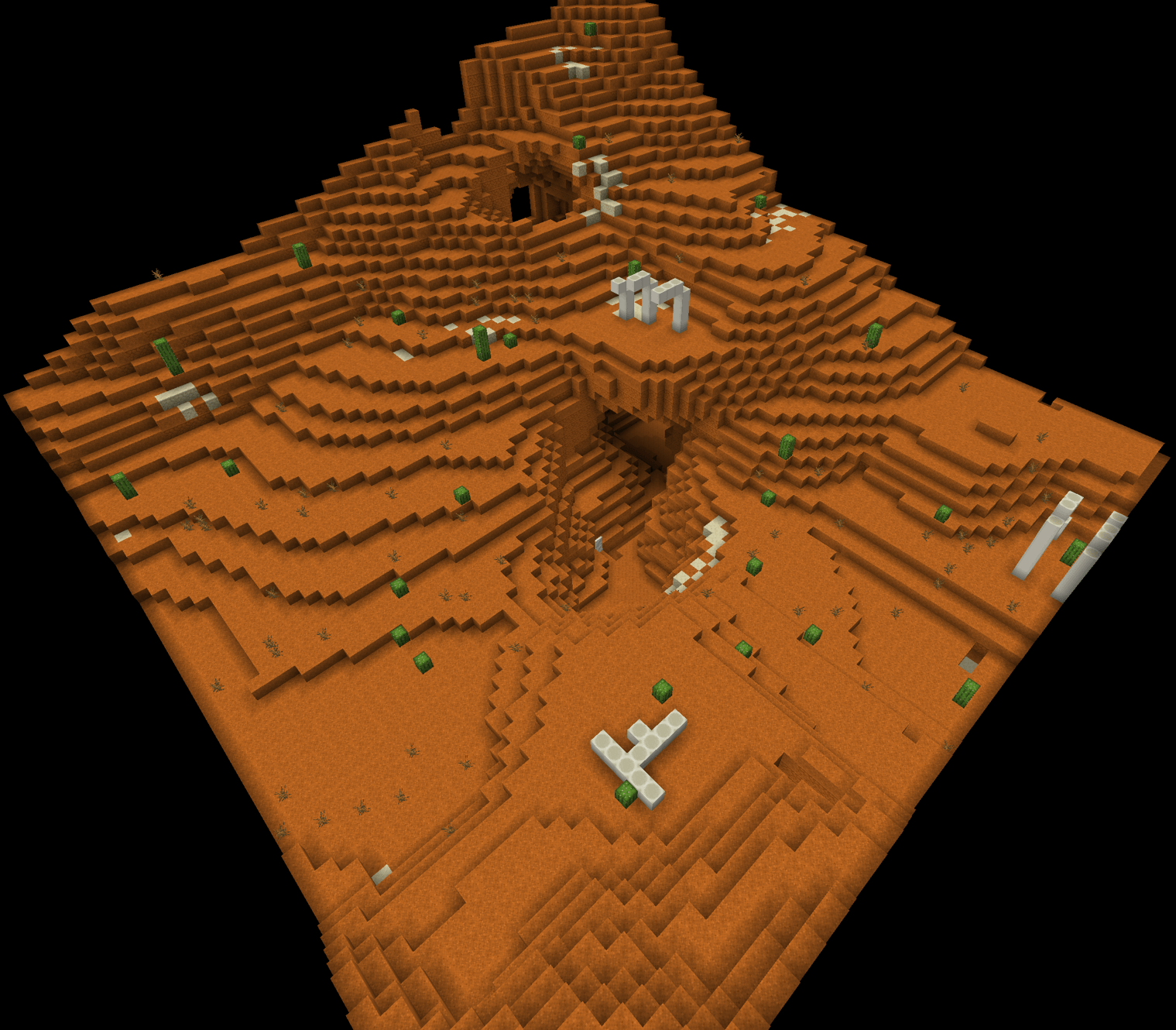
Red desert template:
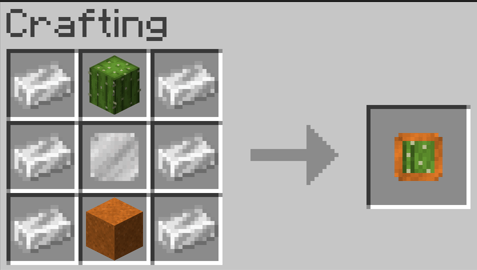
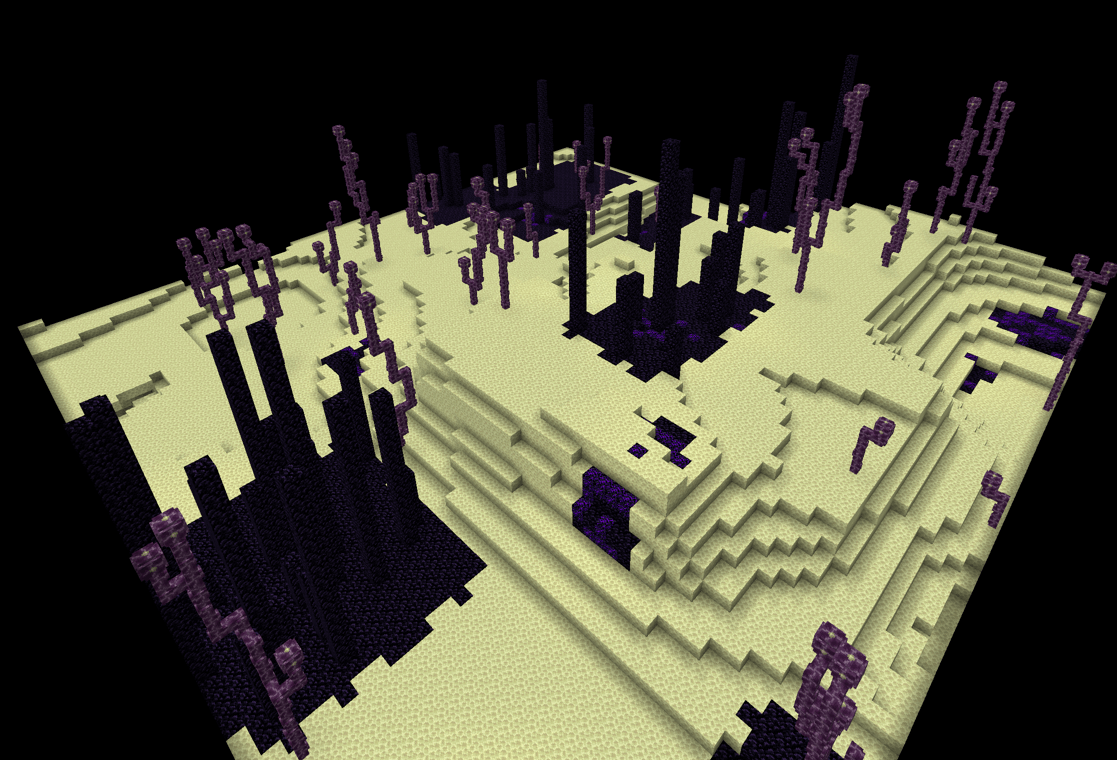
End template:
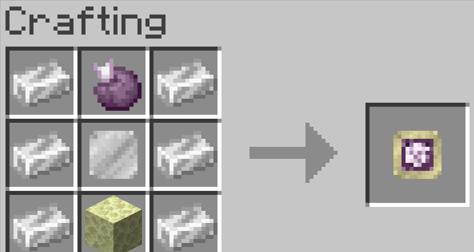
Moss template:
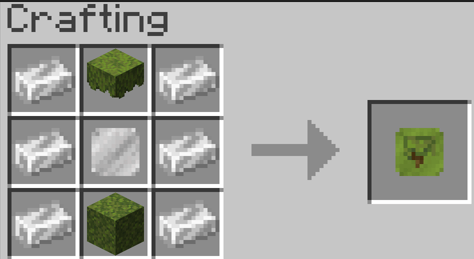
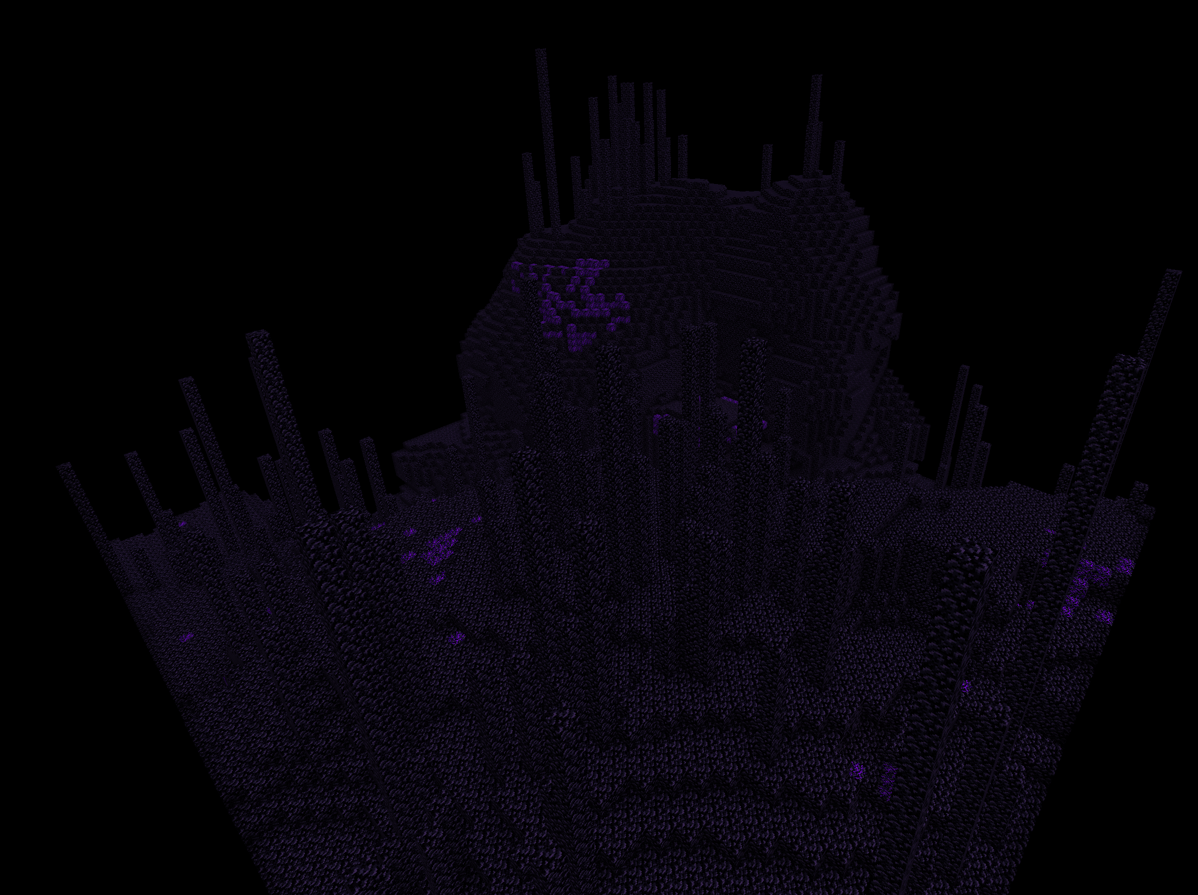
Obsidian Prison template:
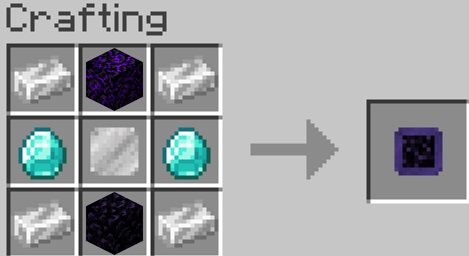
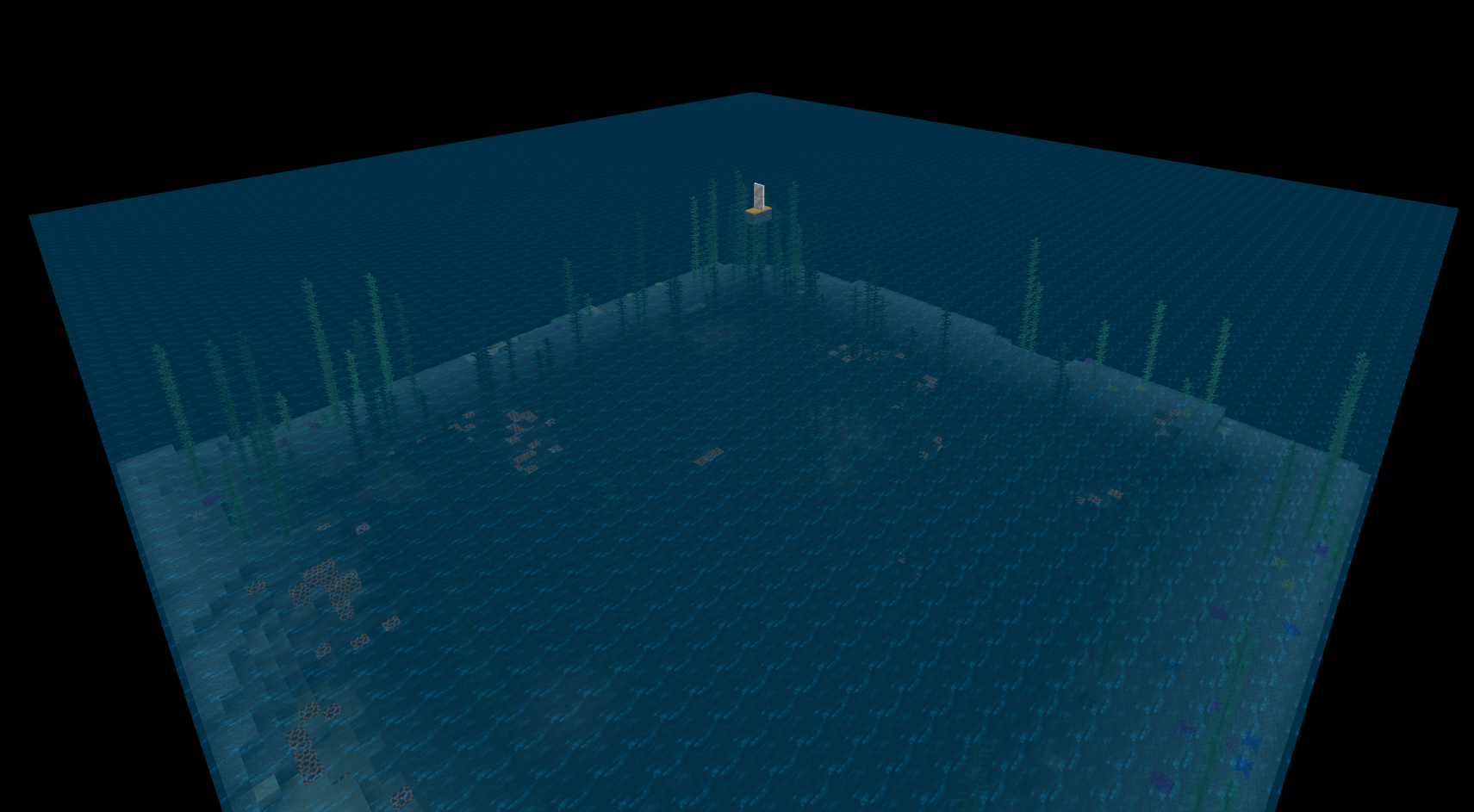
Ocean template:
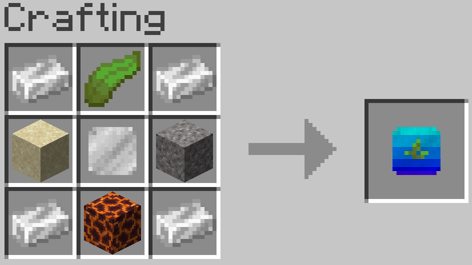
Soul Sand Vally template:
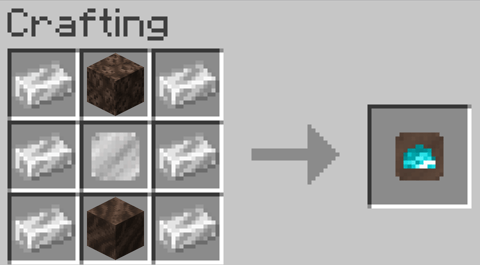
Dripstone template:
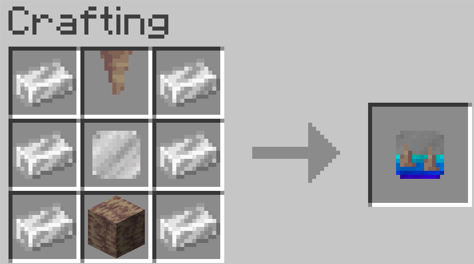
Sculk template:
To create a pocket dimension simply add a size and biome template:
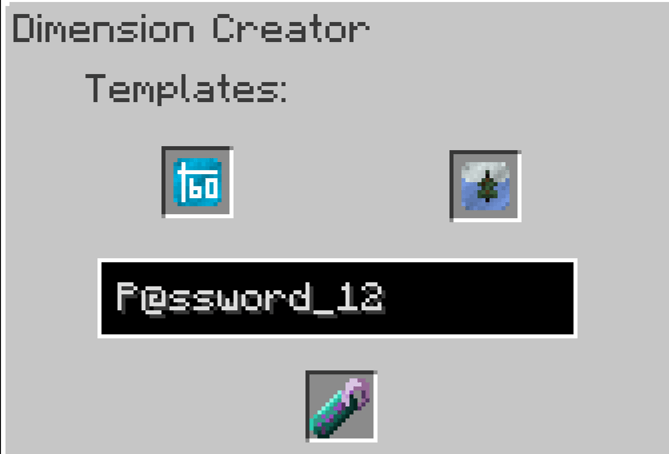
Remove the created pocket dimension tag, (look at it's Dimensional address and password.)
Next enter into a Dimensional doorway configurer (Next to a dimensional doorway) then either enter the dimensional address & password or add the tag item
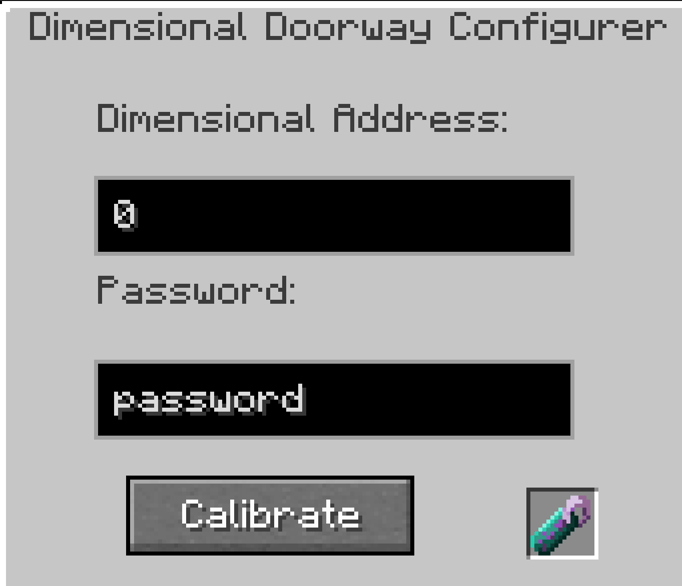
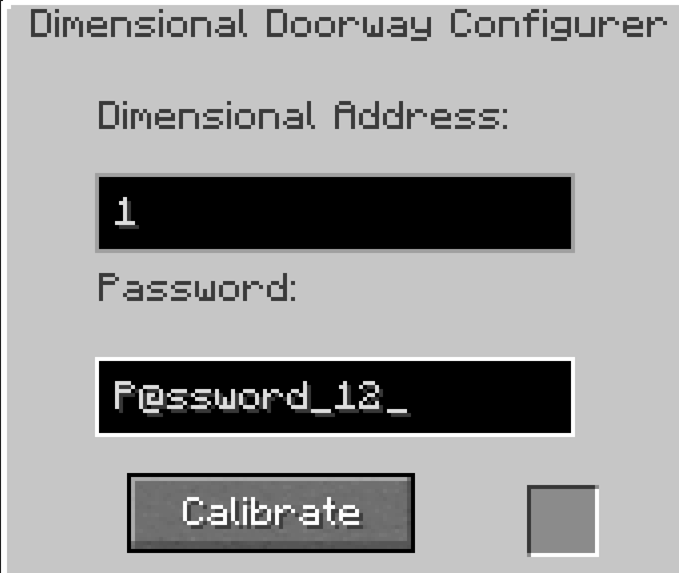
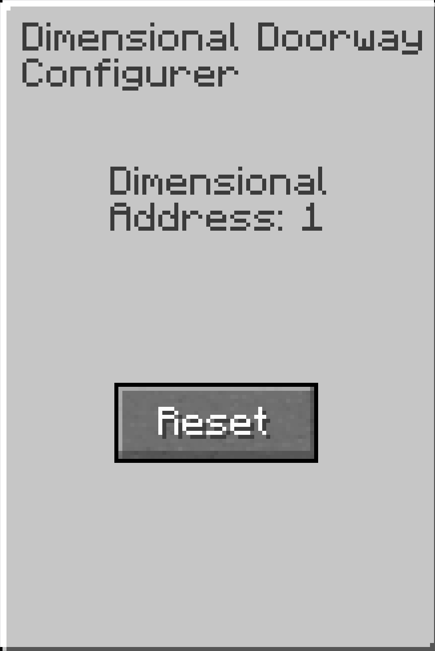
Then press "Calibrate" button
Finally power (With redstone) and step into the dimensional doorway (or trapdoor) to enter your dimension
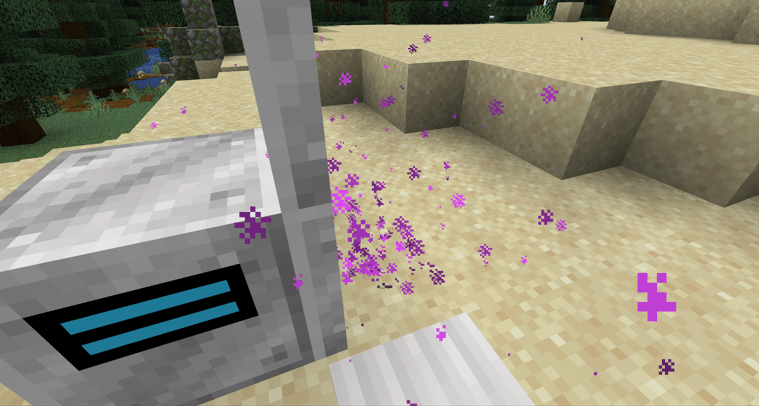
To reset a doorway, click on the dimensional doorway manager and press the "Reset" button, or use a new dimensional doorway manager:
Tips:
- Breaking all linked dimensional doors, while someone is in the dimension prevents them from leaving
- With the trapdoors you can trap people's spawns and prevent them from returning (As it does not work as an exit)
- You can use trapdoors easier without effecting the exit location when using doors
- Entities can use the doors to travel between dimensions (Including, items) - meaning you can store villagers in them or etc.
- If you don't want people using your dimensions, reset after use
- You can put a dimensional doorway & manager in any dimension (End,Nether,Overworld,other pocket dimensions,etc)
- Works with ProjectE
- Dimensional Spawners work best at the centre of your dimension
- If have a small world border use a mod to handle different world borders as it will cause complications in any created pocket dimensions
Extra:
- If you have any suggestions please let me know in the comments I will try and add them
- You can use this in modpacks
If you are a fan of my work and want me to continue updates and support for all of my mods
Consider supporting me on my pateron (£1 - £3 per month)
Screenshots
Gallery
-
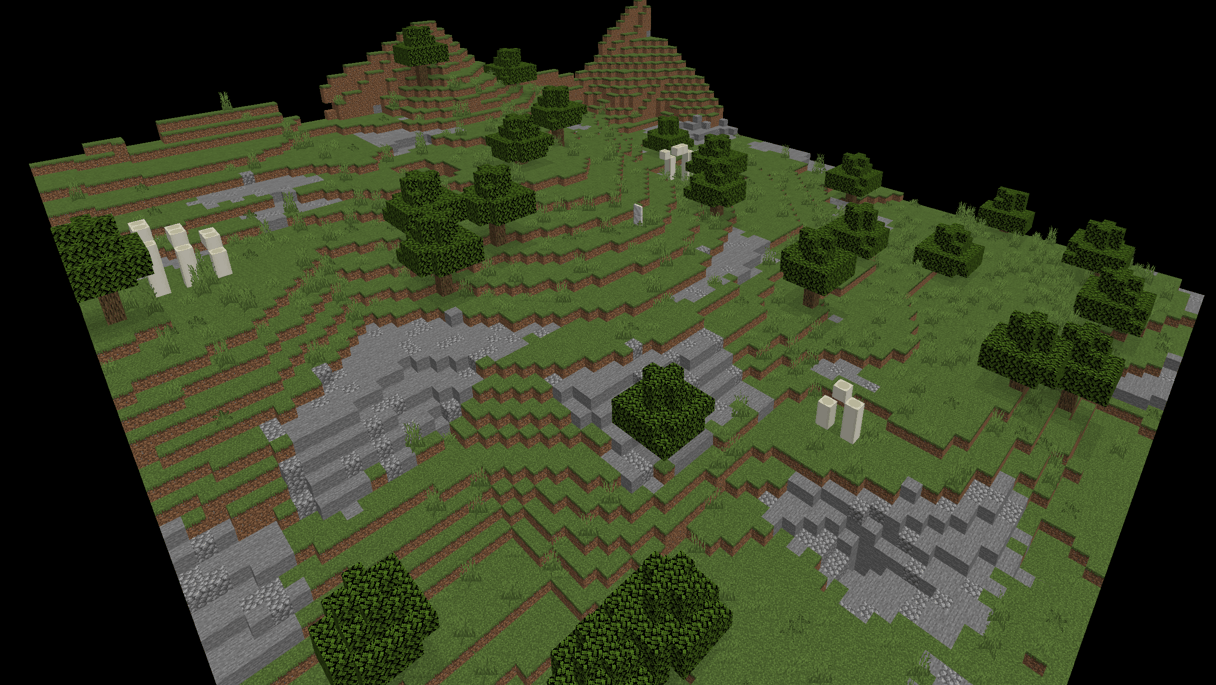 Screenshot 2025-11-03 174915.png Screenshot 2025-11-03 174915.png
 -
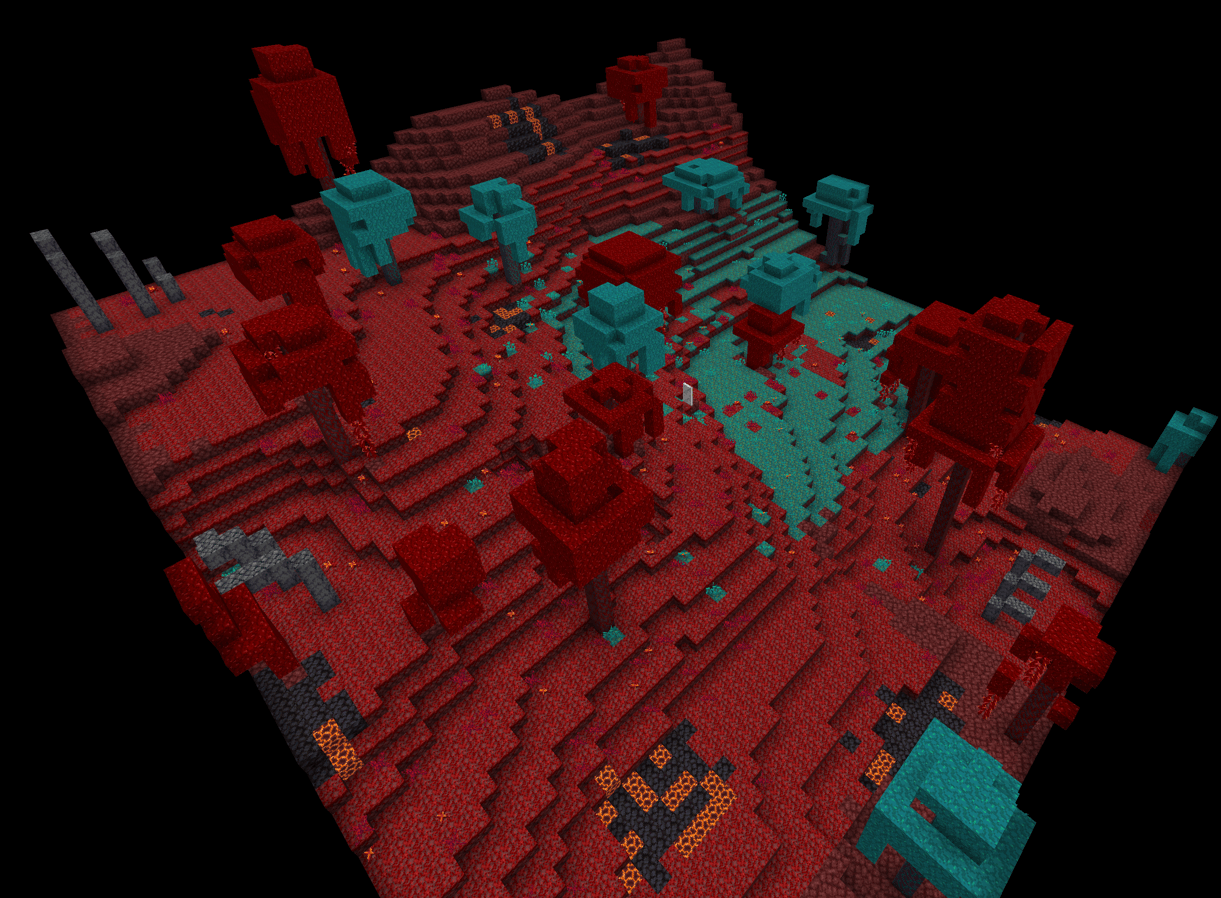 Screenshot 2025-10-19 220502.png Screenshot 2025-10-19 220502.png
 -
 Screenshot 2025-10-19 220540.png Screenshot 2025-10-19 220540.png
 -
 Screenshot 2025-10-19 220650.png Screenshot 2025-10-19 220650.png
 -
 Screenshot 2025-10-19 220611.png Screenshot 2025-10-19 220611.png
 -
 Screenshot 2025-10-19 220444.png Screenshot 2025-10-19 220444.png
 -
 Screenshot 2025-10-19 221124.png Screenshot 2025-10-19 221124.png
 -
 Screenshot 2025-10-19 221138.png Screenshot 2025-10-19 221138.png
 -
 Screenshot 2025-10-24 231820.png Screenshot 2025-10-24 231820.png
 -
 Screenshot 2025-11-03 174338.png Screenshot 2025-11-03 174338.png
 -
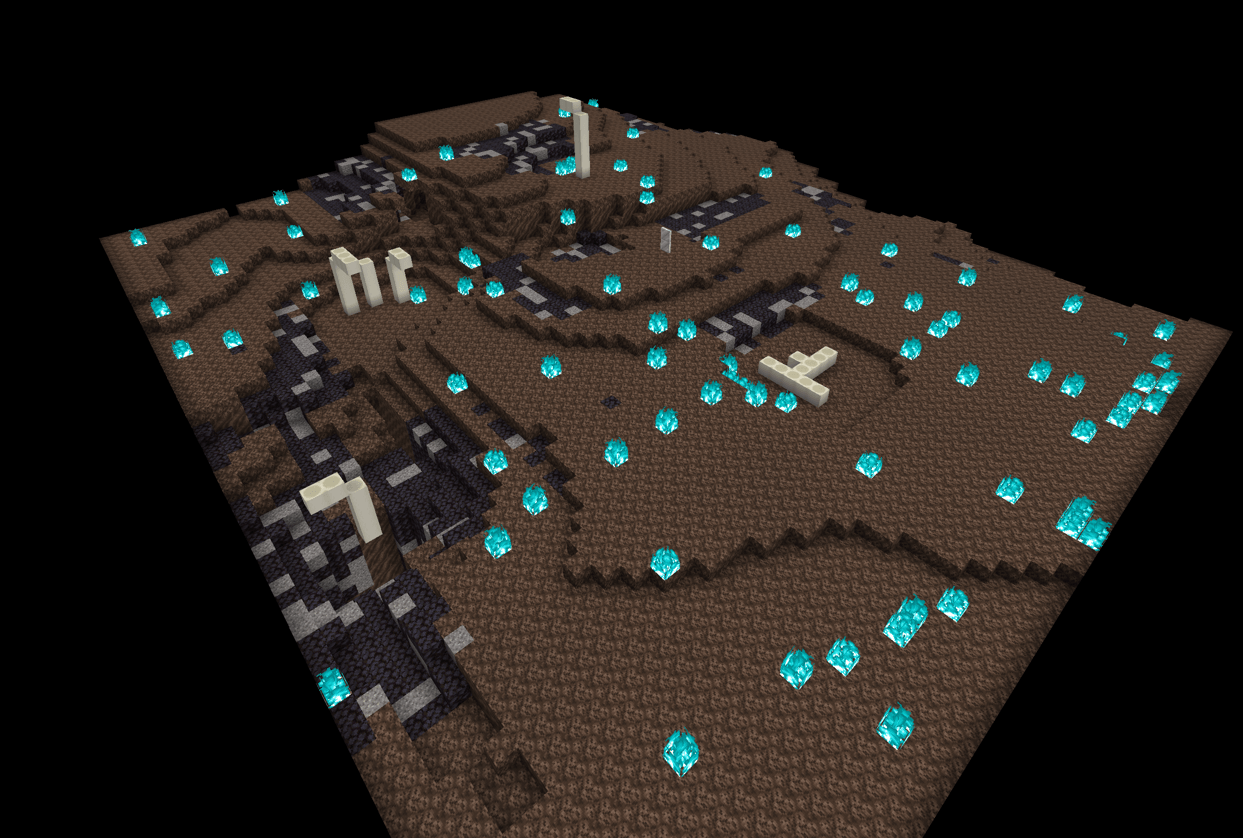 Screenshot 2025-10-24 231924.png Screenshot 2025-10-24 231924.png
 -
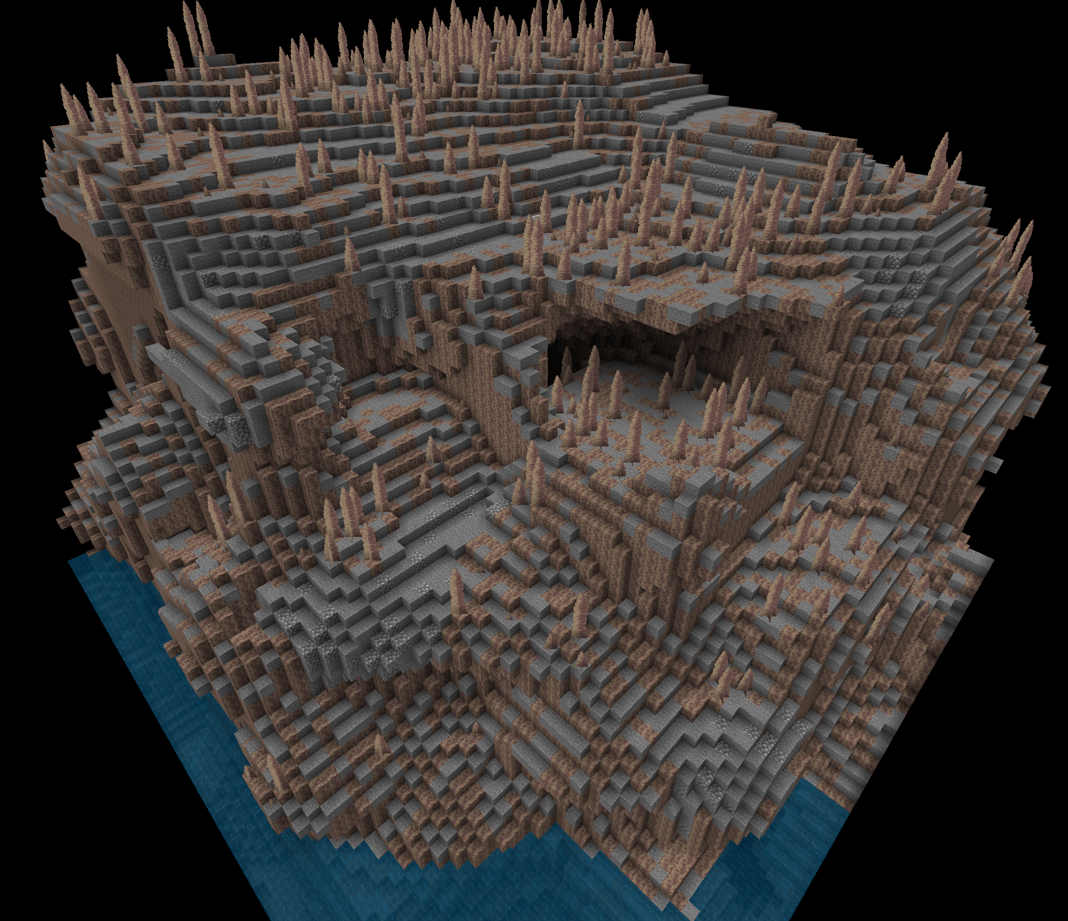 Screenshot 2025-10-24 231946.png Screenshot 2025-10-24 231946.png
 -
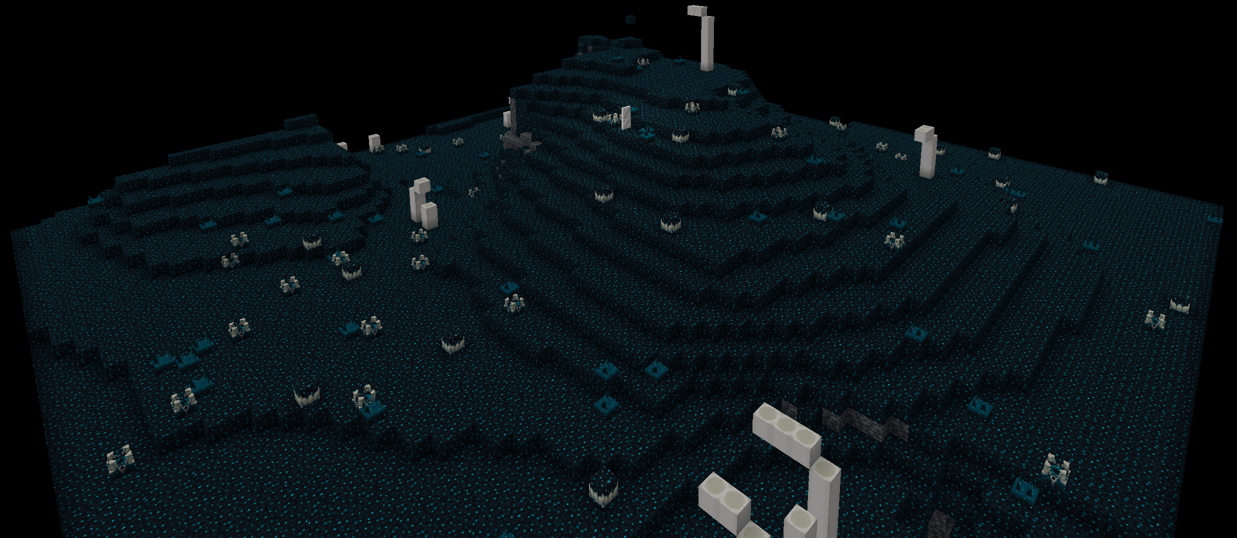 Screenshot 2025-11-03 174304.png Screenshot 2025-11-03 174304.png
Versions
Files
Relations
Project Relations
More like this
Similar Mods
Suggestions use data such as tags, dependencies, dependents, descriptions, titles, and more to rank how much they overlap with this mod.
On ModDex
Community snapshot
By the numbers
Statistics
Want to reach Minecraft players?
We're looking for a server hosting partner to feature here and other parts of the site. Interested? Send us a message!
Get in touchGet it on
Available Platforms
On ModDex
Community snapshot
By the numbers
Statistics
Resources