Community listing page, reviews here may not be monitored by the author.
Tick Counter | Smart Counter


No reviews yet
Count redstone and game ticks with ease!
Community voices
Reviews
No reviews yet. Be the first to review this project!
Get it on
Available Platforms
Compatibility
Supported Environments
Runs entirely on the client. Works on vanilla servers.
About
Project Details
For authors
Embed Badge
If you're the author of this project, you can embed a live badge anywhere that supports HTML or Markdown. It updates automatically whenever ratings change.
Use HTML for any page that supports it, or Markdown for README files and Markdown-based descriptions.
Identifiers
Platform IDs
Resources
External Links
About
Description
Smart-Counter
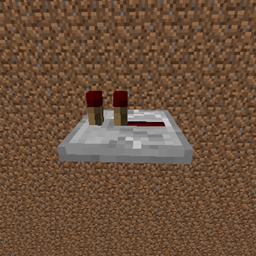
A Minecraft fabric mod that counts redstone ticks, game ticks, and real-life second delays of redstone component lines for you.
How to use
Tick Counter
- Type
/tickcounterin the chat to enable the tick counter. All interactions (right-click and left-click) with blocks are disabled so you don't accidentally change repeater ticks while in this mode. - Right-click on any redstone component to count its tick delay. You can click on multiple consecutive components to add up their ticks together. Special-cases such as two consecutive pistons resulting in an extra game tick are considered.
- Left-click to reset the tick counter back to 0 or…
- Type
/tickcounteragain to reset the counter to 0, disable the tick counter, and re-enable block interactions.
Node Counter
- Type
/nodecounterin the chat to enable the node counter. All interactions (right-click and left-click) with blocks are disabled so you don't accidentally change repeater ticks while in this mode. - Right-click on any redstone dust wire to set a new node. Set at least two nodes.
- Activate the redstone line that changes the power-level of the active nodes. You'll get a message in chat to tell you the tick difference between the two nodes changing power levels.
- Left-click to remove all active nodes.
- Type
/nodecounteragain to disable the node counter, and re-enable block interactions.
The download from:
- CurseForge https://www.curseforge.com/minecraft/mc-mods/tick-counter
- GitHub Releases: https://github.com/RealDevJG/Smart-Counter
Discord
This is not a discord JUST for this mod, it's my whole development discord!
For any development related issues/bugs/suggestions please visit: https://discord.gg/b35rQvS
Latest changes (v2.1.0)
- Added nodes you can place to measure the amount of ticks between the two nodes changing power levels (works on redstone dust only)
- Fixed chat spam when clearing tick counter with left-click
- The chat message of adding new tick counter ticks now only shows up only when new ticks have been added, not on every right-click
- Fixed bug with last release that meant commands were server-side. They are now client-side as intended
Smart-Counter
A Minecraft fabric mod that counts redstone ticks, game ticks, and real-life second delays of redstone component lines for you.
How to use
Tick Counter
- Type
/tickcounterin the chat to enable the tick counter. All interactions (right-click and left-click) with blocks are disabled so you don't accidentally change repeater ticks while in this mode. - Right-click on any redstone component to count its tick delay. You can click on multiple consecutive components to add up their ticks together. Special-cases such as two consecutive pistons resulting in an extra game tick are considered.
- Left-click to reset the tick counter back to 0 or…
- Type
/tickcounteragain to reset the counter to 0, disable the tick counter, and re-enable block interactions.
Node Counter
- Type
/nodecounterin the chat to enable the node counter. All interactions (right-click and left-click) with blocks are disabled so you don't accidentally change repeater ticks while in this mode. - Right-click on any redstone dust wire to set a new node. Set at least two nodes.
- Activate the redstone line that changes the power-level of the active nodes. You'll get a message in chat to tell you the tick difference between the two nodes changing power levels.
- Left-click to remove all active nodes.
- Type
/nodecounteragain to disable the node counter, and re-enable block interactions.
Discord
This is not a discord JUST for this mod, it's my whole development discord!
For any development related issues/bugs/suggestions please visit: https://discord.gg/b35rQvS
Latest changes
- Added nodes you can place to measure the amount of ticks between the two nodes changing power levels (works on redstone dust only)
- Fixed chat spam when clearing tick counter with left-click
- The chat message of adding new tick counter ticks now only shows up only when new ticks have been added, not on every right-click
- Fixed bug with last release that meant commands were server-side. They are now client-side as intended
Screenshots
Gallery
Versions
Files
Relations
Project Relations
More like this
Similar Mods
Suggestions use data such as tags, dependencies, dependents, descriptions, titles, and more to rank how much they overlap with this mod.
On ModDex
Community snapshot
By the numbers
Statistics
Want to reach Minecraft players?
We're looking for a server hosting partner to feature here and other parts of the site. Interested? Send us a message!
Get in touchGet it on
Available Platforms
On ModDex
Community snapshot
By the numbers
Statistics
Resources