
Community listing page, reviews here may not be monitored by the author.
Tidy Mods


No reviews yet
A tidy and organized replacement for the default mod list screen.

Community voices
Reviews
No reviews yet. Be the first to review this project!
Get it on
Available Platforms
Compatibility
Supported Environments
Runs entirely on the client. Works on vanilla servers.
About
Project Details
For authors
Embed Badge
If you're the author of this project, you can embed a live badge anywhere that supports HTML or Markdown. It updates automatically whenever ratings change.
Use HTML for any page that supports it, or Markdown for README files and Markdown-based descriptions.
Identifiers
Platform IDs
About
Description
📌 about
Tidy Mods is a replacement for the default mod list screen. Built for players and modpack developers alike, it offers a streamlined way to browse, organize, and manage installed mods.
🛠️ features
- category organization: Mods are grouped into categories like Technology, Magic, Utility, and more. Categories can be customized, and mods can be reassigned through config.
- category icons: Assign texture-based icons to categories for quick visual identification, or display each mod's own icon.
- smart search: Find mods instantly by name, @ID, #category, !author or $license with inline autocomplete suggestions.
- filtering: Show only configurable mods or hide specific mods from the list entirely.
- quick actions: Open mod configs, websites, and issue trackers directly from each entry.
- configurable display: Control what appears in list entries and tooltips, including version, authors, description, and license.
- translatable: Override mod descriptions and category names via resource packs.
- live updates: All settings apply instantly without restarting the game.
- developer API: Mod developers can declare their category directly in the mod file.
- wide compatibility: Over 1000 mods are pre-categorized out of the box! Compatible with ATM10, FTB StoneBlock 4, BMC5, Craftoria and more...
🤝 contributions
Help expand compatibility by categorizing mods that aren't covered yet:
- submit a pull request — Add missing mods to BuiltInCategories.java.
- notify mod authors — Let them know they can easily assign a category to their mod for native support.
Every contribution helps keep the mod list organized for everyone.
🔗 developer API
Add modCategory to your neoforge.mods.toml block:
[[mods]]
modId = "tidybinds"
displayName = "Tidy Binds"
modCategory = "utility"
This allows your mod to appear in the correct category without requiring users to configure anything. Replace utility with one of the available categories:
| Category | Name | Description |
|---|---|---|
agriculture |
Agriculture & Cuisine | Mods with a focus on growing, breeding, cooking, and consuming. |
building |
Building & Decoration | Mods that add blocks with no function other than aesthetics (furniture, roofs, windows). |
equipment |
Equipment & Combat | Mods focused on what the player wears or wields. This includes weapons, armor, and tools. |
functional |
Functional & Mechanics | Mods that add things with specific uses, mechanics or a variety of content across multiple categories without a single defining theme (vanilla+ mods). |
library |
Libraries, APIs & Integrations | Mods for other mods. |
magic |
Magic & Arcane | Mods involve mana, spells, rituals, altars, or nature-based progression systems that do not rely on standard electricity. |
misc |
Miscellaneous | Mods that do not fit into any of the listed categories. |
mobs |
Mobs & Entities | Mods that add or improve living things as their main feature. |
storage |
Storage & Logistics | Mods that increase inventory space or provide static places to put items. |
system |
System, Performance & Fixes | Mods that optimize the game code or fix bugs. |
technology |
Technology & Automation | Mods involve processing resources, generating power (RF/FE), moving fluids/items via pipes, automating tasks, or just redstone. |
utility |
Utilities, UI & QoL | Mods that change how you play the game, usually via the interface, controls, or information, without adding physical blocks/items. |
worldgen |
World Generation & Dimensions | Mods that change the terrain, add new biomes and structures to explore, or add entirely new dimensions. |
📝 credits
Icon from Fluent UI System Icons by Microsoft (MIT). Inspired by Catalogue by MrCrayfish (MIT).
Found a bug? Open an issue on GitHub.
📌 about
Tidy Mods is a replacement for the default mod list screen. Built for players and modpack developers alike, it offers a streamlined way to browse, organize, and manage installed mods.
🛠️ features
- category organization: Mods are grouped into categories like Technology, Magic, Utility, and more. Categories can be customized, and mods can be reassigned through config.
- category icons: Assign texture-based icons to categories for quick visual identification, or display each mod's own icon.
- smart search: Find mods instantly by name, @ID, #category, !author or $license with inline autocomplete suggestions.
- filtering: Show only configurable mods or hide specific mods from the list entirely.
- quick actions: Open mod configs, websites, and issue trackers directly from each entry.
- configurable display: Control what appears in list entries and tooltips, including version, authors, description, and license.
- translatable: Override mod descriptions and category names via resource packs.
- live updates: All settings apply instantly without restarting the game.
- developer API: Mod developers can declare their category directly in the mod file.
- wide compatibility: Over 1000 mods are pre-categorized out of the box! Compatible with ATM10, FTB StoneBlock 4, BMC5, Craftoria and more...
🤝 contributions
Help expand compatibility by categorizing mods that aren't covered yet:
- submit a pull request — Add missing mods to BuiltInCategories.java.
- notify mod authors — Let them know they can easily assign a category to their mod for native support.
Every contribution helps keep the mod list organized for everyone.
🔗 developer API
Add modCategory to your neoforge.mods.toml block:
[[mods]]
modId = "tidybinds"
displayName = "Tidy Binds"
modCategory = "utility"
This allows your mod to appear in the correct category without requiring users to configure anything. Replace utility with one of the available categories:
| Category | Name | Description |
|---|---|---|
agriculture |
Agriculture & Cuisine | Mods with a focus on growing, breeding, cooking, and consuming. |
building |
Building & Decoration | Mods that add blocks with no function other than aesthetics (furniture, roofs, windows). |
equipment |
Equipment & Combat | Mods focused on what the player wears or wields. This includes weapons, armor, and tools. |
functional |
Functional & Mechanics | Mods that add things with specific uses, mechanics or a variety of content across multiple categories without a single defining theme (vanilla+ mods). |
library |
Libraries, APIs & Integrations | Mods for other mods. |
magic |
Magic & Arcane | Mods involve mana, spells, rituals, altars, or nature-based progression systems that do not rely on standard electricity. |
misc |
Miscellaneous | Mods that do not fit into any of the listed categories. |
mobs |
Mobs & Entities | Mods that add or improve living things as their main feature. |
storage |
Storage & Logistics | Mods that increase inventory space or provide static places to put items. |
system |
System, Performance & Fixes | Mods that optimize the game code or fix bugs. |
technology |
Technology & Automation | Mods involve processing resources, generating power (RF/FE), moving fluids/items via pipes, automating tasks, or just redstone. |
utility |
Utilities, UI & QoL | Mods that change how you play the game, usually via the interface, controls, or information, without adding physical blocks/items. |
worldgen |
World Generation & Dimensions | Mods that change the terrain, add new biomes and structures to explore, or add entirely new dimensions. |
📝 credits
Icon from Fluent UI System Icons by Microsoft (MIT). Inspired by Catalogue by MrCrayfish (MIT).
Found a bug? Open an issue on GitHub.
Screenshots
Gallery
-
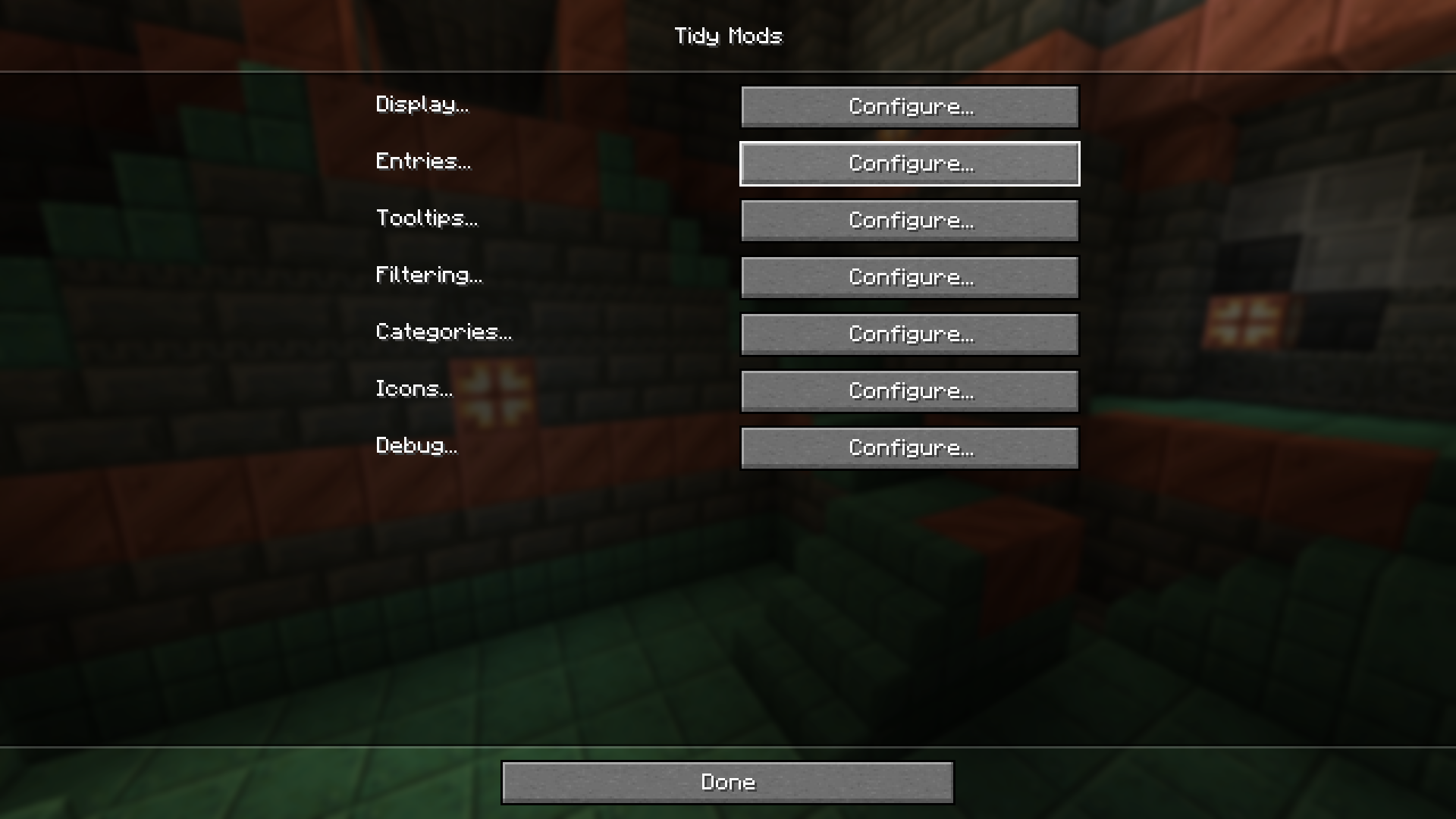 Configuration 🖌️ Make it perfect
 -
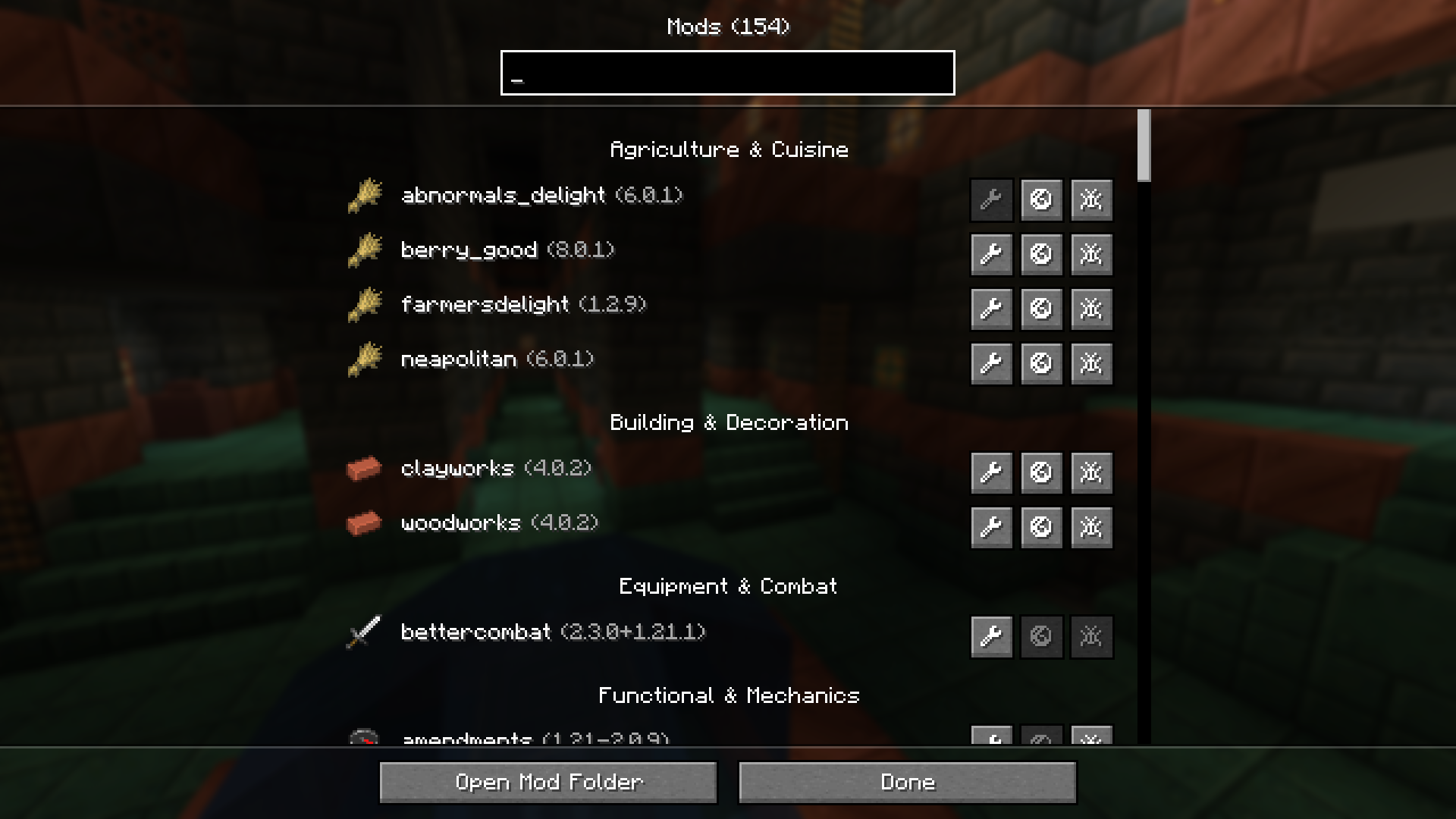 Mine 🌸 Enjoy the beauty
 -
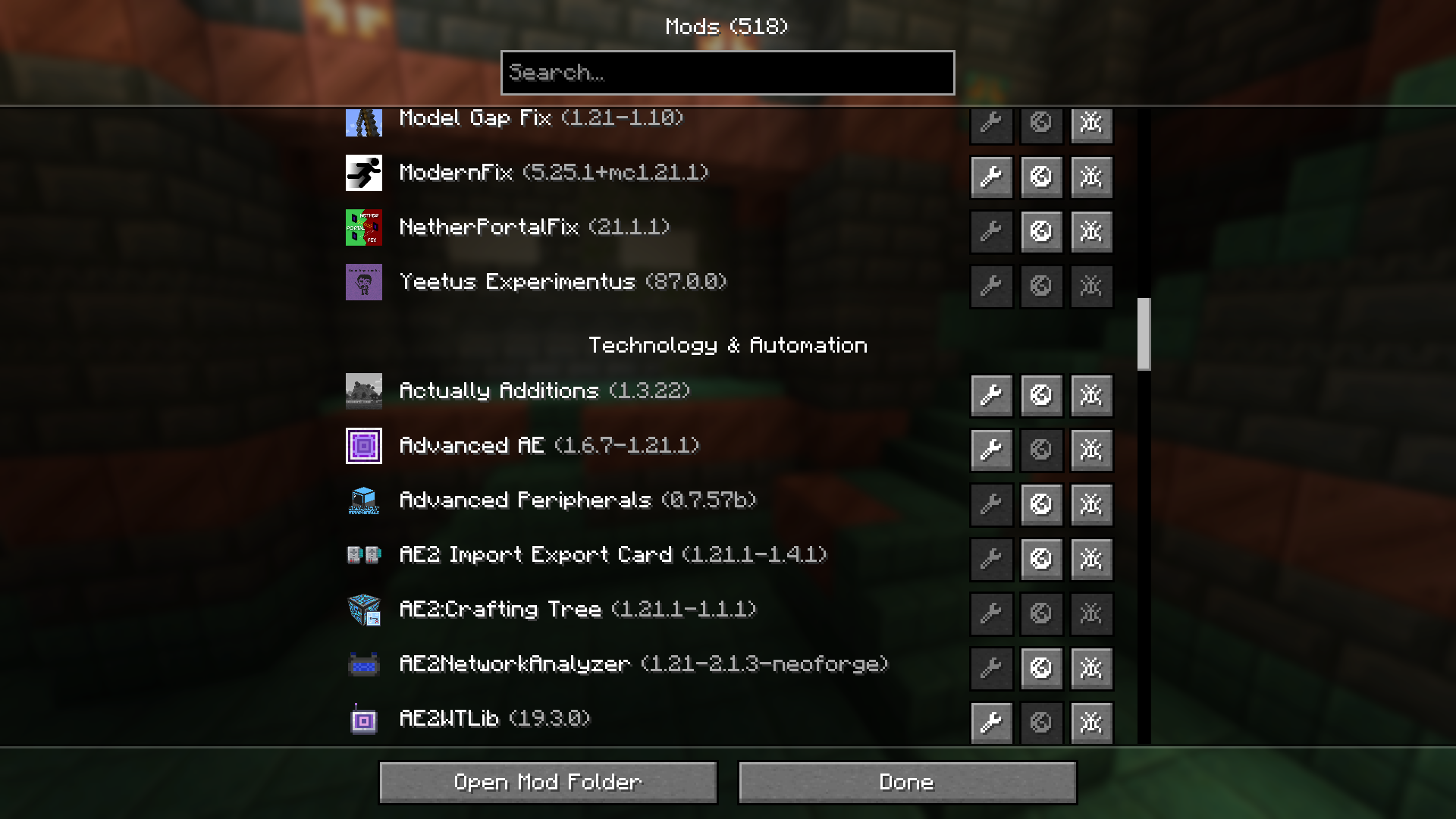 ATM10 🔎 Browse mods
 -
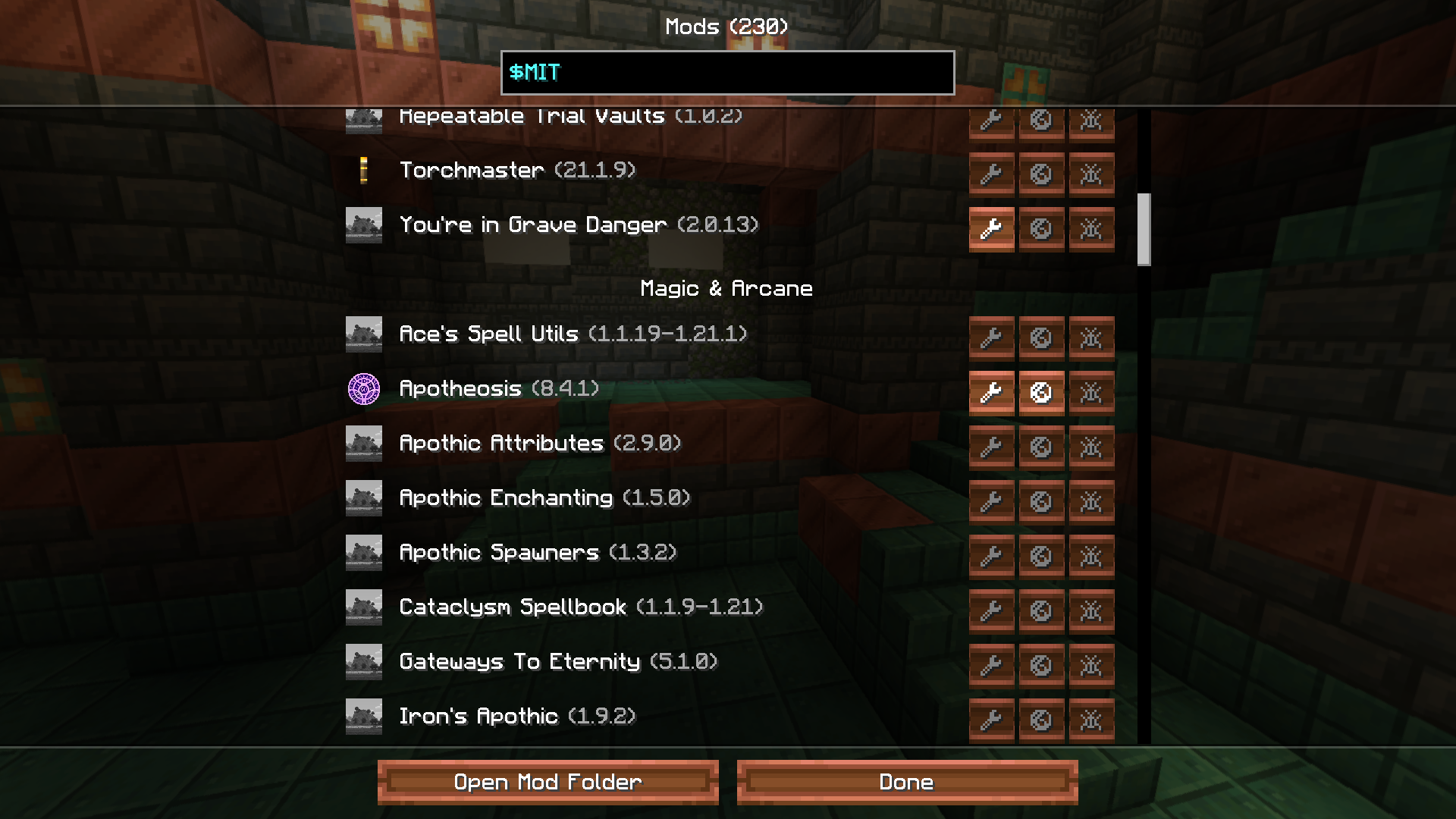 Craftoria 📜 Search by $license
 -
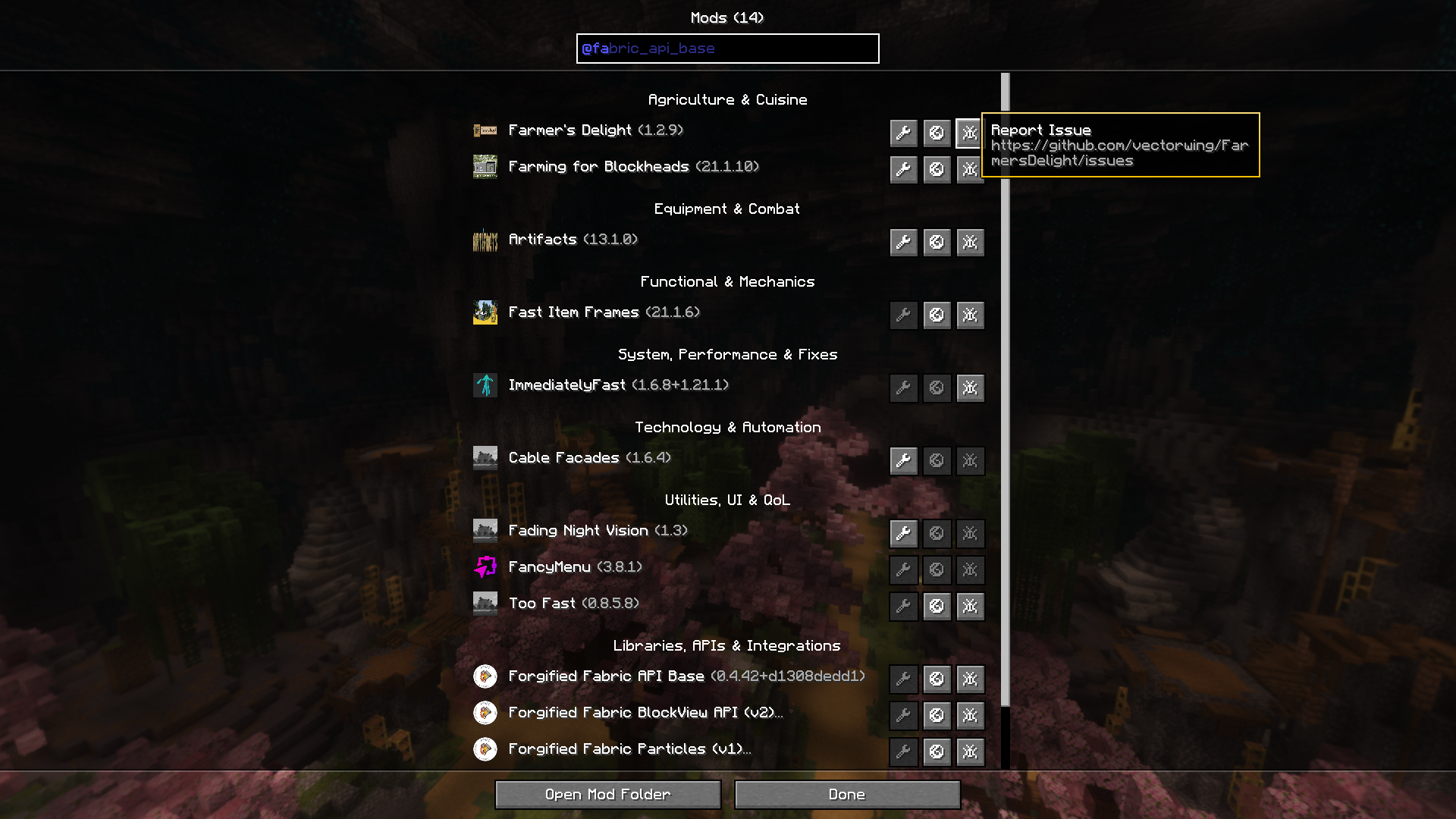 FTB StoneBlock 4 🏷️ Search by @ID
 -
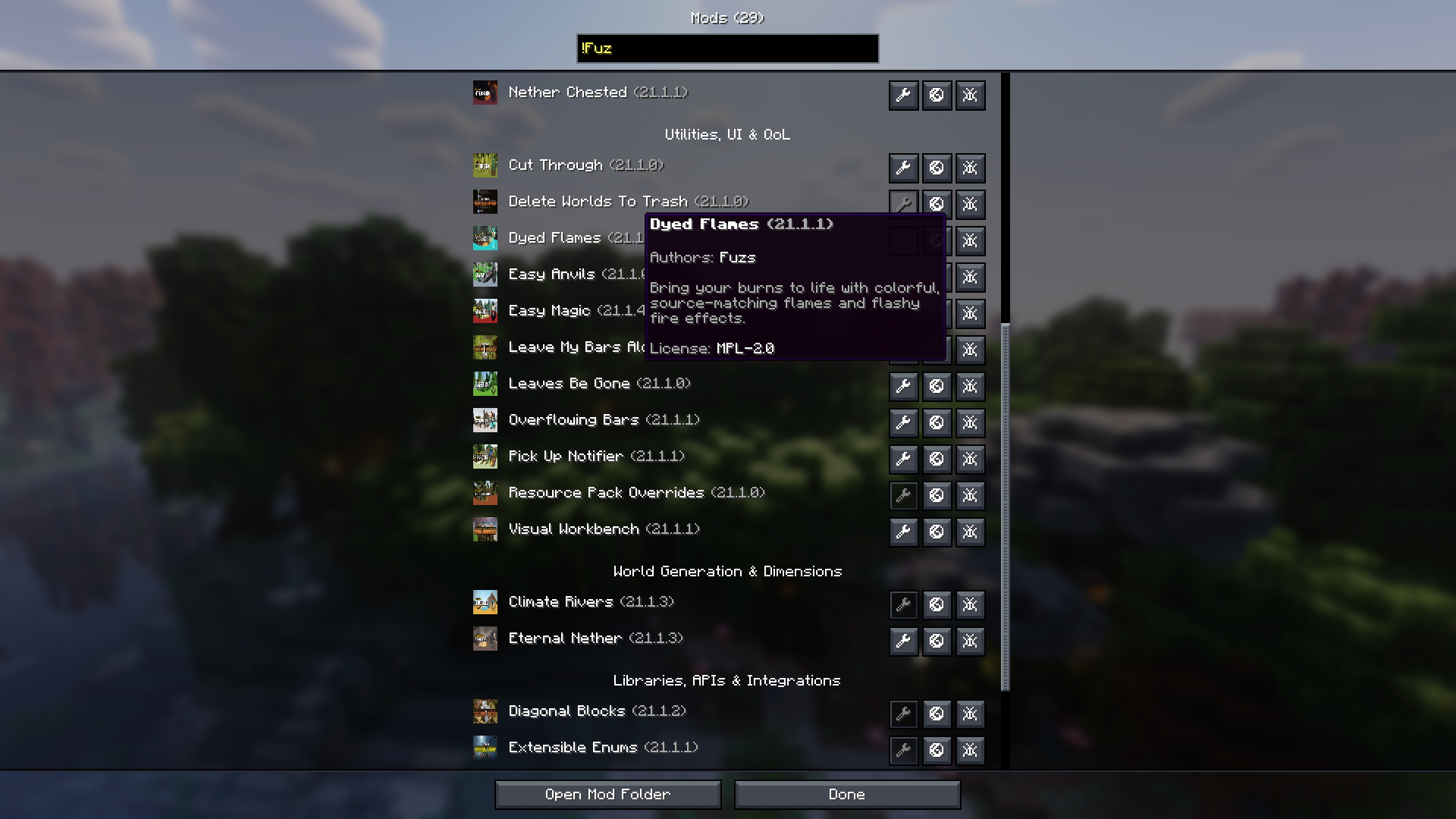 BMC5 ✒️ Search by !author
-
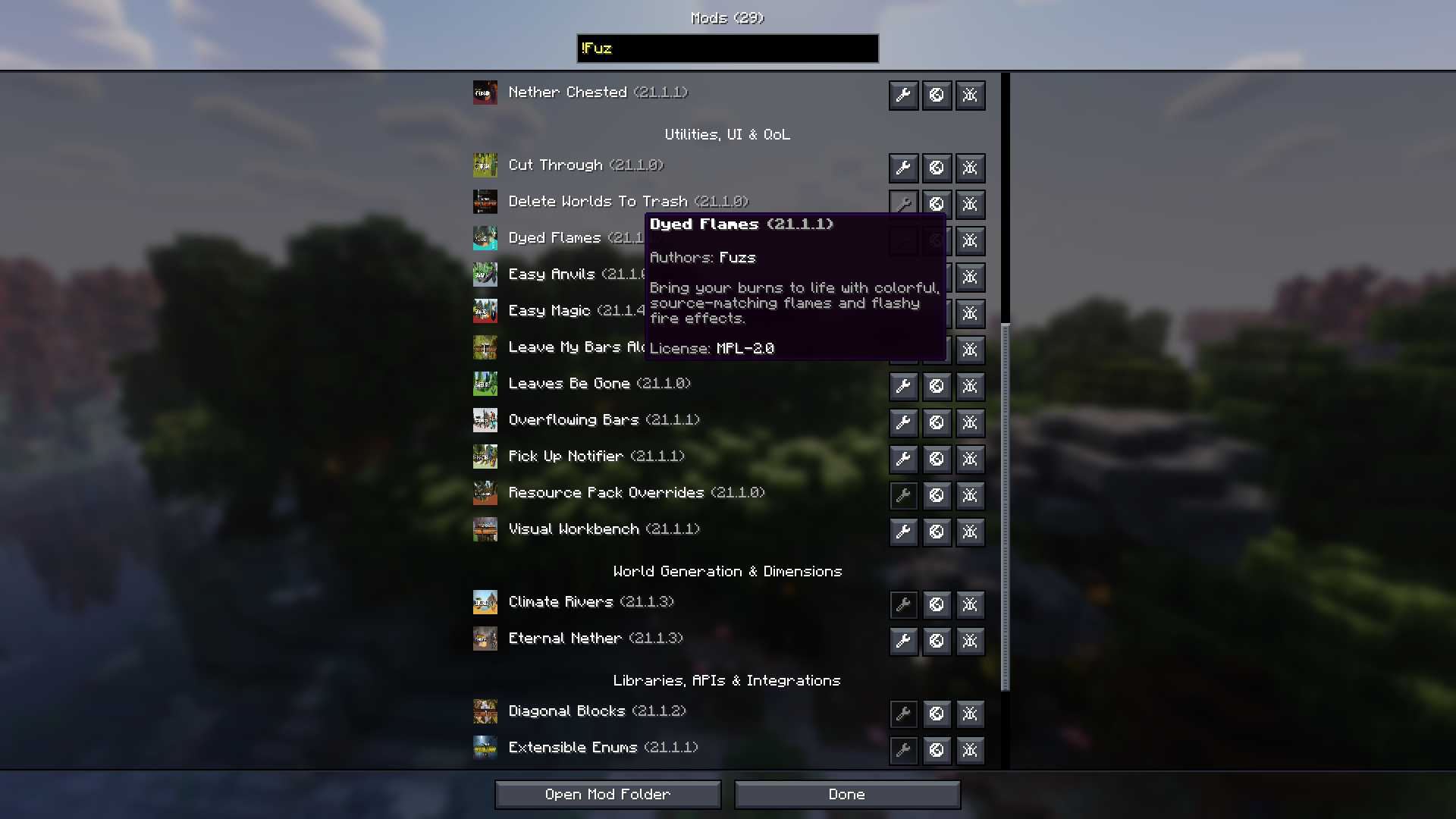 BMC5 ✒️ Search by !author
 -
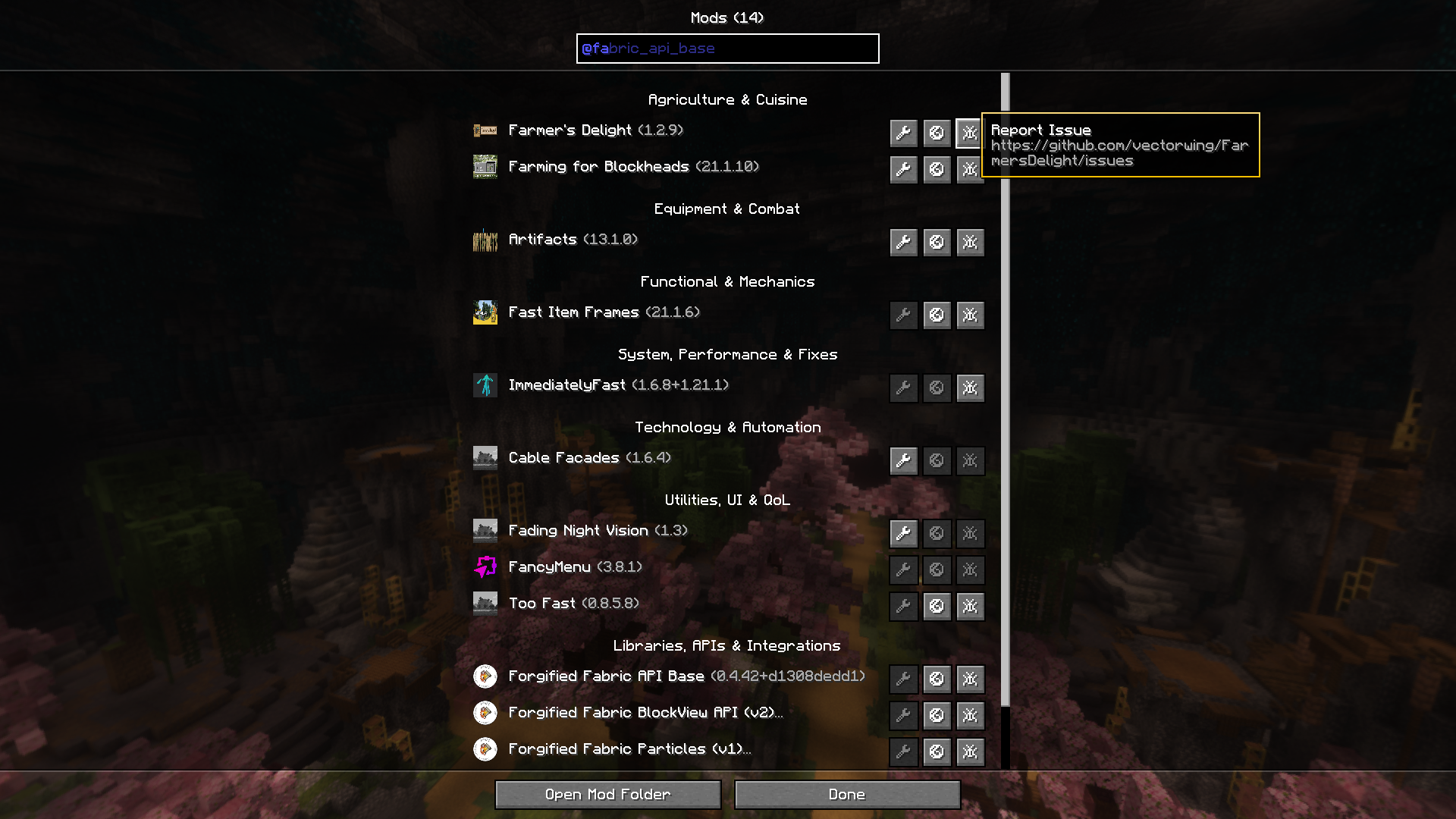 FTB StoneBlock 4 🏷️ Search by @ID
 -
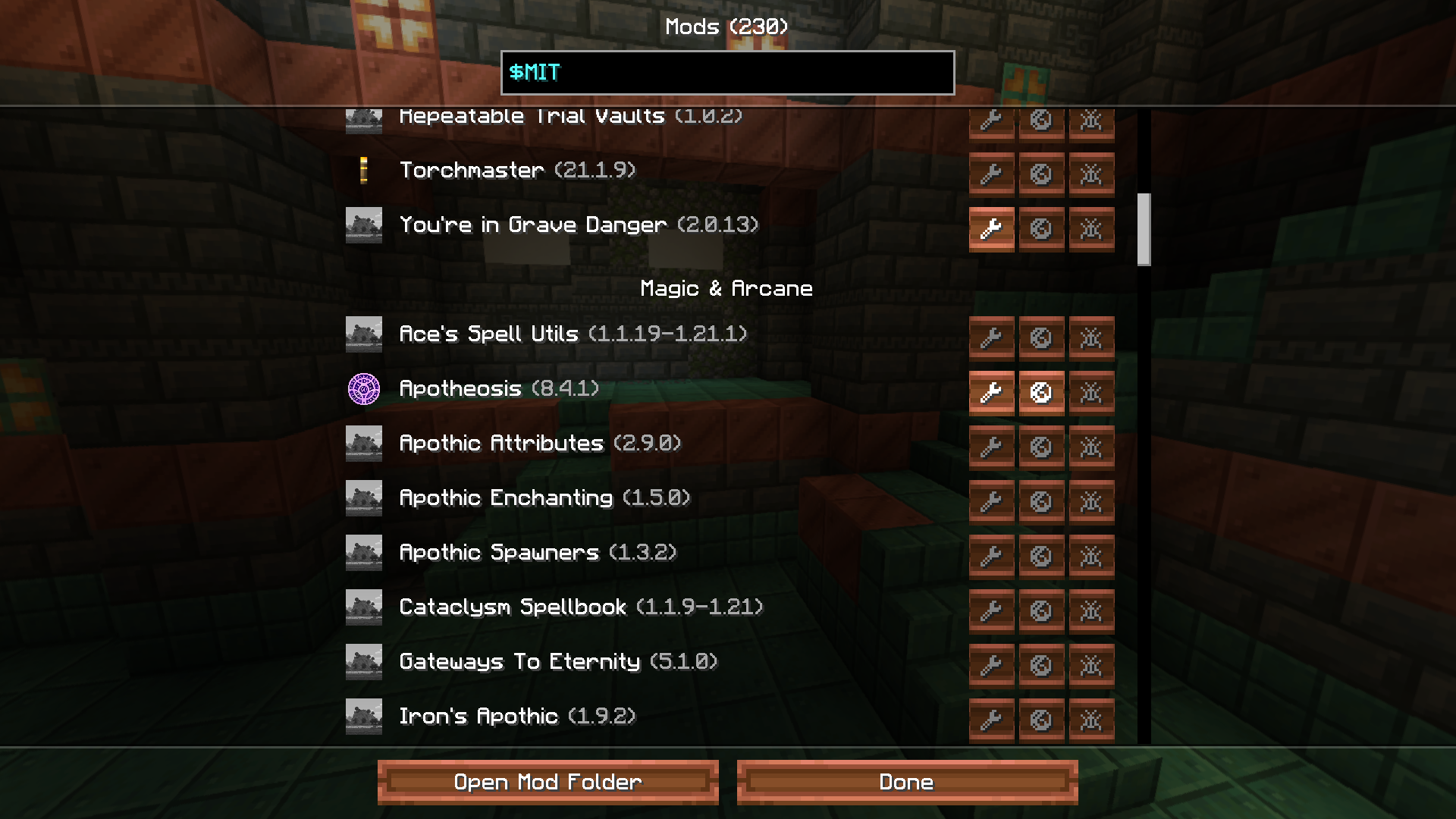 Craftoria 📜 Search by $license
 -
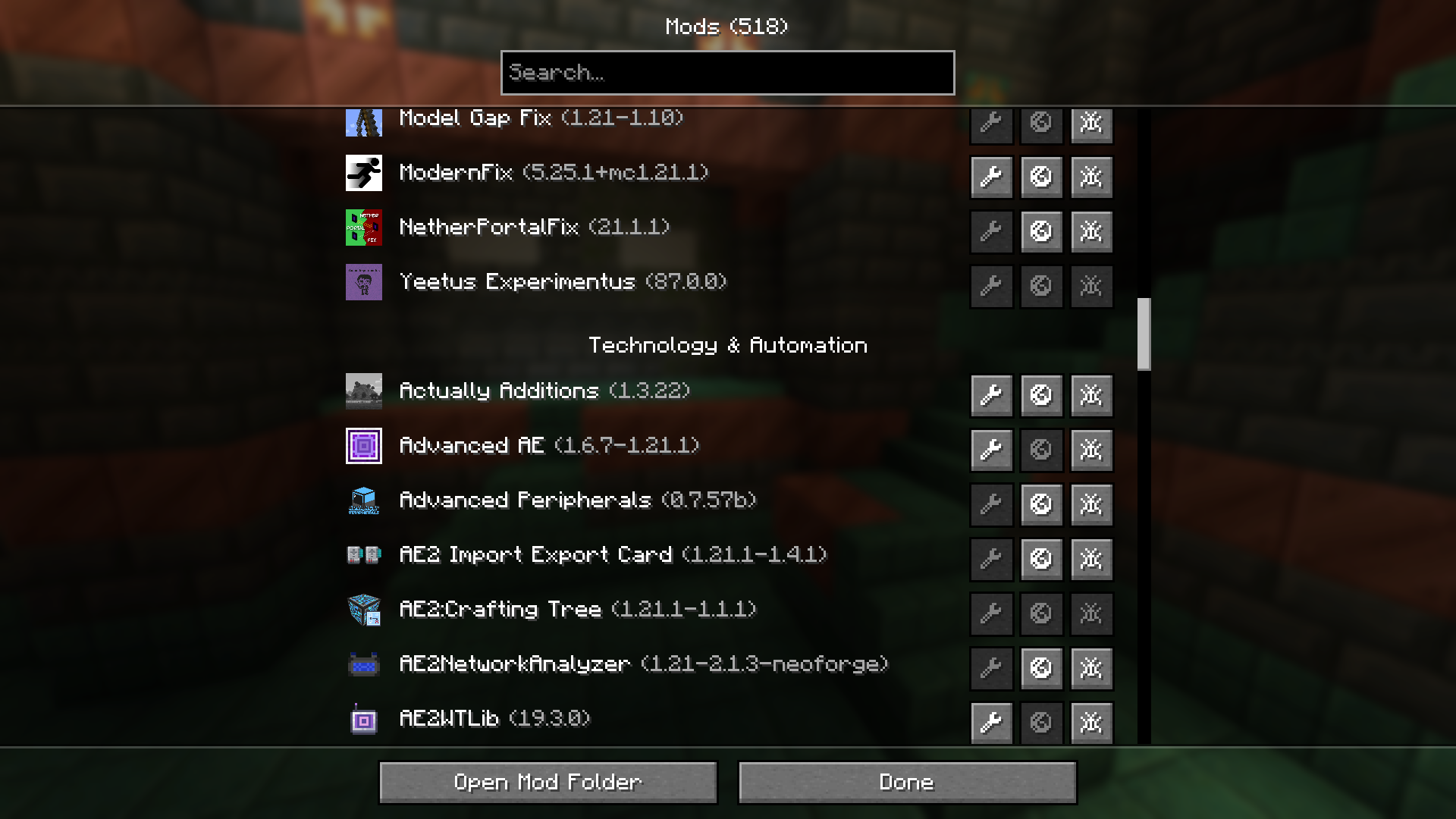 ATM10 🔎 Browse mods
 -
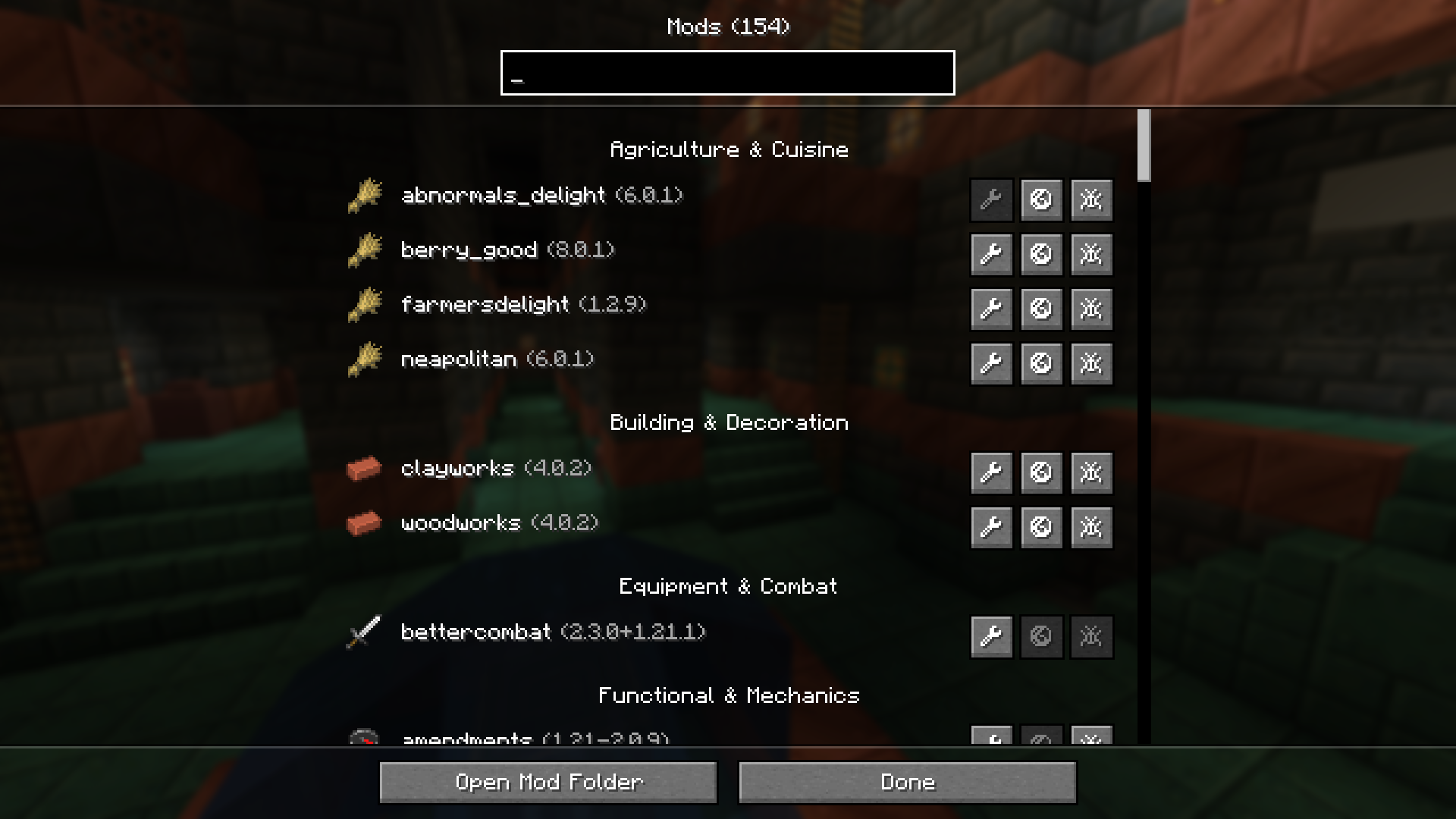 Mine 🌸 Enjoy the beauty
 -
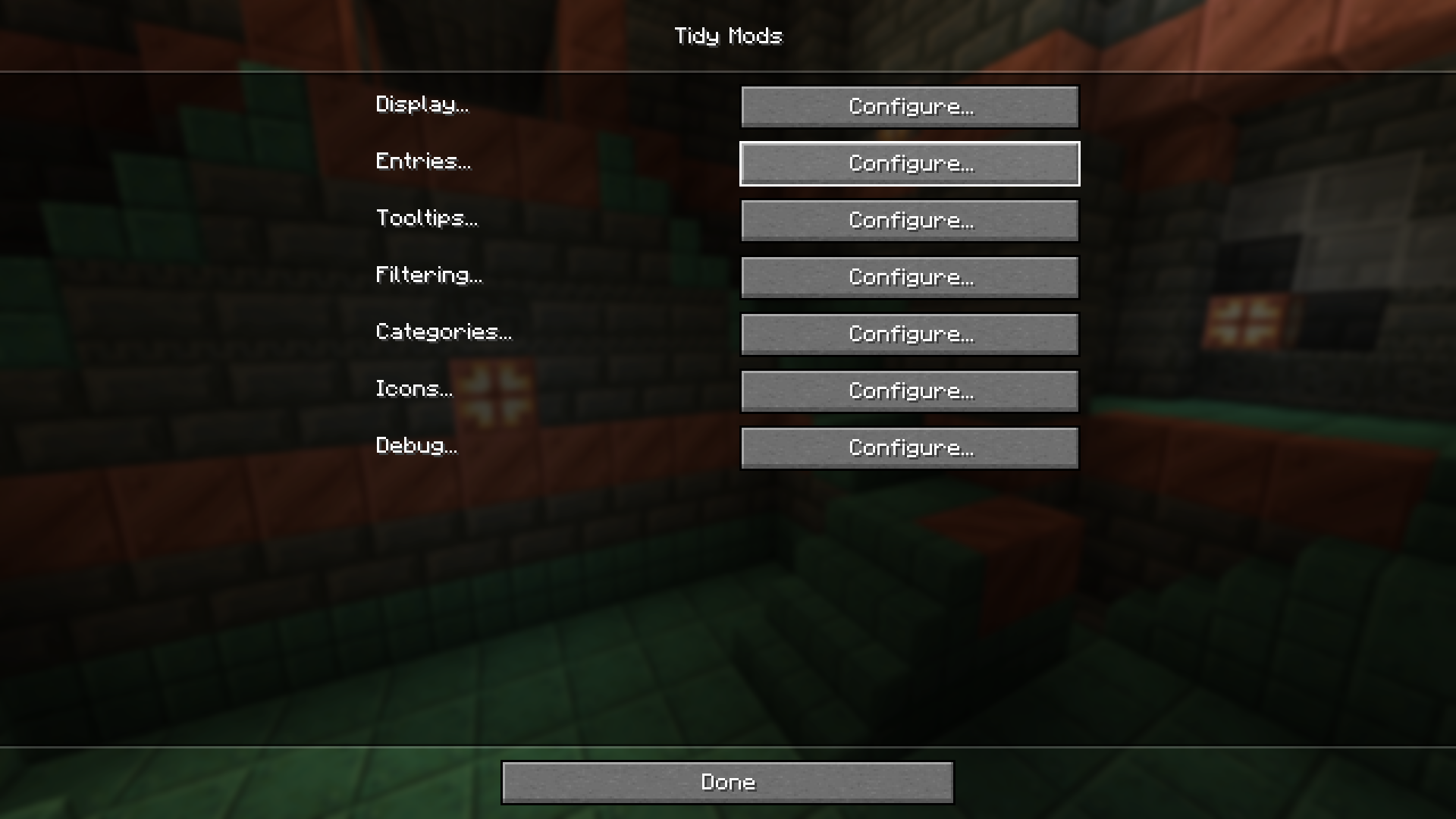 Configuration 🖌️ Make it perfect
Versions
Files
Relations
Project Relations
More like this
Similar Mods
Suggestions use data such as tags, dependencies, dependents, descriptions, titles, and more to rank how much they overlap with this mod.
On ModDex
Community snapshot
By the numbers
Statistics
 (opens in a new tab)
Get it on
Available Platforms
On ModDex
Community snapshot
By the numbers