
Community listing page, reviews may not be monitored by the author.
Tom's Trading Network - Unofficial Backport

No reviews yet
Unofficial Forge 1.12.2 backport of Tom's Trading Network, featuring vending machines, a searchable shop directory, and remote player trading.

Community voices
Reviews
No reviews yet. Be the first to review this project!
Get it on
Available Platforms
About
Project Details
For authors
Embed Badge
If you're the author of this project, you can embed a live badge anywhere that supports HTML or Markdown. It updates automatically whenever ratings change.
Use HTML for any page that supports it, or Markdown for README files and Markdown-based descriptions.
Identifiers
Platform IDs
Resources
External Links
About
Description
Tom's Trading Network — Unofficial Backport
Create player-run shops with vending machines, a searchable shop directory, and remote trading on Minecraft 1.12.2 / Forge.
This is an unofficial native backport of Tom's Trading Network by tom5454, maintained independently by RPM147. It includes additional directory, remote-trading, and usability features and is not an official release from the original author.
Features
- Player-owned vending machines: Configure item-for-item offers with separate sale stock and earnings.
- Remote shopping: Press G by default to browse known machines and open their trade screens. The key can be rebound.
- Search and offer previews: Search by recorded item, machine, or owner name and view products and prices directly in the directory.
- Batch trading: Perform multiple trades, subject to available payment, stock, and inventory capacity.
- Owner-only management: Ordinary customers cannot access private stock, earnings, or machine configuration.
- Hopper automation: Configure sided item insertion and extraction.
- Shared Currency & Tax tab: Administrators can highlight selected machines in a server-wide category.
- Optional chat receipts: Announce successful purchases publicly.
- Convenient navigation: Keyboard controls, readable error details, and restored directory position after returning from a trade.
Trading and currencies
Machine owners configure the offered items and required payment, supply stock, and collect earnings. Customers exchange the required items for the offer.
Vanilla items or suitable items from other mods can be used as payment.
This mod does not add coins, bank accounts, or automatic taxation. Coins shown in screenshots come from other mods. The Currency & Tax tab groups administrator-selected machines; their configured offers determine the exchanges.
Administrator commands
All commands below require permission level 2. Ordinary players do not need these commands to shop; use the directory key instead.
Manage the Currency & Tax tab
| Command | Description |
|---|---|
/ttndirectory special add <dimension> <x> <y> <z> |
Add a machine to the shared tab. |
/ttndirectory special list [page] |
List selected machine UUIDs. The page argument is optional. |
/ttndirectory special remove <machine-uuid> |
Remove a machine from the tab without deleting the block or its contents. |
/ttndirectory status |
Show directory state and identity conflict count. |
Replace angle-bracket placeholders with actual values; do not type the brackets.
Example: /ttndirectory special add 0 100 64 -200
This adds the machine at X=100, Y=64, Z=-200 in the Overworld. Dimension 0 is the Overworld.
The target must already be loaded and have a unique machine identity. The add command does not load chunks. For removal, use the machine UUID shown by special list, not the owner's UUID.
Refresh or reopen the directory after making changes. Tab membership does not grant ownership, bypass protection, or automatically enable creative mode.
Advanced maintenance
| Command | Description |
|---|---|
/ttndirectory export |
Export a world-bound manifest for the offline discovery workflow. |
/ttndirectory import <file.json> |
Import machine-location hints produced by that workflow. |
/ttndirectory reindex |
Queue known addresses for reconciliation when loaded; does not scan all unloaded chunks. |
/ttndirectory renew <dimension> <x> <y> <z> |
Assign a new UUID to a supported loaded machine for identity repair. |
These are maintenance tools, not normal shopping steps. Read the backfill and recovery guide and follow its backup instructions before using them.
export is not a world backup. renew changes machine identity, and existing Currency & Tax membership does not transfer to the new UUID.
Remote trading and compatibility
The directory lists machines known to the server. Older machines may need discovery before appearing.
Offer previews are cached, not guarantees of current stock or permission. The server checks the live target and trade before completing a purchase. Remote trade screens never expose the owner's private management inventory.
Protection integrations are version-specific. Compatibility with every claim mod or modpack is not guaranteed.
Requirements and installation
- Minecraft: 1.12.2
- Loader: Forge; target version 14.23.5.2859
- Java: 8
- Install the same exact mod version on the server/host and every client.
Place the mod JAR in the mods folder. Remove older copies first; do not install multiple versions with the same mod ID.
Back up the entire stopped world before installing or upgrading. Test a copy first. A JAR-only downgrade is not a safe rollback for saved-data changes.
Beta status and support
This port is currently Beta. The maintainer reports several hours of multiplayer use with friends. Automated checks and package verification have also been performed, but not every gameplay scenario or modpack combination has been tested.
Include exact versions, reproduction steps, and relevant logs when reporting bugs. Remove private information before posting. Please do not ask the original author to support this unofficial backport.
Credits and license
Original project, code, and assets by tom5454. Unofficial backport maintained by RPM147.
Distributed under the MIT License, with the original copyright notice preserved.
Port development involved substantial generative-AI assistance for code, tests, translations, and documentation, under human direction and gameplay testing. The project icon was AI-generated; gallery screenshots show actual gameplay. This disclosure concerns the backport, not the original project.
The mod does not require or connect to an AI service at runtime.
Screenshots
Gallery
-
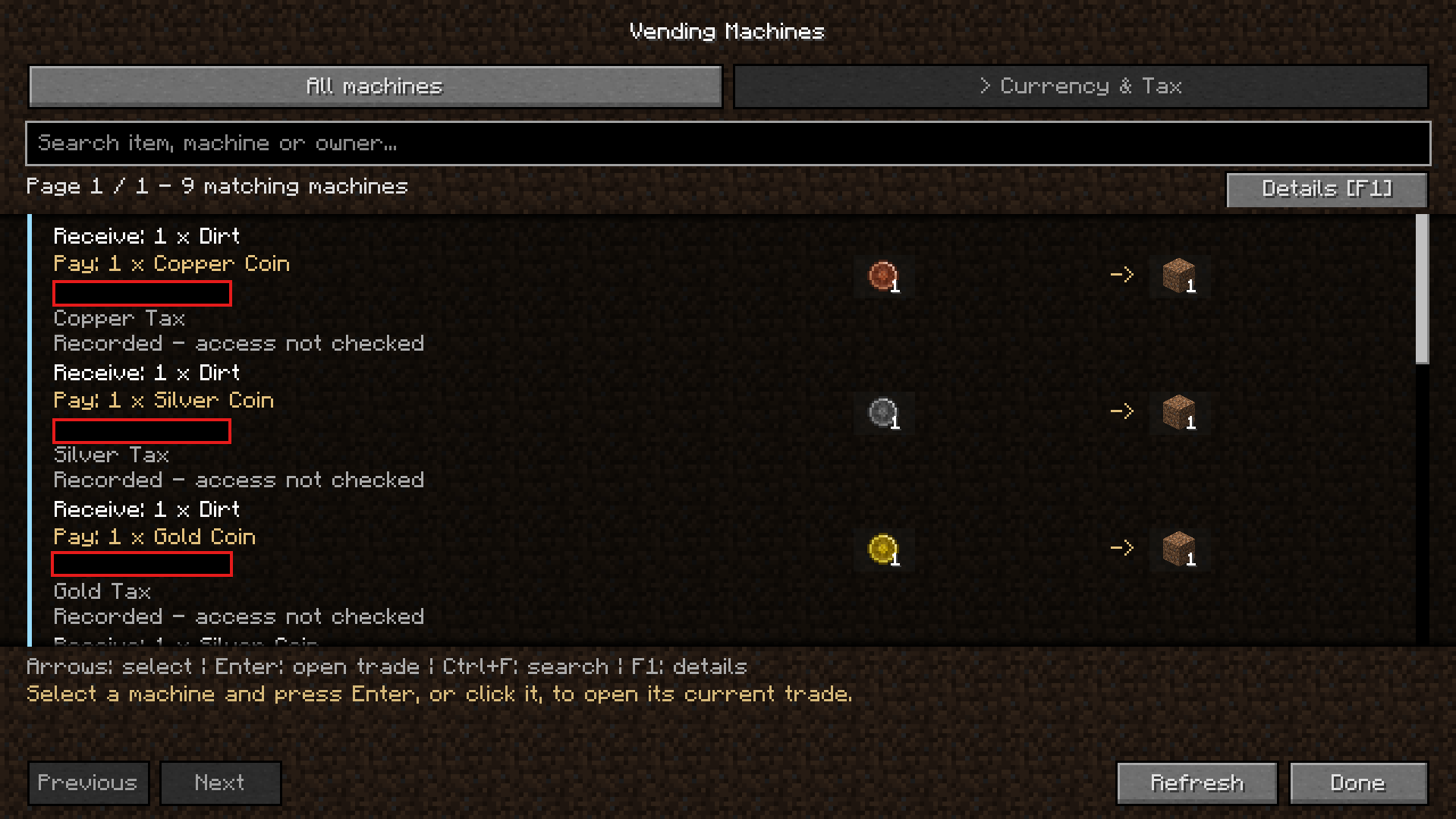 Currency & Tax page
 -
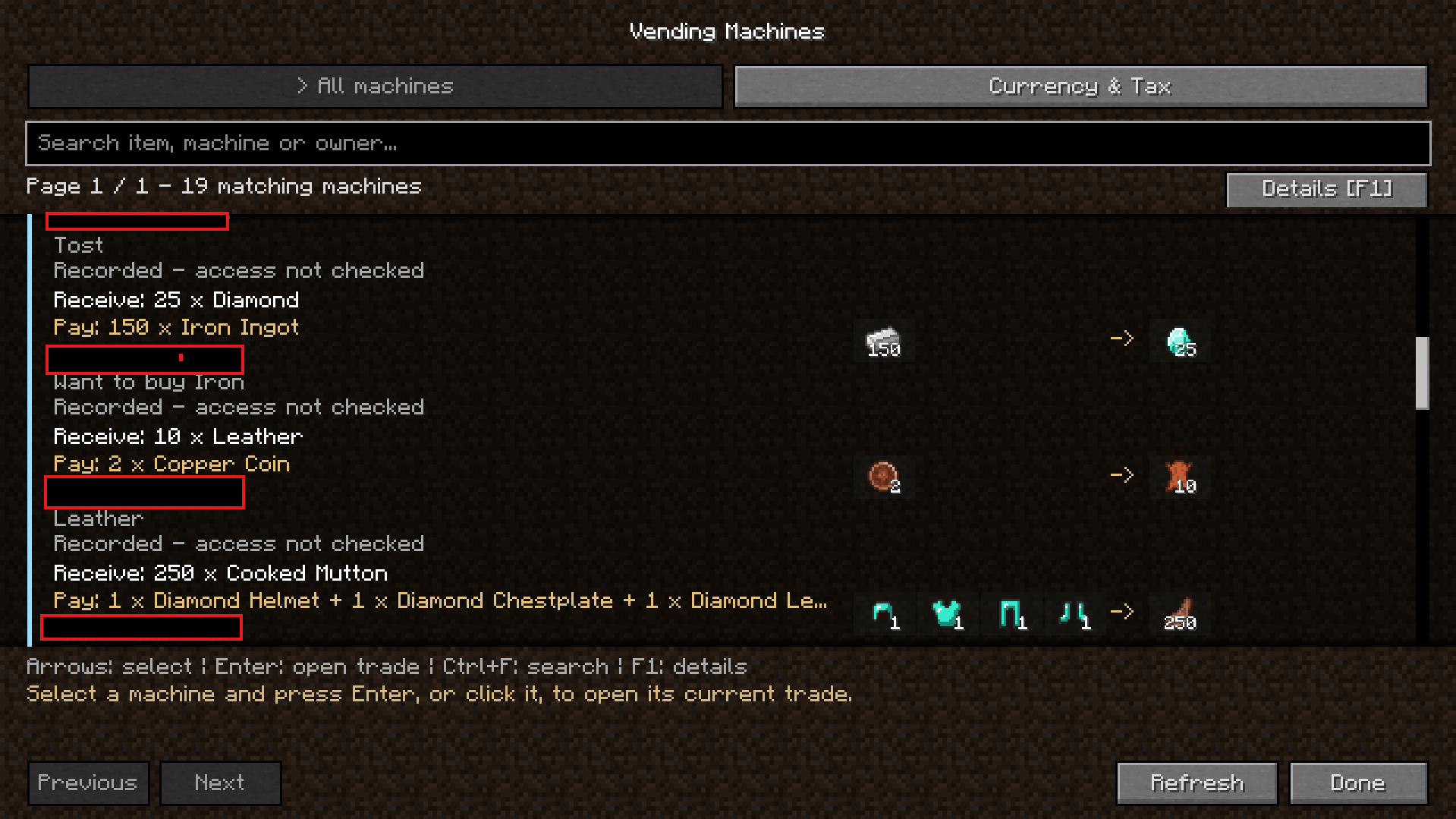 Remote Buy page
 -
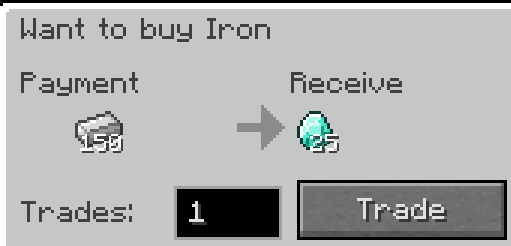 Trade page
 -
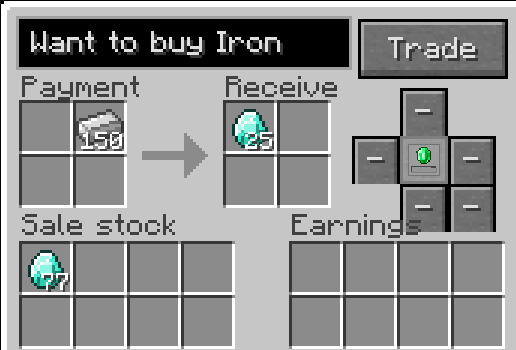 Machine owner page
 -
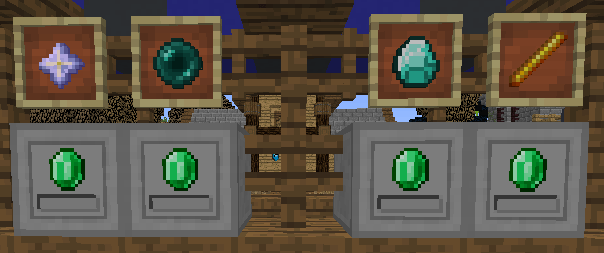 InWorld
Versions
Files
Relations
Project Relations
More like this
Similar Mods
Suggestions use data such as tags, dependencies, dependents, descriptions, titles, and more to rank how much they overlap with this mod.
On ModDex
Community snapshot
By the numbers
Statistics

Get it on
Available Platforms
On ModDex
Community snapshot
By the numbers
Statistics
Resources