
Community listing page, reviews here may not be monitored by the author.
Trading Post


No reviews yet
Rule the village! Trade with every villager at once!

Community voices
Reviews
No reviews yet. Be the first to review this project!
Get it on
Available Platforms
Compatibility
Supported Environments
Must be installed on both the client and the server.
About
Project Details
For authors
Embed Badge
If you're the author of this project, you can embed a live badge anywhere that supports HTML or Markdown. It updates automatically whenever ratings change.
Use HTML for any page that supports it, or Markdown for README files and Markdown-based descriptions.
Identifiers
Platform IDs


About
Description









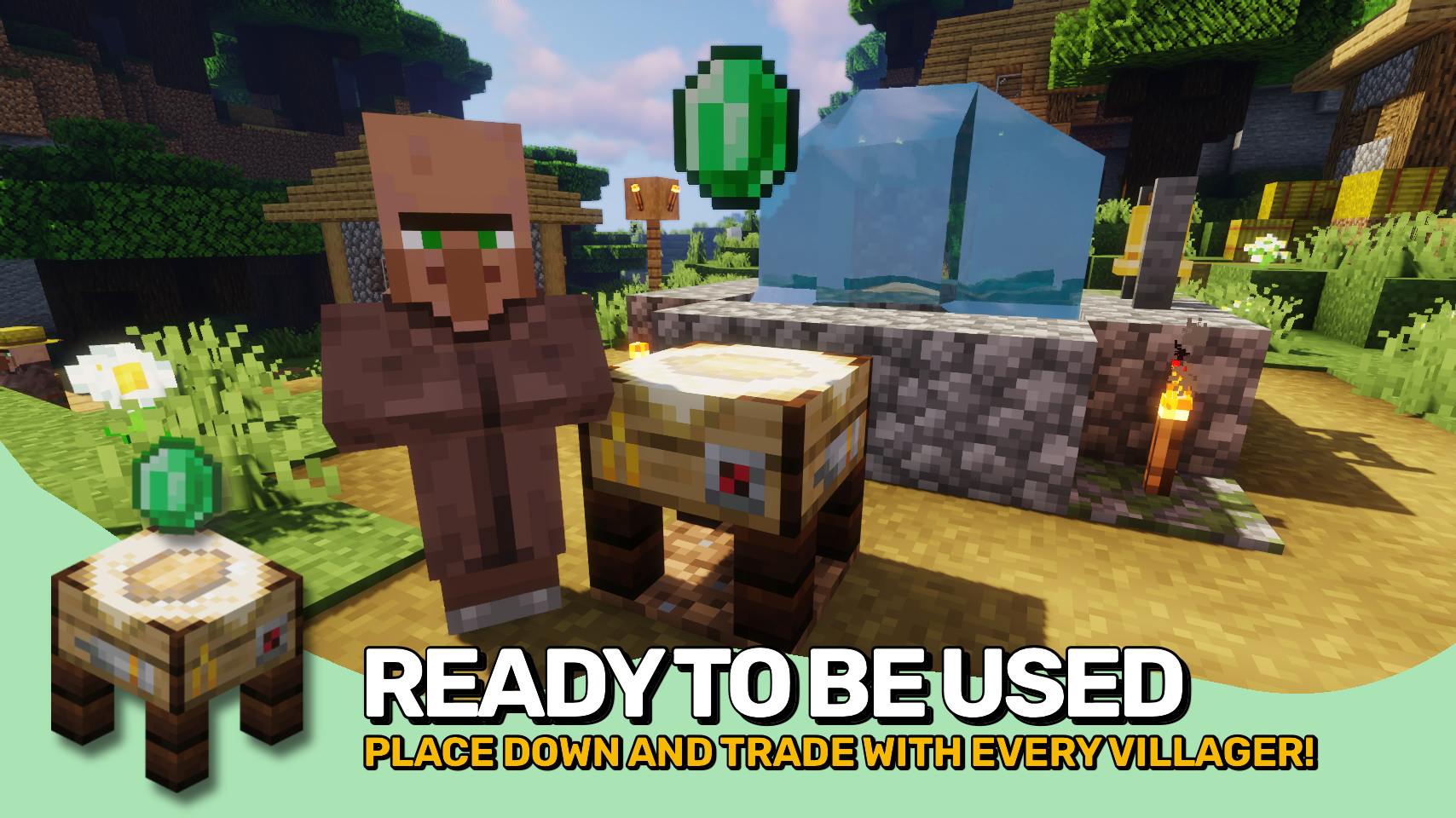
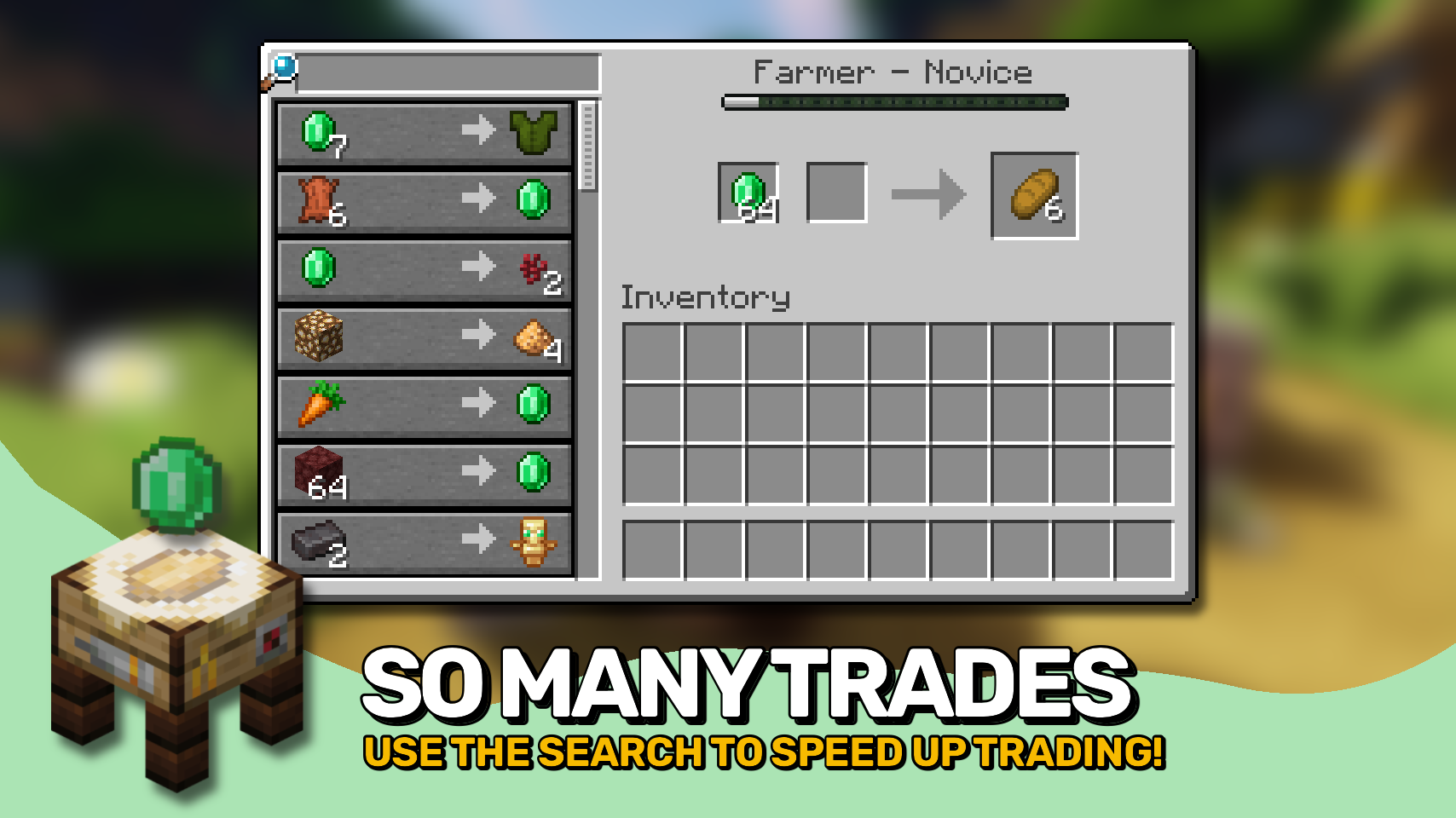
Trading Post adds a single new block that changes how trading works in your world. 🧾 Instead of searching for individual villagers, you can access all nearby trades in one clean interface within an area.
The block also features a unique model and a smooth animation when you approach it, making it feel right at home in any village. ✨


⏩ INSTALLATION REQUIRED ON CLIENT & REQUIRED ON SERVER
⏩ REQUIRES PUZZLES LIB TO BE INSTALLED (FABRIC & NEOFORGE)
⏩ REQUIRES FABRIC API TO BE INSTALLED (FABRIC)
⏩ REQUIRES FORGE CONFIG API PORT TO BE INSTALLED (FABRIC)

If available for a mod, configuration is possible directly from in-game using the mod menu (requires Mod Menu by Prospector to be installed on Fabric).
For manual configuration using an external text editor all files are found at .minecraft/config, named as MOD_ID-client.toml, MOD_ID-common.toml, or MOD_ID-server.toml, depending on the type of config. Not all types might exist for a mod, if any at all.

🌟 Thanks to RWTema for inspiring this mod from the trading post block found in old versions of their Extra Utilities mod.
🌟 Thanks to Vazkii for the floating emerald rendering code taken from the matrix enchanting table renderer in their Quark mod.
 |
 |
|
 |
 |
|
 |
 |
|
 |
 |
|
 |
 |
|

© 2026 @heyitsfuzs. All rights reserved. This page was last edited on 11 September 2026, at 06:44 (UTC).
Download for 1.19+: https://www.curseforge.com/minecraft/mc-mods/trading-post





📖 About:
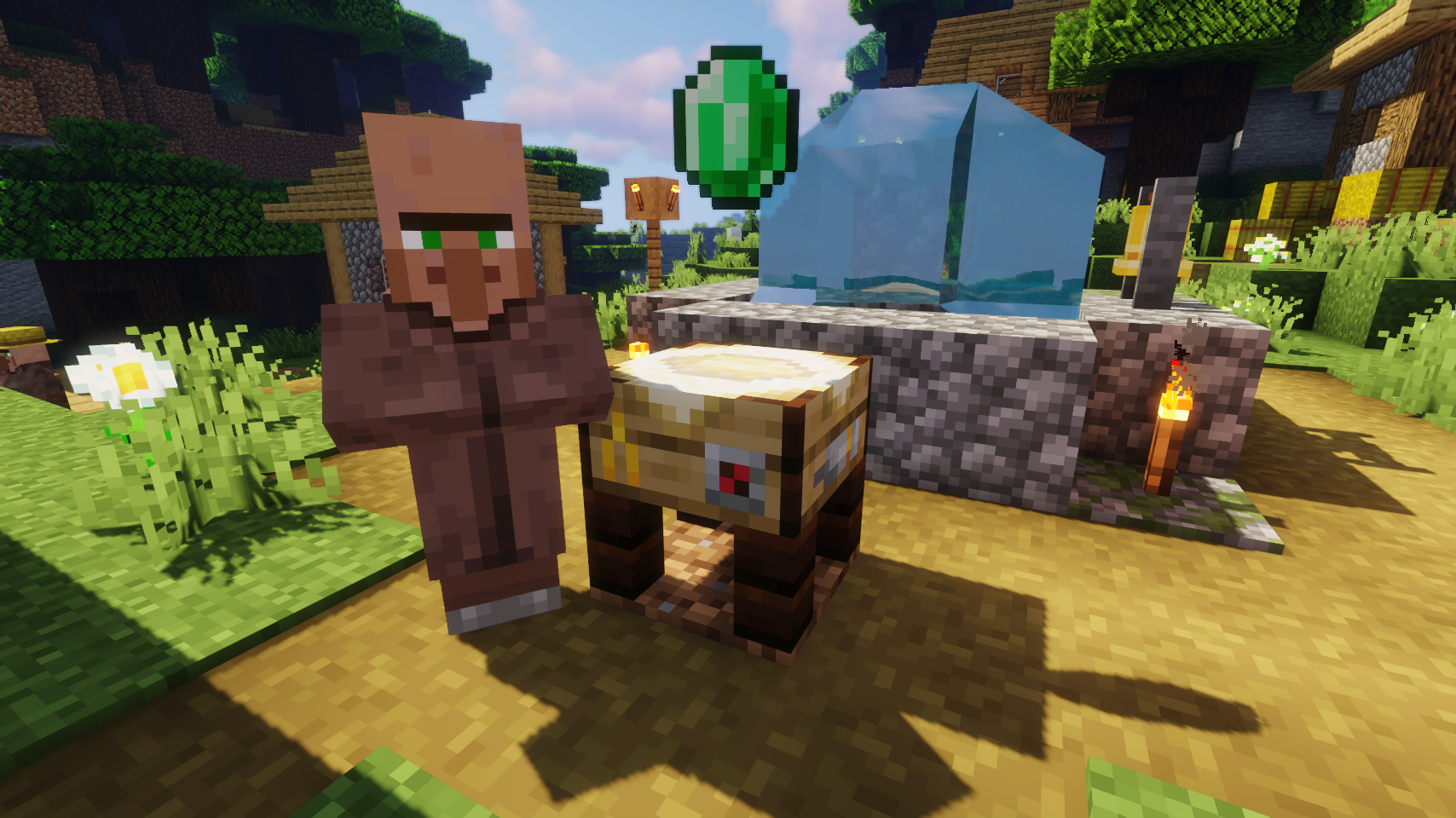
Trading Post adds one simple block, which when used allows you to trade with all villagers in a configurable area at once. The table looks really fancy and includes a neat animation!
📷 Media:
 |
 |
|
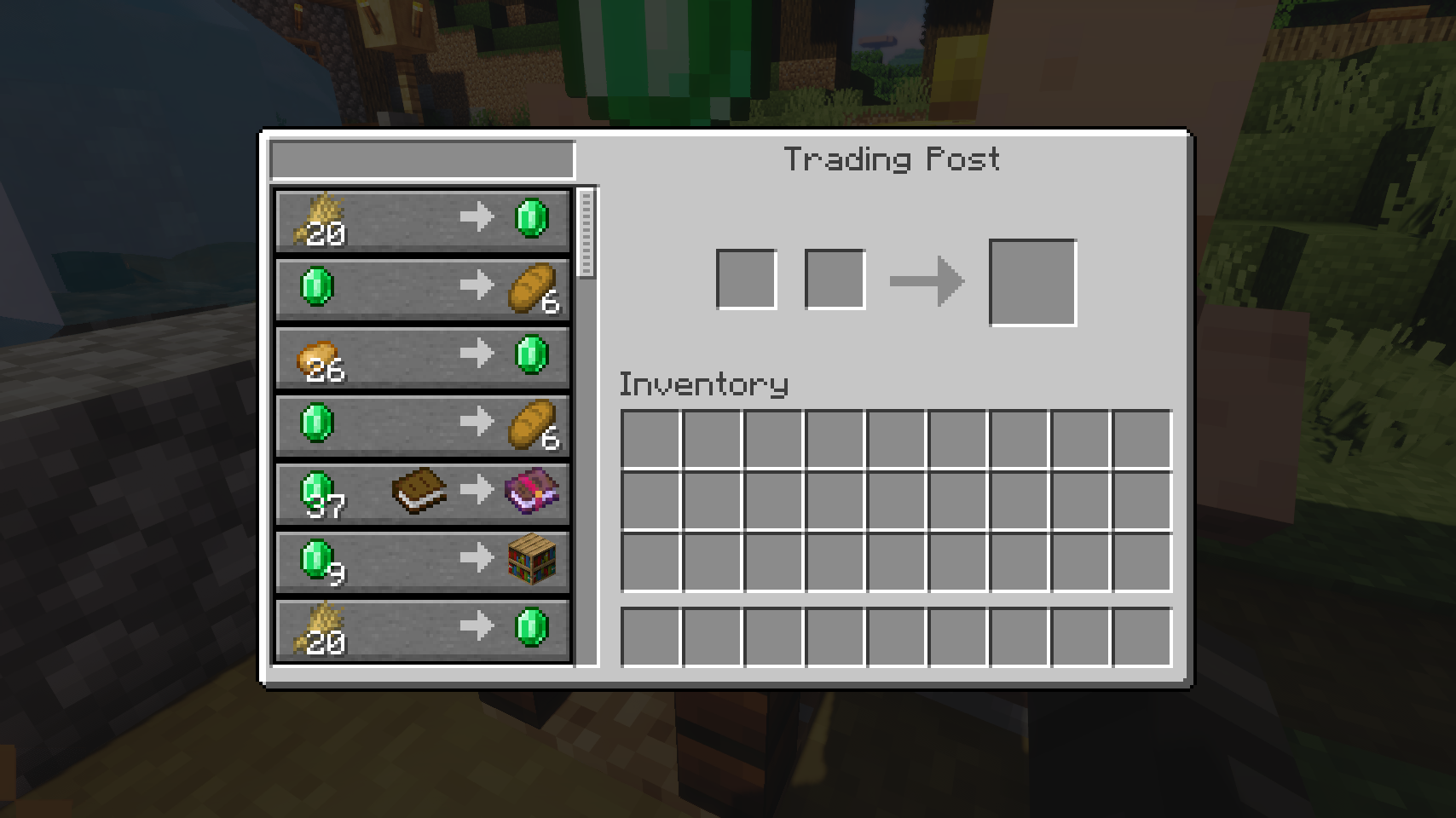
| A trading post ready to be used | Trading post screen with many trades | |
 |
 |
|
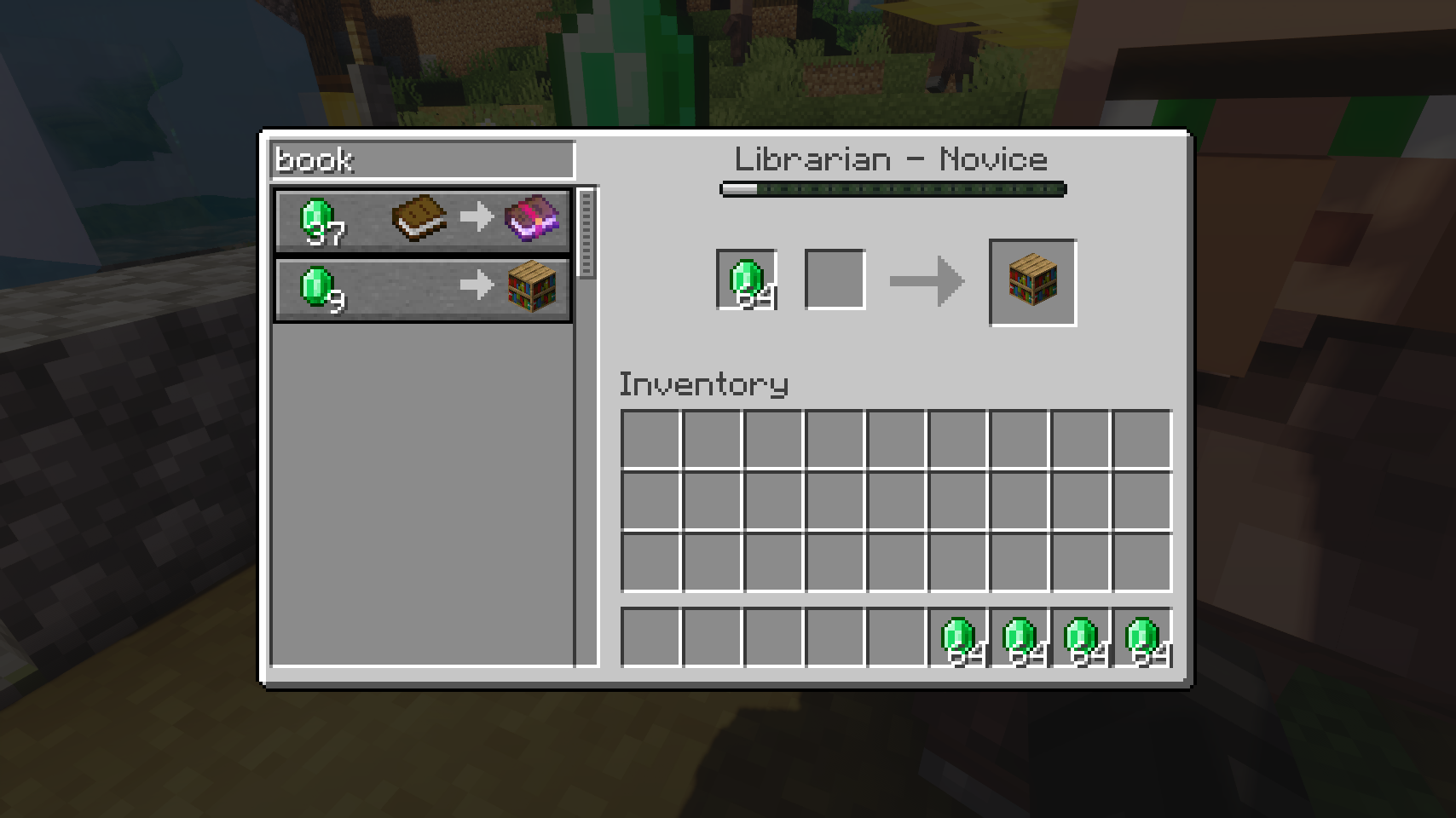
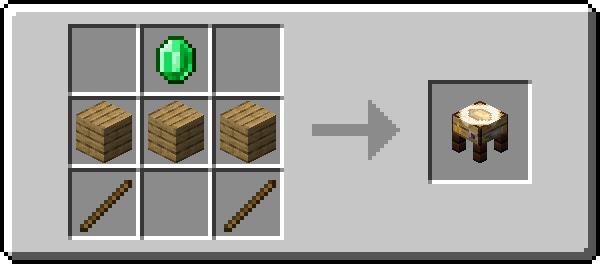
| The screen supports searching for trades | Crafting a trading post | |
💡 FAQ:
Q: How do I configure this mod?
A: Editing configs directly in-game has not yet been implemented. Instead when in a world run the /config showfile <modid> command by choosing either CLIENT or SERVER (depending on the mod), then click the file name (ending with .toml) that appears in chat to be able to manually edit the config file in a separate editor.
🏆 Credits:
Developing Trading Post was helped and inspired by:
- RWTema for inspiring this mod from the trading post block found in old versions of their Extra Utilities mod
- Vazkii for the floating emerald rendering code taken from their Quark mod







 |
 |
|
Trading Post adds a single new block that changes how trading works in your world. 🧾 Instead of searching for individual villagers, you can access all nearby trades in one clean interface within an area.
The block also features a unique model and a smooth animation when you approach it, making it feel right at home in any village. ✨
⏩ INSTALLATION REQUIRED ON CLIENT & REQUIRED ON SERVER
⏩ REQUIRES PUZZLES LIB TO BE INSTALLED (FABRIC & NEOFORGE)
⏩ REQUIRES FABRIC API TO BE INSTALLED (FABRIC)
⏩ REQUIRES FORGE CONFIG API PORT TO BE INSTALLED (FABRIC)
If available for a mod, configuration is possible directly from in-game using the mod menu (requires Mod Menu by Prospector to be installed on Fabric).
For manual configuration using an external text editor all files are found at .minecraft/config, named as MOD_ID-client.toml, MOD_ID-common.toml, or MOD_ID-server.toml, depending on the type of config. Not all types might exist for a mod, if any at all.
🌟 Thanks to RWTema for inspiring this mod from the trading post block found in old versions of their Extra Utilities mod.
🌟 Thanks to Vazkii for the floating emerald rendering code taken from the matrix enchanting table renderer in their Quark mod.
 |
 |
|
 |
 |
|
|
 |
|
|
 |
|
 |
 |
© 2026 @heyitsfuzs. All rights reserved. This page was last edited on 11 September 2026, at 06:44 (UTC).
Screenshots
Gallery
-
Crafting a trading post
-
The screen supports searching for trades
-
Trading post screen with many trades
-
A trading post ready to be used

Versions
Files
Relations
Project Relations
More like this
Similar Mods
Suggestions use data such as tags, dependencies, dependents, descriptions, titles, and more to rank how much they overlap with this mod.
On ModDex
Community snapshot
By the numbers
Statistics
 (opens in a new tab)
Get it on
Available Platforms
On ModDex
Community snapshot
By the numbers