
Community listing page, reviews here may not be monitored by the author.
Translator

No reviews yet
Provides real-time translation for Minecraft, including chat messages, scoreboards, bossbars, titles, and tooltips, helping players enjoy maps and servers in different languages.
Community voices
Reviews
No reviews yet. Be the first to review this project!
Get it on
Available Platforms
Compatibility
Supported Environments
Runs entirely on the client. Works on vanilla servers.
About
Project Details
For authors
Embed Badge
If you're the author of this project, you can embed a live badge anywhere that supports HTML or Markdown. It updates automatically whenever ratings change.
Use HTML for any page that supports it, or Markdown for README files and Markdown-based descriptions.
Identifiers
Platform IDs
About
Description
This mod serves as a translation tool within the game, designed to translate text found in various in-game elements without altering world data. It supports translating text in the chat window, scoreboard, bossbar, title, tooltip, sign, book content, entity names, and more.
Key Features
- Non-Intrusive Translation: Ensures that all functionalities do not modify the game world data.
- Multiple Translation Modes: Supports automatic translation, click-to-translate, hotkey translation, and more.
- Screen OCR Recognition: Can recognize text on screen and translate it.
- Hotkeys:
- Press U to open translation options.
- Press O to initiate screen recognition (OCR).
In-Game Commands
/transconfig config: Open the translator configuration screen to set up translation services, API keys, and other options. Can also be accessed via the Mod Menu./transconfig language <from> <to>: Set the source and target languages for translation./transconfig chatformat <format>: Set the chat translation display format./transconfig clearcache: Clear the translation cache./translate <text>: Command to translate provided text./translate-re <text>: Reverse translation command, translating from the target language back to the source language.
Supported Translation Services
The mod comes equipped with integration for the following translation services:
- OpenAI (with custom prompt support)
- Baidu Translate
- Youdao Translate
Users must obtain their own API keys from the respective platforms, then configure the translators via the Mod Menu or the /transconfig config command.
Custom OpenAI Prompt
If you use the OpenAI translator, you can edit the .minecraft/config/translator/prompt.md file to customize the translation prompt, allowing you to adjust translation style, terminology preferences, and more. Run /transconfig reload after making changes to apply them.
Note: The above instructions apply to version 3.0.0 and above. For versions below 3.0.0, please refer to the legacy project repository for documentation.
Screenshots
Gallery
-
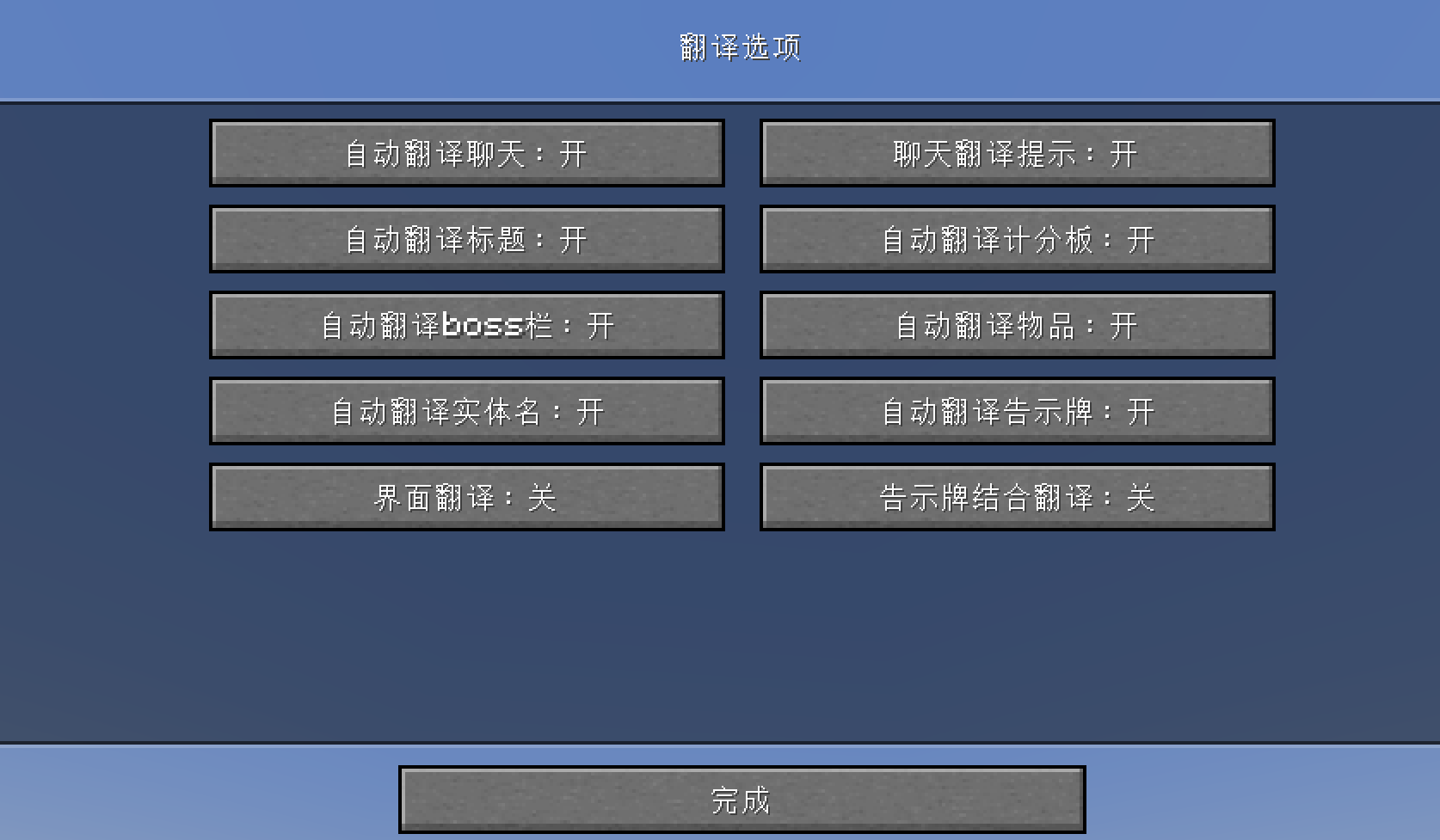 翻译选项
翻译选项
Versions
Files
Relations
Project Relations
More like this
Similar Mods
Suggestions use data such as tags, dependencies, dependents, descriptions, titles, and more to rank how much they overlap with this mod.
On ModDex
Community snapshot
By the numbers
Statistics

Want to reach Minecraft players?
We're looking for a server hosting partner to feature here and other parts of the site. Interested? Send us a message!
Get in touchGet it on
Available Platforms
On ModDex
Community snapshot
By the numbers