
Community listing page, reviews here may not be monitored by the author.
True Fullbright


No reviews yet
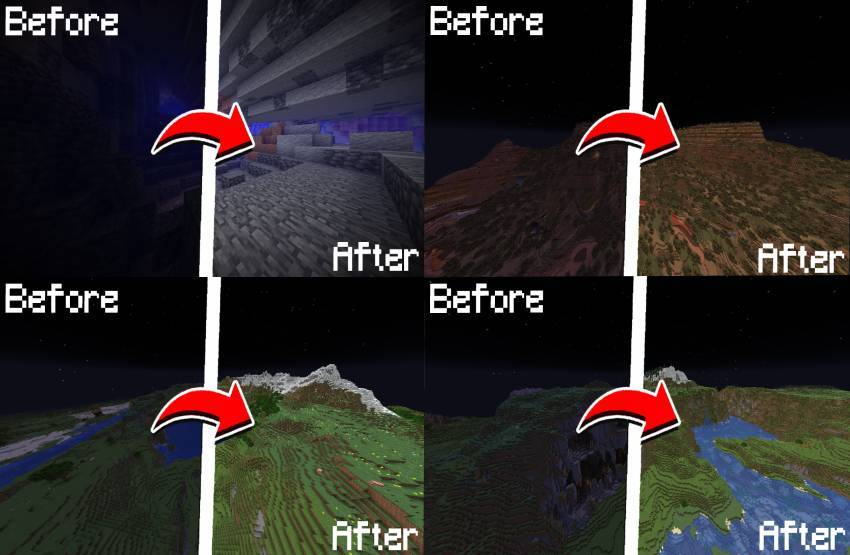
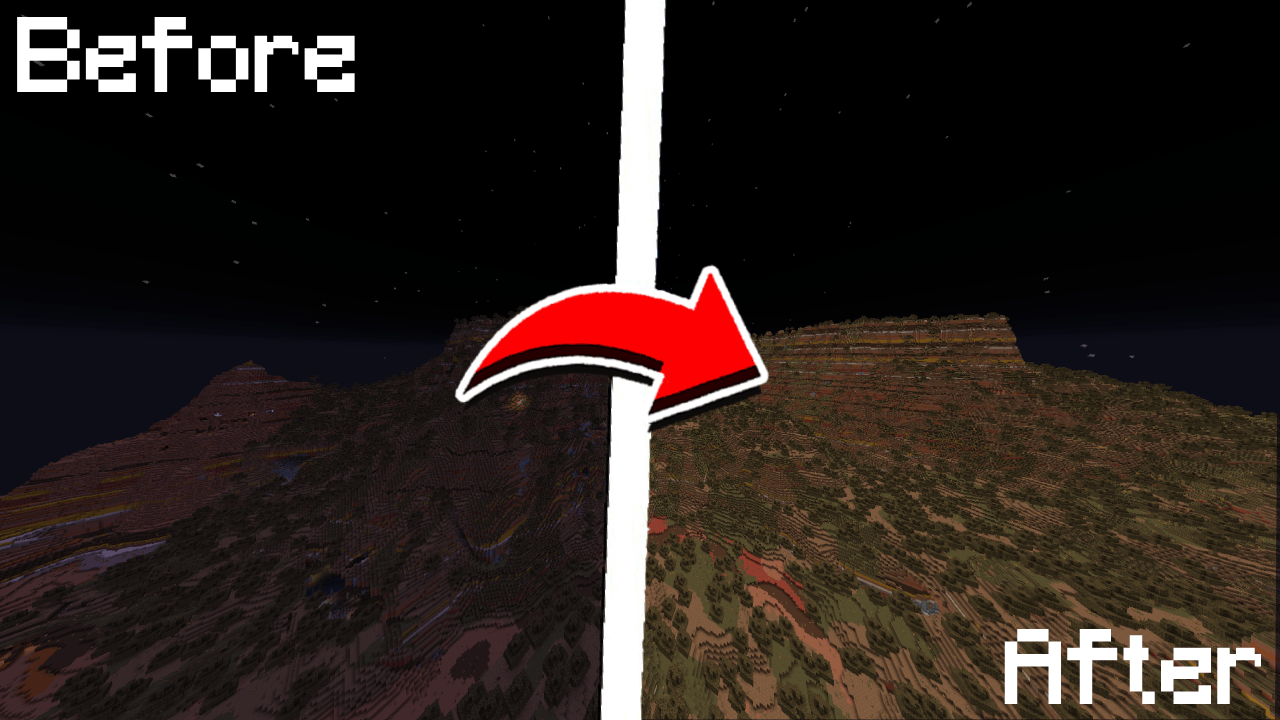
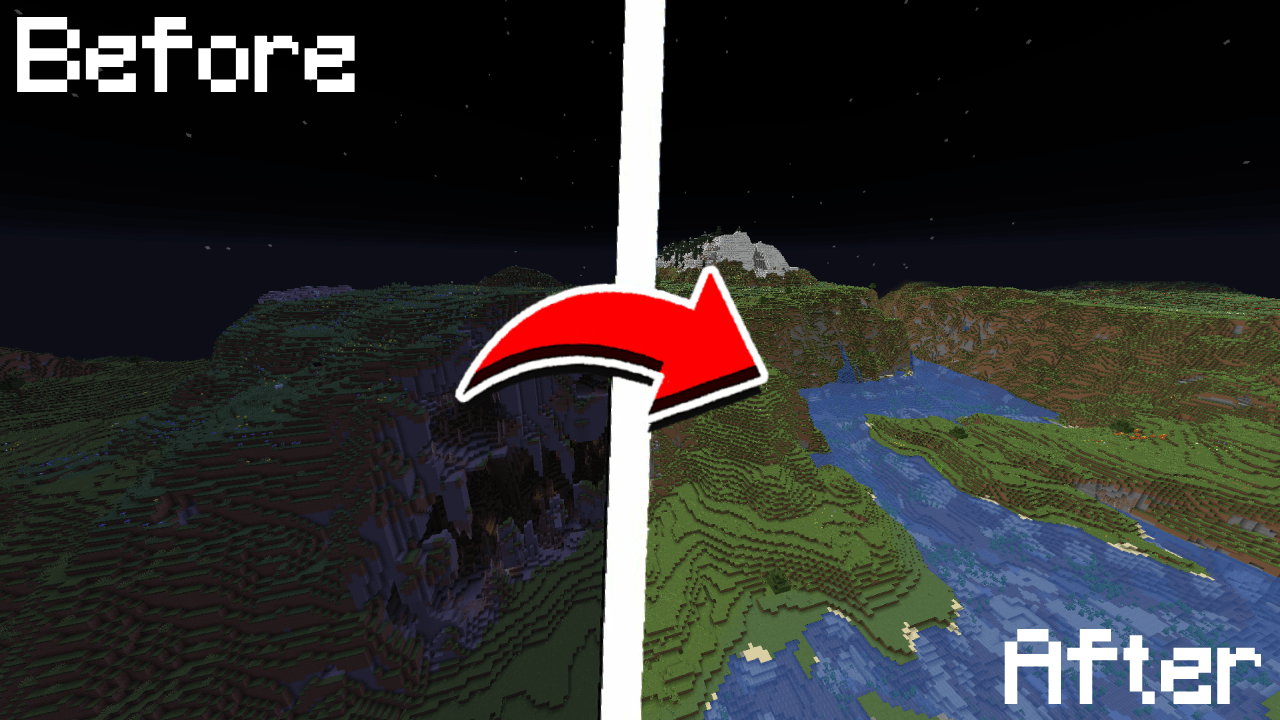
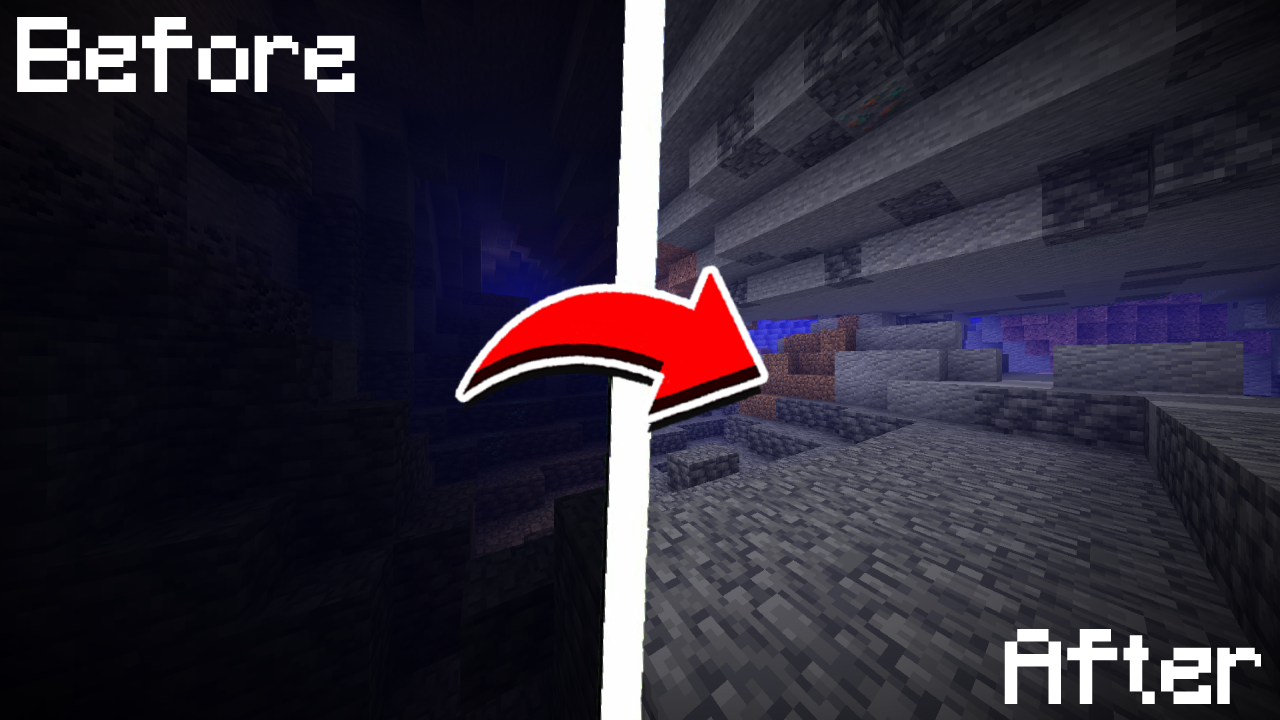
A simple, toggleable, and configurable full brightness mod for Fabric.
Community voices
Reviews
No reviews yet. Be the first to review this project!
Get it on
Available Platforms
Compatibility
Supported Environments
Runs entirely on the client. Works on vanilla servers.
About
Project Details
For authors
Embed Badge
If you're the author of this project, you can embed a live badge anywhere that supports HTML or Markdown. It updates automatically whenever ratings change.
Use HTML for any page that supports it, or Markdown for README files and Markdown-based descriptions.
Identifiers
Platform IDs
Resources
External Links
About
Description
💡 True Fullbright
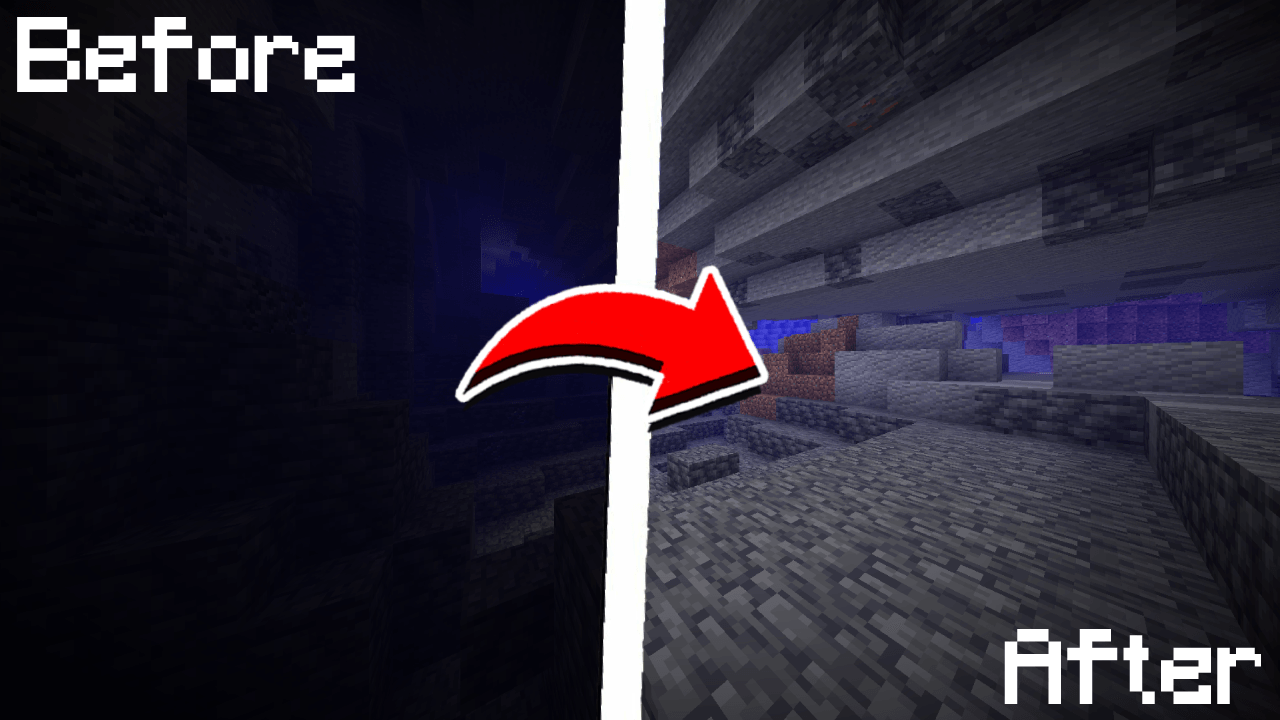
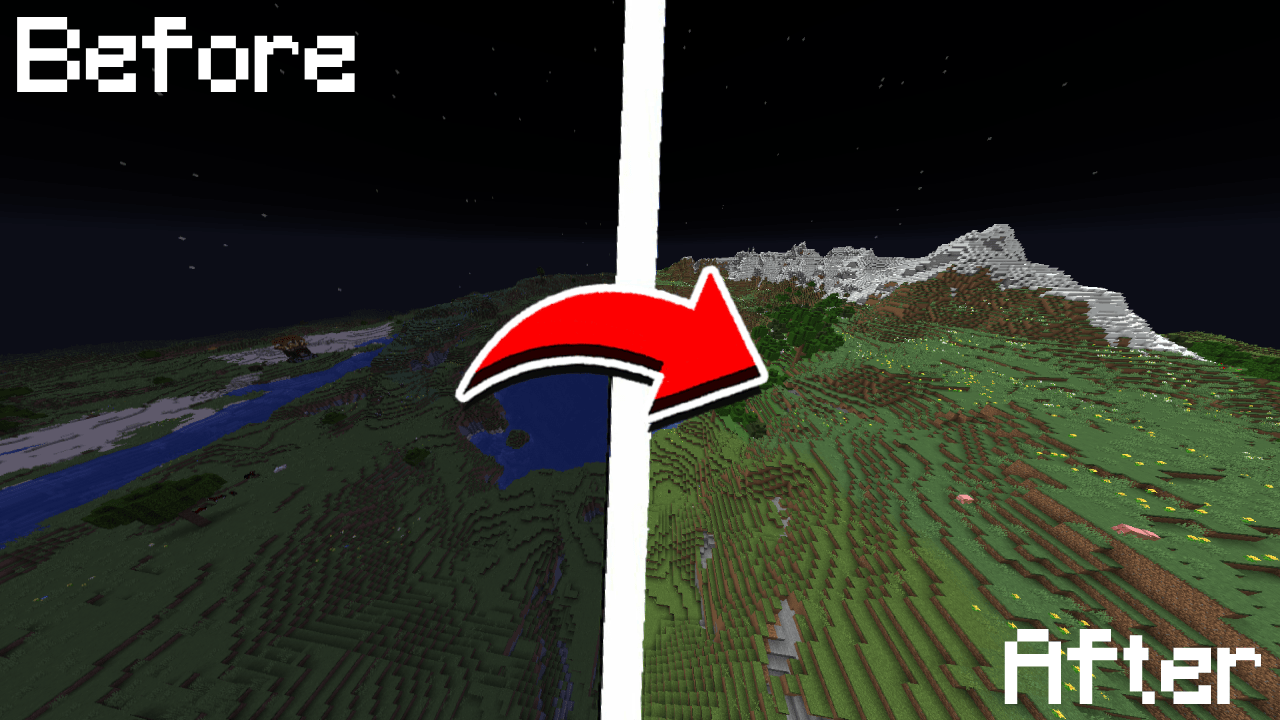
A simple, toggleable, and configurable full brightness mod for Fabric.



Requires:
Feature List
- Toggle fullbright using a keybind (default:
B) - Adjust gamma
- Switch to night vision mode (optional)
- Fully configurable through
/fullbrightcommands or the in-game config screen - Keybinds available for toggling, increasing/decreasing gamma
Command List
| Command | Description | |
|---|---|---|
/fullbright or /fullbright status |
Check current brightness settings | |
/fullbright toggle |
Turn fullbright on/off | |
/fullbright set <number> |
Set brightness to exact value | |
/fullbright increase |
Make it brighter by one step | |
/fullbright decrease |
Make it dimmer by one step | |
|
Turn off all brightness modes | |
/fullbright min |
Jump to minimum brightness | |
/fullbright max |
Jump to maximum brightness | |
/fullbright mode gamma |
Switch to gamma brightness mode | |
/fullbright mode nightvision |
Switch to night vision mode | |
/fullbright saveconfig |
Save your current settings | |
/fullbright resetconfig |
Reset everything to default | |
/fullbright config |
Open the config screen |
Default Keybinds
| Action | Default Key | |
|---|---|---|
| Toggle Fullbright On/Off | B |
|
| Increase Brightness | Arrow Up |
|
| Decrease Brightness | Arrow Down |
|
| Maximum Brightness | End |
|
| Minimum Brightness | Home |
|
| Open Config Screen |
Not Bound |
Customize all of these under:
Options → Controls → Keybinds → True Fullbright
How do I install the mod?
- Drop the
.jarfile into yourmods/folder - Make sure the dependencies listed above are installed
3. Launch the game
How do I use the mod?
- Press
Bto toggle fullbright on/off - Use
/fullbrightcommands to adjust gamma, change modes, or view status - Open the config screen with
/fullbright configor via Mod Menu - Use keybinds to adjust brightness step-by-step or jump to
min/max
Contact – Report Bug
Have feedback or ran into an issue?
→ DM me on Discord at rijz.gg
Developed by Rijz & Clyriz4
💡 True Fullbright
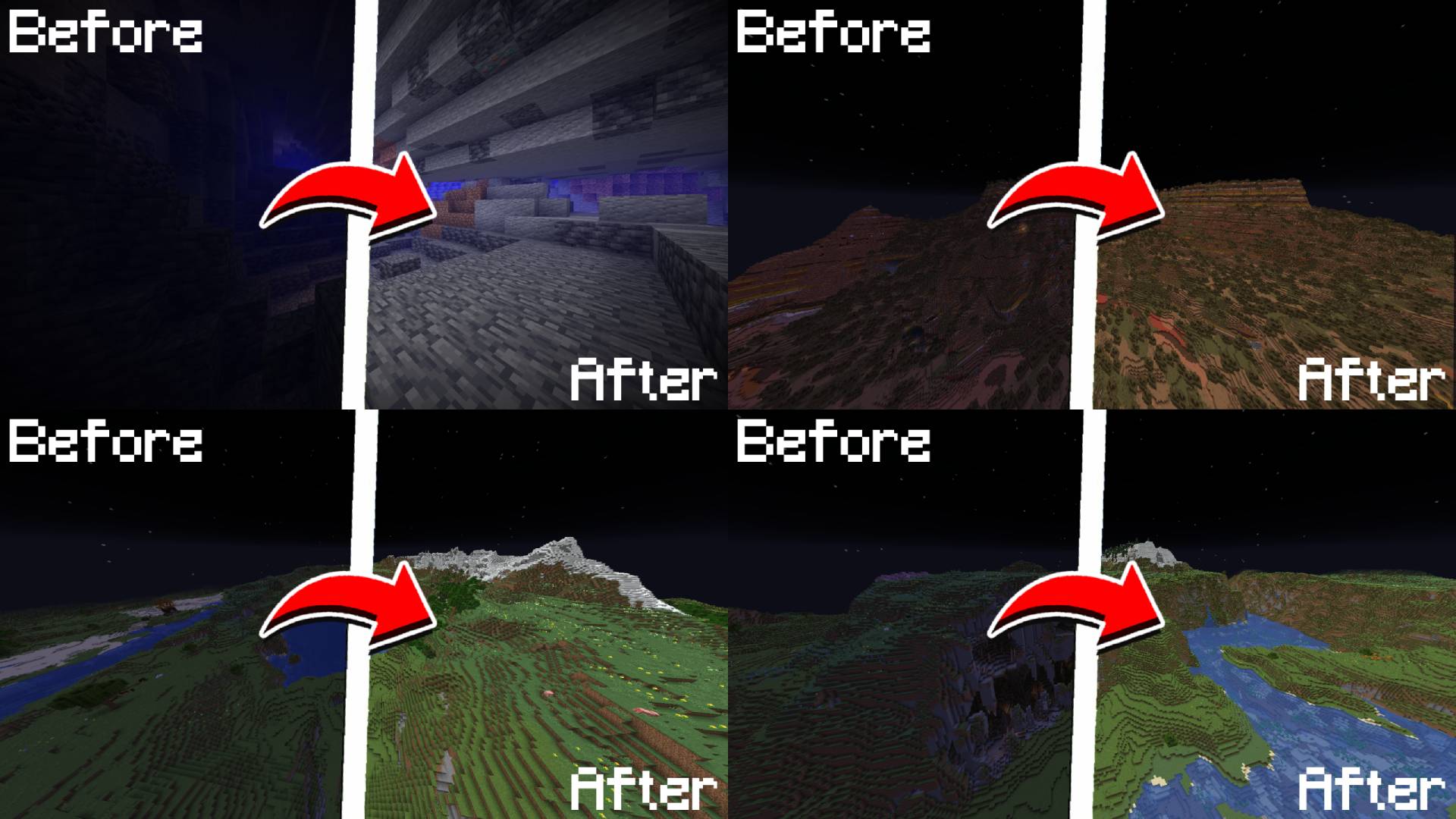
A simple, toggleable, and configurable full brightness mod for Fabric.
Requires:
Feature List
- Toggle fullbright using a keybind (default:
B - Adjust gamma value dynamically
- Switch between gamma override and night vision modes
- Fully configurable via
/fullbright - Keybinds available for toggling, increasing/decreasing gamma, and jumping to min/max
Command List
| Command | Description |
|---|---|
/fullbright or /fullbright status |
Check current brightness settings |
/fullbright toggle |
Turn fullbright on/off |
/fullbright mode gamma |
Switch to gamma brightness mode |
/fullbright mode nightvision |
Switch to night vision mode |
/fullbright mode off |
Turn off all brightness modes |
/fullbright set <number> |
Set brightness to exact value |
/fullbright increase |
Make it brighter by one step |
/fullbright decrease |
Make it dimmer by one step |
/fullbright max |
Jump to maximum brightness |
/fullbright min |
Jump to minimum brightness |
/fullbright config |
Open the settings screen |
/fullbright saveconfig |
Save your current settings |
/fullbright resetconfig |
Reset everything to default |
Default Keybinds
| Action | Default Key |
|---|---|
| Toggle Fullbright On/Off | B |
| Increase Brightness | Arrow Up |
| Decrease Brightness | Arrow Down |
| Maximum Brightness | End |
| Minimum Brightness | Home |
| Open Config Screen | Not set |
Customize all of these under: Options → Controls → Keybinds → True Fullbright
How do I install the mod?
- Drop the
.jarfile into yourmods/folder - Make sure the dependencies listed above are installed
- Launch the game
How do I use the mod?
- Press
B - Use
/fullbrightcommands to adjust gamma, change modes, or view status - Open the config screen with
/fullbright configor via Mod Menu - Use keybinds to adjust brightness step bystep or jump to min/max
Contact / Report Bug
Found an issue or have feedback? → DM me on Discord: rijz.gg
Developed by Rijz & Clyriz4.
Screenshots
Gallery
-
 1.png 1.png
 -
 2.png 2.png
 -
 3.png 3.png
 -
 4.png 4.png
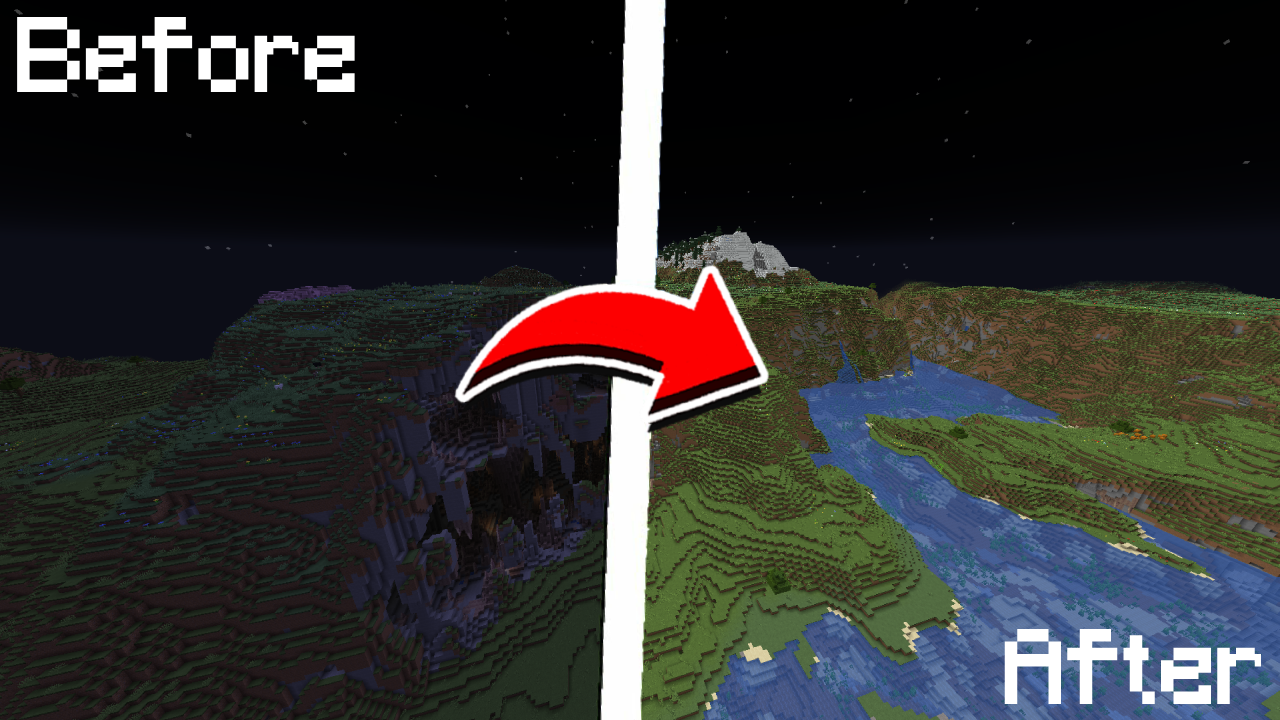
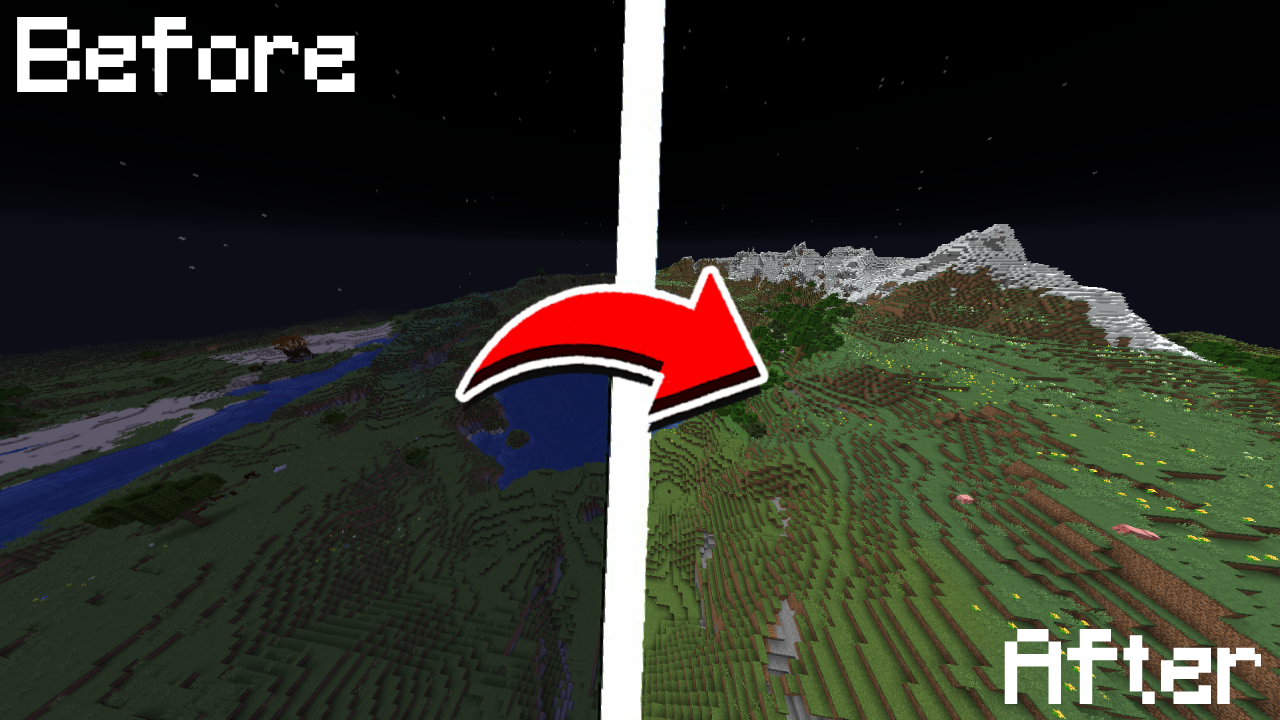
Versions
Files
Relations
Project Relations
More like this
Similar Mods
Suggestions use data such as tags, dependencies, dependents, descriptions, titles, and more to rank how much they overlap with this mod.
On ModDex
Community snapshot
By the numbers
Statistics
Want to reach Minecraft players?
We're looking for a server hosting partner to feature here and other parts of the site. Interested? Send us a message!
Get in touchGet it on
Available Platforms
On ModDex
Community snapshot
By the numbers
Statistics
Resources