
Community listing page, reviews may not be monitored by the author.
Day Counter


No reviews yet
A simple mod for drawing custom UI elements to your screen.

Community voices
Reviews
No reviews yet. Be the first to review this project!
Get it on
Available Platforms
Compatibility
Supported Environments
Runs entirely on the client. Works on vanilla servers.
About
Project Details
For authors
Embed Badge
If you're the author of this project, you can embed a live badge anywhere that supports HTML or Markdown. It updates automatically whenever ratings change.
Use HTML for any page that supports it, or Markdown for README files and Markdown-based descriptions.
Identifiers
Platform IDs
Resources
External Links
About
Description
This clientside mod introduces four new rendering modes to enhance your gameplay experience. Other versions and versions for Fabric, will be released in the future.
Also available on modrinth
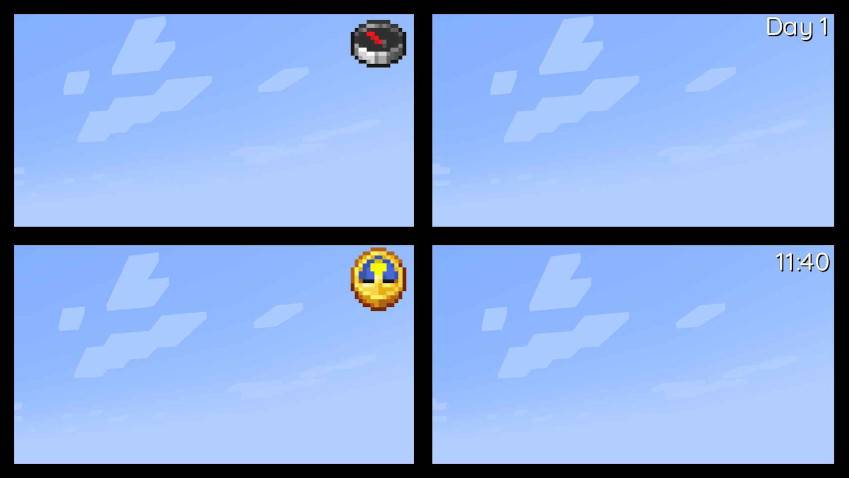
This mod also offers extensive customization options, allowing you to adjust everything from item scale to shadow color and font type. It utilizes a TTF-based font system, making it simple to add and customize your own fonts. To do so, just place or replace a TTF file in the following folder within the jar: assets/daycounter/font. Important: The TTF file name must not contain spaces, special characters, or uppercase letters.
Config:
["Config for Day Counter Mod"]
    #Position of the UI element (LEFT|CENTER|RIGHT)
    Position = "RIGHT"
    #Size of the font
    "Font size" = 24
    #Font that will be used (minecraft|epilogue-light...)
    Font = "quicksand-medium"
    #Color of the text in hexadecimal
    Textcolor = "0xFFFFFF"
    #Color of the text-shadow in hexadecimal
    Shadowcolor = "0x000000"
    #Render different UI elements (Clock|Compass|Time|Day)
    "UI element type" = "Day"
    #Should a drop shadow be rendered
    "Text has drop shadow" = true
    #Render the UI on top of everything
    "Render over everything" = false
    #Scales the Item UI element
    #Range: 0.5 ~ 5.0
    "Item Scale Factor" = 3.0
    #Offsets the UI position along the X axis
    #Range: -1920.0 ~ 1920.0
    OffsetX = 0.0
    #Offsets the UI position along the Y axis
    #Range: -1920.0 ~ 1920.0
    OffsetY = 0.0
    #Offsets the Shadow position
    #Range: -10.0 ~ 10.0
    "Shadow Offset" = 1.0
This clientside mod introduces four new rendering modes to enhance your gameplay experience. Other versions and versions for Fabric, will be released in the future.
Also available on Curseforge.
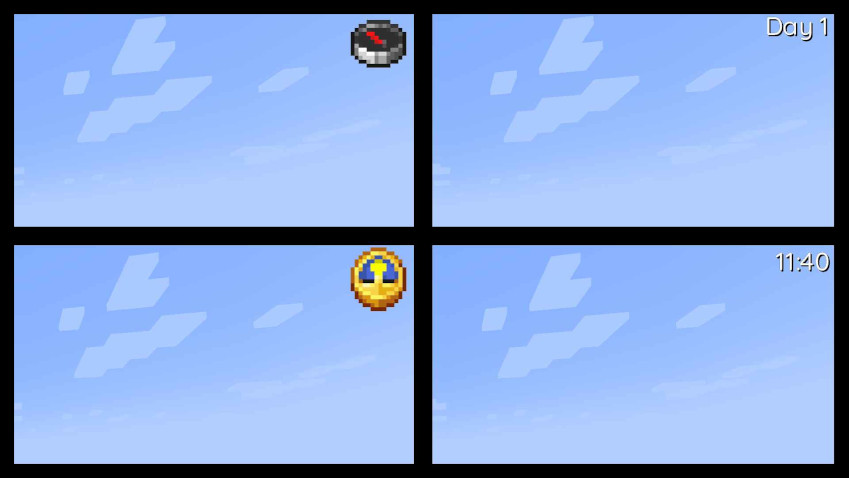
This mod also offers extensive customization options, allowing you to adjust everything from item scale to shadow color and font type. It utilizes a TTF-based font system, making it simple to add and customize your own fonts. To do so, just place or replace a TTF file in the following folder within the jar: assets/daycounter/font. Important: The TTF file name must not contain spaces, special characters, or uppercase letters.
Config:
Spoiler
["Config for Day Counter Mod"]

#Position of the UI element (LEFT|CENTER|RIGHT)
Position = "RIGHT"
#Size of the font
"Font size" = 24
#Font that will be used (minecraft|epilogue-light...)
Font = "quicksand-medium"
#Color of the text in hexadecimal
Textcolor = "0xFFFFFF"
#Color of the text-shadow in hexadecimal
Shadowcolor = "0x000000"
#Render different UI elements (Clock|Compass|Time|Day)
"UI element type" = "Day"
#Should a drop shadow be rendered
"Text has drop shadow" = true
#Render the UI on top of everything
"Render over everything" = false
#Scales the Item UI element
#Range: 0.5 ~ 5.0
"Item Scale Factor" = 3.0
#Offsets the UI position along the X axis
#Range: -1920.0 ~ 1920.0
OffsetX = 0.0
#Offsets the UI position along the Y axis
#Range: -1920.0 ~ 1920.0
OffsetY = 0.0
#Offsets the Shadow position
#Range: -10.0 ~ 10.0
"Shadow Offset" = 1.0
Screenshots
Gallery
-
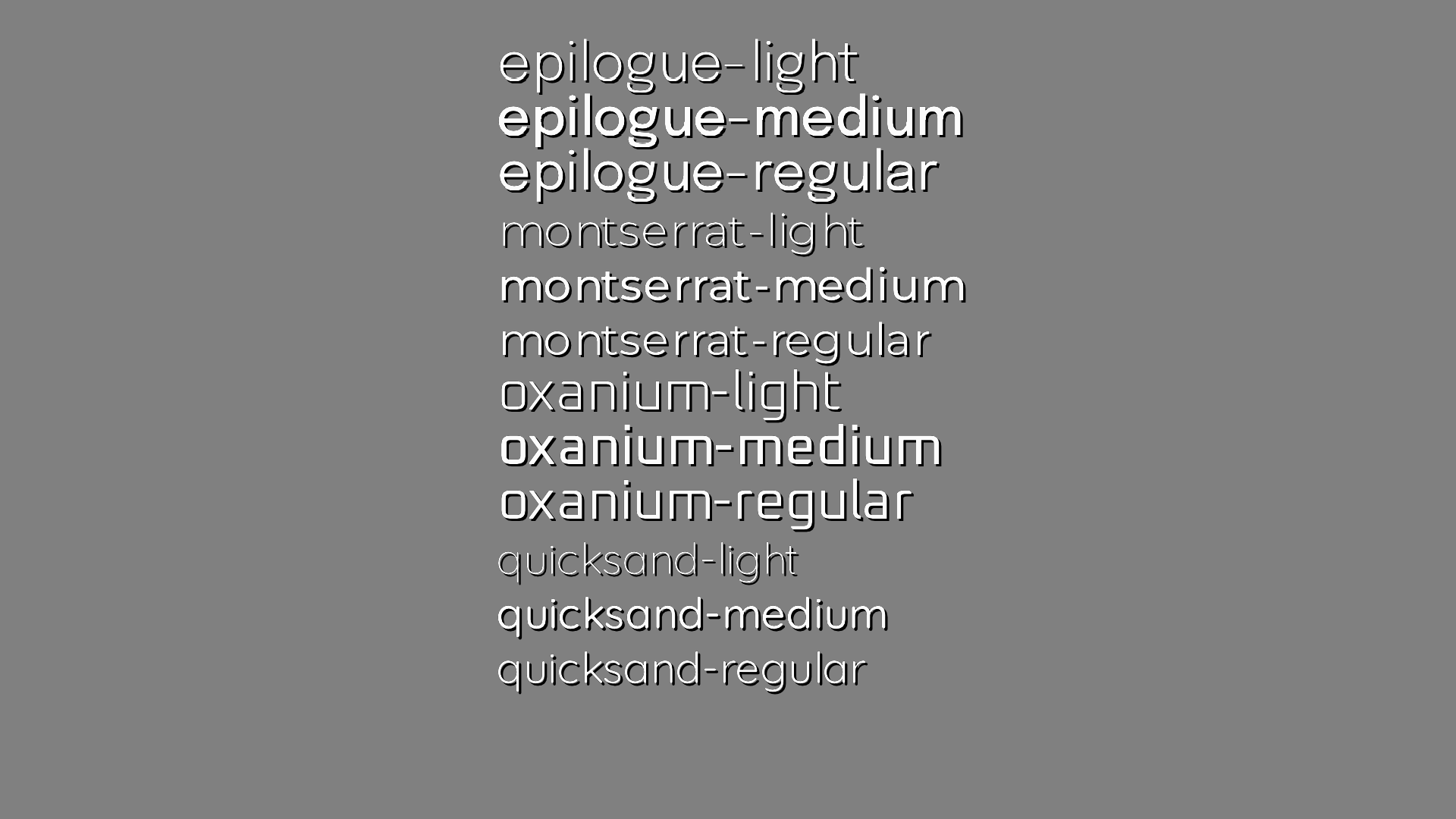 Included Fonts Included Fonts
 -
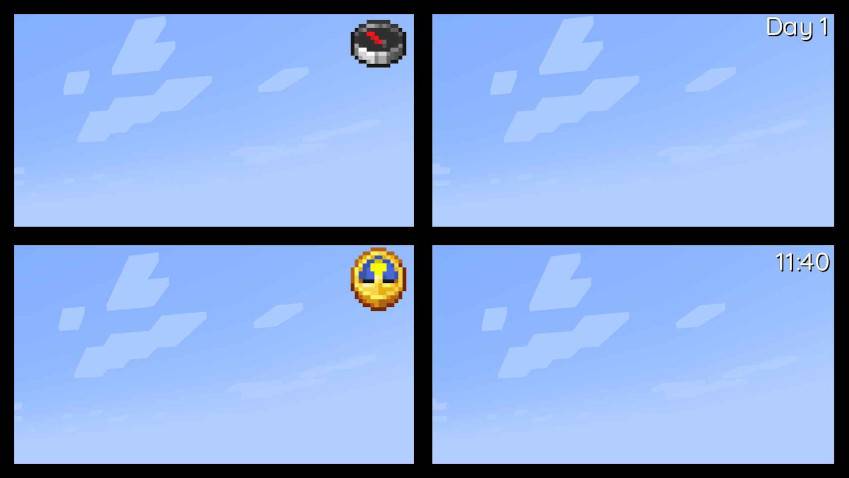 4 new UI elements 4 new UI elements
-
 Included Fonts
 -
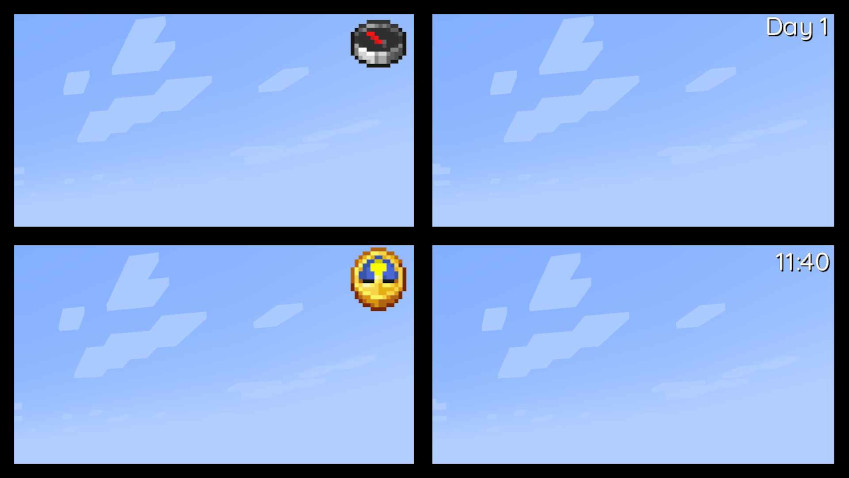 4 new UI elements
Versions
Files
Relations
Project Relations
More like this
Similar Mods
Suggestions use data such as tags, dependencies, dependents, descriptions, titles, and more to rank how much they overlap with this mod.
On ModDex
Community snapshot
By the numbers
Statistics

Get it on
Available Platforms
On ModDex
Community snapshot
By the numbers
Statistics
Resources