
Community listing page, reviews here may not be monitored by the author.
UI Tweaks

No reviews yet
Upgrades the Minecraft UI - Better Layout + better usage
Community voices
Reviews
No reviews yet. Be the first to review this project!
Get it on
Available Platforms
Compatibility
Supported Environments
Runs entirely on the client. Works on vanilla servers.
About
Project Details
For authors
Embed Badge
If you're the author of this project, you can embed a live badge anywhere that supports HTML or Markdown. It updates automatically whenever ratings change.
Use HTML for any page that supports it, or Markdown for README files and Markdown-based descriptions.
Identifiers
Platform IDs
Resources
External Links
About
Description
UI Tweaks
UI Tweaks replaces the cluttered standard Minecraft interface layouts with a cleaner, more organized, and modern design. It reorganizes vanilla menus into logical groups, adds quality-of-life visual improvements, and ensures compatibility with buttons from other mods—all while keeping the classic vanilla aesthetic intact.
This is a client-side only mod. You do not need to install it on servers.
Features
Main Menu (Title Screen)
- Clean Layout: Reorganizes the standard buttons to the edges of the screen, freeing up the center to let your background panorama shine.
- Player Skin Widget: Displays a live, fully rendered 3D preview of your character's skin directly on the title screen.
- Smart Mod Support: Automatically detects buttons added by other mods (like ModMenu, Capify, etc.) and seamlessly aligns them into the new layout without overlapping.
Options Screen
- Logical Grouping: Replaces the standard messy grid of 10 buttons by splitting them into four visually separated, logical sections:
- Top Left: Video, Controls, Chat, Accessibility
- Top Right: Music & Sounds, Skin Customization, Resource Packs
- Bottom Left: Language
- Bottom Right: Telemetry, Credits
- Dynamic Scaling: Scales perfectly and stays organized no matter what your window size or resolution is.
Pause Menu (Game Menu)
- Split-Column Design: Splits the middle buttons (Advancements, Options, Statistics, etc.) into two distinct left and right columns with a wide, clean gap in the center.
- Prominent Actions: Pushes the "Back to Game" button further up and the "Save and Quit" button further down to prevent accidental misclicks.
Compatibility
Built for Fabric 1.21+ (Specifically tested on 1.21.11).
High Compatibility Designed to dynamically adapt to buttons added by other mods on the Title Screen.
More Menus Coming Soon
Created by CHTriple
Website: Elysion
Screenshots
Gallery
-
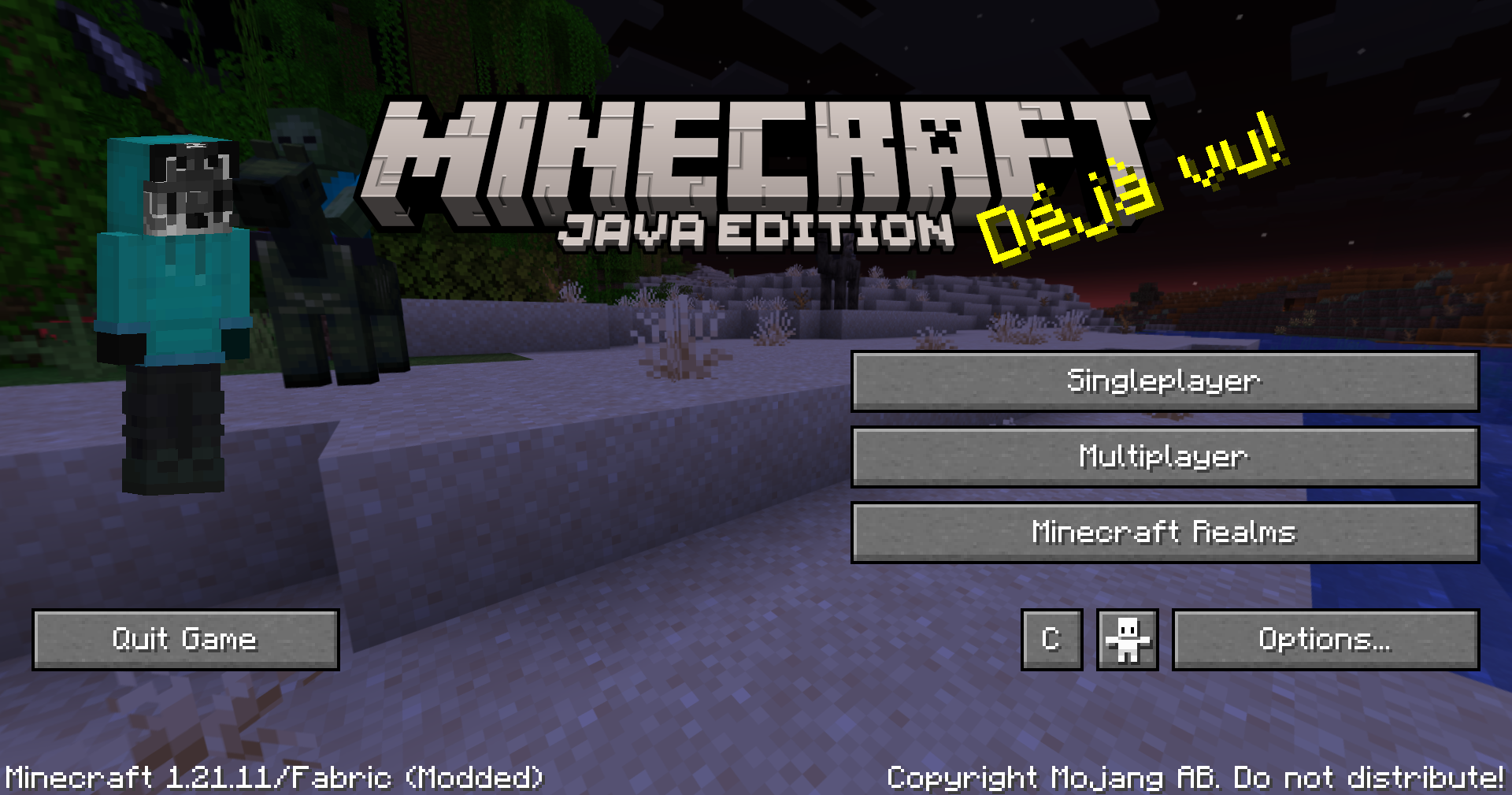 Main Menu
 -
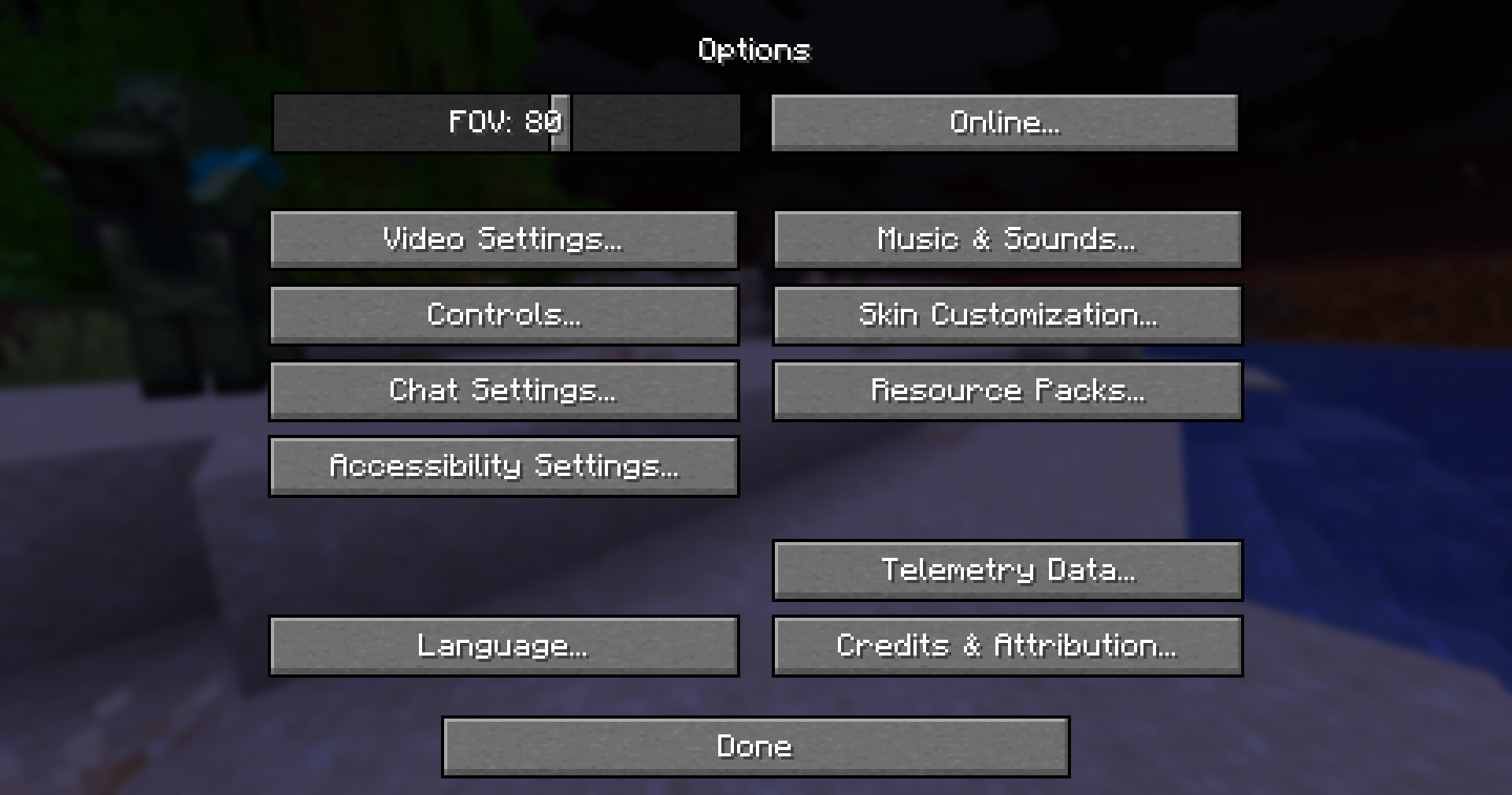 Options Menu
 -
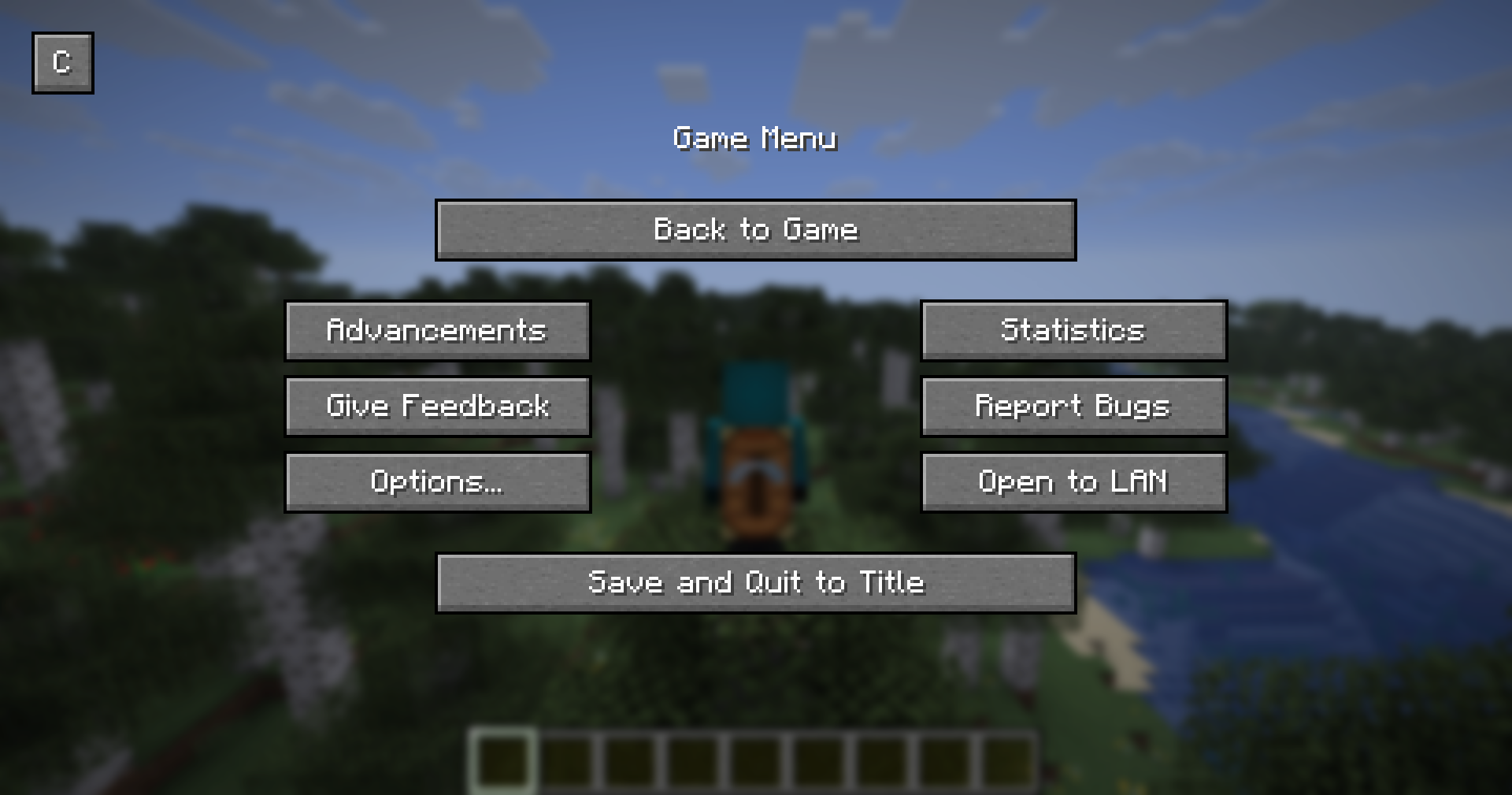 Game Menu
 -
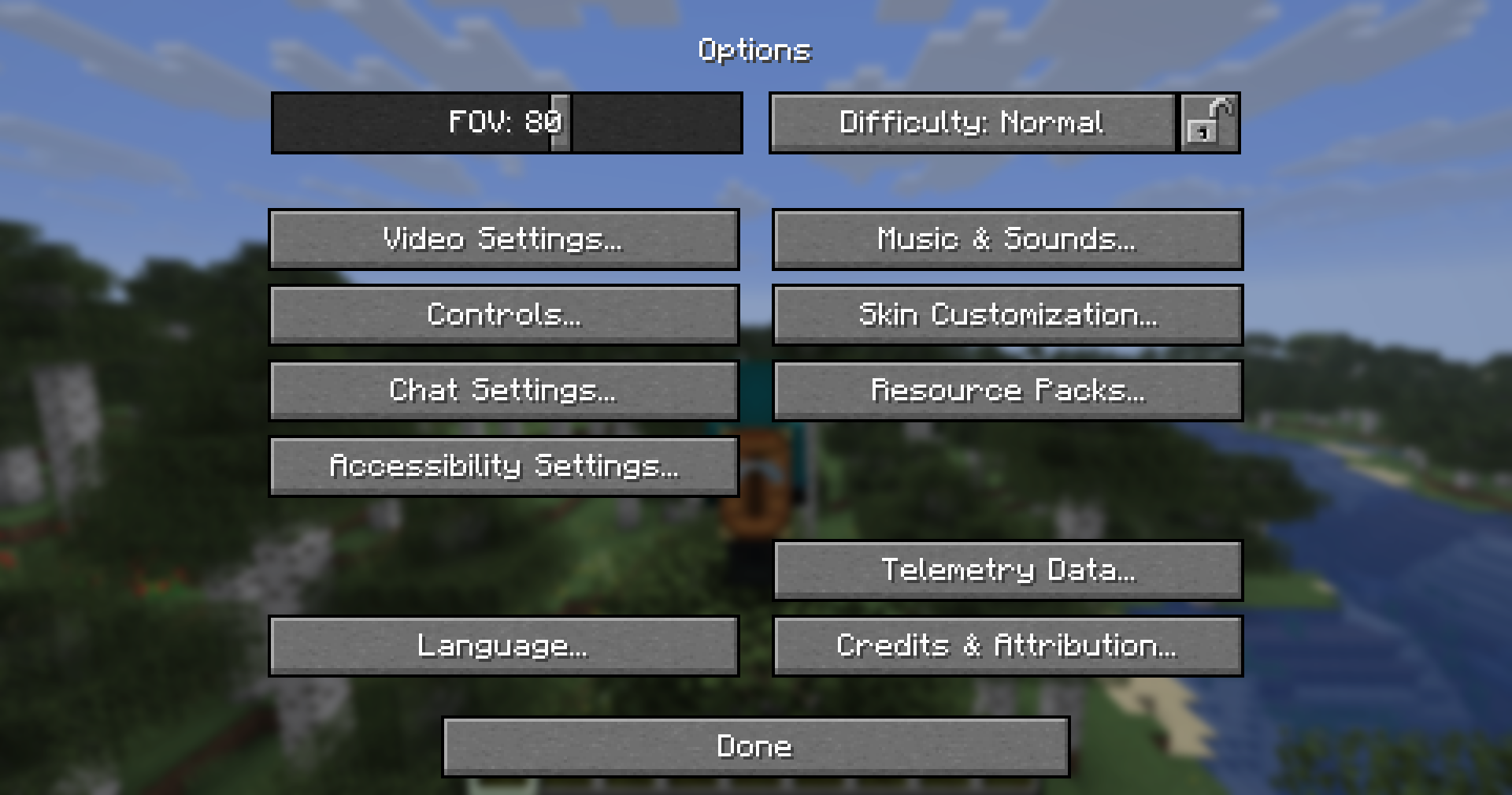 Options Menu - Ingame
Versions
Files
Relations
Project Relations
More like this
Similar Mods
Suggestions use data such as tags, dependencies, dependents, descriptions, titles, and more to rank how much they overlap with this mod.
On ModDex
Community snapshot
By the numbers
Statistics

Want to reach Minecraft players?
We're looking for a server hosting partner to feature here and other parts of the site. Interested? Send us a message!
Get in touchGet it on
Available Platforms
On ModDex
Community snapshot
By the numbers
Statistics
Resources