
Community listing page, reviews here may not be monitored by the author.
Utils Adder


No reviews yet
Adds a lot of useful features related to the interface, gameplay and more
Community voices
Reviews
No reviews yet. Be the first to review this project!
Get it on
Available Platforms
Compatibility
Supported Environments
Runs entirely on the client. Works on vanilla servers.
About
Project Details
For authors
Embed Badge
If you're the author of this project, you can embed a live badge anywhere that supports HTML or Markdown. It updates automatically whenever ratings change.
Use HTML for any page that supports it, or Markdown for README files and Markdown-based descriptions.
Identifiers
Platform IDs
Resources
External Links
About
Description
This mod adds a lot of useful features, such as:
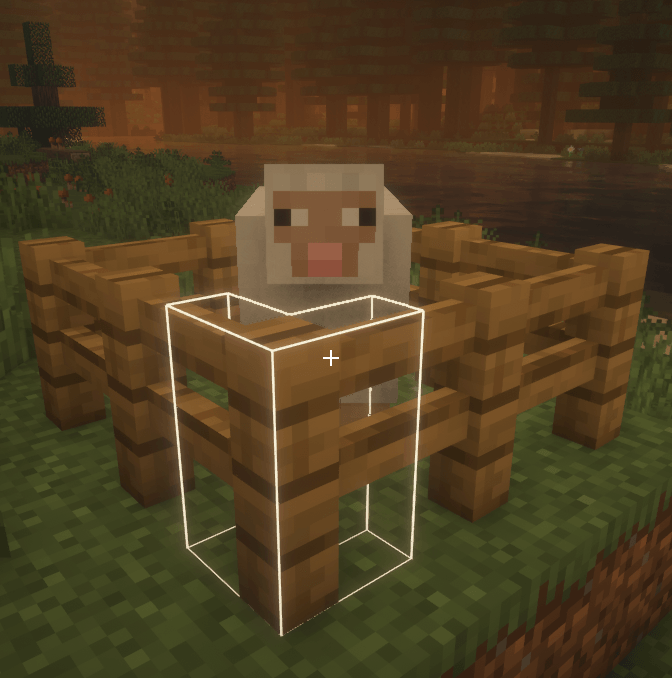
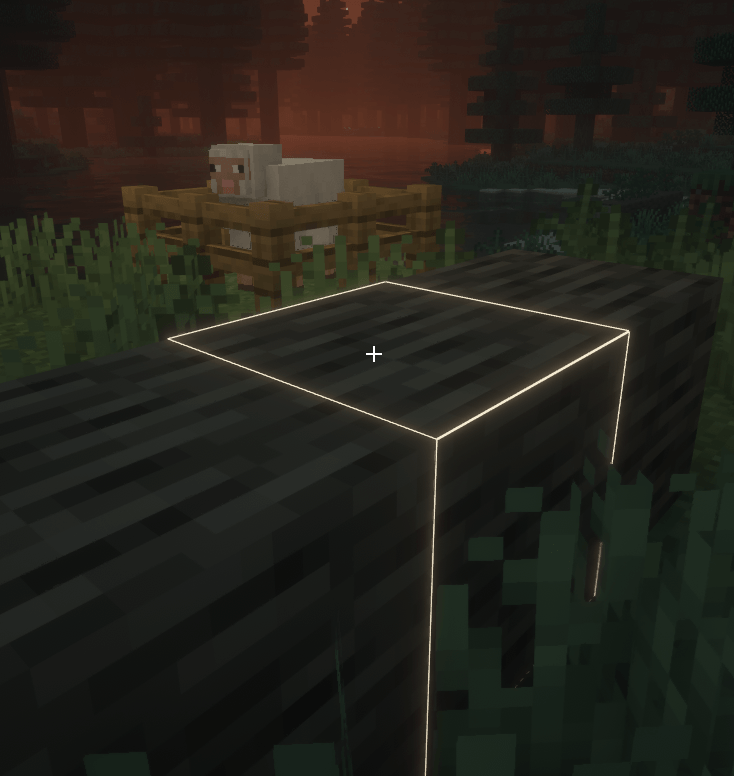
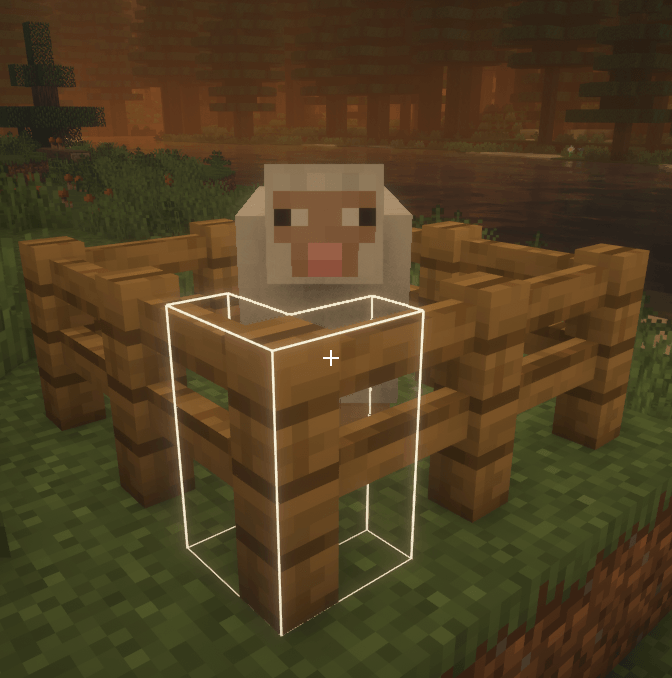
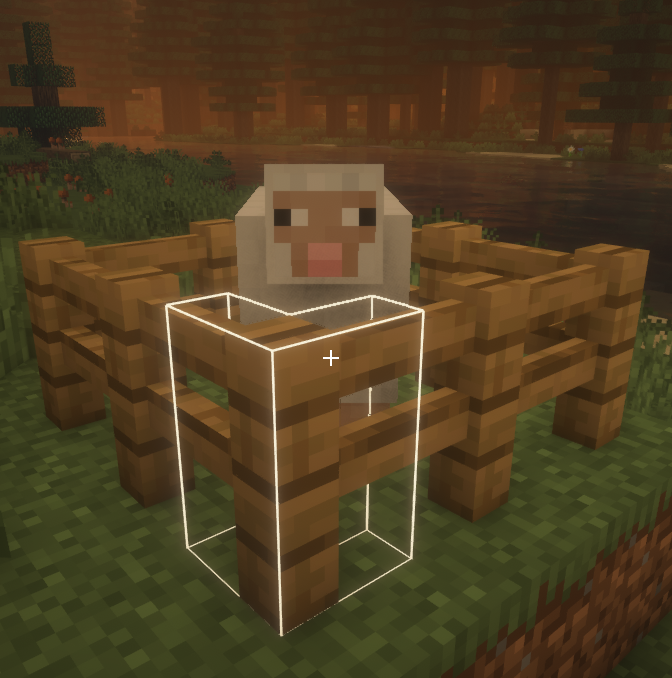
Changing the color and opacity of the block outline
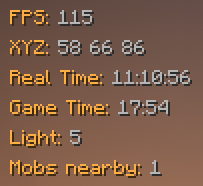
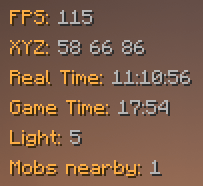
Some HUD elements that you can move anywhere on the screen
Current HUD elements list
- FPS
- Coordinates
- Real time
- Game time
- Level of lighting in the current block
- Number of mobs nearby
Simplified debug screen

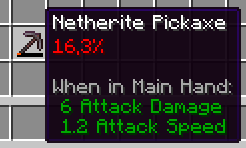
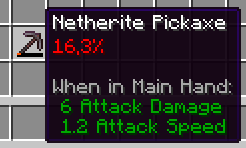
Showing durability in percentage
Autototem (automatically place an existing totem in your hand after you just used another one)
Autosprint (you dont have to press sprint key to sprint)
There are the following features in the mod, but they are in beta:
- Set a different crosshair instead of the standard one
- Disabling the armor rendering for all players (useful for screenshots)
To open settings screen, press U,
to drag items to another place on the screen, press F6
Dependency for UtilsMod mod is YACL
Other info
I'm going to add more features to this mod later, now I just ran out of ideas.
Now, UtilsMod is available for only two versions of the game (1.21.4 and 1.21.5), in the future, perhaps the mod will be released for older versions, like 1.20.1.
I have not completed the development of this mod to the end, one of the consequences of this is that now it has ARR license.
I really hope you enjoy this mod!
(EN)
This mod adds a lot of useful features, such as:
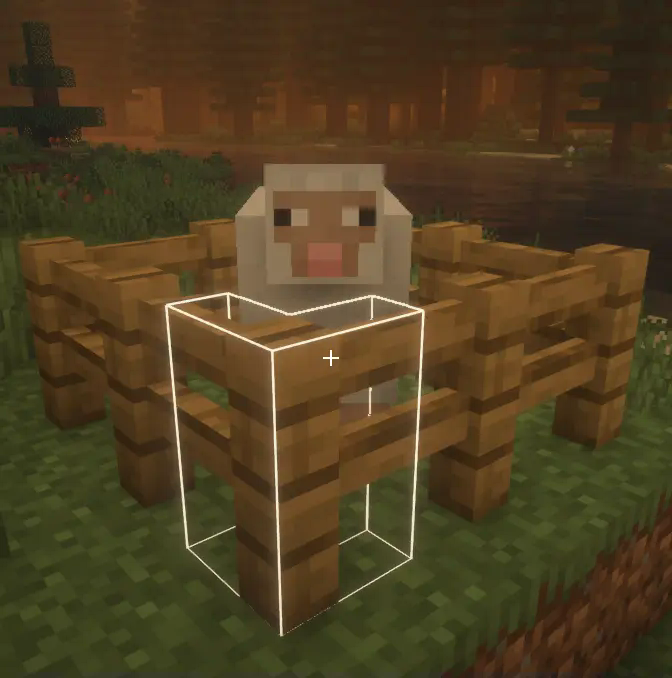
Changing the color and opacity of the block outline
White block outline
Some HUD elements that you can move anywhere on the screen
Current HUD elements list
- FPS
- Coordinates
- Real time
- Game time
- Level of lighting in the current block
- Number of mobs nearby
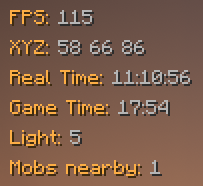
Simplified debug screen
Screenshot

Showing durability in percentage
Screenshot
Autototem (automatically place an existing totem in your hand after you just used another one)
Autosprint (you dont have to press sprint key to sprint)
There are the following features in the mod, but they are in beta:
- Set a different crosshair instead of the standard one
- Disabling the armor rendering for all players (useful for screenshots)
To open settings screen, press U,
to drag items to another place on the screen, press F6
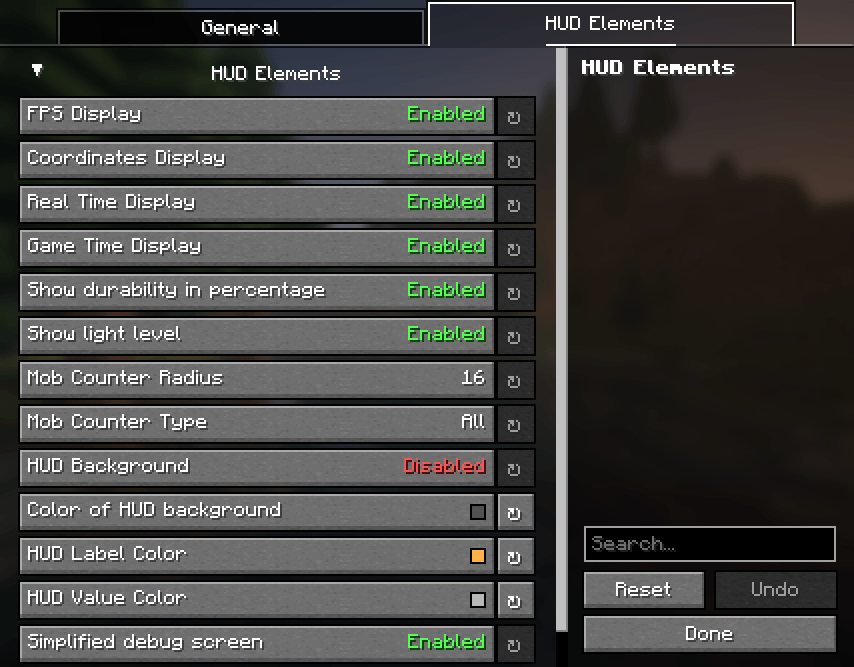
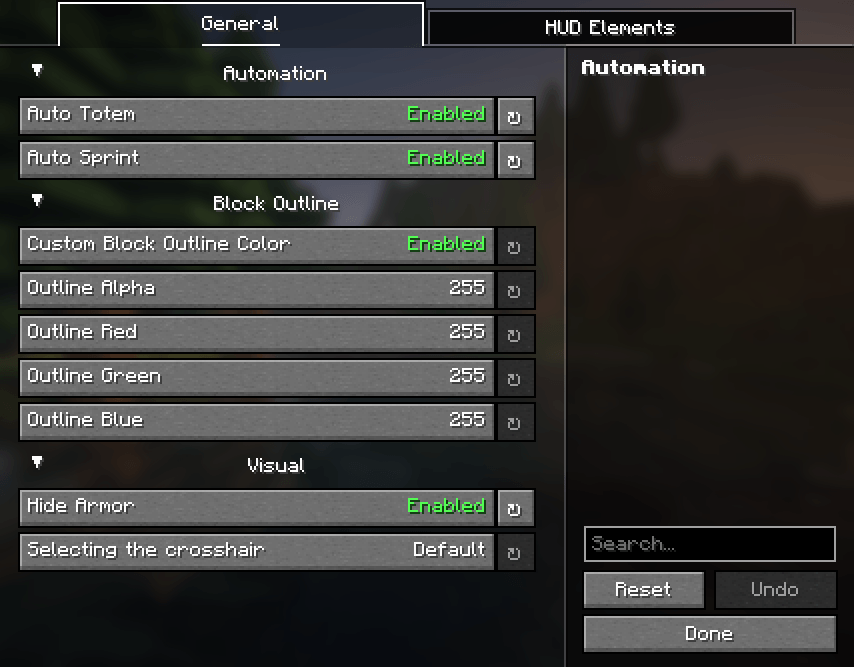
Settings list
- Enable/disable autototem
- Enable/disable autosptint
- Enable/disable custom block outline
- Color and opacity of the block outline
- Enable/disable armor render
- Default or select one of three custom crosshairs
- Enable/disable each of all HUD-elements
- Enable/disable showing durability in percentage
- Mob counter radius (1-64 blocks)
- Mod counter type (disabled; all; hostile; neutral; friendly)
- Enable/disable HUD background
- HUD background color and opacity
- HUD label color
- HUD value color
- Enable/disable Simplified debug screen
Dependency for UtilsMod mod is YACL
Other info
I'm going to add more features to this mod later, now I just ran out of ideas.
Now, UtilsMod is available for only two versions of the game (1.21.4 and 1.21.5), in the future, perhaps the mod will be released for older versions, like 1.20.1.
I have not completed the development of this mod to the end, one of the consequences of this is that now it has ARR license.
I really hope you enjoy this mod!
(RU)
Этот мод добавляет множество полезных функций, таких как:
Изменение цвета обводки блоков
Белая обводка
Множество HUD-элементов, которые вы можете перемещать в любое место экрана
Текущий список HUD-элементов
- FPS
- Координаты
- Реальное время
- Игровое время
- Уровень освещения в текущем блоке
- Количество мобов рядом
Упрощённый экран отладки
Скриншот
Отображение прочности предмета в процентах
Скриншот
Автототем (автоматически ставит имеющийся тотем заместо только что использованного)
Автоспринт (вам не обязательно нажимать кнопку спринта чтобы бежать)
В моде есть следующие функции, но они пока что в бете:
- Кастомный прицел вместо стандартного
- Выключение отображения брони у всех игроков (полезно для скриншотов)
Чтобы открыть экран настроек, нажмите U,
Чтобы перетаксивать HUD-элементы в любое место экрана, нажмите F6
Список настроек
- Включить/выключить автототем
- Включить/выключить автоспринт
- Включить/выключить кастомный цвет обводки
- Цвет и прозрачность обводки блоков
- Включить/выключить armor render
- Стандартный, или один из трех кастомных прицелов
- Включить/выключить отображение каждого из всех HUD-элементов
- Включить/выключить отображение прочности в процентах
- Радиус счетчика мобов (1-64 блоков)
- Тип считаемых мобов (выключено; все; враждебные; нейтральные; дружелюбные)
- Включить/выключить фон HUD-элементов
- Прозрачнось и цвет HUD
- Цвет меток HUD
- Цвет значений HUD
- Включить/выключить упрощённый экран отладки
Для работы UtilsMod требуется YACL
Другая информация
Я собираюсь потом добаить больше функций в мод, а сейчас у меня закончились идеи.
Сейчас UtilsMod доступен только для двух версий игры (1.21.4 and 1.21.5), в будущем, мод возможно выйдет для предыдущих версий, таких как 1.20.1.
Я ещё не закончил разработку мода, одно из последствий этого то, что пока что он лицензирован лицензией ARR.
Очень надеюсь, что вам понравится этот мод!
Screenshots
Gallery
-
 Simplified debug screen
 -
 HUD
HUD -
 Custom block outline 2
 -
 Custom block outline 1
 -
 Settings screen 2 Settings screen 2 (HUD Elements)
 -
 Settings screen 1 Settings screen (General)
-
 Custom block outline 1
 -
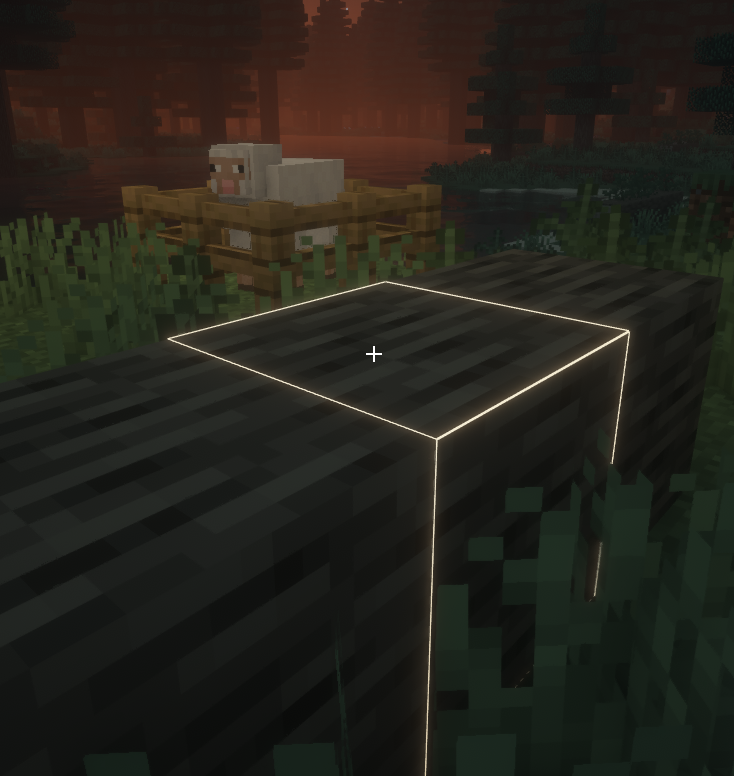 Custom block outline 2
 -
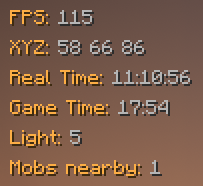 HUD
HUD -
 Simplified debug screen
 -
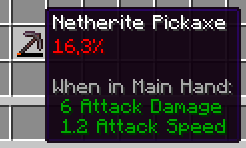 Durability in percentage
 -
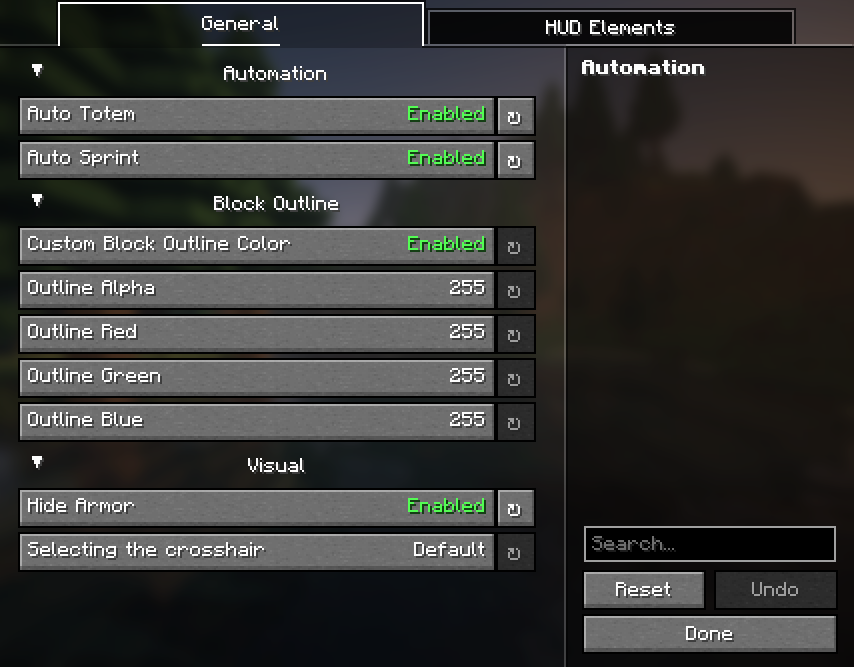 Settings screen 1 Settings screen (General)
 -
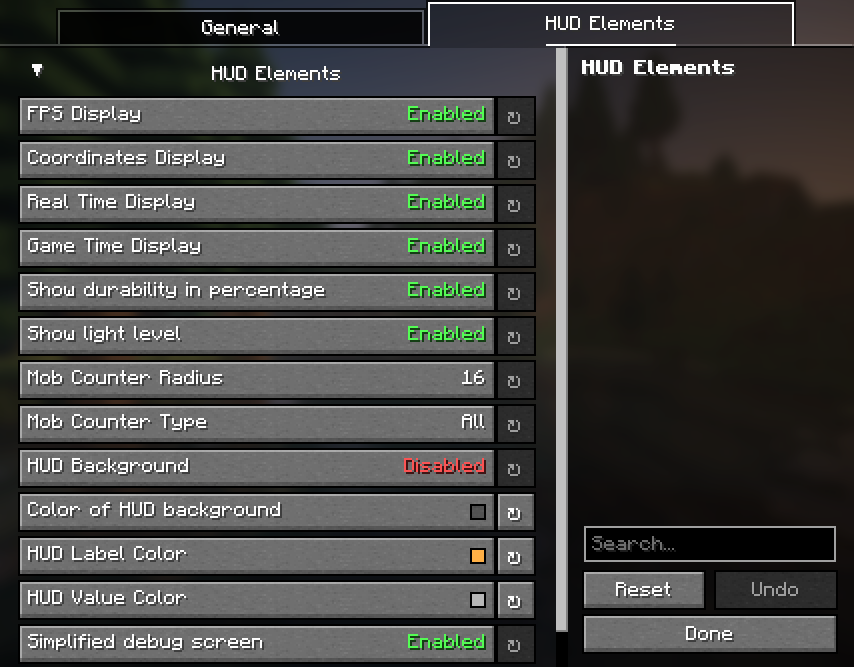 Settings screen 2 Settings screen (HUD Elements)
Versions
Files
Relations
Project Relations
More like this
Similar Mods
Suggestions use data such as tags, dependencies, dependents, descriptions, titles, and more to rank how much they overlap with this mod.
On ModDex
Community snapshot
By the numbers
Statistics
Want to reach Minecraft players?
We're looking for a server hosting partner to feature here and other parts of the site. Interested? Send us a message!
Get in touchGet it on
Available Platforms
On ModDex
Community snapshot
By the numbers
Statistics
Resources