
Community listing page, reviews here may not be monitored by the author.
Vexuwe's Currency


No reviews yet
A simple currency mod that adds bronze, silver, and gold coins to Minecraft, making trading, rewards, and your adventures feel more immersive.
Community voices
Reviews
No reviews yet. Be the first to review this project!
Get it on
Available Platforms
Compatibility
Supported Environments
Must be installed on both the client and the server.
About
Project Details
For authors
Embed Badge
If you're the author of this project, you can embed a live badge anywhere that supports HTML or Markdown. It updates automatically whenever ratings change.
Use HTML for any page that supports it, or Markdown for README files and Markdown-based descriptions.
Identifiers
Platform IDs
Resources
External Links
About
Description
Vexuwe's Currency is a lightweight mod that introduces a fully integrated monetary system to Minecraft. It expands the survival experience by adding a custom currency without bloating the game with overly complex systems, perfectly maintaining the vanilla feel.
Players can discover coins within loot chests across the world or earn them by defeating mobs in combat. This hard-earned money is used directly to trade with villagers, and you can conveniently store and merge your currency in special coin pouches that seamlessly integrate with the merchant interface. This mechanic brings real economic value to exploring dungeons, fighting enemies, and hunting for treasure, giving a fresh purpose to your everyday survival.
Game Features
Coins
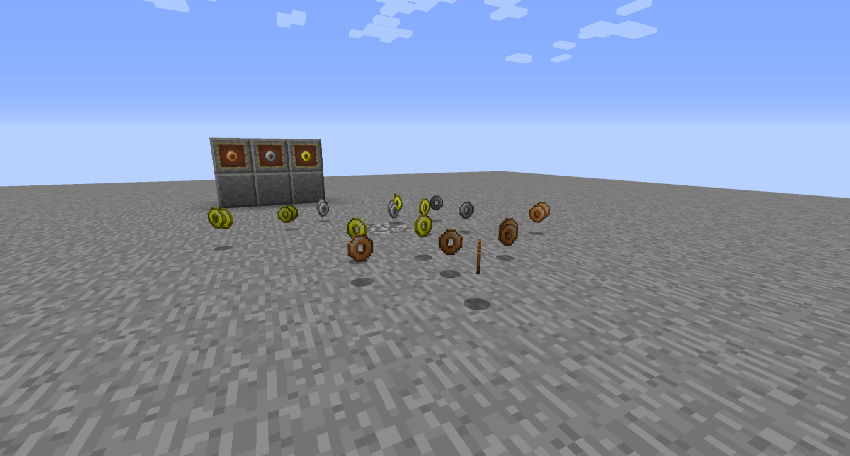
Coins are the new in-game currency, coming in three distinct tiers: bronze, silver, and gold, with each consecutive type acting as a higher-value counterpart to the last. They can be discovered within loot chests throughout the world or dropped by mobs upon defeat. The final amount of coins you receive is dynamically calculated based on various gameplay factors, ranging from the world's difficulty setting to the current moon phase, making your earnings uniquely tied to your environment.
Coins Bundle
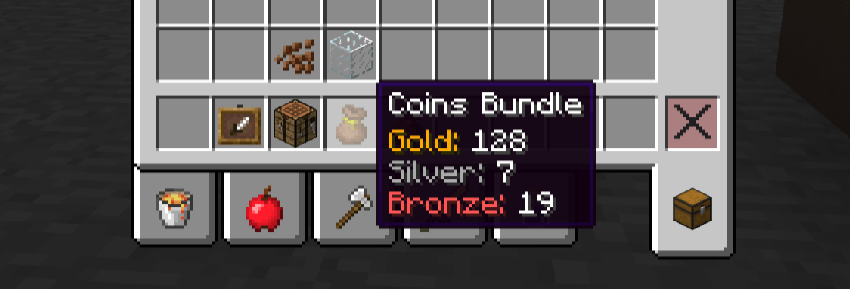
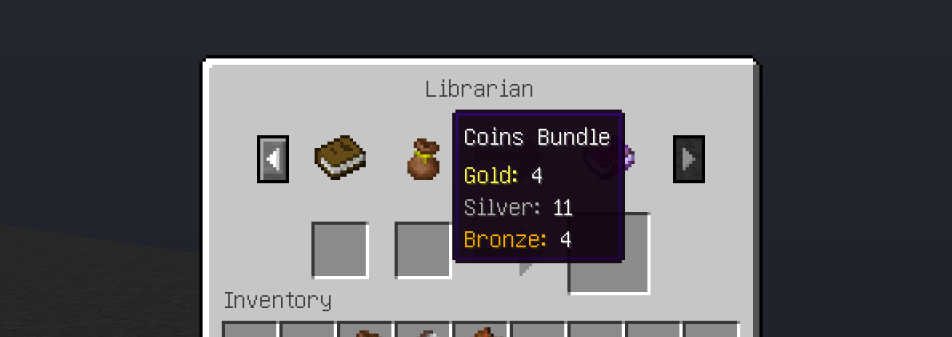
Coins Bundle is a new functional storage item that allows you to hold an unlimited amount of collected coins and use them when trading with villagers. It is crafted using string, leather, and a gold nugget, and has a rare chance to spawn naturally in starter bonus chests or within village blacksmith chests.
Trading
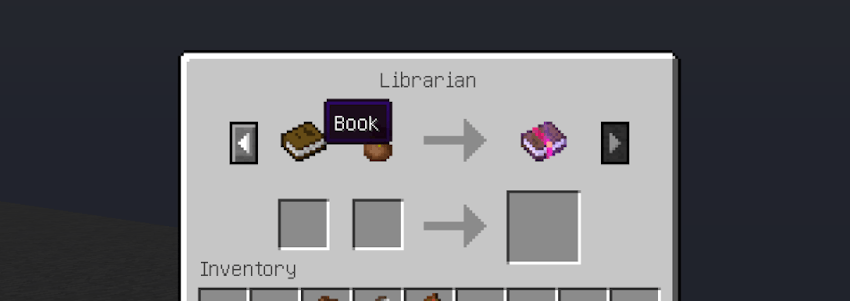
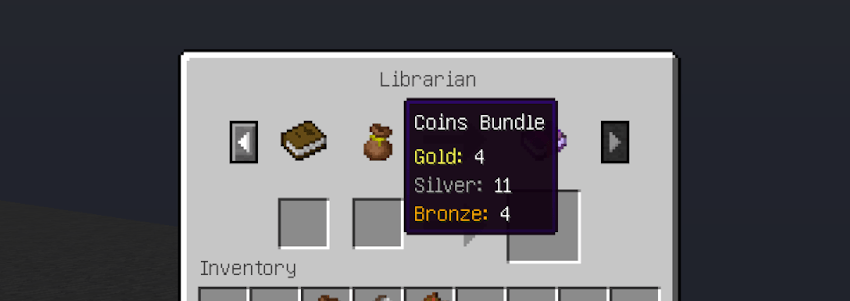
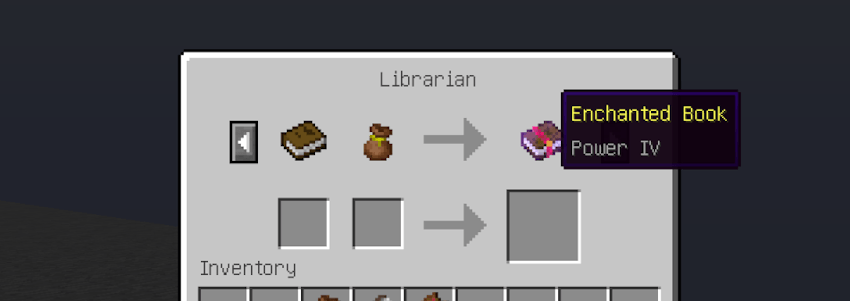
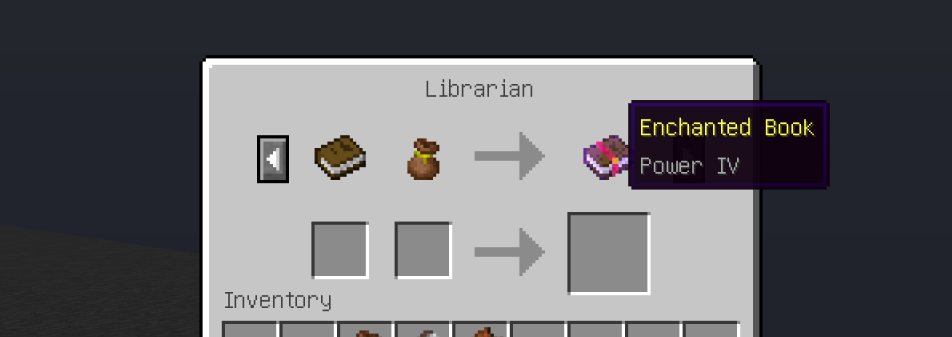
Trading from this point forward is carried out entirely using the coins bundle and its contents. You can use your money for both buying and selling items — in either case, the merchant will count out the exact amount themselves, automatically placing your change into or taking the payment straight from your pouch. You no longer have to manually split coins into stacks, and if you happen to spend every last coin during a trade, you will simply be left with an empty pouch.
Cofiguration
Mod Configuration is handled directly through config files. To tweak the settings, navigate to the .minecraft/config/vex_currency/ directory. Inside, you will find two separate files — one for adjusting mob drops and another for managing chest loot. Both files can be freely edited, allowing you to completely customize the game's economy to your liking.
Entity Drop
To edit the loot dropped by creatures (entities), open the entities_coins.json file in any text editor of your choice (such as Notepad, Notepad++, or VS Code). If you are not satisfied with the default drops from vanilla mobs, you can modify their values or add support for custom entities from other mods. To do this, simply add a new line using the following format:
"<modid>:<entityid>": {"min": <min>, "max": <max>}
Chest Loot
Configuring the contents of treasure chests follows the exact same logic as the previous section. Open the chests_coins.json file in your text editor. Here, you can modify currency spawn rates for vanilla structures or enable coin generation for dungeons added by other mods. The entry format is identical to the mob configuration, using the chest's loot table path instead of an entity ID:
"<modid>:<loot_table_path>": {"min": <min>, "max": <max>}
Make sure to follow the proper JSON syntax and add commas between lines to separate the entries.
Coin Values and Exchange Rates
Every single unit specified in the configuration files is equivalent to one bronze coin. The currency conversion rate is as follows: 20 bronze coins make 1 silver coin, and 20 silver coins equal 1 gold coin (which amounts to 400 units).
Therefore, an entry like "minecraft:chests/spawn_bonus_chest": {"min": 5, "max": 400} will cause the game to randomly generate loot in the bonus chest ranging anywhere from 5 bronze coins up to 1 gold coin (or its equivalent value in silver and bronze).
Planned Features
The development of Vexuwe's Currency doesn't stop here, and future updates will significantly expand the economic system. The following features are currently planned for upcoming releases:
- Custom Trade Configuration: Full control over villager trades and item pricing via config files to completely customize merchant economies.
- Player Trading: Dedicated trading interactions between players to enhance multiplayer economies and server survival.
- Expanded Content: More unique items, blocks, and mechanics related to the currency and its utilization in the world.
- Version Updates: Consistent support and porting to newer versions of Minecraft as they are released.
Feedback
If you encounter any bugs, glitches, or have any cool ideas to improve the mod, your feedback is always welcome! You can report issues, share your suggestions, or get in touch with me directly on my Discord Server.
Vexuwe's Currency is a lightweight mod that introduces a fully integrated monetary system to Minecraft. It expands the survival experience by adding a custom currency without bloating the game with overly complex systems, perfectly maintaining the vanilla feel.
Players can discover coins within loot chests across the world or earn them by defeating mobs in combat. This hard-earned money is used directly to trade with villagers, and you can conveniently store and merge your currency in special coin pouches that seamlessly integrate with the merchant interface. This mechanic brings real economic value to exploring dungeons, fighting enemies, and hunting for treasure, giving a fresh purpose to your everyday survival.
Game Features
Coins
Spoiler
Coins are the new in-game currency, coming in three distinct tiers: bronze, silver, and gold, with each consecutive type acting as a higher-value counterpart to the last. They can be discovered within loot chests throughout the world or dropped by mobs upon defeat. The final amount of coins you receive is dynamically calculated based on various gameplay factors, ranging from the world's difficulty setting to the current moon phase, making your earnings uniquely tied to your environment.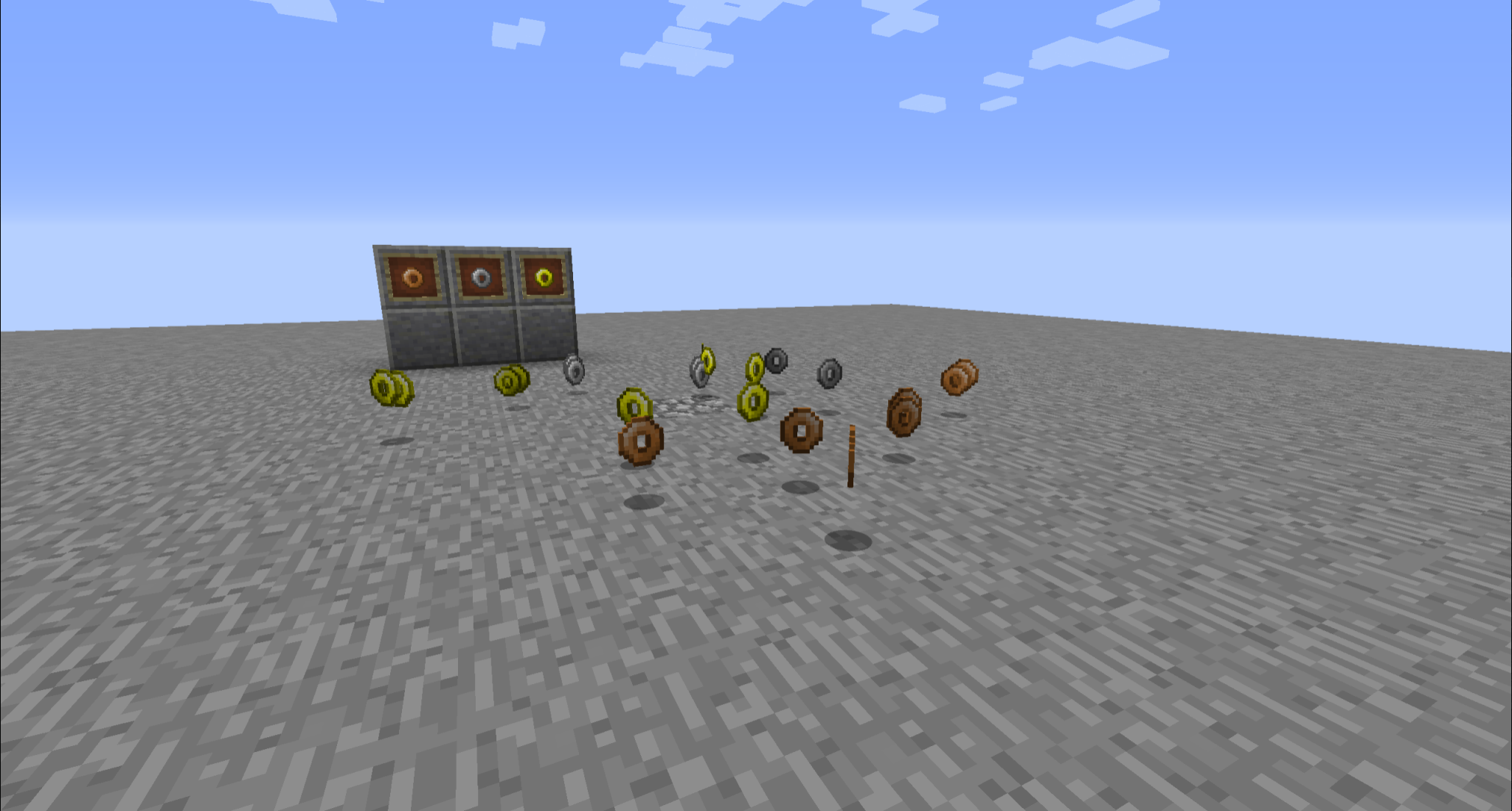
Coins Bundle
Spoiler
Coins Bundle is a new functional storage item that allows you to hold an unlimited amount of collected coins and use them when trading with villagers. It is crafted using string, leather, and a gold nugget, and has a rare chance to spawn naturally in starter bonus chests or within village blacksmith chests.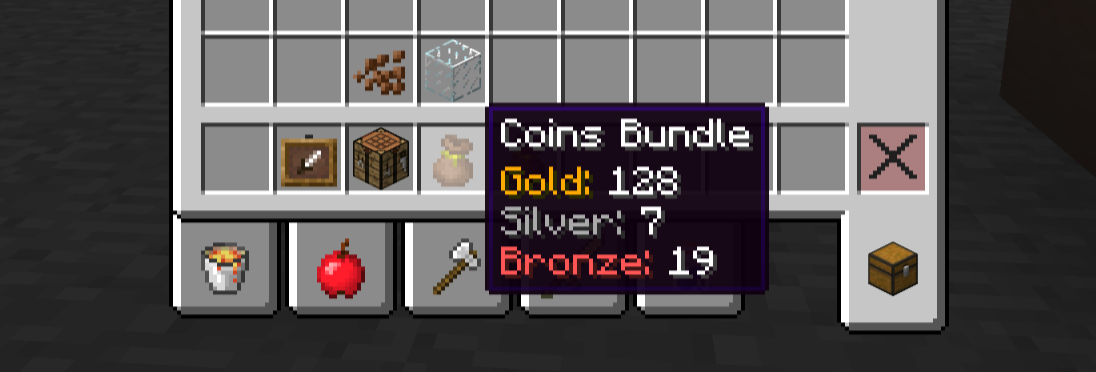
Trading
Spoiler
Trading from this point forward is carried out entirely using the coins bundle and its contents. You can use your money for both buying and selling items — in either case, the merchant will count out the exact amount themselves, automatically placing your change into or taking the payment straight from your pouch. You no longer have to manually split coins into stacks, and if you happen to spend every last coin during a trade, you will simply be left with an empty pouch.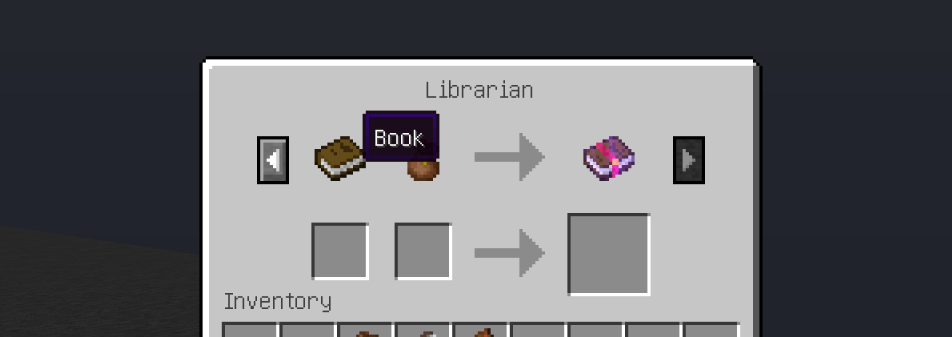
Cofiguration
Mod Configuration is handled directly through config files. To tweak the settings, navigate to the .minecraft/config/vex_currency/ directory. Inside, you will find two separate files — one for adjusting mob drops and another for managing chest loot. Both files can be freely edited, allowing you to completely customize the game's economy to your liking.
Entity Drop
To edit the loot dropped by creatures (entities), open the entities_coins.json file in any text editor of your choice (such as Notepad, Notepad++, or VS Code). If you are not satisfied with the default drops from vanilla mobs, you can modify their values or add support for custom entities from other mods. To do this, simply add a new line using the following format:
"<modid>:<entityid>": {"min": <min>, "max": <max>}
Chest Loot
Configuring the contents of treasure chests follows the exact same logic as the previous section. Open the chests_coins.json file in your text editor. Here, you can modify currency spawn rates for vanilla structures or enable coin generation for dungeons added by other mods. The entry format is identical to the mob configuration, using the chest's loot table path instead of an entity ID:
"<modid>:<loot_table_path>": {"min": <min>, "max": <max>}
Make sure to follow the proper JSON syntax and add commas between lines to separate the entries.
Coin Values and Exchange Rates
Every single unit specified in the configuration files is equivalent to one bronze coin. The currency conversion rate is as follows: 20 bronze coins make 1 silver coin, and 20 silver coins equal 1 gold coin (which amounts to 400 units).
Therefore, an entry like "minecraft:chests/spawn_bonus_chest": {"min": 5, "max": 400} will cause the game to randomly generate loot in the bonus chest ranging anywhere from 5 bronze coins up to 1 gold coin (or its equivalent value in silver and bronze).
Planned Features
The development of Vexuwe's Currency doesn't stop here, and future updates will significantly expand the economic system. The following features are currently planned for upcoming releases:
- Custom Trade Configuration: Full control over villager trades and item pricing via config files to completely customize merchant economies.
- Player Trading: Dedicated trading interactions between players to enhance multiplayer economies and server survival.
- Expanded Content: More unique items, blocks, and mechanics related to the currency and its utilization in the world.
- Version Updates: Consistent support and porting to newer versions of Minecraft as they are released.
Feedback
If you encounter any bugs, glitches, or have any cool ideas to improve the mod, your feedback is always welcome! You can report issues, share your suggestions, or get in touch with me directly on my Discord Server.
Screenshots
Gallery
Versions
Files
Relations
Project Relations
More like this
Similar Mods
Suggestions use data such as tags, dependencies, dependents, descriptions, titles, and more to rank how much they overlap with this mod.
On ModDex
Community snapshot
By the numbers
Statistics
Want to reach Minecraft players?
We're looking for a server hosting partner to feature here and other parts of the site. Interested? Send us a message!
Get in touchGet it on
Available Platforms
On ModDex
Community snapshot
By the numbers
Statistics
Resources