
Community listing page, reviews here may not be monitored by the author.
Village Wall Generator

No reviews yet
Helps you create tons of walls for your village, with amazing gradients
Community voices
Reviews
No reviews yet. Be the first to review this project!
Get it on
Available Platforms
Compatibility
Supported Environments
Must be installed on both the client and the server.
About
Project Details
For authors
Embed Badge
If you're the author of this project, you can embed a live badge anywhere that supports HTML or Markdown. It updates automatically whenever ratings change.
Use HTML for any page that supports it, or Markdown for README files and Markdown-based descriptions.
Identifiers
Platform IDs
About
Description
Village Wall Generator 🏘️
Village Wall Generator was created to help me with my Dutch 18th century styled village. Village Wall Generator speeds up the creation of the walls, by randomly selecting one of the palettes of blocks with a nice gradient. This way you can make a more uniform village with a lot of unique houses.
✨ Features
- Procedural Generation: Create structures with natural-looking texture gradients using Perlin-like noise logic. No more manually placing blocks to try and make gradients look natural!
- Dynamic Palettes: Automatically selects and mixes blocks from a customizable list of coordinated materials.
- Interactive Configuration: A dedicated in-game UI to fine-tune every aspect of your generation.
- Visual Preview: See exactly where and how your structure will generate with a ghost-block outline before committing to the placement.
- Range Randomization: Set min/max bounds for heights and layers to create varied, organic-looking architecture.
- Undo System: Easily revert the last generation if it doesn't meet your expectations.
🛠️ How to Use
- Open the Config Menu: Press Ctrl + V to bring up the Village Builder interface.
- Configure your Structure:
- Adjust Layers (depth of the wall), Height, Width, and Length.
- Tinker with Offsets to change where the structure spawns relative to your cursor.
- Toggle between fixed values or randomized Ranges to make your walls look beautifully irregular.
- Preview & Position: Toggle the "Preview" button in the menu. A ghostly outline will appear. Use Ctrl + O to lock the preview in place while you walk around and inspect it!
- Generate: Happy with the preview? Press Ctrl + P to instantly build the structure!
- Undo: Make a mistake? Simply press Ctrl + U to undo the placement. ⌨️ Controls The mod uses Ctrl modifiers by default to avoid conflicts with your standard Minecraft keybinds:
Keybind Action V Open Config Menu - Adjust layers, height, width, and offsets. P Generate - Place the structure based on current settings. O Lock/Unlock Preview - Lock the preview to a specific block location. U Undo - Revert the most recent generation. 🎨 Customizing Palettes Village Wall Generator uses a palettes.csv file located in the root of your Minecraft folder to know which blocks to use.
Each line in the file represents a unique "palette". Blocks are listed as comma-separated values (e.g., spruce_log, mangrove_log, acacia_log). The mod randomly selects a palette for each generation and creates a smooth gradient between the chosen blocks.
Screenshots
Gallery
-
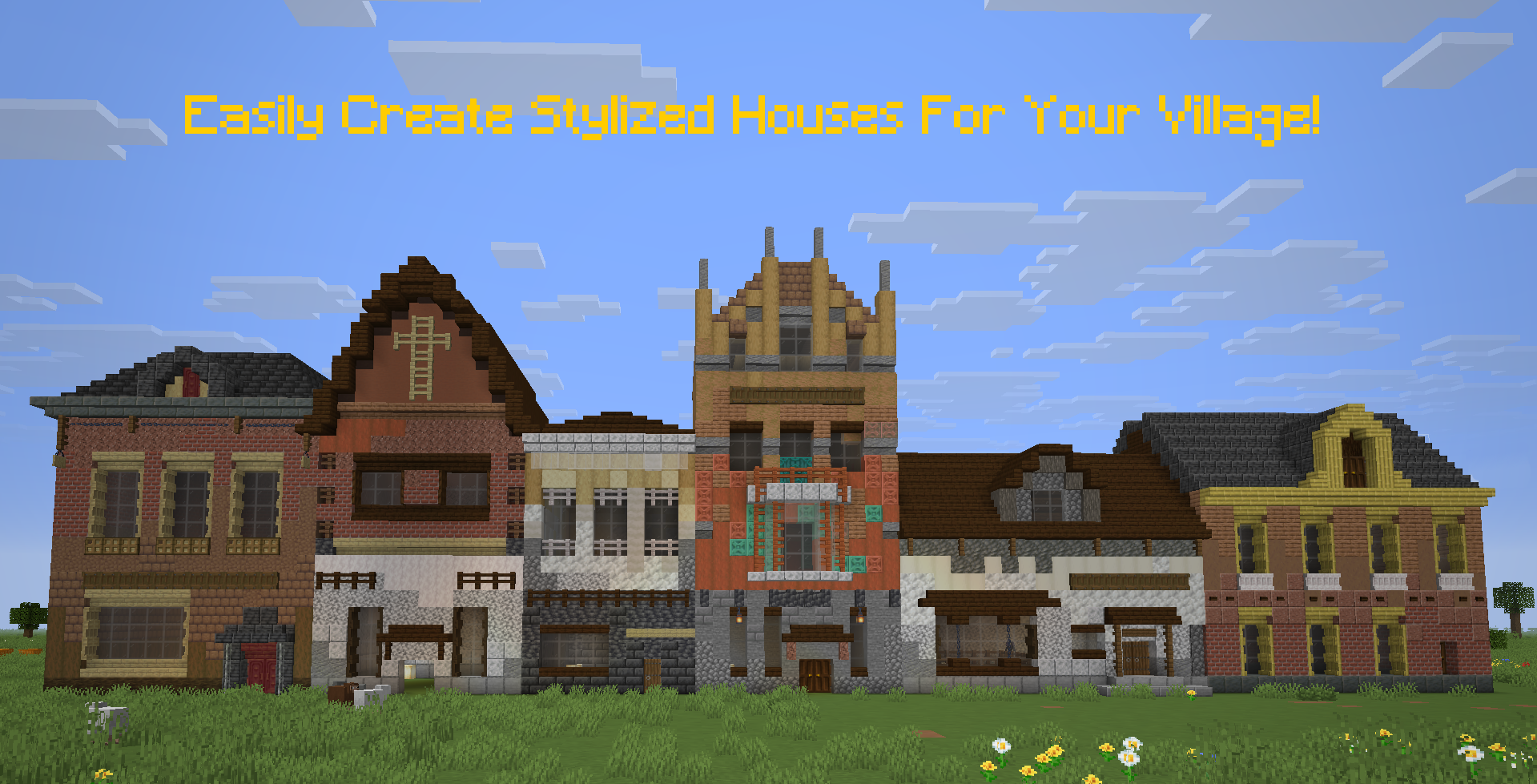 The idea behind this mod Easily create walls for your houses, so you can put your efforts into decorating
 -
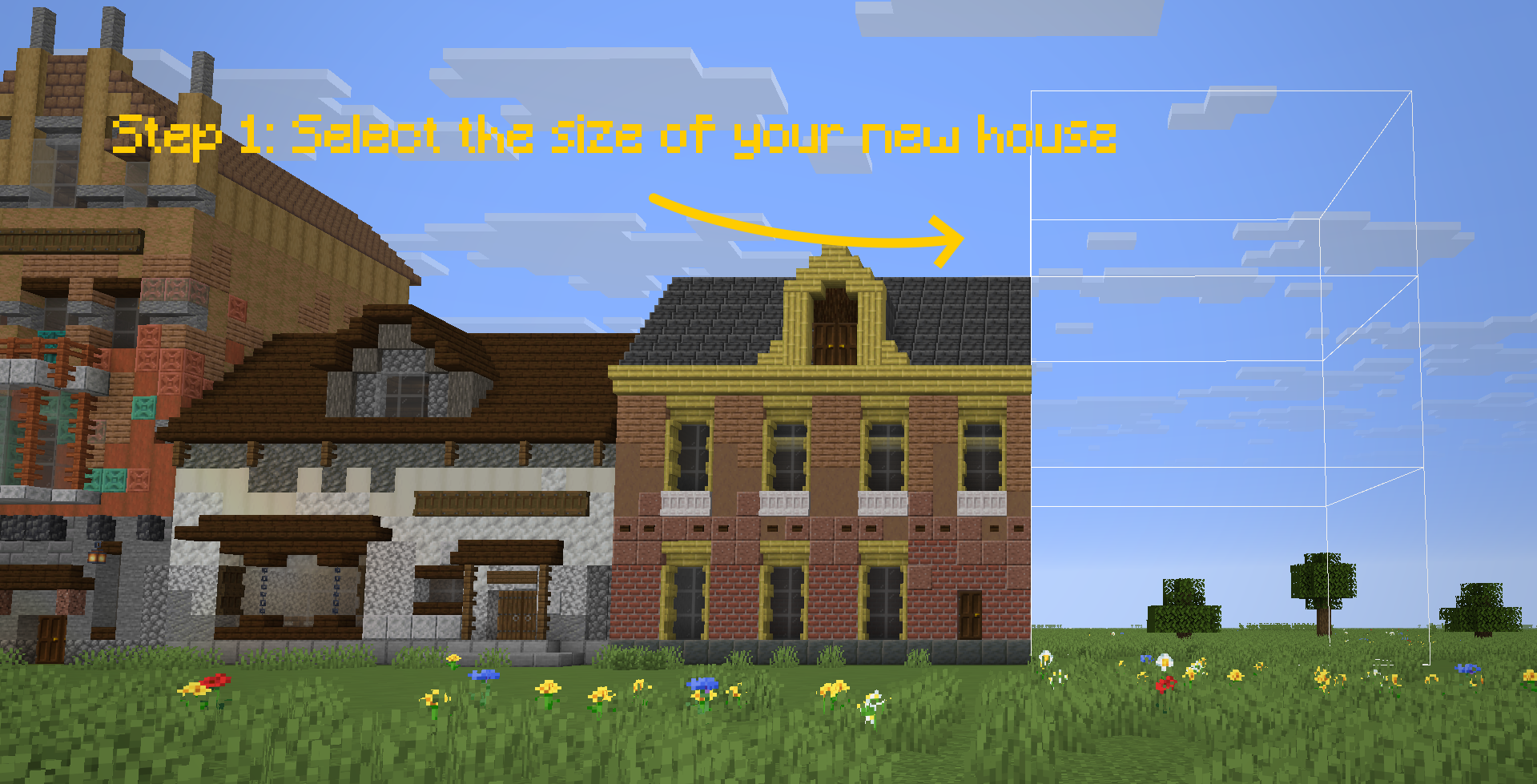 Step 2: Select the size and position for your new house Open up the menu (ctrl + V), select the width, length, and height for each layer of the house. Select how many layers you want the house to consist of. You can select a range for each of the parameters, so it will be more randomized.
 -
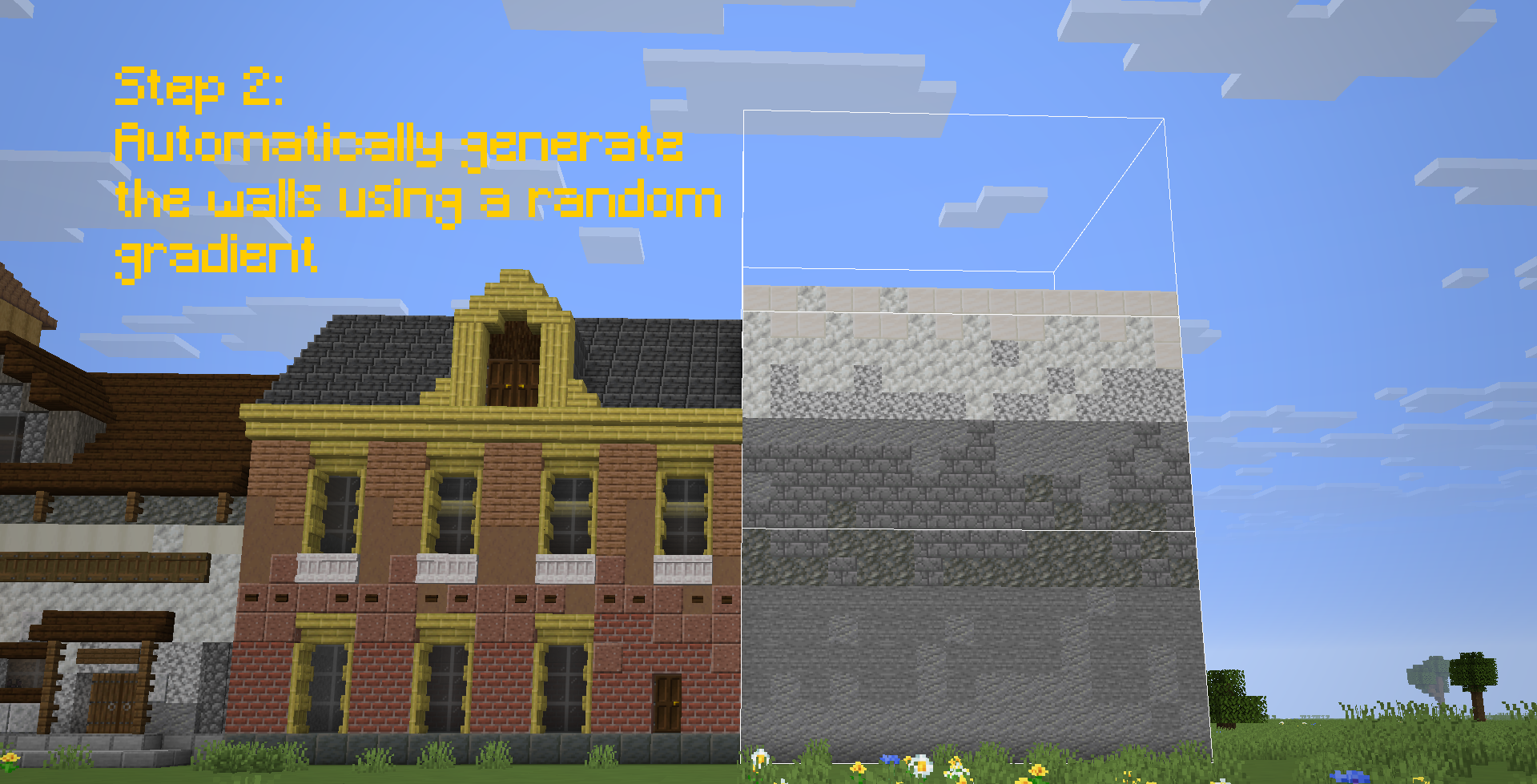 Step 3: Generate the walls Press ctrl + P to generate the walls automatically. Undo it by pressing ctrl + O
 -
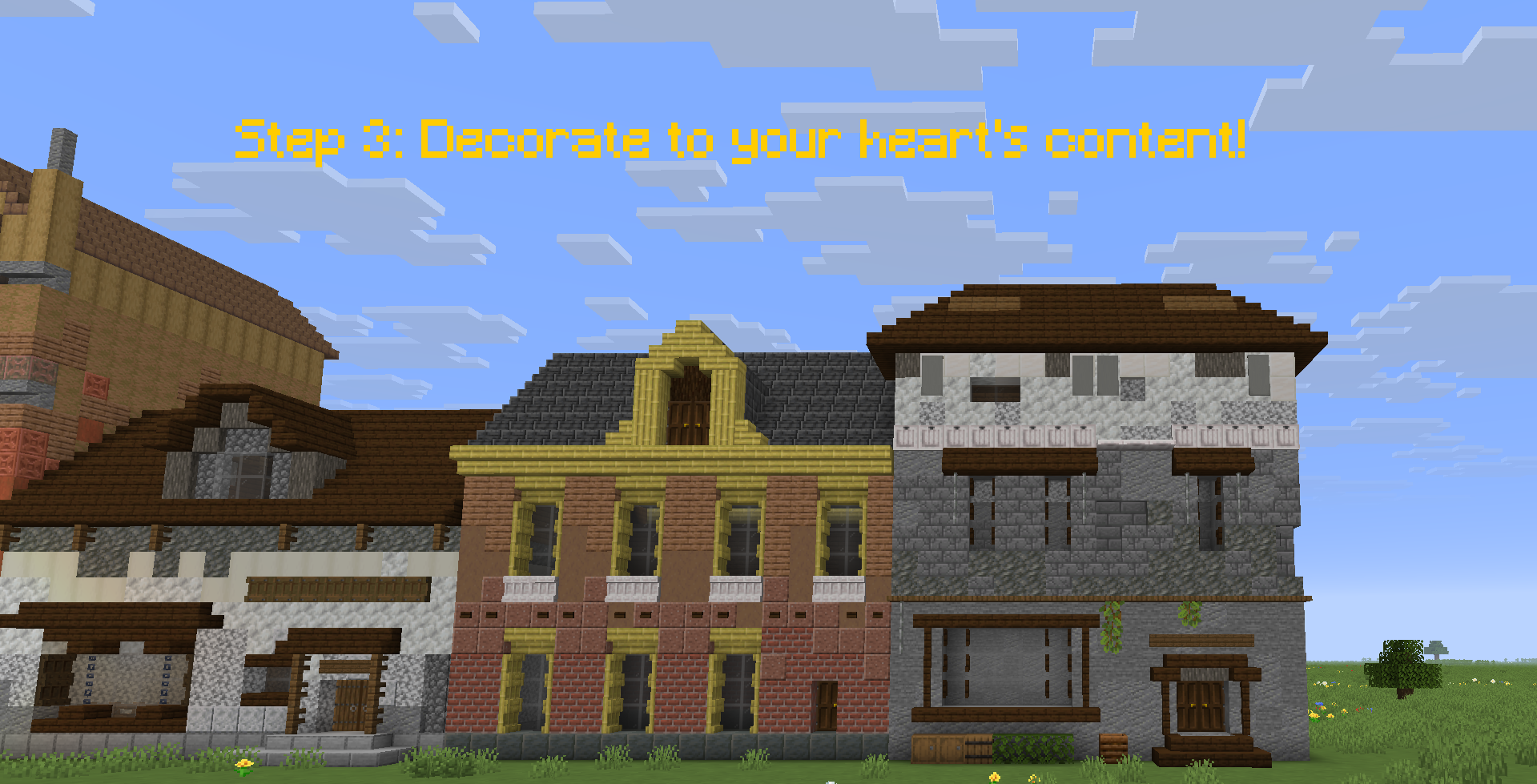 Step 4: Manually decorate the house yourself Minecraft is about expressing yourself. This mod won't do everything for you, but just gives you a canvas to work from. Go crazy!
Versions
Files
Relations
Project Relations
More like this
Similar Mods
Suggestions use data such as tags, dependencies, dependents, descriptions, titles, and more to rank how much they overlap with this mod.
On ModDex
Community snapshot
By the numbers
Statistics

Want to reach Minecraft players?
We're looking for a server hosting partner to feature here and other parts of the site. Interested? Send us a message!
Get in touchGet it on
Available Platforms
On ModDex
Community snapshot
By the numbers