
Community listing page, reviews here may not be monitored by the author.
VotePass

No reviews yet
"Passed by Vote!" An efficient and fair verification plugin for whitelisted servers, which supports players to submit whitelist requests by themselves and be reviewed by all players who have passed.
Community voices
Reviews
No reviews yet. Be the first to review this project!
Get it on
Available Platforms
About
Project Details
For authors
Embed Badge
If you're the author of this project, you can embed a live badge anywhere that supports HTML or Markdown. It updates automatically whenever ratings change.
Use HTML for any page that supports it, or Markdown for README files and Markdown-based descriptions.
Identifiers
Platform IDs
About
Description
 _    __      __       ____
| |  / /___  / /____  / __ \____ ___________
| | / / __ \/ __/ _ \/ /_/ / __ `/ ___/ ___/
| |/ / /_/ / /_/  __/ ____/ /_/ (__  |__  )
|___/\____/\__/\___/_/    \__,_/____/____/
README LANGUAGES [ English | 中文 ]




VotePass
You have been "Passed by Vote" !
An efficient and fair verification plugin for whitelisted servers, which supports players to submit whitelist requests by themselves and be reviewed by all players who have passed.

Features & Advantages
- Database Sync! Based on database storage, data is safe and synchronized.
- Easy to configure! Simple and convenient configuration method, all content can be configured!
- User-friendly GUI! Full UI configuration, very easy for players to operate.
- Player participation! Players can participate in the management of the server, making them more involved.
Screenshots


Dependencies
- [Recommend] Placeholders based on PlaceholderAPI .
For development dependencies, please see Dependencies .
Extensions
Have you developed an extension plugin related to this plugin? Welcome to submit your extension plugin in Issues and we will add it to the list!
VotePass-Mailer
Support email notify for VotePass in game servers.
VotePass-QQNotify
Support QQ notify for VotePass in lobby servers.
Commands
The main command is /VotePass or /vp.
Lobby side
# request <serverID>
@ Player command
- Submit a whitelist request for a specific server.
- If the server has configured the rules, the rule agreement will be opened first;
- If not, the question-related GUI will be popped up directly for the player to fill in.

# accept <serverID>
@ Player command
- Agree to the rules of the specified server and start filling in the answers to the questions.

# deny <serverID>
@ Player command
- Refuse the rules of the specified server.

# reload
@ Admin command
- Reload the configuration file.

# toggle <server>
@ Admin command
- Enable/Disable the vote application for the corresponding server.
Game side
# requests
@ Player command
- View all whitelist requests that have not been participated in.

# handle <requestID>
@ Player command
- (Continue to) process the specified whitelist request.

# abstain
@ Player command
- Enable/Disable the auto abstain function.

# manage
@ Admin command
- Open the administrator operation GUI to directly operate the whitelist.

# reload
@ Admin command
- Reload the configuration file.

# sync
@ Admin command
- Synchronize the whitelist of the corresponding server to the database.

# migrate
@ Admin command
- Migrate the whitelist of the server from the "whitelist.json".

# list
@ Admin command
- List all players in whitelist.

# add <username>
@ Admin command
- Add a player to the whitelist.
- Player should joined the server(e.g lobby) at least once.

# remove <username>
@ Admin command
- Remove a player from the whitelist.
Configurations
You can find configuration translations at VotePass-Translations.
Plugin Configuration (config.yml) .
Will be generated on the first boot up.
Messages Configuration (messages.yml)
Will be generated on the first boot up.
Server Application Configuration (servers/*.yml)
All server's application configuration are separate configuration files,
stored in the lobby's <Data Folder>/servers/ for easy management.
You can edit the storage path of the server configuration file in the plugin configuration file.
Permissions
# VotePass.admin
- The permissions for all admin commands and functions.

# VotePass.abstain
- The permission that allow user to toggle auto abstain.
Statistics


Open Source Licence
The source code of this project adopts the GNU General Public License v3.0.
Supports
This project is mainly developed by the Artfrom Games .

Many thanks to Jetbrains for kindly providing a license for us to work on this and other open-source projects.

Screenshots
Gallery
-
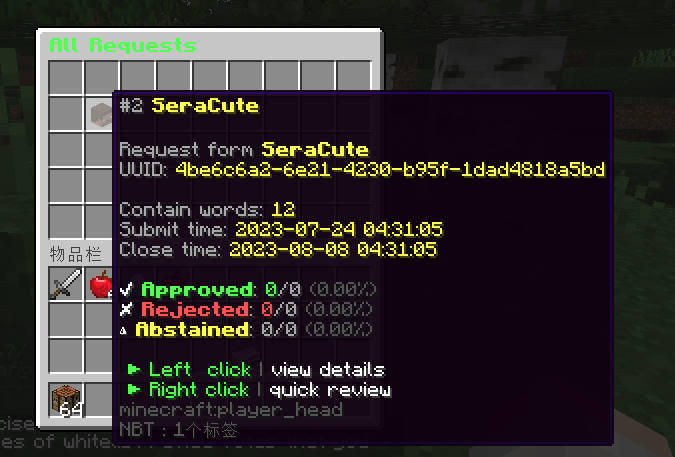 Request GUI
 -
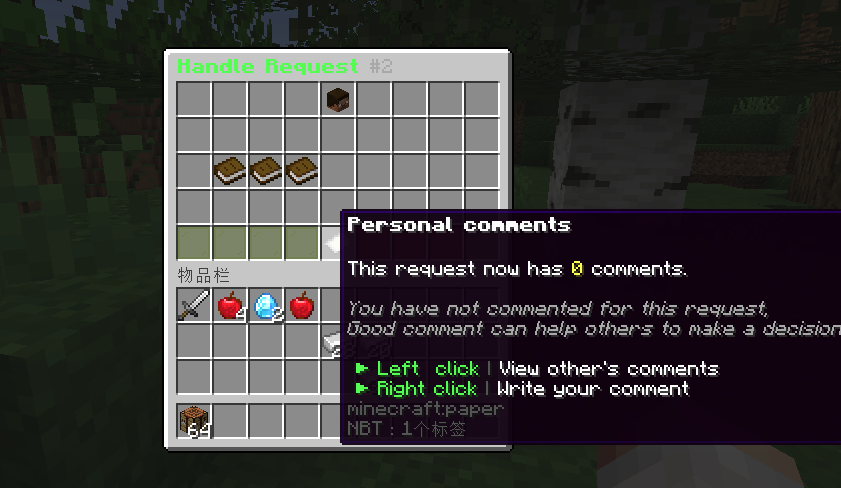 Comments GUI
Versions
Files
Relations
Project Relations
More like this
Similar Mods
Suggestions use data such as tags, dependencies, dependents, descriptions, titles, and more to rank how much they overlap with this mod.
On ModDex
Community snapshot
By the numbers
Statistics

Want to reach Minecraft players?
We're looking for a server hosting partner to feature here and other parts of the site. Interested? Send us a message!
Get in touchGet it on
Available Platforms
On ModDex
Community snapshot
By the numbers