
Community listing page, reviews here may not be monitored by the author.
World Guard


No reviews yet
Mod that prevents your world from loading if its generator settings changed between now and the last time you loaded your world.

Community voices
Reviews
No reviews yet. Be the first to review this project!
Get it on
Available Platforms
Compatibility
Supported Environments
Runs entirely on the server. Also works in singleplayer.
About
Project Details
For authors
Embed Badge
If you're the author of this project, you can embed a live badge anywhere that supports HTML or Markdown. It updates automatically whenever ratings change.
Use HTML for any page that supports it, or Markdown for README files and Markdown-based descriptions.
Identifiers
Platform IDs
Resources
External Links
About
Description

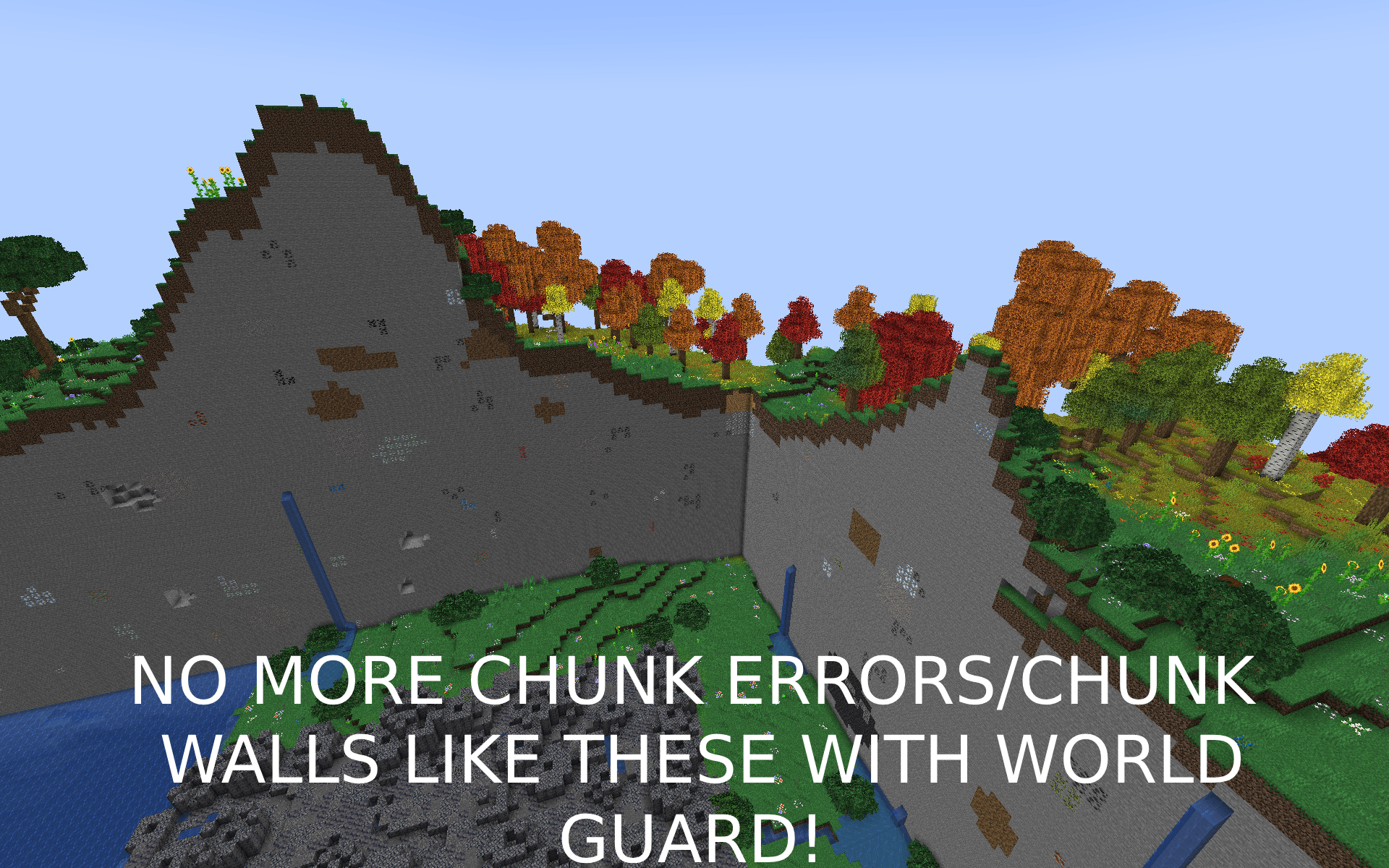
What is this?
- World Guard is a mod that aims at preventing you from corrupting your world with awful chunk walls and missing biomes due to a changing seed or world generator or missing biomes.
How does it work?
- Between world loads, World Guard locally saves basic information about your world's generator settings, dimensions, biomes installed mods, and installed datapacks. With this basic information stored, everytime the server starts, World Guard will run various checks including:
- World Seed is the exact same. (config=
crash_when_mismatched_seed=true) - Chunk generator settings and type are the exact same. (config=
crash_when_mismatched_chunk_generator=true) - Ensuring no biomes have been removed from your server. (config=
crash_when_removed_biome=true) - Ensuring no dimension were removed from your server. (config=
crash_when_missing_dimension=true) - Ensuring the biome source used to sample biomes matches (config=
crash_when_mismatched_biome_source=true)
What happens if it catches any of those errors?
- World Guard will crash your game with the goal of preventing data corruption to your world's chunks by not letting the chunk's generate at all. The created crash report will give you very detailed information in regards to the before and after.
I am convinced my world will be fine!
- Ensure you back up your world before deleting the
<yourgameinstance>/config/worldguard/backup.datfile which will allow you to load into your world.
How do I configure this?
- Config file for this mod can be found at
<yourgameinstance>/config/worldguard/config.json

What is this?
- World Guard is a mod that aims at preventing you from corrupting your world with awful chunk walls and missing biomes due to a changing seed or world generator or missing biomes.
How does it work?
- Between world loads, World Guard locally saves basic information about your world's generator settings, dimensions, biomes installed mods, and installed datapacks. With this basic information stored, everytime the server starts, World Guard will run various checks including:
- World Seed is the exact same. (config=
crash_when_mismatched_seed=true) - Chunk generator settings and type are the exact same. (config=
crash_when_mismatched_chunk_generator=true) - Ensuring no biomes have been removed from your server. (config=
crash_when_removed_biome=true) - Ensuring no dimension were removed from your server. (config=
crash_when_missing_dimension=true) - Ensuring the biome source used to sample biomes matches (config=
crash_when_mismatched_biome_source=true)
What happens if it catches any of those errors?
- World Guard will crash your game with the goal of preventing data corruption to your world's chunks by not letting the chunk's generate at all. The created crash report will give you very detailed information in regards to the before and after.
I am convinced my world will be fine!
- Ensure you back up your world before deleting the
<yourgameinstance>/config/worldguard/backup.datfile which will allow you to load into your world.
How do I configure this?
- Config file for this mod can be found at
<yourgameinstance>/config/worldguard/config.json
Screenshots
Gallery
-
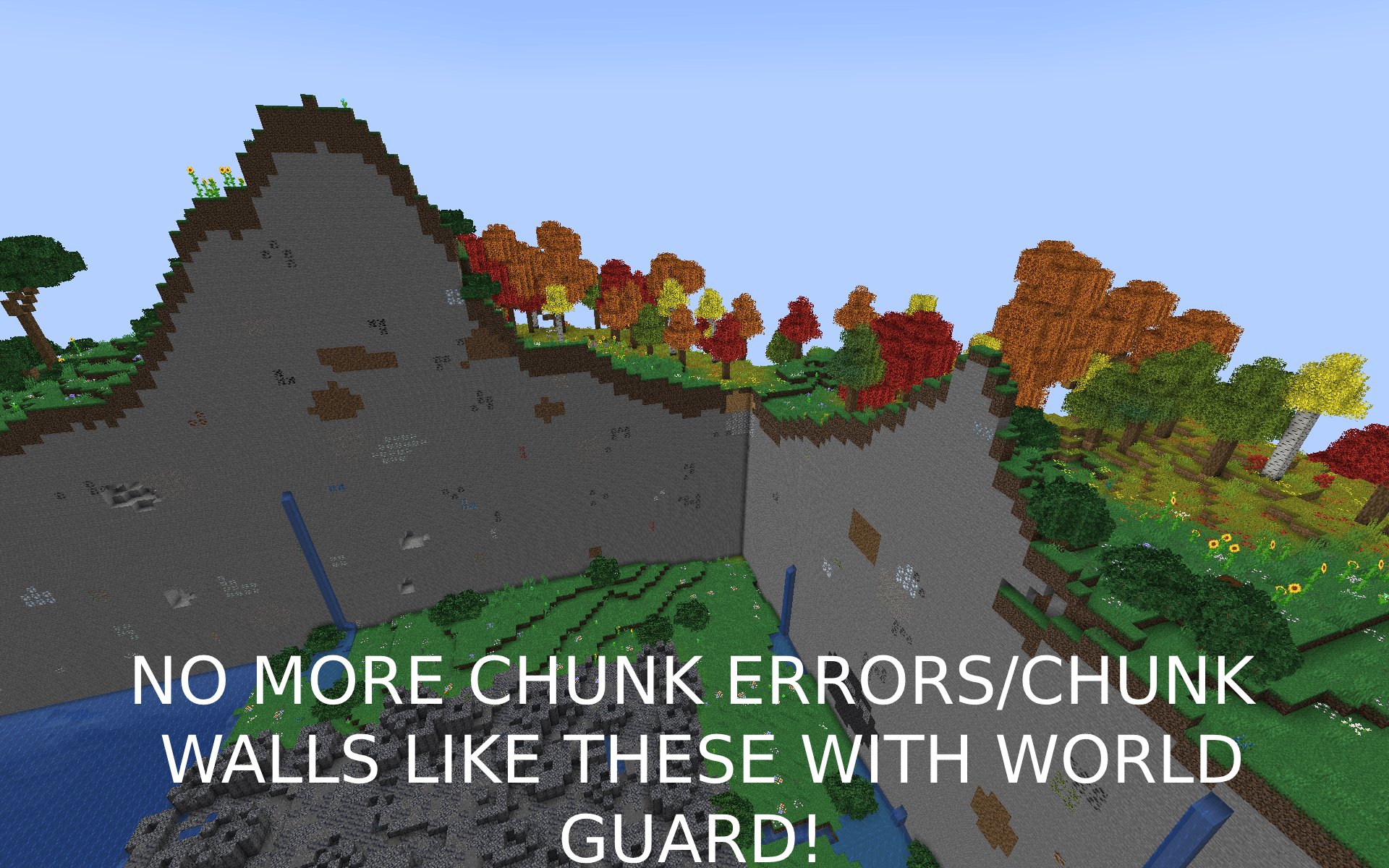
2025-03-17_22.16.05(1)-min.png 2025-03-17_22.16.05(1)-min.png
Versions
Files
Relations
Project Relations
More like this
Similar Mods
Suggestions use data such as tags, dependencies, dependents, descriptions, titles, and more to rank how much they overlap with this mod.
On ModDex
Community snapshot
By the numbers
Statistics
 (opens in a new tab)
Get it on
Available Platforms
On ModDex
Community snapshot
By the numbers
Statistics
Resources