
Community listing page, reviews here may not be monitored by the author.
WNT - World Name Terrarified


No reviews yet
Simple mod that adds random world name generator from Terraria
Community voices
Reviews
No reviews yet. Be the first to review this project!
Get it on
Available Platforms
Compatibility
Supported Environments
Runs entirely on the client. Works on vanilla servers.
Works in singleplayer only; does not function in multiplayer.
Varies by version.
About
Project Details
For authors
Embed Badge
If you're the author of this project, you can embed a live badge anywhere that supports HTML or Markdown. It updates automatically whenever ratings change.
Use HTML for any page that supports it, or Markdown for README files and Markdown-based descriptions.
Identifiers
Platform IDs
About
Description
World Name Terrarified - WNT
About
WNT is a small Minecraft mod, which adds only one (for now) simple feature. Random world name generator exactly like in Terraria! (Not 100% sure, but anyway)
PLEASE report any issues on GitHub, it'll make the mod better and testing with debugging easier.
Thank you!
P.S. Feel free to include this mod to your modpacks
How it works
Mod adds a button to the world creation screen, on the left from world name field. When you press the button it chooses 4 random entries from specific files and creates a unique name.
Compatibilities
I HAVEN'T TESTED WITH OTHER MODS YET, but until the other mod doesn't change how Minecraft renders screen it should work!
Right now it officially supports 4 languages:
- English - en_us (1 887 189 984 unique world names)
- Russian - ru_ru (944 663 616 unique world names)
- Portuguese - pt_pt (943 594 992 unique world names)
- Simplified Chinese - zh_cn (943 594 992 unique world names)
- … more comming… maybe…
- Infinite expansion with custom resourcepacks!
Customization
Mod uses Minecraft's resource manager (simpler - Resourcepacks) to access files, so it's very simple to add your own variants/localizations!
Creating custom resourcepack
First of all you need to know how to handle resources, here is the structure of 'resourcepack':
assets/
├─ wnt/
│  ├─ LOCALE_CODE/
│  │  ├─ adjectives.txt
│  │  ├─ compositions.txt
│  │  ├─ locations.txt
│  │  ├─ nouns.txt
Important things to know about it:
LOCALE_CODEfolder (en_us, ru_ru, etc.) - MUST be lowercase. If you don't know language code you can simply google it or if locale is not supported by the mod you can found its code in the logs under 'Error while loading localization files…'- compositions.txt is the template of world names, here is its structure(example):
@- Adjective#- Location$- Noun
adjectives.txt, locations.txt, nouns.txt- are just lists with variants separated by lines, they'll replace@,#or$(examples)- Names of the files MUST be exact the same as shown above!
So to modify the original mod you simply need to create a resource pack with a suitable pack.mcmeta and directory assets/wnt/LOCALE_CODE/ where you'll put the files you'd like to modify or add. You can also override already existing resources as well as adding new locales!
Credits
Thanks!
terraria.wiki.gg for provided lists of words which this mod uses.
World Name Terrarified - WNT
About
WNT is a small Minecraft mod, which adds only one (for now) simple feature. Random world name generator exactly like in Terraria! (Not 100% sure, but anyway)
PLEASE report any issues on GitHub, it'll make the mod better and testing with debugging easier.
Thank you!
P.S. Feel free to include this mod to your modpacks
How it works
Mod adds a button to the world creation screen, on the left from world name field. When you press the button it chooses 4 random entries from specific files and creates a unique name.
Compatibilities
I HAVEN'T TESTED WITH OTHER MODS YET, but until the other mod doesn't change how Minecraft renders screen it should work!
Right now it officially supports 4 languages:
- English - en_us (1 887 189 984 unique world names)
- Russian - ru_ru (944 663 616 unique world names)
- Portuguese - pt_pt (943 594 992 unique world names)
- Simplified Chinese - zh_cn (943 594 992 unique world names)
- ... more comming... maybe...
- Infinite expansion with custom resourcepacks!
Customization
Mod uses Minecraft's resource manager (simpler - Resourcepacks) to access files, so it's very simple to add your own variants/localizations!
Creating custom resourcepack
First of all you need to know how to handle resources, here is the structure of 'resourcepack':
assets/
├─ wnt/
│  ├─ LOCALE_CODE/
│  │  ├─ adjectives.txt
│  │  ├─ compositions.txt
│  │  ├─ locations.txt
│  │  ├─ nouns.txt
Important things to know about it:
LOCALE_CODEfolder (en_us, ru_ru, etc.) - MUST be lowercase. If you don't know language code you can simply google it or if locale is not supported by the mod you can found its code in the logs under 'Error while loading localization files...'- compositions.txt is the template of world names, here is its structure(example):
@- Adjective#- Location$- Noun
adjectives.txt, locations.txt, nouns.txt- are just lists with variants separated by lines, they'll replace@,#or$(examples)- Names of the files MUST be exact the same as shown above!
So to modify the original mod you simply need to create a resource pack with a suitable pack.mcmeta and directoryassets/wnt/LOCALE_CODE/where you'll put the files you'd like to modify or add. You can also override already existing resources as well as adding new locales!
Credits
Thanks!
terraria.wiki.gg for provided lists of words which this mod uses.
Screenshots
Gallery
-
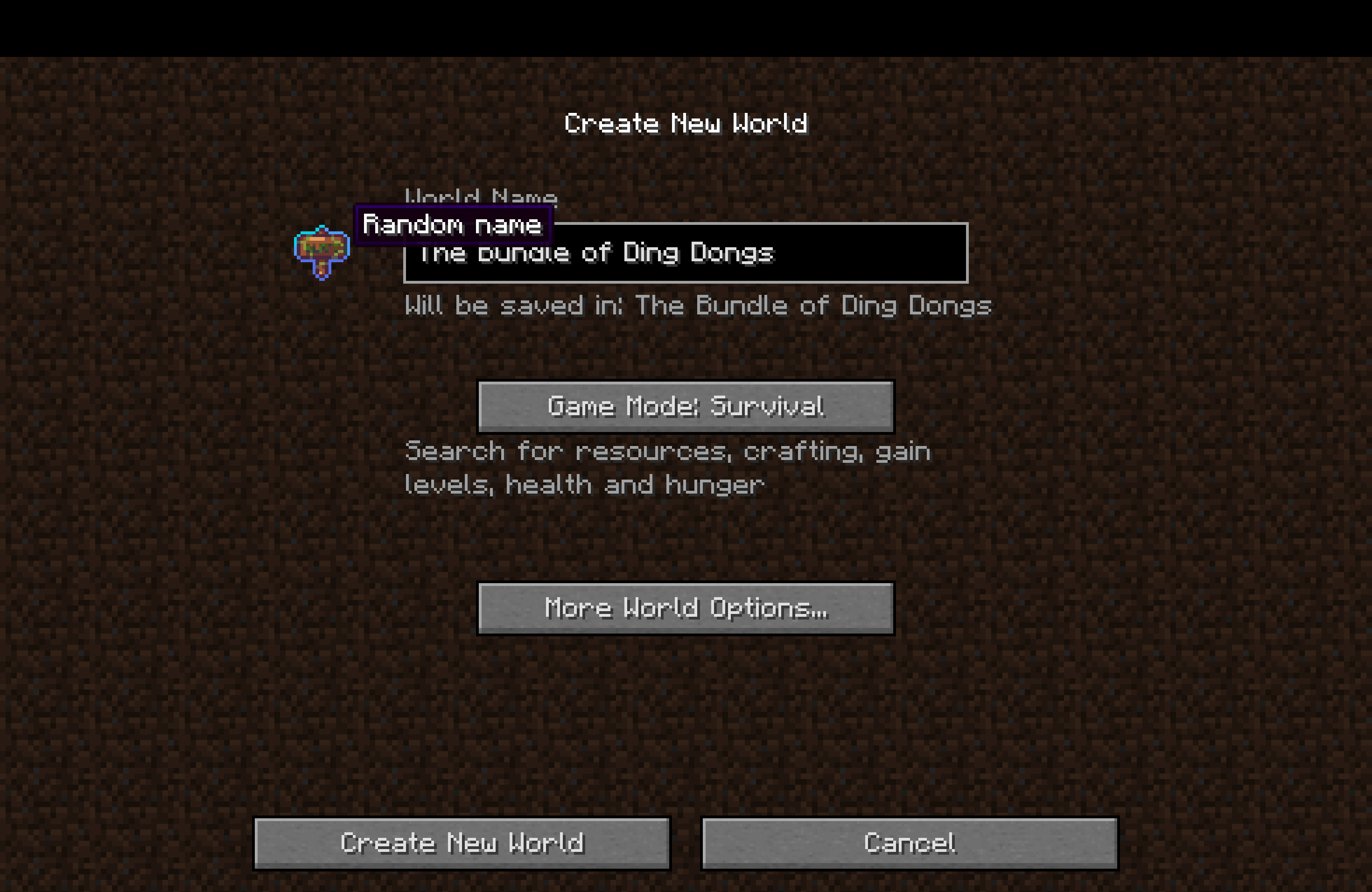 New fancy button in 1.3 If you really don't like it, you can change it to default button in new 'Button Visuals' config
 -
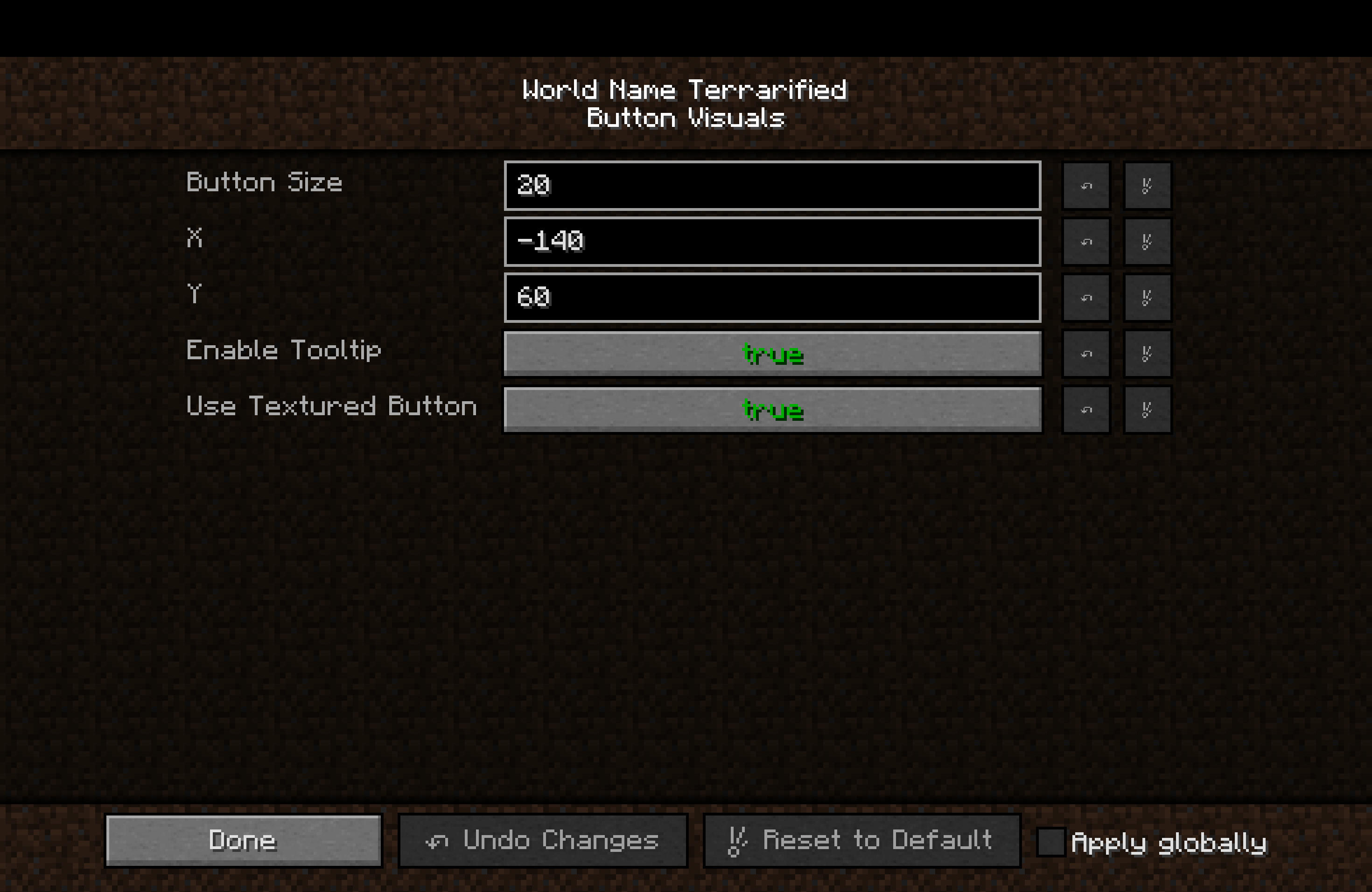 Visual settings in 1.3 New button configurations. Now it have tooltip and ability to choose between button styles
 -
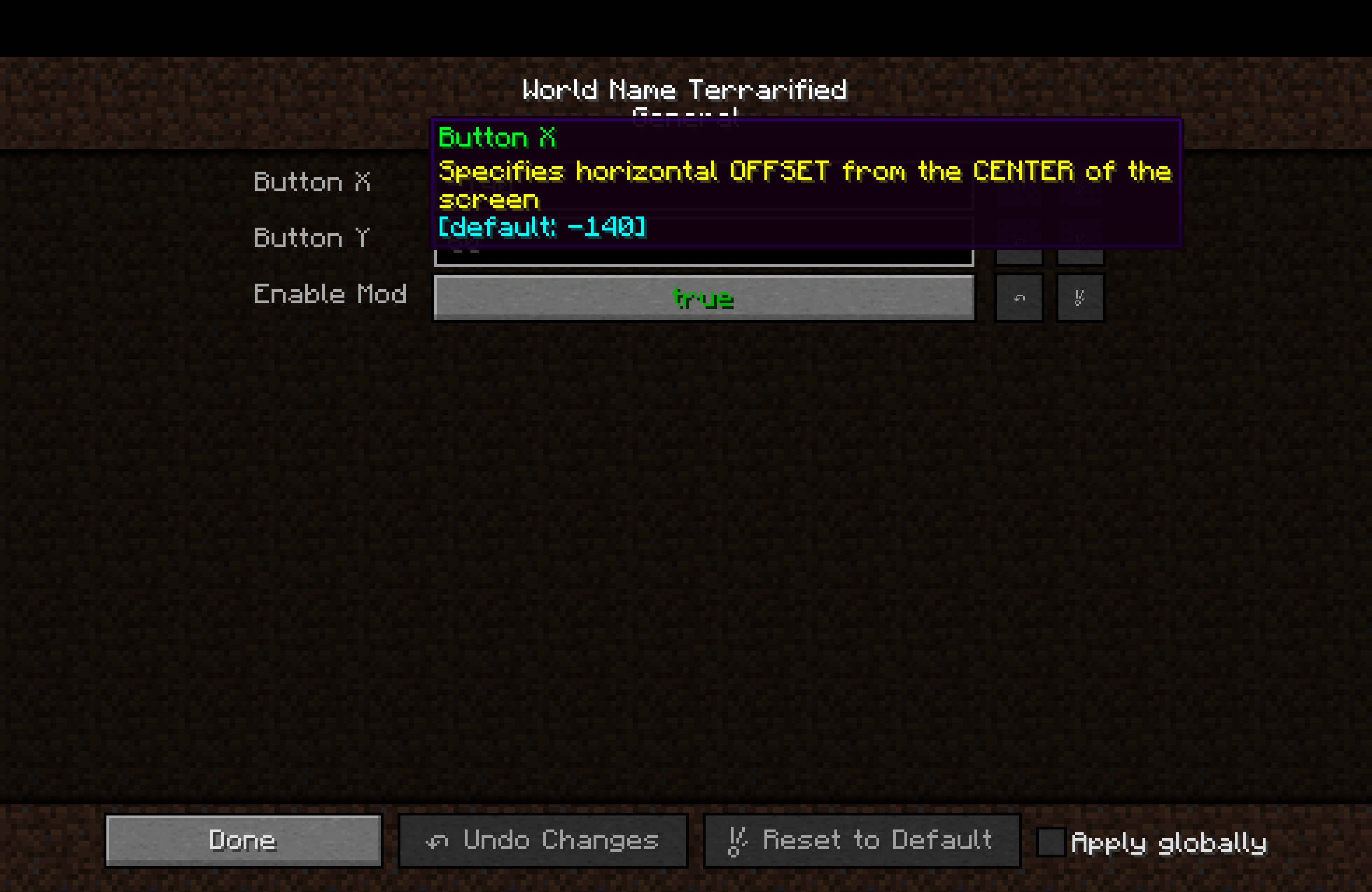 New Localized Configs (Version 1.2) In 1.2 were added EN and RU localizations to configs
 -
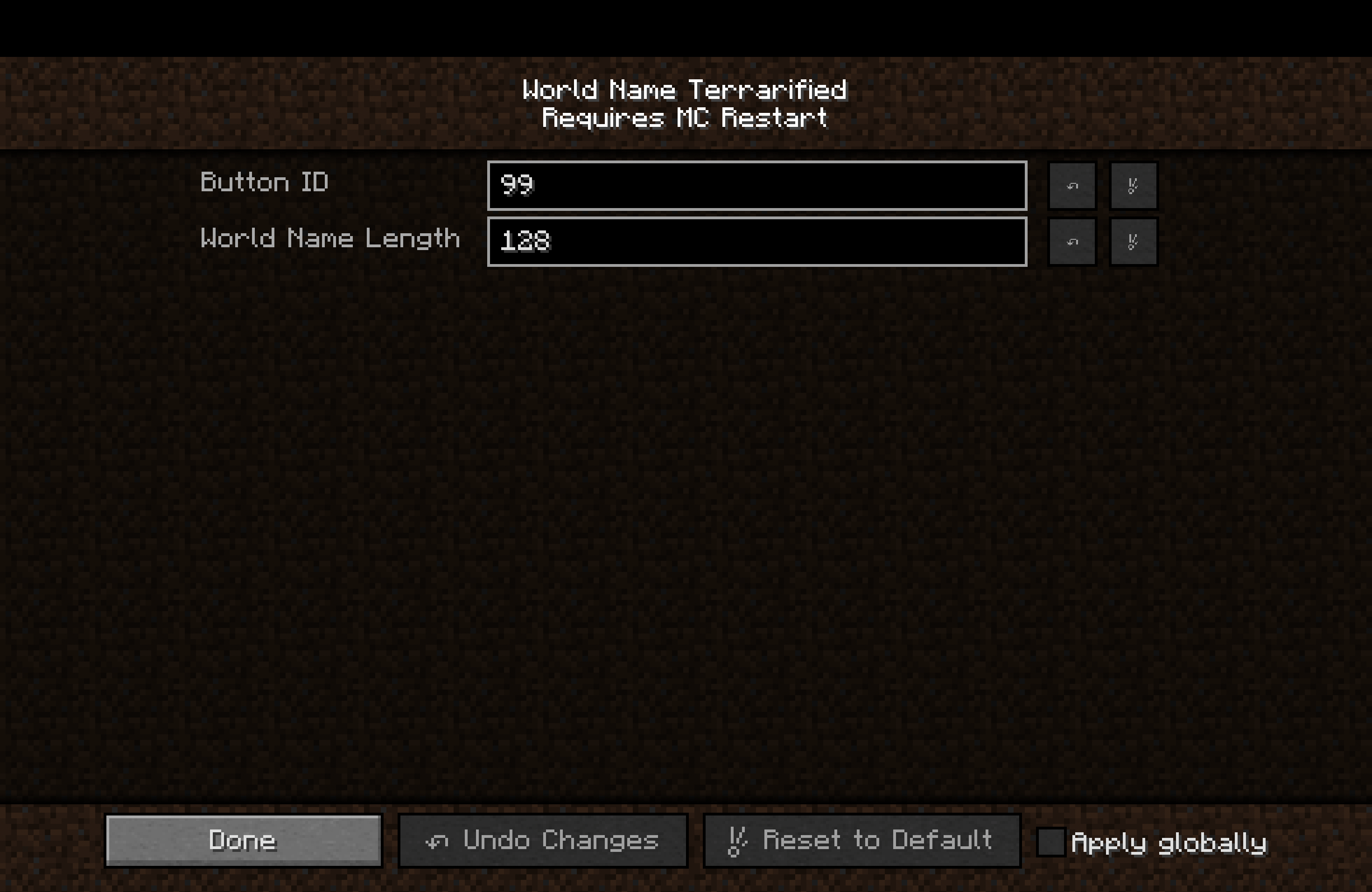 MC Restart Config Category (Version 1.2) New config category that requires Minecraft restart to apply changes. Added in version 1.2
 -
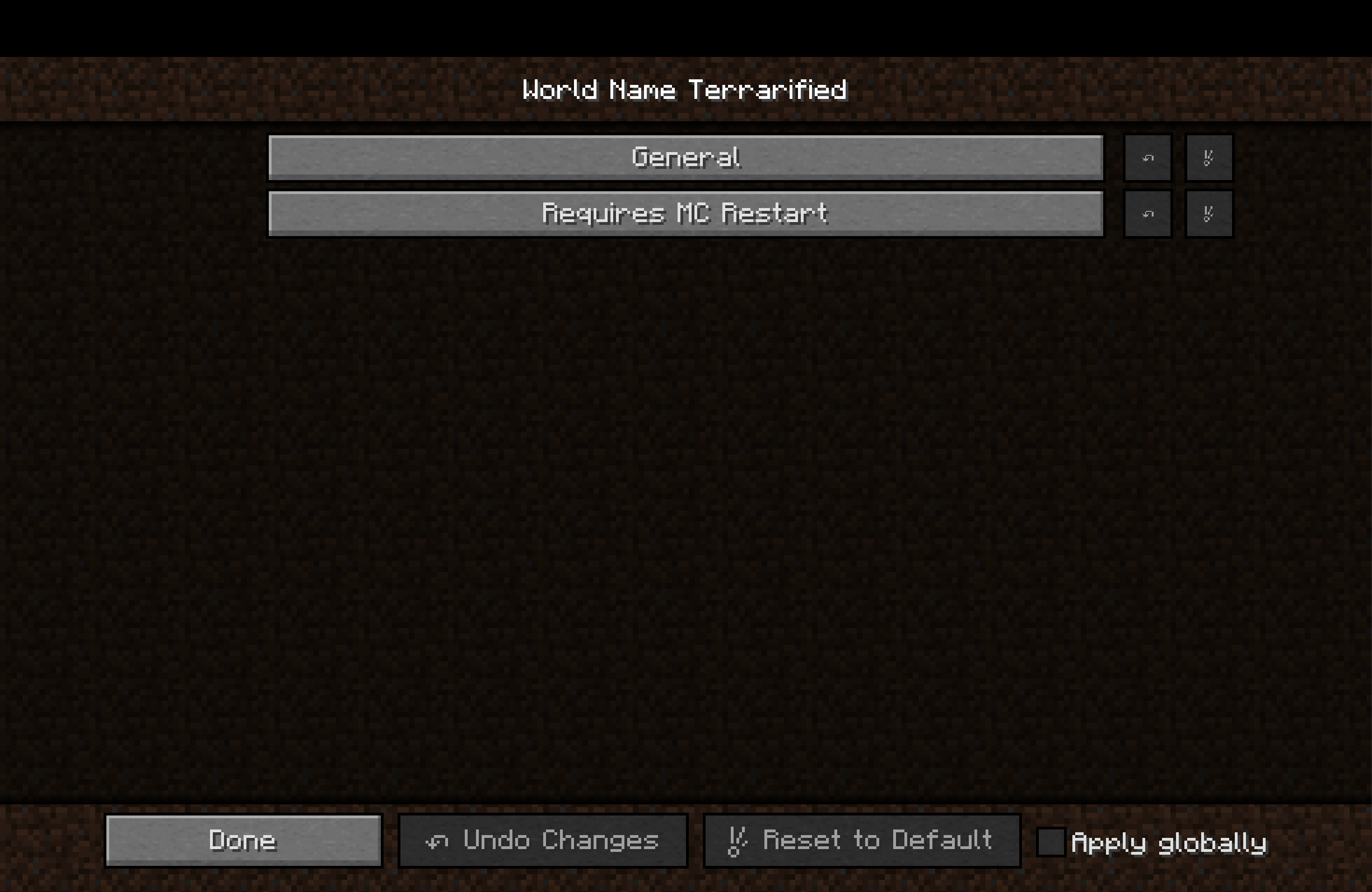 Configuration categories (Version 1.2) In 1.2 configs were restructured making it easier to orient and change what you need
 -
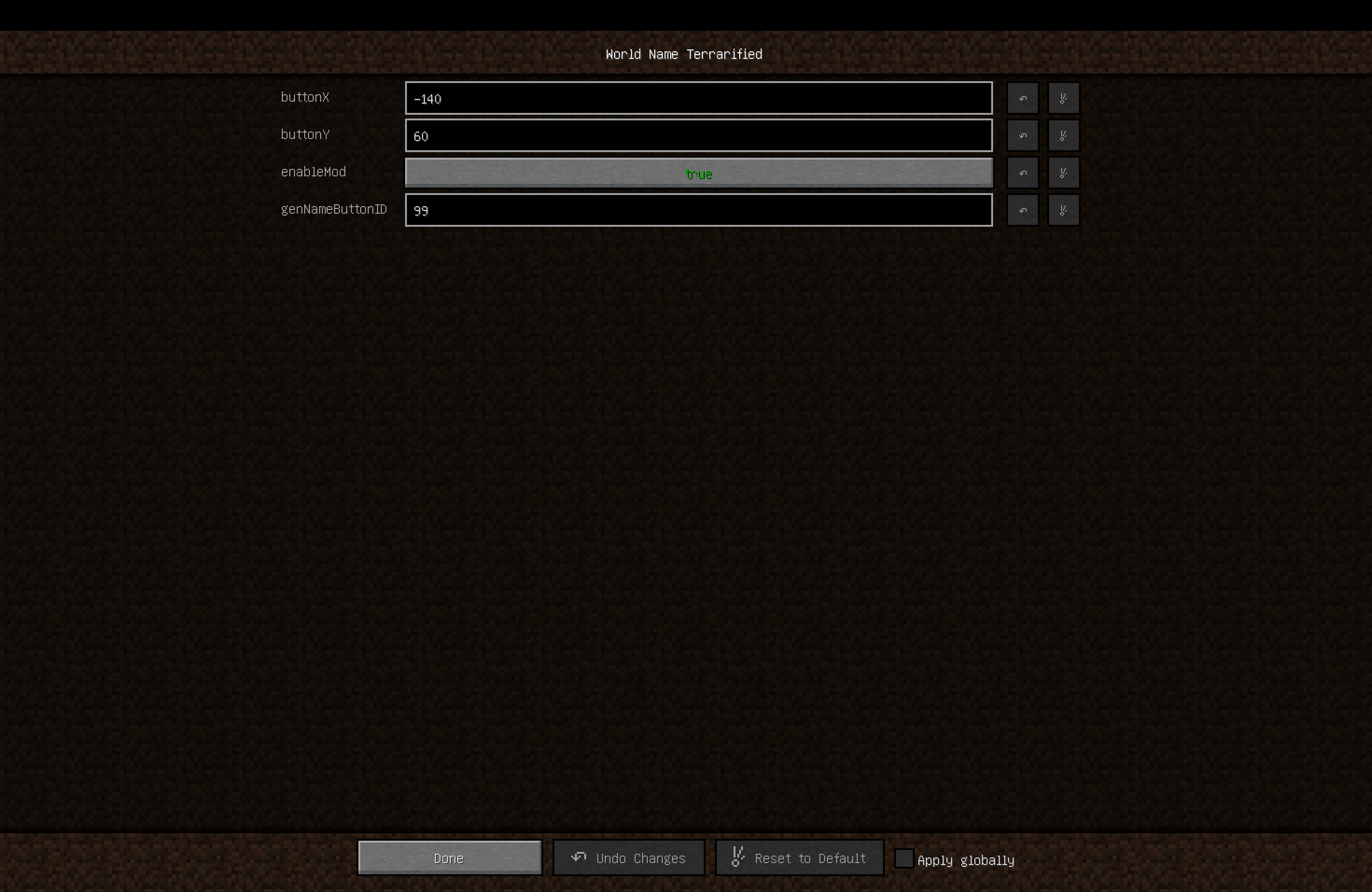 Configuration Simple configuration screen (1.0 version)
 -
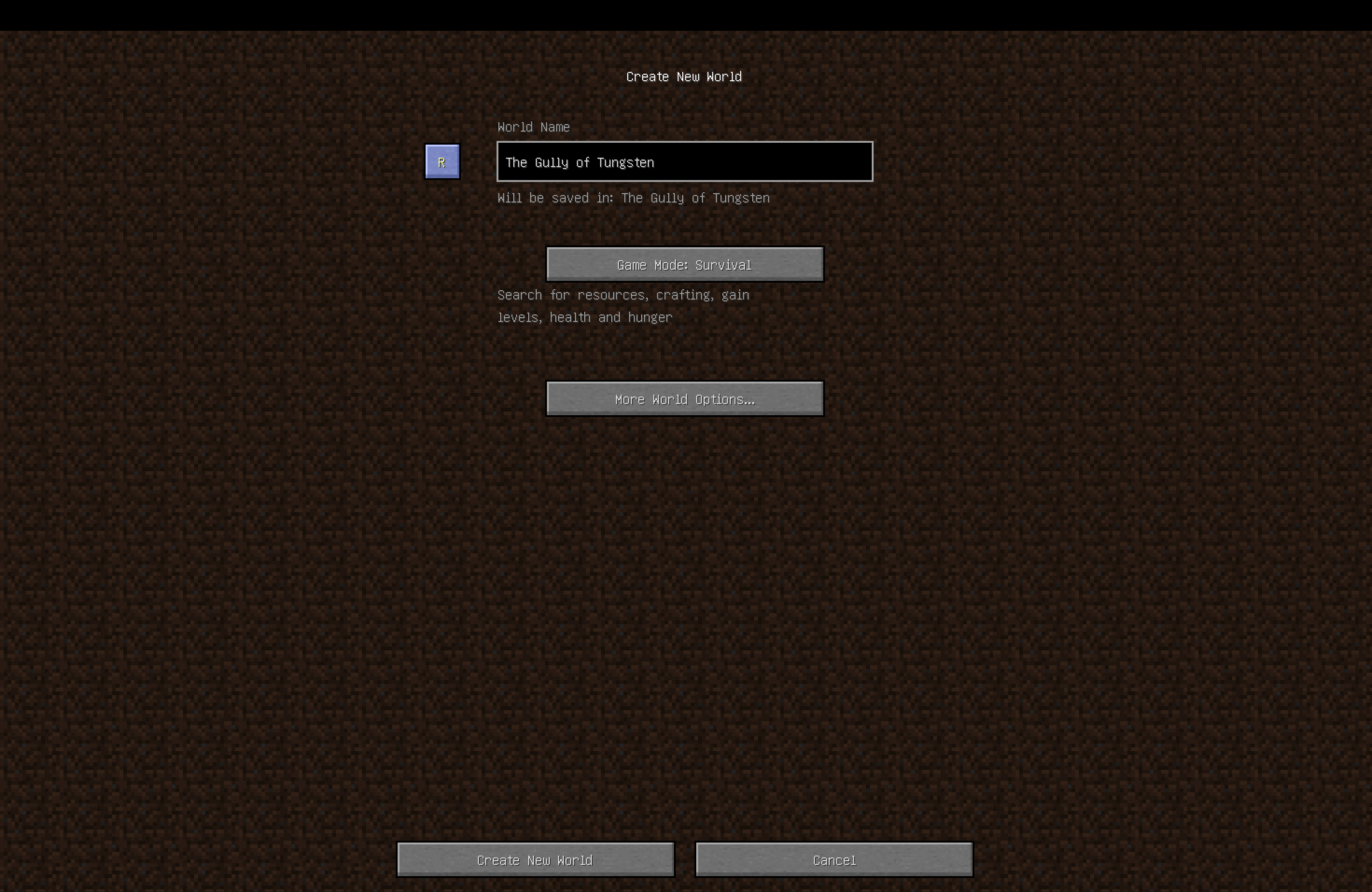 New button New "Random name" button in the world creation menu
-
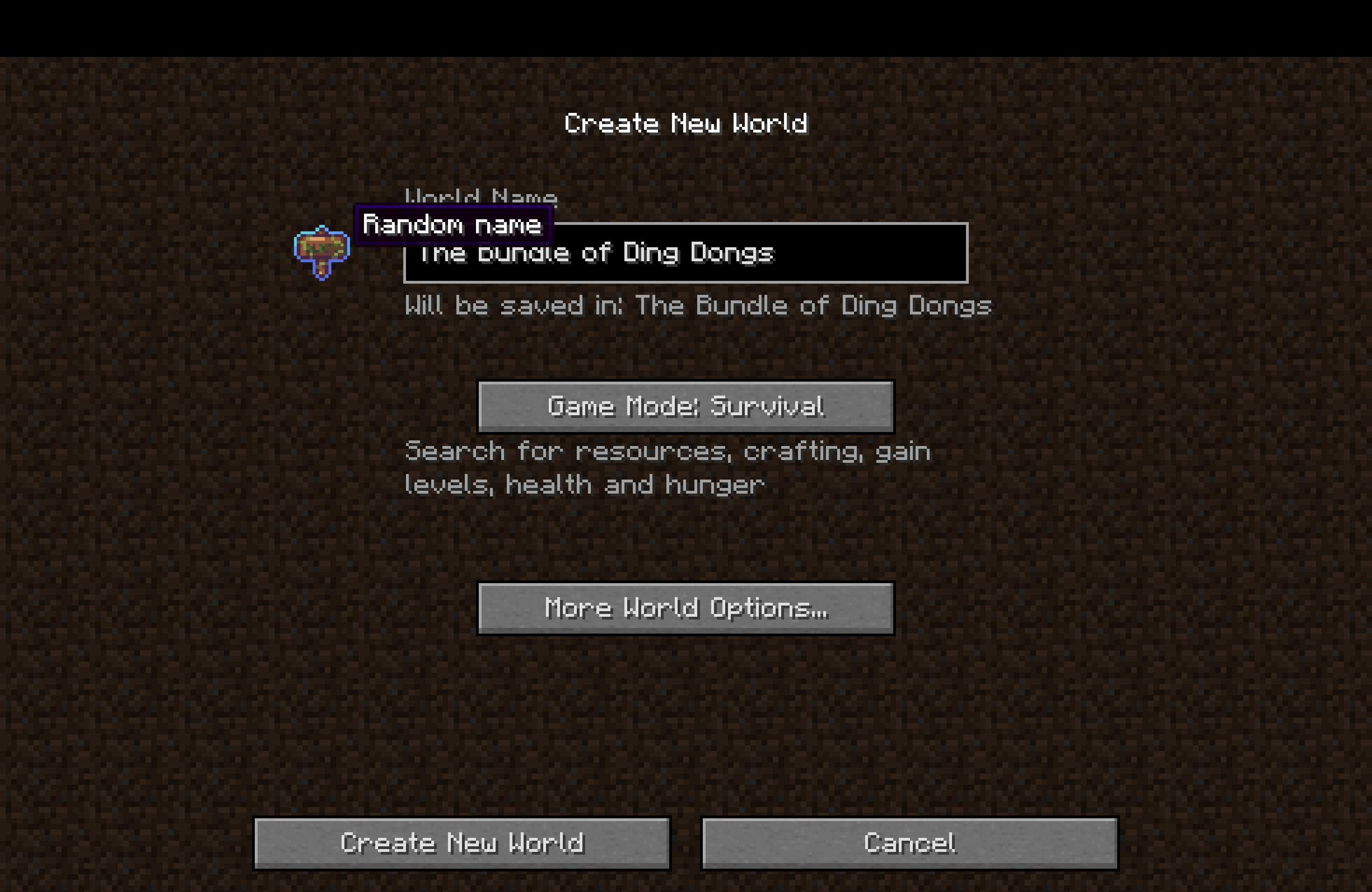 New fancy button in 1.3 If you really don't like it, you can change it to default button in new 'Button Visuals' config
 -
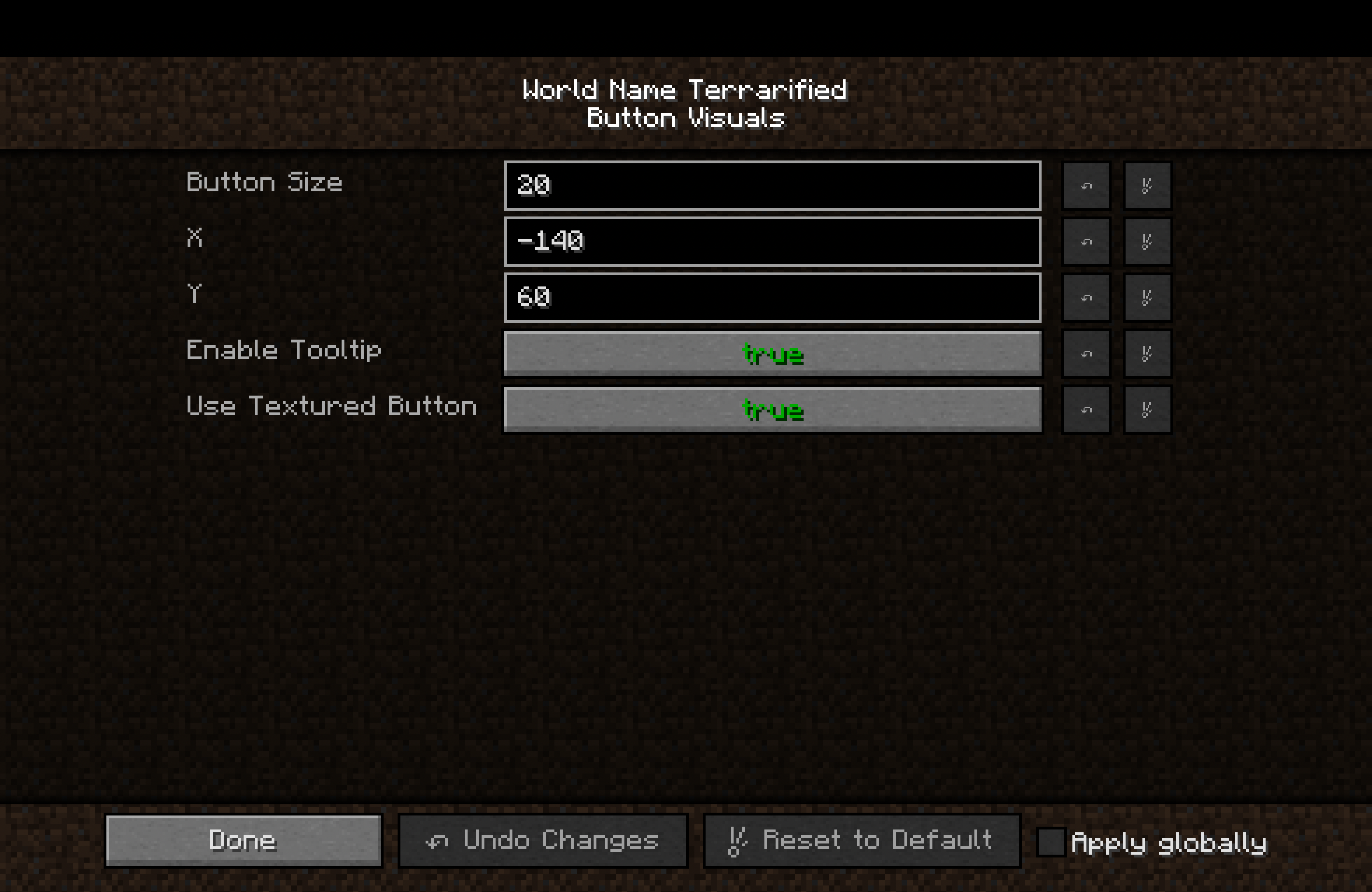 Visual settings in 1.3 New button configurations. Now it have tooltip and ability to choose between button styles
 -
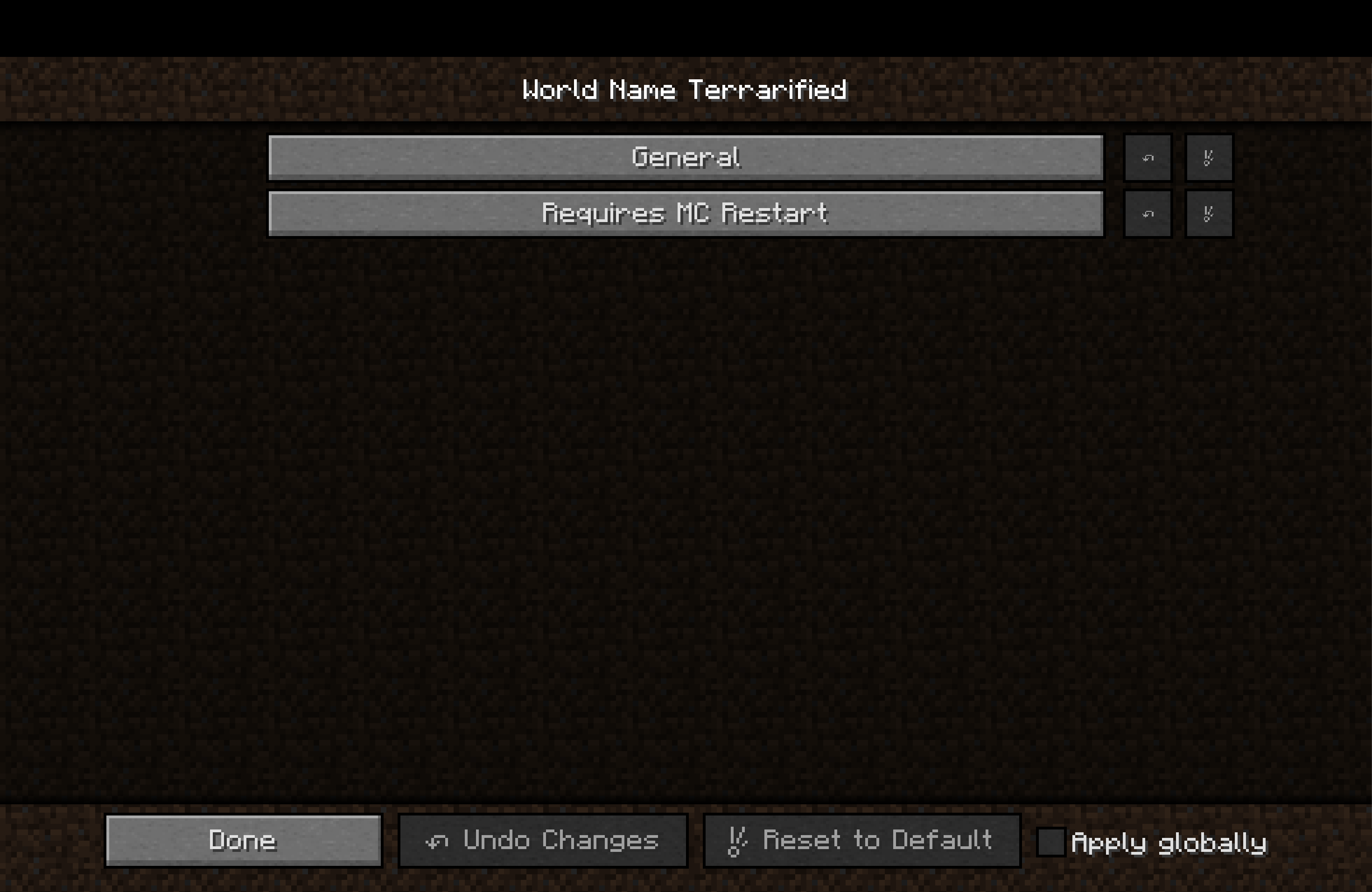 Configuration categories (Version 1.2) In 1.2 configs were restructured making it easier to orient and change what you need
 -
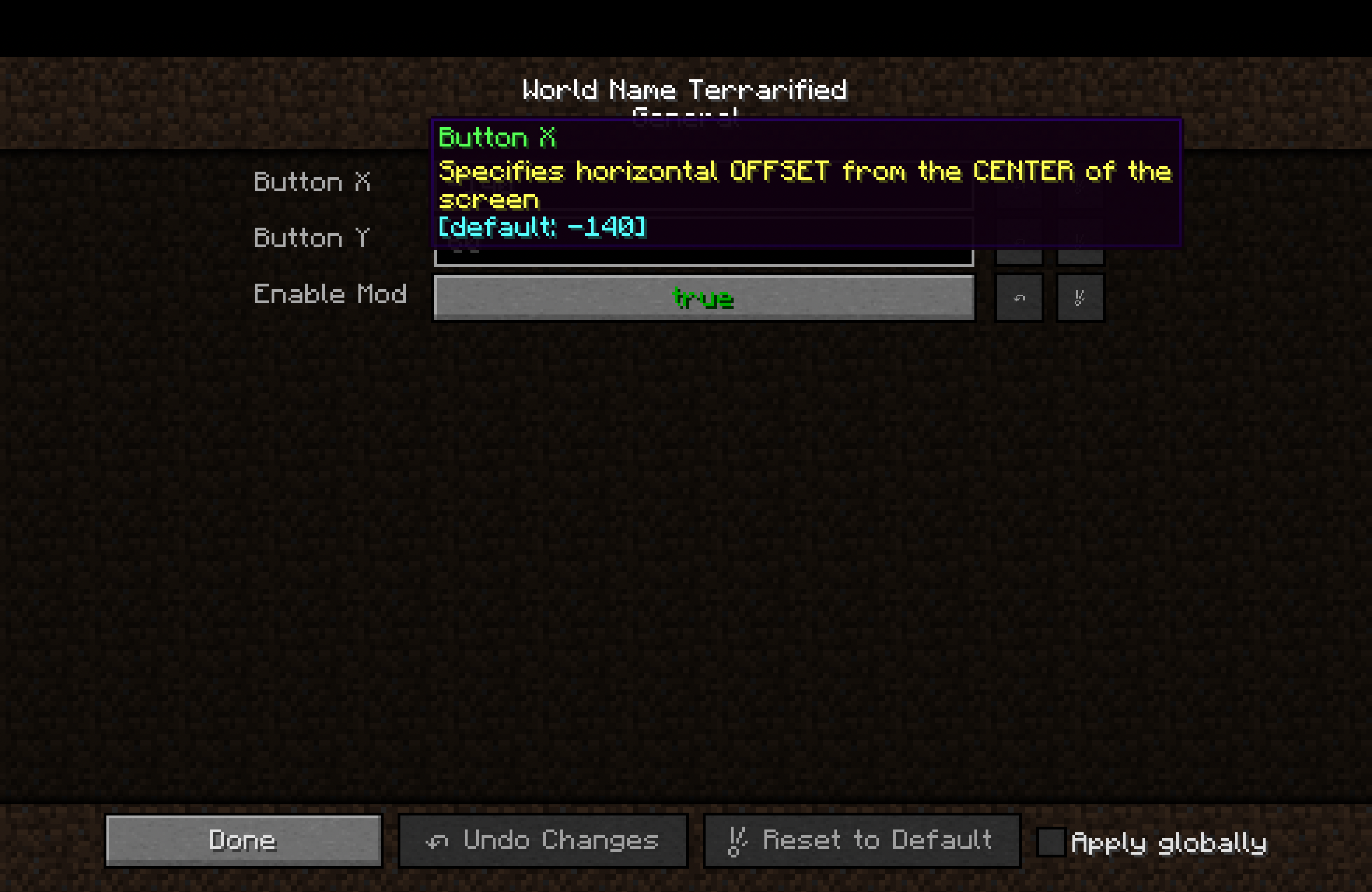 New Localized Configs (Version 1.2) In 1.2 were added EN and RU localizations to configs
 -
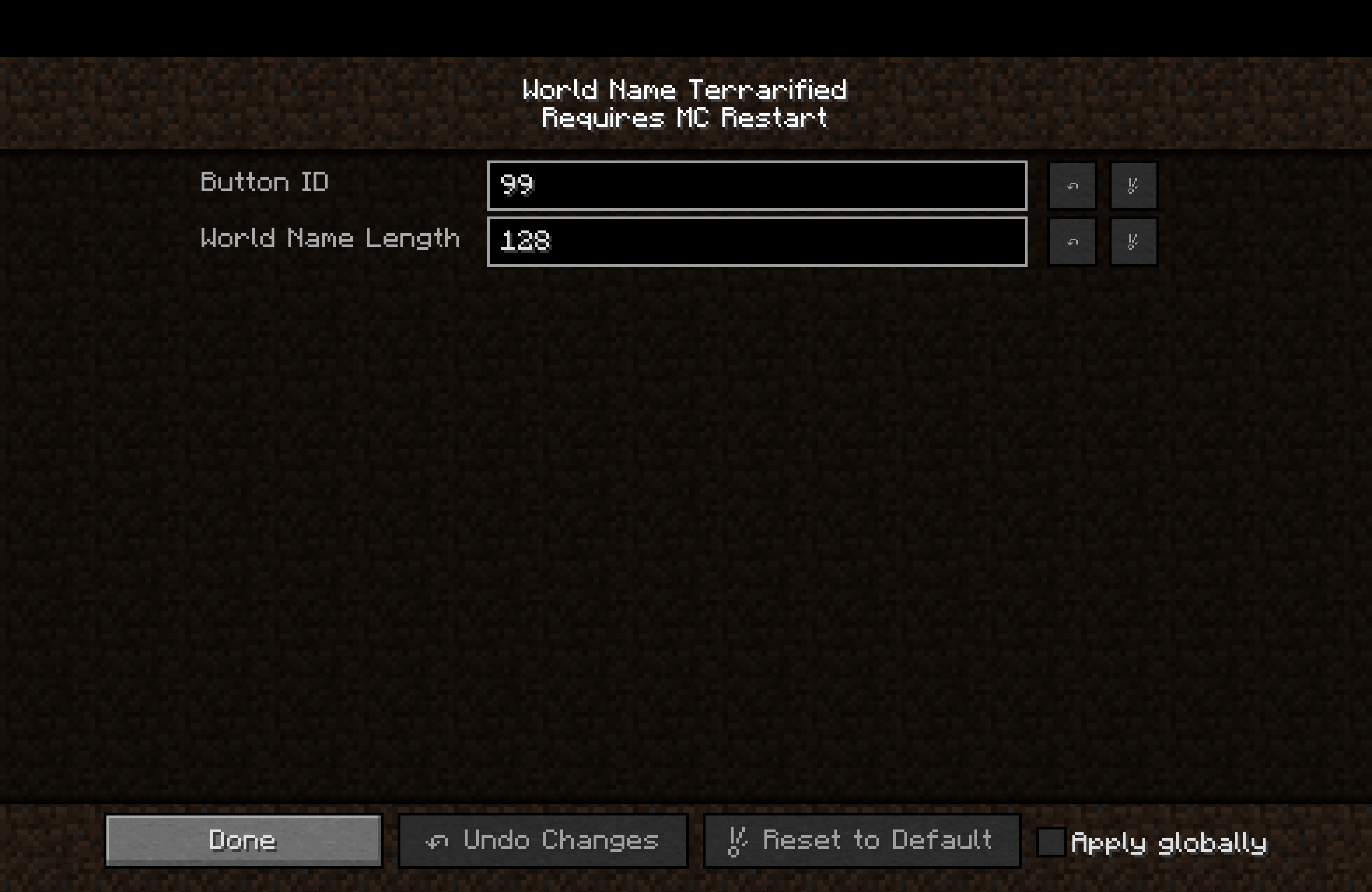 MC Restart Config Category (Version 1.2) New config category that requires Minecraft restart to apply changes. Added in version 1.2
 -
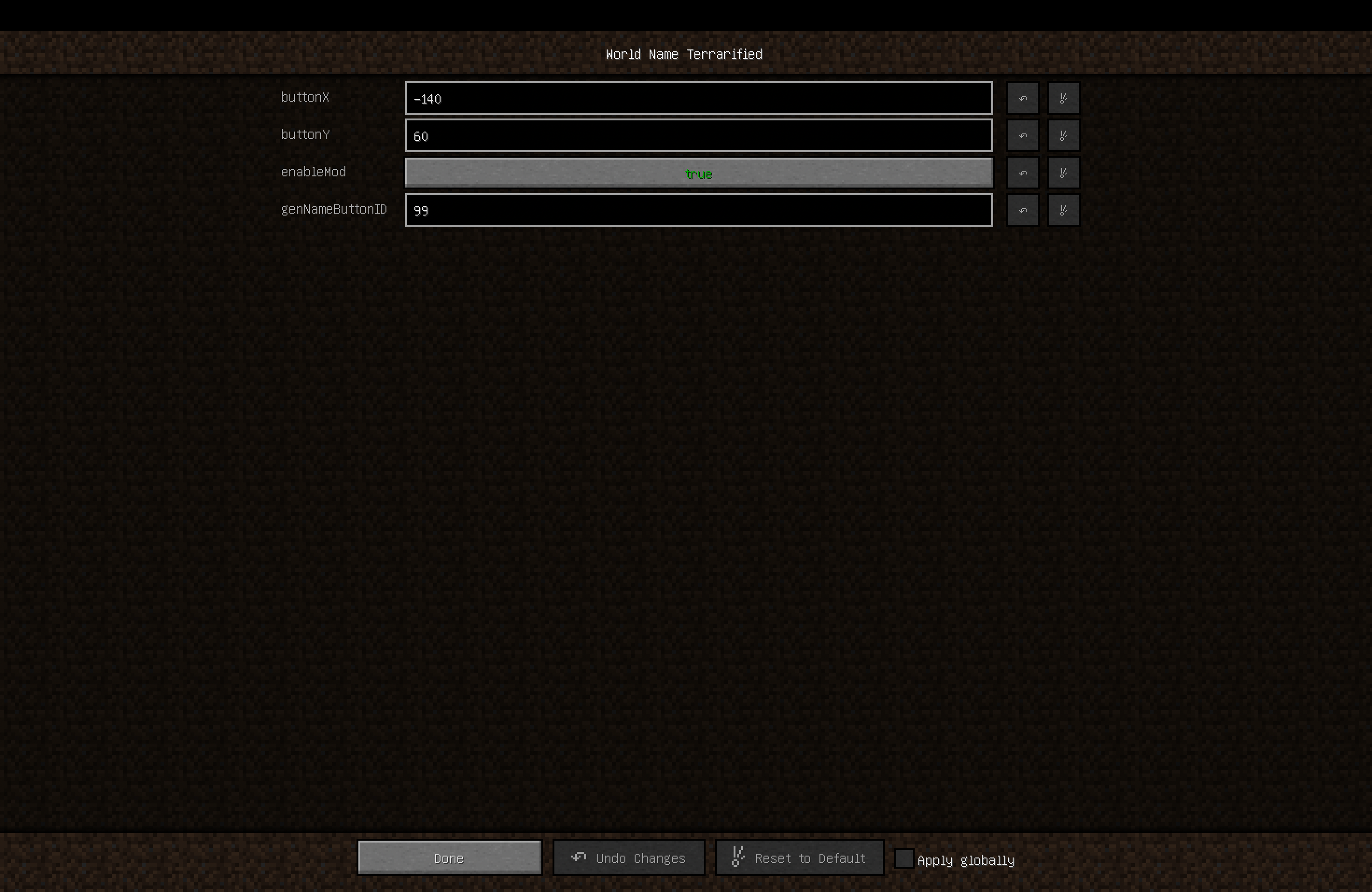 Configuration Simple configuration screen (1.0 version)
 -
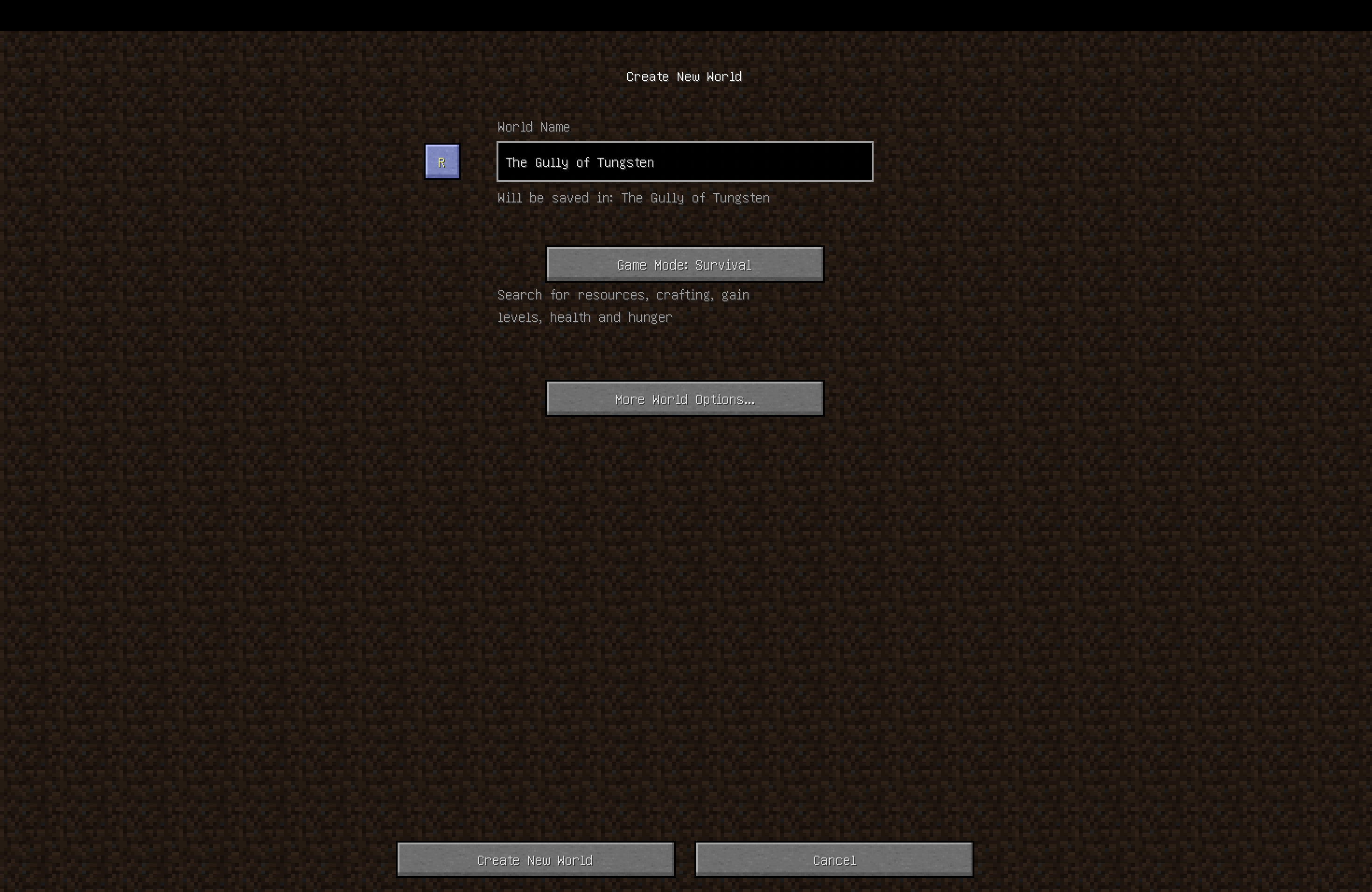 New button New "Random name" button in the world creation menu
Versions
Files
Relations
Project Relations
More like this
Similar Mods
Suggestions use data such as tags, dependencies, dependents, descriptions, titles, and more to rank how much they overlap with this mod.
On ModDex
Community snapshot
By the numbers
Statistics
Want to reach Minecraft players?
We're looking for a server hosting partner to feature here and other parts of the site. Interested? Send us a message!
Get in touchGet it on
Available Platforms
On ModDex
Community snapshot
By the numbers