
Community listing page, reviews here may not be monitored by the author.
World Preview


No reviews yet
Allows you to preview a map / seed in the new world screen
Community voices
Reviews
No reviews yet. Be the first to review this project!
Get it on
Available Platforms
Compatibility
Supported Environments
Runs entirely on the client. Works on vanilla servers.
About
Project Details
For authors
Embed Badge
If you're the author of this project, you can embed a live badge anywhere that supports HTML or Markdown. It updates automatically whenever ratings change.
Use HTML for any page that supports it, or Markdown for README files and Markdown-based descriptions.
Identifiers
Platform IDs
About
Description
World Preview
World Preview is a mod for visualizing Minecraft world seeds before they are generated.
Installation
Just download the latest World Preview JAR file for your exact Minecraft version.
Additionally, always ensure that you are using the correct version for your modloader (Fabric/Forge).
Then save the downloaded jar to the mods folder of your Minecraft instance.
Finally, if you are on Fabric you also need to download the Fabric API.
Usage
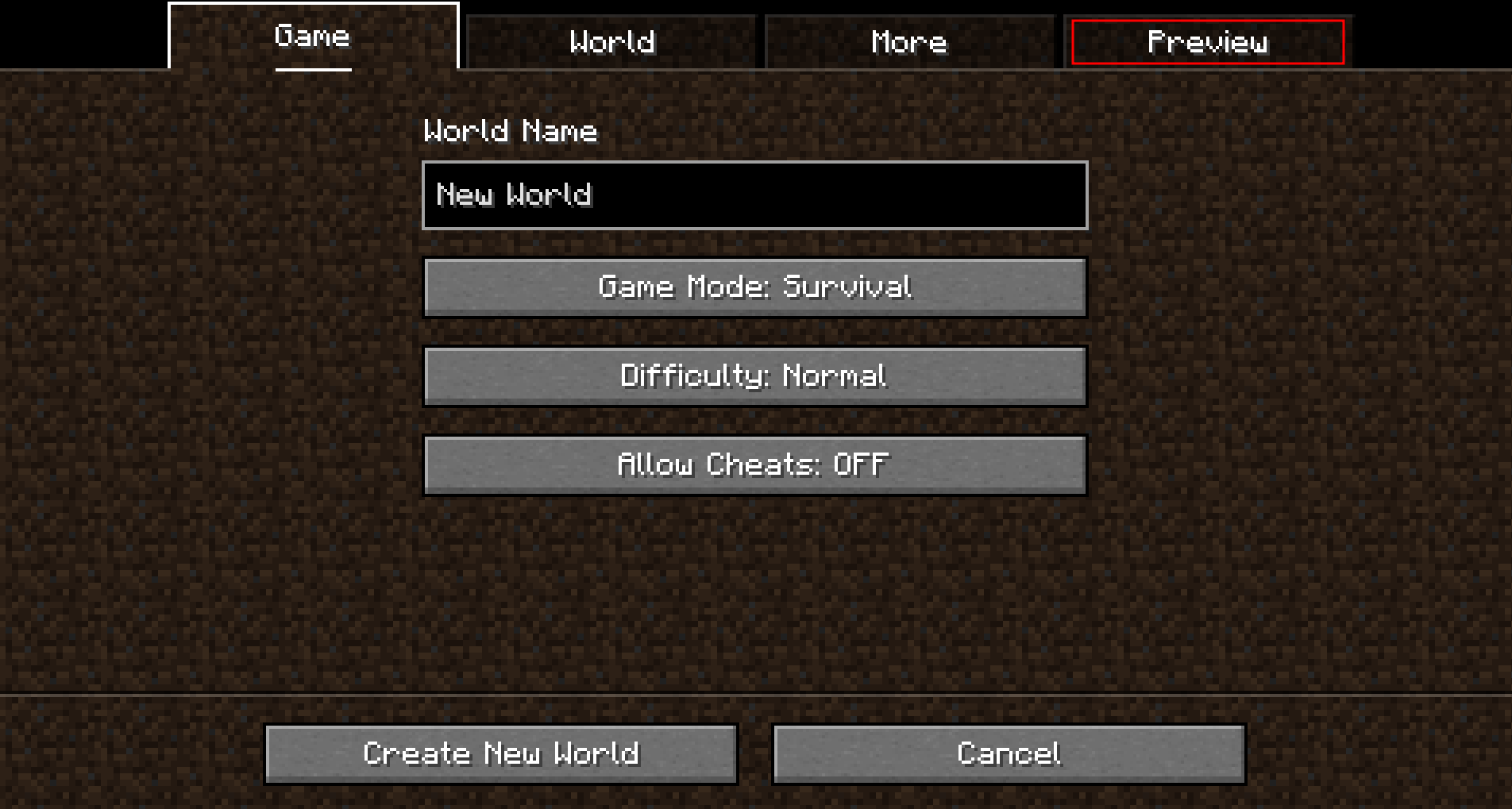
World Preview adds a new Preview tab to the Singleplayer menu.
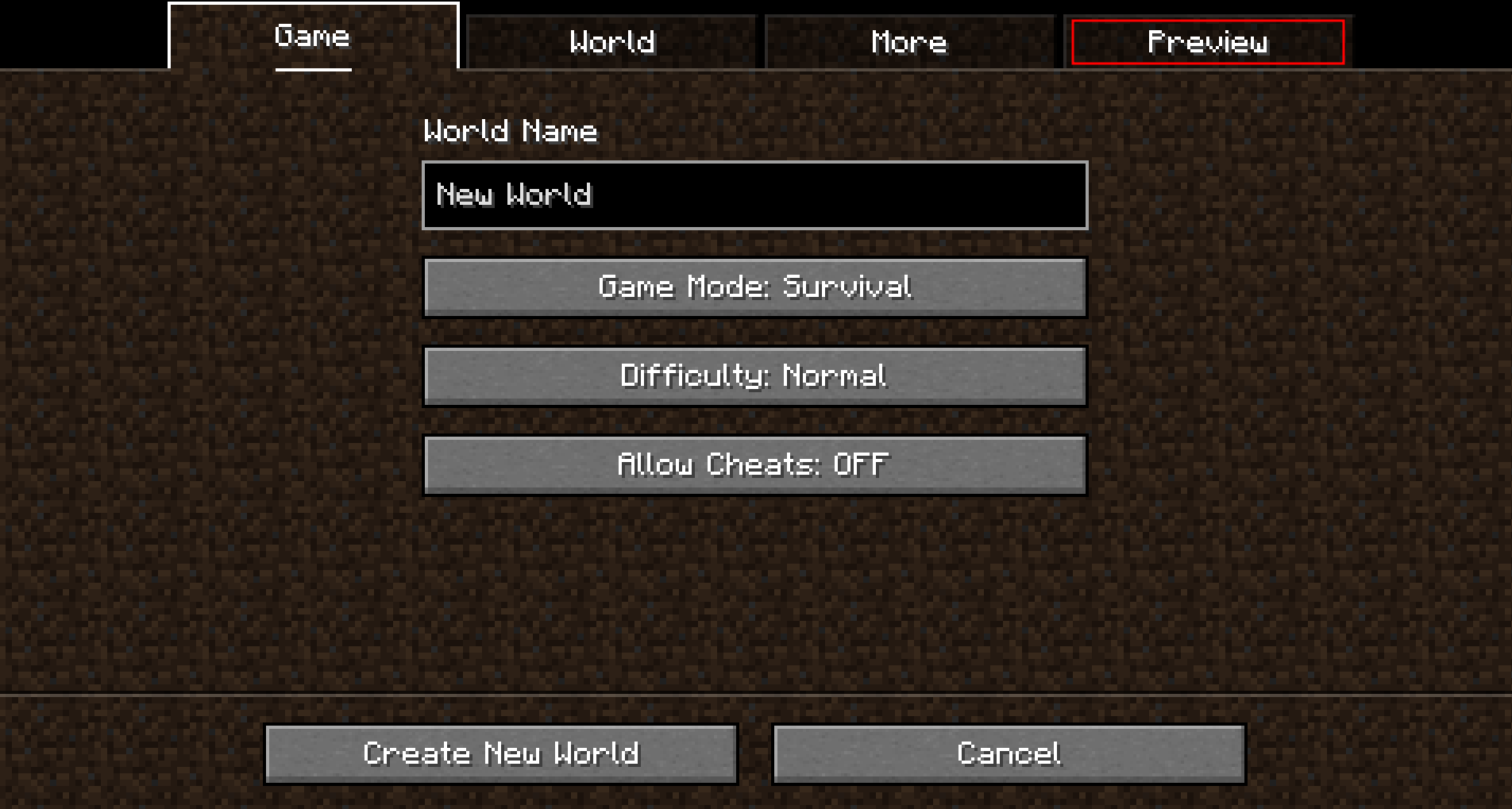
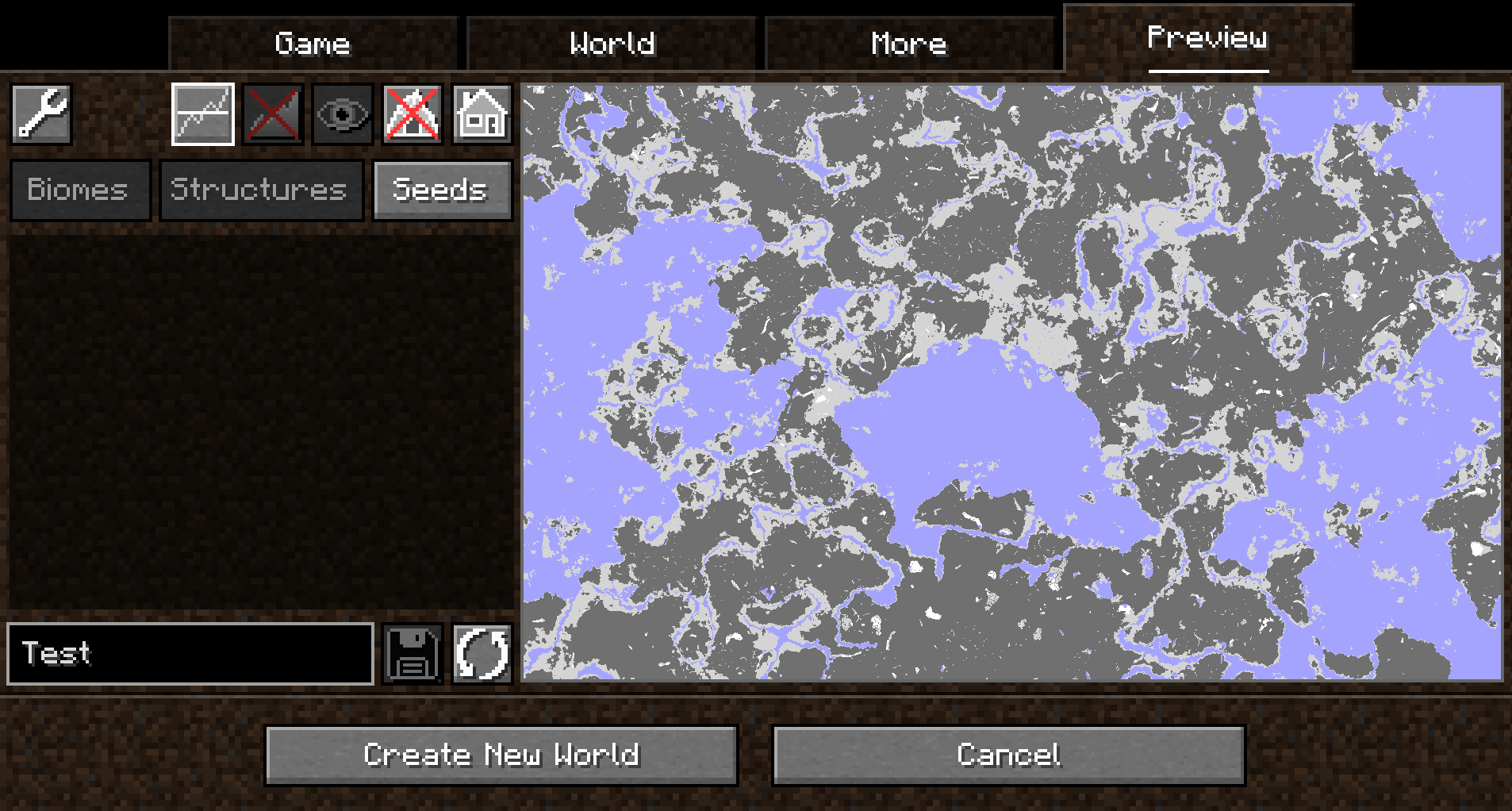
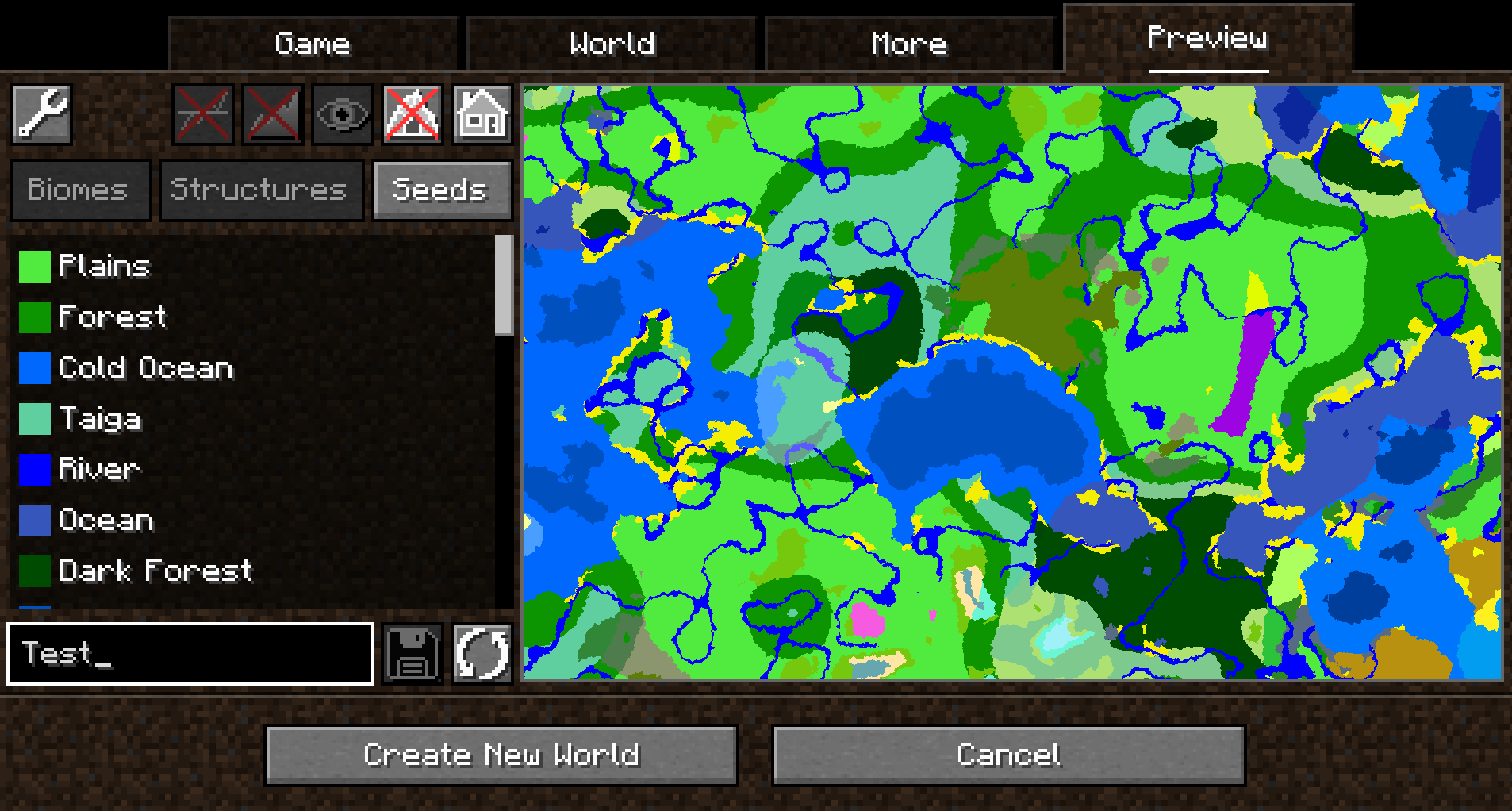
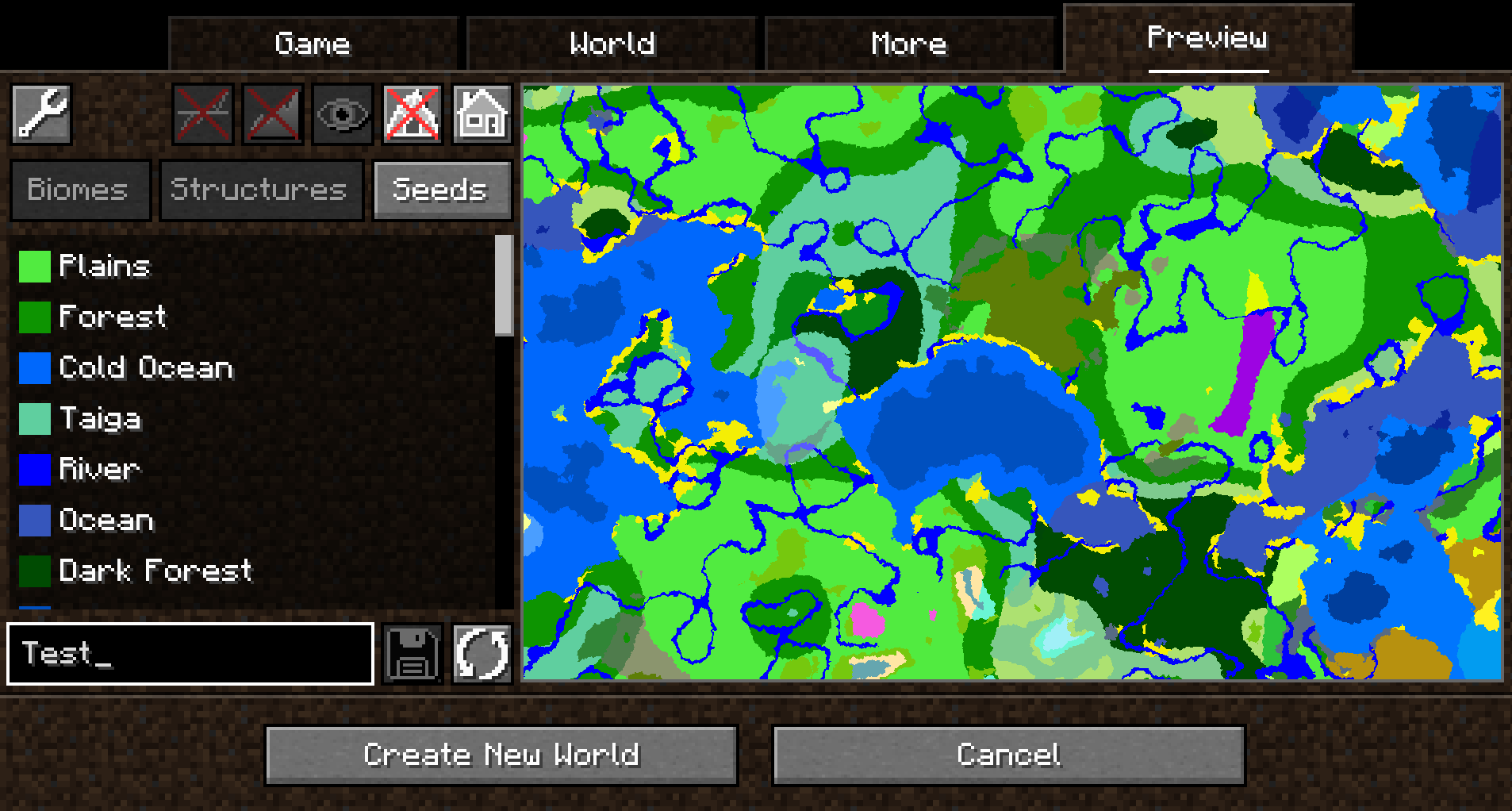
Upon opening that tab, a random seed is selected and a map of biomes is generated:
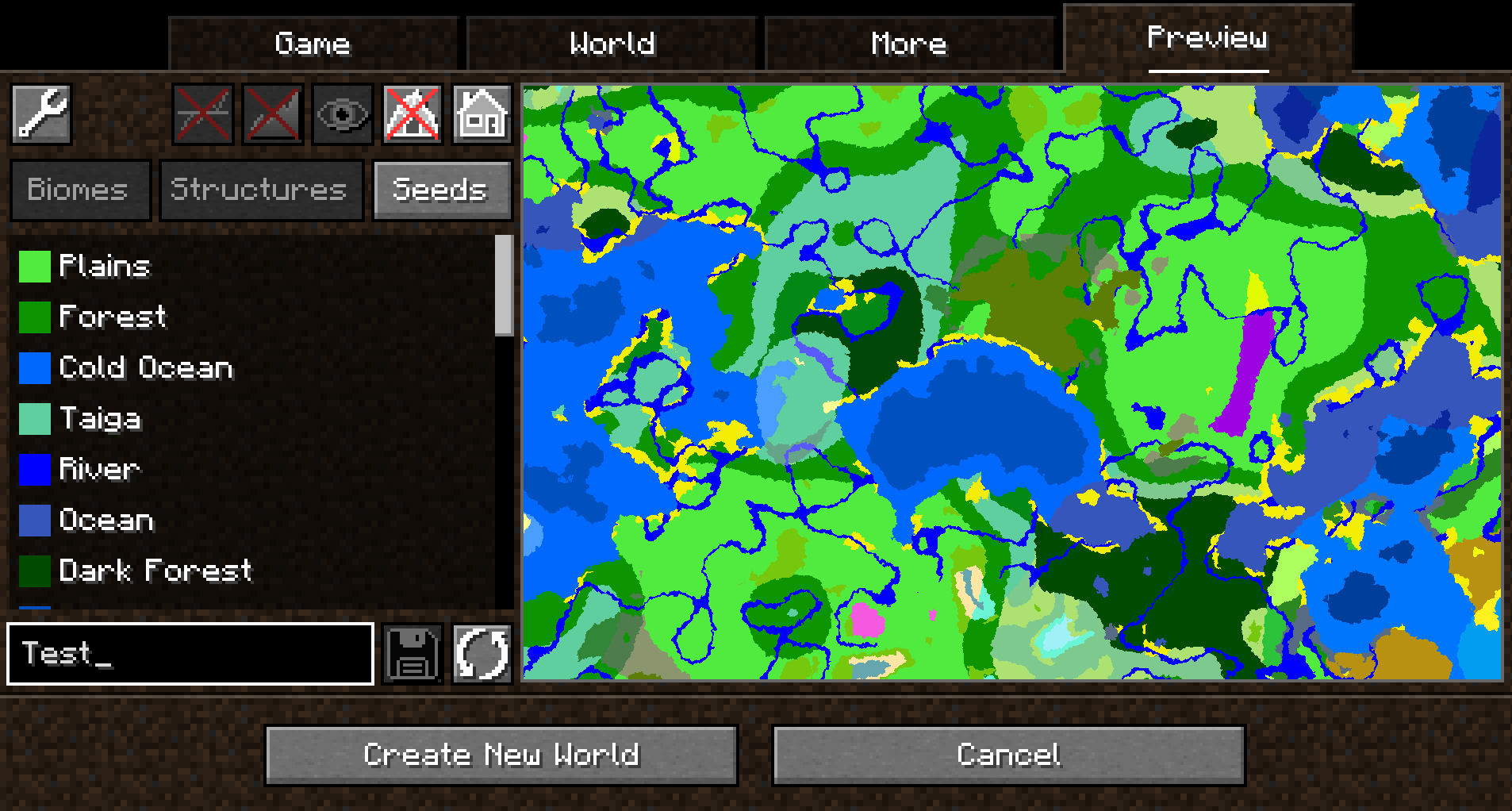
By default, the overworld dimension will be generated, structures will not be shown and no heightmap will be generated.
This can be changed in the Settings (top-left button in the Preview tab).
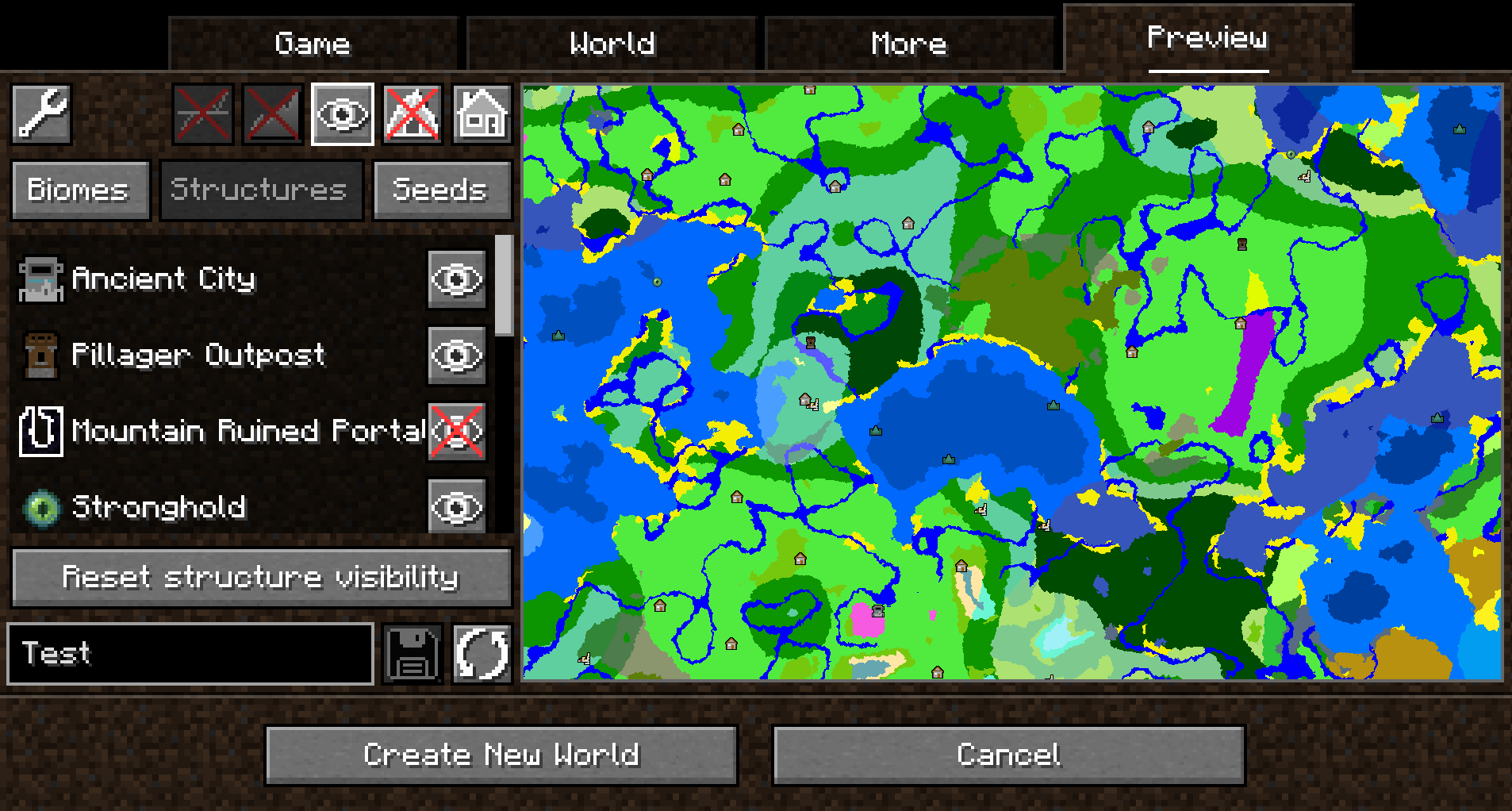
When structure sampling is enabled, the visibility of individual types of structures on the preview can be toggled:
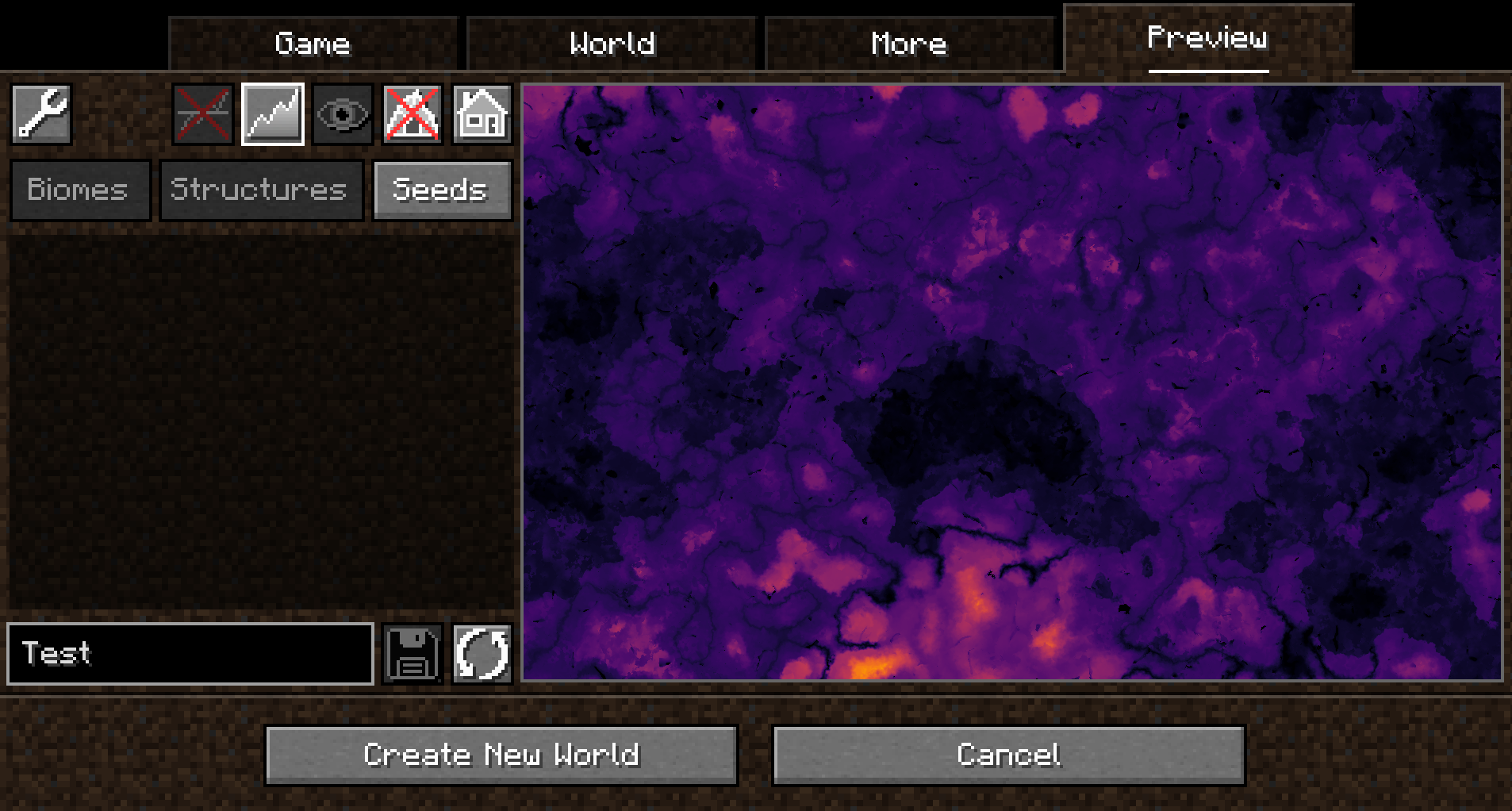
When height sampling is enabled, the preview can be toggled between the biome map and a colorized heightmap:
When y-layer intersection sampling is enabled, the preview can also show the blocks on the current y-layer. Additionally, the y-layer one step below is also shown in a lighter color:
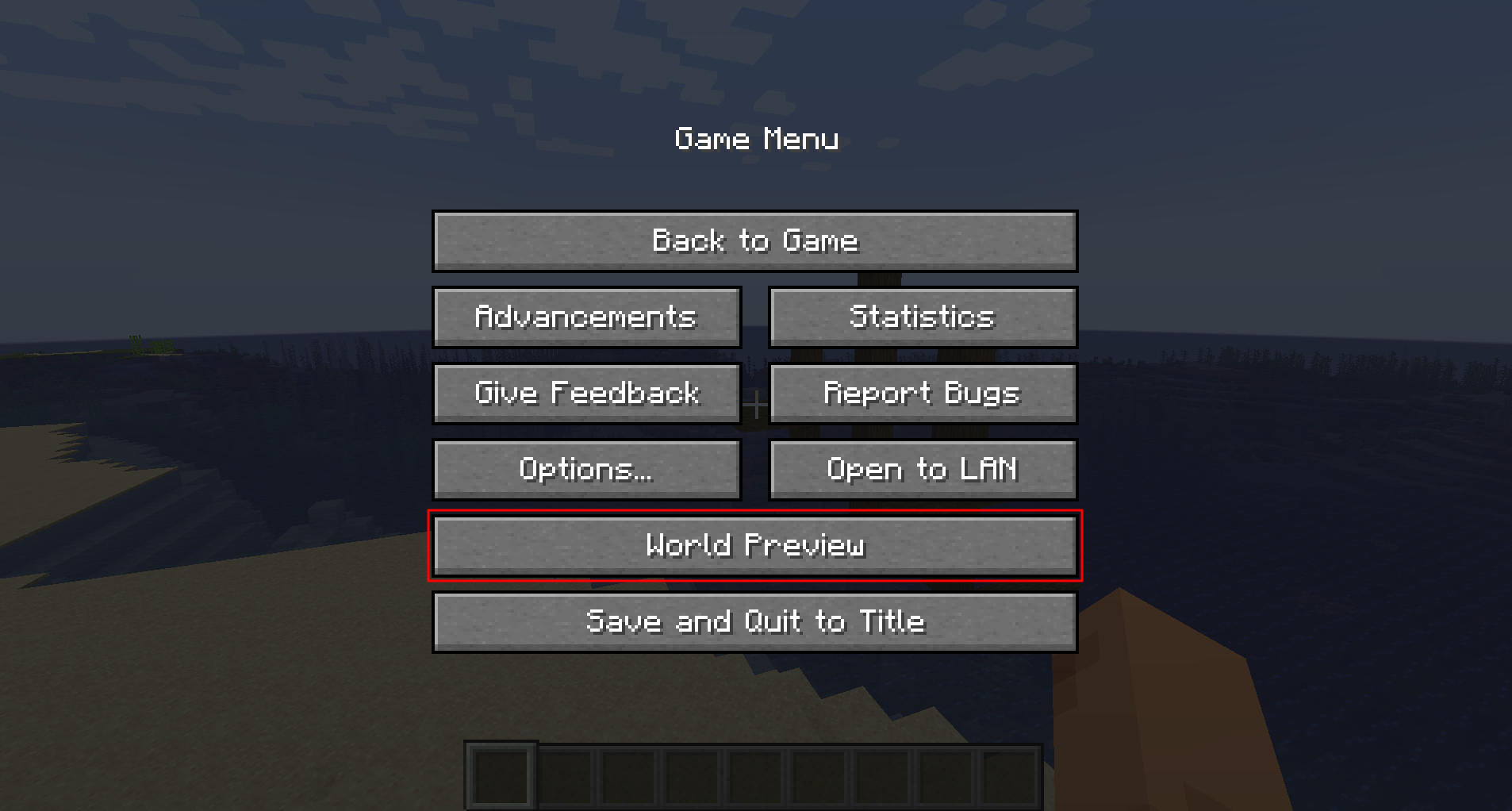
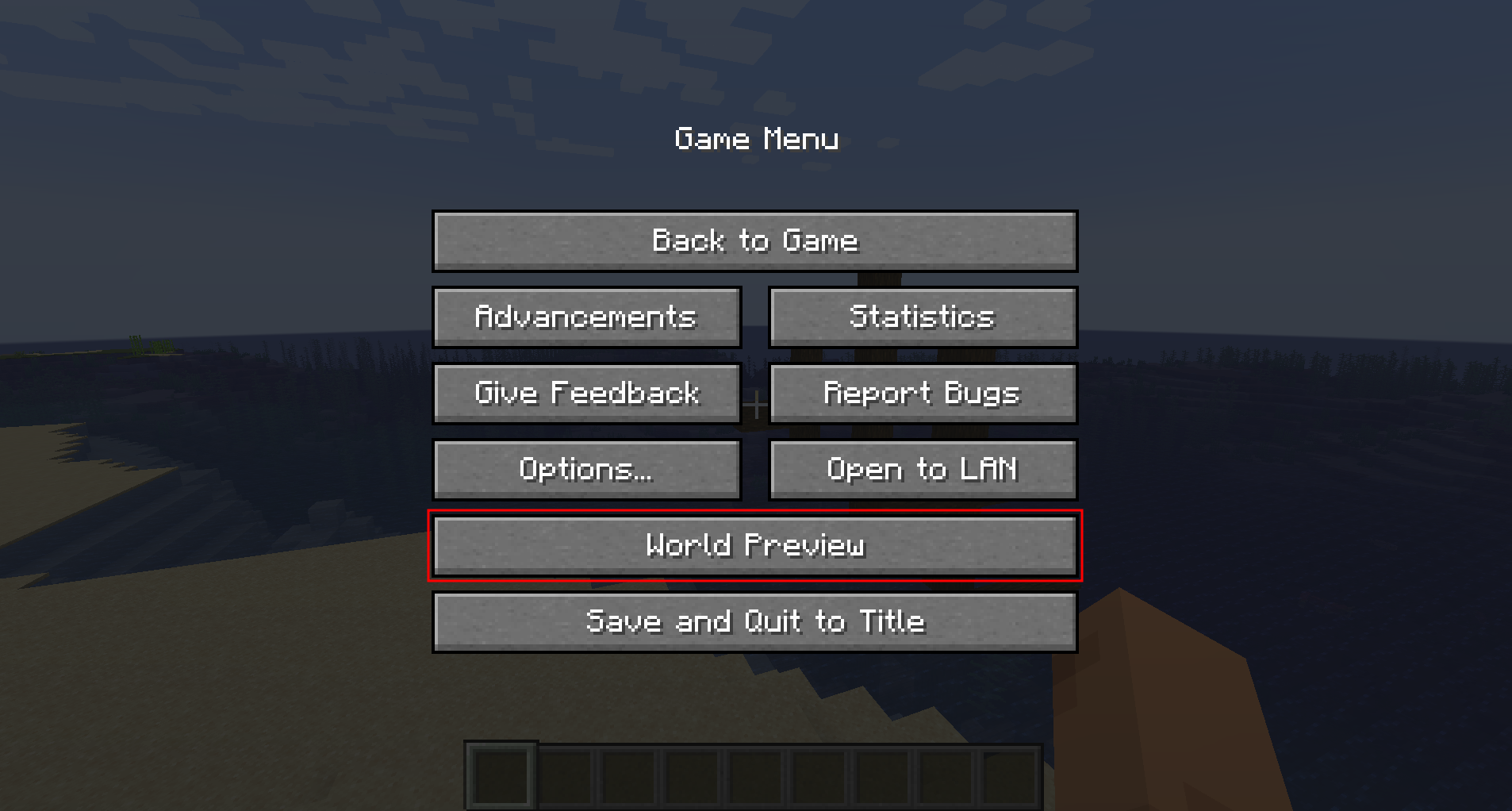
Since version 1.1.0, there is also experimental support for opening the preview in-game for a single-player worlds:
Moving on the preview
Clicking and dragging on the map-part of the preview tab will move along the x and z axis. This will cause the following load sequence:
- Any biomes that are not yet sampled on the current y-level
- Structures (if enabled)
- Height map (if enabled)
- Adjacent y-layers (if enabled)
Scrolling does not zoom into the map (there is a separate setting in the configuration menu for controlling the zoom level), but instead travels along the y-axis. This allows cave biomes to be seen as well. Please note that non-cave biomes span the entire world height beyond that.
Other features
- Works with mods! Tested with:
- Terralith
- Biomes O' Plenty
- Persistent seed storage
- Highlighting specific biomes
- Highly configurable and extendable
Supported version
This table shows the current support status for the Minecraft version.
1.20.x: Supported
FAQ
Q: Will Minecraft versions before 1.20 be supported?
A: No.
Q: Will Multiplayer be supported?
A: No.
Q: Scrolling does not zoom the preview!
A: Scrolling moves the y-level up and down. To change the zoom level, go to Settings (top left wrench) -- Resolution and change the visual size of a chunk.
Q: The preview is completely white / black for the y-intersections view.
A: This is likely because the starting y-layer for the preview is the build limit. Try scrolling down to a lower y-layer and something should show up.
Q: My CPU is at 100%!
A: You can limit the number of used cores in Settings (top left wrench) -- General. By default, World Preview tries to compute the biome preview / structures / heightmap as quickly as possible. These calculations require a lot of CPU power.
Mod incompatibilities
This mod should be compatible with most mods (including those adding new biomes and dimensions).
TerraFirmaCraft (TFC)
World Preview is compatible with TFC, however, there is a known issue:
The Y intersections view will always be a white screen for all Y levels with TFC, because the TFCChunkGenerator has a dummy implementation for the getBaseColumn method.
To clarify: This doesn't mean that TFC is broken / does something wrong (it clearly works on its own and does its job). It just means that TFC does not provide the specific information World Preview needs in this case.
Adding support for new biomes and structures
New biomes, structures, and more can be registered via the Minecraft datapack mechanism. See the World Preview dataformat docs for more information.
World Preview
World Preview is a mod for visualizing Minecraft world seeds before they are generated.
Installation
Just download the latest World Preview JAR file for your exact Minecraft version.
Additionally, always ensure that you are using the correct version for your modloader (Fabric/Forge).
Then save the downloaded jar to the mods folder of your Minecraft instance.
Finally, if you are on Fabric you also need to download the Fabric API.
Usage
World Preview adds a new Preview tab to the Singleplayer menu.
Upon opening that tab, a random seed is selected and a map of biomes is generated:
By default, the overworld dimension will be generated, structures will not be shown and no heightmap will be generated.
This can be changed in the Settings (top-left button in the Preview tab).
When structure sampling is enabled, the visibility of individual types of structures on the preview can be toggled:
When height sampling is enabled, the preview can be toggled between the biome map and a colorized heightmap:
When y-layer intersection sampling is enabled, the preview can also show the blocks on the current y-layer. Additionally, the y-layer one step below is also shown in a lighter color:
Since version 1.1.0, there is also experimental support for opening the preview in-game for a single-player worlds:
Moving on the preview
Clicking and dragging on the map-part of the preview tab will move along the x and z axis. This will cause the following load sequence:
- Any biomes that are not yet sampled on the current y-level
- Structures (if enabled)
- Height map (if enabled)
- Adjacent y-layers (if enabled)
Scrolling does not zoom into the map (there is a separate setting in the configuration menu for controlling the zoom level), but instead travels along the y-axis. This allows cave biomes to be seen as well. Please note that non-cave biomes span the entire world height beyond that.
Other features
- Works with mods! Tested with:
- Terralith
- Biomes O' Plenty
- Persistent seed storage
- Highlighting specific biomes
- Highly configurable and extendable
Supported version
This table shows the current support status for the Minecraft version.
| Minecraft Version | Status |
|---|---|
1.20.x |
Supported |
FAQ
Q: Will Minecraft versions before 1.20 be supported?
A: No.
Q: Will Multiplayer be supported?
A: No.
Q: Scrolling does not zoom the preview!
A: Scrolling moves the y-level up and down. To change the zoom level, go to Settings (top left wrench) -> Resolution and change the visual size of a chunk.
Q: The preview is completely white / black for the y-intersections view.
A: This is likely because the starting y-layer for the preview is the build limit. Try scrolling down to a lower y-layer and something should show up.
Q: My CPU is at 100%!
A: You can limit the number of used cores in Settings (top left wrench) -> General. By default, World Preview tries to compute the biome preview / structures / heightmap as quickly as possible. These calculations require a lot of CPU power.
Mod incompatibilities
This mod should be compatible with most mods (including those adding new biomes and dimensions).
TerraFirmaCraft (TFC)
World Preview is compatible with TFC, however, there is a known issue:
The Y intersections view will always be a white screen for all Y levels with TFC, because the TFCChunkGenerator has a dummy implementation for the getBaseColumn method.
To clarify: This doesn't mean that TFC is broken / does something wrong (it clearly works on its own and does its job). It just means that TFC does not provide the specific information World Preview needs in this case.
Adding support for new biomes and structures
New biomes, structures, and more can be registered via the Minecraft datapack mechanism. See the World Preview dataformat docs for more information.
Screenshots
Gallery
-
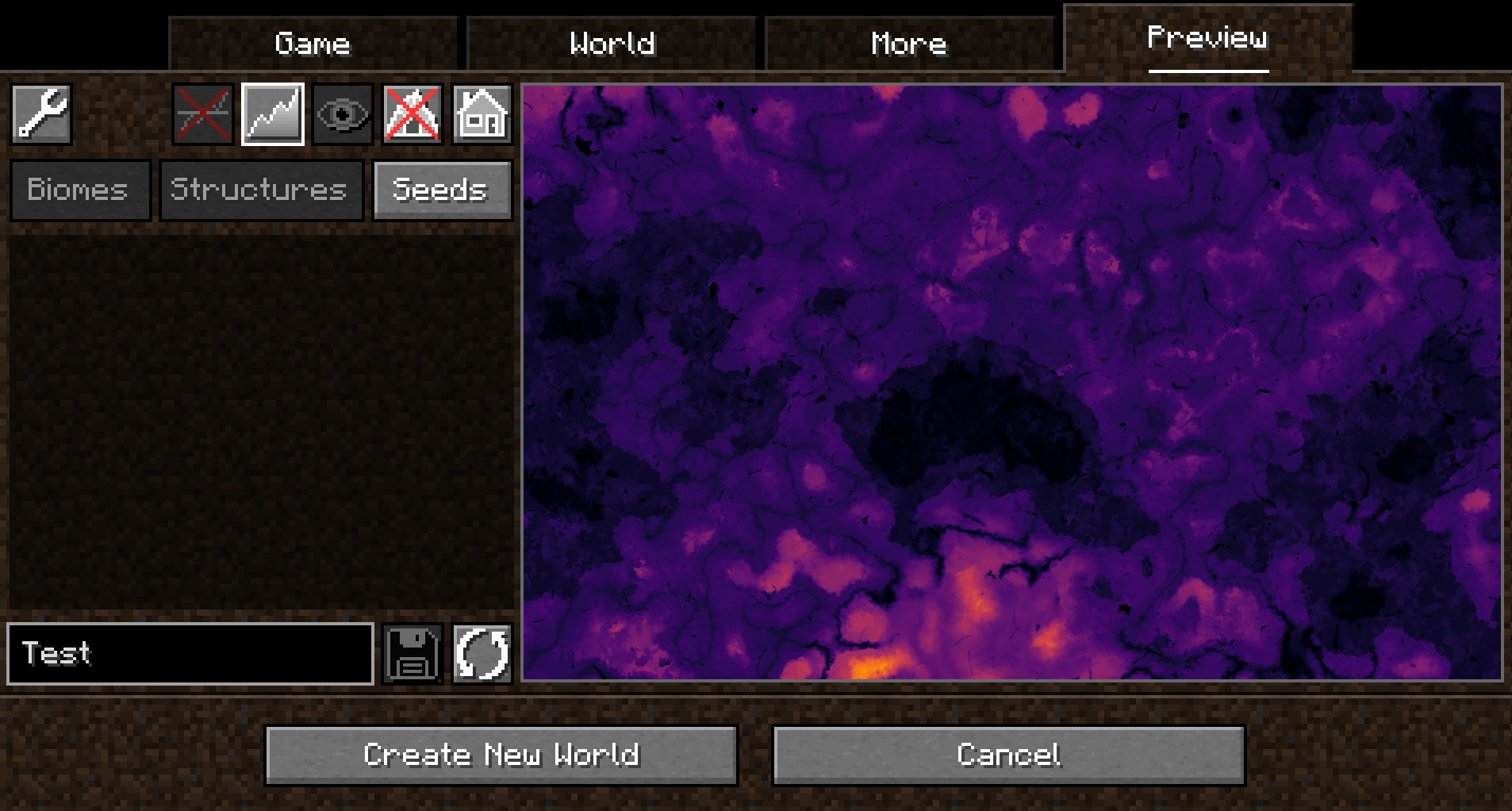 Heightmap
 -
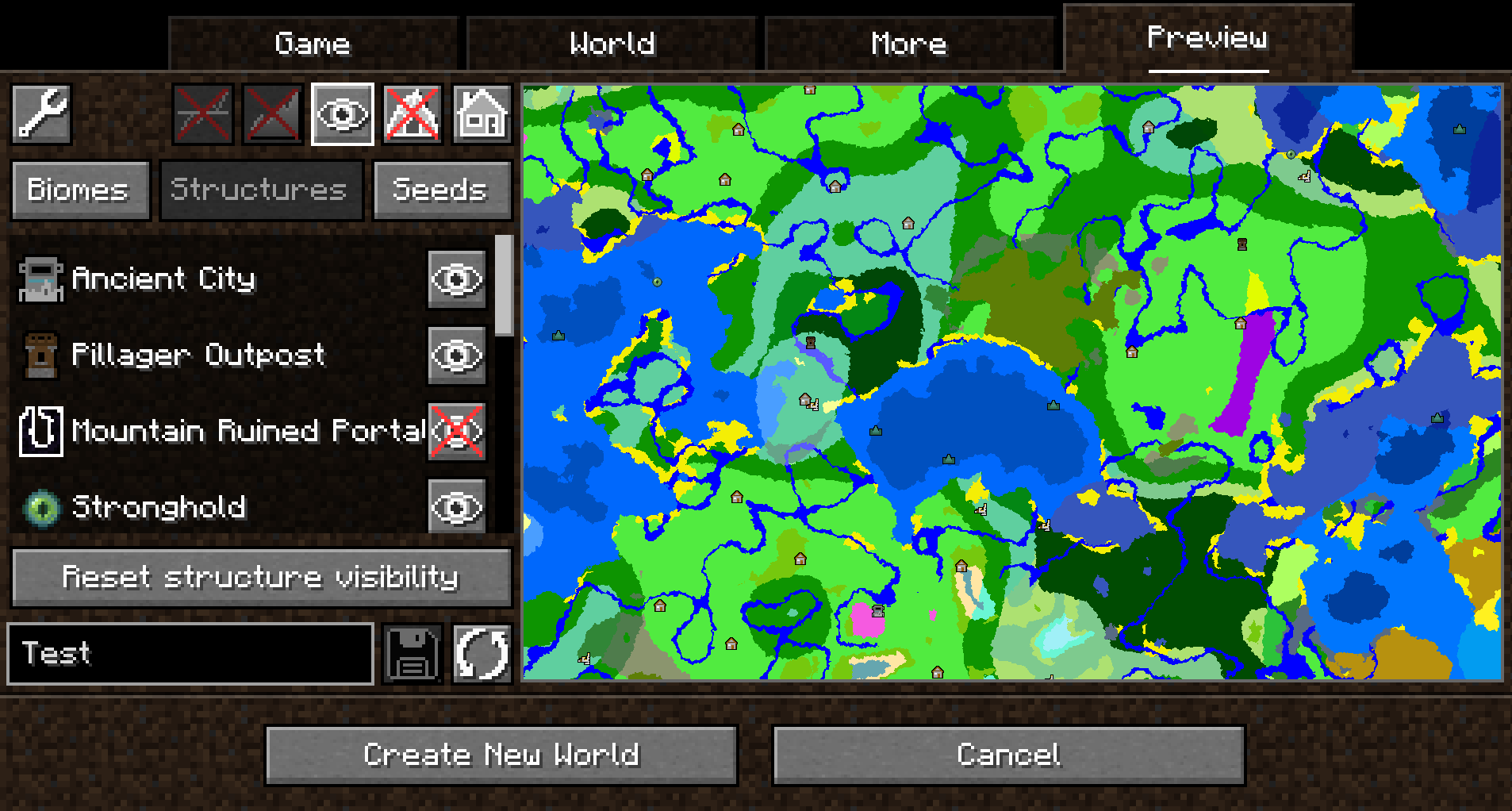 Structures
 -
 Biomes
 -
 In Game
 -
 Open
Open
-
 Biomes
 -
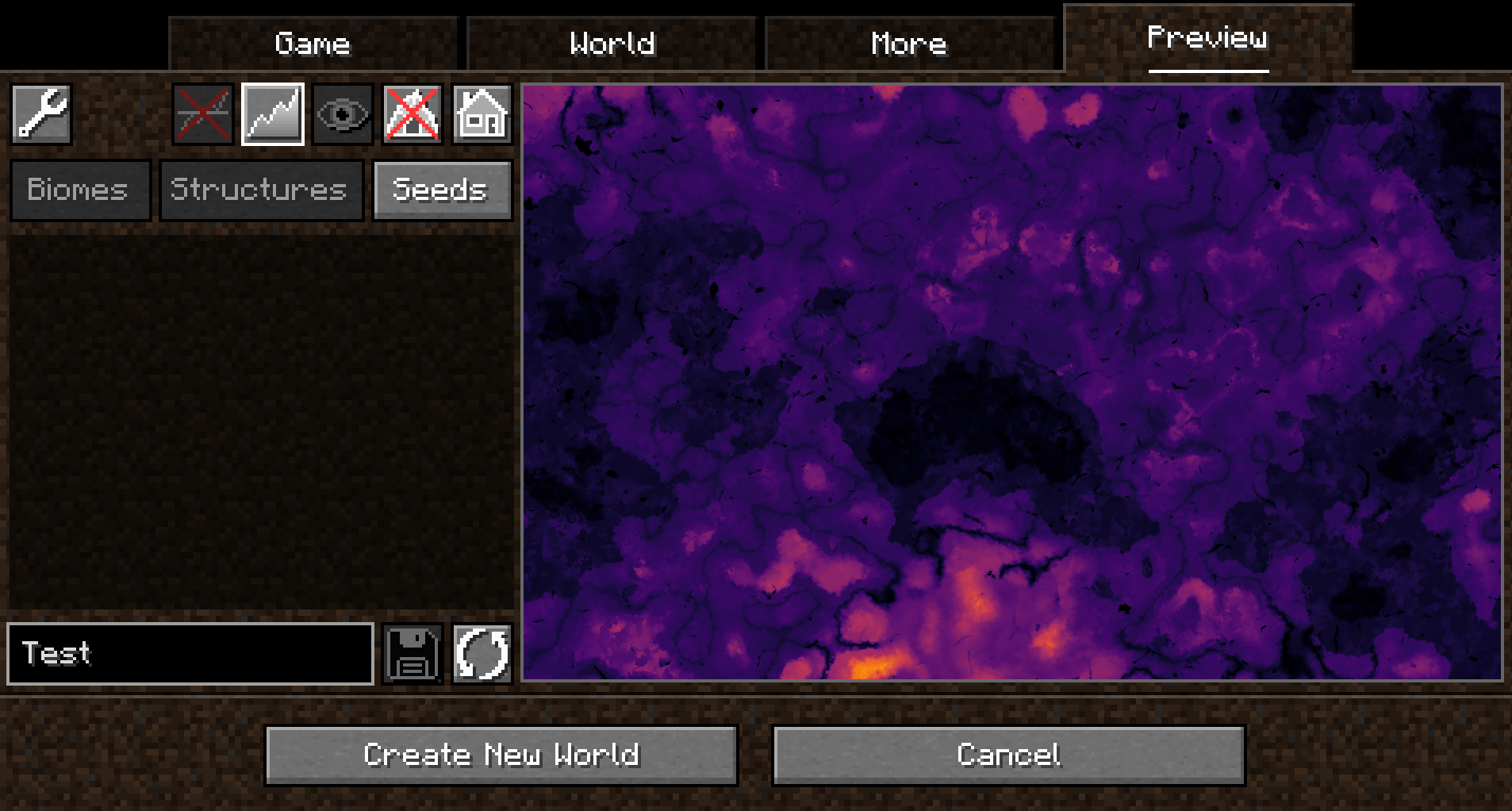 Heightmap
 -
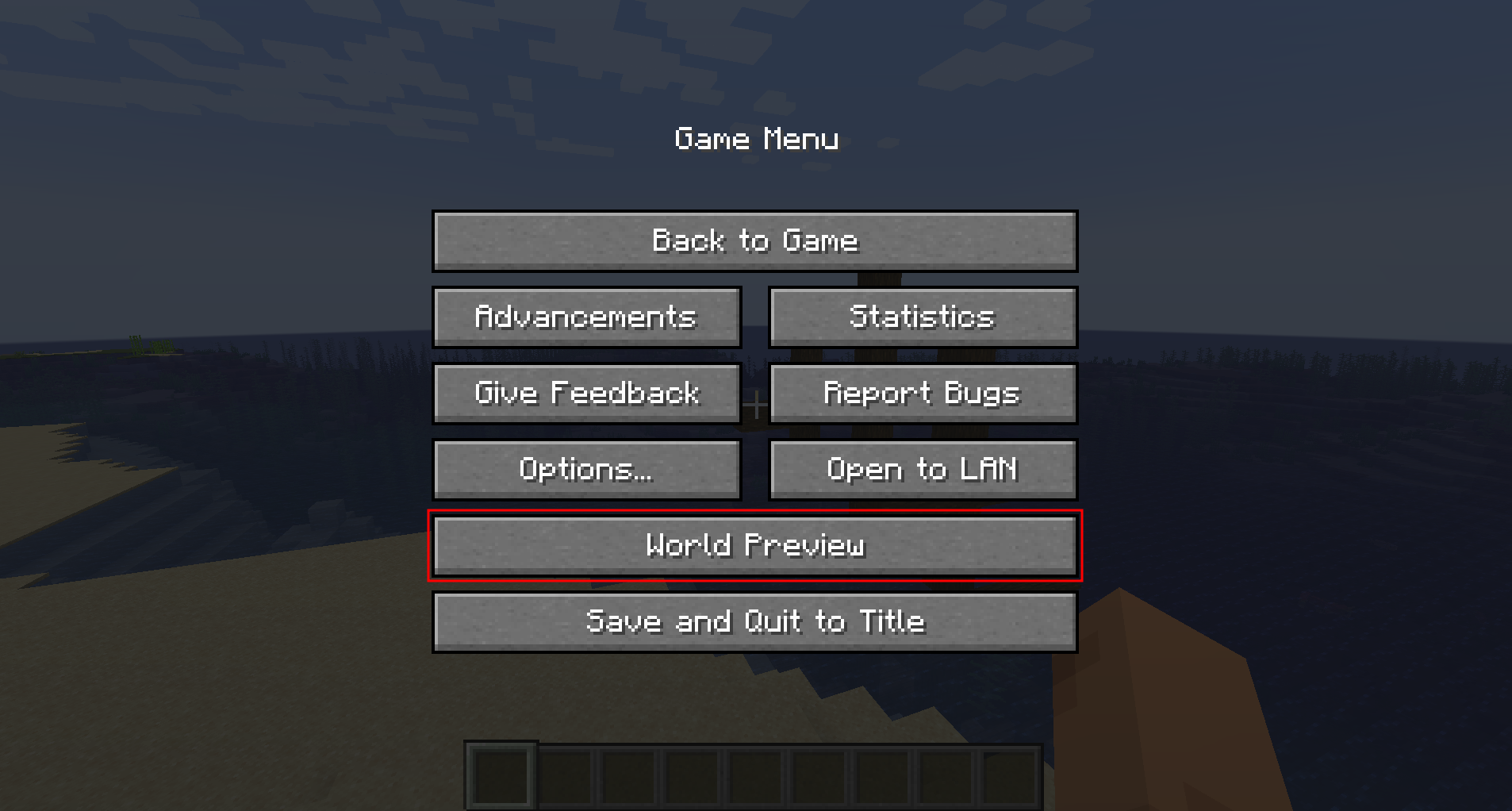 Open in-game
 -
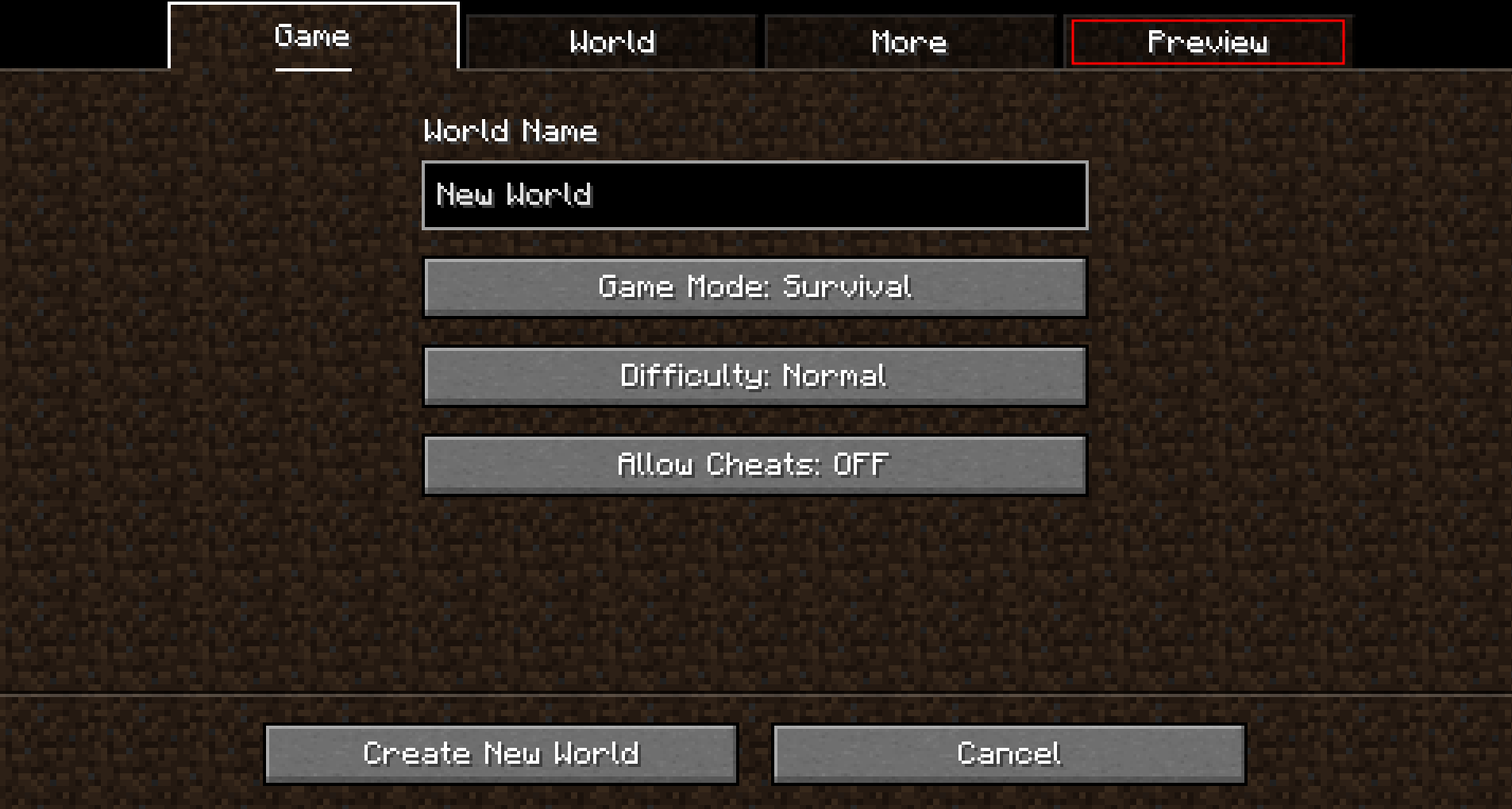 Open
Open -
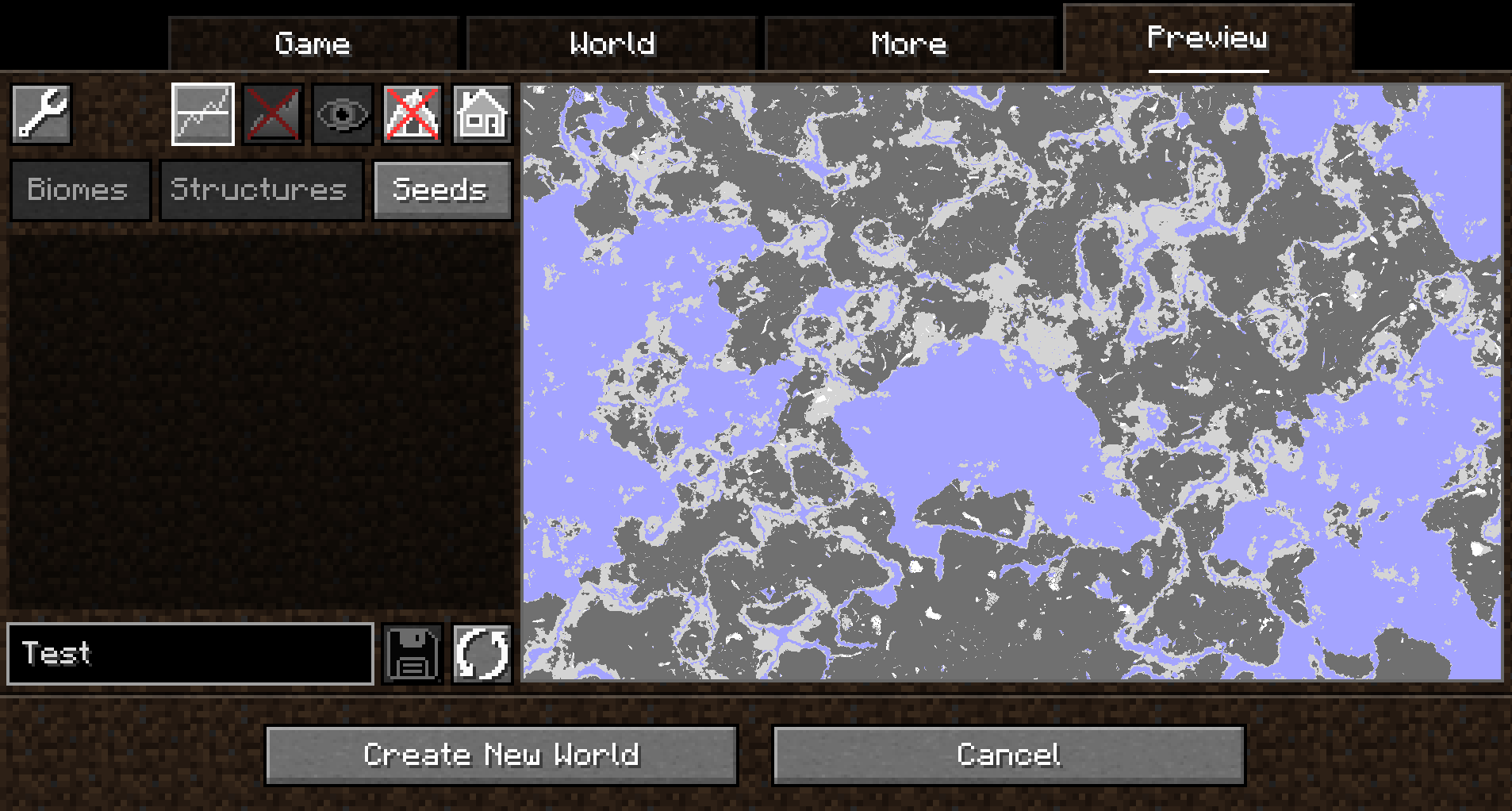 Y-Intersections
 -
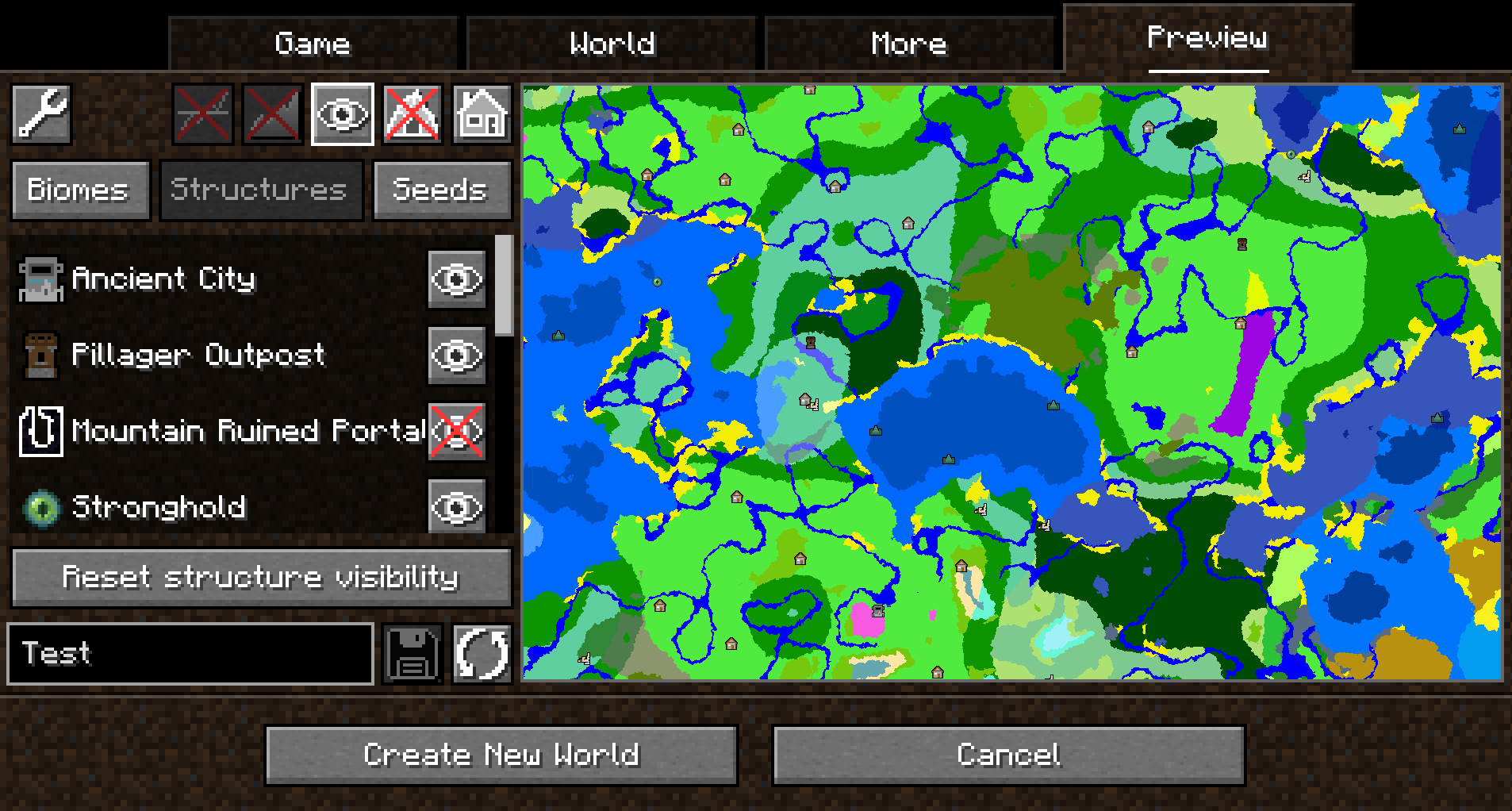 Structures
Versions
Files
Relations
Project Relations
More like this
Similar Mods
Suggestions use data such as tags, dependencies, dependents, descriptions, titles, and more to rank how much they overlap with this mod.
On ModDex
Community snapshot
By the numbers
Statistics
Want to reach Minecraft players?
We're looking for a server hosting partner to feature here and other parts of the site. Interested? Send us a message!
Get in touchGet it on
Available Platforms
On ModDex
Community snapshot
By the numbers