
Community listing page, reviews here may not be monitored by the author.
WorldGen Editor


No reviews yet
A Minecraft mod that allows you to control world generation directly in the game via a JSON file!
Community voices
Reviews
No reviews yet. Be the first to review this project!
Get it on
Available Platforms
Compatibility
Supported Environments
Runs entirely on the server. Also works in singleplayer.
About
Project Details
For authors
Embed Badge
If you're the author of this project, you can embed a live badge anywhere that supports HTML or Markdown. It updates automatically whenever ratings change.
Use HTML for any page that supports it, or Markdown for README files and Markdown-based descriptions.
Identifiers
Platform IDs
About
Description
WorldGen Editor


WorldGen Editor is a Minecraft world generation mod for creating island worlds from simple JSON preset files.
It is made for players, server owners, and modpack developers who want configurable archipelago-style worlds without rebuilding a full custom datapack by hand. The mod keeps Minecraft's normal noise generation as the base, then routes the Overworld through island-aware biome and density logic.
What It Does
- Adds datapack-style world presets for island generation.
- Adds three bundled world types:
WGE: IslandsWGE: ArchipelagoWGE: Small Island
- Adds configurable preset files in
config/worldgen_editor/presets/. - Adds a main config file:
config/worldgen_editor/worldgen_editor.json. - Supports
island,ocean, andarchipelagoentry types. - Supports normal islands, ocean-carved straits/bays, and generated archipelago clusters.
- Supports custom position, radius, stretch, rotation, base shape, coastline roughness, temperature, biome patch size, and noise settings.
- Supports per-entry biome exclusions using exact biome ids and biome tags.
- Supports climate-aware land and ocean fallback biome selection.
- Supports configurable outer ocean biome, defaulting to
minecraft:deep_ocean. - Keeps terrain generation soft, so islands still use vanilla-style terrain instead of flat forced shapes.
- Keeps caves, ores, structures, vanilla surface logic, and terrain features as close to normal Minecraft generation as possible.
- Includes a separate developer previewer for checking island layouts before generating a Minecraft world.
Main Config
The main file is:
config/worldgen_editor/worldgen_editor.json{
"enabled": true,
"active_preset": "archipelago"
}Preset files are stored here:
config/worldgen_editor/presets/default.json
config/worldgen_editor/presets/archipelago.json
config/worldgen_editor/presets/small_island.jsonThe bundled presets are:
default: a mixed example with a spawn island, an ocean cut, a larger island, and a warm archipelago.archipelago: a spawn archipelago with many smaller islands plus extra islands around it.small_island: one compact island for simple survival starts or testing.
Preset priority is:
world type preset > config active_preset > legacy continents.jsonThat means a world created with WGE: Archipelago uses presets/archipelago.json, even if the global config fallback says "active_preset": "default".
Basic example:
in previewer: 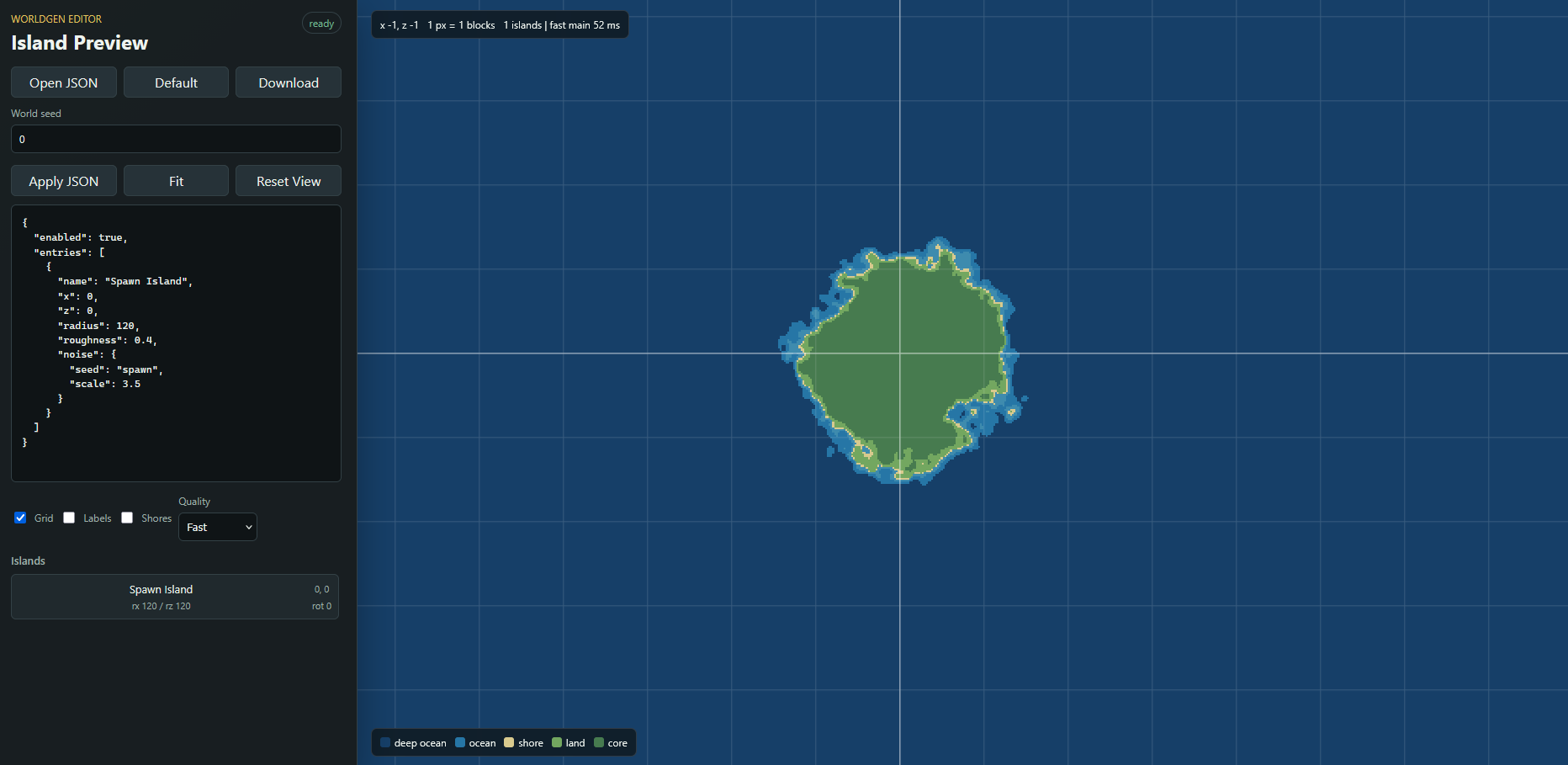
in game: 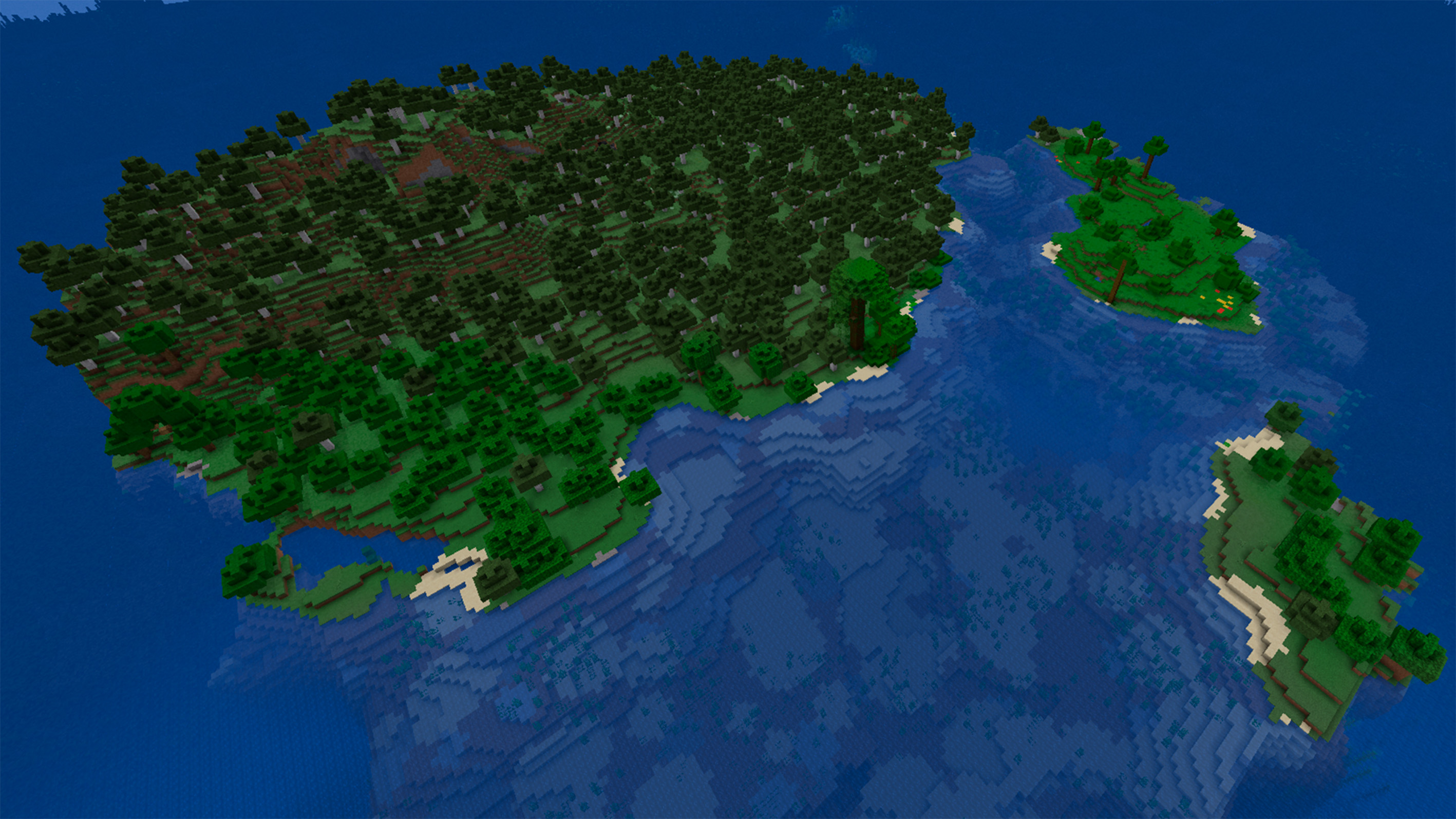
For a full explanation of all fields, see wiki in the GitHub.
How To Use
- Install the correct mod jar for your loader.
- Start Minecraft once so the config files can be created.
- Edit one of the files in
config/worldgen_editor/presets/. - Create a new world and select WGE world types, where you edited:
WGE: Islands
WGE: Archipelago
WGE: Small IslandIf you edit the config while a world is already open, run:
/worldgen_editor reloadReload affects only newly generated chunks. Existing chunks are not rebuilt.
Previewer
WorldGen Editor also has a separate previewer tool for development. It helps tune island positions, sizes, coastlines, roughness, ocean cuts, and archipelago layouts before opening Minecraft and generating a new test world.
WorldGen Editor preview github
The previewer is intended as a helper for planning layouts. Minecraft's final terrain still depends on vanilla world generation, the selected seed, and the active world preset.
Commands
/worldgen_editor enable
/worldgen_editor disable
/worldgen_editor status
/worldgen_editor preset <name>
/worldgen_editor reloadstatus shows the effective state, global config flag, per-world flag, selected world type preset, active preset, entry count, active config path, and world-state path.
preset <name> changes the config fallback preset. If the world was created with a WGE world type, that world type remains the main source of truth for newly generated chunks.
Notes
- The mod is intended for new worlds.
- Existing chunks are not automatically regenerated.
- For clean results after major config changes, create a new world or delete the affected region files carefully.
continents.jsonis only a legacy fallback for old configs. New configs useworldgen_editor.jsonandpresets/*.json.- The previewer is a helper tool for developers and modpack makers. It is not required to play with the mod and does not simulate every part of Minecraft world generation.
Links
- Mod github: waterflane/WorldGen-Editor
- Previewer github: waterflane/WorldGen-Editor-Preview
- License: Creative Commons BY-NC-SA 4.0
WorldGen Editor
WorldGen Editor is a Minecraft world generation mod for creating island worlds from simple JSON preset files.
It is made for players, server owners, and modpack developers who want configurable archipelago-style worlds without rebuilding a full custom datapack by hand. The mod keeps Minecraft's normal noise generation as the base, then routes the Overworld through island-aware biome and density logic.
What It Does
- Adds datapack-style world presets for island generation.
- Adds three bundled world types:
WGE: IslandsWGE: ArchipelagoWGE: Small Island
- Adds configurable preset files in
config/worldgen_editor/presets/. - Adds a main config file:
config/worldgen_editor/worldgen_editor.json. - Supports
island,ocean, andarchipelagoentry types. - Supports normal islands, ocean-carved straits/bays, and generated archipelago clusters.
- Supports custom position, radius, stretch, rotation, base shape, coastline roughness, temperature, biome patch size, and noise settings.
- Supports per-entry biome exclusions using exact biome ids and biome tags.
- Supports climate-aware land and ocean fallback biome selection.
- Supports configurable outer ocean biome, defaulting to
minecraft:deep_ocean. - Keeps terrain generation soft, so islands still use vanilla-style terrain instead of flat forced shapes.
- Keeps caves, ores, structures, vanilla surface logic, and terrain features as close to normal Minecraft generation as possible.
- Includes a separate developer previewer for checking island layouts before generating a Minecraft world.
Main Config
The main file is:
config/worldgen_editor/worldgen_editor.json
{
  "enabled": true,
  "active_preset": "archipelago"
}
Preset files are stored here:
config/worldgen_editor/presets/default.json
config/worldgen_editor/presets/archipelago.json
config/worldgen_editor/presets/small_island.json
The bundled presets are:
default: a mixed example with a spawn island, an ocean cut, a larger island, and a warm archipelago.archipelago: a spawn archipelago with many smaller islands plus extra islands around it.small_island: one compact island for simple survival starts or testing.
Preset priority is:
world type preset > config active_preset > legacy continents.json
That means a world created with WGE: Archipelago uses presets/archipelago.json, even if the global config fallback says "active_preset": "default".
Basic example:
in previewer:
in game:
For a full explanation of all fields, see wiki in the GitHub.
How To Use
- Install the correct mod jar for your loader.
- Start Minecraft once so the config files can be created.
- Edit one of the files in
config/worldgen_editor/presets/. - Create a new world and select WGE world types, where you edited:
WGE: Islands
WGE: Archipelago
WGE: Small Island
If you edit the config while a world is already open, run:
/worldgen_editor reload
Reload affects only newly generated chunks. Existing chunks are not rebuilt.
Previewer
WorldGen Editor also has a separate previewer tool for development. It helps tune island positions, sizes, coastlines, roughness, ocean cuts, and archipelago layouts before opening Minecraft and generating a new test world.
WorldGen Editor preview github
The previewer is intended as a helper for planning layouts. Minecraft's final terrain still depends on vanilla world generation, the selected seed, and the active world preset.
Commands
/worldgen_editor enable
/worldgen_editor disable
/worldgen_editor status
/worldgen_editor preset <name>
/worldgen_editor reload
status shows the effective state, global config flag, per-world flag, selected world type preset, active preset, entry count, active config path, and world-state path.
preset <name> changes the config fallback preset. If the world was created with a WGE world type, that world type remains the main source of truth for newly generated chunks.
Notes
- The mod is intended for new worlds.
- Existing chunks are not automatically regenerated.
- For clean results after major config changes, create a new world or delete the affected region files carefully.
continents.jsonis only a legacy fallback for old configs. New configs useworldgen_editor.jsonandpresets/*.json.- The previewer is a helper tool for developers and modpack makers. It is not required to play with the mod and does not simulate every part of Minecraft world generation.
Links
- Mod github: waterflane/WorldGen-Editor
- Previewer github: waterflane/WorldGen-Editor-Preview
- License: Creative Commons BY-NC-SA 4.0
Screenshots
Gallery
-
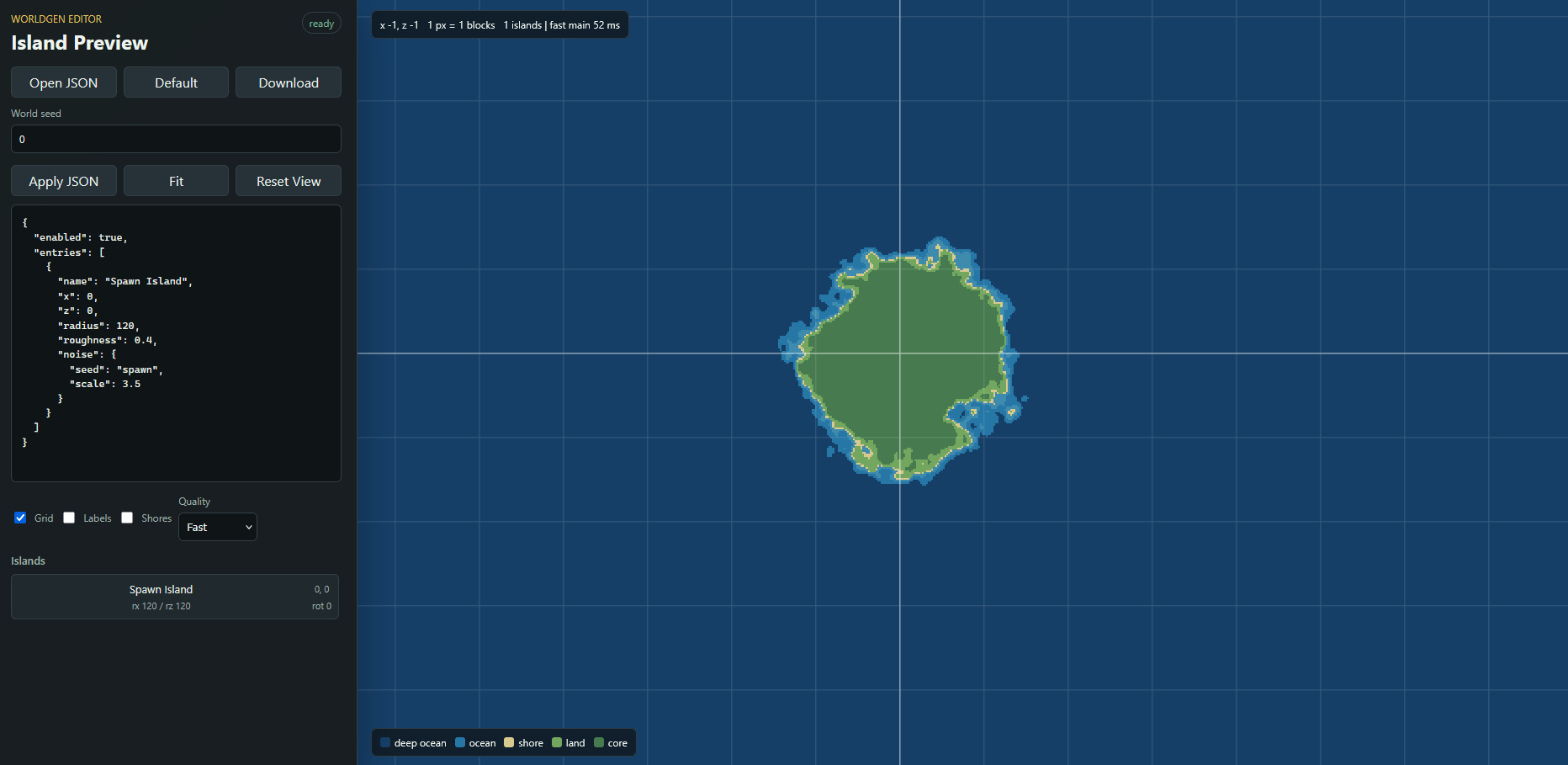 Preview tool view A tool that allows you to easily edit JSON with a preview of the approximate shape of the island! Tool github: https://github.com/waterflane/WorldGen-Editor-Preview
 -
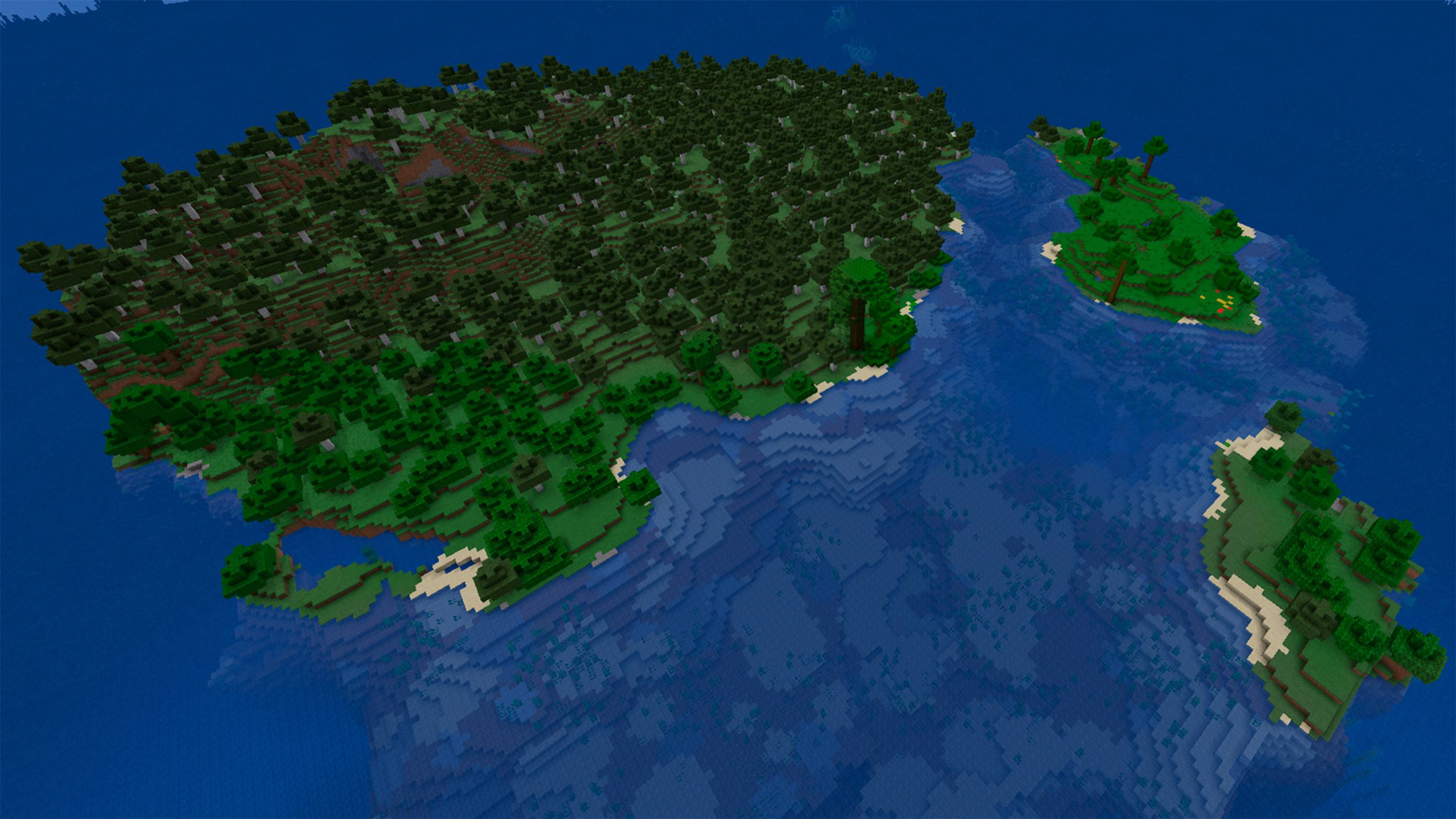 In-game view An image of how generation change looks in-game
 -
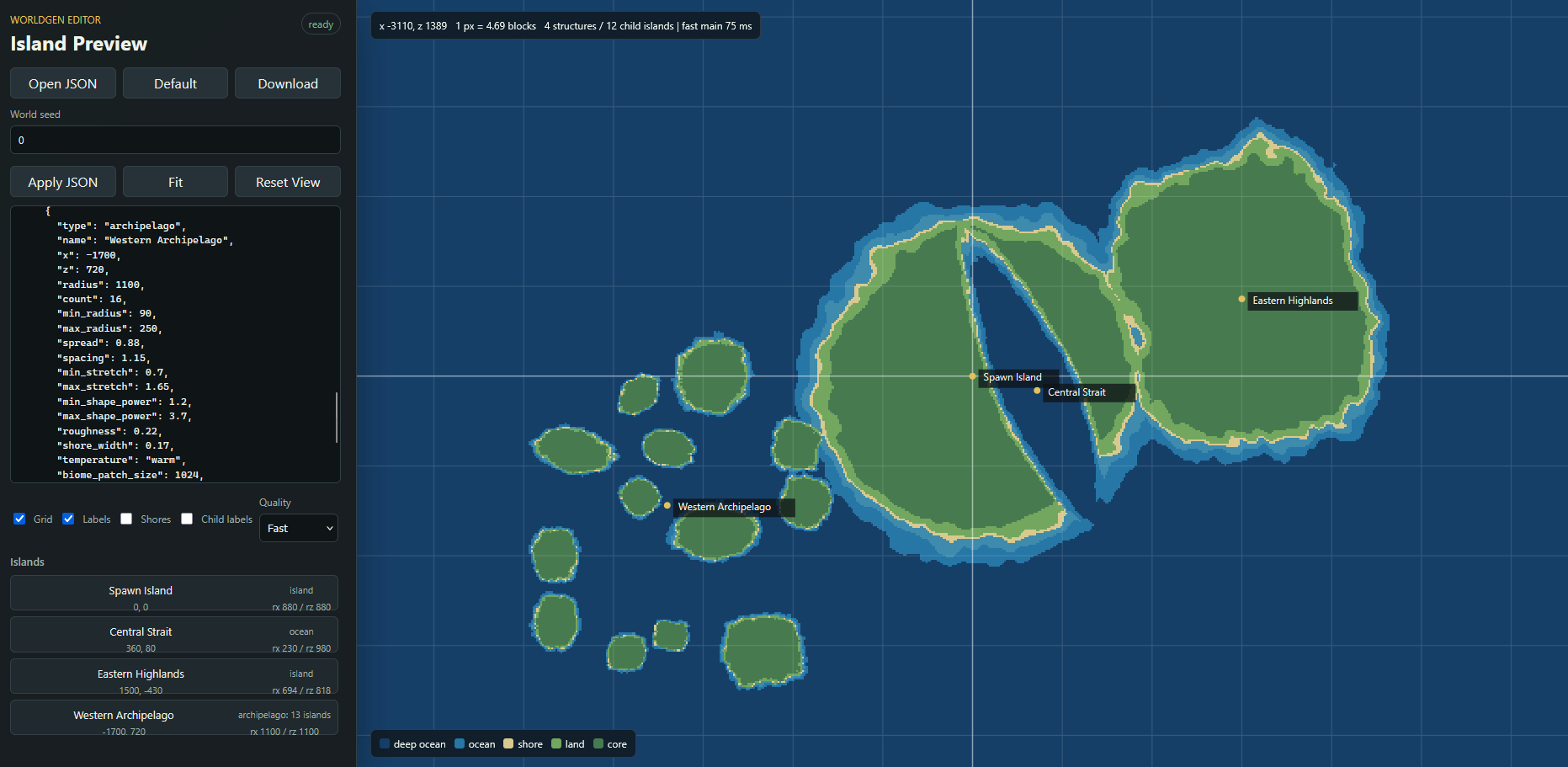
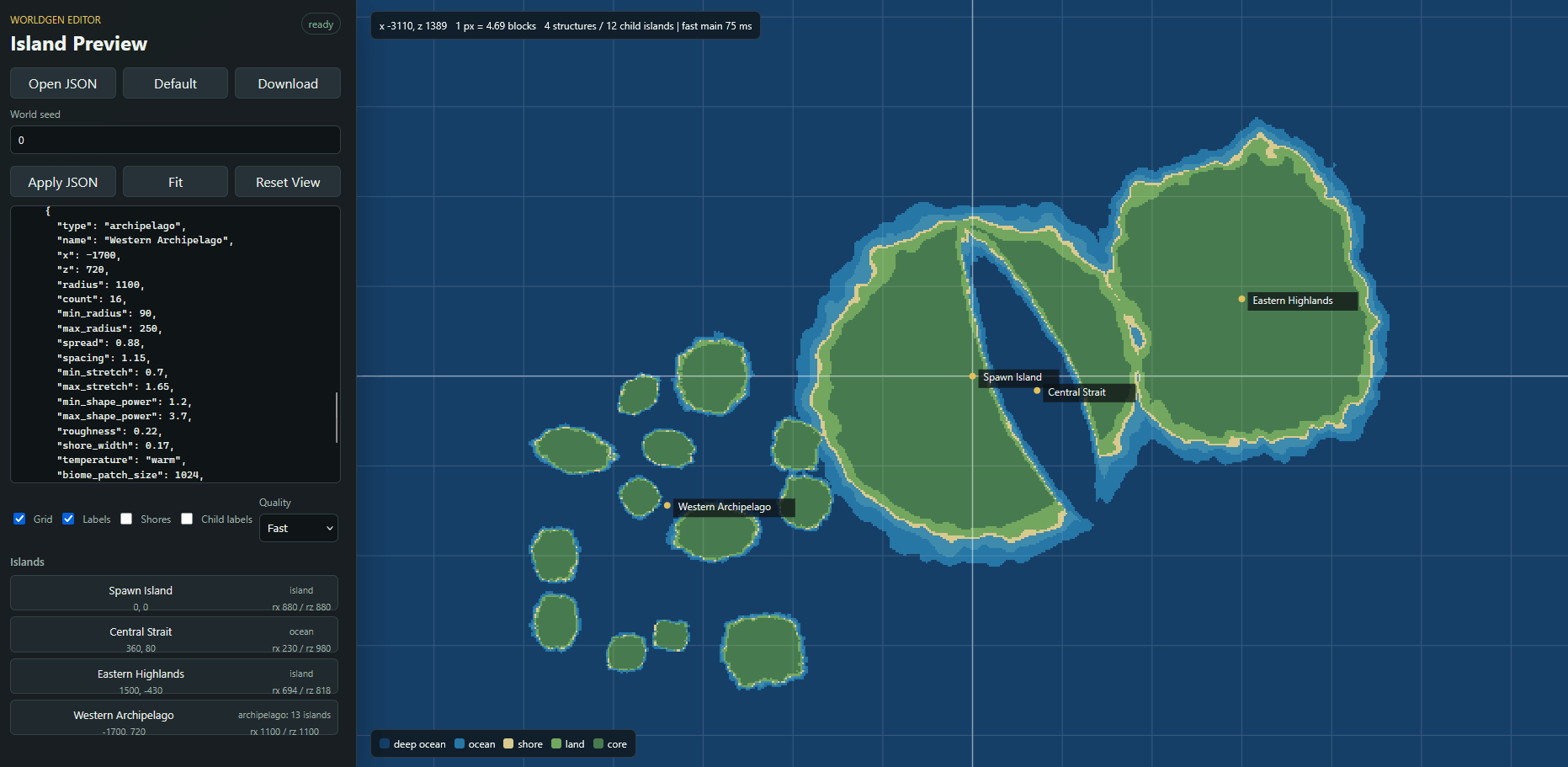 preview view
-
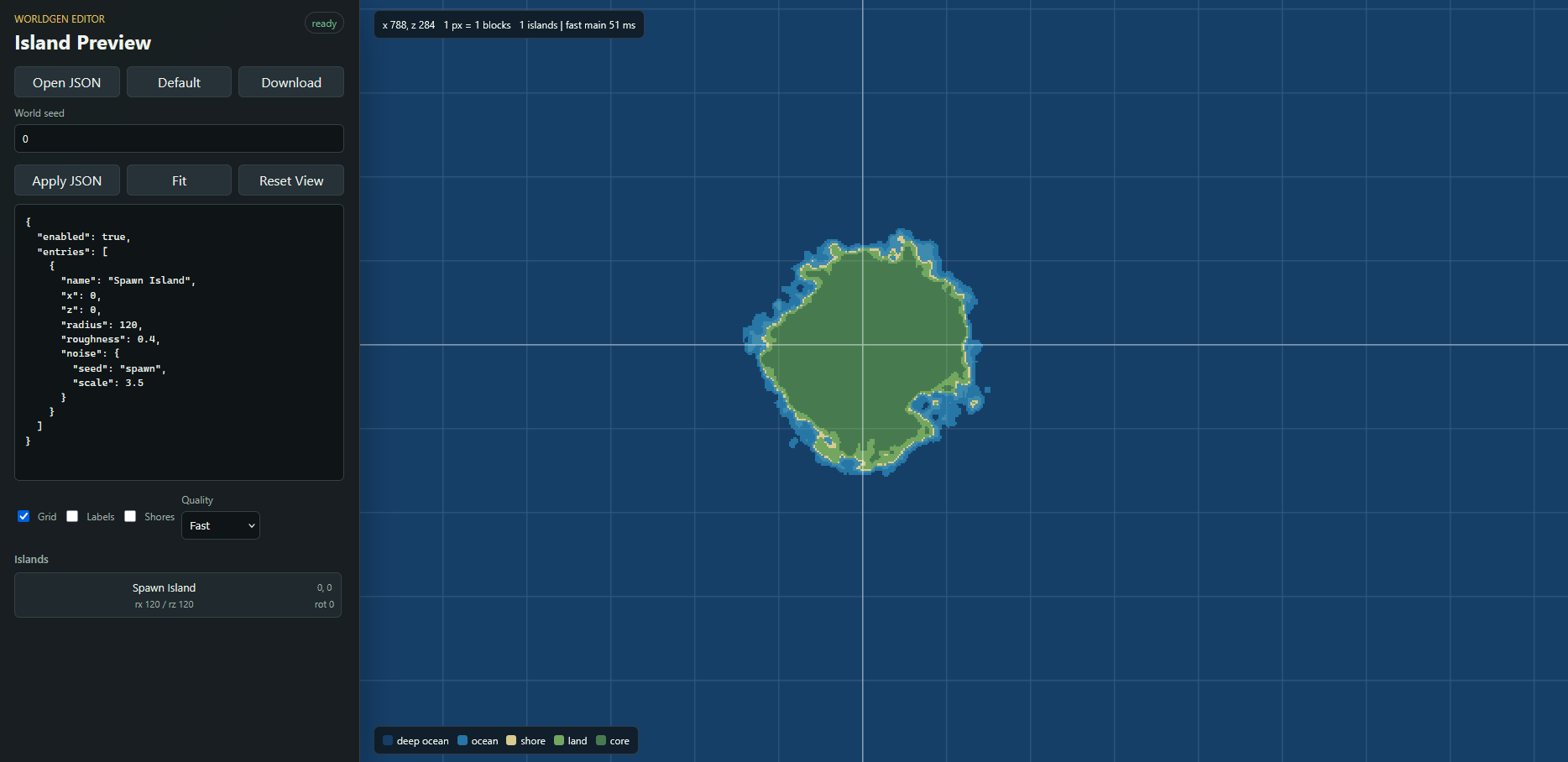 Preview tool view A tool that allows you to easily edit JSON with a preview of the approximate shape of the island! Tool github: https://github.com/waterflane/WorldGen-Editor-Preview
 -
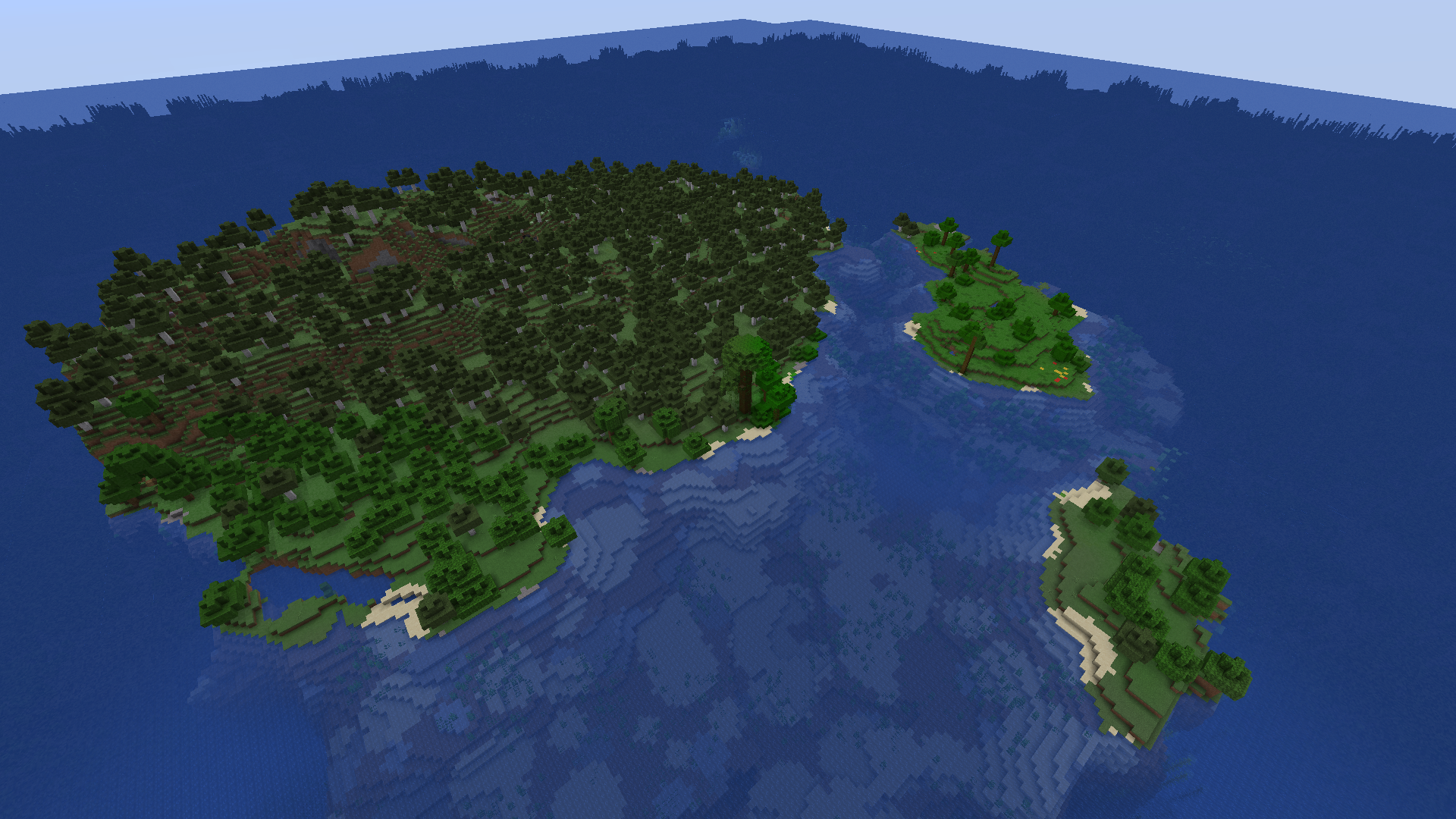 In-game view An image of how generation change looks in-game
 -
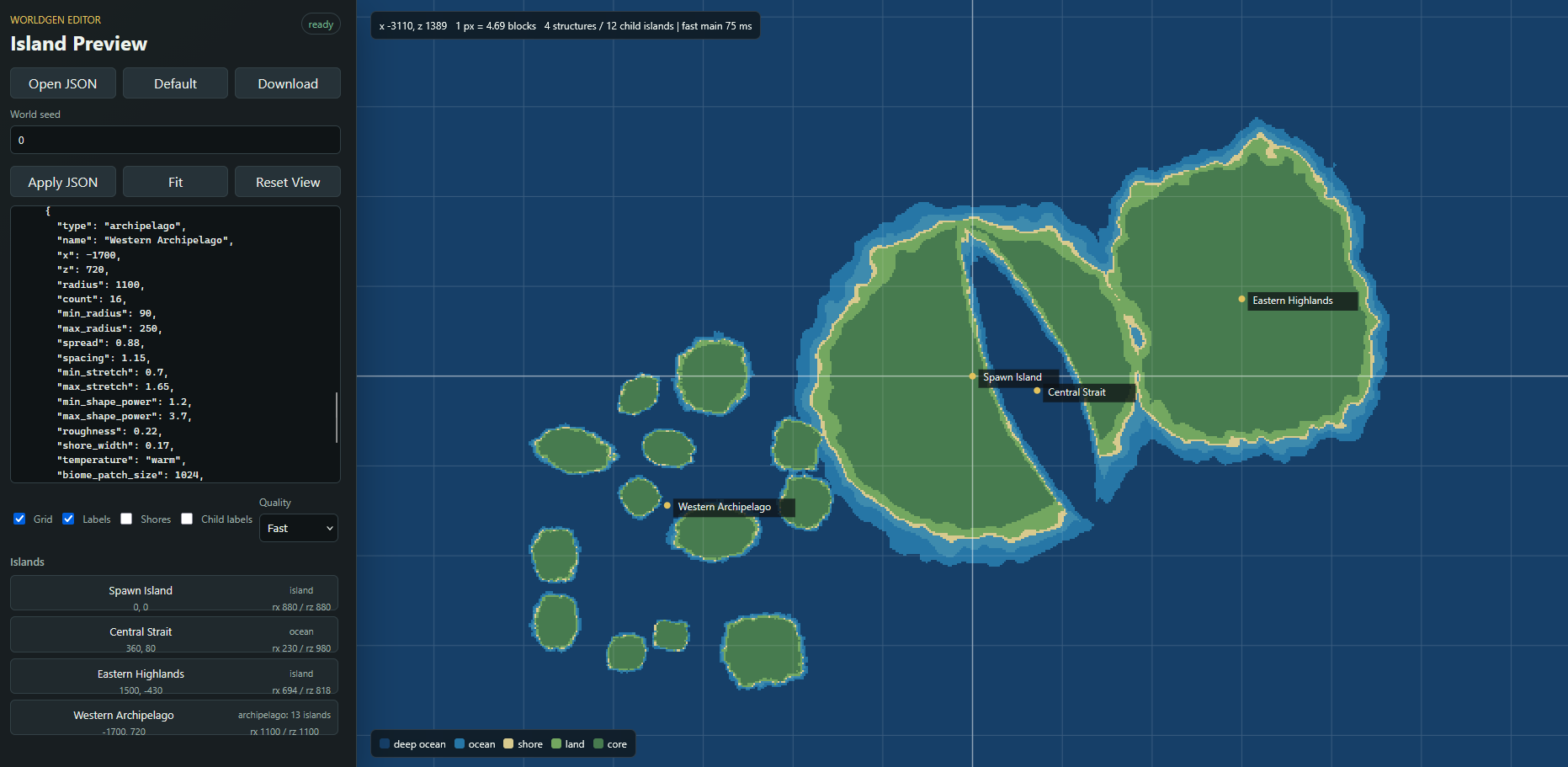 some islands in preview
Versions
Files
Relations
Project Relations
More like this
Similar Mods
Suggestions use data such as tags, dependencies, dependents, descriptions, titles, and more to rank how much they overlap with this mod.
On ModDex
Community snapshot
By the numbers
Statistics
Want to reach Minecraft players?
We're looking for a server hosting partner to feature here and other parts of the site. Interested? Send us a message!
Get in touchGet it on
Available Platforms
On ModDex
Community snapshot
By the numbers