Community listing page, reviews here may not be monitored by the author.
Yo's Trade Post


No reviews yet
Adds a new trading block for Minecraft
Community voices
Reviews
No reviews yet. Be the first to review this project!
Get it on
Available Platforms
Compatibility
Supported Environments
Must be installed on both the client and the server.
About
Project Details
For authors
Embed Badge
If you're the author of this project, you can embed a live badge anywhere that supports HTML or Markdown. It updates automatically whenever ratings change.
Use HTML for any page that supports it, or Markdown for README files and Markdown-based descriptions.
Identifiers
Platform IDs
About
Description
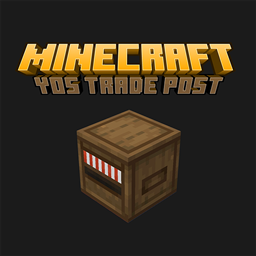
 Adds a new trading block similar to Stardew Valley selling bin for Minecraft.
Selling Bin (yostradepost:tradepost) is located in the original utility block bar in Creative mode and can be crafted using red wool, white wool, any type of plank, and barrel.
After the player puts in the item to be traded, the Selling Bin will process the transaction on a new day, converting the specified item into another specified item (Configurable in the yostradepost.json in the config folder).
Provides a highly customizable and clean way to configure.
-
The Selling Bin will perform 3 processing times on a new day (considered as 1 transaction), and a single transaction supports three-level currency conversion (item - currency 1 - currency 2 - currency 3).
-
["Input Item ID", "Input Quantity", "Output Item ID", "Output Quantity"] (Numbers can be used without double quotation marks)
-
Example:
8 Iron ingots(minecraft:iron_ingot)-> 1 Emerald(minecraft:emerald)
["minecraft:iron_ingot", 8, "minecraft:emerald", 1]
-
Full text:
{
  "trades": [
    ["输入物品ID", "输入数量", "输出物品ID", "输出数量"],
    ["minecraft:iron_ingot", 8, "minecraft:emerald", 1],
    ["minecraft:gold_ingot", 2, "minecraft:emerald", 1],
    ["minecraft:emerald", 8, "minecraft:diamond", 1]
  ]
}
- In this configuration, the iron and gold ingots entered by the player will be converted into emeralds (first processing), and if the number of iron/gold ingots entered can be exchanged for more than 8 emeralds, it will be automatically converted to 1 diamond (second processing) without a third processing.
为我的世界添加类似星露谷物语出货箱的新交易方块。
Adds a new trading block similar to Stardew Valley selling bin for Minecraft.
出货箱(Selling Bin) yostradepost:tradepost 在创造模式下位于原版实用方块栏,可使用红色羊毛、白色羊毛、橡木木板和木桶合成。
Selling Bin (yostradepost:tradepost) is located in the original crafting bar in creative mode and can be synthesized using red wool, white wool, oak planks, and wooden barrels.
玩家将需要交易的物品放入后,出货箱会在新的一天处理交易,将指定的物品转换成另一种指定的物品(可在config文件夹内yostradepost.json中配置)。
After the player puts in the item to be traded, the Selling Bin will process the transaction on a new day, converting the specified item into another specified item (Configurable in the yostradepost.json in the config folder).
提供高度可自定义且简洁的配置方式。
Provides a highly customizable and clean way to configure.
-
出货箱在新的一天会瞬间执行3次处理(视为1次交易),单次交易支持货币三级转换(物品-货币1-货币2-货币3)。
The Selling Bin will perform 3 processing times on a new day (considered as 1 transaction), and a single transaction supports three-level currency conversion (item - currency 1 - currency 2 - currency 3). -
配置格式 Configuration format:
["输入物品ID", "输入数量", "输出物品ID", "输出数量"](数字可不用双引号)
["Input Item ID", "Input Quantity", "Output Item ID", "Output Quantity"] (Numbers can be used without double quotation marks)
-
示例 Example:
8 铁锭(minecraft:iron_ingot)-> 1 绿宝石(minecraft:emerald)
["minecraft:iron_ingot", 8, "minecraft:emerald", 1]
-
完整配置示意 Full text:
{
  "trades": [
    ["输入物品ID", "输入数量", "输出物品ID", "输出数量"],
    ["minecraft:iron_ingot", 8, "minecraft:emerald", 1],
    ["minecraft:gold_ingot", 2, "minecraft:emerald", 1],
    ["minecraft:emerald", 8, "minecraft:diamond", 1]
  ]
}
- 以上配置中玩家输入的铁锭和金锭会被转换成绿宝石(第一次处理),若输入铁锭/金锭的数量能兑换超过8个绿宝石,则自动转换为1个钻石(第二次处理),无第三次处理。
In this configuration, the iron and gold ingots entered by the player will be converted into emeralds (first processing), and if the number of iron/gold ingots entered can be exchanged for more than 8 emeralds, it will be automatically converted to 1 diamond (second processing) without a third processing.
目前支持的版本:
Fabric 1.20.1(需要 Fabric Loader 0.16.14 以及上版本,Fabric API任意版本)。
(requires Fabric Loader 0.16.14 or higher, any version of Fabric API).
Screenshots
Gallery
-
 合成表
合成表
Versions
Files
Relations
Project Relations
More like this
Similar Mods
Suggestions use data such as tags, dependencies, dependents, descriptions, titles, and more to rank how much they overlap with this mod.
On ModDex
Community snapshot
By the numbers
Statistics
Want to reach Minecraft players?
We're looking for a server hosting partner to feature here and other parts of the site. Interested? Send us a message!
Get in touchGet it on
Available Platforms
On ModDex
Community snapshot
By the numbers