
Community listing page, reviews may not be monitored by the author.
Zenithra


No reviews yet
A combat-focused multiplayer mod featuring a various RPG enhancements and features.

Community voices
Reviews
No reviews yet. Be the first to review this project!
Get it on
Available Platforms
Compatibility
Supported Environments
Must be installed on both the client and the server.
About
Project Details
For authors
Embed Badge
If you're the author of this project, you can embed a live badge anywhere that supports HTML or Markdown. It updates automatically whenever ratings change.
Use HTML for any page that supports it, or Markdown for README files and Markdown-based descriptions.
Identifiers
Platform IDs
Resources
External Links
About
Description
Zenithra
A combat-focused multiplayer Minecraft mod featuring various RPG enhancements and features.
Features
Group System
Form parties with other players for cooperative gameplay with shared rewards and real-time status information.
- Cooperative Benefits: Groups share XP and receive loot bonuses when fighting together
- Health Monitoring: Visual health bars for all group members displayed in a customizable HUD
- Persistent Groups: Groups survive server restarts and player disconnections
- Proximity-Based Sharing: XP and loot bonuses apply when group members are within a configurable range
When a group member kills a mob:
- The killer receives 100% XP
- Nearby group members each receive 50% XP
- Each additional nearby group member adds 25% chance for better drops
Health Bar System
Health bar that displays above all mobs in the world, providing clear visual feedback during combat.
Kill Indicator System
Visual indicators that mark players who have recently hurt or killed another player, inspired by combat status systems in MMORPGs.
- Dynamic Status Levels: Players who attack or kill others are marked with a different colored indicator
- Visual Feedback: Animated rotating diamond indicator above the player
City Boundary System
Complete territory management system
- Create and place City Boundary Blocks to define a city. You need at least 3 to create a city. They can be placed anywhere in the world, but they must be near to each other (default: 50 Blocks). You can also add and remove more blocks after the city were already created.
- Use the GUI to create and manage a city
- Inside a city, you can deactivate pvp, hostile mobs and explosions
- You can also toggle specific settings for non-member players, such as if they are allowed to open containers, break blocks or place blocks inside the city.
Zenithra
A combat-focused multiplayer Minecraft mod featuring various RPG enhancements and features.
Configuration
Zenithra integrates with Mod Menu for in-game configuration.
Features
Group System
Form parties with other players for cooperative gameplay with shared rewards and real-time status information.
- Cooperative Benefits: Groups share XP and receive loot bonuses when fighting together
- Health Monitoring: Visual health bars for all group members displayed in a customizable HUD
- Persistent Groups: Groups survive server restarts and player disconnections
- Proximity-Based Sharing: XP and loot bonuses apply when group members are within a configurable range
When a group member kills a mob:
- The killer receives 100% XP
- Nearby group members each receive 50% XP
- Each additional nearby group member adds 25% chance for better drops
Health Bar System
Health bar that displays above all mobs in the world, providing clear visual feedback during combat.
Kill Indicator System
Visual indicators that mark players who have recently hurt or killed another player, inspired by combat status systems in MMORPGs.
- Dynamic Status Levels: Players who attack or kill others are marked with a different colored indicator
- Visual Feedback: Animated rotating diamond indicator above the player
City Boundary System
Complete territory management system
- Create and place City Boundary Blocks to define a city. You need at least 3 to create a city. They can be placed anywhere in the world, but they must be near to each other (default: 50 Blocks). You can also add and remove more blocks after the city were already created.
- Use the GUI to create and manage a city
- Inside a city, you can deactivate pvp, hostile mobs and explosions
- You can also toggle specific settings for non-member players, such as if they are allowed to open containers, break blocks or place blocks inside the city.
Screenshots
Gallery
-
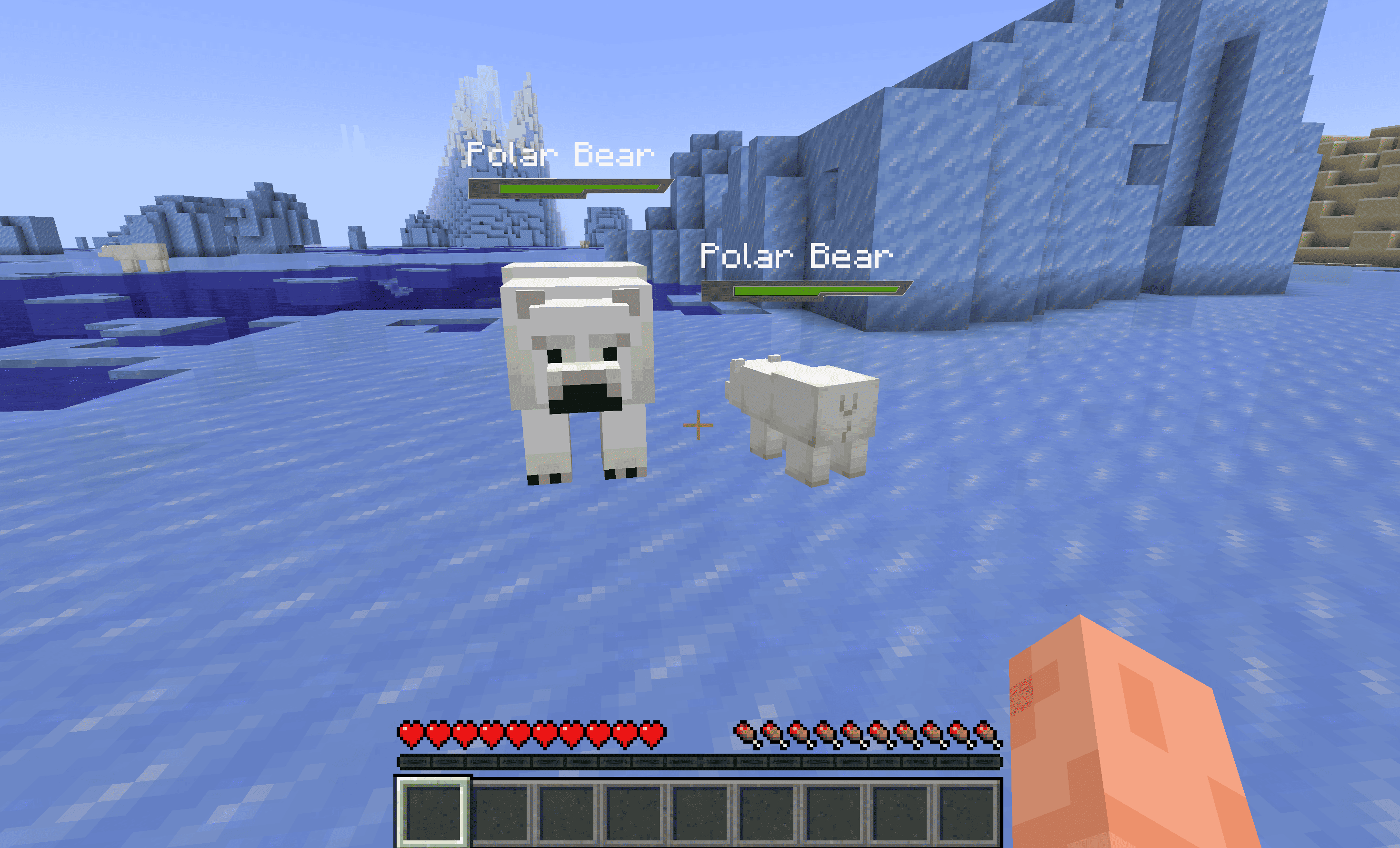 healthbar full The healthbar with full health
 -
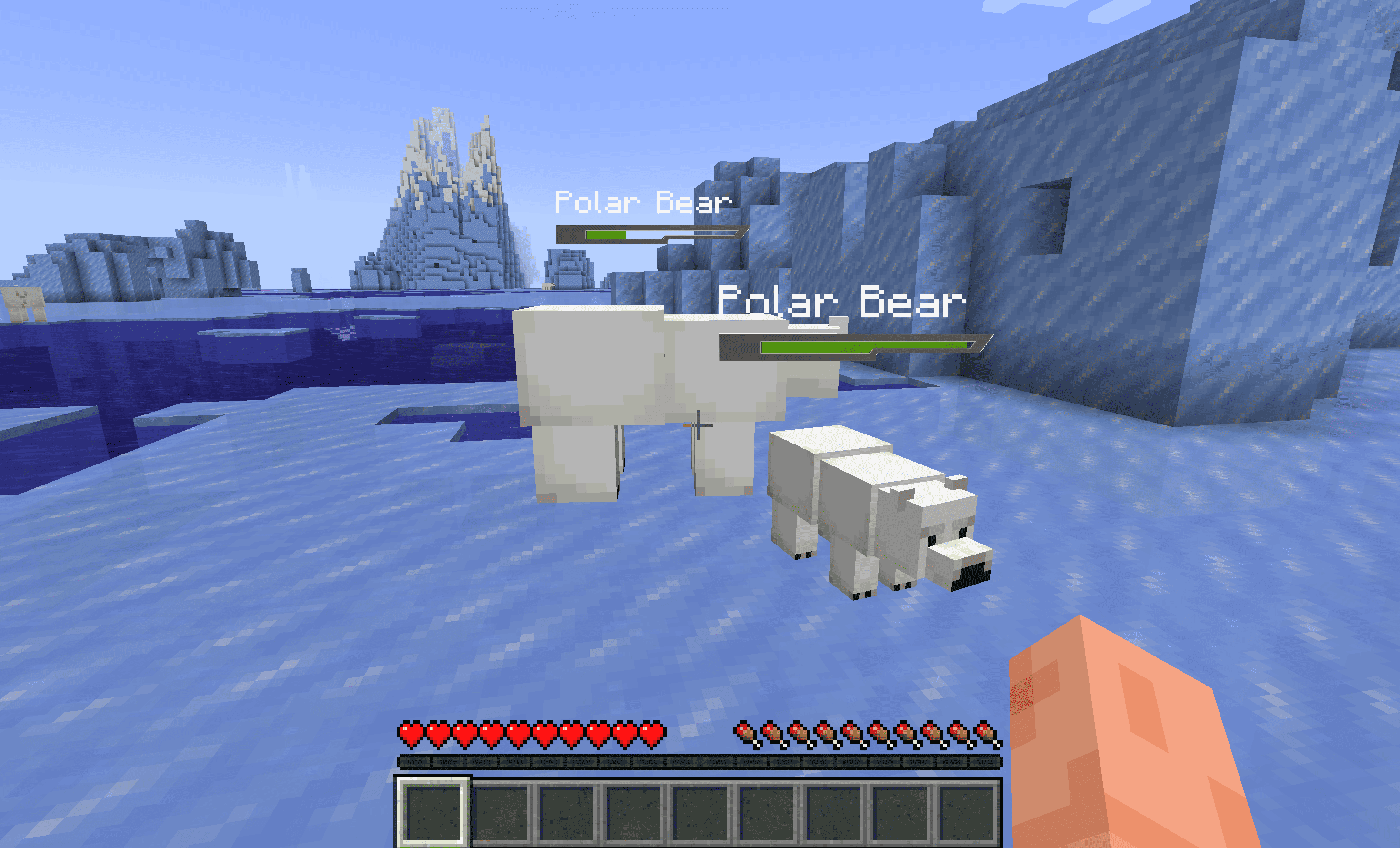 healthbar partial The healthbar with partial health
 -
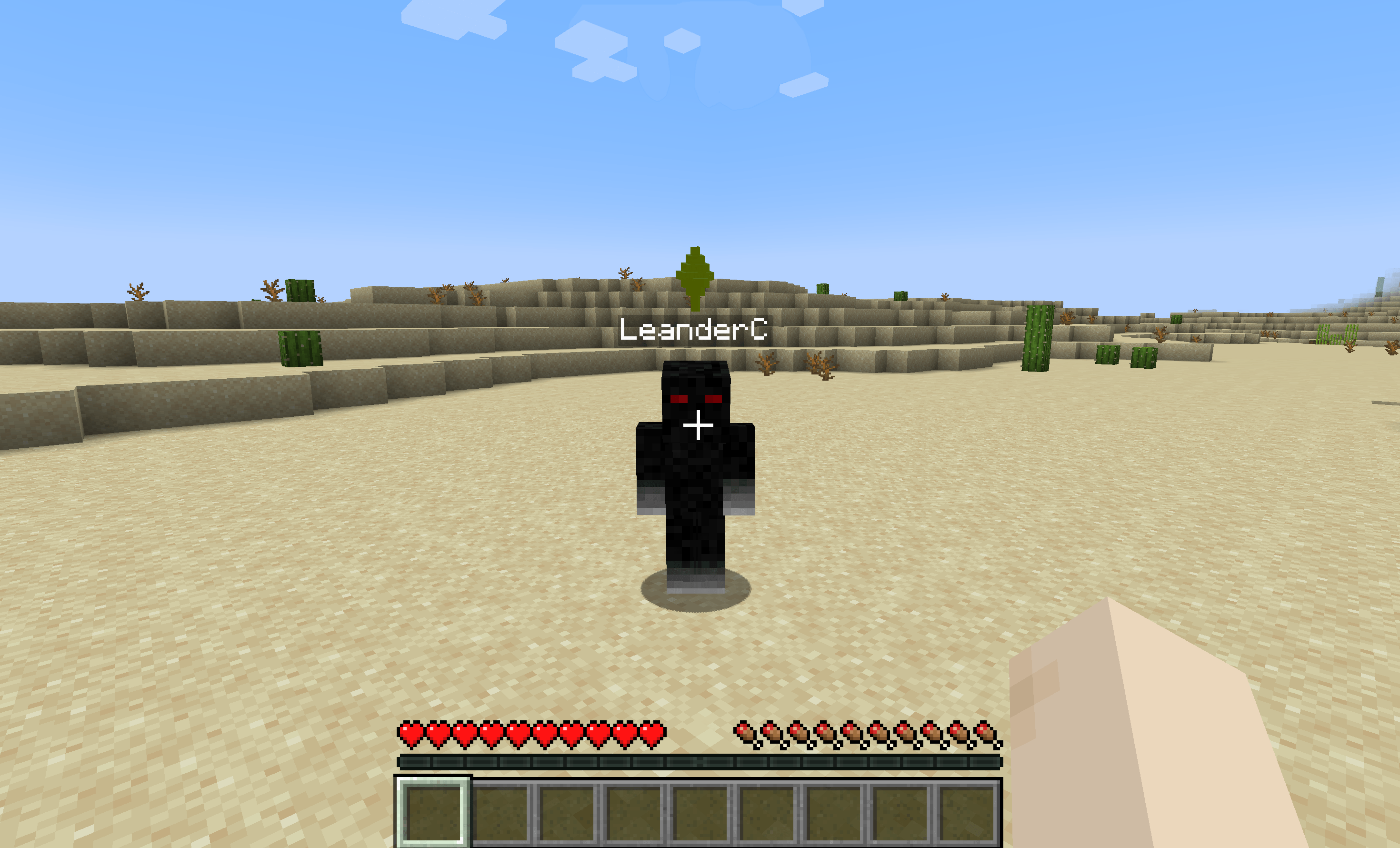 kill_indicator_green.png kill_indicator_green.png
 -
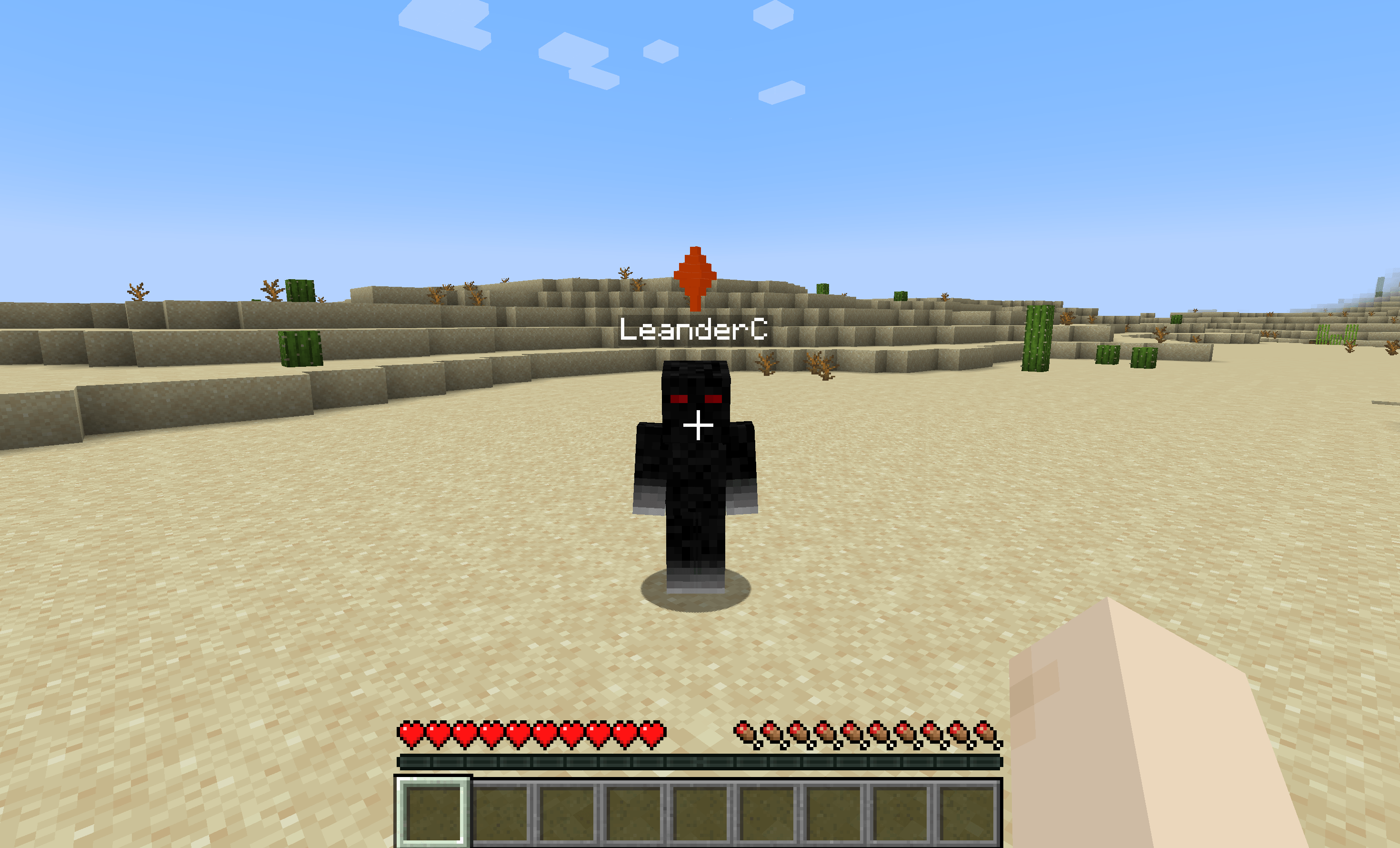 kill_indicator_orange.png kill_indicator_orange.png
 -
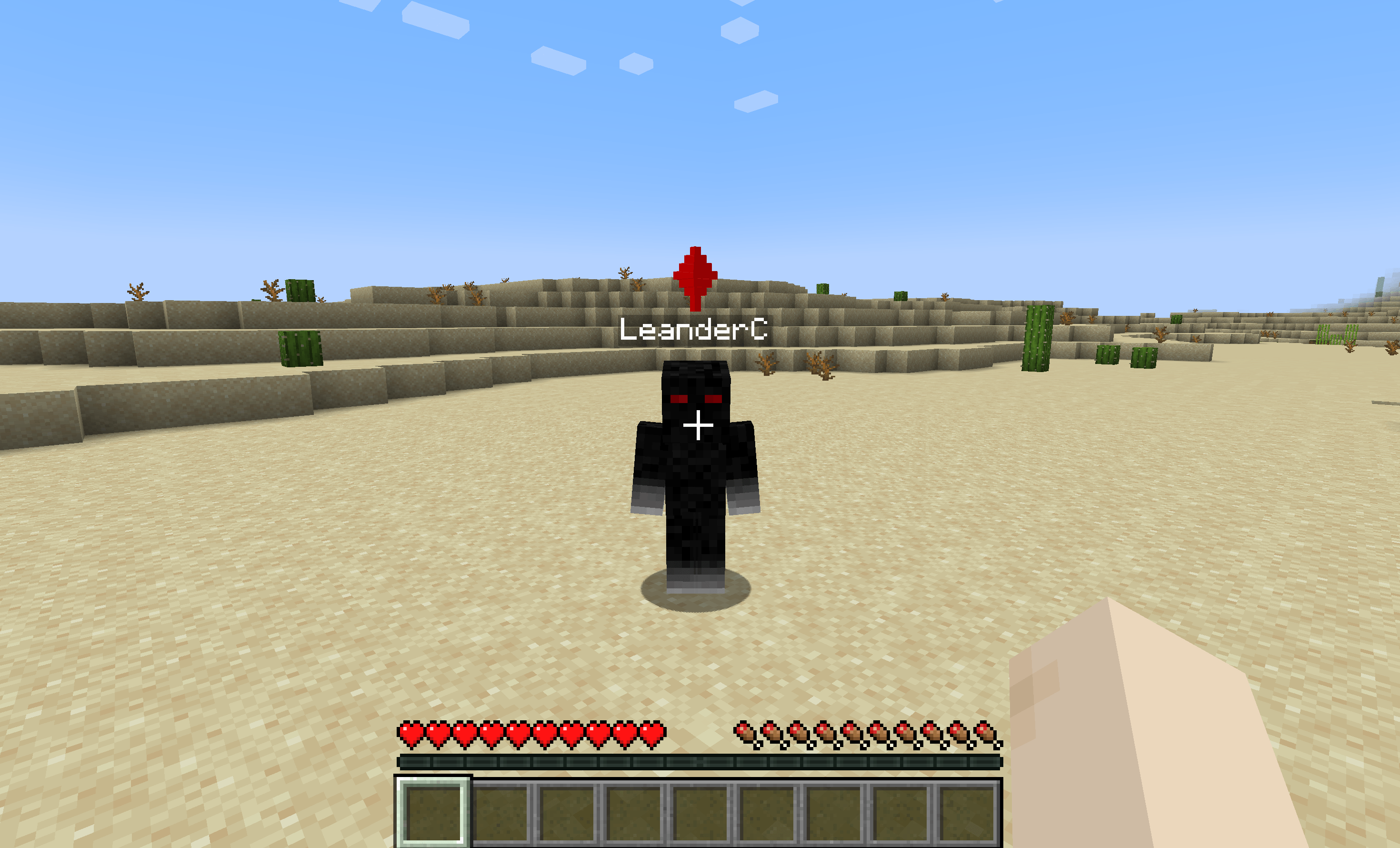 kill_indicator_red.png kill_indicator_red.png
 -
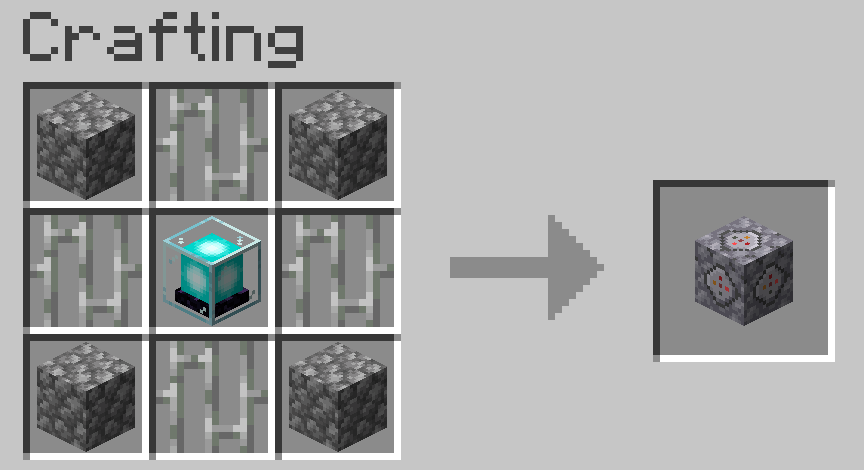 city_boundary_block_crafting.png city_boundary_block_crafting.png
 -
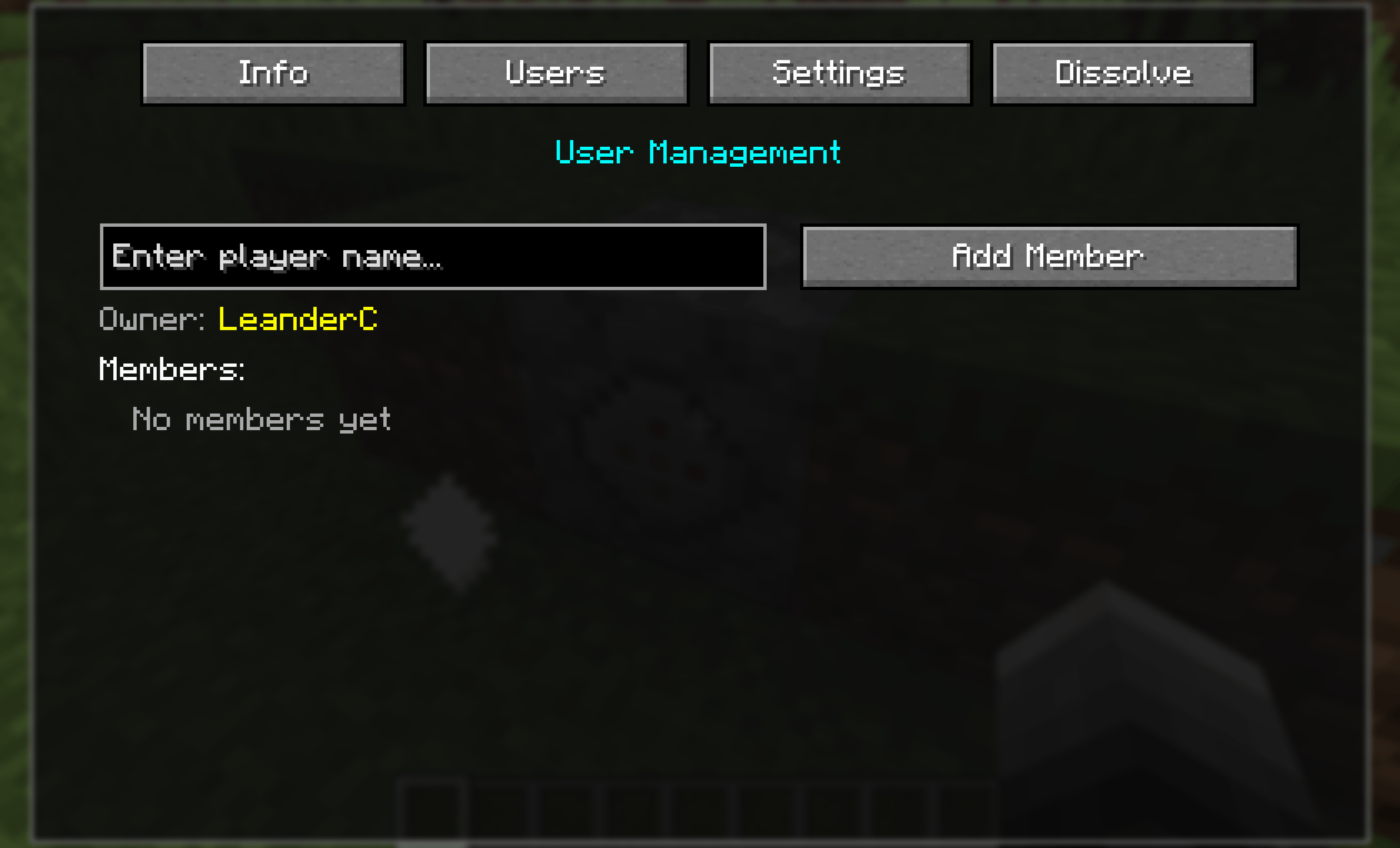 city_boundary_block_users.png city_boundary_block_users.png
 -
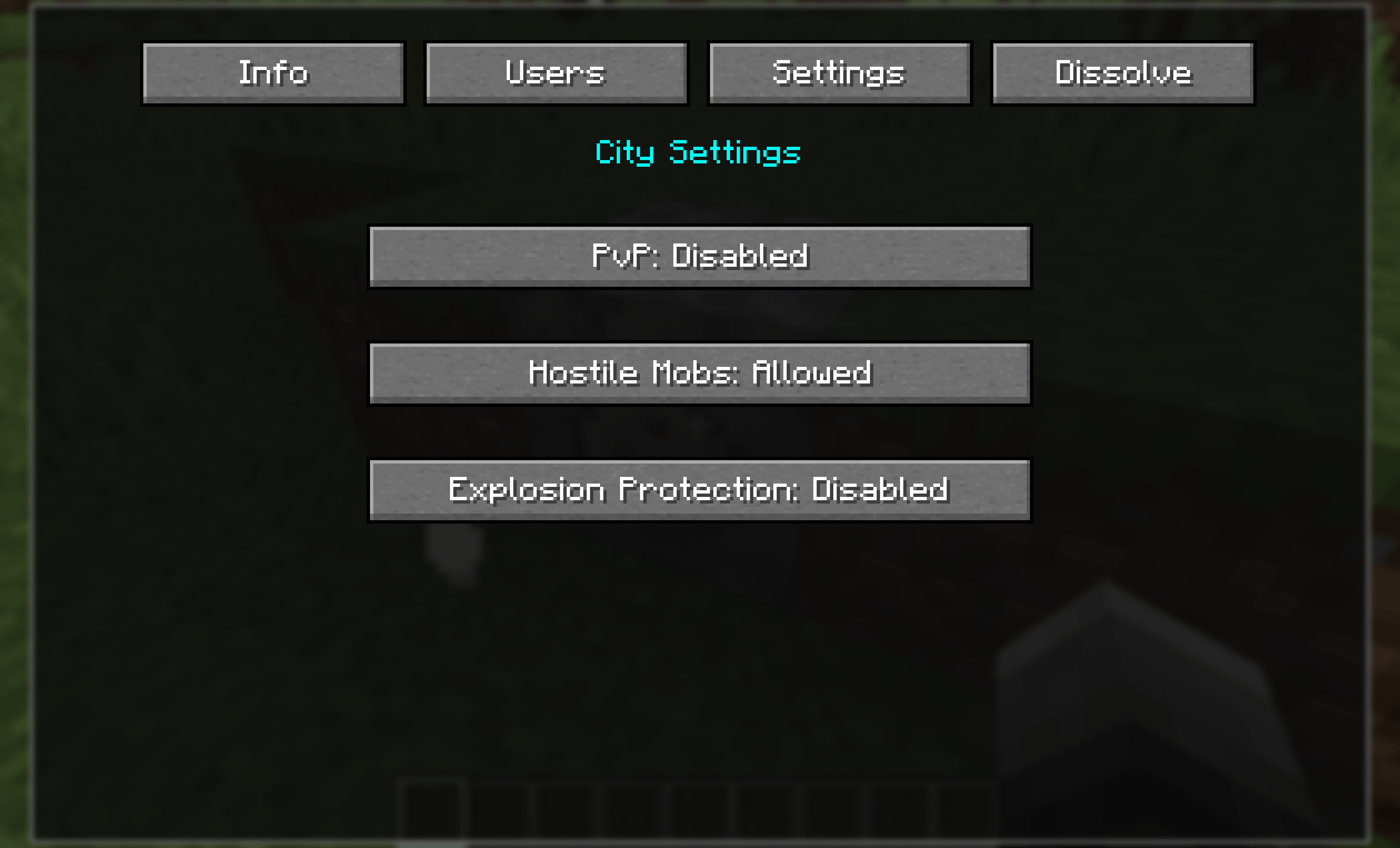 city_boundary_block_settings.png city_boundary_block_settings.png
 -
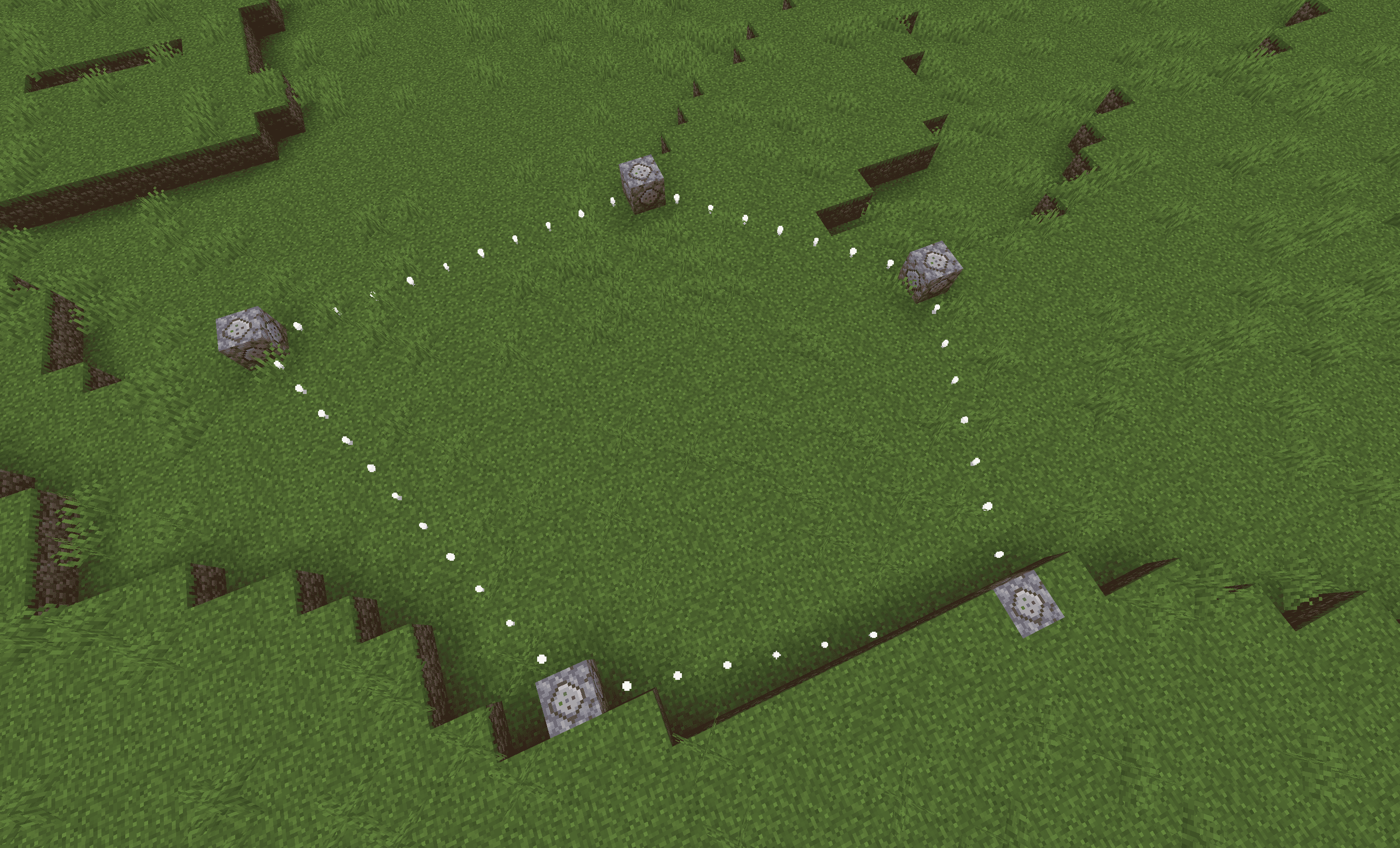 city_boundary_block_city.png city_boundary_block_city.png
 -
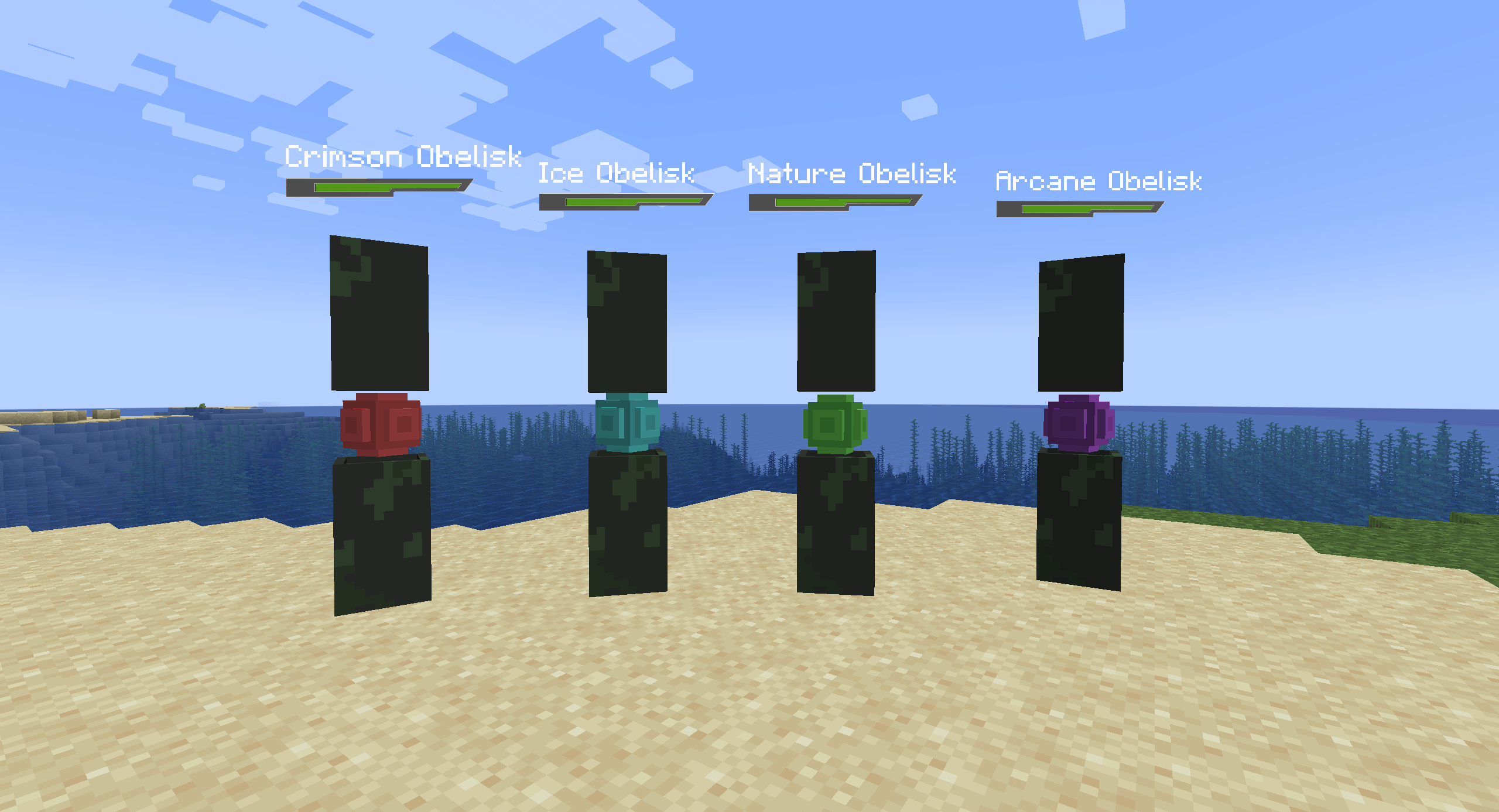 entity_obelisk.png entity_obelisk.png
-
 The healthbar with full health
 -
 The healthbar with partial health
 -
 Kill Indicator Green
 -
 Kill Indicator Orange
 -
 Kill Indicator Red
 -
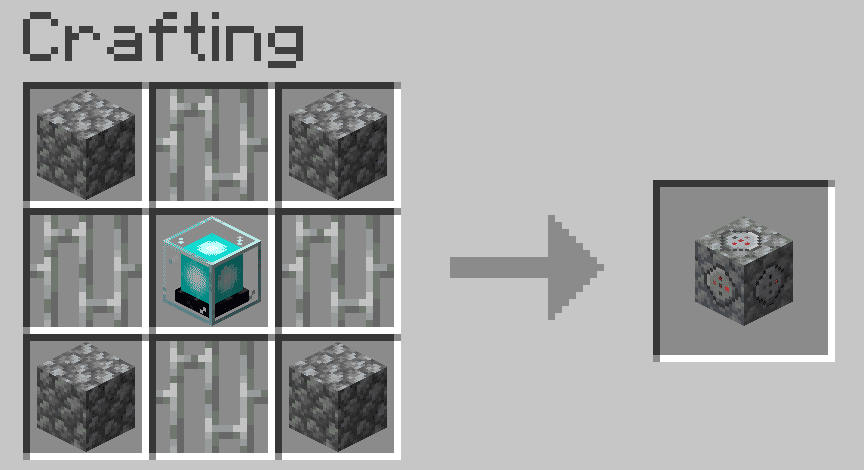 City Boundary Block Crafting
 -
 City Boundary Block Settings
 -
 City Boundary Block Users
 -
 City Boundary Block City
 -
 Custom Mobs Obelisk
Versions
Files
Relations
Project Relations
More like this
Similar Mods
Suggestions use data such as tags, dependencies, dependents, descriptions, titles, and more to rank how much they overlap with this mod.
On ModDex
Community snapshot
By the numbers
Statistics

Get it on
Available Platforms
On ModDex
Community snapshot
By the numbers
Statistics
Resources